












Why Your Gaming Setup Still Feels “Off”: Small Mistakes That Ruin the Experience
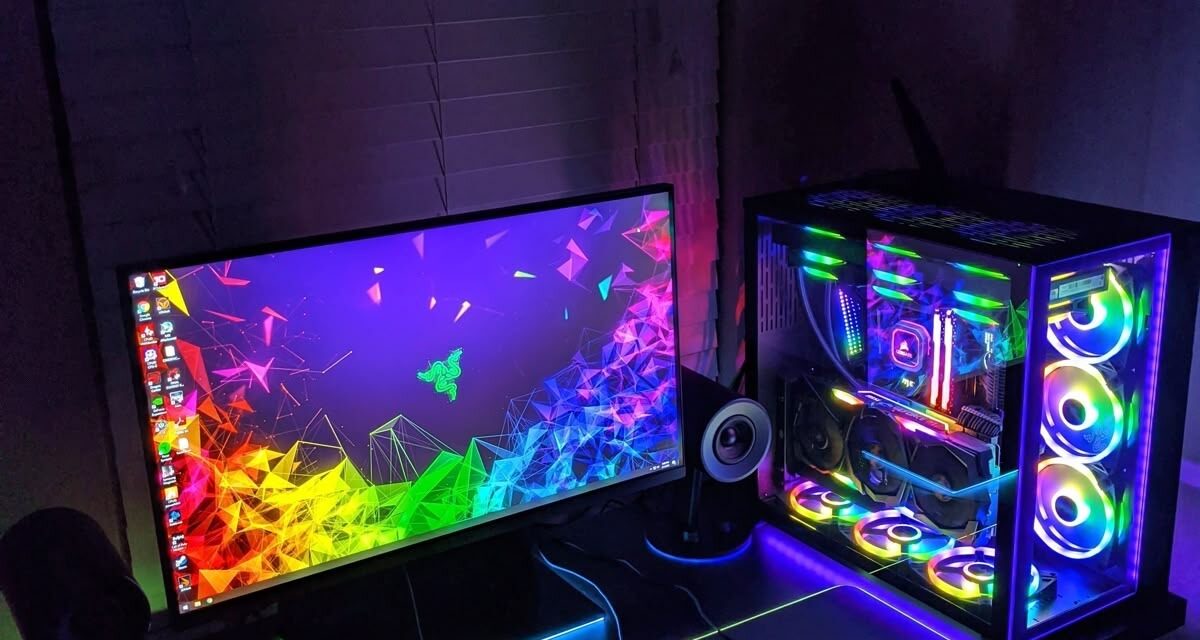
You upgrade your PC. You buy a good monitor. You get a decent mouse and keyboard.
Everything should feel great. But somehow, it doesn’t. The game runs fine. The graphics look good. And yet, something feels slightly wrong. Not bad, just… off.
This is more common than people think. And the reason is simple: a good setup is not just about powerful hardware, but also about how everything works together. Small issues, often invisible, can quietly ruin your experience.
The Problem With “Almost Good”
Most setups are not broken, it’s not that bad; they are just “almost good.” And that’s exactly the problem.
- The monitor is good, but positioned slightly wrong;
- The performance is high, but not stable;
- The chair is fine, but not comfortable for long sessions;
- The settings are decent, but not optimized.
Each issue seems minor, but when put together, they create friction. The problem is that there is no one big issue you can point your finger at.
You don’t notice one big problem. You feel a constant, low-level discomfort. And over time, it affects how you play.
Performance Is Not Just About High FPS
Many players focus only on one number: FPS. But high FPS alone does not guarantee a smooth experience. In fact, decent stability matters more.
If your game jumps between 120 and 60 FPS, it feels worse than a stable 80. All these micro-stutters, frame drops, and inconsistent frame pacing create a sense of instability you cannot fully understand. Your brain notices it, even if you don’t track the numbers.
This is why a “good PC” can still feel bad.
Your Monitor Might Be Working Against You
Let’s start with one of the most common issues: monitor setup.
A good monitor can still feel wrong if it’s not positioned properly. If it’s too high, your neck strains; if it’s too low, your posture collapses; if it’s too close or too far, your eyes work harder than they should. Even small angle differences matter.
Then there are settings.
Many people never adjust them. They use the default brightness, contrast, and refresh rate.
This leads to:
- Eye fatigue;
- Washed-out or overly harsh visuals;
- Missing the smoothness your monitor can actually deliver (you just aren’t aware of it).
The result is subtle, but noticeable. Movement feels less smooth, even if you can’t explain why.
Input Lag You Don’t Notice (But Feel)
Another hidden issue is input lag. Your PC may be powerful, FPS may be high, but if there is a delay between your actions and what you see, the experience suffers.
This can come from:
- Wrong in-game settings (like V-Sync in the wrong situation);
- Background apps using system resources;
- Wireless devices with poor response time;
- Display settings are adding an extra delay.
You may not think, “There’s an input lag.” Instead, you feel slightly disconnected from the game: reactions feel slower, the aim feels off, the timing is wrong (especially true for fast-paced games where speed is a real deal).
Ergonomics: The Most Ignored Factor
Hardware gets attention. Comfort does not. Let’s be honest – very few gamers really think about comfort, or they fall for marketing and choose wrong.
At the same time, ergonomics has a direct impact on how your setup feels:
- If your chair does not support your back, you shift constantly, and your back hurts.
- If your desk height is wrong, your wrists and shoulders tense up;
- If your mouse position is awkward, your movements become less precise, and your wrist starts hurting.
None of this feels dramatic at first, but after one or two hours, it builds up; you lose focus, and the game feels less enjoyable. Many people tend to blame the game, or their PC, but not a trivial chair or mouse thing.

The Mental Side of a “Bad” Setup
What’s interesting is that these issues don’t just affect your body. They affect your mindset as well, and this is not some “mental wellness” nonsense, but a direct impact.
When your setup feels off:
- You get frustrated more easily;
- You lose patience faster;
- You stop enjoying longer sessions.
Even if everything is technically working, the experience feels worse.
This is why two people with similar hardware can have completely different experiences.
One feels smooth and immersive, the other feels slightly uncomfortable all the time.
How to Fix It Without Overthinking
The good news is that you don’t need expensive upgrades; some small adjustments will be enough.
Whatever you play – games from sites reviewed on CasinosHunter or any video games – start with the basics:
- Adjust your monitor height so the top is around eye level;
- Check your refresh rate in system settings;
- Lower unnecessary background apps;
- Test in-game settings instead of using defaults;
- Aim for stable performance, not maximum FPS;
- Fix your sitting position and desk setup.
Make one change at a time. Play. Notice how it feels. Remember the numbers or positions and move to the next improvement.
With time, you will build exactly the setup that works for you, physically, technically, and mentally.