














5 Best USB Recovery Tools
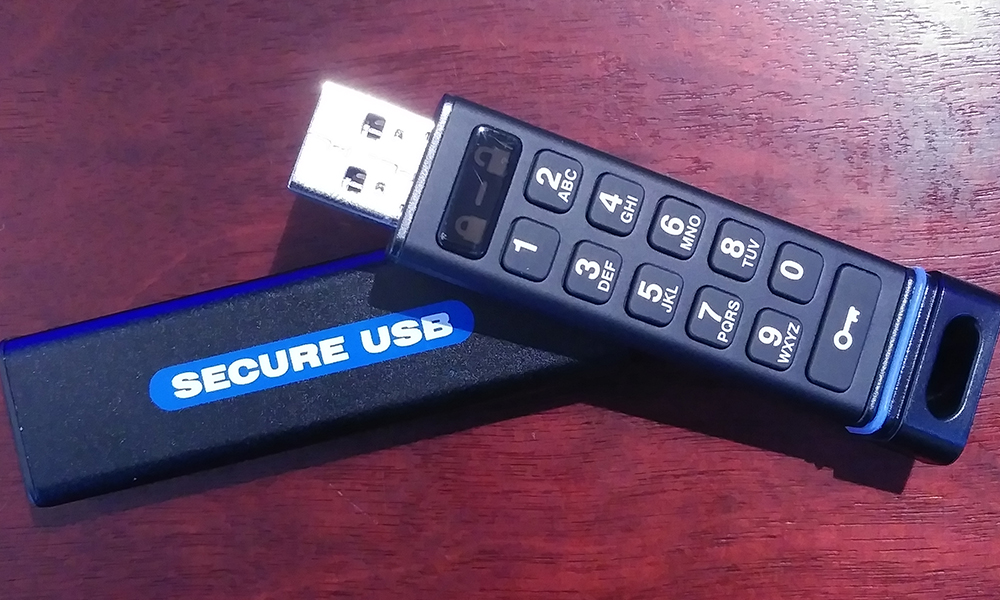
Lost files from a USB drive after deletion or formatting? The right USB recovery software can restore data even from corrupted or RAW flash drives, as long as the sectors haven’t been overwritten. Below is a comparison of five tested tools based on real recovery performance, file system support, and reliability across common USB data loss scenarios.
How We Ranked the Top USB Recovery Software
Before we get to each tool, let’s talk about how we actually ranked them.
We didn’t just compare feature lists or rely on marketing claims. We tested every tool in real USB failure scenarios – the kind you’re most likely to face in the real world. That included recovering deleted files, scanning formatted flash drives, dealing with RAW partitions and corrupted file systems.
The final rankings reflect how each tool performed across these practical tests. We scored each tool based on a clear set of criteria:
- Recovery performance. Primary evaluation centered on recovery accuracy after deletion and format, successful access to RAW or unallocated drives, and preservation of original file names, timestamps, and directory structure. Consistent results across FAT32, exFAT, and NTFS received higher weight.
- File system and device support. Assessment included native support for common USB file systems and logical reconstruction capability instead of reliance on generic signature scans. Cross-platform compatibility across Windows and macOS influenced final placement.
- Scan technology and detection precision. Comparison covered quick scan reliability, deep scan depth, and signature-based extraction accuracy. Solutions that combined file table analysis with sector-level inspection demonstrated stronger results in fragmented environments.
- Interface and recovery workflow. Clear navigation, structured recovery steps, preview access, and controlled output selection reduced user error risk. Availability of session resume capability also contributed to usability scoring.
- Free access and license transparency. Evaluation considered practical free recovery limits, preview access scope, lifetime pricing structure, and absence of hidden restrictions.
Note: Sometimes an USB flash drive that is not showing up on Mac – it’s an issue, but not a problem, just consider that this might happen.
Top 5 USB Data Recovery Software Tools
Now let’s take a closer look at each USB data recovery tool included in our evaluation. Every solution listed below demonstrated the ability to restore data from USB drives under controlled test conditions, but their placement reflects differences in recovery depth, file system reconstruction accuracy, and stability across deletion, formatting, corruption, and RAW drive scenarios.
1. Disk Drill
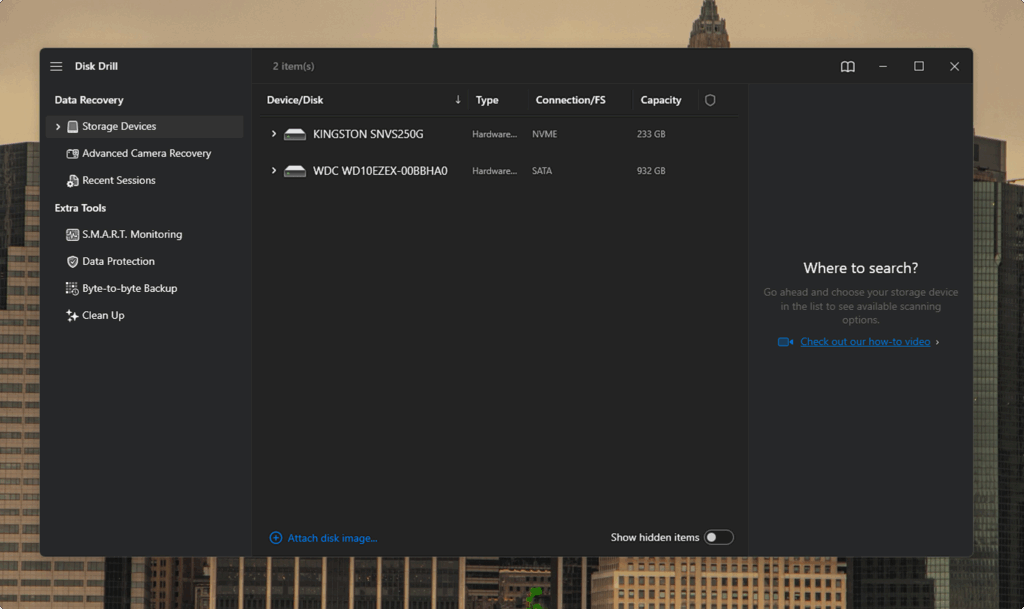
Disk Drill stands out as one of the most widely recognized USB recovery software solutions available, backed by long-term development, reviews, and strong real-world results. It supports recovery from USB flash drives, external hard drives, SSDs, memory cards, and other storage devices. The balance between simplicity and technical depth makes it suitable for both casual and advanced users.
Platform: Windows, macOS
Key Features:
- Clear interface with structured navigation that allows fast recovery setup without complex configuration.
- Unified scan engine that performs quick analysis, deep analysis, and signature detection within one workflow.
- Native support for FAT16, FAT32, exFAT, NTFS, HFS+, APFS, EXT4, and RAW or unrecognized USB drives.
- Structured results panel with filtering, search, and reliable file preview before file restoration.
- Byte-to-byte disk image creation to secure unstable USB drives before data recovery.
- Additional utilities such as data protection, disk cleanup, and S.M.A.R.T. health diagnostics.
Top Pros:
- Consistent recovery across deleted files, formatted partitions, corrupted file systems, and RAW USB drives.
- Preservation of original file names, timestamps, and folder hierarchy when metadata remains accessible.
- A combination of file table analysis and sector-level signature detection increases recovery success.
- Large signature database.
- Reliable file preview.
- Integrated disk image creation protects unstable devices before recovery attempts.
- Recovery probability indicators.
- Cross-platform license covers both Windows and macOS systems.
Top Cons:
- Lacks tools for partition management.
Pricing: Disk Drill is free for scan access and allows up to 100 MB of recovery on Windows, which enables result verification before purchase. The macOS version provides full scan and preview access, but requires a license for file restoration. Paid licenses start at $89 for a personal plan with up to three activations. One purchase covers both Windows and macOS versions.
Recovery Performance Evaluation: Disk Drill delivered stable results across deletion, format, corruption, and RAW USB scenarios. Deleted files returned with intact structure when file tables remained accessible. Deep analysis restored formatted drives with strong structural precision and minimal fragmentation. Scan stability remained reliable on larger flash drives. The preview system allowed fast file verification before restoration, and disk image creation added protection for unstable media. Despite the limited free recovery allowance, Disk Drill is at the top among the tested flash drive recovery tool solutions.
2. R-Studio
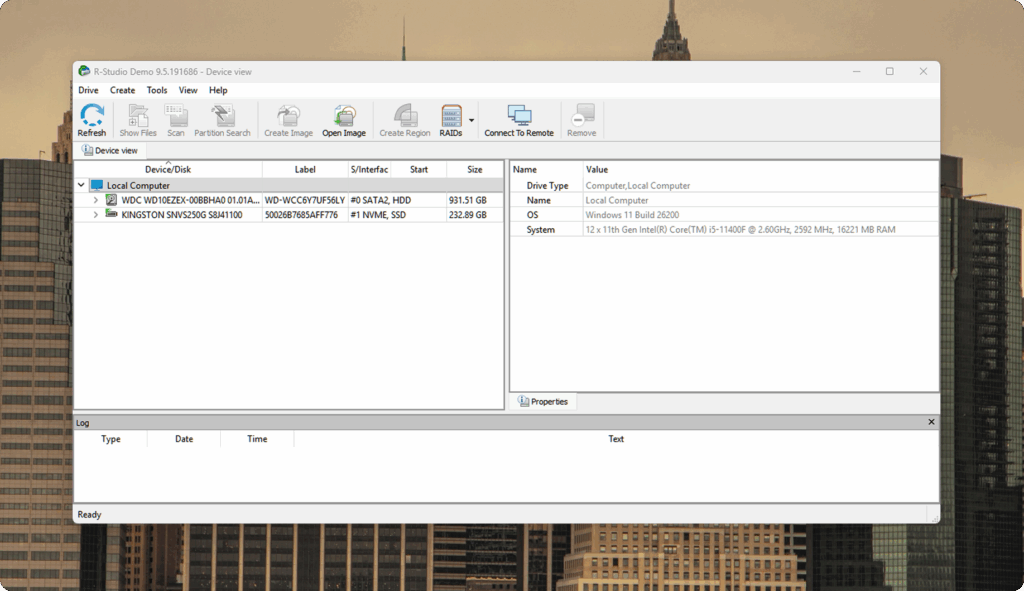
R-Studio holds the second position as a professional-grade solution for complex USB recovery cases. The software targets deep file system analysis and accurate partition reconstruction after formatting, deletion, or structural corruption. It suits users who require advanced scan control and precise recovery results rather than simplified automation.
Platforms: Windows, macOS, Linux
Key Features:
- Support for FAT, exFAT, NTFS, ReFS, APFS, HFS+, and Ext2/3/4
- Recovery after formatting, partition deletion, and MBR/GPT damage
- Deep scan with directory structure reconstruction
- Disk for work with unstable USB drives
- Built-in hex viewer for sector-level inspection
- RAID reconstruction support for advanced scenarios
Top Pros:
- Strong file system reconstruction accuracy
- Reliable performance after USB format
- Flexible scan configuration options
- Cross-platform compatibility
Top Cons:
- Interface complexity may challenge beginners
- Demo version limits full recovery capability
Pricing: R-Studio for Windows is available starting at $79.99 for a standard license. The Technician edition, intended for professional service environments, is priced at $899.99. A demo version is available for evaluation purposes, but it limits actual recovery to files no larger than 1 MB.
Recovery Performance Evaluation: In tests with formatted USB drives and damaged partitions, R-Studio delivered stable results when portions of the file system metadata remained intact. In such cases, it restored the original folder hierarchy and filenames more accurately than tools that rely solely on signature-based recovery. When metadata was fully lost, raw recovery remained available, though without guaranteed filename preservation. R-Studio fits advanced pendrive recovery software scenarios where entry-level tools fail to reconstruct file structure correctly.
3. DiskGenius
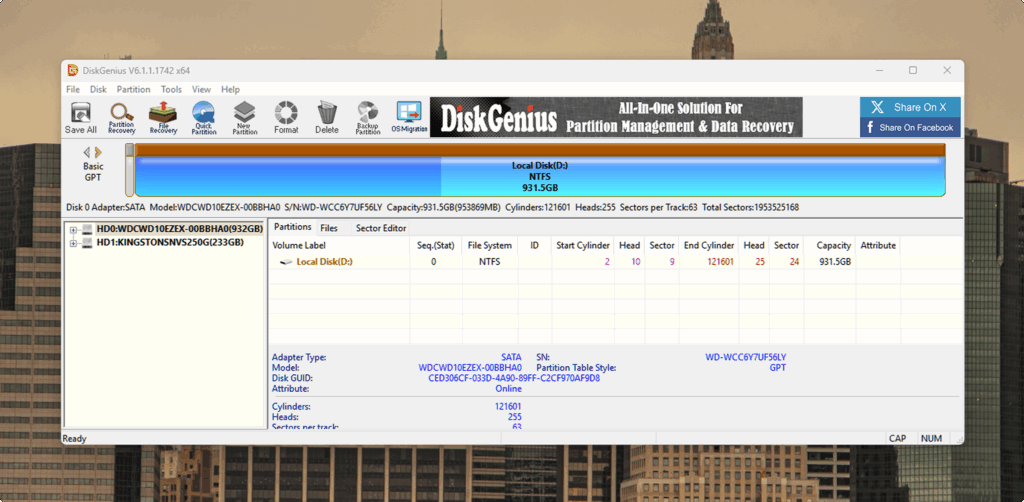
In the third position, we introduce a multifunction solution that combines file restoration with partition control and disk utilities. DiskGenius differs from earlier tools because it places USB data recovery inside a broader disk management environment. Within the USB data recovery software category, it serves users who require both file recovery and structural disk repair capability.
Platform: Windows
Key Features:
- Support for FAT12, FAT16, FAT32, exFAT, NTFS, and EXT2/3/4 file systems.
- Recovery of deleted files from USB flash drives and formatted volumes.
- Lost partition detection with boot sector reconstruction.
- RAW partition access with logical file extraction options.
- Partition creation, resizing, deletion, and format tools.
- Disk clone capability for data protection.
- Bad sector detection and disk health diagnostics.
- File preview before restoration.
Top Pros:
- Combines USB recovery with partition management tools inside one environment.
- Effective lost partition restoration when structural metadata remains accessible.
- Disk clone capability protects unstable USB drives before recovery attempts.
- Directory hierarchy restoration when file table fragments remain intact.
- Clear preview system improves file selection accuracy.
- Lifetime license option available.
Top Cons:
- Windows-only support limits cross-platform flexibility.
- The free version restricts recovery to files smaller than 64 KB.
- Interface includes advanced options that require technical familiarity.
- Recovery depth in RAW scenarios depends more on signature detection.
Pricing: DiskGenius provides a free edition that allows recovery of files smaller than 64 KB. Paid licenses start at approximately $69.90 per year or $159.90 for a lifetime Standard license. Higher editions include additional disks and system tools at increased cost.
Recovery Performance Evaluation: DiskGenius restored deleted files with intact names and directory structure when file allocation records remained available. In lost partition cases, boot sector reconstruction succeeded when backup partition data existed. Formatted USB tests produced stable results when metadata fragments remained present. In RAW partitions with severe structural damage, recovery relied primarily on file signature identification, which reduced directory reconstruction accuracy compared to higher-ranked tools. Partition control tools provided additional value in cases where structural correction was required before file restoration. Disk clone capability increased recovery safety on unstable flash drives.
Overall performance places DiskGenius as a practical option for users who require both file recovery and disk structure repair within a Windows-based environment.
4. PhotoRec
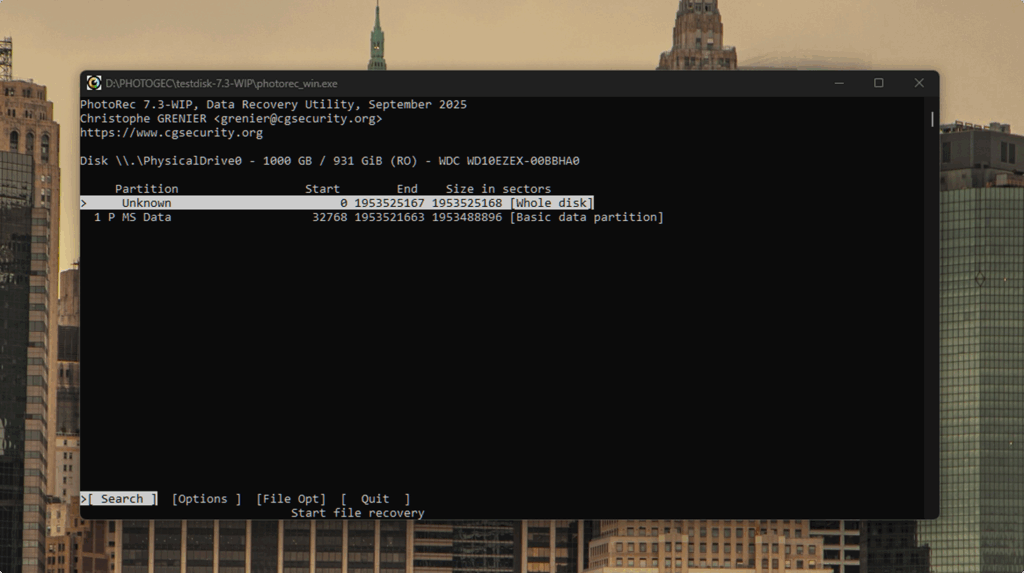
In the fourth position, we have a tool that relies exclusively on signature-based recovery. Unlike the other solutions in this list, which use both file system records and file signature analysis, PhotoRec extracts data solely through known file signatures stored in disk sectors. It does not reconstruct directory structures or restore file system metadata. Instead, it scans raw disk space and identifies recoverable files based on internal file patterns. This architecture sets it apart from conventional commercial recovery tools and positions it as one of the most capable free solutions available.
PhotoRec operates independently of partition tables and metadata structures, which allows file extraction even when the file system is no longer accessible.
Platform: Windows, macOS, Linux
Key Features:
- Fully open-source and free without recovery limits.
- Signature-based file extraction from disk sectors.
- Support for hundreds of file formats, images, archives, and multimedia files.
- Compatible with FAT, NTFS, exFAT, EXT2/3/4, HFS+, and additional file systems.
- Operates on USB flash drives, memory cards, hard drives, and disk images.
- Works independently of partition table integrity.
- Companion integration with TestDisk for partition analysis.
Top Pros:
- Completely free without file size or recovery limits.
- Strong performance on RAW and severely corrupted USB drives.
- Large file signature database improves detection range.
- Cross-platform compatibility across major operating systems.
- Capable of file extraction even when partition structures no longer exist.
- No dependency on file system metadata.
Top Cons:
- No folder hierarchy restoration.
- No original file names preserved.
- Command-line interface requires technical familiarity.
- No file preview before recovery.
- No disk cloning or partition repair tools.
- Restored files grouped by type rather than original location.
Pricing:
PhotoRec is fully free and distributed under an open-source license. There are no paid editions, no recovery limits, and no feature restrictions.
Recovery Performance Evaluation:
PhotoRec demonstrated strong raw extraction capability in cases where USB drives appeared as RAW or when partition tables were absent. Direct sector analysis enabled file recovery even when structural metadata was completely unavailable. In formatted USB scenarios where partial file system data remained accessible, higher-ranked tools provided better directory reconstruction. PhotoRec returned files grouped by type without original names, which required manual organization after recovery.
In severe corruption cases with destroyed file system structures, PhotoRec showed higher extraction reliability than several commercial tools tested in this ranking. Its architecture prioritizes raw data retrieval over structural accuracy, which makes it particularly effective when metadata reconstruction is no longer possible.
For users who require completely free recovery and accept manual file organization, PhotoRec remains one of the most capable free USB recovery software solutions available.
5. TestDisk
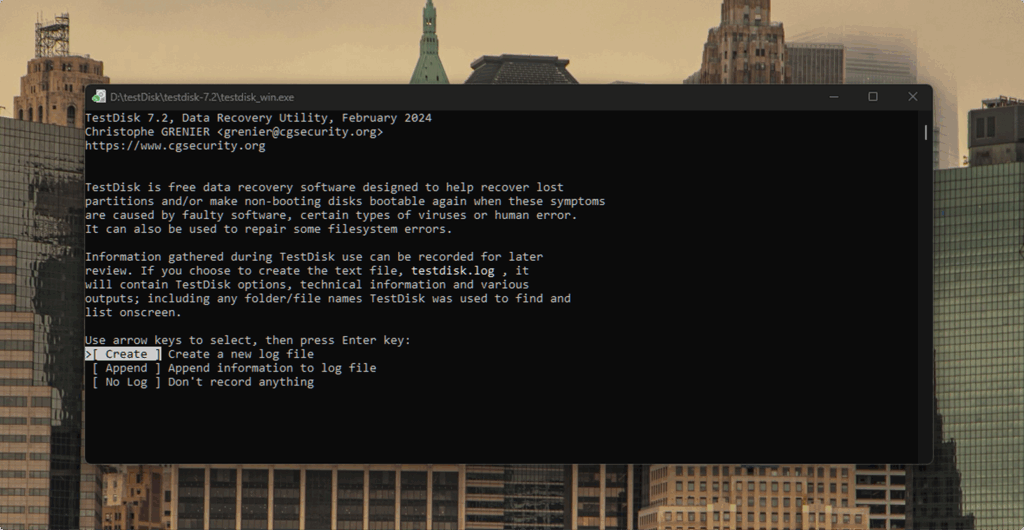
The final tool in this ranking comes from the same developer suite as PhotoRec. TestDisk and PhotoRec ship together as part of the CGSecurity package, yet they serve different purposes. While PhotoRec extracts files through signature analysis, TestDisk performs structural disk repair.
TestDisk targets partition loss, boot sector corruption, and damaged volume structures. Instead of individual file extraction, it restores partition tables and repairs file system metadata so the entire USB drive becomes accessible again.
When structural data remains partially intact, this approach can restore the original directory hierarchy without separate recovery software. TestDisk serves users who require full-volume restoration rather than selective file access.
Platform: Windows, macOS, Linux
Key Features:
- Recovery of lost partitions on FAT, NTFS, exFAT, EXT2/3/4, and other file systems.
- Repair of damaged boot sectors with restoration from backup records.
- Rebuild of partition tables after accidental deletion.
- Conversion of inaccessible volumes into functional file systems.
- Deep search for missing disk structures.
- Compatibility with USB drives, memory cards, hard drives, and disk images.
- Command-line interface with advanced disk control options.
Top Pros:
- Fully free and open-source.
- Strong partition reconstruction after accidental deletion.
- Boot sector repair restores full volume access when metadata remains available.
- Cross-platform compatibility across major operating systems.
- Lightweight architecture with low system resource demand.
- High reliability in structural disk failure cases.
Top Cons:
- Command-line interface requires technical familiarity.
- No graphical workflow guidance.
- No selective file extraction like traditional recovery software.
- No file preview capability.
- Incorrect parameter selection may cause additional structural damage.
Pricing: TestDisk is completely free under an open-source license. There are no paid editions, no feature restrictions, and no recovery limits.
Recovery Performance Evaluation: In USB tests that involved partition deletion or corrupted volume headers, TestDisk identified valid partition boundaries and restored logical disk access when backup boot sector data remained present. After structural repair, the operating system recognized the volume and displayed the original directory hierarchy without additional file extraction steps. When individual files were removed, but partition integrity remained intact, TestDisk offered limited practical value compared to dedicated file recovery tools.
For USB drives affected by partition loss, damaged boot records, or unreadable volume tables, TestDisk delivered dependable results under controlled test conditions. Its architecture prioritizes structural correction over interface simplicity, which makes it most suitable for technically experienced users who understand disk-level operations.
Comparison Overview
The table below compares platform support, free limits, technical complexity, and primary use cases for each USB recovery tool.
| Tool | Best For | Free Recovery | Platform | File System Support | Preview | UI Type | Price |
| Disk Drill | Balanced recovery | 100 MB (Windows) | Windows, macOS | FAT, exFAT, NTFS, APFS, HFS+, EXT | Yes | Graphical | From $89 |
| R-Studio | Advanced file system reconstruction and formatted USB recovery | 1 MB (demo limit) | Windows, macOS, Linux | FAT, NTFS, exFAT, ReFS, APFS, HFS+, EXT | Yes | Graphical (advanced) | From ~$79.99 |
| DiskGenius | File recovery + partition control | Files under 64 KB | Windows | FAT, NTFS, exFAT, EXT | Yes | Graphical | From ~$69.90 |
| PhotoRec | Raw sector extraction | Unlimited | Windows, macOS, Linux | Works independently of the file system | No | Command-line | Free |
| TestDisk | Partition reconstruction | Unlimited | Windows, macOS, Linux | FAT, NTFS, exFAT, EXT | No | Command-line | Free |
The summary below clarifies the practical strengths and primary use cases of each recovery solution:
- Disk Drill represents the most balanced solution for users who require high recovery accuracy together with preserved folder hierarchy and clear workflow.
- R-Studio fits advanced recovery cases where deep file system reconstruction and recovery after formatting or partition damage are required.
- DiskGenius provides value when both file restoration and partition repair are required within a single Windows environment.
- PhotoRec fits scenarios where file system metadata no longer exists, and raw data extraction becomes necessary.
- TestDisk addresses partition loss and boot sector corruption, where full volume restoration matters more than selective file recovery.
Each tool in this comparison solves a different type of USB failure. The correct choice depends on whether the issue involves deleted files, formatted media, RAW partitions, or damaged volume structures.
Conclusion
At the end of the day, the takeaway is this. Disk Drill stands as the strongest USB data recovery software choice in this ranking. It combines high recovery precision with preserved folder hierarchy, fast scan logic, and a clear workflow. In our tests, it delivered stable results across file deletion, formatted USB drives, and partially corrupted storage. It’s not only about our lab results, either. Community feedback lines up with what we saw. In discussions like this one on Reddit or other communities, users share real recovery stories and successful restores, which adds another layer of confidence.
R-Studio is for users who require advanced structural reconstruction and direct file system analysis. Its depth of partition recovery and post-format restoration makes it suitable for technically complex cases.
DiskGenius ranks next as a practical option for users who need both file recovery and partition repair within a Windows environment. The right choice depends on the failure scenario. For most users who seek balanced performance, structural accuracy, and consistent results, Disk Drill remains the most complete option among modern USB recovery tools.