













14 Essential Tools for a Productive Home Office in 2026
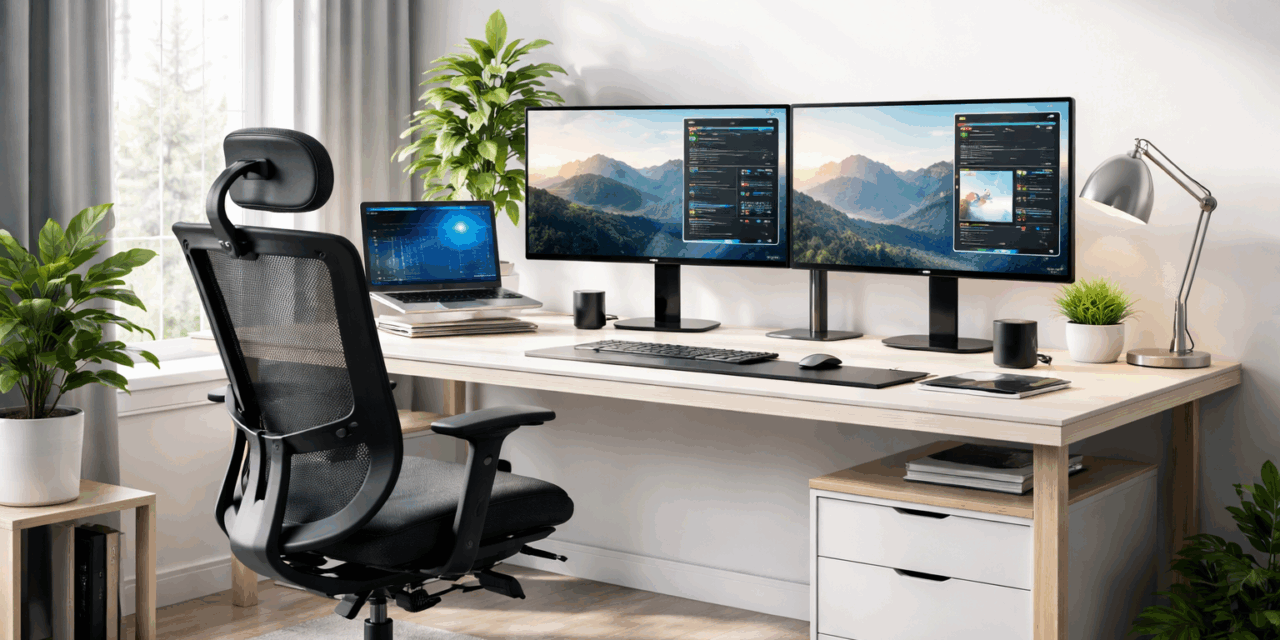
Remote work has evolved rapidly over the past few years, and by 2026, a well-designed home office will no longer be just a luxury but a necessity. Whether you’re a freelancer, a remote employee, or running your own business, your workspace directly affects your productivity and focus. A thoughtful setup can reduce distractions, improve workflow, and make long workdays far more manageable.
Today’s home offices combine comfort, technology, and efficiency. Instead of cluttered desks and outdated tools, professionals are creating workspaces that support deep work and collaboration. From ergonomic furniture to smart digital tools, every element contributes to a smoother workflow.
Below are 14 essentials that help build a productive home office setup in 2026.
1. Ergonomic Office Chair
A comfortable ergonomic chair is one of the most important investments for a home office. Sitting for long hours without proper support can lead to back pain, stiffness, and overall fatigue that slowly reduces productivity. Modern ergonomic chairs are designed to support the spine, improve posture, and reduce strain during extended work sessions.
Many models also include adjustable armrests, lumbar support, and seat height options to fit different body types and desk setups. These adjustments help users maintain a healthier sitting position throughout the day. When your body feels supported, it becomes easier to concentrate and maintain productivity throughout the day.
2. Adjustable Standing Desk
Standing desks have become a popular choice for professionals working from home. They allow users to alternate between sitting and standing, helping improve circulation and reduce sedentary habits. This simple movement throughout the day can improve energy levels and reduce physical fatigue.
Many modern desks include motorized height adjustment features that make it easy to switch positions during the day without interrupting workflow. Some setups also include memory settings for preferred heights, which makes daily adjustments quick and convenient.
3. High-Resolution Monitor
A large, high-resolution monitor significantly improves productivity. Instead of working on a small laptop screen, a bigger display allows better multitasking and easier document management. Clear visuals also reduce eye strain, especially during long hours of reading or editing content.
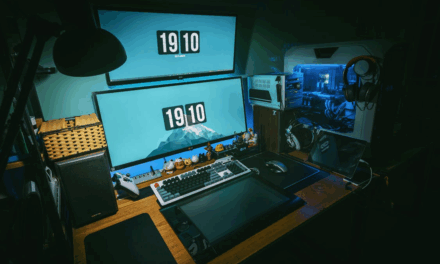
Many professionals now use dual-monitor setups to handle multiple tasks simultaneously, such as research, communication, and content creation. Designers, developers, and writers particularly benefit from the extra screen space.
4. Reliable High-Speed Internet
A fast and stable internet connection is the backbone of remote work. Video meetings, file sharing, and cloud-based tools all rely on consistent connectivity. Slow internet can disrupt meetings, delay file uploads, and create unnecessary stress during deadlines.
Investing in a reliable internet plan and a quality router ensures your work continues smoothly without interruptions. A stable connection ultimately supports better communication and uninterrupted productivity.
5. Noise-Canceling Headphones
Working from home often comes with background noise, especially in busy households. Noise-canceling headphones help create a focused environment by reducing distractions. This allows professionals to concentrate better on tasks that require deep thinking or creativity.
They also improve communication during virtual meetings by delivering clearer audio. Modern models include built-in microphones designed specifically for video calls. With fewer distractions, it becomes easier to stay immersed in work for longer periods.
6. Proper Lighting
Lighting plays a major role in maintaining comfort and reducing eye strain. Poor lighting can quickly cause fatigue, especially during long hours of screen use. A dim workspace often forces the eyes to work harder, which can reduce concentration over time.
Combining natural daylight with an adjustable LED desk lamp helps maintain balanced lighting throughout the day. A well-lit workspace ultimately supports better focus and a more comfortable working experience.
7. Smart Cable Management
Messy cables can make a workspace feel cluttered and disorganized. Cable management tools such as clips, sleeves, and desk organizers help keep wires neatly arranged. Without proper organization, cables can easily tangle and make equipment harder to manage.
A clean desk not only looks better but also creates a calmer and more focused work environment. Organized cables also make it easier to upgrade or replace devices when needed. Small improvements like this can significantly enhance the overall workspace experience.
8. Document Scanner for Digital Workflow
Even in a digital age, many professionals still handle printed documents, notes, or contracts. Converting these materials into digital files helps maintain an organized and searchable archive. Digital documents are easier to store, share, and access whenever needed.
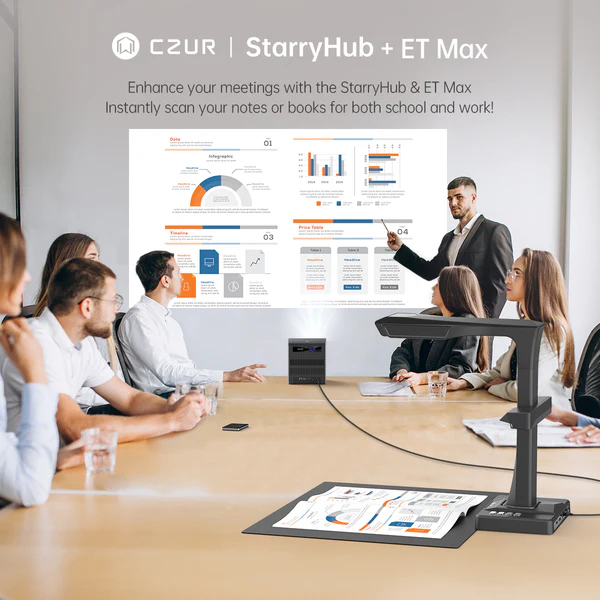
Modern document scanners are designed to scan books and documents efficiently while preserving their structure. Devices such as the CZUR Book Scanner make this process easier with features like overhead scanning, automatic page flattening, and fast capture speeds. For researchers, educators, and remote professionals, this technology makes document digitization much more convenient.
9. Compact Projector for Presentations
While monitors are common in home offices, projectors are becoming useful for presentations and collaborative discussions. A compact projector can turn any wall into a large display for brainstorming sessions, teaching, or content review.
Devices like the CZUR StarryHub Video Conferencing Projector combine projection with built-in video conferencing features, making remote collaboration easier. With an integrated camera, microphone array, and wireless screen sharing, it allows professionals to conduct meetings, presentations, and discussions more smoothly from their home office.
10. Productivity Software and Cloud Storage
Cloud storage and productivity platforms are essential for managing files and collaborating with others. These tools allow teams to access documents, share updates, and stay organized from anywhere.
By keeping projects stored securely online, professionals can maintain seamless workflows across multiple devices. Automatic backups also reduce the risk of losing important files. As a result, digital tools play a critical role in modern work environments.
11. External Keyboard and Mouse
Using an external keyboard and mouse improves ergonomics and comfort during long working hours. Laptop keyboards often limit flexibility, while external devices allow better positioning and typing posture.
Some experts choose mechanical or low-profile keyboards based on personal preference. Wireless devices are also becoming increasingly popular because they reduce cable clutter on desks. This small upgrade can significantly improve long-term comfort and efficiency.
12. Digital Note-Taking Tools
Ideas often appear unexpectedly during work sessions. Digital note-taking apps make it easy to capture thoughts quickly and organize them for later use. These tools allow users to create structured notes, add reminders, and link related information together.
These tools help professionals manage research, meeting notes, and daily tasks more effectively. Over time, organized notes contribute to better planning and decision-making.
13. Desk Organization System
Desk organizers, trays, and shelves help maintain order in a workspace. When everything has a dedicated place, it becomes easier to stay focused and productive. A cluttered desk often leads to wasted time searching for documents or tools. Simple organizational systems help maintain structure and efficiency throughout the day.
14. Personal Comfort Elements
Finally, adding personal touches can make a workspace feel more inviting. Indoor plants, artwork, or simple desk decorations can improve mood and create a more pleasant working atmosphere. A comfortable environment often reduces stress and supports long working hours. Personal elements also help transform a workspace into a place that feels motivating rather than restrictive.
Final Thoughts
As remote and hybrid work continue to expand, building a well-equipped home office has become essential for professionals across industries. The right mix of ergonomic furniture, reliable technology, and smart digital tools can significantly improve both comfort and productivity.
By incorporating modern solutions such as digital document scanning and flexible presentation tools, professionals can build workspaces that improve both efficiency and creativity. A well-designed home office ultimately becomes more than just a place to work; it becomes a space that encourages focus, innovation, and consistent productivity.