











Buying Used Computer Parts Safely: The Ultimate Guide to Avoiding Scams and Bad Deals
Buying used computer parts sounds like a smart way to save money, but the reality in 2026 is nowhere near as simple. Prices are skyrocketing and AI-generated images make scams easier than ever to conduct. Still, you shouldn’t avoid the used market completely.
Is buying used computer parts a good idea? The answer depends on knowing what to buy and where to buy it. You need to understand the risks, whether you want to buy used motherboards, GPUs, or other components. You need to know which parts are safe to purchase secondhand and which ones to avoid.
We’ll walk you through everything you need to guide yourself through the used PC parts market. This includes protective measures and trusted platforms. We’ll also provide component-specific guidance that helps you score great deals without getting burned.
Pre-Purchase Safety Checks and Research
Research starts with the part itself. Google the exact model number and SKU to confirm specifications. Is the GPU you’re eyeing available with different VRAM configurations? Does that specific motherboard support overclocking? Misidentifying a component means you might purchase hardware incompatible with your existing setup.
Seller reputation reveals patterns. Check their sales history and feedback ratings before you think over any purchase. Verified or business sellers present lower risk than anonymous listings. Local marketplace transactions let you inspect and test components before payment.
Product listings contain warning signs. Skip anything marked “untested” unless you’re prepared to repair broken hardware. Untested often signals the seller knows about defects but wants plausible deniability.
Request proof of functionality. Video evidence showing the component running is valuable, but AI manipulation makes this tricky in 2026. Ask sellers to display a specific webpage with the current date in the video. For images, request multiple angles with date references to spot AI-generated fakes.
Questions matter. Ask how long they owned it, why they’re selling, and whether it was used for cryptocurrency mining or heavy overclocking. Mining history doesn’t disqualify a part, but you deserve transparency about usage conditions.
Payment method provides protection. Credit cards enable chargebacks if disputes arise. Never wire money or use instant transfer services.
Where and How to Buy Used PC Parts Safely
Platform selection shapes your buying experience. Refurbished retailers like Micro Center, Amazon, and Newegg offer the safest route. These sites inspect components and provide warranties, though prices run higher than other options.
General marketplaces like eBay or Facebook Marketplace deliver more value and better deals. eBay maintains strong buyer protections that favor purchasers, while Facebook Marketplace allows easier local transactions. Specialized platforms such as Jawa, Swappa, and the HardwareSwap subreddit fall between these extremes
Meeting sellers in person significantly reduces risk. Choose well-lit public spaces with available power outlets. Bring a friend and trust your instincts. Walk away if someone seems shifty or changes the agreed price. For higher-value purchases, consider creating a simple bill of sale that records the buyer, seller, purchase price, date, and hardware being transferred. ConsumerShield offers legal documents and guides across consumer, employment, family, and business law, including resources that can help consumers understand common transaction records and ownership documentation.
Testing components before payment is non-negotiable when you buy local. Bring your own test system to public locations like libraries or coworking spaces. Run stress tests and demanding games to verify performance. Request the seller demonstrate functionality if you cannot test yourself.
Record yourself unboxing shipped items in one continuous video. Show the package exterior, labels, serial numbers, and component condition. This documentation proves what you received if disputes arise. Use credit cards to enable chargebacks if needed.
Component-Specific Buying Guide: What’s Safe and What to Avoid
Different components carry vastly different risk levels at the time you buy used computer parts. Which parts are safe versus which ones to avoid determines if you save money or waste it.
CPUs and RAM rank among the safest purchases. Both components are durable with no moving parts. CPUs rarely fail unless you damage them through bent pins or delidding. On AMD processors, inspect pins with care and check contact pads on Intel chips. RAM also presents minimal risk, though you should avoid modules that were overclocked before. Run MemTest86 to verify stability before you finalize any RAM purchase.
Graphics cards occupy the middle ground. They’re the most expensive component, so the savings potential is a big deal. But older GPUs from the RTX 30-series or RX 6000-series likely saw cryptocurrency mining use. Mining introduces VRM issues and memory instability. Newer RTX 40-series or RX 7000-series cards present less risk since they launched after mining profitability collapsed.
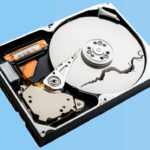
Power supplies should never be bought used. You don’t know what the previous owner did to the unit, and failures can destroy every connected component. Storage drives carry similar warnings. Both SSDs and HDDs degrade over time. If you must buy used storage, verify health exceeds 95% using CrystalDiskInfo.
Monitors prove safe, rated for 100,000 hours of use. Check for dead pixels and burn-in before you purchase.
Conclusion
You now have everything you need to guide yourself safely through the used PC parts market. Smart buyers who research well, choose the right platforms and stick to low-risk components can save hundreds of dollars without compromising their builds.
Focus on CPUs, RAM and newer GPUs while avoiding power supplies and storage drives. Test before you buy and document everything. Trust your instincts. Buying used becomes a chance rather than a gamble with these precautions.