











Optimizing Your Home Setup for Smooth Live Online Gaming

Every live gaming session has that one moment where everything hangs in the balance. The dealer reaches for a card, the wheel starts to slow, and then the feed stutters. Three seconds of frozen pixels feel like an hour. The frustrating part is that the problem usually sits inside your own home, not on the platform’s servers. Live formats keep growing in popularity, and they demand far more from a setup than a casual round of solitaire ever did.
This piece breaks down the three pillars that decide how well live play runs: your network, your hardware, and your security habits.
Bandwidth and Latency: The Overlooked Bottleneck
Most people check their download speed once, see a big number, and assume they’re covered. Live gaming doesn’t work that way. A smooth video feed depends on consistency rather than raw speed. A connection that averages 200 Mbps but drops packets every few minutes feels worse than a steady 25 Mbps line. Think of it like a water pipe. Pressure spikes and dips will ruin your shower even if the total volume looks fine on paper.
Connection type matters just as much. Wi-Fi is convenient, but a wired Ethernet cable gives you a stable line straight to the router, free from interference from your neighbor’s smart devices. The stakes here have risen, too, because platforms keep raising the bar on what they stream.
Many of the new sweeps sites now push live tables in high resolution at high frame rates, and those heavier feeds punish shaky connections. If you plan to upgrade your setup, test it against what current platforms actually serve rather than against benchmarks from 2019.
Latency deserves a mention of its own. In live formats, a half-second delay can mean your input arrives after the window closes. Speed gets marketing attention, but stability wins the session.
Hardware That Keeps Pace With Real-Time Play
Your network delivers the feed, but your machine still has to render it. Live streams put a constant load on the CPU and GPU, and unlike a downloaded game, there is no pause while the system catches up. A mid-range processor from the last few years handles most live formats comfortably, though browser tabs, background apps, and overlay software all chip away at that headroom.
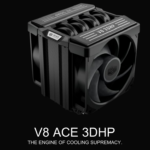
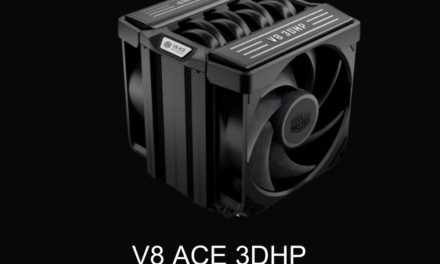
Cooling is the quiet hero here. When components run hot, they throttle themselves to survive, and throttling shows up as stutter right when the action peaks. A clean case with decent airflow does more for consistency than another 16 GB of RAM you will never touch. Treat cooling as insurance on the performance you already paid for.
Still, resist the urge to throw money at the problem. The jump from a solid mid-range graphics card to a flagship model can triple the price while adding almost nothing for live table streaming. If you want real-world numbers before you spend, the hardware reviews on this site break down what components actually do under load. Buy for the task at hand, because even a monster rig cannot carry a system that is insecure or unstable underneath it.
Keeping Your System Secure and Stable Long-Term
Performance on day one means little if the setup degrades by month three. Start with your connection habits. The FCC’s broadband speed guide lays out how much bandwidth different activities really need, and it works as a reality check when you are deciding whether the culprit is your plan or your equipment. Pair that with regular router firmware updates, since outdated firmware causes more mystery slowdowns than most people suspect.
Background processes are the silent tax on live play. Update services, cloud sync tools, and forgotten game launchers all wake up at the worst possible times. A quick monthly audit of what runs at startup keeps the machine focused on the task at hand.
Security belongs in the same conversation, because a compromised system is an unstable one. Malware rarely announces itself, showing up instead as sluggish performance and odd network activity. The cybersecurity best practices published by CISA cover the home network hygiene that keeps intruders out, from strong router passwords to current patches and a healthy suspicion of unknown downloads. Also, build a habit of physical upkeep. Dust is a slow killer, so open the case twice a year and clear it out.
None of these three pillars works alone. A gigabit line cannot rescue a throttling GPU, and a liquid-cooled rig cannot fix a router broadcasting to the whole street over an open network. Treat your setup as a single system and give each part deliberate attention, rather than patching whatever broke last. The direction of travel is clear, too. Live formats keep getting richer, feeds keep getting heavier, and the gap between a tuned setup and a neglected one keeps widening. Put in the groundwork now, and the only surprises in your next live session will come from the game itself.