














7 Simple Ways to Organize PDFs Like a Pro

Opening your “Downloads” folder shouldn’t feel like an archaeological dig. Yet digital documents pile up surprisingly fast: receipts from last month, warranty papers from two years ago, signed contracts, insurance forms, and countless files named “Scan.pdf.”
A few habits can turn that chaos into a system that works. You don’t need elaborate software or color-coded spreadsheets. What matters is creating a structure you’ll actually maintain, so important documents stay easy to find when you need them most.
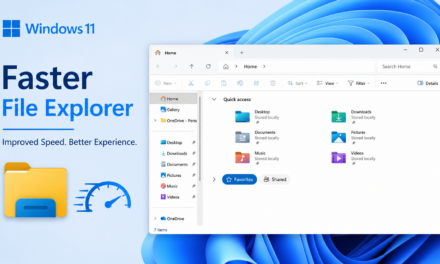
1. Build a Logical Folder Structure First
Imagine trying to find a warranty document while a repair technician waits on the phone. If every PDF sits in the same folder, even basic searches can be frustrating.
Start with broad categories that reflect your daily life. You might have folders for Work, Personal, Finances, or Home. From there, only add the subfolders that make sense. For example, a Work folder could include Clients, Contracts, and Invoices, while Personal might contain Medical Records and Travel Documents.
2. Use Consistent, Descriptive File Naming
A clear file name saves time long before you open the document itself. Compare “Final_Version_2.pdf” with “2026-06_ClientContract_JohnsonConstruction.pdf.” One forces you to guess. The other tells you exactly what you’re looking at.
Dates, document types, and relevant identifiers make searches more effective, especially once your collection starts growing. Using the same format across all files helps even more.
You don’t have to overcomplicate it. A straightforward structure like YYYY-MM-DD_DocumentType_Description often works well because it keeps files organized chronologically while remaining scannable at a glance.
3. Split Large PDFs Into Focused Sections
Do you really need to send all 120 pages of a document when only 3 are relevant? Searching through pages to locate a single invoice or chapter summary wastes more time than many people realize.
Breaking larger files into smaller, purpose-driven documents often makes them more manageable. Tax paperwork can be separated by category, study materials by subject, and project documentation by phase.
If you regularly handle lengthy files, using a pdf splitter in apps like iScanner can simplify the process. Instead of sharing an entire document package, you’ll be able to extract only the pages someone actually needs. Smaller PDFs also tend to be easier to review, store, and archive without creating unnecessary clutter.
4. Use OCR to Make Your PDFs Searchable
You remember the policy number was somewhere in your scanned insurance paperwork—you just can’t remember which file.
Optical character recognition (OCR) identifies printed text within scanned documents and converts it into machine-readable content. Searching for a policy number, invoice amount, or patient’s name then becomes as simple as entering a keyword.
You’ll appreciate OCR the first time you need to track down a single detail hidden somewhere in dozens of scanned files. Without OCR, locating a specific detail often means opening multiple files and manually reading through them.
5. Sync Across Devices With Cloud Storage
You might scan paperwork using your phone during the day, review it on your laptop in the evening, and forward it from a tablet the next morning.
Cloud storage makes that flexibility possible, especially when you stick to the same folder structure across devices. A consistent folder structure helps prevent confusion and reduce duplicate files.
At the same time, convenience shouldn’t come at the expense of security. Before sharing sensitive documents, review permissions carefully and confirm that only the intended recipients have access. A little caution goes a long way when dealing with financial records, identification documents, or legal paperwork.
6. Archive, Don’t Hoard
Organizing documents doesn’t mean keeping everything within arm’s reach. Keeping completed projects alongside files you reference weekly can make your system feel crowded, even if everything is technically organized.
Archiving older files lets you keep important records without crowding the folders you use every day. Tax returns, expired insurance policies, and closed client projects can move into dedicated archive folders organized by year or category.
This approach preserves important records without forcing you to sort through outdated materials every time you need something current. When active folders remain focused on what you actually use, finding documents becomes considerably easier.
7. Back Up Important Documents in Multiple Places
According to Spanning’s State of SaaS Backup and Recovery Report 2025, 35% of organizations reported that recovery efforts required days or even weeks. Waiting days to recover important files can delay projects, interrupt daily tasks, and create unnecessary stress.
Maintaining copies of essential documents in more than one location helps reduce those risks. Cloud storage can serve as one layer of protection, while external drives or secure document management systems provide additional safeguards.
Prioritize documents that would be difficult to replace, including legal agreements, tax records, medical information, warranties, and identification documents. Backups rarely seem urgent until the moment they’re needed.
Final Thoughts
A Downloads folder full of “Scan.pdf” files doesn’t happen overnight, and getting organized doesn’t have to happen overnight either. In most cases, the habits that make the biggest difference are also the easiest to maintain:
- Create a folder structure that makes sense to you.
- Use clear, consistent file names.
- Make scanned documents searchable with OCR.
- Archive older files instead of keeping everything active.
- Back up important documents in more than one place.
You don’t have to reorganize your entire digital archive at once. Rename a few frequently used files, clean up one folder, or move completed projects into an archive. Those small changes add up faster than you might expect.
A well-organized PDF collection may never be the highlight of your day, but it can save you time, reduce frustration, and help you find what you need exactly when you need it.