












7 Best SD Card Recovery Software (Based On Real Test)

Lost photos, videos, or files from an SD card? Files are often still recoverable – but the right tool makes the difference between success and permanent loss. We ran every tool on this list against memory cards with deleted files, formatted partitions, and file system errors to find out exactly which ones deliver. Every rank below reflects our hands-on test results.
How We Evaluated Each SD Card Data Recovery Software Tool
We applied six objective criteria to every tool before we assigned a rank, built around what it actually takes to recover lost data successfully. Each criterion targets a specific recovery challenge, so every comparison stays fair and reflects real-world performance.
Good SD card data recovery software does more than remove a deleted flag. It interprets file system structures, reads source media without a single write to it, and reconstructs allocation tables, metadata, and directory hierarchies even after a format. The six standards below shaped every score in this list.
| Criterion | What We Required |
| File System Support | FAT32 and exFAT performance was our baseline requirement – these two file systems cover the vast majority of SD and microSD cards. Every tool had to reconstruct allocation tables, restore partition structures, and recover data after deletion and quick format. Weak FAT/exFAT results dropped a tool’s rank. |
| RAW Photo & Video Compatibility | We required accurate detection of proprietary RAW formats and full recovery of large video files. Every tool had to restore complete files without truncation, corruption, or broken playback. Partial file returns scored lower. |
| Recovery from Formatted or Corrupted Cards | We required tools to rebuild lost metadata, scan raw sectors safely, and stay stable through deep analysis. When a card triggers an sd card unmounted error, read-only operation from the first scan prevents further damage. Any tool that wrote to the source media mid-analysis failed immediately. |
| Folder Structure Reconstruction | We gave preference to tools that restore original file names and directory hierarchy when metadata survives. Signature-only extraction with no structural recovery earned a lower score. |
| Read-Only Operation & Disk Image Support | First required a true read-only operation throughout every scan. Tools that also support full SD card image creation before analysis earned extra credit, as that layer of protection matters most with unstable media. |
| Trial Transparency & License Clarity | We required clear recovery limits, an accessible file preview before purchase, and straightforward pricing. Hidden post-scan restrictions or unclear license terms pushed tools down the list. |
The table below gives a quick cross-tool view before the full reviews.
All 7 Tools at a Glance
Match your situation to the right tool here, then read the full review for the right one.
| Tool | Platform | Free Tier | Best Use Case | Paid From |
| Disk Drill | Win / Mac | 100 MB (Win) | All-around: deletion, format, and RAW photos | $89/year or $149 lifetime |
| ReclaiMe | Windows | Scan + preview | Automated recovery, intact file systems | $89.95 lifetime |
| UFS Explorer | Win/Mac/Linux | 256 KB/file | Structural repair, RAID, and advanced users | $64.95 permanent |
| Tenorshare 4DDiG | Win / Mac | Scan + preview | Broad file types, guided workflow | ~$45.95/month |
| Wise Data Recovery | Windows | 2 GB free | Quick deletion recovery, no setup | $44.96/year |
| GetDataBack for FAT | Windows | File list only | FAT/exFAT partition and table damage | One-time license |
| Raise Data Recovery | Win/Mac/Linux | None | Cross-platform, mixed file systems | $34.95 |
Top 7 SD Card Recovery Software Ranked
The list runs from the strongest overall performers down to tools with solid but narrower capabilities. Every tool here produced real results. Higher-ranked tools proved more reliable across a wider range of recovery scenarios.
1. Disk Drill
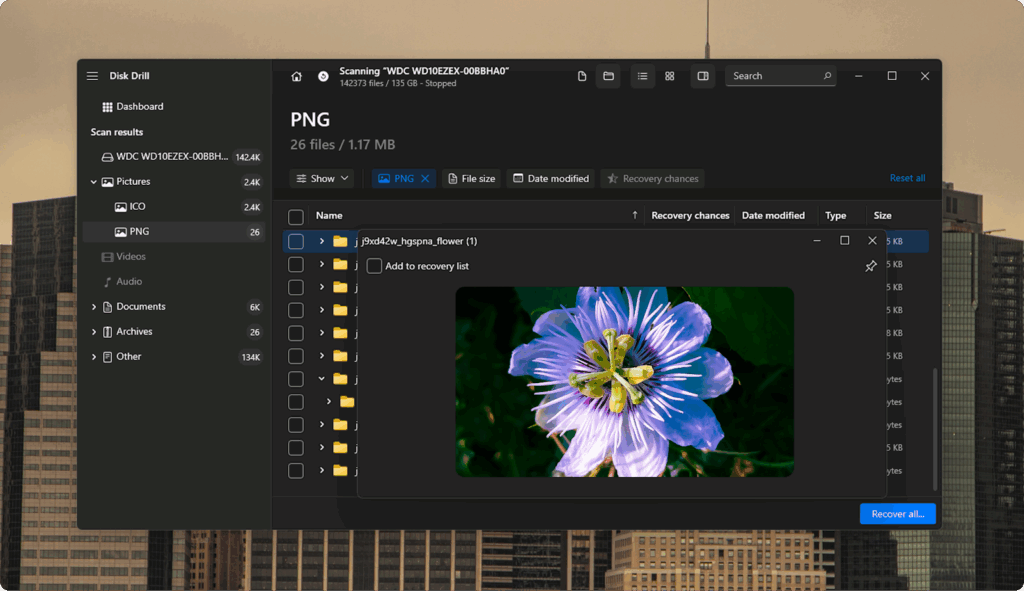
Disk Drill earns the top position for the most consistent and accurate results across deletion, quick format, and damaged file system scenarios. CleverFiles built it for both Windows and macOS, and it handled FAT32 and exFAT memory cards reliably throughout every test we ran.
Structural accuracy matters most in professional photography workflows – and as this camera card photo recovery guide confirms, a lost RAW file carries real commercial cost. Disk Drill addresses this with a dedicated Advanced Camera Recovery module that preserves metadata and directory hierarchy throughout file analysis, which pushes RAW reconstruction accuracy above what standard sector scans alone can achieve.
The free tier on Windows recovers up to 100 MB at no cost – a concrete way for anyone who wants free sd card recovery software to test real results before a license purchase.
| Key Feature | Details |
| Software Publisher | CleverFiles |
| Storage Device Compatibility | SD, microSD, USB drives, HDD, SSD |
| Supported File Systems | FAT16, FAT32, exFAT, NTFS, APFS, HFS+, Ext2, Ext3, Ext4 |
| Platform Support | Windows, macOS |
| License Model | Free tier: 100 MB recovery on Windows; the macOS free tier is limited to scan and preview only. Pro license for $89 annually or $149 for a lifetime. |
| Recovery Scope | Deleted data, formatted partitions, damaged file systems |
| Scan Technology | Quick scan and deep sector-level analysis |
| Camera Format Support | Advanced Camera Recovery module |
| Data Protection Tools | Byte-level disk clone, S.M.A.R.T. disk status monitor |
| Interface & Preview | Structured file filters with preview before recovery |
| File Format Coverage | More than 390 recoverable file types |
Top Pros:
- Byte-level disk clone protects unstable SD cards before the scan
- Recovers more than 390 file formats – proprietary RAW camera types included
- Runs a quick scan and a deep scan within a single workflow
- Shows a recovery probability indicator for every detected file
- Lifetime license – one payment, no renewals
Top Cons:
- macOS free tier covers scan and preview only – file recovery on Mac requires a paid license
Recommended For: Disk Drill works best for anyone who needs dependable sd card recovery software after deletion or quick format. Beginners get a guided interface and clear recovery steps. Advanced users get disk image creation, S.M.A.R.T. status checks, and the Advanced Camera Recovery module for complex RAW restoration work.
2. ReclaiMe File Recovery
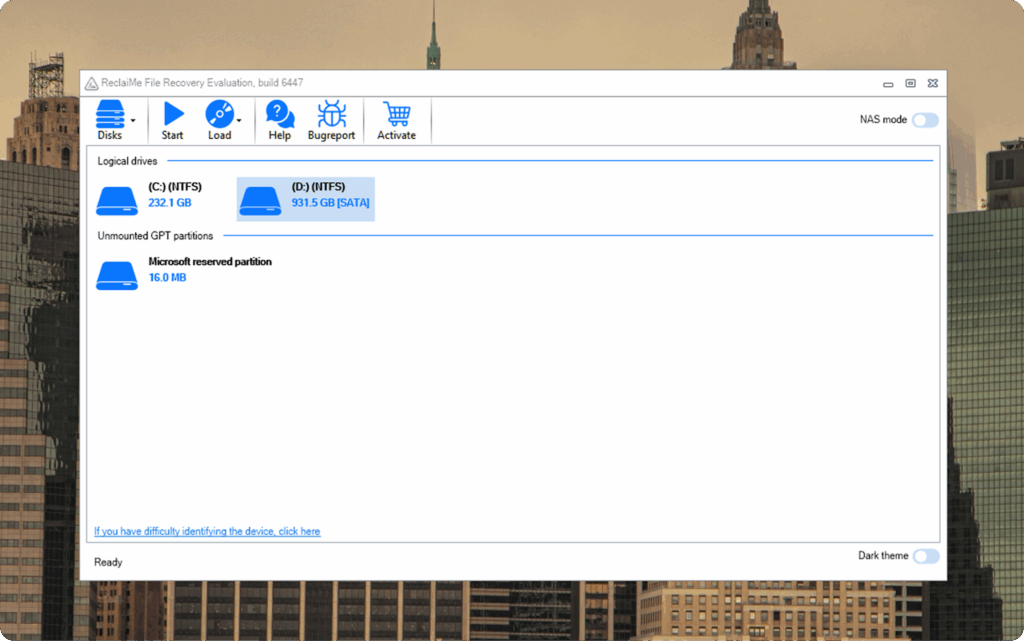
ReclaiMe File Recovery takes second place as the strongest automated tool in this list. It reads SD and microSD cards through an automatic structure recognition engine that restores directory hierarchy – you never adjust a single technical parameter. It targets logical data loss cases where the file system retains partial integrity and handles that job cleanly on Windows.
| Key Feature | Details |
| Software Publisher | ReclaiMe |
| Storage Device Compatibility | SD, microSD, USB flash drives, HDD, SSD |
| Supported File Systems | FAT12, FAT16, FAT32, exFAT, NTFS, ReFS, HFS+, APFS, Ext2, Ext3, Ext4 |
| Platform Support | Windows |
| License Model | Free scan and file preview; full recovery requires a paid license. Personal lifetime license starts at $89.95. |
| Recovery Scope | Deleted files, formatted volumes, damaged file systems |
| Scan Technology | Automatic analysis engine with intelligent structure recognition |
| Camera Format Support | RAW image format recognition |
| Data Protection Tools | Read-only recovery mode |
| Interface & Preview | Reconstructed the file tree with a preview before recovery |
| File Format Coverage | Documents, images, archives, and media formats |
Top Pros:
- Automatic file system interpretation – no manual configuration needed
- Reliable FAT and exFAT support across SD and microSD cards
- Accurate directory reconstruction when metadata survives the data loss event
- Recognizes RAW photo formats
- Clean, structured interface that keeps the workflow simple
Top Cons:
- Windows only – no macOS or Linux version
- Limited manual scan controls for users who want to adjust parameters
Recommended For: Windows users get a direct, automated path to SD card file recovery with ReclaiMe, no manual adjustment, no configuration. It handles cases where the file system stays largely intact and restores the full directory structure automatically. Reach for it when the goal is reliable SD card recovery software for PC with minimal setup and a clean result.
3. UFS Explorer Standard Recovery
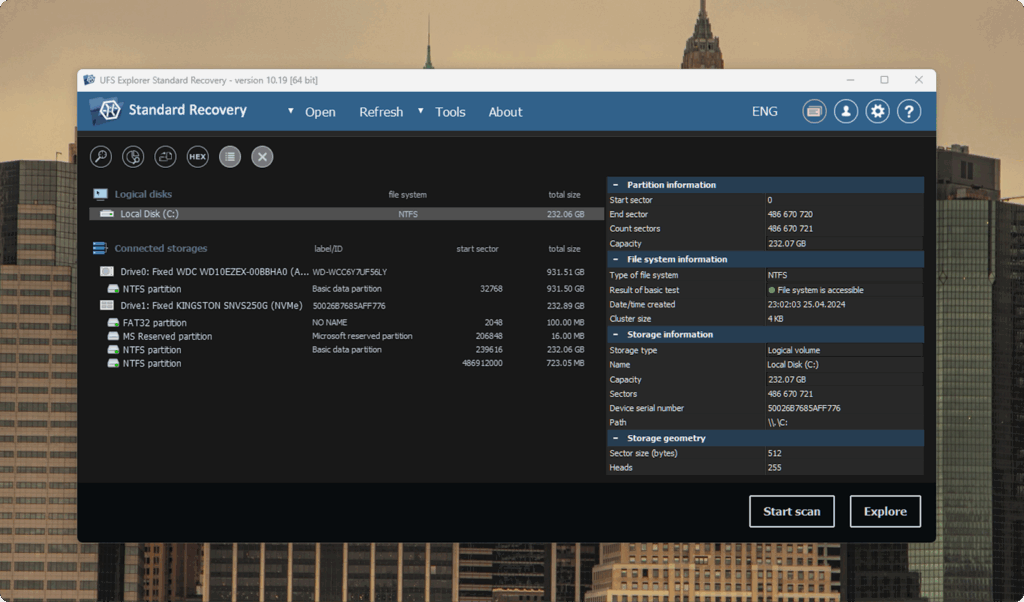
UFS Explorer Standard Recovery targets structural file system repair rather than simple deletion recovery. This SD card recovery software for PC, Mac, and Linux tackles FAT32 and exFAT media where partition tables or allocation records show damage. SysDev Laboratories built it for professionals who need precise analytical control over every stage of the recovery process.
| Key Feature | Details |
| Software Publisher | SysDev Laboratories |
| Storage Device Compatibility | SD, microSD, USB drives, HDD, SSD, RAID arrays |
| Supported File Systems | FAT12, FAT16, FAT32, exFAT, NTFS, APFS, HFS+, Ext2, Ext3, Ext4, XFS |
| Platform Support | Windows, macOS, Linux |
| License Model | Free trial: up to 256 KB per file. Permanent paid license: Personal from $64.95, Commercial from $129.95, Corporate from $189.95. |
| Recovery Scope | Deleted files, lost partitions, corrupted file systems, RAID reconstruction |
| Scan Technology | Multi-stage scan logic with file system reconstruction priority |
| Camera Format Support | RAW photo format detection via signature database |
| Data Protection Tools | Disk image creation and virtual disk reconstruction |
| Interface & Preview | Hierarchical file tree with preview |
| File Format Coverage | Photos (JPEG, RAW, TIFF), video (MP4, MOV, AVI), documents (PDF, DOCX), archives – 1,000+ signature types |
Top Pros:
- Recognizes logical volumes and multi-disk configurations
- Reads and interprets metadata before it falls back to raw signature extraction
- Supports lesser-known file systems – XFS included
- Gives precise control over virtual storage layout reconstruction
- Handles RAID arrays that other tools in this list skip
Top Cons:
- The interface presents a steeper learning curve for casual users
Recommended For: UFS Explorer Standard Recovery suits data recovery professionals and advanced users who need precise reconstruction of SD card file systems with structural damage. It performs best when partition loss, metadata corruption, or complex storage layouts require more than a standard scan. Choose it when analytical depth matters more than automation.
4. Tenorshare 4DDiG
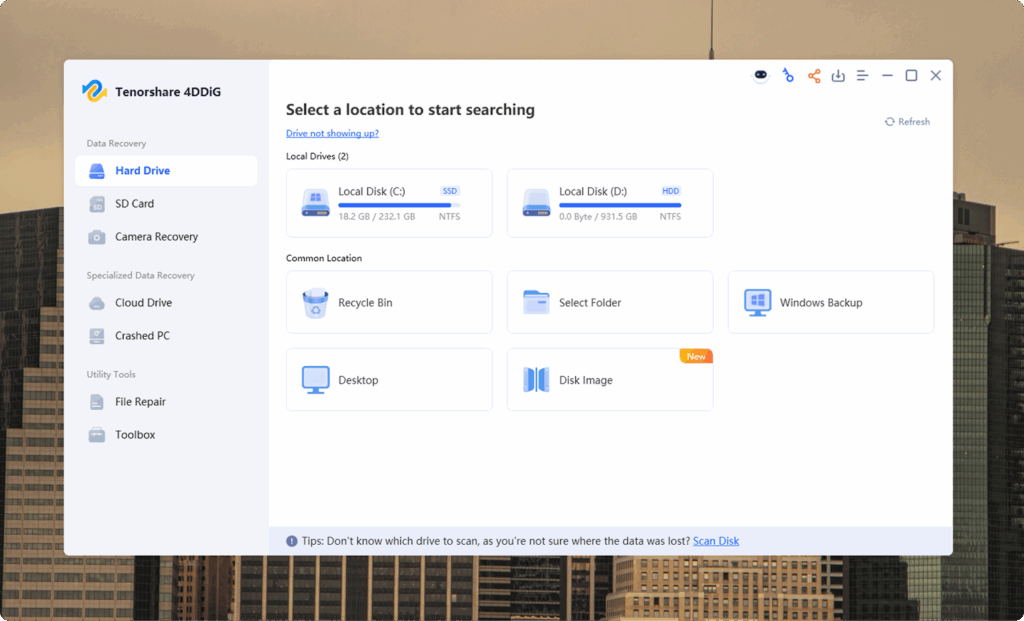
Tenorshare 4DDiG builds its recovery model around broad file recognition and a guided workflow. This sd card recovery software claims support for more than 2,000 file types across photos, videos, and documents. It handles deletion, format, partition loss, virus damage, and system interruption cases on FAT32 and exFAT media across both Windows and macOS, and it lets users scan and preview files before payment.
| Key Feature | Details |
| Software Publisher | Tenorshare |
| Storage Device Compatibility | SD card, microSD, CF card, USB flash drive, HDD, SSD |
| Supported File Systems | FAT16, FAT32, exFAT, NTFS (Windows); APFS, HFS+, FAT32, exFAT (macOS) |
| Platform Support | Windows 11/10/8.1/8/7; macOS Sequoia, Sonoma, Ventura, Monterey, Big Sur |
| License Model | Free scan and preview; full recovery requires a paid license. Plans: 1-month (~$45.95), 1-year (~$59.95), lifetime (~$79.95) for one PC. |
| Recovery Scope | Deleted files, formatted drives, lost partitions, virus damage, and system crash cases |
| Scan Technology | Quick scan mode and deep scan mode |
| Camera Format Support | RAW file recognition across major camera brands |
| Data Protection Tools | File preview before recovery; search and filter options |
| Interface & Preview | Category-based file organization with preview |
| File Format Coverage | Vendor claims support for more than 2,000 file types |
Top Pros:
- Broad device compatibility, camera cards, and dashcam storage included
- Restores lost partition tables alongside deleted files
- Full scan and file preview available before purchase
- Category-based file view makes it easy to find specific file types after a scan
- Available on both Windows and macOS
Top Cons:
- Full file extraction requires a paid license
- Not built for RAID reconstruction or deep storage architecture repair
Recommended For: Choose 4DDiG when photos, videos, or documents go missing through deletion or quick format on SD or microSD media without severe structural breakdown. The guided workflow, visual file categories, and free preview let users see exactly what survived before any payment.
5. Wise Data Recovery
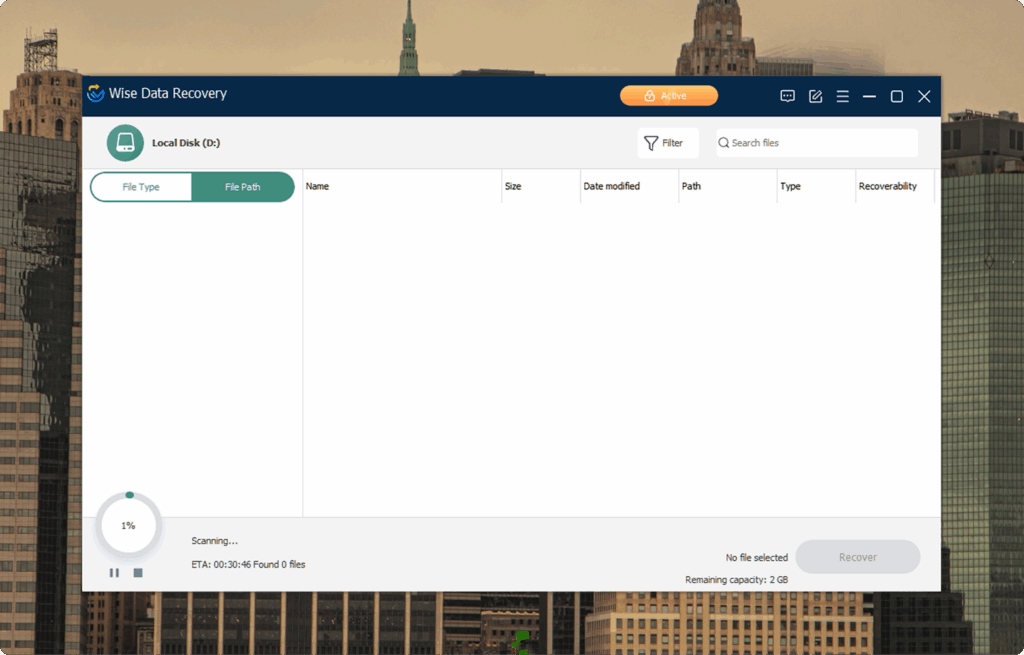
Wise Data Recovery ranks fifth and takes the top spot among free SD card recovery software options in this list. The free version recovers up to 2 GB and handles photos, documents, videos, emails, and other common formats from SD and microSD cards, where the file system stays intact. It runs on Windows and keeps the interface straightforward so users can run a scan and retrieve files with no complex settings to open.
| Key Feature | Details |
| Software Publisher | WiseCleaner |
| Storage Device Compatibility | SD, microSD, USB flash drives, HDD, SSD, removable media |
| Supported File Systems | FAT, FAT16, FAT32, exFAT, NTFS |
| Platform Support | Windows 11, 10, 8, 7 |
| License Model | The free version recovers up to 2 GB. Pro license for unlimited recovery: 1-Year at $44.96, Lifetime at $67.46. |
| Recovery Scope | Deleted files from local and removable storage |
| Scan Technology | Quick scan with per-file condition indicator |
| Camera Format Support | Common image and video formats |
| Data Protection Tools | File health status indicator: Good, Poor, Lost |
| Interface & Preview | Simple list view with preview support |
| File Format Coverage | Standard documents, images, audio, and video formats |
Top Pros:
- Recovers up to 2 GB for free with no purchase required
- Fast scan delivers file location results quickly
- Straightforward interface that requires no technical background
- Per-file condition indicators show which items are worth a recovery attempt
- Supports SD cards, microSD, and other removable storage types
Top Cons:
- Free version caps recovery at 2 GB
- Windows only — no macOS version
Recommended For: Wise Data Recovery is the right pick for anyone looking for sd card recovery software free of charge for everyday deletion jobs on Windows. Recently deleted files from an SD or microSD card? Start here with no upfront payment. The 2 GB free limit covers most photo and document recovery needs without touching your wallet.
6. GetDataBack for FAT
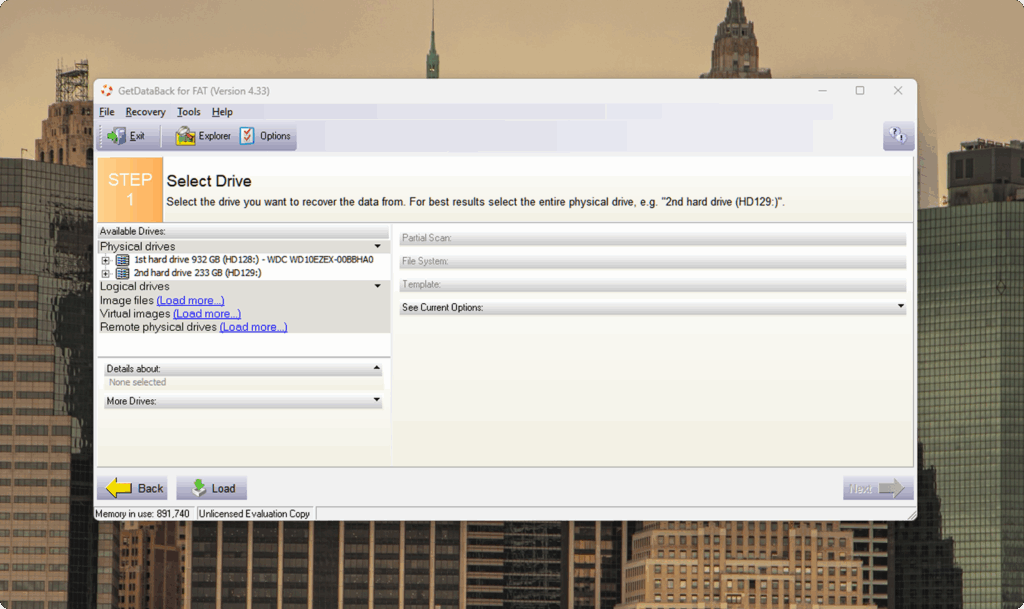
GetDataBack for FAT from Runtime Software targets SD and microSD cards formatted under FAT12, FAT16, FAT32, and exFAT. It runs four structured recovery levels that analyze file system integrity step by step and restore data after deletion, format, partition table loss, or power interruption. It operates in read-only mode on Windows throughout the entire process, so the original storage stays untouched.
| Key Feature | Details |
| Software Publisher | Runtime Software |
| Storage Device Compatibility | SD, microSD, USB flash drives, HDD, SSD |
| Supported File Systems | FAT12, FAT16, FAT32, exFAT |
| Platform Support | Windows (64-bit) |
| License Model | Free evaluation shows recoverable files; full recovery requires a paid license. Single-PC permanent license for FAT/exFAT environments. |
| Recovery Scope | Deleted files, formatted volumes, lost partitions, and partition table damage |
| Scan Technology | Four progressive recovery levels with step-by-step file system analysis |
| Camera Format Support | Photo and video formats stored within FAT volumes |
| Data Protection Tools | Read-only mode throughout – source media stays unmodified |
| Interface & Preview | Explorer-style hierarchical file tree |
| File Format Coverage | Standard documents, images, audio, and video within FAT environments |
Top Pros:
- Four-level recovery structure works through progressively deeper analysis
- Handles recovery after quick format, accidental deletion, and partition table corruption – FAT and exFAT only
- Read-only mode keeps source media safe throughout the entire process
- Native 64-bit Windows support
- Supports disk image creation before analysis
Top Cons:
- Works only on FAT and exFAT file systems, no NTFS, APFS, or Ext support
- Windows only
- Requires a paid license to extract files
Recommended For: GetDataBack for FAT suits SD or microSD cards formatted in FAT or exFAT when directory records or partition tables show damage. Its four-level recovery model rebuilds file structure step by step and never modifies source media mid-analysis. Choose it on Windows when a dedicated FAT recovery tool is required, and cross-platform support is not.
7. Raise Data Recovery
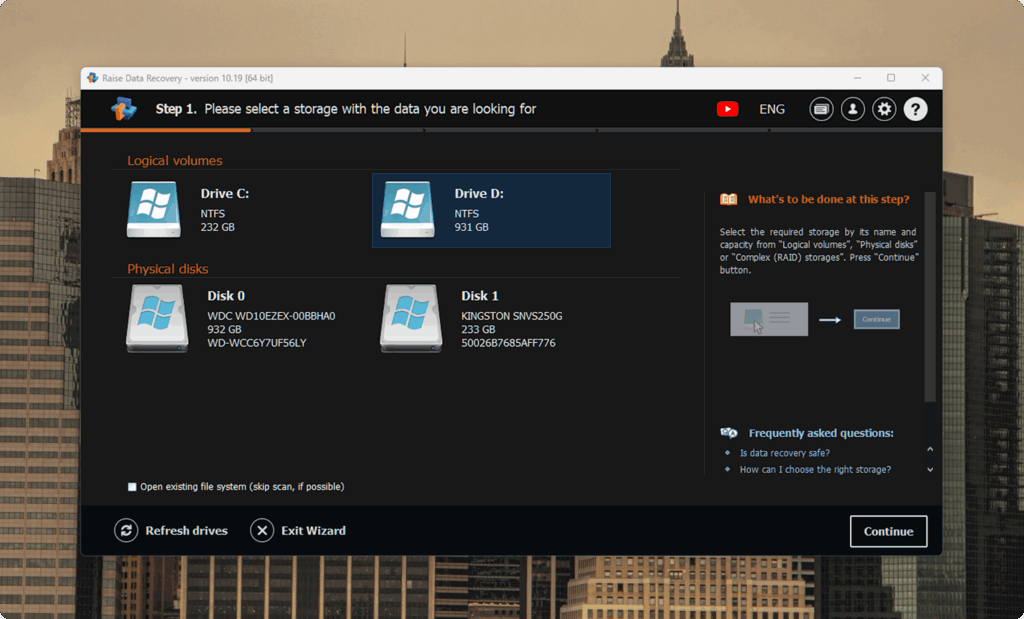
Raise Data Recovery closes the list with the broadest cross-platform reach of any tool we tested. SysDev Laboratories built it to run on Windows, macOS, and Linux, and it handles file deletion, format loss, partition disappearance, and file system corruption across a wide range of storage formats. It offers both standard and extended analysis modes, and source storage stays untouched throughout.
| Key Feature | Details |
| Software Publisher | SysDev Laboratories |
| Storage Device Compatibility | SD, microSD, USB flash drives, HDD, SSD, NAS |
| Supported File Systems | FAT/FAT32, exFAT, NTFS, ReFS, HFS+, APFS, Ext2, Ext3, Ext4, XFS, JFS |
| Platform Support | Windows, macOS, Linux |
| License Model | Permanent paid license: Short-Term Support at $34.95 (30 days of updates) or Long-Term Support at $49.95 (360 days of updates). Cross-platform activation included. |
| Recovery Scope | Deleted files, formatted volumes, damaged file systems, lost partitions |
| Scan Technology | Standard analysis mode and extended analysis mode |
| Camera Format Support | Common photo and video formats |
| Data Protection Tools | Safe extraction, source storage stays untouched |
| Interface & Preview | Step-by-step workflow with file preview |
| File Format Coverage | Photos, video, audio, documents (PDF, DOCX, XLSX), archives (ZIP, RAR) across all supported file systems |
Top Pros:
- Runs natively on Windows, macOS, and Linux with a single cross-platform license
- Broad file system support, covers FAT, NTFS, APFS, Ext, XFS, and more
- Scans for lost partition entries across all supported file systems
- Step-by-step workflow keeps the recovery process manageable
- Works across mixed storage environments where file system types vary
Top Cons:
- Full file extraction requires a paid license
- Performance drops when file fragments span more than half the card – open Optimize Drives on Windows or Disk Utility on Mac to check the fragmentation level before a deep scan
- Does not include enterprise forensic features
Recommended For: Raise Data Recovery is built for users who work across multiple operating systems and need one tool that handles SD and microSD recovery on all three platforms. It performs well after partition loss, format damage, or file system corruption across FAT, NTFS, APFS, and Ext volumes. Pick it when broad OS compatibility matters more than forensic-level depth, and when recovery is part of a wider data management strategy across Windows, Mac, and Linux machines.
Final Verdict
Disk Drill delivers the strongest overall balance of recovery precision, interface clarity, and platform compatibility. In our hands-on SD and microSD tests, it produced consistent results across deletion, quick format, and file system damage with no complex configuration. Disk Drill stands as the top pick for anyone who wants the best sd card recovery software across a wide range of use cases. Community feedback in this Disk Drill Reddit review reflects the same reliability we measured in our tests.
For users who want automation over manual control, ReclaiMe File Recovery handles clean logical recovery on Windows without a parameter adjustment. For deeper structural control, UFS Explorer Standard Recovery provides full analytical access to damaged file systems and RAID arrays.
For those who want to test before a purchase, Wise Data Recovery recovers up to 2 GB completely free. Disk Drill’s 100 MB free tier on Windows also lets users verify results before license activation.
Use the comparison table above to match your situation to the right tool; the clearer the match, the better the outcome.
FAQ
What is the best sd card recovery software overall?
Disk Drill ranks first across deletion, quick format, and file system damage scenarios. It combines accurate reconstruction, a transparent free tier, and support for more than 390 file formats into one tool that works for both beginners and advanced users.
Is there reliable free sd card recovery software?
Yes. Tools like Recuva or PhotoRec can be considered the best free sd card recovery software. Wise Data Recovery recovers up to 2 GB at no cost on Windows and handles common photo, video, and document formats from SD and microSD cards. Disk Drill also offers 100 MB of free recovery on Windows before a paid license is needed.
Which sd card recovery software for PC works on Windows only?
ReclaiMe File Recovery, Wise Data Recovery, and GetDataBack for FAT all run on Windows only. GetDataBack for FAT targets FAT and exFAT cards specifically. ReclaiMe and Wise Data Recovery handle a wider set of file systems and recovery scenarios.
Can sd card data recovery software recover files after a format?
Yes, after a quick format. A quick format only rewrites the file system index, so the underlying data often survives, and recovery tools can reconstruct it. A full format performs a complete sector-level overwrite on most systems, which leaves little to no data for recovery tools to reconstruct. Run a scan immediately after a quick format – the sooner the scan, the higher the chance of recovery.
Does sd card recovery software work on corrupted or unmounted cards?
Yes, though results depend on the severity of the damage. Tools that support read-only disk image creation, like Disk Drill and UFS Explorer, first create a byte-level copy of the card before the scan. This protects the source media if the card triggers an SD card unmounted error. Always imagine an unstable card before a deep scan.