










EasySMX D10 Review – Powerful Multiplatform Controller with Pro Features

After recently reviewing the EasySMX D05, I was quite impressed with what it offered at its price. Now, EasySMX has launched a new model in this lineup – the EasySMX D10, and today we’re going to take a close look at it. From the first impression, the EasySMX D10 feels like a clear upgrade over the D05, bringing features like TMR sticks, Hall Effect triggers, and even a smart charging dock. With multi-platform support and a fresh design, testing this one is going to be exciting. Let’s see how it performs.
Unboxing
The EasySMX D10 comes packed in a sturdy grey colour box that gives a strong and premium first impression. On the front of the box, you’ll find a clear image of the controller and charging dock, along with the EasySMX branding in the corner. Some of the key upgraded features like TMR sticks, Mecha tactile buttons, and trigger locks are also mentioned right on the front.

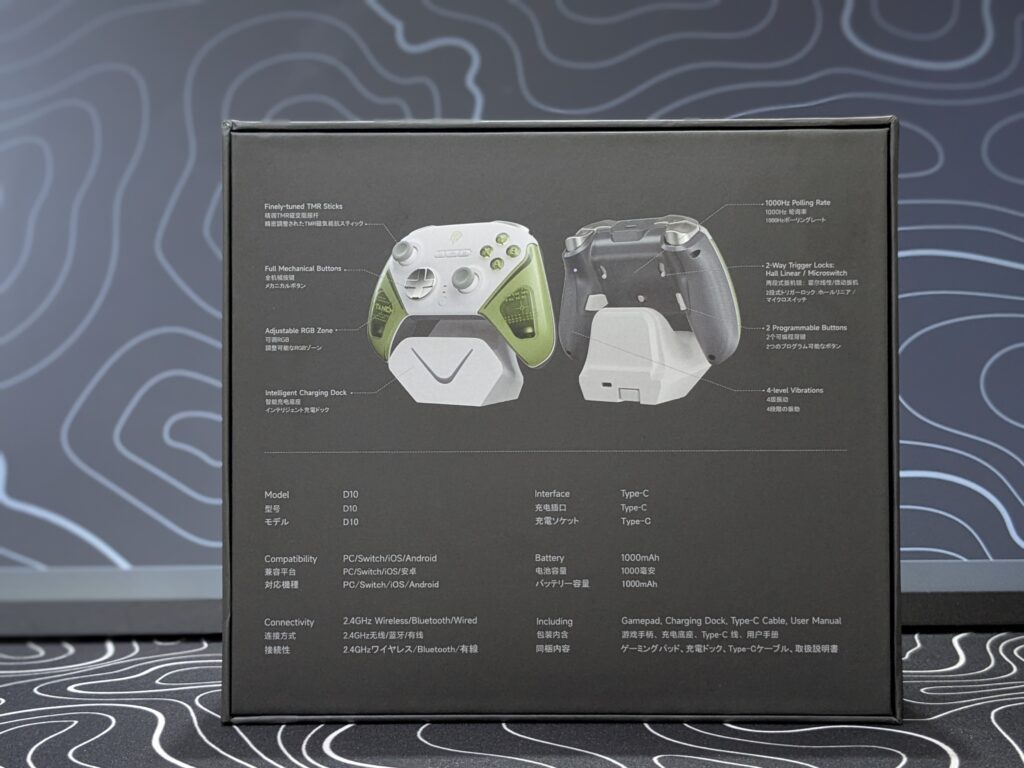
On the back side of the box, there are front and back images of both the controller and dock, showing off their design clearly. Just below that, all the important hardware details and specs are neatly listed.
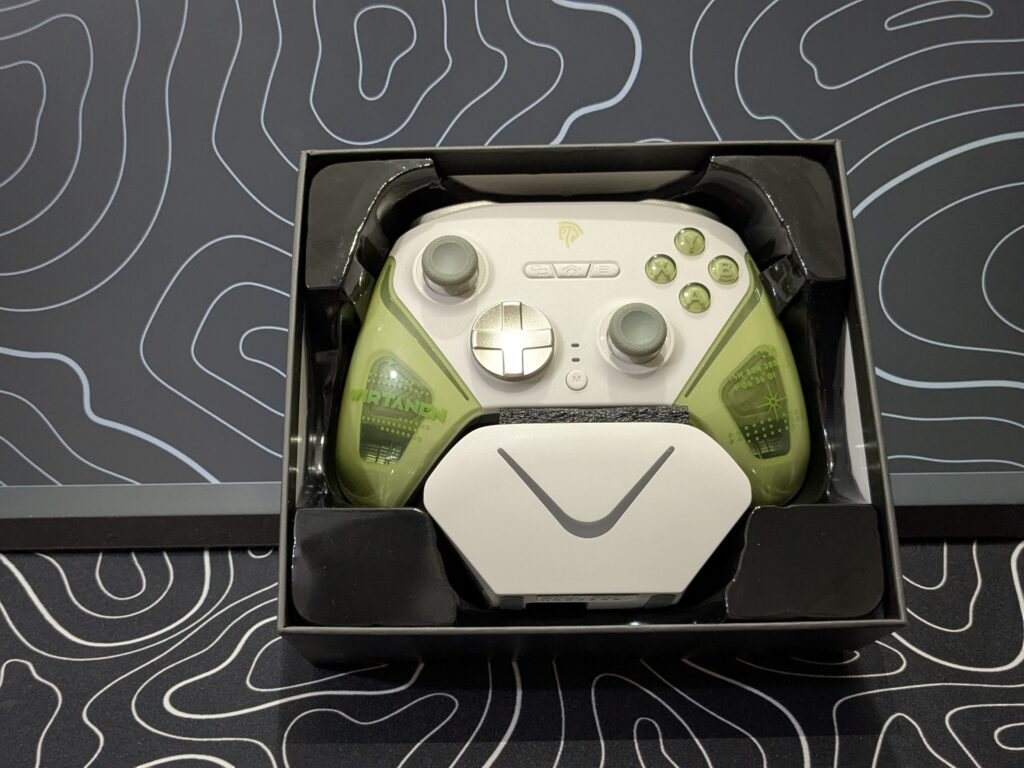
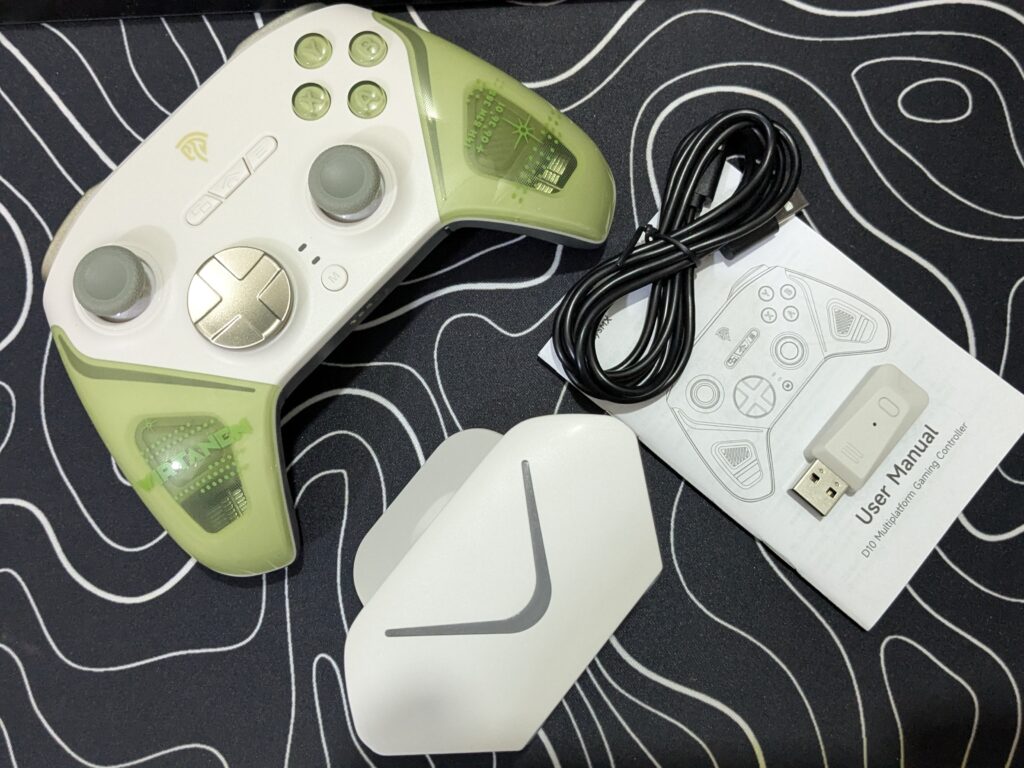
Inside the box, everything is placed securely – the controller, dock, USB Type-C cable, 2.4GHz receiver, and manual all come packed safely with plastic container protection.
EasySMX D10 Pricing
| EasySMX Official Website | $59.99 Click here to buy |
EasySMX D10 specifications
| Specification | Details |
|---|---|
| Brand & Model Number | EasySMX D10 |
| Compatible Platforms | Nintendo Switch, PC, Android, iOS |
| Compatible OS | Windows 7/8/8.1/10/11 |
| Interface Type | USB, Bluetooth, 2.4G |
| Connection Methods | 2.4GHz Wireless, Bluetooth, Wired |
| Charging Interface | Type-C |
| Battery Capacity | 1000mAh |
| Controller Net Size | 15.5 × 5.27 × 10.47 cm |
| Charging Dock Net Size | 11.53 × 7.62 × 6.81 cm |
| Net Weight | 300g |
| Hall Effect | Yes |
| Joystick Sensor Type | TMR Joysticks |
| D-pad Switch Type | Tactile Switch |
| ABXY Switch Type | Micro Switch |
| Bumpers Switch Type | Tactile Switch |
| Trigger Button Type | Hall-Linear |
| Package Included | Controller, Charging Dock, USB Cable, 2.4G Receiver, Manual |
A closer look
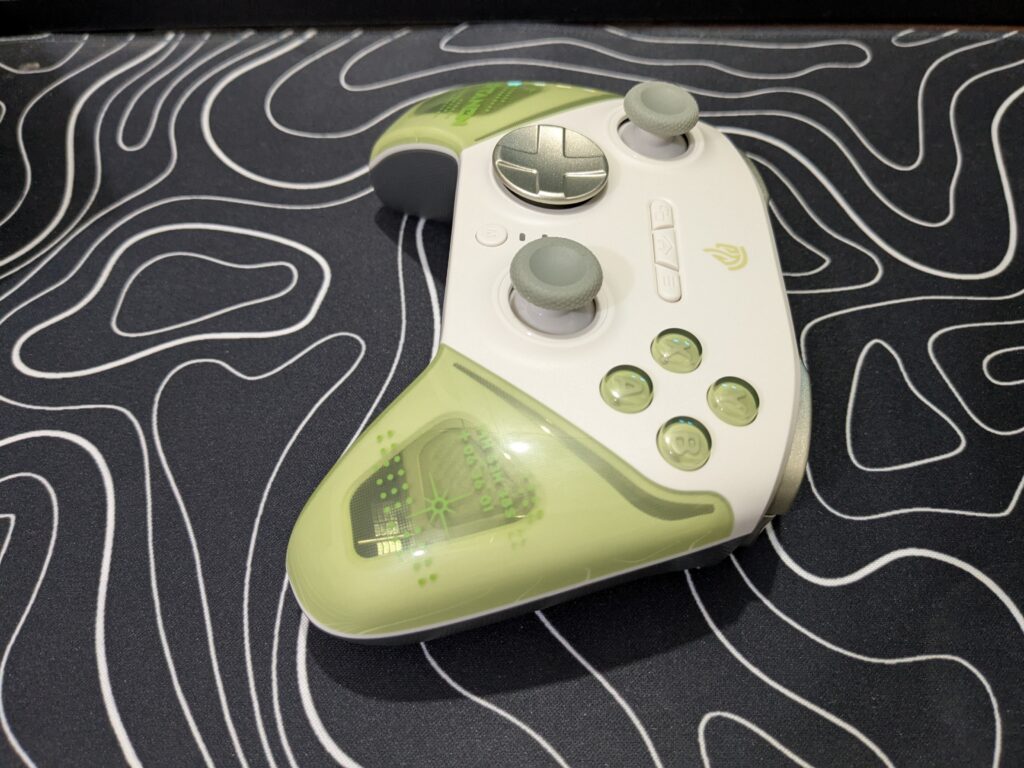
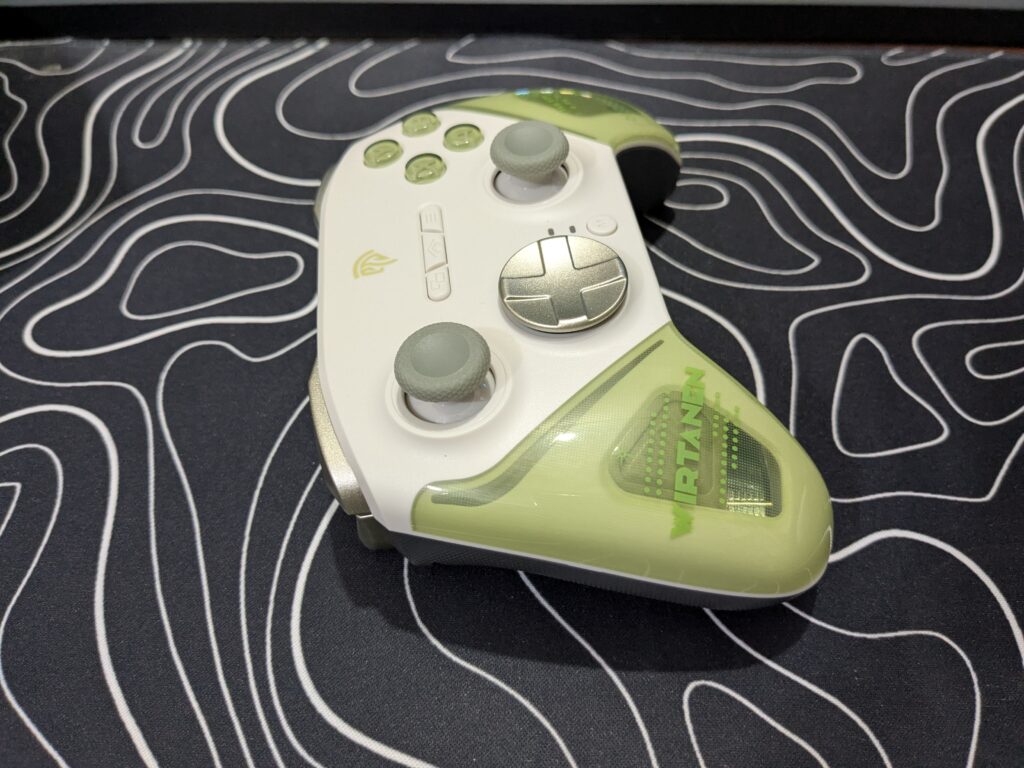
The EasySMX D10 stands out with a solid and stylish design that feels like a major upgrade. The controller is available in a few attractive colour options, including Farout Purple, Wirtanen Green (which we are currently reviewing), and a classic Black version that was launched later.

The Wirtanen Green variant has a clean and fresh look, with its white front shell and cool green grips on the sides. There’s some space-themed text printed on the grips — one side says “VIRTANEN” while the other displays coordinate-like numbers, adding a subtle sci-fi vibe without going over the top. What really adds to the feel is the engraved texture on the grips, which helps with a more secure and comfortable hold during long sessions. Plus, the grips have a see-through touch, allowing you to actually spot the vibration motors underneath.
Next-gen TMR Joysticks
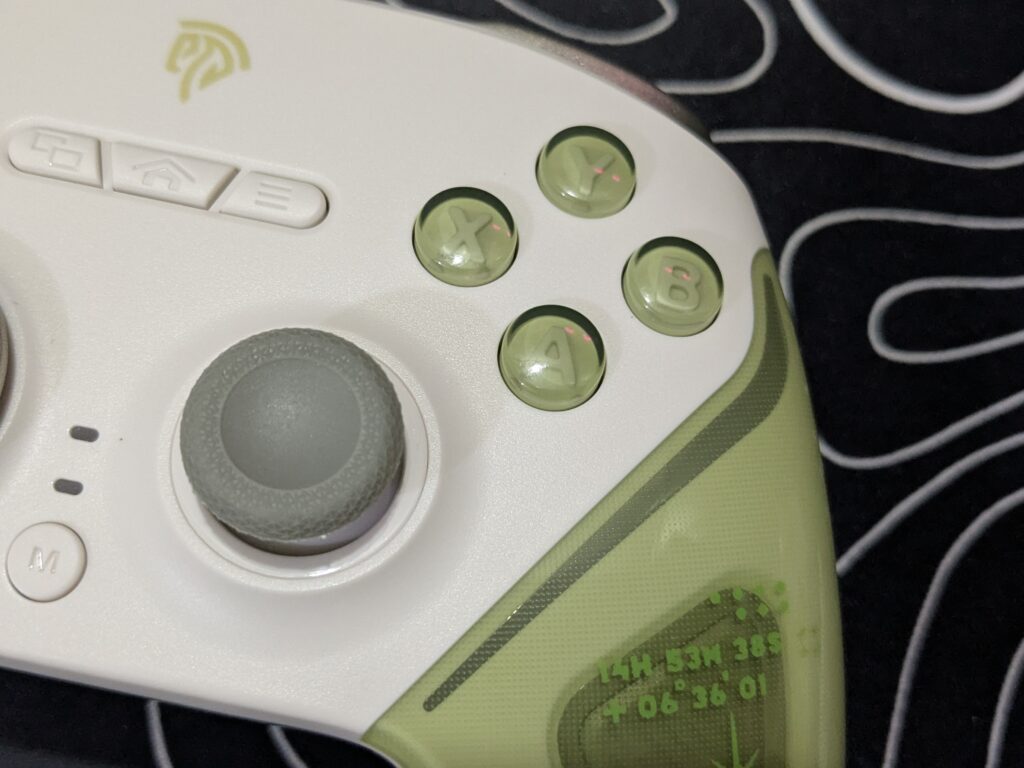
The thumbsticks on the EasySMX D10 are something special. They’re topped with gray textured rubber, which feels great and keeps your thumbs from slipping. But what really makes them shine is what’s inside — these are next-gen TMR sticks.
EasySMX knows gamers worry about stick drift and precision fading over time, so the D10 uses advanced TMR technology to solve that. These sticks maintain a steady 1000Hz polling rate, meaning they send input signals to your system super fast — that gives you smooth, lag-free control every time you move. Whether you’re carefully lining up a sniper shot or making quick turns in a racing game like Forza 5.
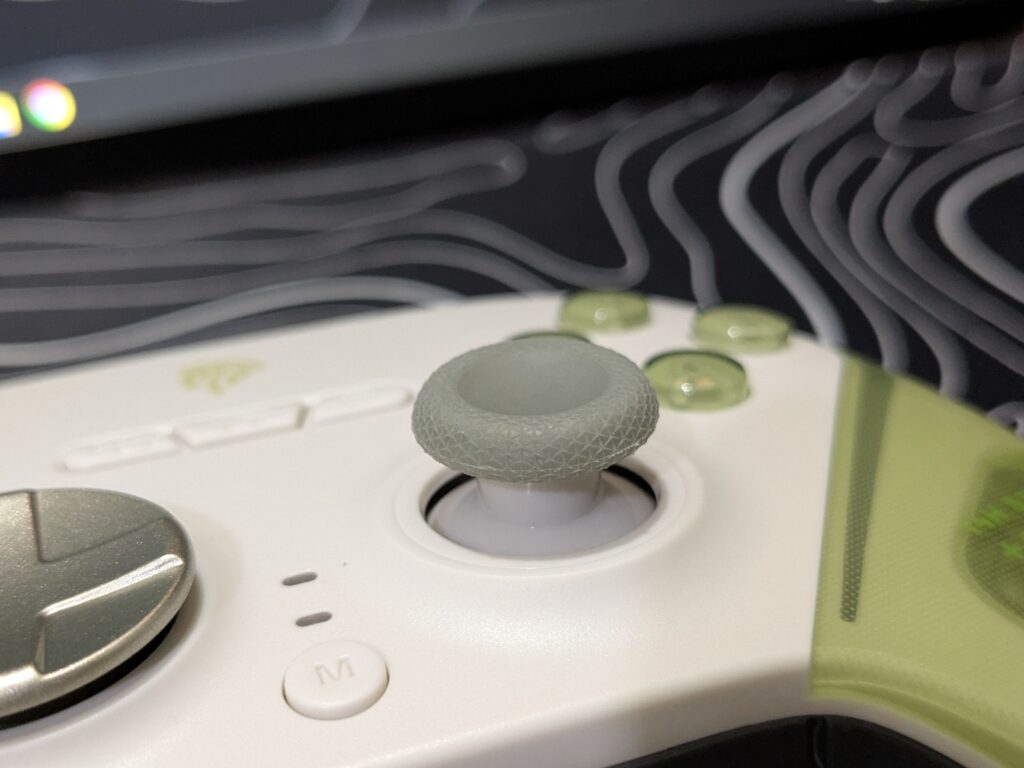
The TMR sensors have much less wear and tear compared to traditional sticks.
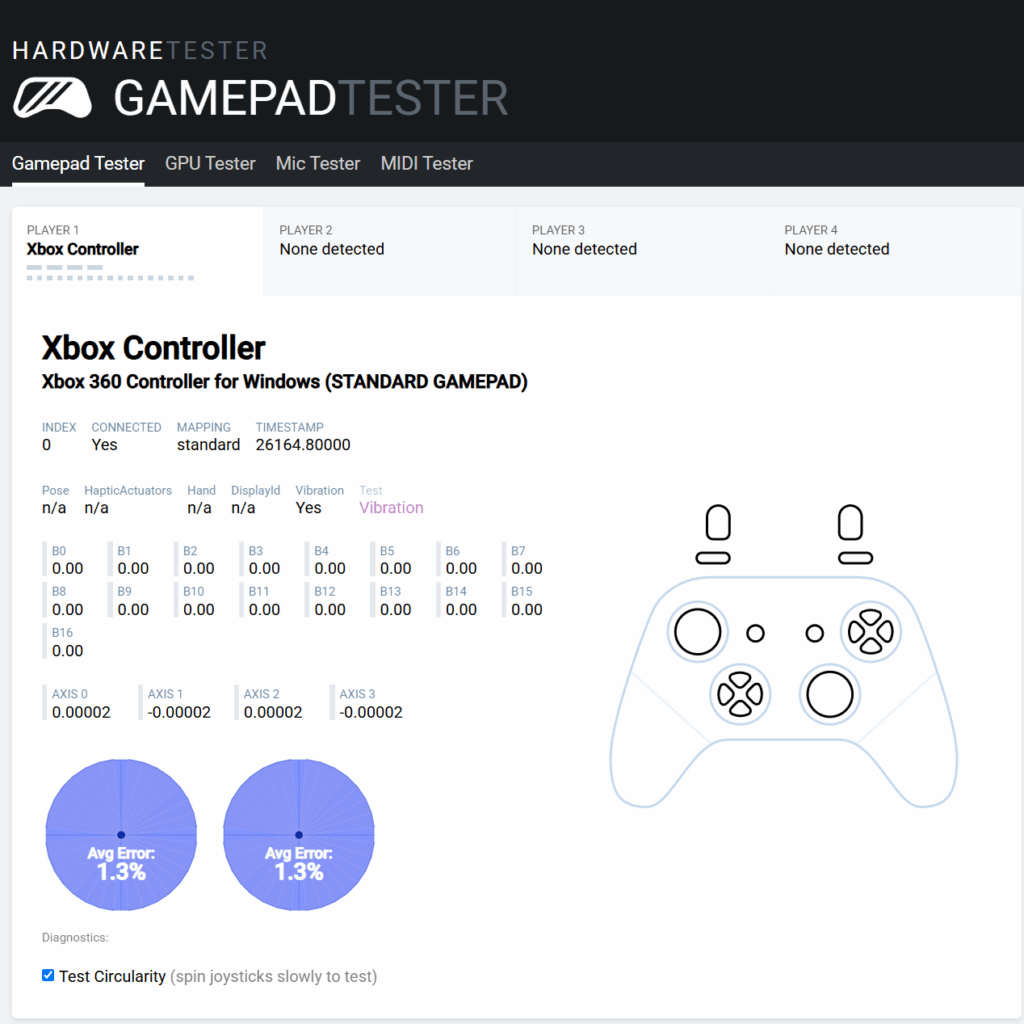
EasyPos D Pad
The D-pad on the EasySMX D10 looks and feels premium. It features a metallic silver, brushed finish that not only looks cool but also feels smooth and sturdy. The slightly concave surface helps keep your thumb centered, especially during fast inputs. With its dish type shape, it offers precise control, perfect for games that need accurate direction like fighters or platformers. Every press gives a satisfying, tactile click, making it both stylish and responsive.

Buttons
The EasySMX D10’s face buttons (A, B, X, Y) are slightly raised, fully mechanical, and offer a crisp, clicky feel with each press. Their transparent green design adds a unique style while also making them easy to spot during gameplay. Thanks to the mechanical switches inside, these buttons respond instantly and accurately, giving you better control in fast-paced games. Whether you’re tapping quickly or holding down inputs, the feedback is sharp and reliable every time.

Right between the left stick and ABXY buttons, you’ll find three functional buttons — View, Home, and Menu — designed to match the controller’s white body, keeping the layout clean and stylish. Just below them are two small LED indicators that show your current connectivity status.

At the center, between the D-pad and right stick, sits the M button, which serves multiple smart functions. It’s used for Turbo mode, screenshot capture, and more. You can press M + Left Stick (L3) up or down to adjust vibration intensity across four levels: 0%, 30%, 60%, and 100%. You can also change RGB lighting effects by pressing M + Right Stick (R3).
Triggers
While testing the EasySMX D10, one of the things that really stood out to me was the trigger setup. Both LT and RT use Hall Effect sensors, so they feel smooth and respond super accurately — great for games where precise input really matters. But what I found even more useful was the trigger lock system. There’s a little switch for each trigger that lets you change how far the trigger can move.
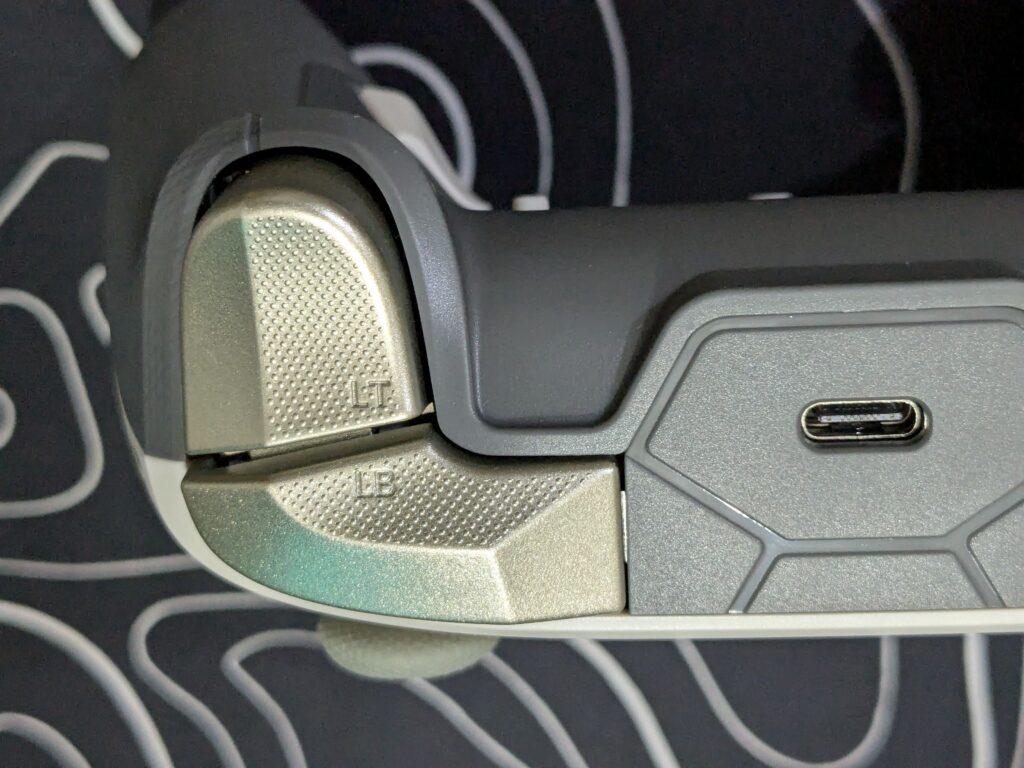
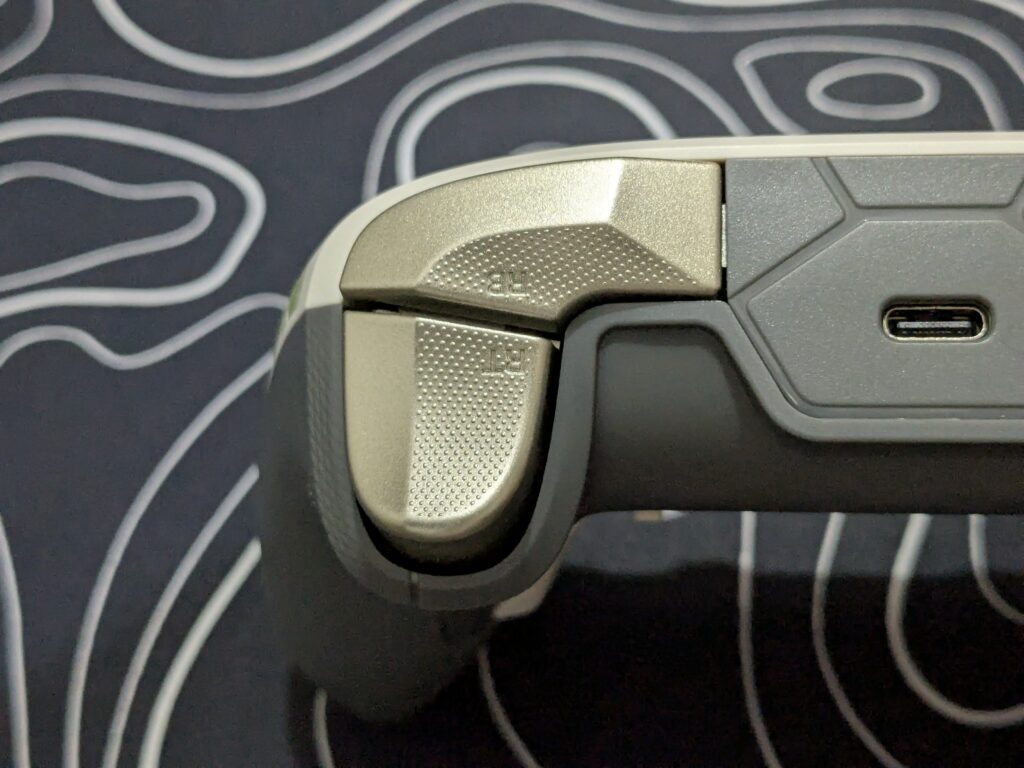
When the lock is set down, with the hall effect the harder you press, the more input you get. That came in really handy while playing a Forza 5 racing game. I could gently accelerate or go full speed, depending on how much pressure I applied.
Flip the switch up, and the triggers change to short-throw click-style buttons. That mode was perfect in shooters — you don’t need to press all the way down, so firing felt quicker and more responsive.
The back also has M1 and M2 buttons, placed exactly where your fingers rest. I mapped them to reload and melee during gameplay and barely had to move my hands — super convenient.
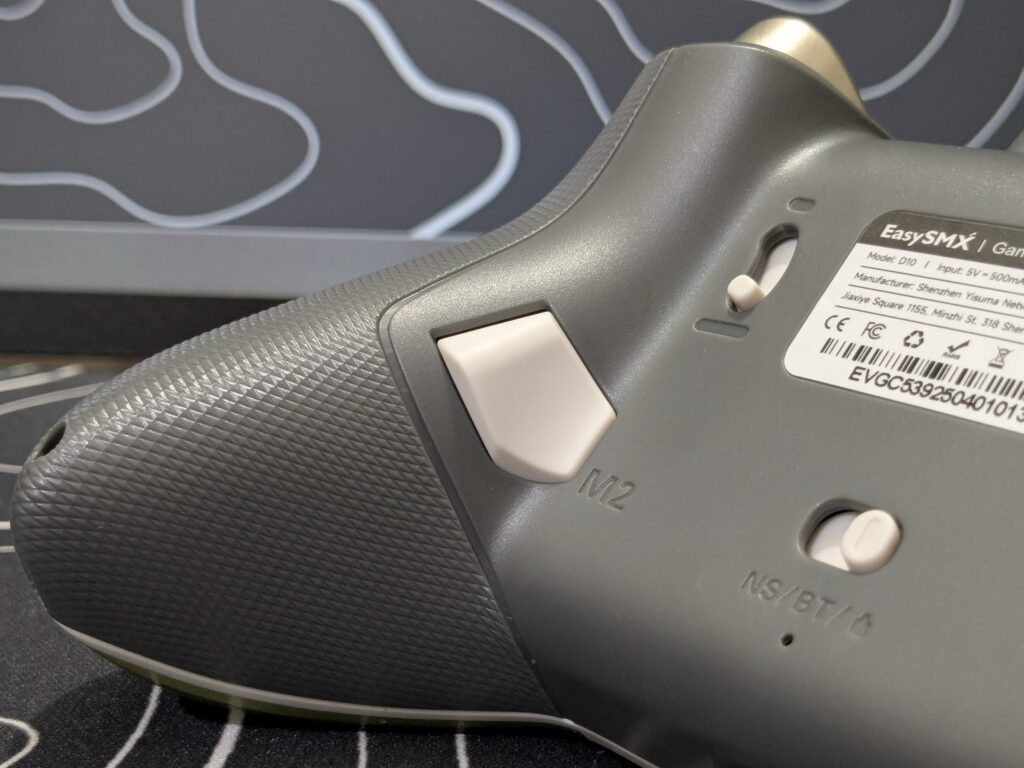
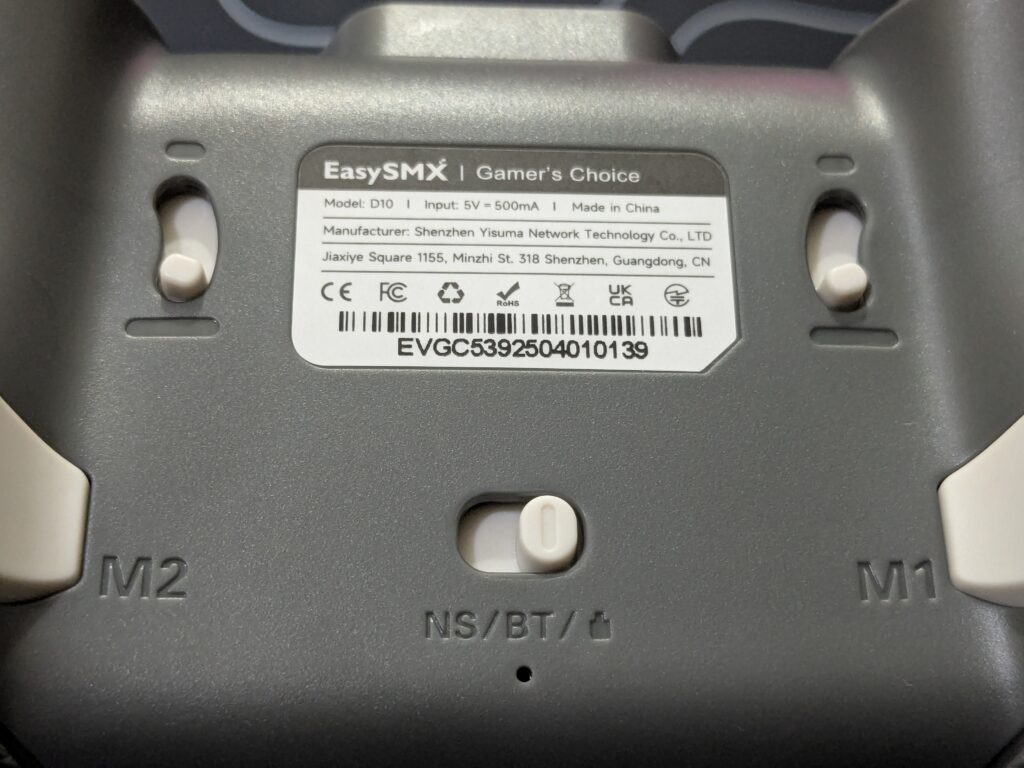
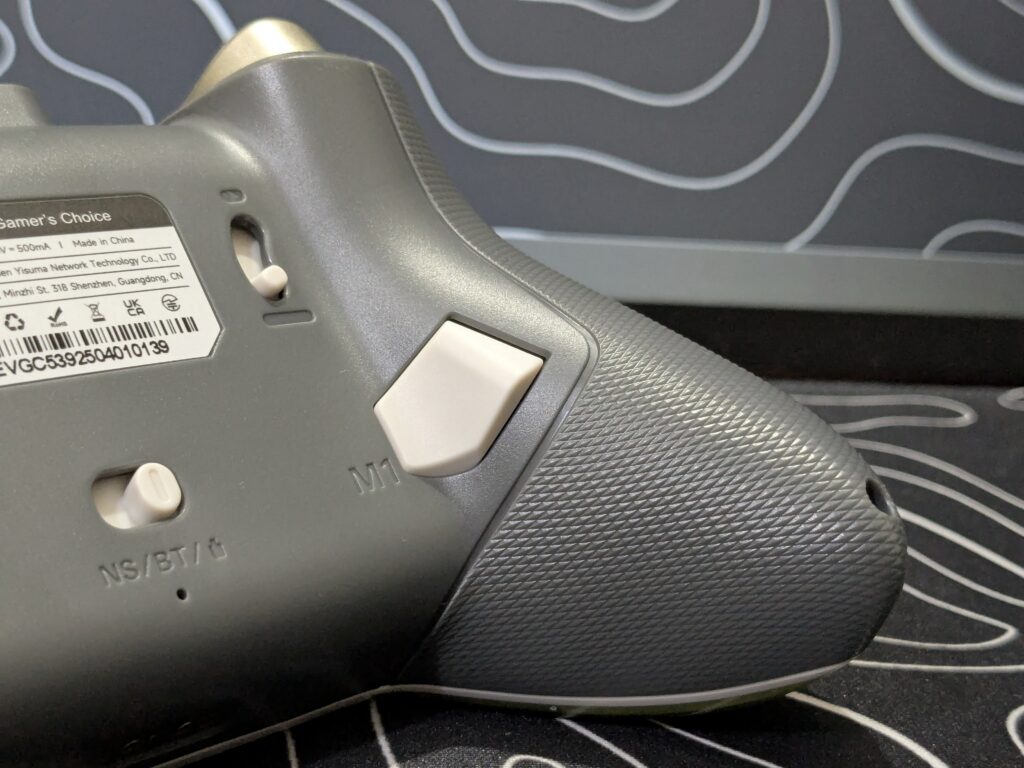
In the center of the back, there’s a mode switch (NS/BT/PC) for jumping between platforms. Right below it, there’s a small reset hole in case anything ever needs troubleshooting.
The back shell has a clean grey finish, and the buttons match the white front, so it all looks cohesive. Overall, this section of the controller feels like it was really well thought out — and honestly.
Charging Dock
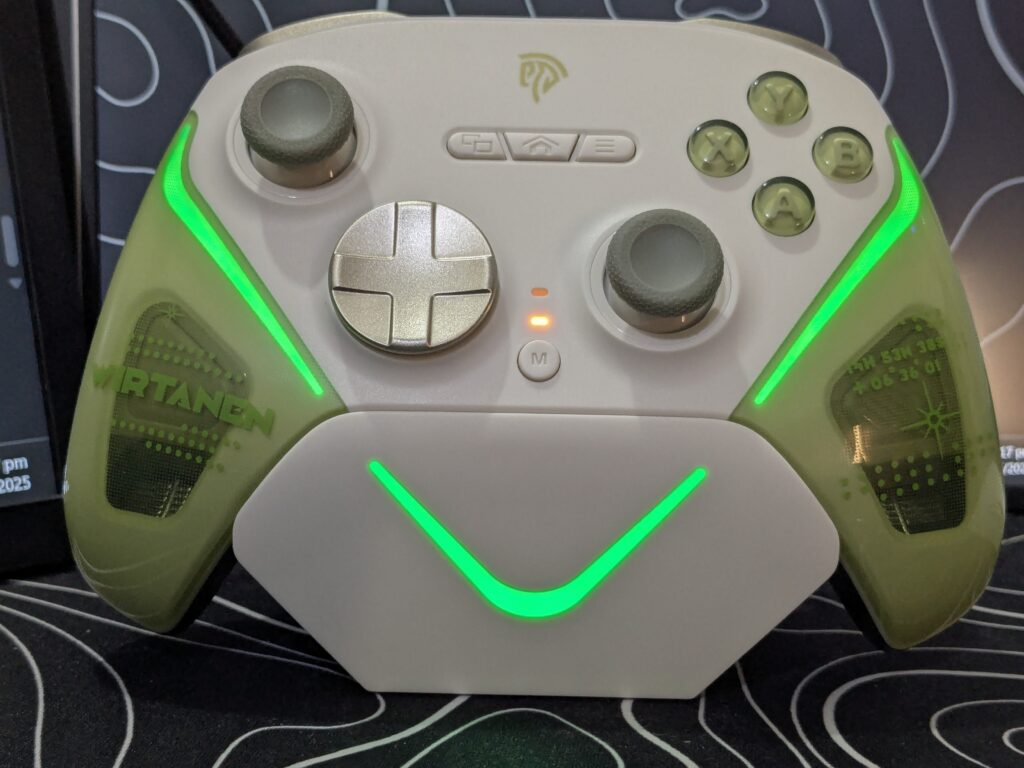
The charging dock that comes with the EasySMX D10 looks just as good as it works. It has a minimal, futuristic shape with a clean white finish and a subtle “V” design on the front that lights up with RGB glow when the controller is placed on it. The top surface has magnetic charging pins that align perfectly with the back of the controller, making it super easy to drop in for a charge — no fumbling with cables.
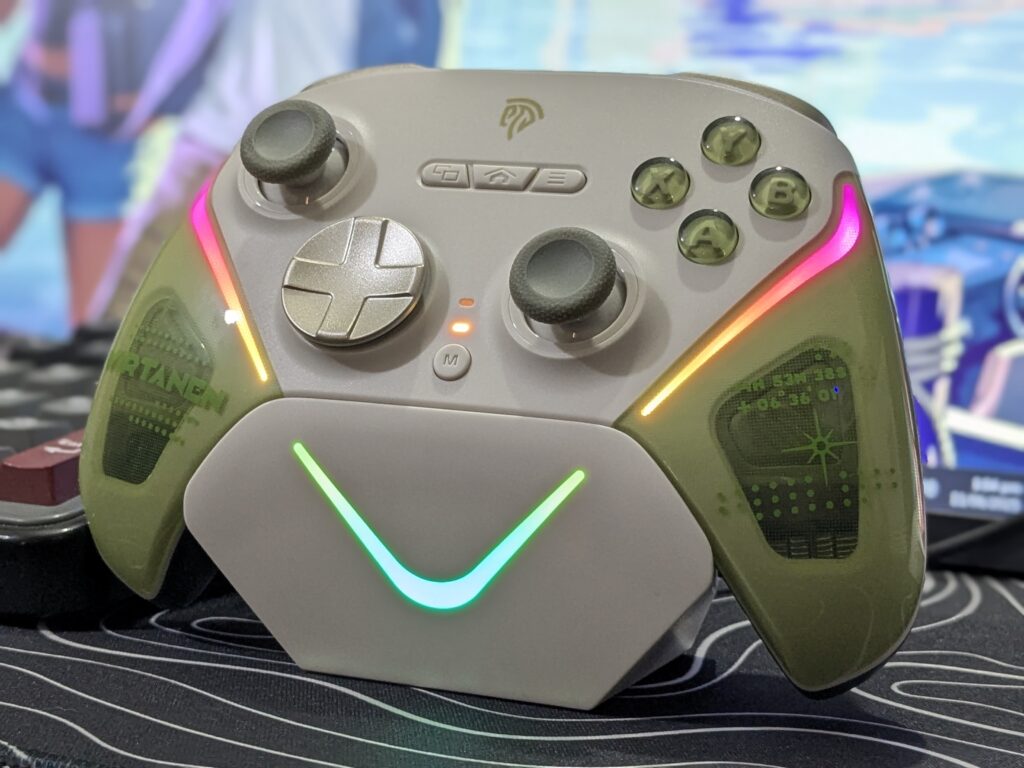
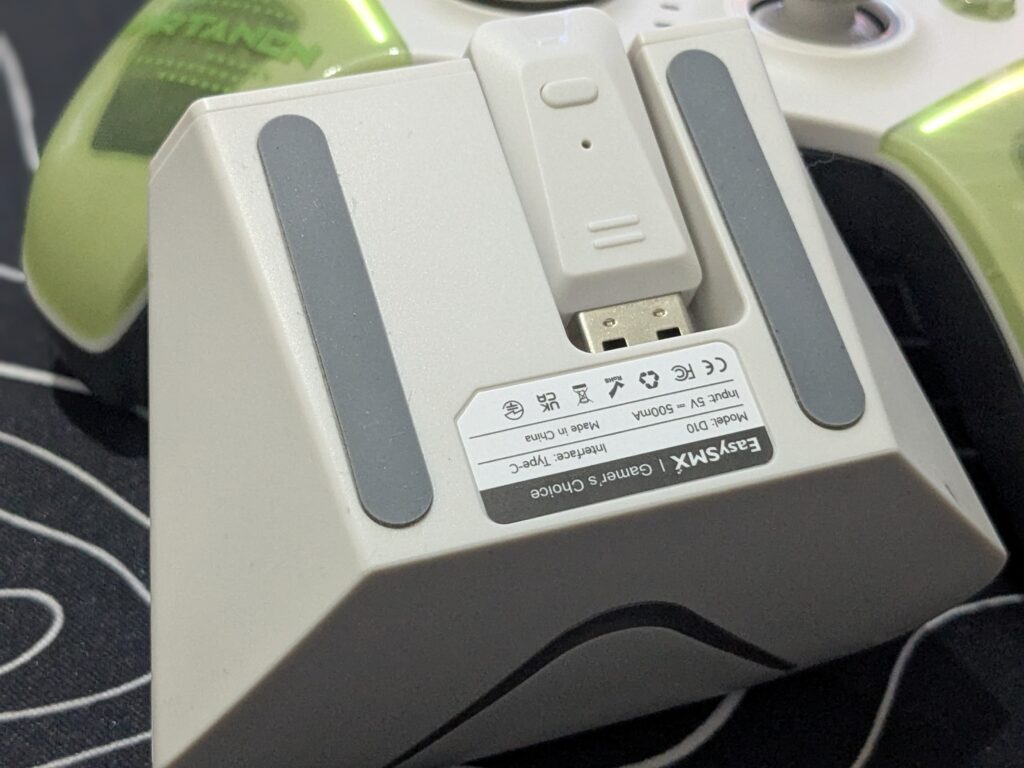
What’s really smart is underneath the dock — there’s a USB slot to store the 2.4GHz dongle. It’s a small touch but super handy if you switch between setups or want to keep your gaming area neat. To connect wirelessly to a PC, you just plug the dock into your computer via USB-C, insert the 2.4GHz dongle into the port at the bottom, and power on the controller with the Home button — it pairs up right away.
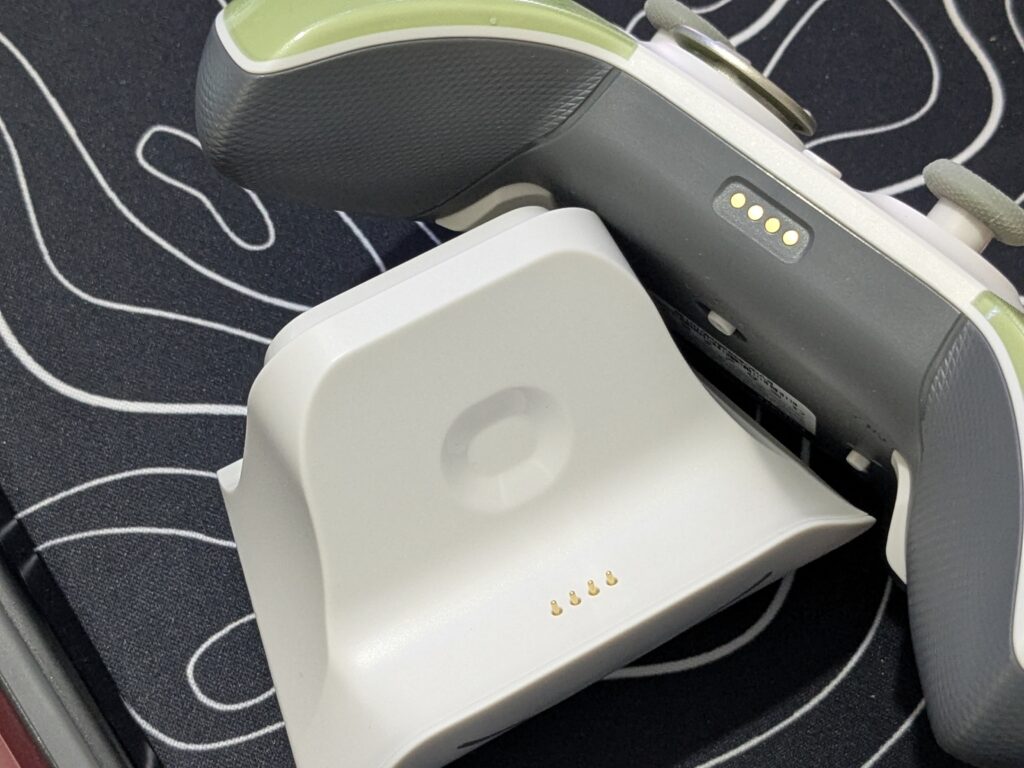
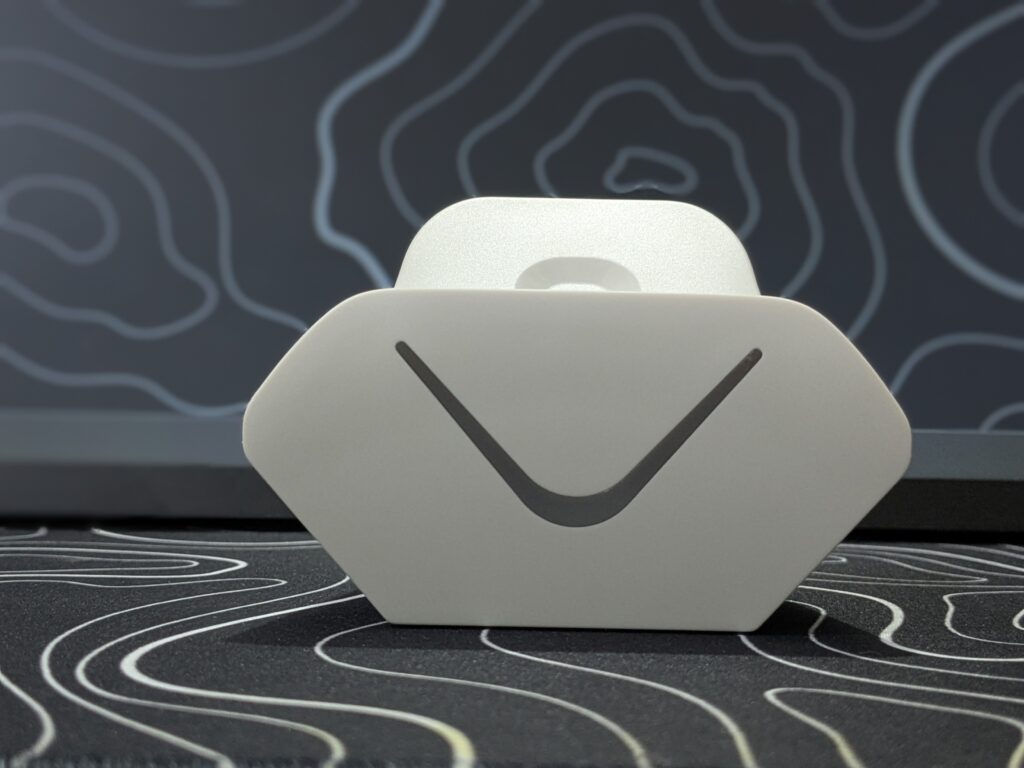
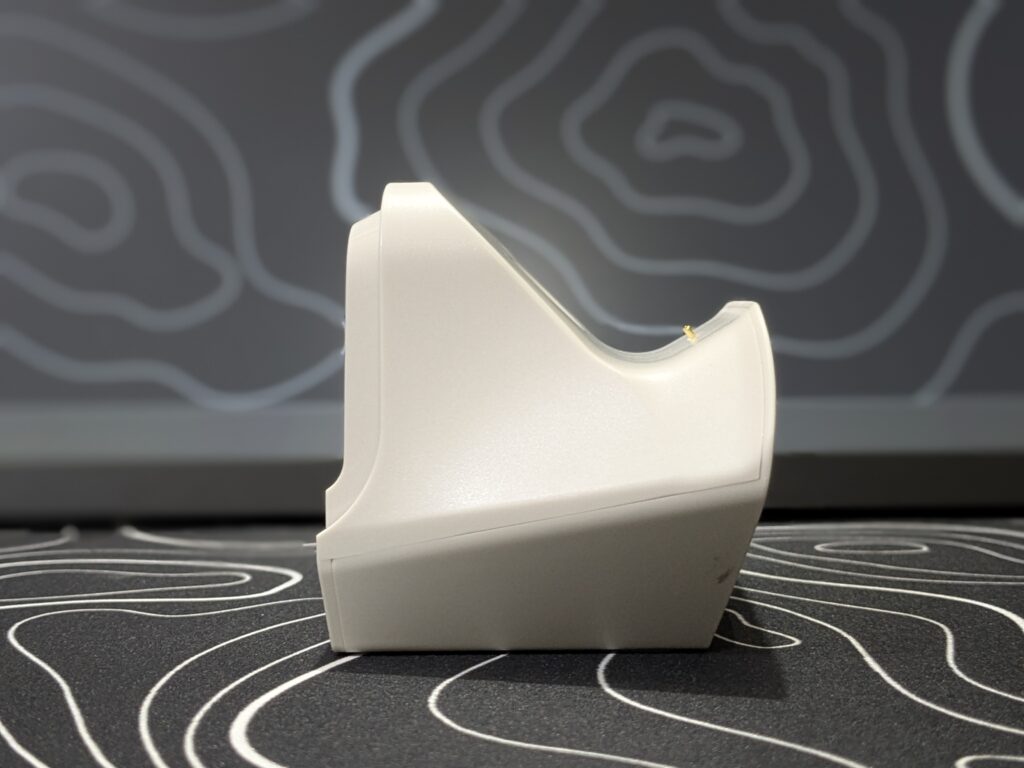
The best part? The RGB lighting on the dock syncs with the controller’s lights when it’s charging. At night, it looks amazing on your desk — a glowing centerpiece that’s both practical and stylish.
EasySMX D10 – Connectivity
The EasySMX D10 shines when it comes to connectivity. It supports all three major connection methods: wired, Bluetooth, and 2.4GHz wireless. Whether you prefer the no-lag experience of a wired setup or the freedom of wireless gaming, the EasSMX D10 handles both modes seamlessly.
The included 2.4GHz receiver ensures a strong, low-latency connection with PCs and compatible consoles, while Bluetooth offers smooth pairing with devices like the Nintendo Switch, Android phones, iPhones, and tablets.
To connect with mobile devices, you simply switch the controller to Bluetooth mode, and it will appear as an “Xbox Wireless Controller” in your device’s Bluetooth menu. Once paired, the LED indicator will stop blinking and turn stable, and the controller gives a short vibration to confirm the connection—super quick and hassle-free.
During our tests, switching between devices was quick and effortless, and the auto-reconnect feature when lifting the controller off the charging dock made the experience even smoother. It’s truly a controller made for gamers who switch platforms regularly without wanting to deal with complex setup processes.
Also Read: Manba One V2 Review: Redefining Gaming with Innovation and Style
EasySMX D10 – Battery
EasySMX D10 impressed us with its battery performance. With the 1000mAh battery inside, we were able to game for multiple evenings without reaching for the charger. Even during intense play sessions on PC and Switch, the controller held up well without sudden drops in battery or annoying mid-game alerts.
Charging is easy and cable-free thanks to the magnetic dock (discussed in detail above). Just placing the controller on it after each session kept us ready to go the next day, and the auto-reconnect feature meant we could jump right back into the game the moment we lifted the controller. It’s a well-thought-out system that takes the hassle out of powering up.
EasySMX D10 – Final Verdict
The EasySMX D10 turned out to be a strong, stylish, and smart controller that performs well across all the major platforms. From the very first use, the EasyPos™ D-pad impressed with its fast and accurate 8-way movement, perfect for games that need quick and clean inputs. The next-gen TMR sticks gave us smooth, drift-free control with great accuracy, thanks to the stable 1000Hz polling rate. One of the most useful features was the Elite 2-Way Trigger Lock, which allowed us to switch between full-range analog triggers and quick-click style triggers—ideal for switching between racing and shooting games on the fly.
The charging dock made the whole experience even better, allowing us to just place the controller on it and pick it up with auto-reconnect ready to go. The mechanical buttons felt sharp, responsive, and satisfying with every press. We also liked the extra features for pro gamers—like the programmable back buttons, adjustable vibration, motion control support on Switch, RGB lighting, and a strong 1000mAh battery that held up well in all our tests.
Overall, the EasySMX D10 looks cool, feels great in hand, and brings a lot of smart features that actually help during gameplay. For its price, it offers a premium experience and is a great choice for anyone who wants a solid, all-in-one controller for PC, Switch, and mobile gaming.

Thanks to EasySMX for sending this amazing controller

EasySMX D10 – Pros and Cons
Pros
- Solid build and stylish design
- Precise Hall Effect triggers and TMR sticks
- Clicky, fast mechanical buttons
- Smart trigger lock for racing/shooting
- RGB charging dock with auto-reconnect
- Works on PC, Switch, iOS, Android
- Programmable buttons and motion control
- Strong battery with easy dock charging
Cons
- No software.