












The Physical Layer of Digital Productivity

We spend enormous energy optimising our digital environments. The right apps. The perfect workflow automation. Notification settings tuned to minimise distraction. Browser extensions that block time-wasting sites. These software decisions receive careful attention from anyone serious about productivity.
Yet the physical environment where all this digital work happens often receives far less consideration. We sat in whatever chair came with the apartment. We work at whatever surface fits the space. We tolerate lighting that strains our eyes and positions that strain our bodies.
This imbalance makes no sense. The physical layer of our work environments affects productivity as directly as any software choice. Discomfort creates distraction. Poor ergonomics create fatigue. Suboptimal setups create friction that accumulates into meaningful performance degradation over time.
I have spent years experimenting with workspace optimisation, treating my physical environment with the same rigour I apply to my digital tools. The lessons have been humbling. Changes I expected to matter often did not. Changes I dismissed as trivial often transformed my working experience.
Beyond the Screen
The technology industry has a blind spot. We focus intensely on what happens inside our devices while ignoring the physical context in which we use them.
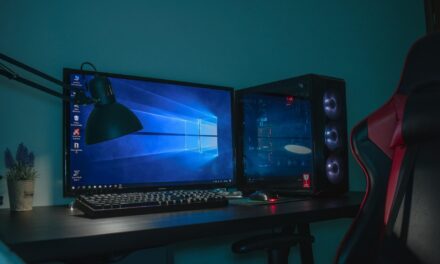
Consider how much thought goes into display technology. Refresh rates, colour accuracy, resolution, response time. These specifications receive exhaustive attention from manufacturers and consumers alike. Yet the position of that display, the lighting that affects its visibility, the posture required to view it comfortably often go unconsidered.
The same pattern applies to input devices. Keyboards and mice receive careful evaluation. But the height at which they sit, the angle of approach, the support available for wrists and arms frequently receive no thought at all.
This oversight is especially strange given how much time knowledge workers spend at their setups. Eight hours daily. Fifty weeks annually. Decades over a career. Small inefficiencies in the physical environment compound into significant impact over these timeframes.
The Ergonomics Evolution
Workplace ergonomics has evolved considerably over the past decade. What once seemed like corporate health and safety theatre has developed into a legitimate field with meaningful research behind its recommendations.
The core insight is straightforward. Human bodies are not designed for static positioning. We evolved to move. Extended periods in any single posture create strain that eventually manifests as discomfort, fatigue and injury.
This understanding has driven significant innovation in workspace furniture and equipment. Chairs that support movement rather than enforcing stillness. Monitor arms that enable precise positioning. Input devices designed around natural hand positions rather than manufacturing convenience.
Among the most significant developments has been the mainstreaming of adjustable workstations. A quality height adjustable desk allows users to shift between sitting and standing throughout the day, breaking the static posture cycle that causes so many problems. What was once exotic equipment found only in forward-thinking offices has become accessible to individual workers building home setups.
The research supporting position variation is compelling. Standing exclusively creates its own problems. But alternating between positions reduces the strain associated with either position maintained continuously.
The Integration Challenge
Optimizing physical workspace becomes more complex as our technology becomes more diverse. The simple desktop computer of previous decades has given way to ecosystems of devices that must work together.
Laptop plus external monitor plus tablet plus phone. Each device has its own ergonomic requirements. Each addition creates new positioning challenges. The workspace that works perfectly for a single monitor may fail completely when a laptop is added to the mix.
Cable management alone becomes a significant consideration. Power for multiple devices. Data connections between them. Charging cables for portable equipment. The physical infrastructure required to support modern digital work is surprisingly extensive.
Thoughtful workspace design addresses these integration challenges systematically. Dedicated positions for each device. Cable routing that maintains flexibility while controlling clutter. Sufficient power outlets positioned conveniently. These infrastructure elements receive less attention than furniture but affect daily experience significantly.
Lighting as Performance Factor
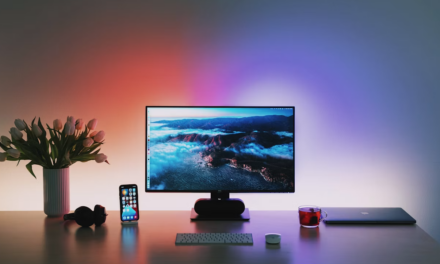
Lighting affects both comfort and productivity more than most people recognise. The wrong lighting creates eye strain, headaches and fatigue. The right lighting supports sustained focus with minimal physical cost.
Natural light provides benefits that artificial light cannot fully replicate. Workspaces with good natural light access consistently outperform those relying entirely on artificial sources. Where possible, positioning workstations to maximise natural light exposure pays dividends.
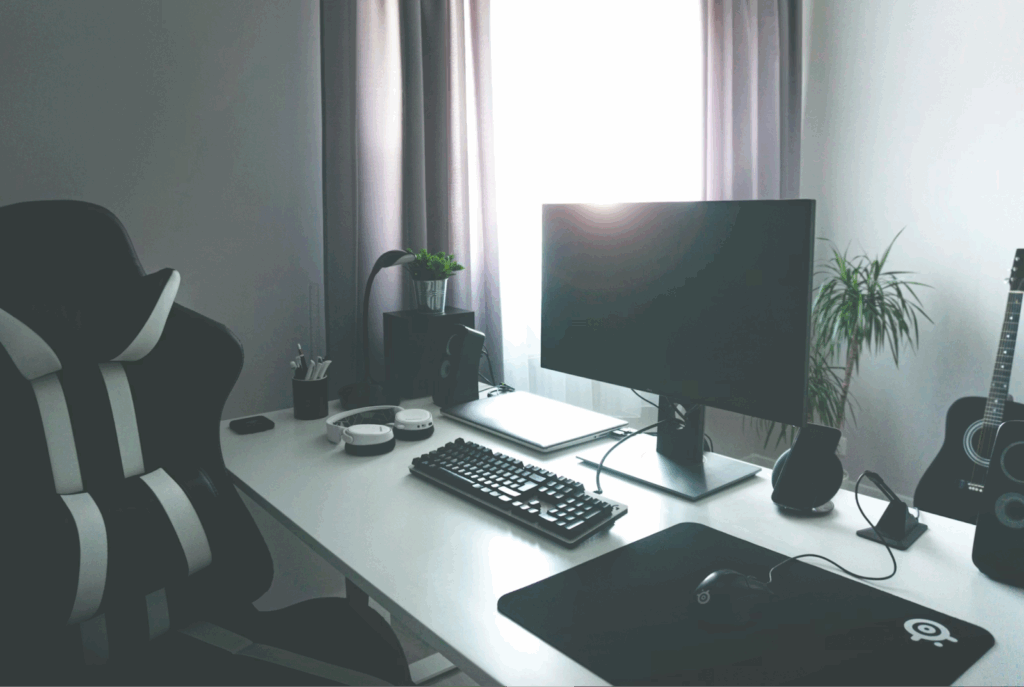
Artificial lighting requires more thought than simply ensuring sufficient brightness. Colour temperature matters. Cooler light supports alertness during focused work. Warmer light reduces strain during extended sessions. The ability to adjust both intensity and temperature throughout the day allows lighting to support rather than fight natural energy rhythms.
Screen brightness and ambient lighting must be balanced. Displays significantly brighter than their surroundings create strain. Displays dimmer than surroundings become difficult to read. Matching these levels requires awareness and adjustment as conditions change.
Task lighting provides localised control that overhead lighting cannot match. A good desk lamp allows precise illumination of work surfaces independent of room lighting. This flexibility becomes particularly valuable in shared spaces where room lighting serves multiple purposes.
Sound and Focus
The acoustic environment affects concentration more directly than the visual environment in many cases. Unexpected sounds disrupt focus. Persistent noise creates fatigue. Even pleasant sounds can interfere with certain types of cognitive work.
The open office movement learned this lesson painfully. Spaces designed for collaboration often proved hostile to focused individual work. The constant audio stimulation that energises some workers exhausts others.
Home workspaces face different acoustic challenges. Household sounds intrude. Street noise penetrates. The isolation that enables focus must be constructed deliberately rather than assumed.
Noise-cancelling headphones have become essential equipment for many remote workers. The ability to create acoustic isolation on demand transforms challenging environments into productive ones. This technology has improved dramatically in recent years, with effective options available across price ranges.
For those who find complete silence uncomfortable, background sound generators offer alternatives. White noise, nature sounds or ambient music can mask distracting sounds while providing audio texture that some find conducive to focus.
The Iteration Mindset
Workspace optimisation is not a one-time project but an ongoing process. I need to change. Technology evolves. What worked six months ago may not serve current requirements.
I have rebuilt my workspace multiple times over the years. Each iteration taught me something about what actually matters to my productivity and comfort. Assumptions I held confidently often proved wrong when tested against extended real-world use.
This iterative approach requires willingness to experiment. Try different monitor positions. Test various chair adjustments. Evaluate whether standing more helps or merely creates different problems. Treat your workspace as a system under continuous development rather than a problem to solve once and forget.
Documentation helps. Note what changes you make and what effects you observe. Review these notes periodically to identify patterns. The data you collect about your own responses to environmental factors becomes increasingly valuable over time.
Investment Perspective
Quality workspace equipment represents significant investment. Ergonomic chairs, adjustable desks and proper lighting cost real money. Justifying these expenses requires honest assessment of value received.
The calculation should consider timeframes honestly. Equipment used daily for years distributes cost across thousands of hours. A thousand-dollar chair used for five years costs less than a dollar per working day. Framed this way, quality equipment often represents excellent value.
Health costs matter too, though they are harder to quantify. Back problems, repetitive strain injuries and chronic fatigue carry both direct costs and opportunity costs. Prevention through proper workspace setup is almost always cheaper than treatment after problems develop.
Productivity impact may be the largest factor, though also the hardest to measure. If better equipment enables even slightly more effective work, the compounding value over years easily exceeds initial investment. The challenge is that productivity improvements are difficult to attribute to specific causes.
Building Your Stack
Just as developers talk about their tech stack, knowledge workers benefit from thinking systematically about their physical productivity stack.
The foundation is the seating and work surface. Get these wrong and everything else becomes less effective. Invest here first and invest adequately.
Display positioning and input ergonomics form the next layer. Monitor height, keyboard position and mouse placement should enable comfortable posture for extended periods. Adjustability allows optimisation for individual body geometry.
Lighting and acoustics complete the environment. These elements receive less attention but contribute significantly to sustained performance. Address them deliberately rather than accepting whatever defaults your space provides.
The technology that connects these physical elements matters too. Power management, cable organisation and device integration affect daily friction levels. Small improvements here accumulate into meaningful quality-of-life gains.
Your physical productivity stack deserves the same thoughtful curation you apply to your digital tools. Both layers matter. Optimising one while neglecting the other leaves performance on the table.
The best digital tools in the world cannot overcome a workspace that creates constant physical strain. And the perfect physical environment cannot compensate for poor digital workflows. Excellence requires attention to both.