














Cudy BE6500 2.5G Dual Band WiFi 7 Router Review. A great little powerful router, suitable for home or office.

EnosTech Verdict
The Cudy BE6500 is an interesting router to say the least. It features one 2.5GbE port on the WAN side of things and 4x 1GbE LAN ports, it is a dual band router with up to 6453Mb/s across 2.5 and 5GHz. Coming equipped with 512MB of RAM, WiFi 7 support and 6 high gain antennas and running a Cudy fork of OpenWRT firmware, still means that this competes and surpasses most off-the-shelf routers.
They’ve found a way of introducing the latest in WiFI 7 standards (maybe by cutting a few corners elsewhere), but this opens up the technology to a whole new market. Don’t get me wrong, there are a couple of niggles about it I didn’t like, but there’s plenty to like when you think outside the box for a moment. VPN client and server support, parental controls, support for some of the fastest connection speeds residentially & Mesh support (with other Cudy routers). Something that is sometimes more difficult to achieve when running OpenWRT (well, I say difficult, but it does require some technical know-how on how to set it up). Not to mention supporting WiFi 7 (okay, it’s only dual band, but read on to see how well it performs).
Pro’s:
- The router does feature a 2.5GbE port for the latest FTTP speeds
- WiFI 7
- Firmware based on OpenWRT
- Great performance for a lesser known brand
- Powerful 2 GHz quad core processor
- Supports TR-069 protocol, great for ISPs considering refreshing their fleet
- User friendly
Con’s:
- Broadcom based CPU (Meaning if you want to run pure OpenWRT, it’s less likely on this router)
- The firmware appears to be slightly more locked down than expected
- No USB ports
- No SSH or true LuCi support
- No 6Ghz support, but to be expected with an entry level router

Pricing
The Cudy BE6500 is currently available for £119 on Amazon UK and for $119 on Amazon US. Amazon seems to be the major supplier for Cudy currently. I did check to see if it was available on the well known Chinese websites and was unable to source it elsewhere. So Amazon it is for now.
Specification
| Interface | 1x 2.5GbE WAN Port 4x 1GbE LAN Port WPS Button Reset Button Power Button |
| CPU | 2.0 GHz Quad-core, ARM Cortex-A7 |
| RAM | 512MB DRR4 RAM |
| Wifi Specs | 5 GHz Wi-Fi Speed – Up to 5765 Mbps 2.4 GHz Wi-Fi Speed – Up to 688 Mbps |
| Antennas | 6× Fixed |
| Ethernet Speeds | 2.5GbE WAN and 4x 10/100/100 LAN ports |
| Power Input | Input: 100-240V~, 50/60Hz Output: 12V⎓1.5A |
| Power Consumption | Maximum 17W |
A Closer Look
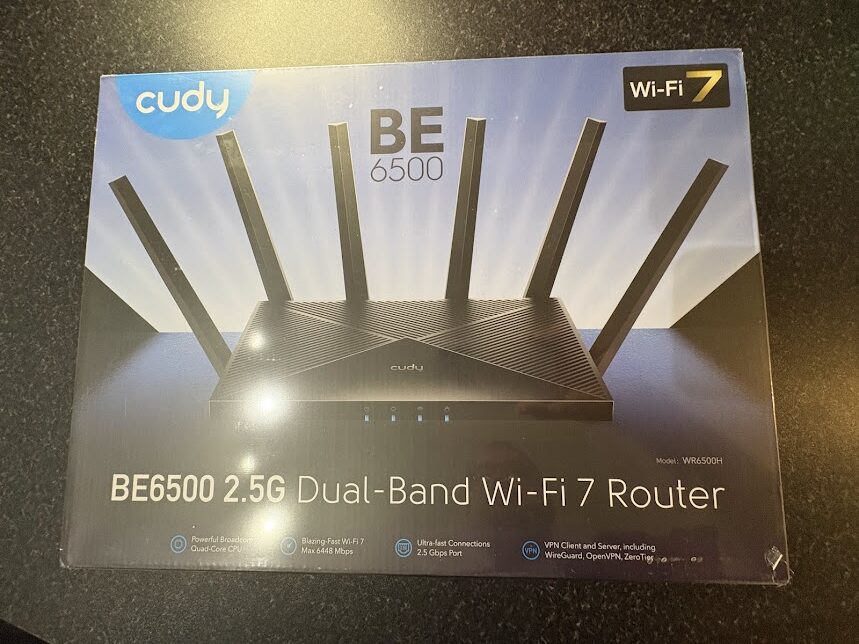
As you can see, the Cuty BE6500/WR6500H packaging certainly looks like it’s meant to pack a punch. The packaging is clean but well presented with an illustration of the router and some of the specs underneath. It certainly looks as good as some of the well known brands out there, and clearly Cudy aren’t messing around with their image.
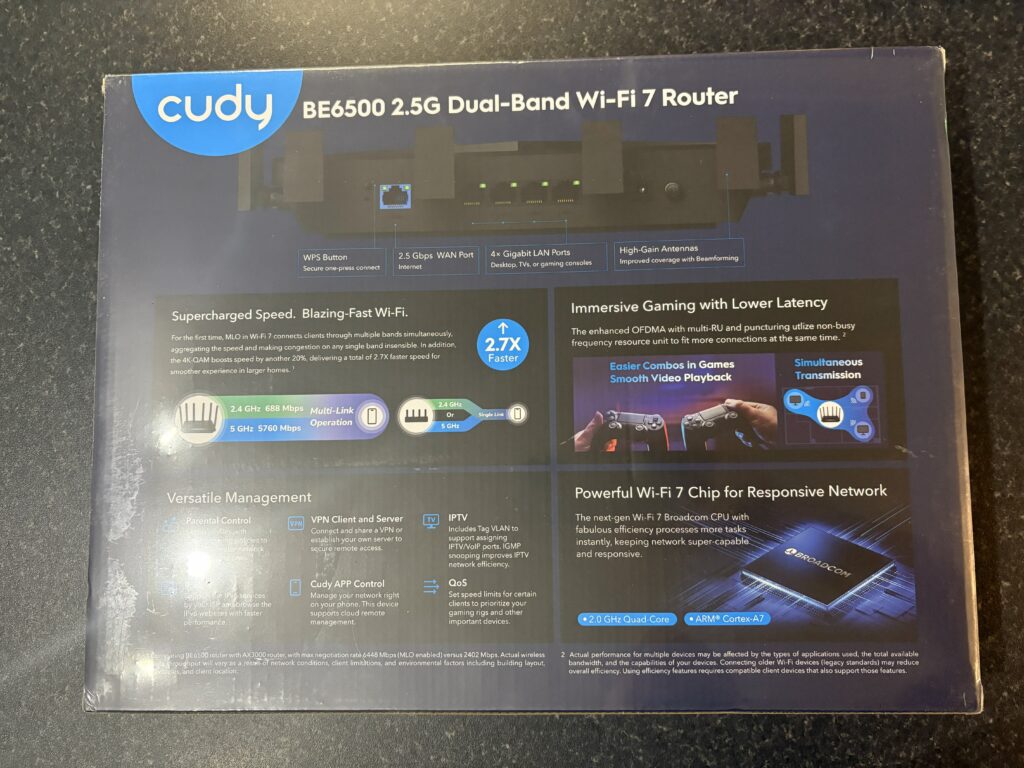
Again, flipping the box over, Cudy have done a good job, the specs and information provided are clean, well presented but aesthetically pleasing at the same time. It goes more in depth and about the features that the device has. It’s all nicely written with good clean English used.
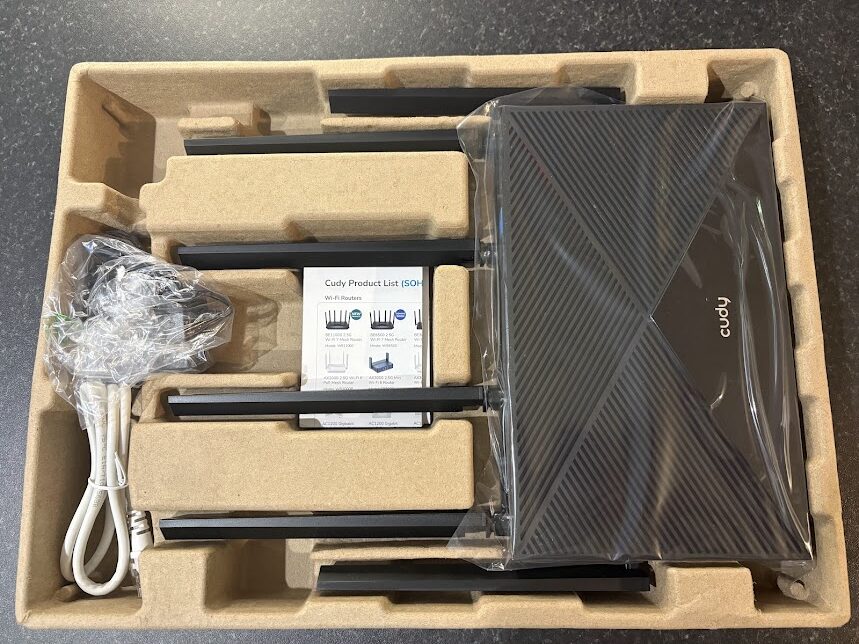
Now, looking inside the box, you can see it’s well packaged in the cardboard insert. You get the router, a product list/quick start, a power adapter and ethernet cable. You can see those 6 adjustable antennas as well.
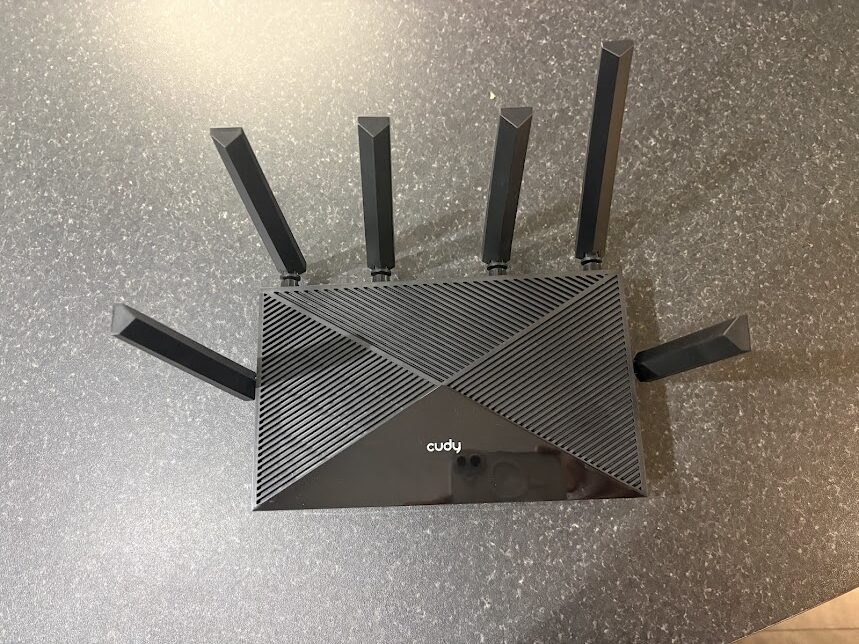
Now getting it out the box, it almost looks like a spider with those antennas dotted around the exterior of the shell. We’ve seen this kind of chassis design before from some of the other big manufacturers out there. As you can see from the top, there’s plenty of room for air flow, which is great, as these devices get more powerful, they undoubtedly get warmer. The WR6500H is clearly not going to struggle with ventilation here.
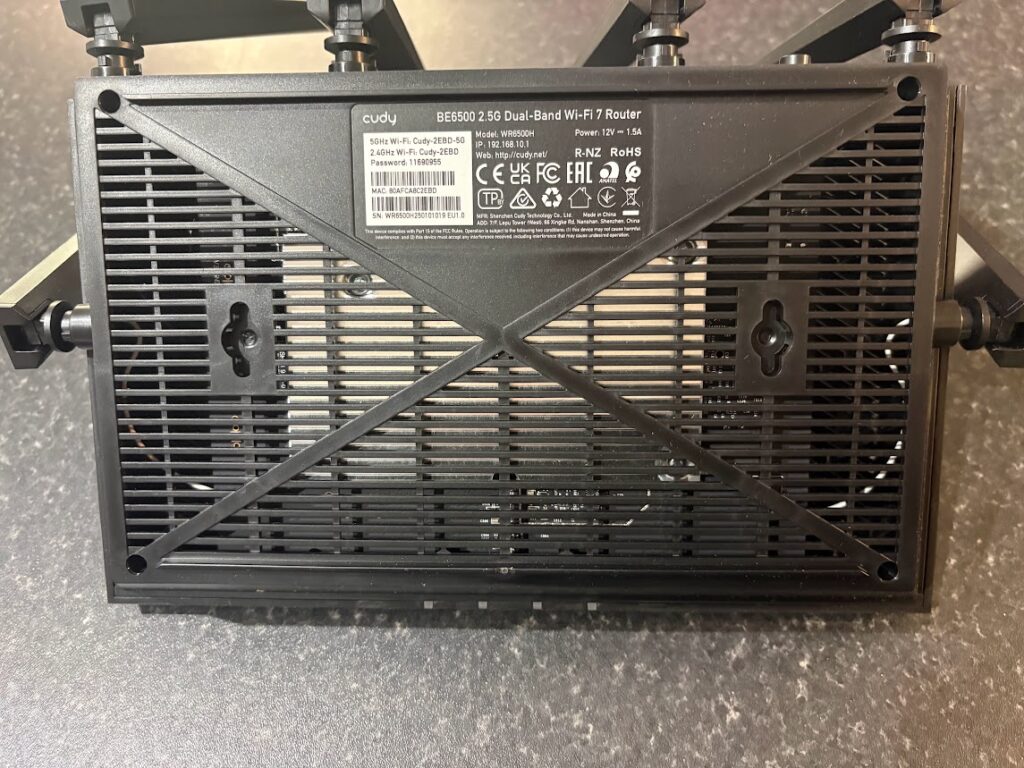
Looking underneath the router, you can see even more ventilation, great if this is going to be sitting elevated in your home. Also, you can just about make out the heatsink. So, cooling has clearly been well thought out on this one.
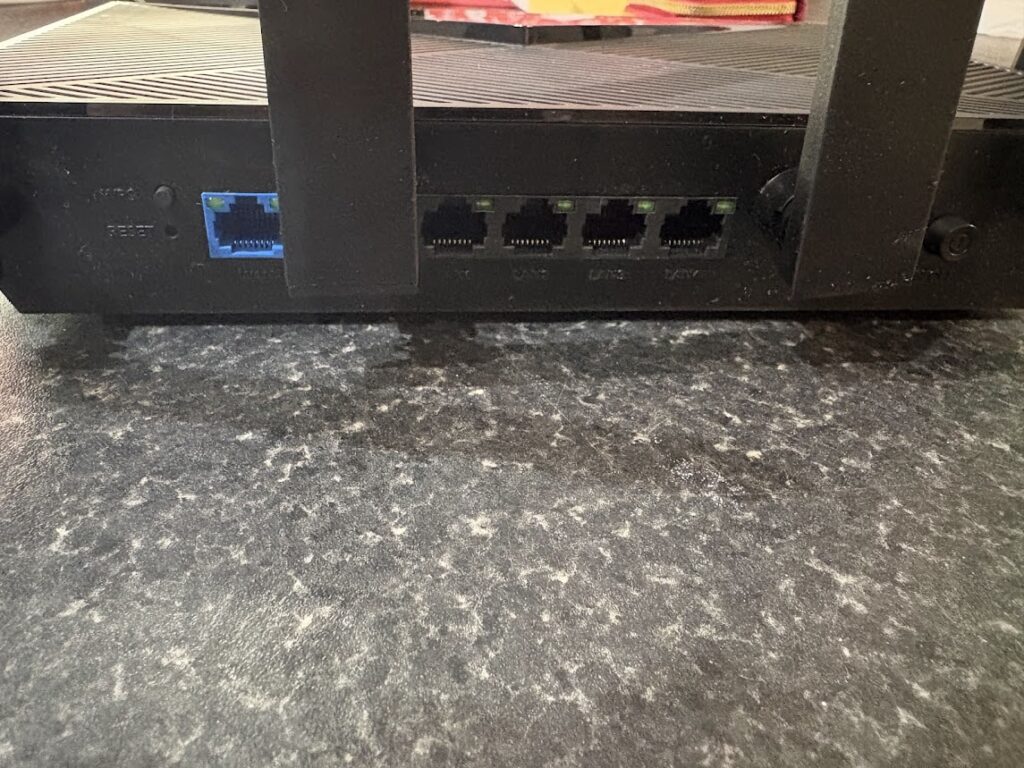
Looking at the rear of the router, you can see the WAN 2.5GbE port in Blue and then the 4x 1GbE ports for all your wired devices. We can also see an on/off switch, WPS and reset buttons as well as just about making out some of the antennas.
Web Interface
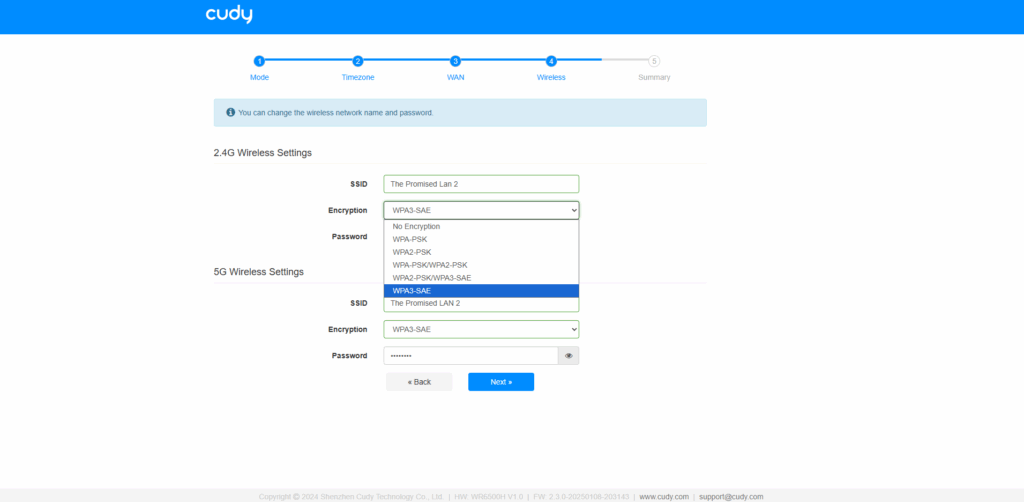
As you can see, the web interface is looking extremely tidy and polished. Cudy have designed this to be as easy to use as possible. Setting the WiFi network name is as easy as it can get. You can also see the router supports the latest in WiFi encryption standards, including WPA3-SAE.
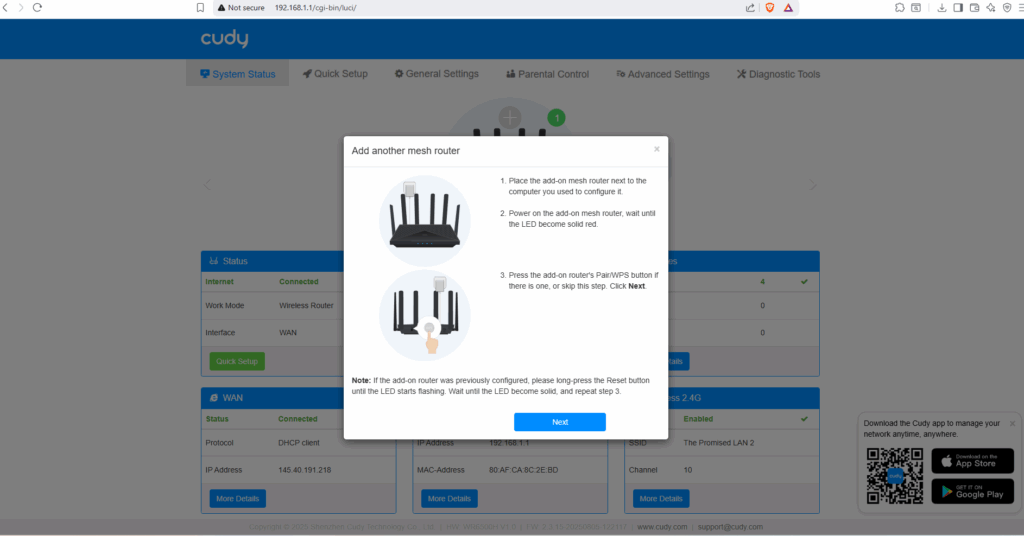
One interesting thing I noticed was that Cudy’s implementation of OpenWRT includes support for wireless meshing with another Cudy router. Mesh support has always been a bit sporadic when it comes to OpenWRT. Although we couldn’t test it, we’d be very interested to see how this works once we get another Cudy product in for review. It looks promising, though.
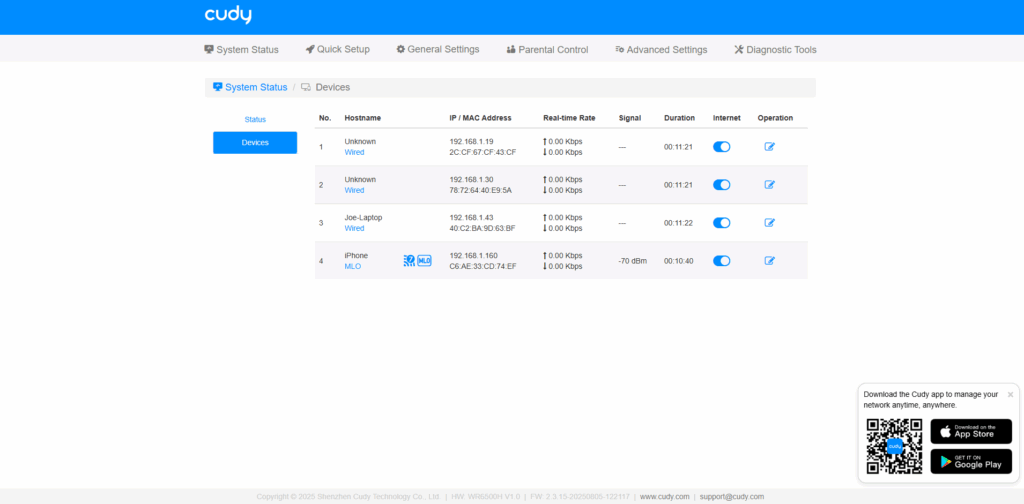
If you go to system status, you get a nice, clean layout which shows you all of the devices connected to your network. I liked how the router recognised my iPhone as being a WiFi 7 MLO compatible device. You can see the real-time transmission speeds of each device. I also like how there is a little toggle switch to disable internet access on each device, should you ever need to.
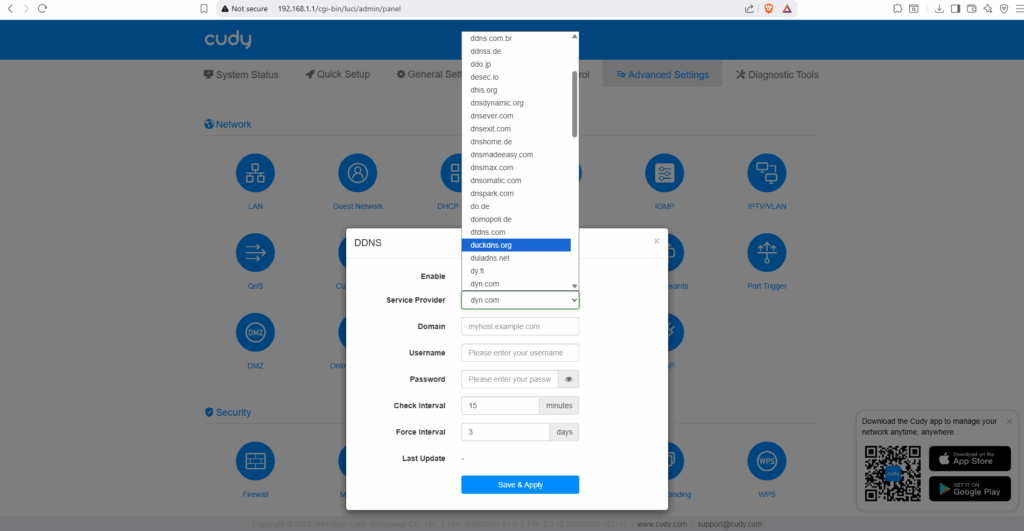
One thing I really liked was the DDNS connectivity options available. A lot of router manufacturers will lock you down to a handful of providers/addresses or provide their own for you to use. Straight from the get-go there are a myriad of different options available.
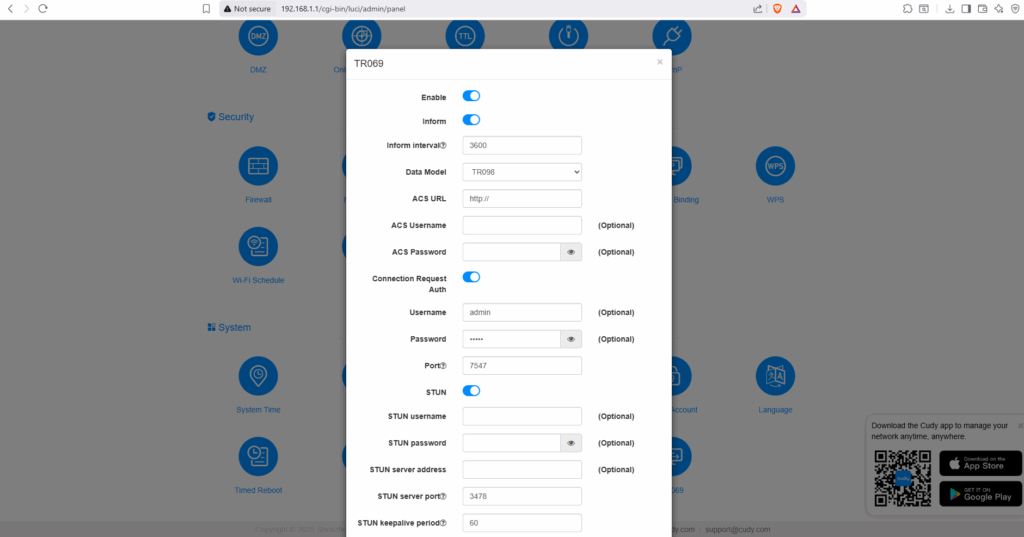
Another nice feature is TR-069 support. Which means if you are an ISP or organisation that manages a large number of routers, you can add these to your management server. Given that Cudy routers generally come in at the cheaper end of the scale, it’s great news for any ISP considering modernising or upgrading their fleet of devices.
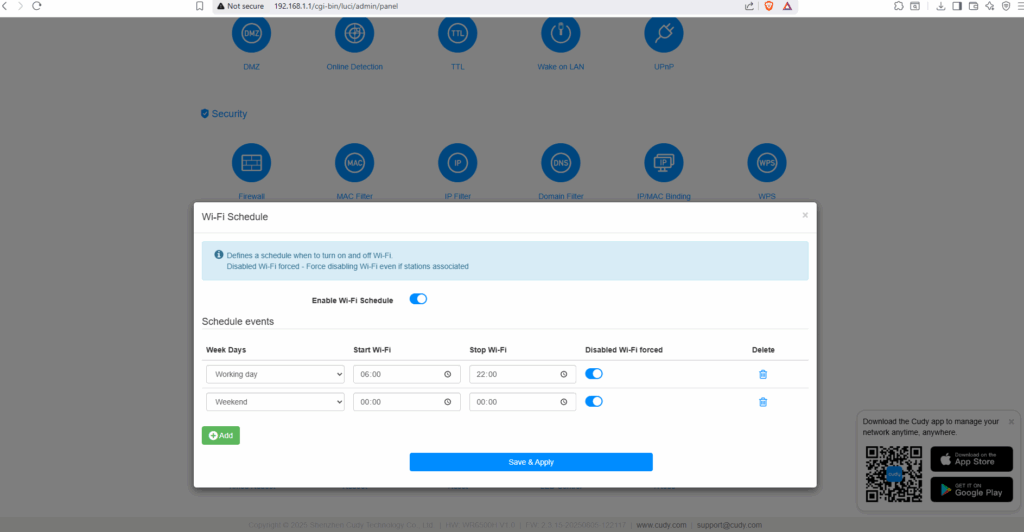
We found another nice little feature, which is WiFi Scheduling. This allows you to disable the WiFi at different times of the day. So if you have children who won’t put their devices down, then this might be a feature you’d consider looking into. Okay, I know there are a million different ways that children will find around it, but it’s still a very nice feature to have, regardless.
Performance
Now we’ll have a quick look at performance. I feel that I need to explain that our location is wired up a bit backwards. Our fibre optic connection terminates upstairs, and thus the router is also upstairs. It’s just a caveat I like to mention when it comes to testing, as the results may vary slightly

So the first image, this is a WiFi speed test taken from the home office, which is in the room directly next door to the router. It was much better than I had originally anticipated. We have a 900/900 Mbps connection available to us. So it scored pretty highly, given that there is a wall between me and the device. I then went downstairs directly underneath the router and still got a perfectly respectable 592Mb down and weirdly an awesome 949Mb upwards (which is the absolute maximum for my connection). So full points for that.
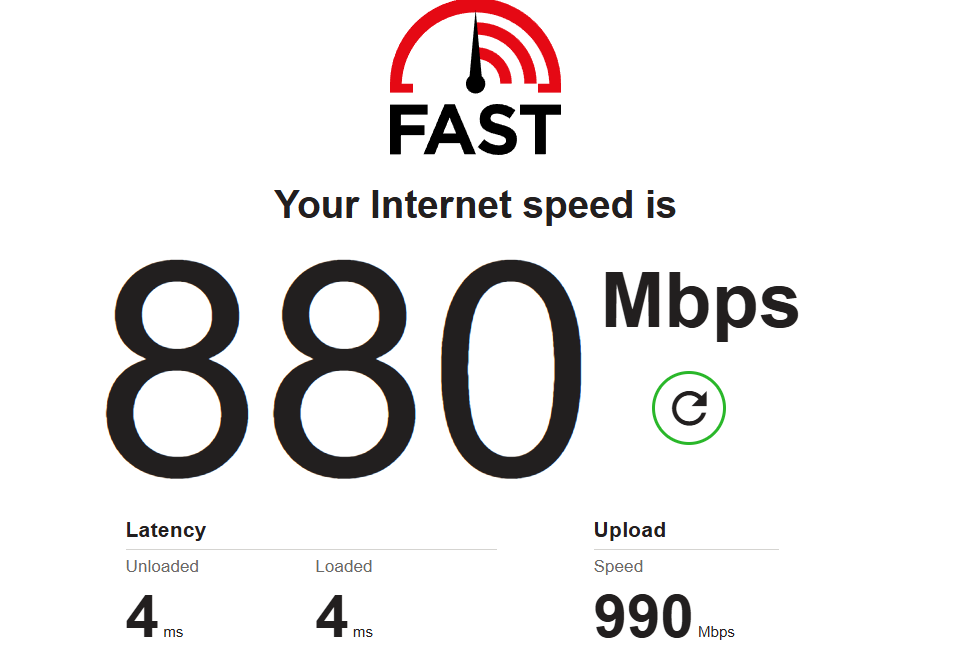
I left everything running for a few days and then went back to do a wired speedtest. This time, using fast.com just in the name of fair testing, and you can see that the router handles both the upload and download without a sweat. So full marks to Cudy on that one.
Final Thoughts
So the BE6500 is a great router, especially when you consider the things that it can certainly boast about. It’s easy to set up and use, looks nice in most environments and has more features than you can shake a stick at. Well at least until you get to a certain point. Throughout my testing, I found no way to get into the LuCI environment for advanced configuration. Nor could I gain SSH access to the device.
Given that this is an OpenWRT based device, I did find that slightly disappointing. I would like to see more customisability on future products. I couldn’t see a way to install any 3rd party packages either. I do understand, however, why Cudy might not be a fan of users tinkering with it too much. But if you are a power user, then this is something to bear in mind.
I would still highly recommend the device if you want a powerhouse of a router that you can almost just set and forget. It’s a perfectly respectable and capable entry level way into WiFi 7, whilst still being able to save the user some money when compared to some of the off the shelf manufacturers. Overall, we’ve given the Cudy BE6500 our Enos Tech value award. We are looking forward to seeing what they come up with next and would like to thank them for sending the BE6500 in for review.