









MechLands Blade101 review: bold design, smooth typing

Following my experience with the compact MechLands Blade75, I spent the past few weeks testing the larger MechLands Blade101 mechanical keyboard. Designed as a full-sized solution, the Blade101 offers a number pad, aluminium construction, tri-mode connectivity, and a substantial battery capacity. It is positioned as a value-focused option priced around $109.99, aiming to satisfy both productivity users and gamers.
This hands-on review shares my observations after over three weeks of daily use. I will cover unboxing, build quality, typing experience, connectivity, battery life, and an overall verdict.
Unboxing
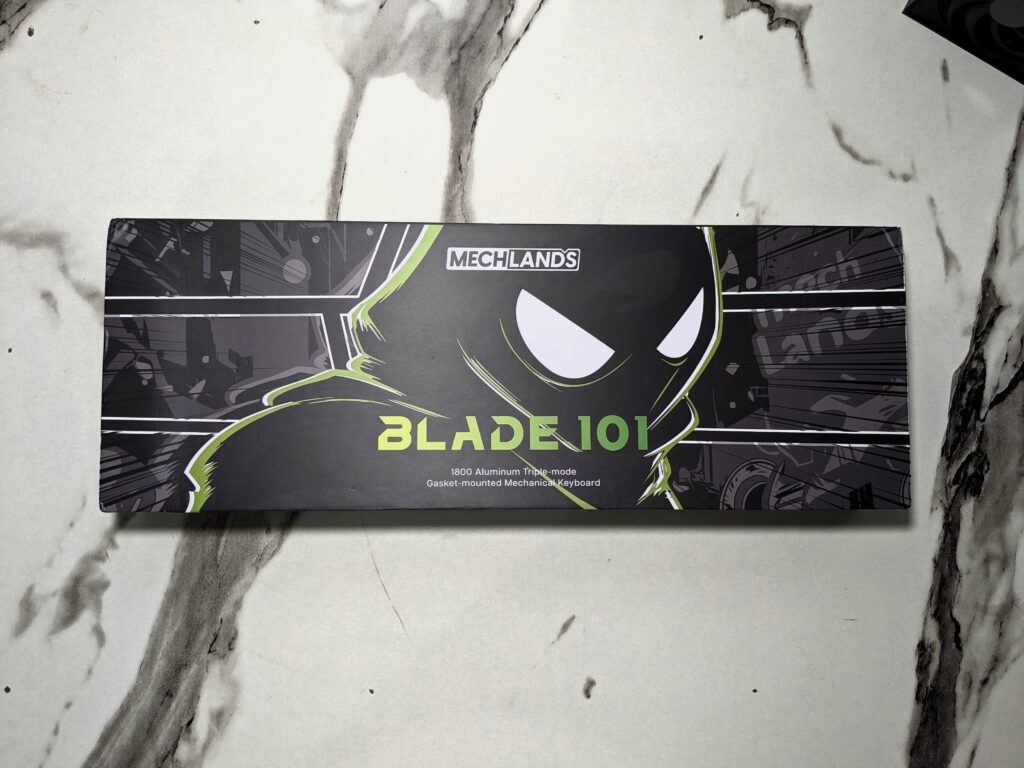
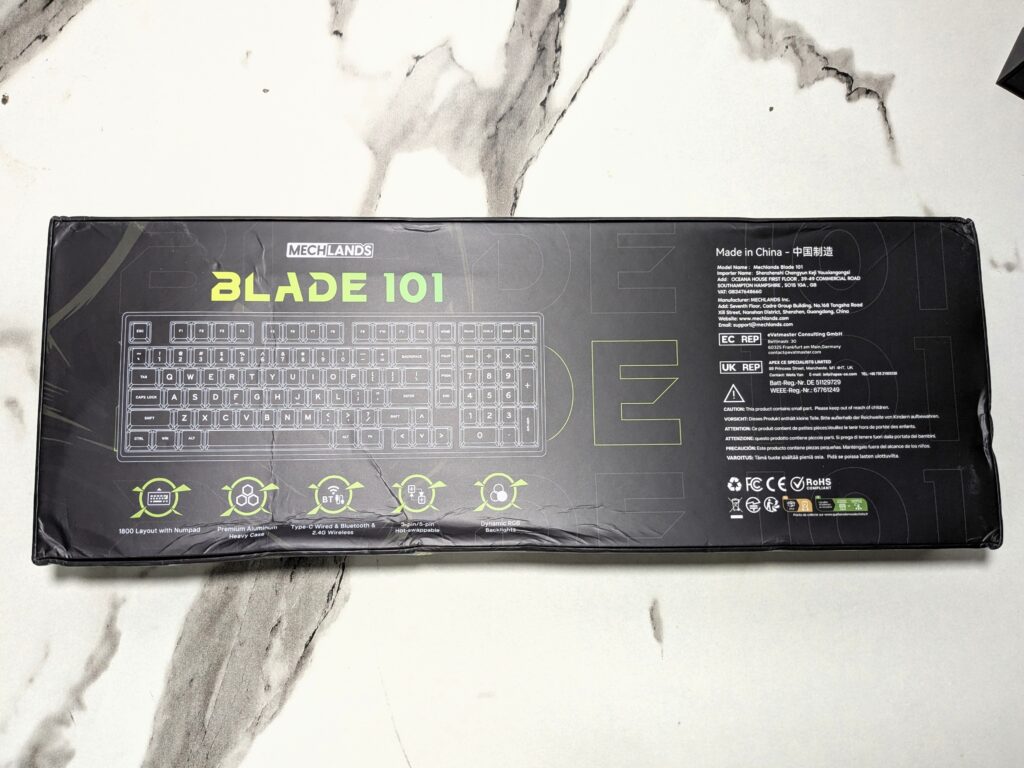
Unboxing the MechLands Blade101 first thing I noticed was the box. The box feels strong in hand, offering good protection. On the front side, there is the same ninja figure artwork as seen on the Blade75 box, giving it a familiar MechLands theme. On the back of the box, there is a drawing of the keyboard layout along with key features clearly mentioned, such as tri-mode connectivity, hot-swappable switches, and the large battery capacity.
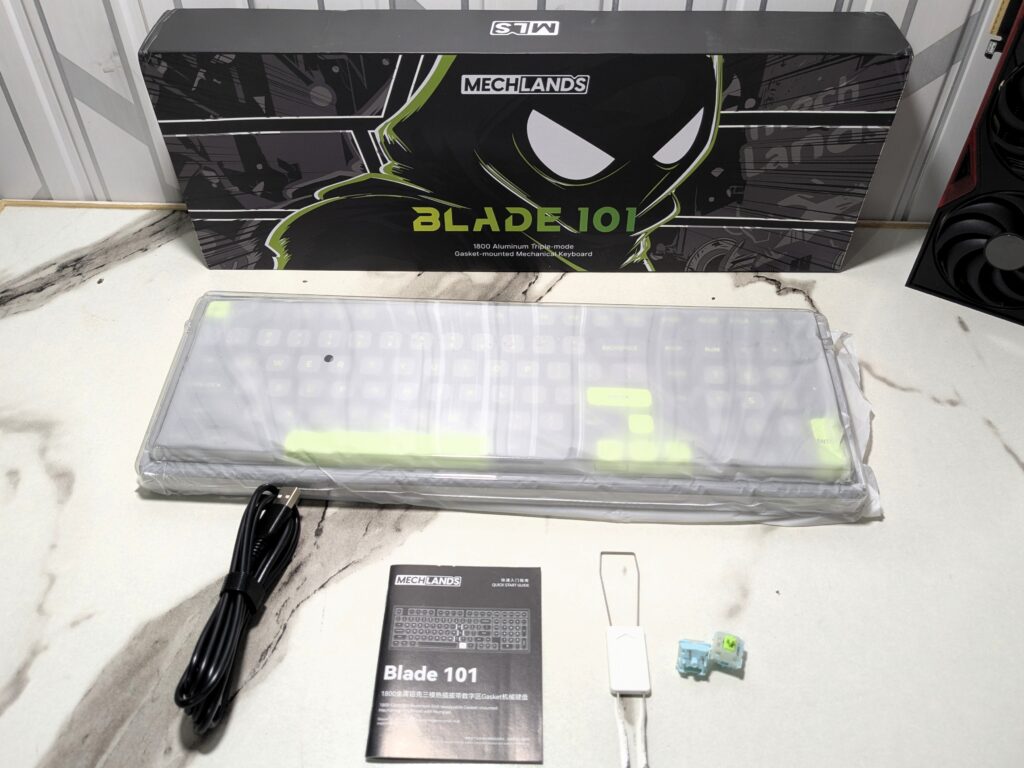
Inside the box, everything was packed safely and securely. I found the keyboard itself wrapped in protective material to avoid any scratches during shipping.
Along with that, there was a USB-A to USB-C cable for charging and wired connection. MechLands also included extra keycaps and extra switches, which is a thoughtful addition for users who like to customise their keyboard. You also get a keycap puller and a switch puller tool, making it easy to swap switches or keycaps. Finally, there was a user manual. I liked that they included everything needed to start using the keyboard right away or customise it later as per your liking.
Price
| MechLands Official Website | $109.99 [ Click here to buy ] |
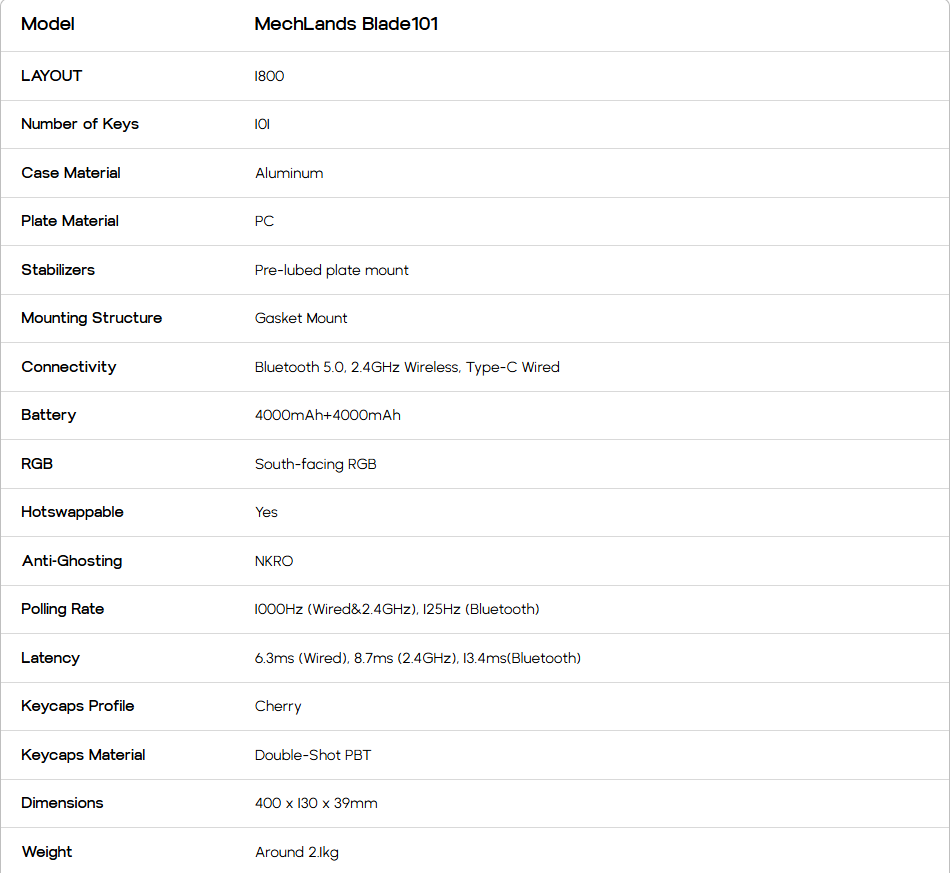
MechLands Blade101 specifications
A closer look
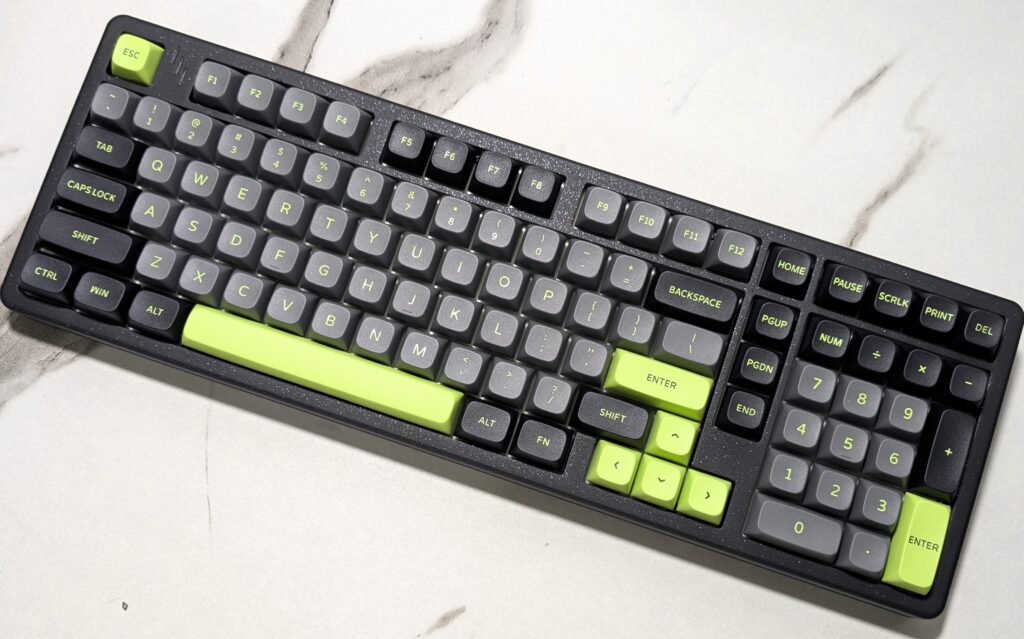
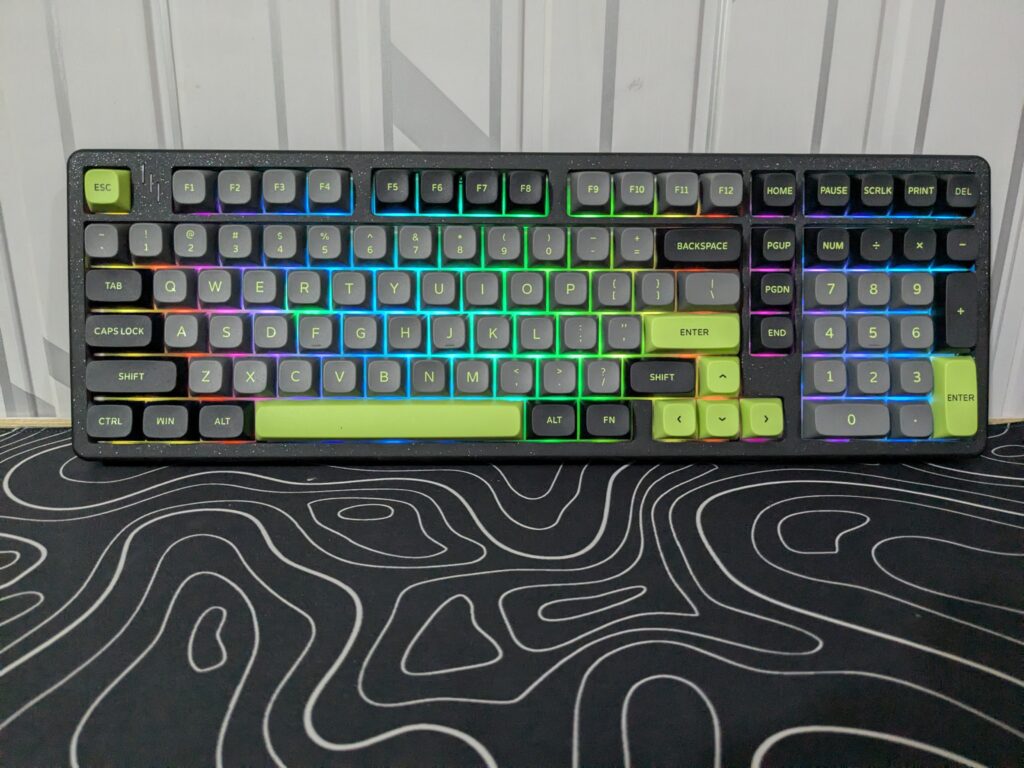
The MechLands Blade101 delivers a premium feel right from the first impression. This is a full-sized mechanical keyboard with a solid, substantial build. It measures 400 x 130 x 39 mm and weighs around 2.1 kg. That weight gives it a steady, planted feel on the desk, much like professional gaming or office keyboards designed for long-term use.
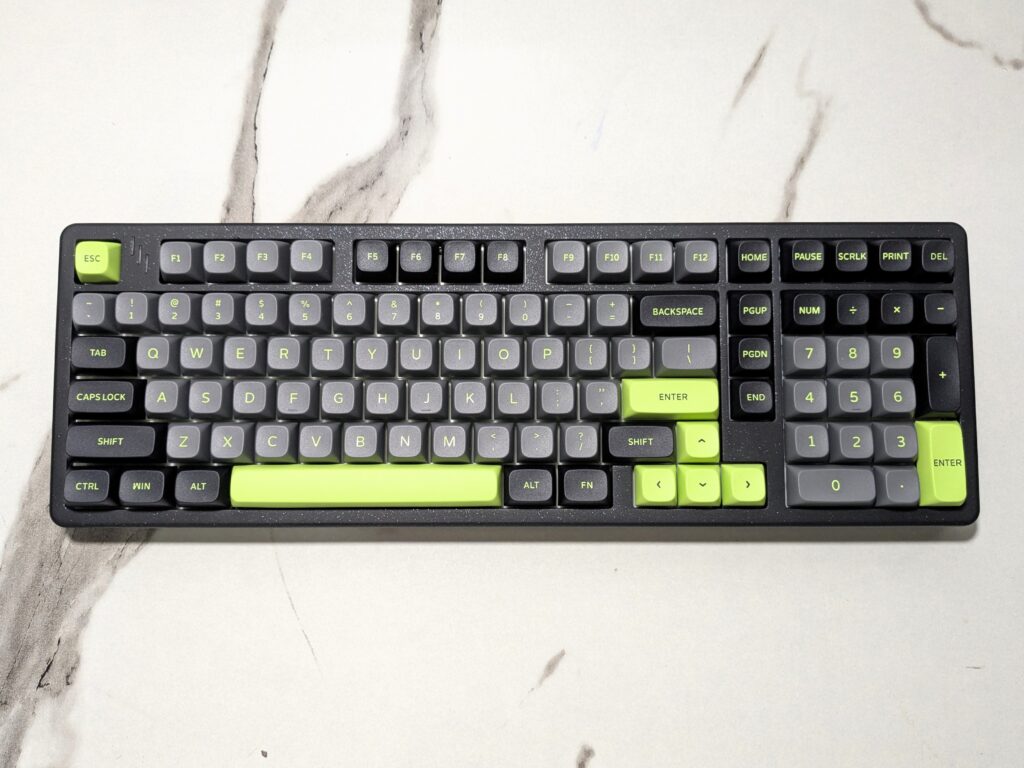
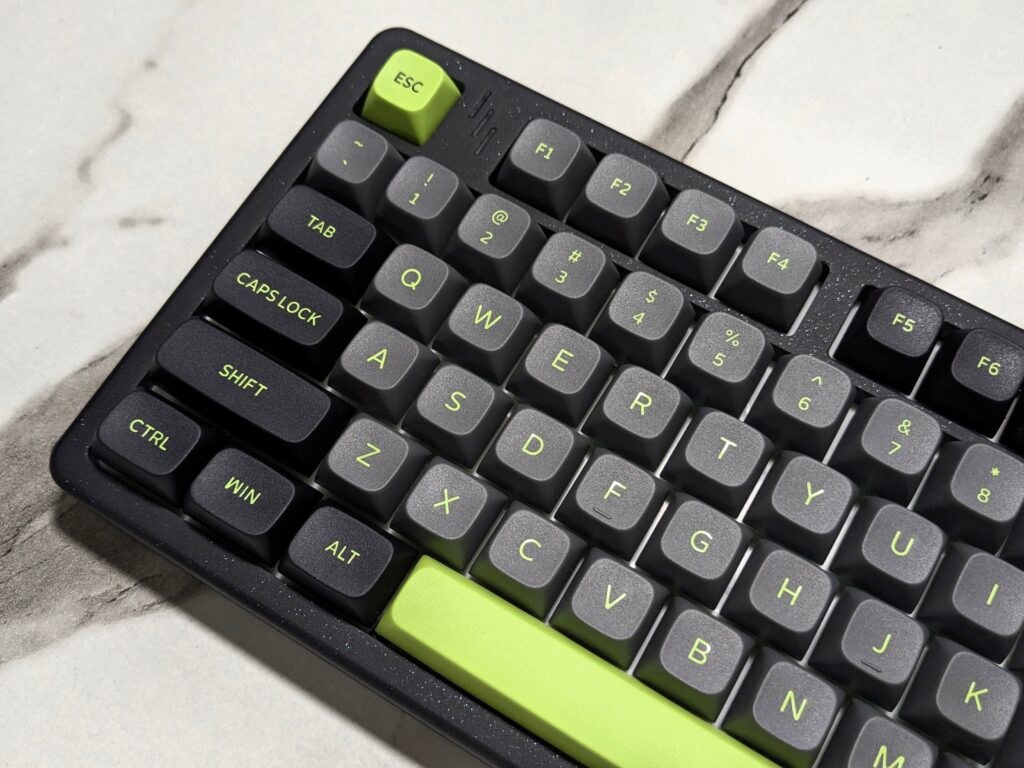
The MechLands Blade101 is available in two colour options: black/green and blue. For this review, I received the black/green version, which features three keycap colours—grey, black, and green. This combination gives the keyboard a fresh and modern look.
The body of the keyboard is made from aluminium, not plastic, which makes it feel solid and durable in hand. The base is finished with a spray-painted, shimmery effect, similar to what I observed with the Blade75.
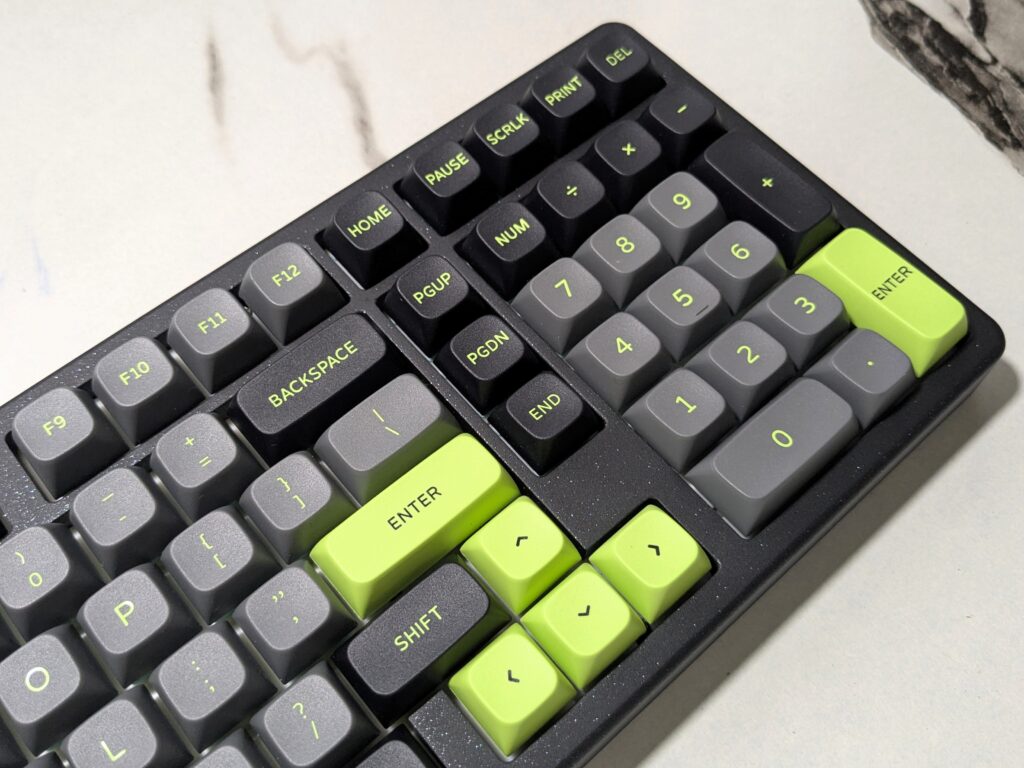
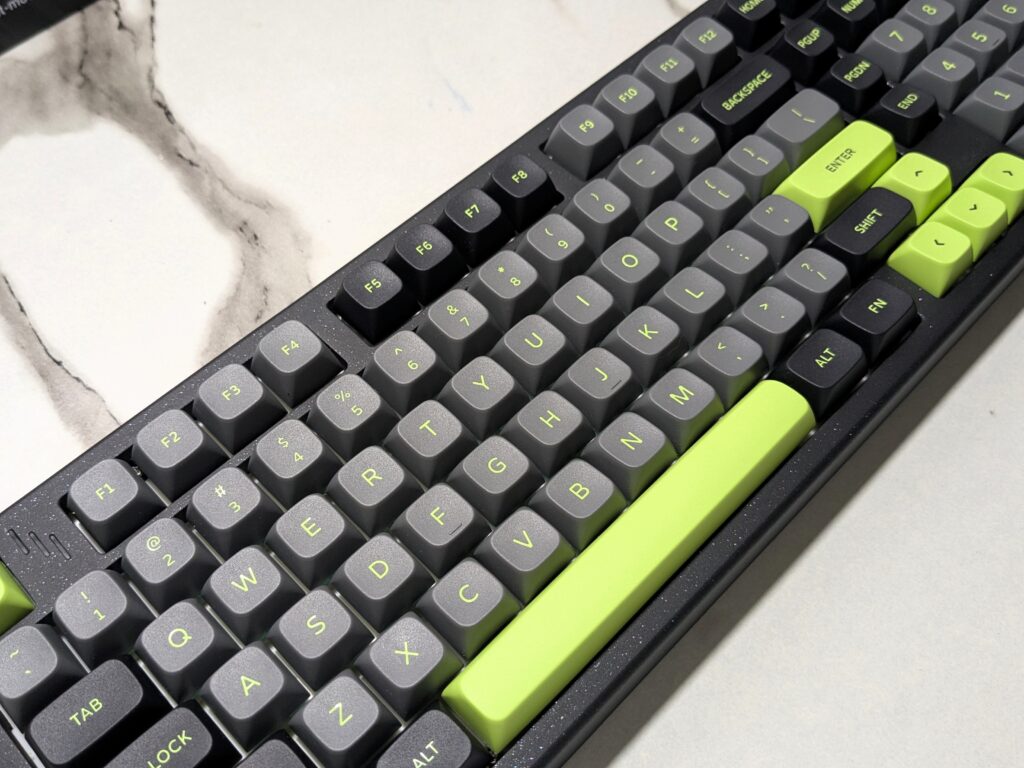
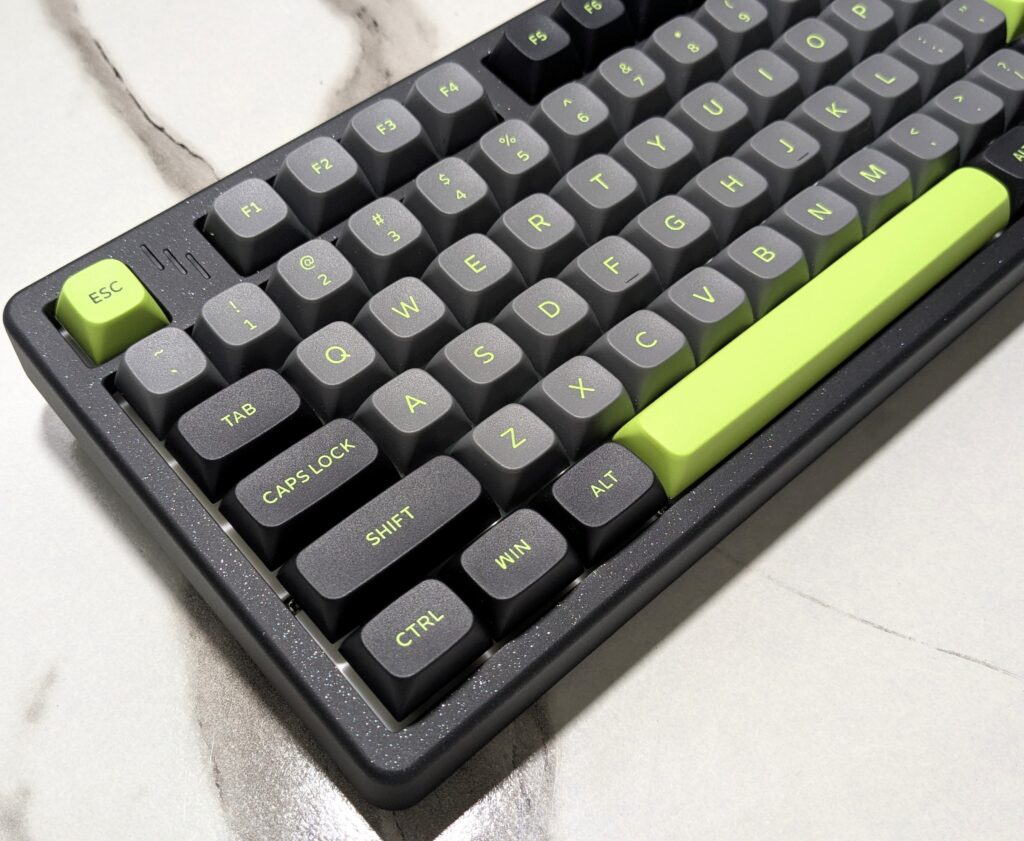
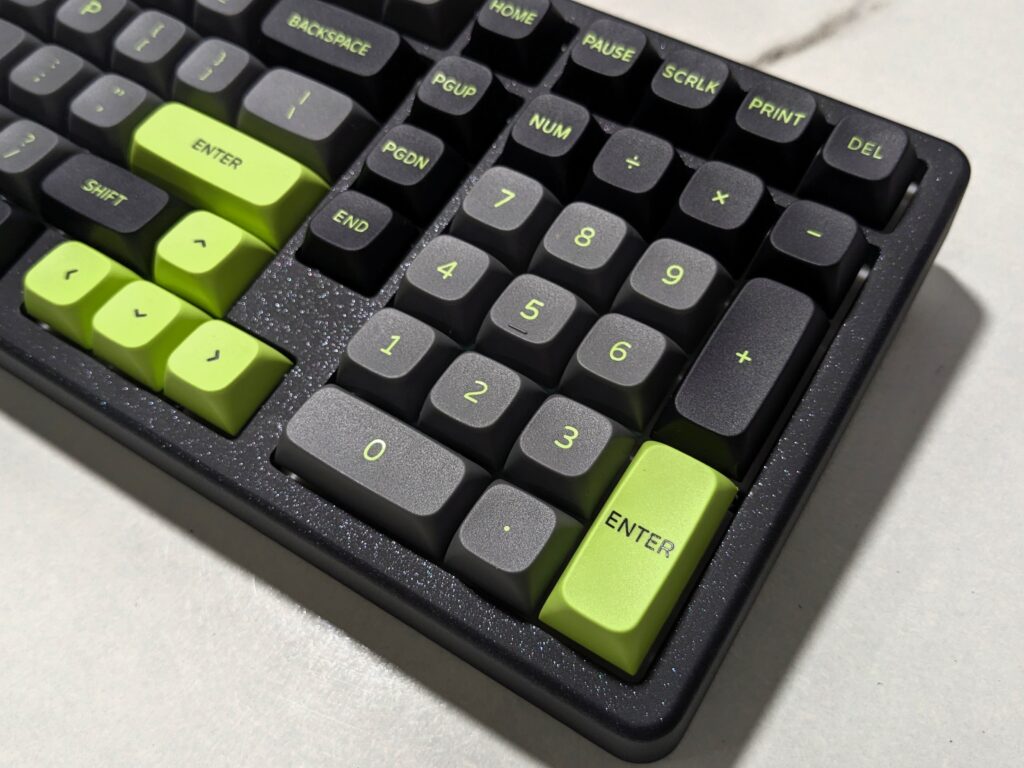
On the top left corner, there are three small light indicators. These show the status of Win Lock, battery, and Caps Lock. On the right side of the keyboard, there are shortcut keys placed above the number pad.
Check out magnetic keyboard MechLands: MechLands M75 review – A bold entry into magnetic keyboards
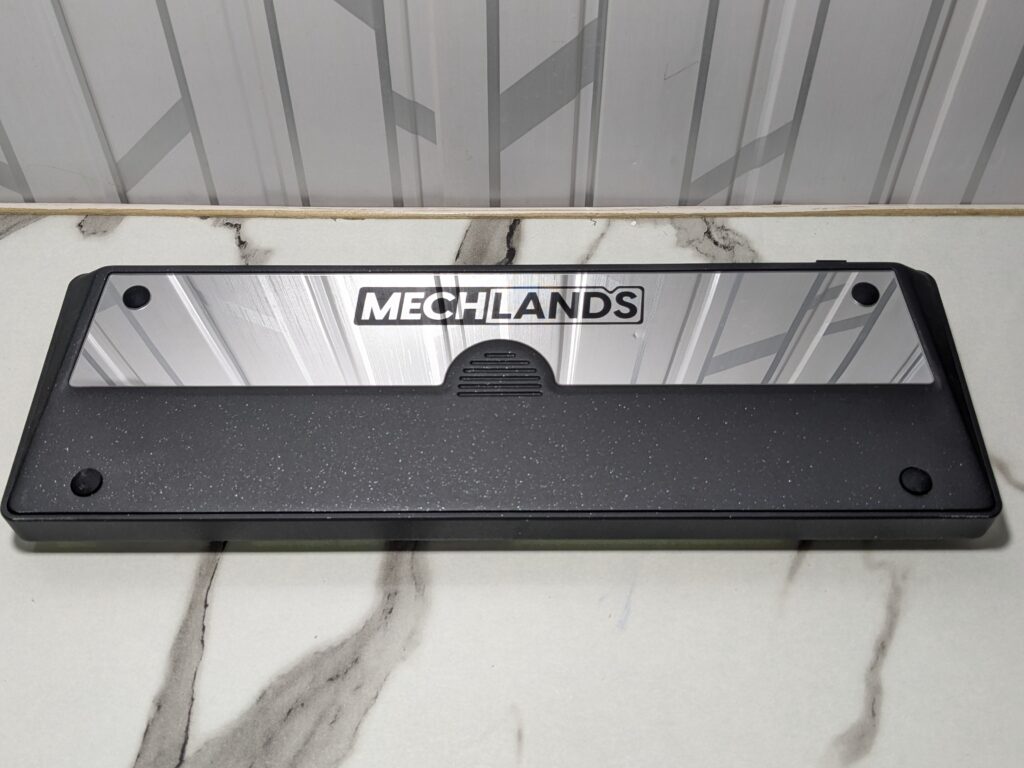
At the back of the keyboard, there is also a glass plate with “MechLands” written on it. It’s positioned more toward the top rather than in the centre. The keyboard is designed with four rubber feet on the bottom, which help keep it stable on the desk while also protecting the glass from scratches or direct contact with surfaces.
Keycaps and switches
The MechLands Blade101 comes equipped with double-shot PBT keycaps. These keycaps are thick, durable, and resistant to fading. The colour scheme in my unit — black, grey, and green.
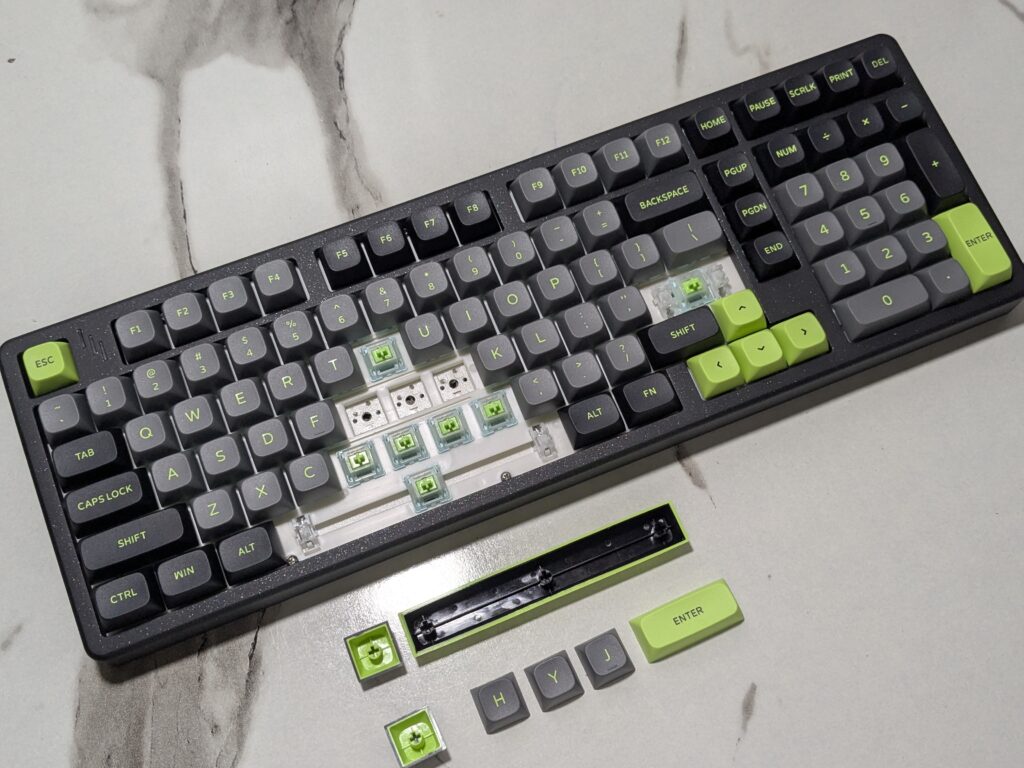
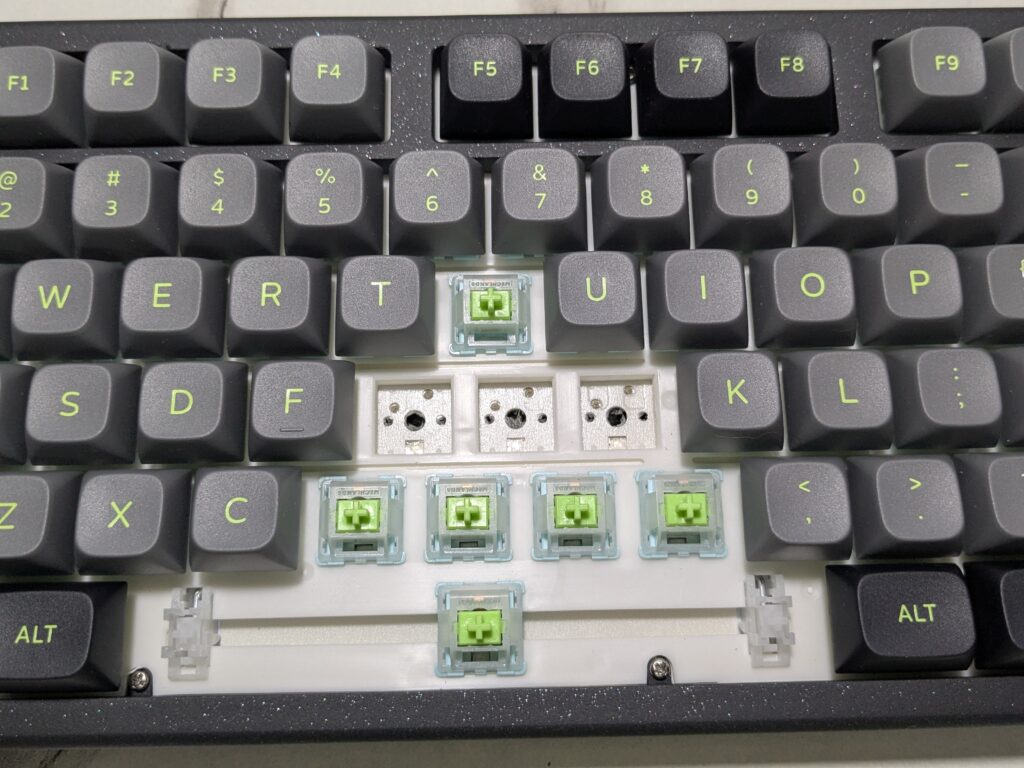
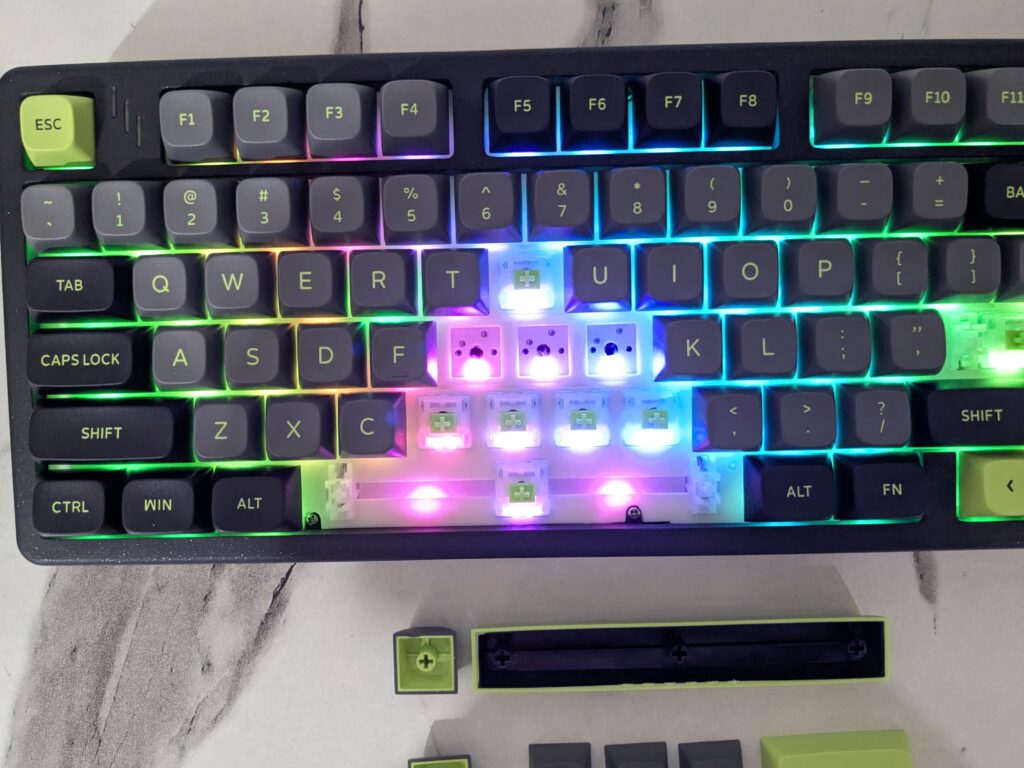
The keyboard uses MechLands Verdant switches pre-installed on a hot-swappable PCB. Hot-swappable sockets make it possible to change switches without soldering, allowing users to customise the typing feel easily.
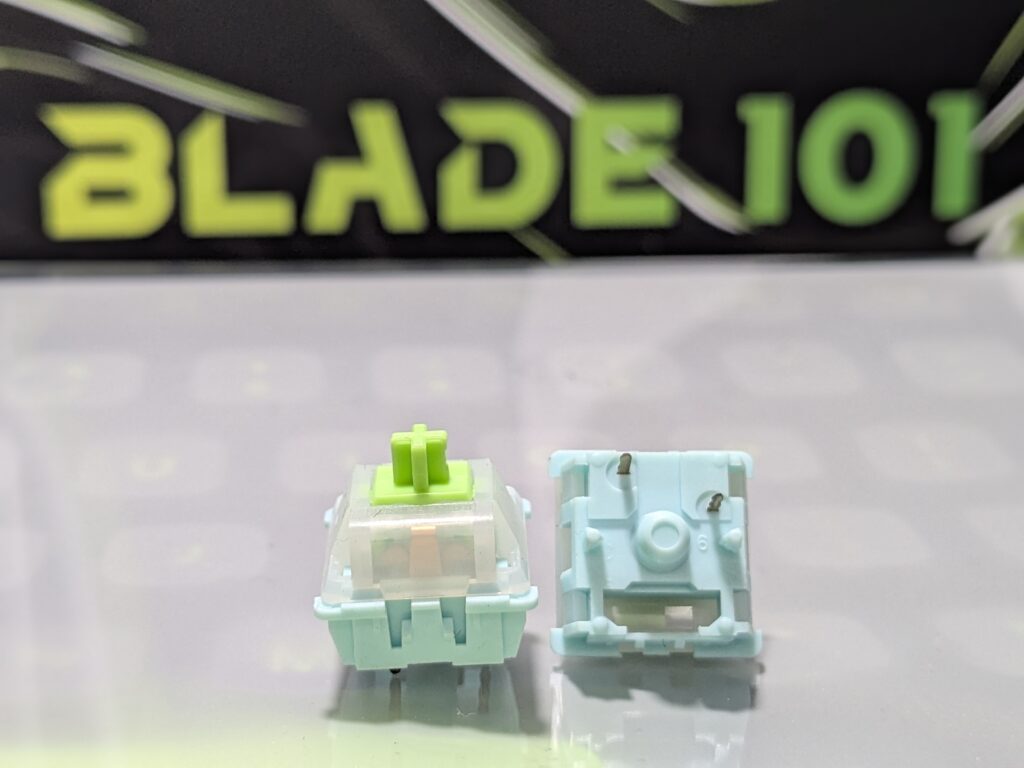
Internally, the MechLands Blade101 follows a gasket-mounted structure with five layers of sound and feel-enhancing materials. These layers include sandwich foam, a switch pad, PET film, a sound enhancer layer, and bottom foam.
During my use, the combination of gasket mount and layered padding produced a smooth, cushioned typing experience. The keys feel soft and responsive. Larger keys such as the spacebar and enter key feature finely tuned stabilisers, which eliminate rattling and maintain a consistent feel across all keypresses.
RGB lighting
South-facing RGB lighting is provided, offering multiple effects and brightness levels. The south-facing design means the LEDs are positioned in a way that prevents them from shining directly into the user’s eyes.
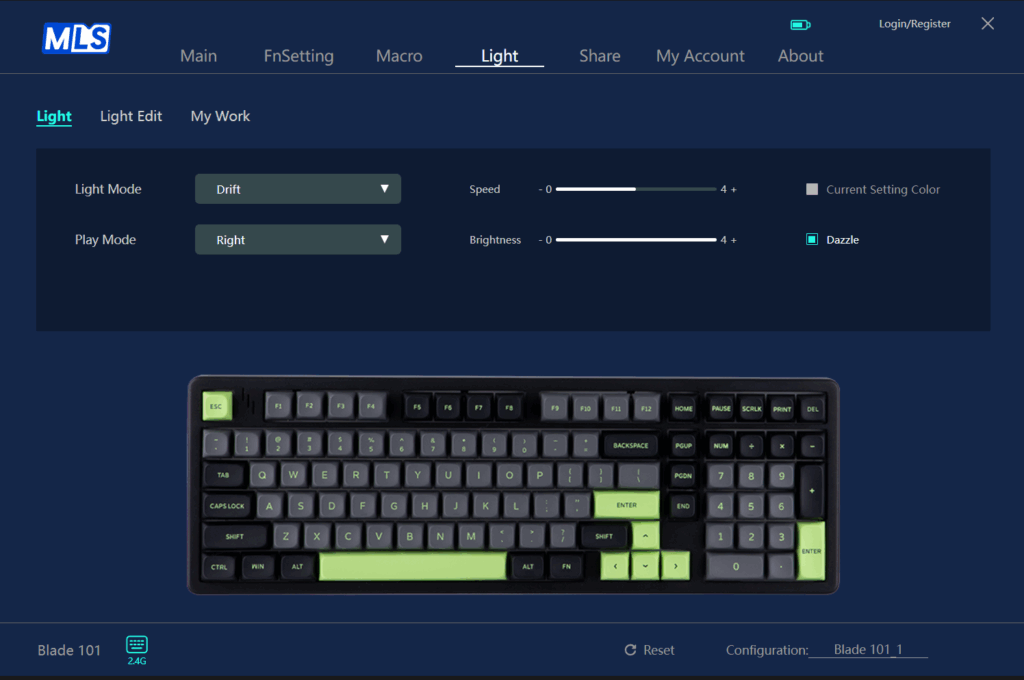
The lighting quality is bright enough for visibility while remaining subtle enough for professional setups. Users can cycle through various lighting effects to match their preference.
Connectivity
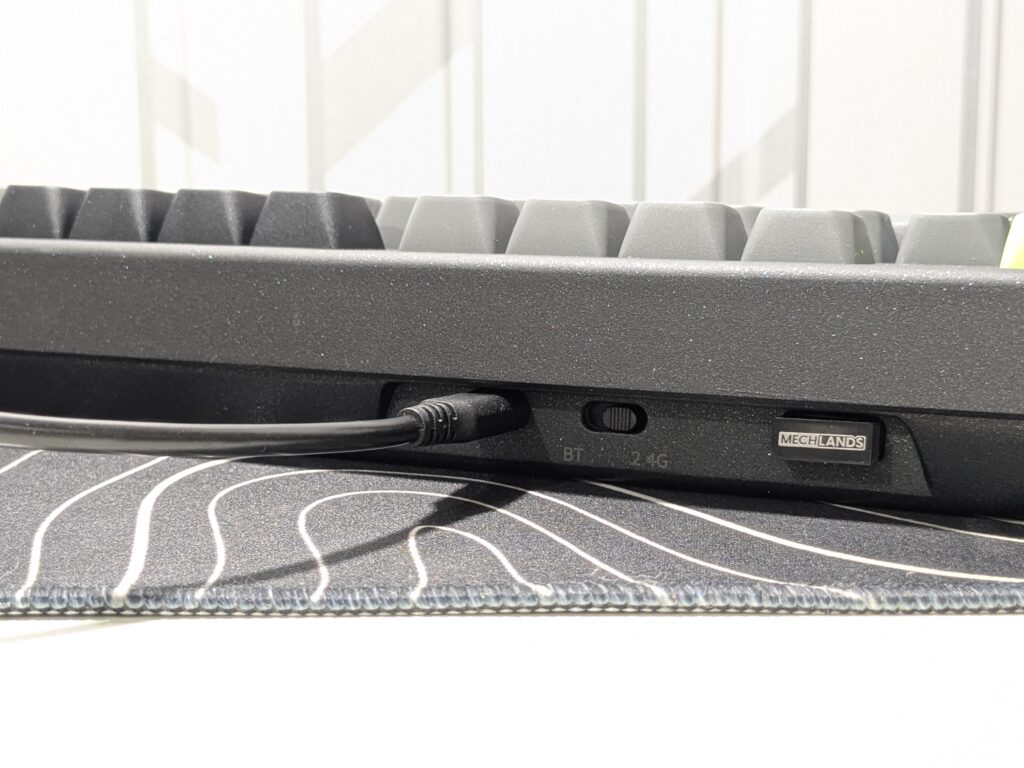
The MechLands Blade101 supports Bluetooth, 2.4GHz wireless, and wired modes. You can switch between them using a small side toggle. However, the toggle is tiny and hard to place in the middle to turn the keyboard off. Sometimes it jumps to the wrong mode.
For Bluetooth pairing, move the switch to “BT” mode. Then press and hold Fn + Q/W/E to enter pairing. On your device, select “Blade 101” from the list. You can switch between three Bluetooth devices using Fn + Q/W/E.
For 2.4GHz wireless mode, move the switch to “2.4G”. Press and hold Fn + R to pair. Then plug the wireless dongle into your computer.
For wired mode, place the toggle in the middle and plug in the USB-C cable. The keyboard will also charge in this mode.
The MechLands Blade101 makes it easy to connect to different devices, whether you’re working or gaming.
Also Read: MechLands Vibe99 Review: A Great Budget Mechanical Keyboard
Software & Battery
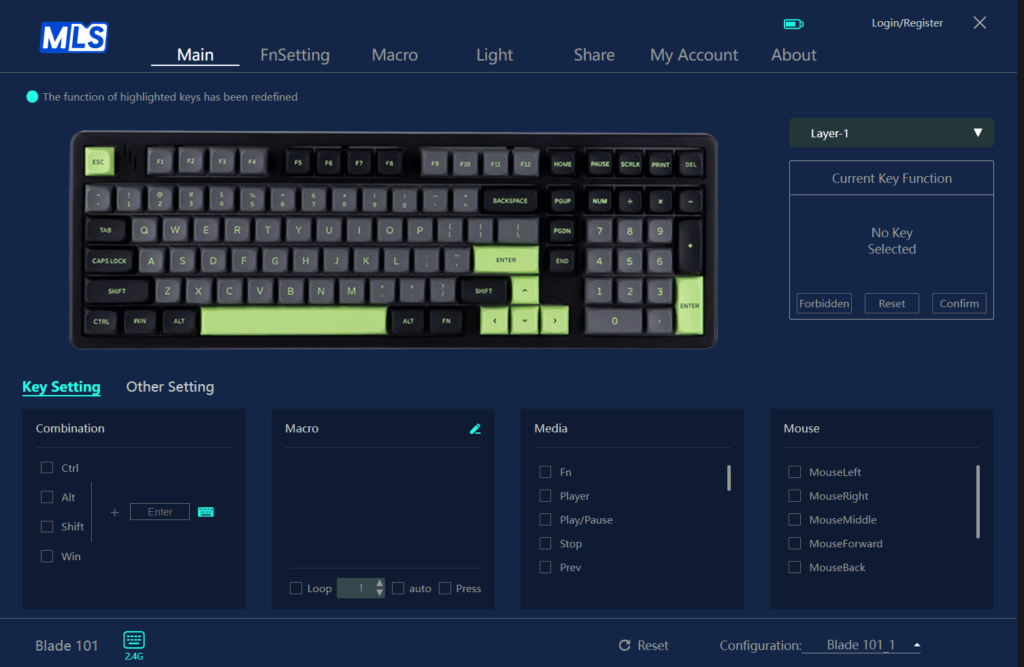
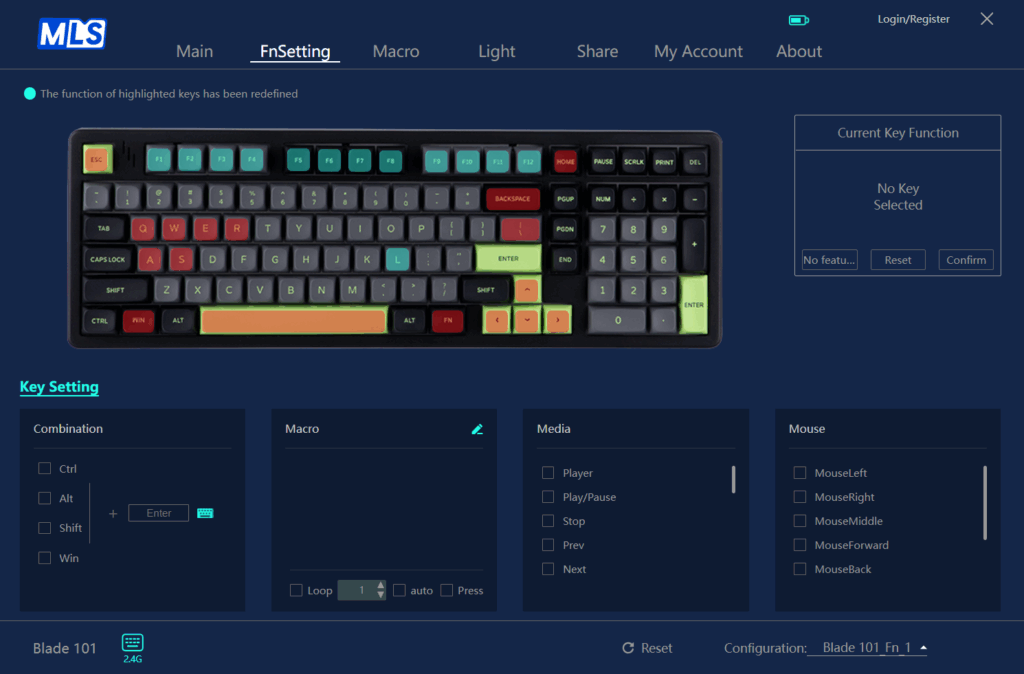
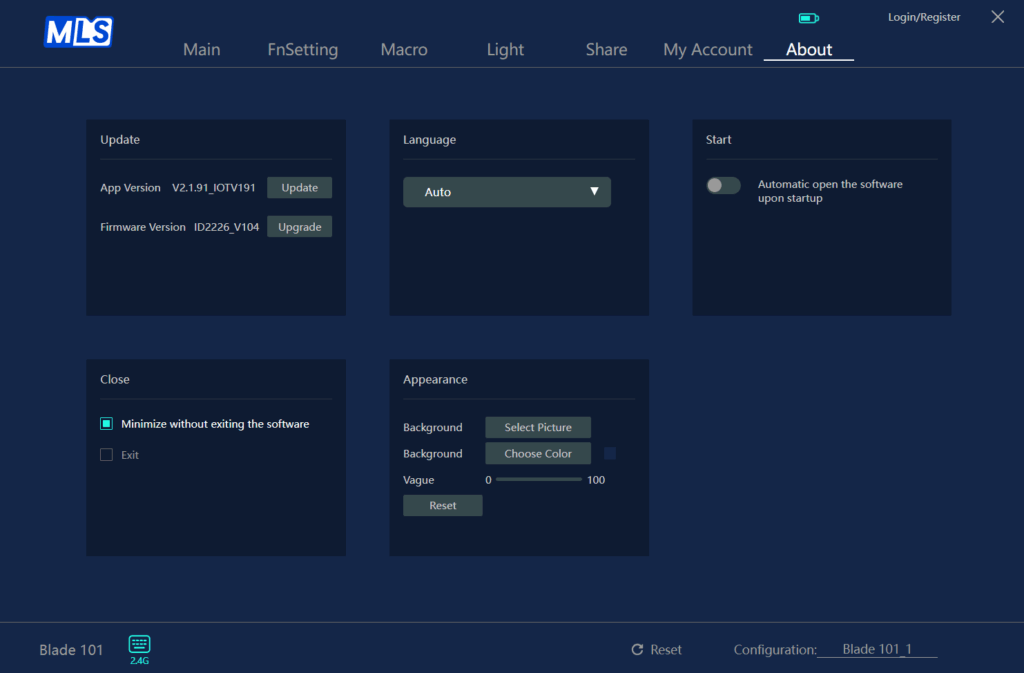
The MechLands Blade101 can be customised using the MechLands Driver software. You can download it from their official website. The software lets you remap keys, set up macros, and control RGB lighting. You can also save different profiles for work or gaming.
The MechLands Blade101 comes with a big 8000mAh battery. It’s built to last. Even with the RGB lights fully on and set to different effects, the keyboard ran for almost a full week. I used it daily for about 4 to 5 hours, and it didn’t run out quickly.
When the battery gets low, charging is simple and fast with the USB-C cable included in the box. You can also use the keyboard while it charges. So, you don’t have to stop typing or playing games.
Overall, the battery life is very good. It’s reliable for work and play, and you don’t need to charge it often.
Final Verdict
The MechLands Blade101 is a great all-rounder. It looks premium, feels strong, and types really well. The smooth design, soft-touch finish, and colourful RGB lighting give it a high-end look. It definitely feels more expensive than it is.
Typing is soft, fast, and very comfortable. The sound is deep and clean. Whether you’re writing, working, or chatting, the experience is smooth and satisfying.
Performance is also solid. For daily use and light gaming, it works just fine.
Battery life is excellent. Even with full RGB effects, it lasted nearly a week with 4–5 hours of daily use. Charging is fast with the USB-C cable, and you can use it while charging too.
The user experience is smooth overall. The keyboard sits firmly on the desk. It supports wired, Bluetooth, and 2.4GHz wireless modes. The software is easy to use and great for lighting, macros, and remapping.
In short, the MechLands Blade101 offers great value. It looks good, types well, and lasts long. If you want a reliable, stylish mechanical keyboard for daily tasks and some gaming, this is a smart pick. Highly recommended.

Pros and Cons
Pros:
- Strong aluminium body
- Thocky typing feel
- Tri-mode wireless
- Hot-swappable switches
- Unique keycap style
- Big 8000mAh battery
Cons:
- Some keys sound different
- Heavier than most keyboards