













NZXT Lift Elite Ultralight Wireless Gaming Mouse Review

Enos Tech Verdict
The NZXT Lift Elite Wireless Gaming mouse features a simple design, focusing on functionality rather than being overly flashy. The performance on offer is second to none, and at the end of the day, it is still aesthetically pleasing. The feature set, coupled with the easy-to-use NZXT CAM software, allows you to customize it to your needs, allowing you to really make the most of the performance it has to offer.
Pros:
- Simplistic yet functional design
- Good battery life
- Performance on par with more expensive mice
- Lightweight
- High Polling rate
Cons:
- No Bluetooth
- It may be a bit small if you have bigger hands

Pricing and Availability
| Amazon UK | £74.99 At the time of review |
| Amazon.com | $59.99 At the time of review |
Also Read: MechLands M75 review – A bold entry into magnetic keyboards – EnosTech.com
More Details
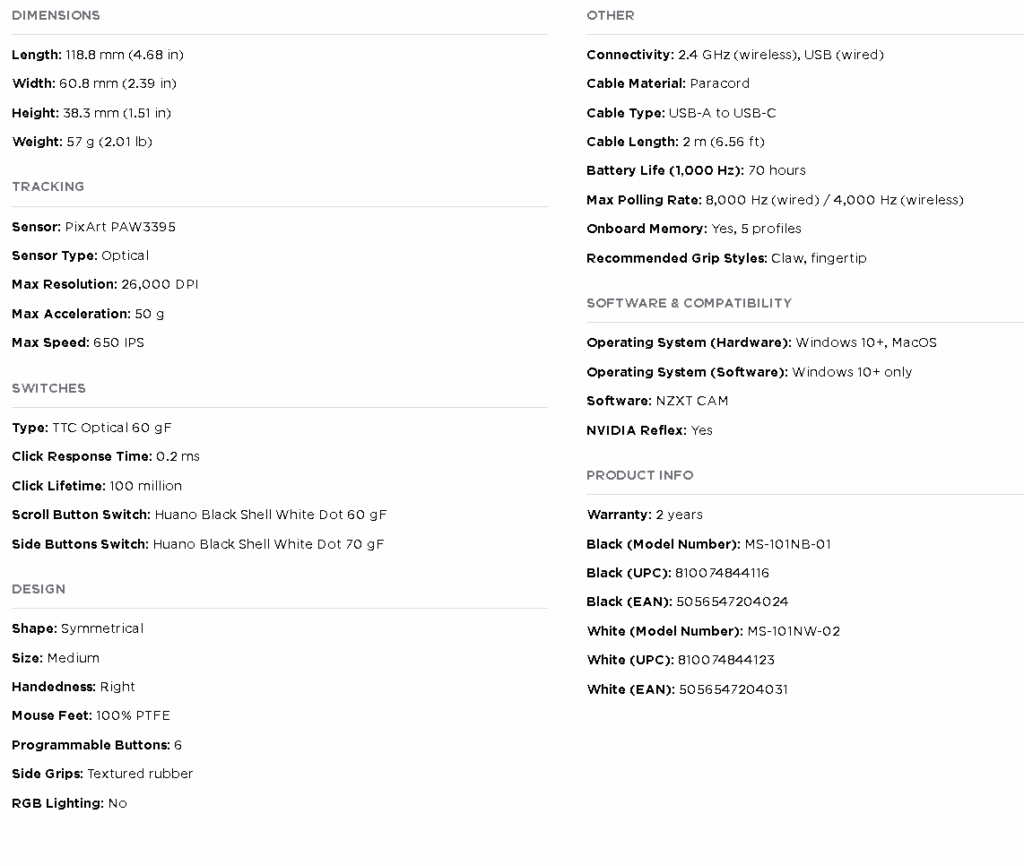
- Ultra Lightweight: 57-gram design ensures effortless maneuverability, precise handling, and reduced hand fatigue.
- Optical Switches: Rapid 0.2 ms response time with no double-clicking, pre-travel, or debounce delay, plus a 100-million click lifespan.
- 26K DPI Optical Sensor: Flick, swipe, and track with pro-grade precision, maintaining pixel-perfect control at any speed or sensitivity.
- 4K/8K Polling Rates: Ultra-smooth, responsive cursor movement with 4,000 Hz wireless and 8,000 Hz wired polling, ideal for high-refresh-rate monitors.
- Seamless Wireless: Enjoy smooth, lag-free gameplay with a sub-1 ms connection via the 2.4 GHz wireless dongle.
- Long-Lasting Battery: Get up to 70 hours of playtime on a single charge, with fast charging that restores 15 hours of battery in just 15 minutes.* *Battery life tested at standard 1,000 Hz polling rate. Higher rates will reduce battery duration.
- Customize with CAM: Use software to adjust DPI, polling rate, and button mapping, and create up to five profiles to store on the onboard memory.
- Secure Grip: Textured body and rubber sides ensure a non-slip hold, while optional grip tape adds extra stability to the mouse buttons.
Specifications
Closer Look
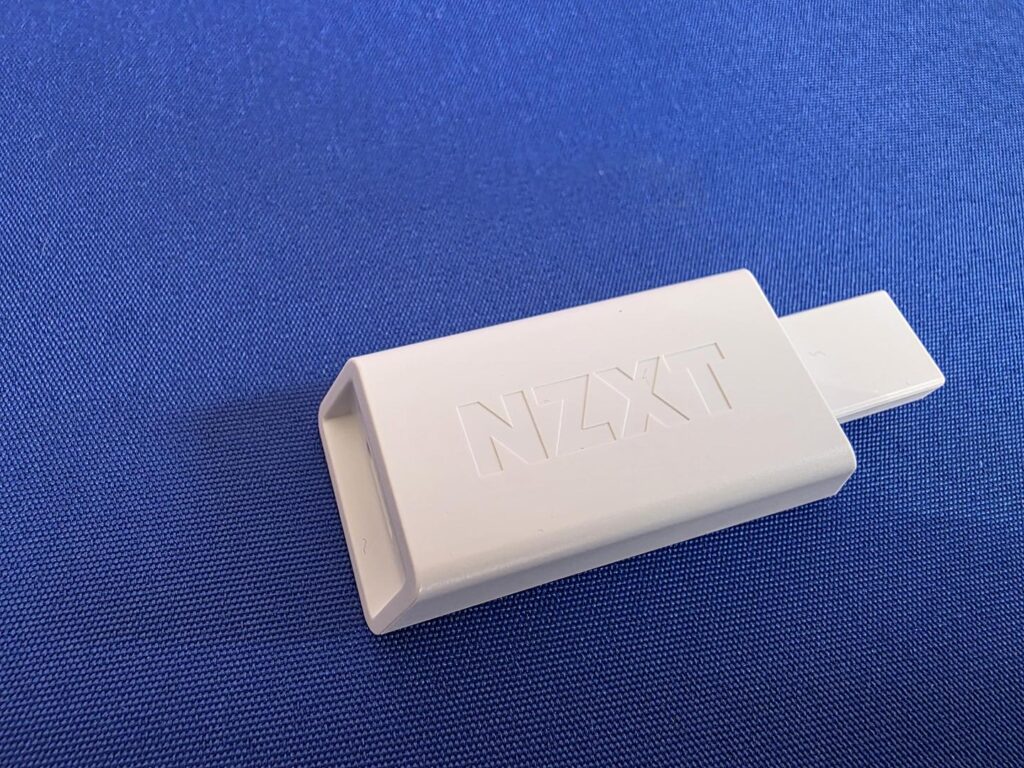
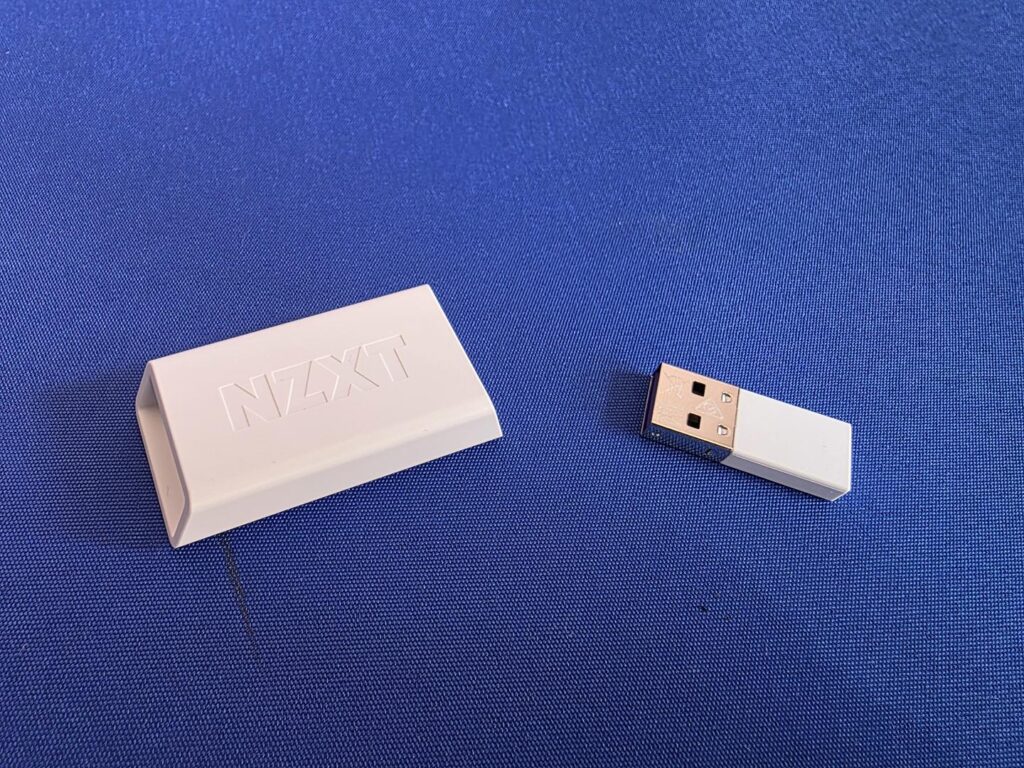
The wireless USB receiver comes inside a little hub when you first open the mouse. This hub can also be used with the included charging cable to further the reach of the wireless receiver, allowing you to get the best wireless signal possible for your mouse. Just think, if your PC is under your desk, you could use the included USB to allow you to add the wireless receiver to the top of your desk and eliminate as much interference as possible.

The included cable is USB-A to USB-C, and not only will it allow you to extend the range of the wireless receiver, but you can also use it to charge the Lift Elite mouse as well.

The Lift Elite comes in both black and white, and on first look, I was a bit concerned with the embossed NZXT logo. I felt like it might feel a bit uncomfortable, but after a couple of weeks of use, I have never even noticed the logo was there when using the mouse.
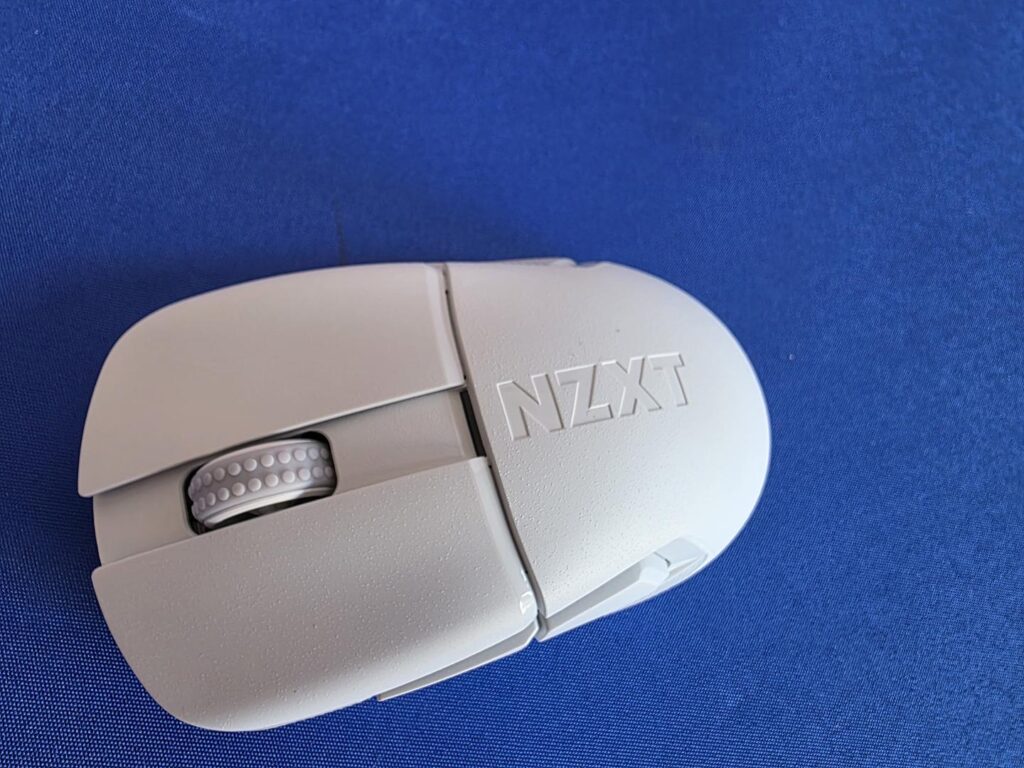
The mouse itself only weighs 57 grams. When using it, it’s almost like it’s not even there; it’s just so light. Even picking the mouse up, it sounds crazy, but it really is almost weightless. This also allows it to glide smoothly across almost any surface of your choice.

NZXT has kept things rather basic with the Lift Elite, and I thank them for that. The inclusion of the two side buttons is a nice touch as it adds extra customization options to the mouse, enhancing its overall performance. I use these buttons to go back/forward on websites and folders, or, if in game, these are dedicated grenade buttons for the FPS titles I enjoy, such as Warzone and Apex Legends.
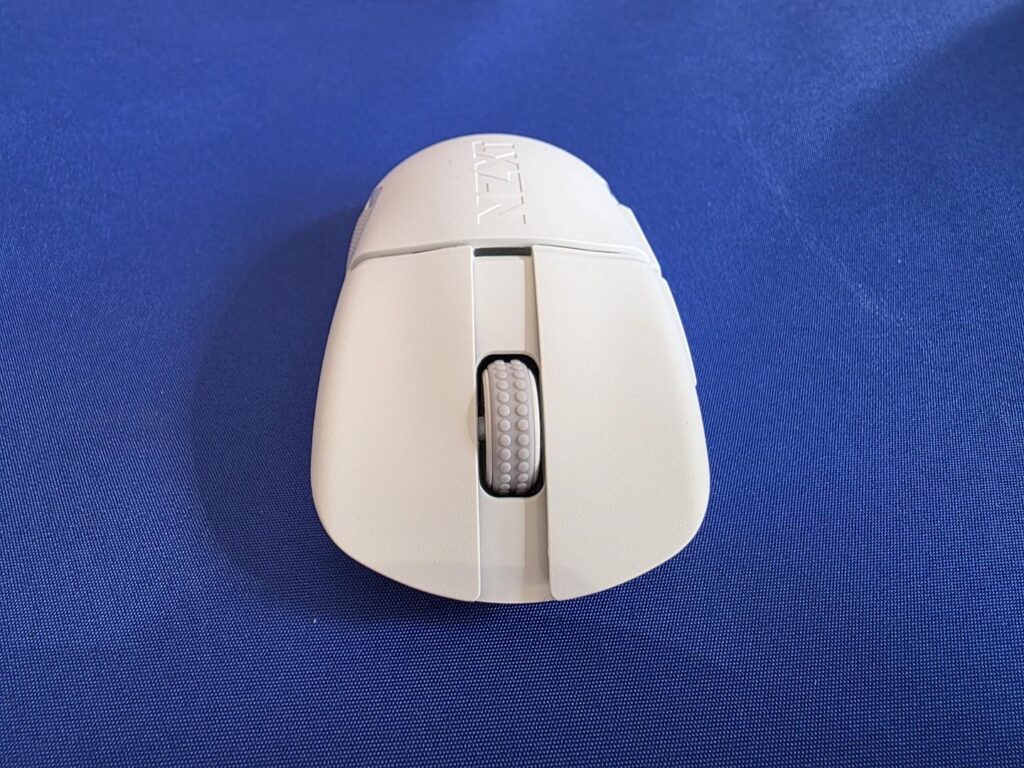
NZXT has gone with Optical switches that feature a 0.02 ms response time and come with a 100-million-click lifespan. You will also notice that the scroll wheel has a nice grip to its surface, ensuring a smooth roll of the wheel whenever needed.
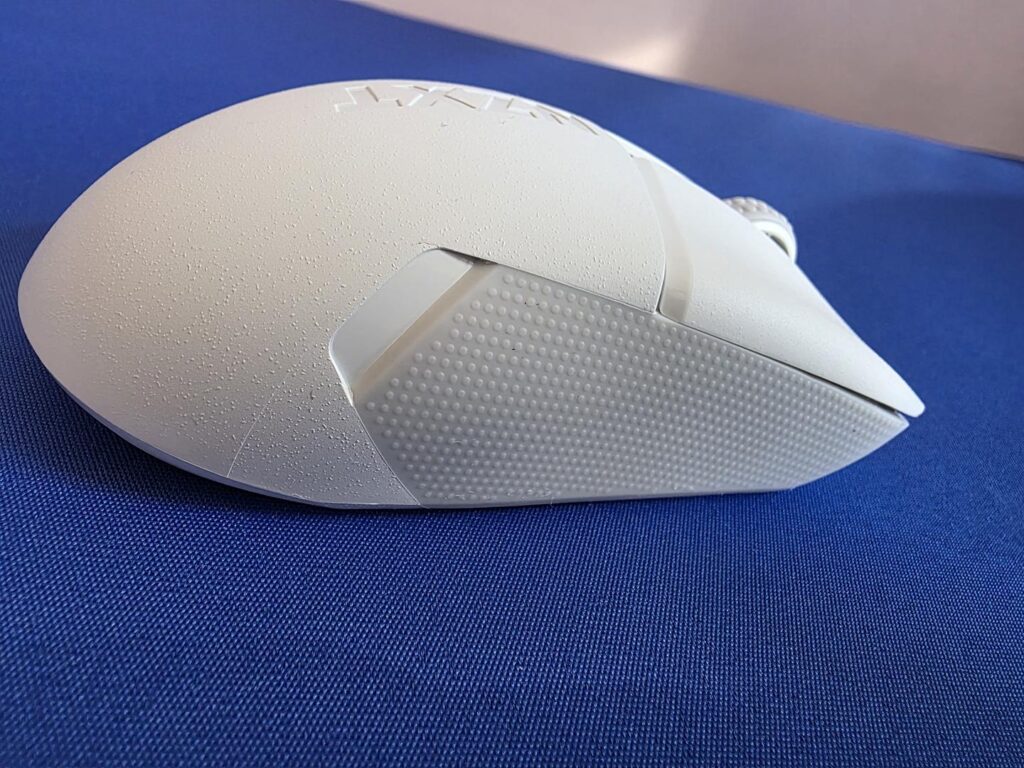
Both side grips also feature rubber micro-dot grips that will make sure you have a good hold on your mouse, even during those longer gaming sessions. Having used this mouse for multiple multi-hour gaming sessions over the span of 2-3 weeks, I can 100% say you should not have an issue with this mouse slipping out of your hands at all, unless, of course, you sweat like a water faucet, then it could be possible.
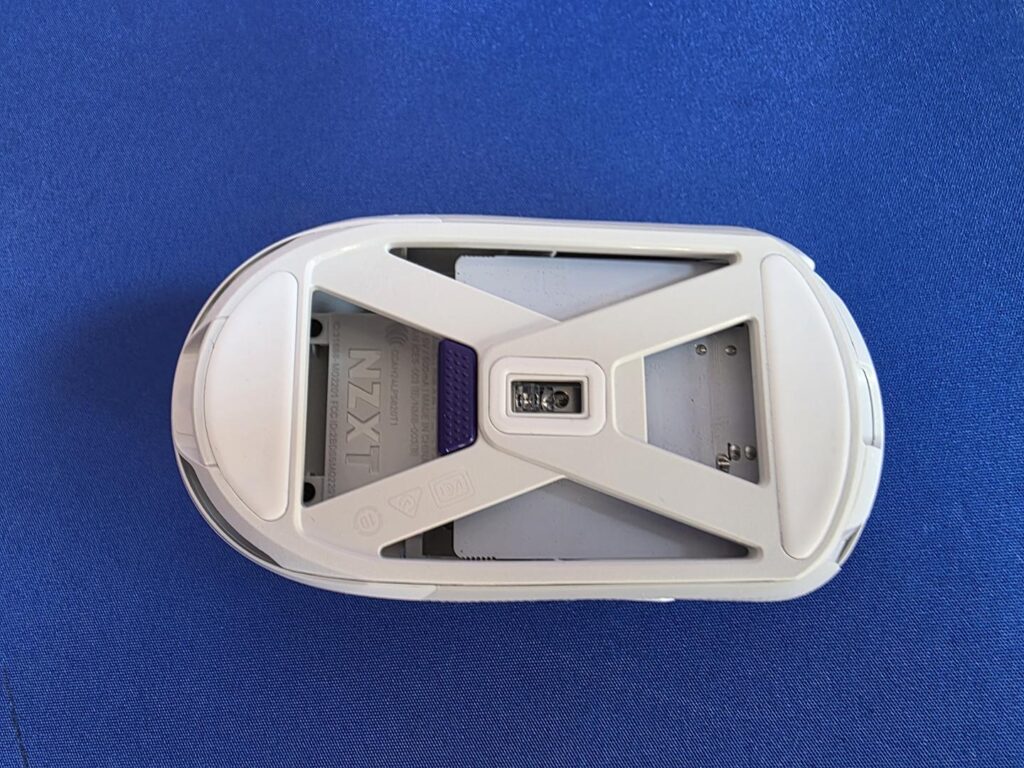
The bottom features a unique design and shows how NZXT was able to keep the weight down on its Lift Elite Wireless Gaming Mouse. By default, the purple button will allow you to change the DPI from 1 of the 5 options that can all be customized in the NZXT CAM software.
Also Read: EasySMX D05 Controller Review – A Sleek and Versatile
Software
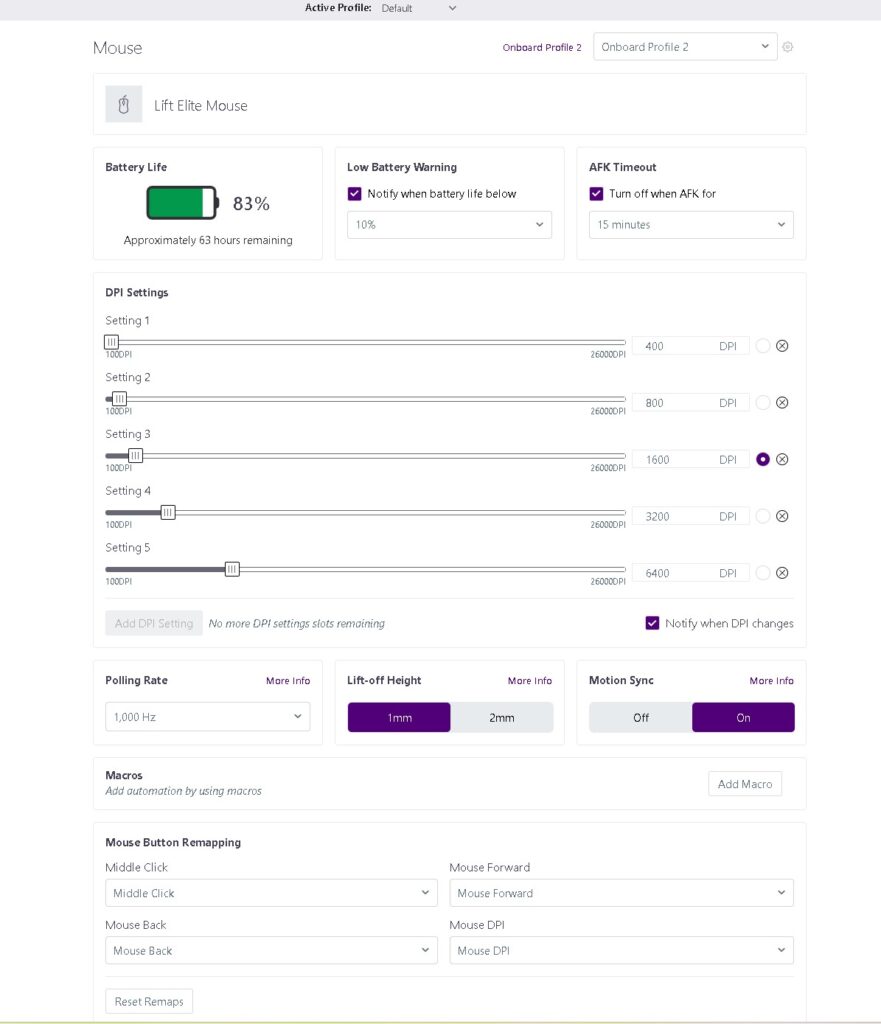
The CAM software from NZXT may not be the most intuitive piece of software ever, but it gets the job done. The basic options are all here, and best of all, they are quite easy to find and change. You can customize the DPI settings, Polling Rate, Macros, Lift-off height, and more here with ease. Not only can you see the battery life here, you can even set it to give you a warning when the Lift Elite battery is at a certain percentage.
Performance and Battery Life
The Lift Elite mouse has some pretty impressive specs on paper, which include a weight of only 57 grams, a 2.4GHz low-latency wireless connection, 8,000 Hz Polling Rate. 26,000 DPI, optical switches, and up to 70-hour battery life.
Having used this mouse daily for a couple of weeks, I have tested it for gaming and general use on a number of occasions. The performance it has to offer is top-notch. This is one of the best gaming mice I have personally tested in the price range in the past couple of years. If you are looking for something to get the job done and don’t need all the extra buttons, the Lift Elite is really a great option to consider. I primarily play FPS games, and it has served me well in every game I have tested it in, whether it be faster-paced games like Apex Legends or slower games like CS2, it has yet to let me down.
On top of the amazing performance, the battery life is equally impressive. It lasts absolutely ages, even when playing Warzone for 5-6v hours a day! As mentioned, I used it daily for a few weeks, so this includes everything from emails to web surfing and playing games. My PC is normally only used for around 12- 14 hours a day, even if I don’t use it quite this much. With the Lift Elite, I only have to charge it once, maybe twice a week if I get paranoid about things. Also worth mentioning is that a quick 15-minute charge can give you up to 15 hours of further use, so if it dies, you can be back up and running in no time.
Final Words
The NZXT Lift Elite Wireless Mouse is worth considering, especially for the price. At the time of review, it is on sale on Amazon.com, further adding to the value it has to offer. I am still using it at the time of writing this review and am still impressed but how well it has held up over the past few weeks.
The thing that has impressed me the most is the performance when using it wirelessly. I don’t notice any issue when the battery dips below 50% charge, and the latency is unnoticeable. You click the buttons or move the mouse, and it happens instantly; there is no delay at all.
The light weight of the mouse also means you shouldn’t experience any fatigue, even after prolonged use. It’s almost as if the mouse isn’t even there, it is just so light. All in all, the Lift Elite ticks all the boxes in what I would expect to see from a wireless gaming mouse. The only thing that it is missing is Bluetooth, if you want to be picky, but I don’t use Bluetooth, so this does not bother me at all.
I would like to thank NZXT for sending in the Lift Elite Wireless Mouse and look forward to seeing more from them in the future.
Also Read: AJAZZ AJ159 APEX tri-mode gaming mouse review – EnosTech.com