










KiiBOOM Phantom 98 Lite review – Quiet switches and beautiful froggy design
The mechanical keyboard market is full of compact keyboards now. But not every keyboard gives a good typing feel, useful features, and a nice design together. The KiiBOOM Phantom 98 Lite tries to do all of that in one package. It comes with a 96% layout, which saves desk space but still keeps the numpad. This makes it good for gaming, office work, and daily use.
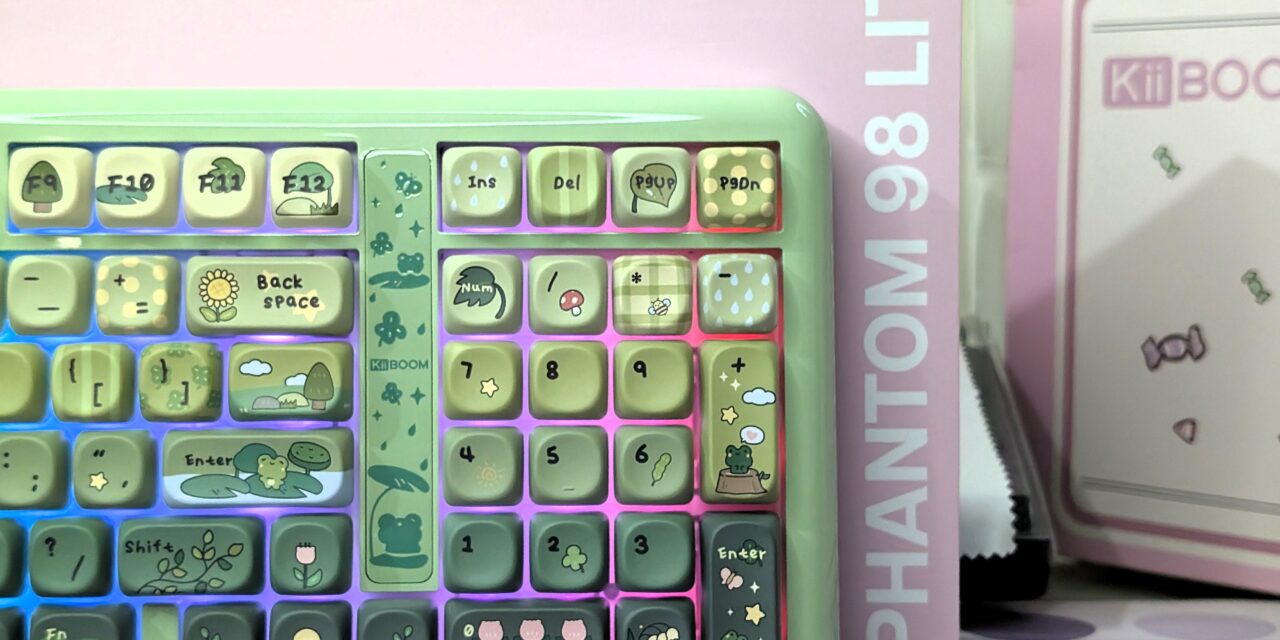
This is not my first time using a keyboard from the Phantom Lite series. Last time, I reviewed the Phantom81 Lite. That keyboard also used MOA profile keycaps, but it had a chocolate factory theme. This time, KiiBOOM changed the style completely. The Rainy Frogy Day theme on the Phantom 98 Lite gives the keyboard a soft and calm look. The frog artwork and light colours make it look fun and relaxing on the desk.
The Phantom 98 Lite also comes with many useful features. It supports Bluetooth 5.0, 2.4GHz wireless, and USB-C wired connection. It also has a large 8000mAh battery for long usage time. KiiBOOM used a gasket mount design with five layers of damping material to improve typing feel and sound. You also get hot-swappable pre-lubed linear switches, south-facing RGB lighting, and VIA support for customization.
On paper, the keyboard looks very promising. But real use matters more than specs. After using it for gaming, typing, and daily work, here is my full experience with the KiiBOOM Phantom 98 Lite.
Unboxing
KiiBOOM once again did a great job with the packaging of the Phantom 98 Lite. I have always liked the design and quality of KiiBOOM keyboard boxes. They never feel boring. Every unboxing feels fun and different.
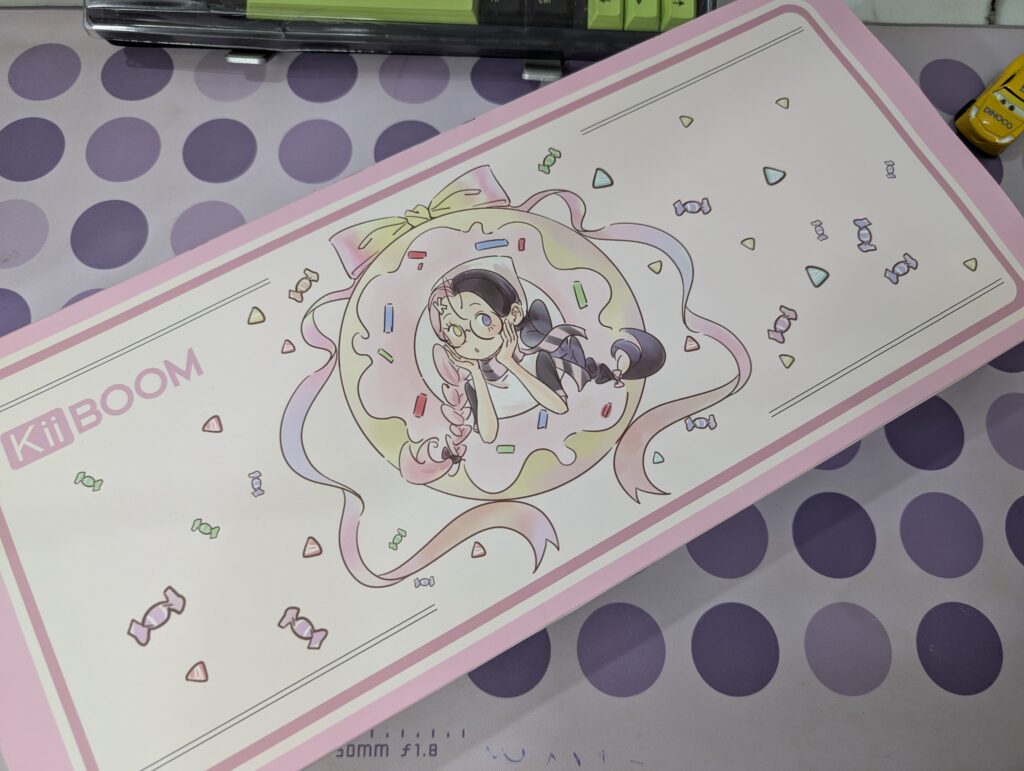
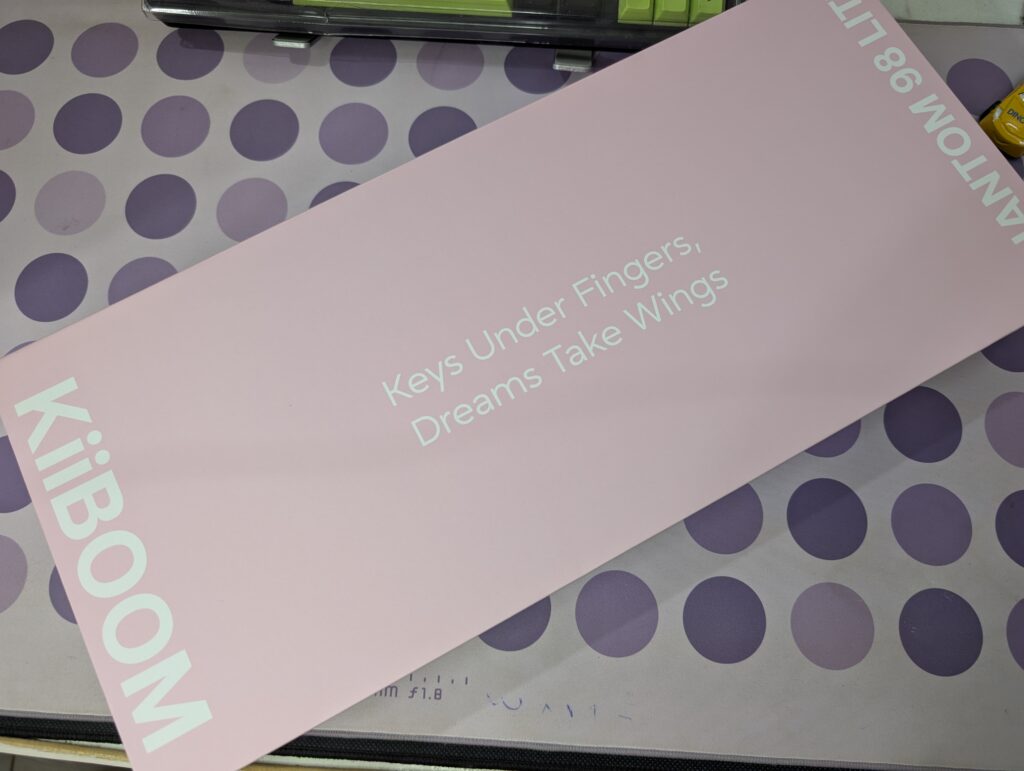
The outer box comes in a soft pink colour with clean white branding. The front side has cute anime-style artwork with candy designs around it. It gives the keyboard a playful and relaxing look before even opening the box.
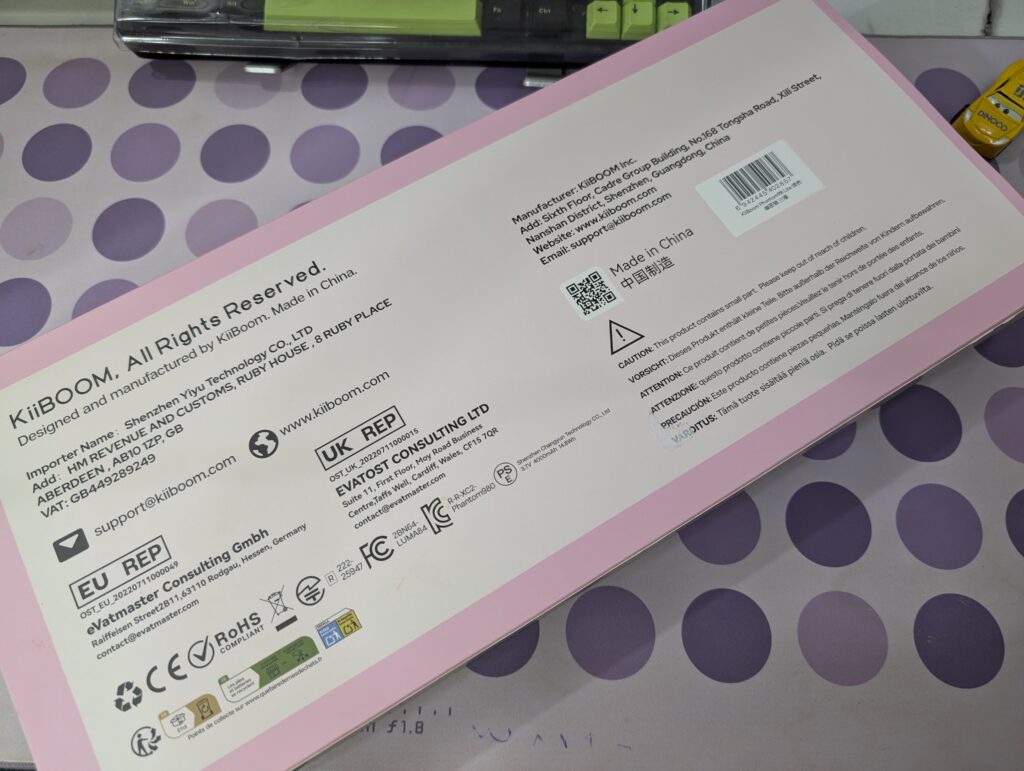
The sides of the box have simple branding and the line “Keys Under Fingers, Dreams Take Wings.” The back side shows product details and certifications in a clean layout.
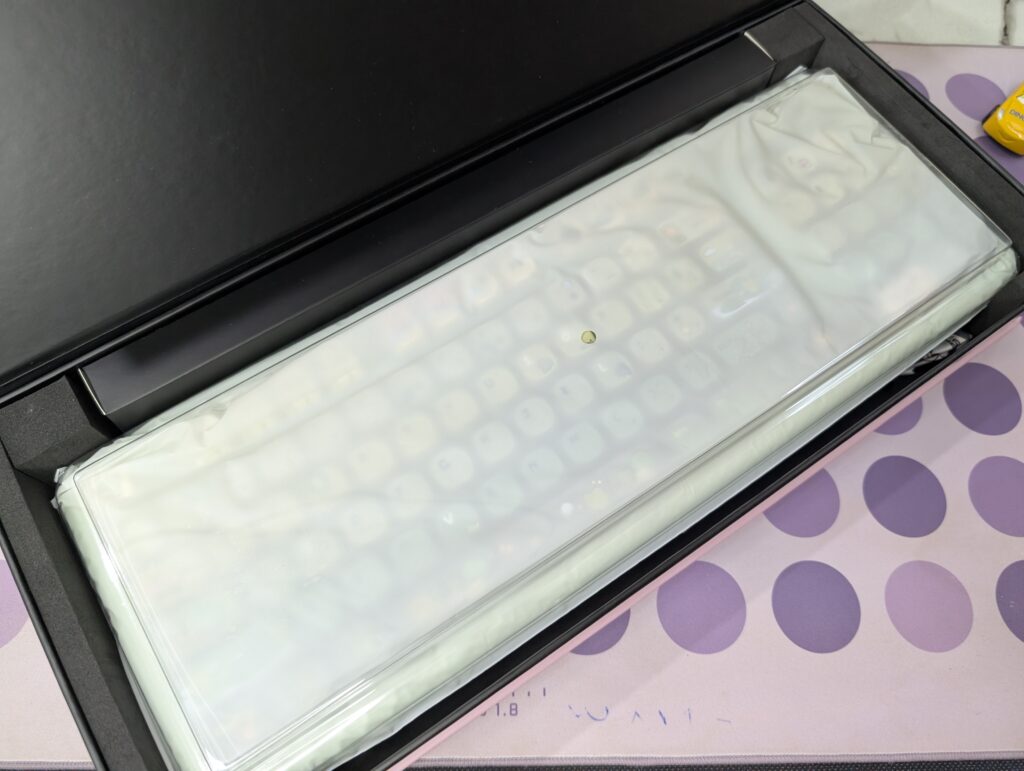
Inside, the keyboard is packed safely with foam protection and a plastic cover over the keyboard.
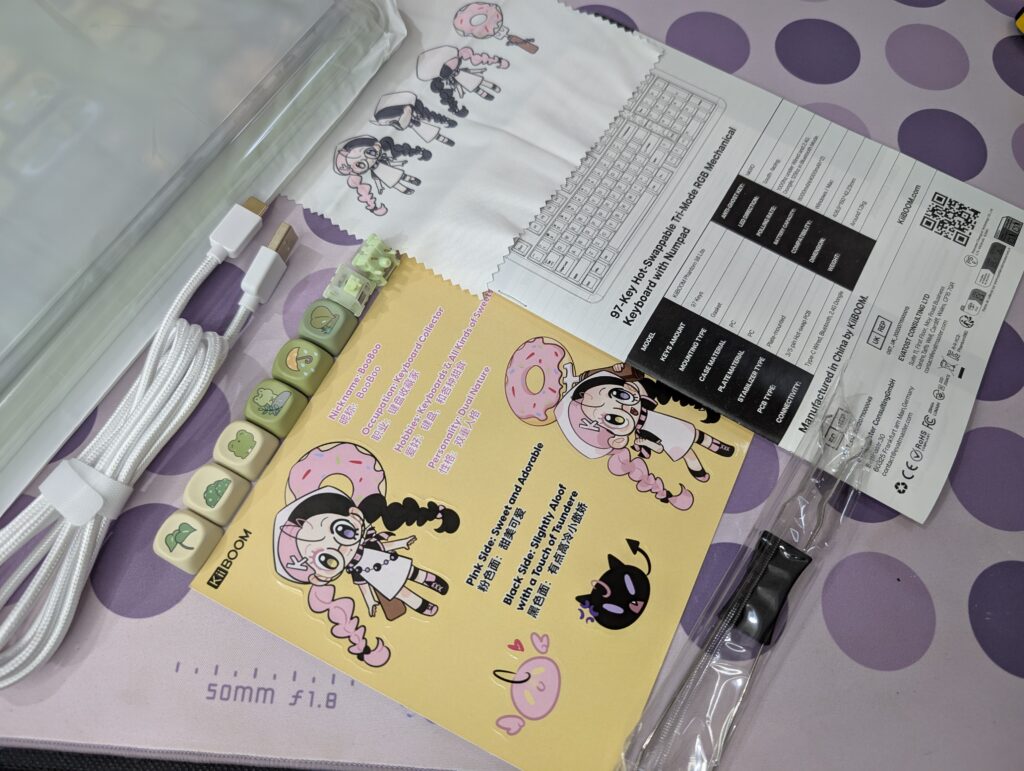
Inside the box, you get:
- KiiBOOM Phantom 98 Lite keyboard
- USB Type-C cable
- Keycap and switches puller
- User manual
- Stickers
- Fibre cleaning cloth
- 6 extra frog-themed keycaps
- 2 extra Mossy Silent switches
I really liked the extra frog-themed keycaps. They make the keyboard look even more fun and unique. The stickers and fibre cloth also make the package feel more complete.
KiiBoom Phantom 98 Lite pricing
| KiiBoom Official Store | $108.99 |
KiiBoom Phantom 98 Lite specifications
| Specification | Details |
|---|---|
| Brand | KiiBOOM |
| Model | Phantom 98 Lite |
| Layout | 96% ANSI |
| Number of Keys | 97 |
| Connectivity | Bluetooth 5.0, 2.4GHz Wireless, USB Type-C Wired |
| Battery Capacity | 8000mAh |
| Mounting Structure | Gasket Mount |
| Plate Material | PC |
| Stabilizers | Pre-lubed Plate-Mounted |
| RGB Lighting | South-facing RGB |
| Hot-swappable | Yes |
| Anti-Ghosting | NKRO |
| Polling Rate | 1000Hz (Wired & 2.4GHz), 125Hz (Bluetooth) |
| Latency | 3ms (Wired), 5ms (2.4GHz), 15ms (Bluetooth) |
| Sound Dampening | Latex Sandwich Foam, IXPE Switch Pad, PET Film, Bottom Foam, Bottom Silicone |
| Switches | Mossy Silent Switch |
| Operating Force | 37gf |
| Bottom-out Force | 43gf |
| Pre-travel | 2.0mm |
| Total Travel | 3.6mm |
| Keycaps | Dye-sub PBT MOA Profile |
| Dimensions | 408.9 × 150 × 42.2mm |
| Weight | Around 1.2kg |
A closer look
The KiiBOOM Phantom 98 Lite is a part of KiiBOOM’s Phantom series keyboard lineup. KiiBOOM already has the Phantom 21, Phantom 68, Phantom 81, and Phantom 98 in this lineup. Now, the company has added the Lite version of the 98 model with a compact 96% layout. It keeps the numpad while taking less desk space than a full-size keyboard.
This keyboard is available in three colour options: Pink, Green, and Clear. The green version that I tested easily looks the most eye-catching in my opinion. The soft green colours mixed with frog-themed artwork give the keyboard a very calm and playful look. It feels different from normal gaming keyboards that mostly use dark colours.
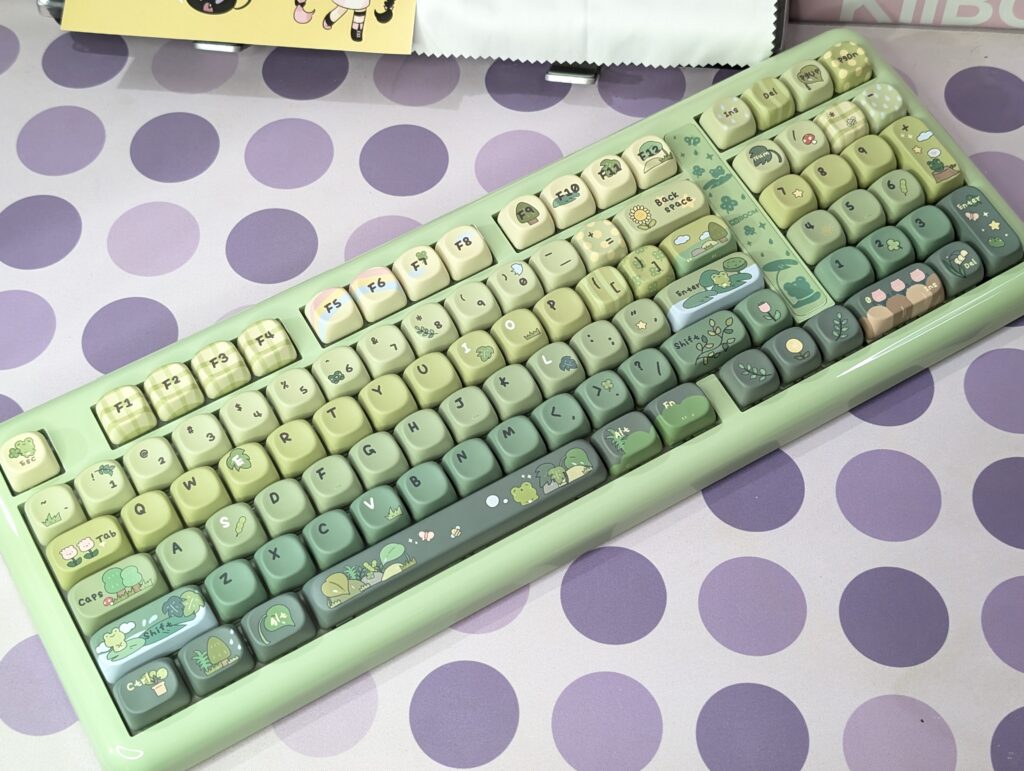
The keyboard measures 408.9 × 150 × 42.2mm and weighs around 1.2kg. It feels solid and stable on the desk. Even during gaming and fast typing, the keyboard did not move around. The glossy translucent case also gives the keyboard a softer and cleaner appearance under light.
The 96% layout is arranged very well. KiiBOOM managed to keep the keyboard compact without making it feel crowded. You still get the function row, arrow keys, and numpad, which makes it useful for both work and gaming.
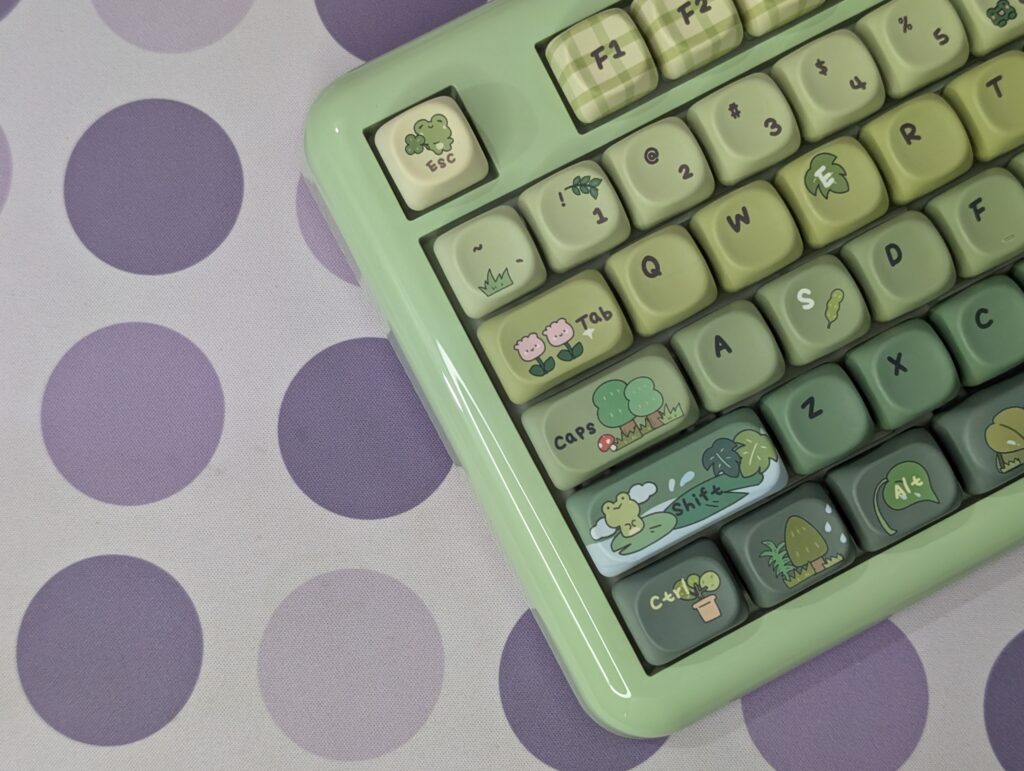
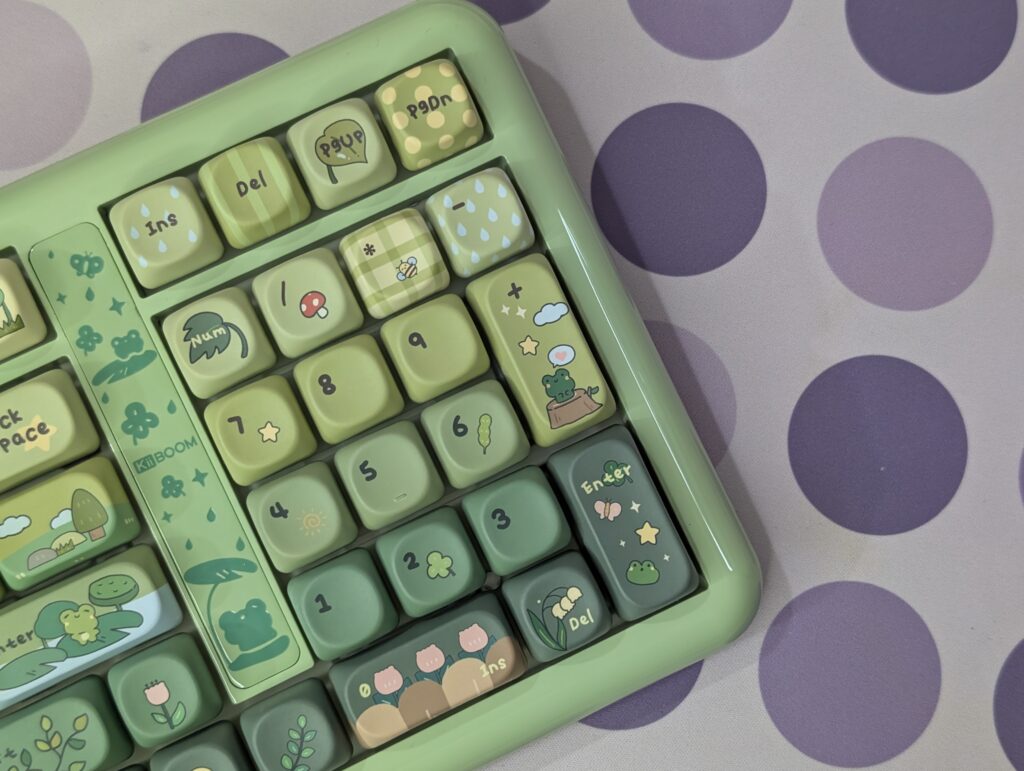
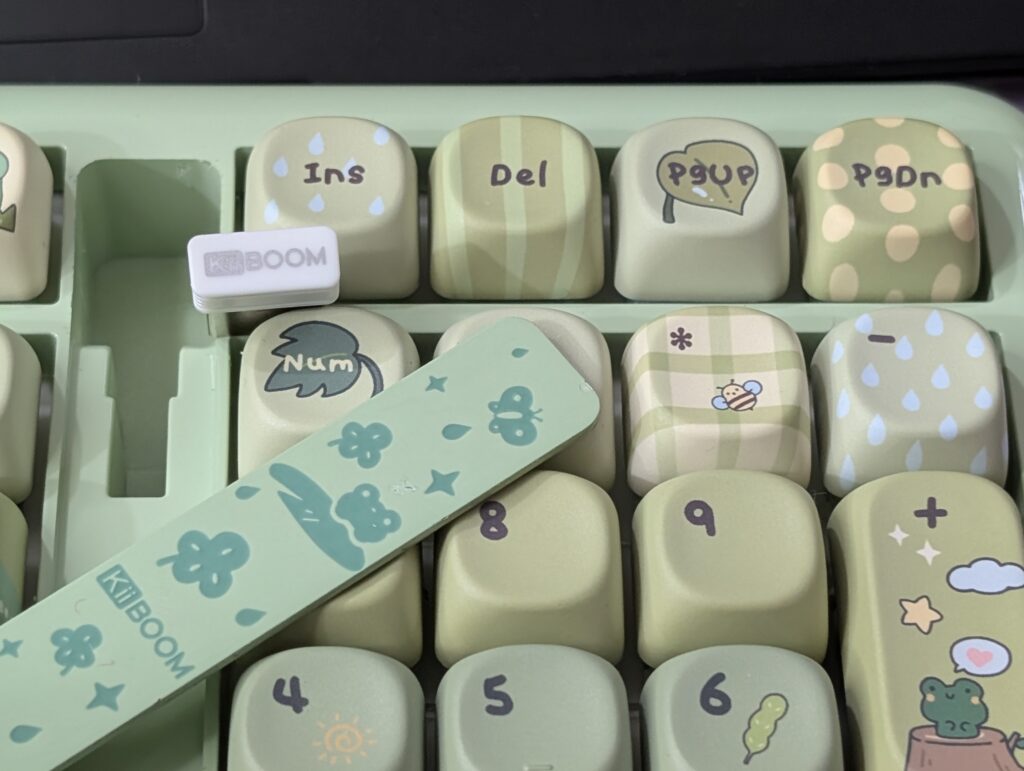
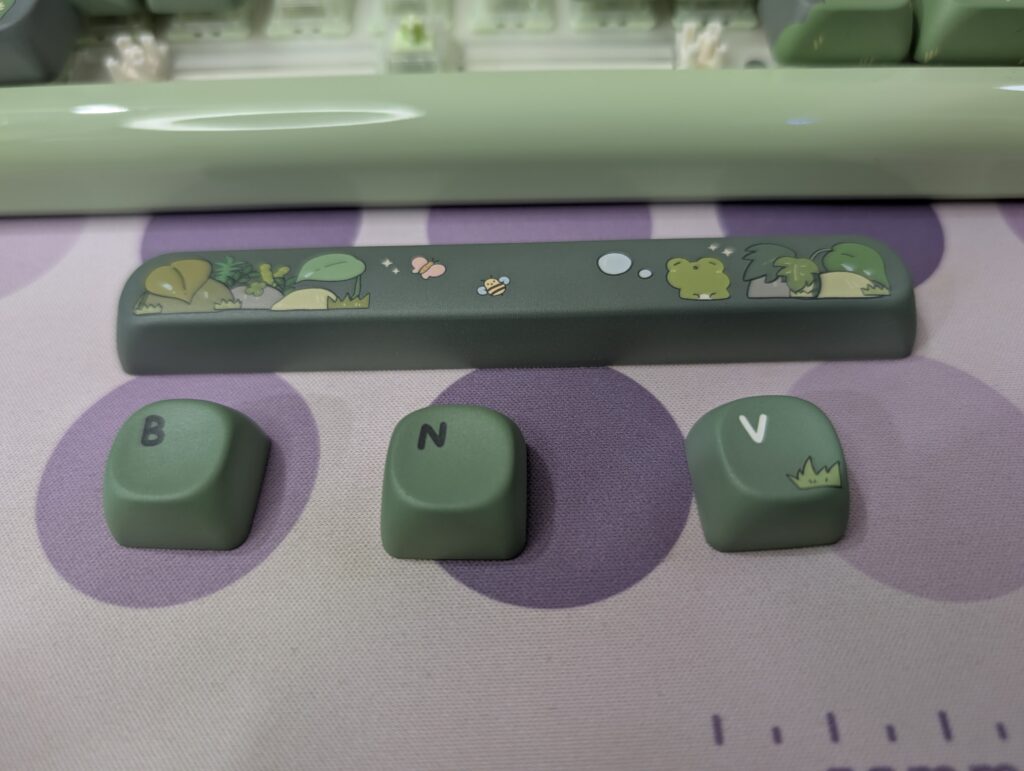
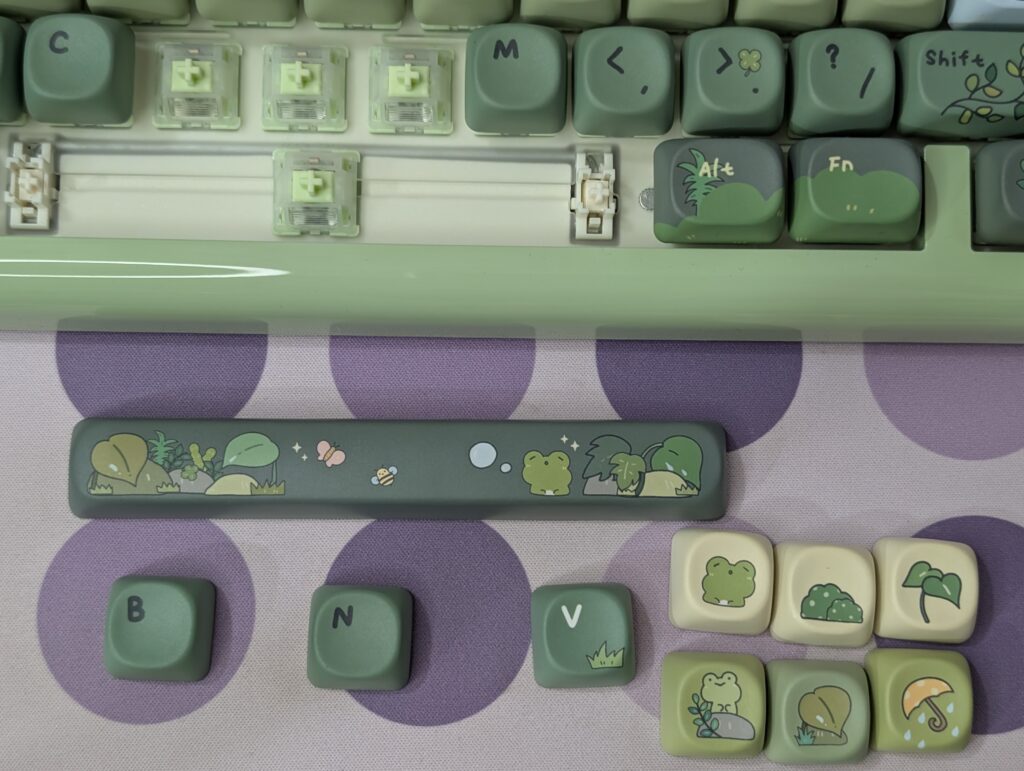
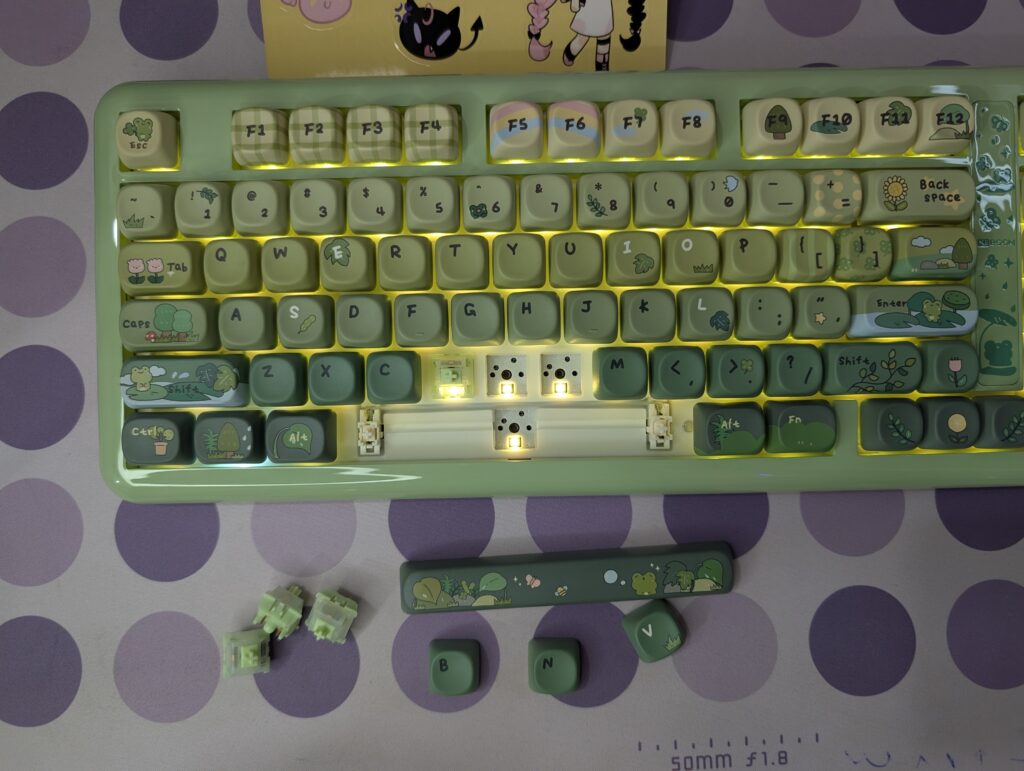
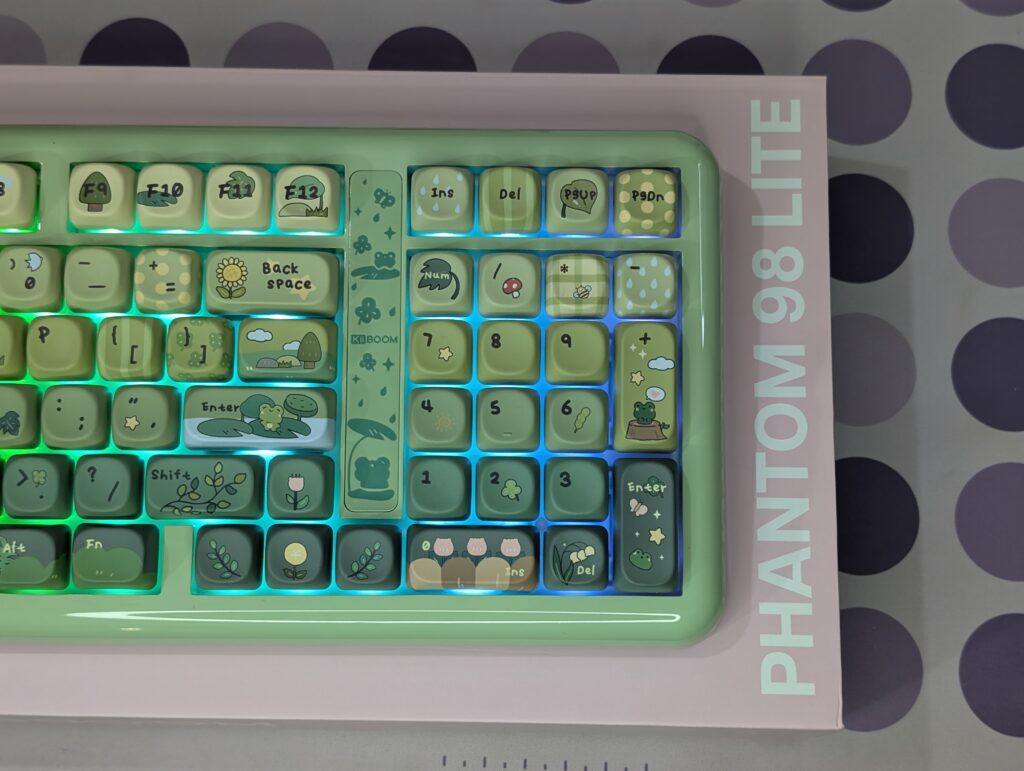
One of the biggest highlights is clearly the keycap design. The dye-sub PBT MOA keycaps look excellent in person. Many keys include small frog, flower, cloud, mushroom, and nature-themed artwork. Even keys like Enter, Shift, Backspace, and Tab have custom designs on them. The legends are clean and easy to read, while the themed artwork gives the keyboard a lot of personality.
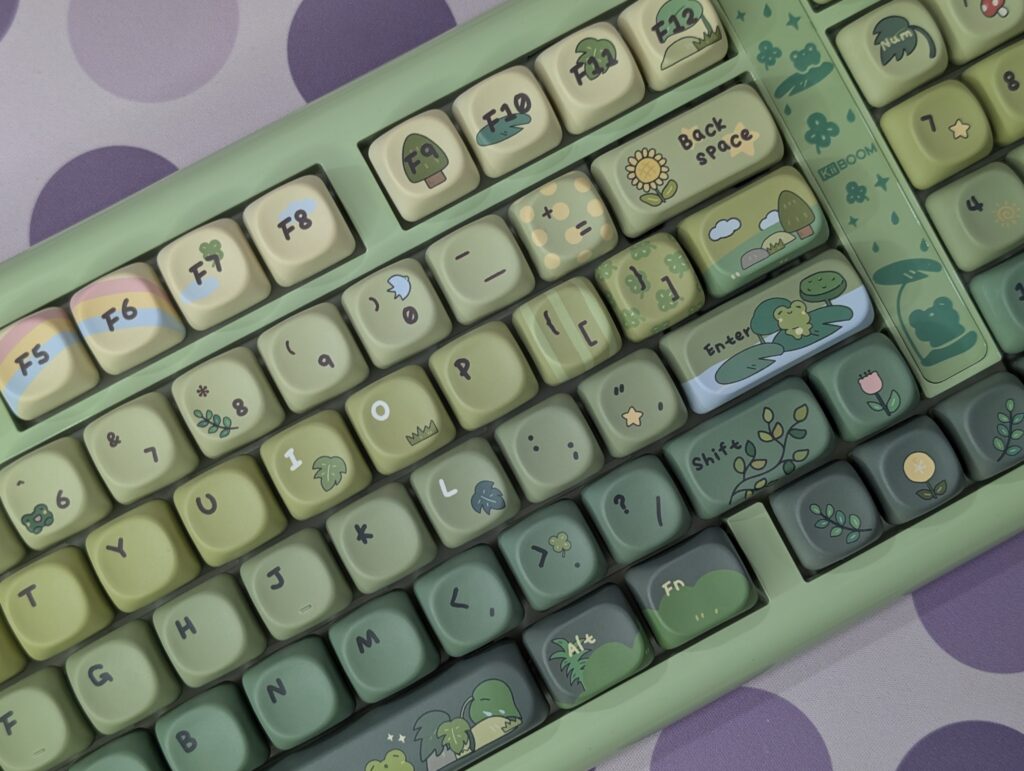
The side accent piece near the numpad also adds extra detail to the design. Small frog and rain graphics are printed there, helping the keyboard feel more unique. KiiBOOM clearly spent time designing every small part instead of using a simple colour swap.
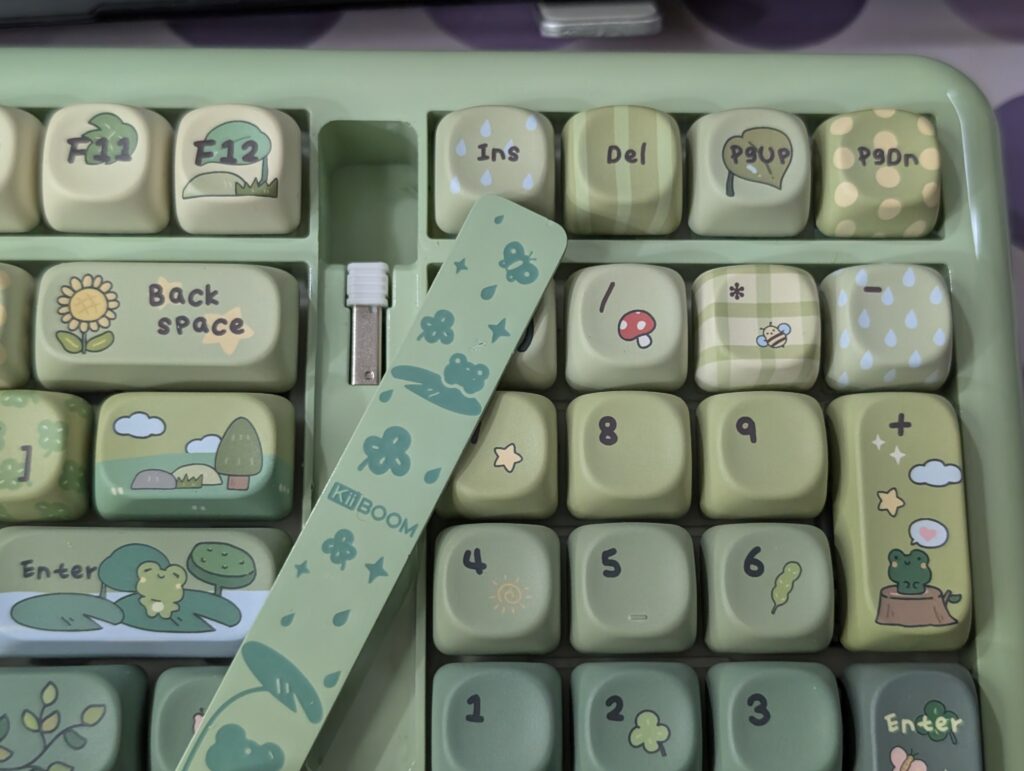
The storage area for the 2.4GHz dongle is placed between the numpad and Enter key area. KiiBOOM covered it with a themed metal plate that matches the overall keyboard design very nicely. The idea looks good visually, but I did face one issue here. The magnetic plate feels pressed very tightly. Normally, pressing the top side should lift the plate easily, but the magnet is quite hard, which made accessing the dongle more difficult than expected.
The bottom side of the keyboard keeps a very clean and smooth design, similar to the rest of the keyboard body. KiiBOOM added dual-stage adjustable kickstands for different typing angles. In the centre, there is also a small nameplate with basic keyboard information printed on it.
Switches and keycaps
The KiiBOOM Phantom 98 Lite that I tested came with the Mossy Silent switches. These switches feel light and smooth while typing. The operating force is 37gf, and the bottom-out force is 43gf, so the keys do not feel heavy during long typing sessions. The switches also stay very quiet, which makes the keyboard comfortable to use in shared rooms or at night.
The typing experience felt soft and consistent. Key presses were smooth from start to finish, and the silent design helped reduce unwanted noise. The total travel distance is 3.6mm with a 2.0mm pre-travel distance, which gives the keyboard a balanced feel for both gaming and daily work.
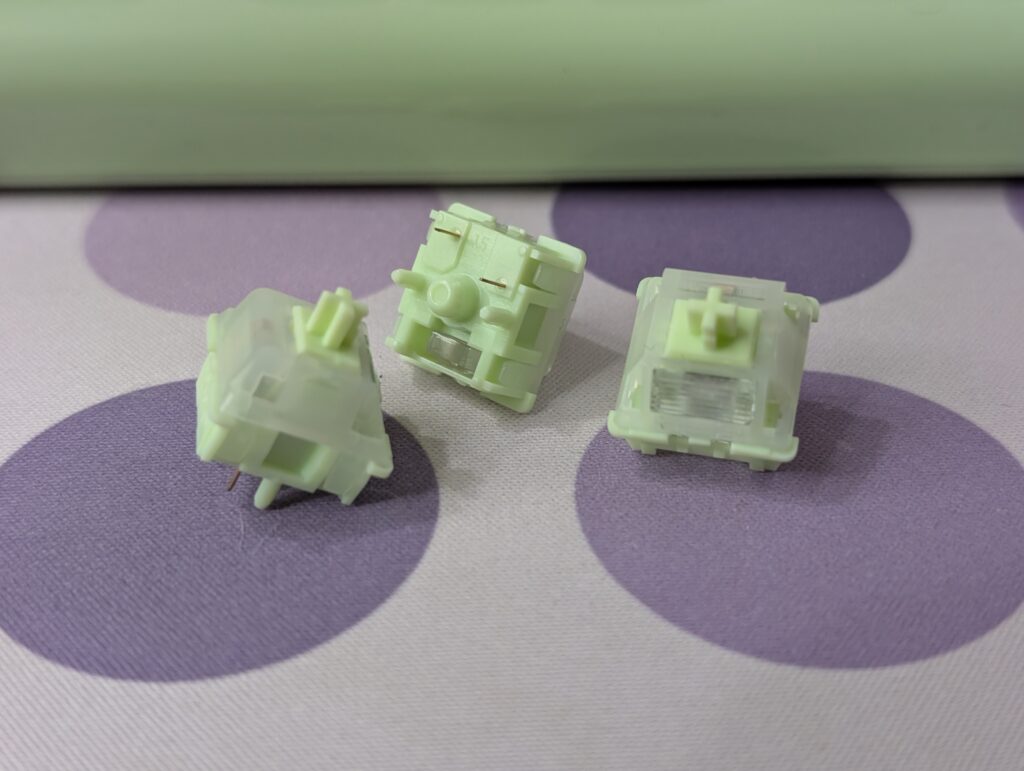
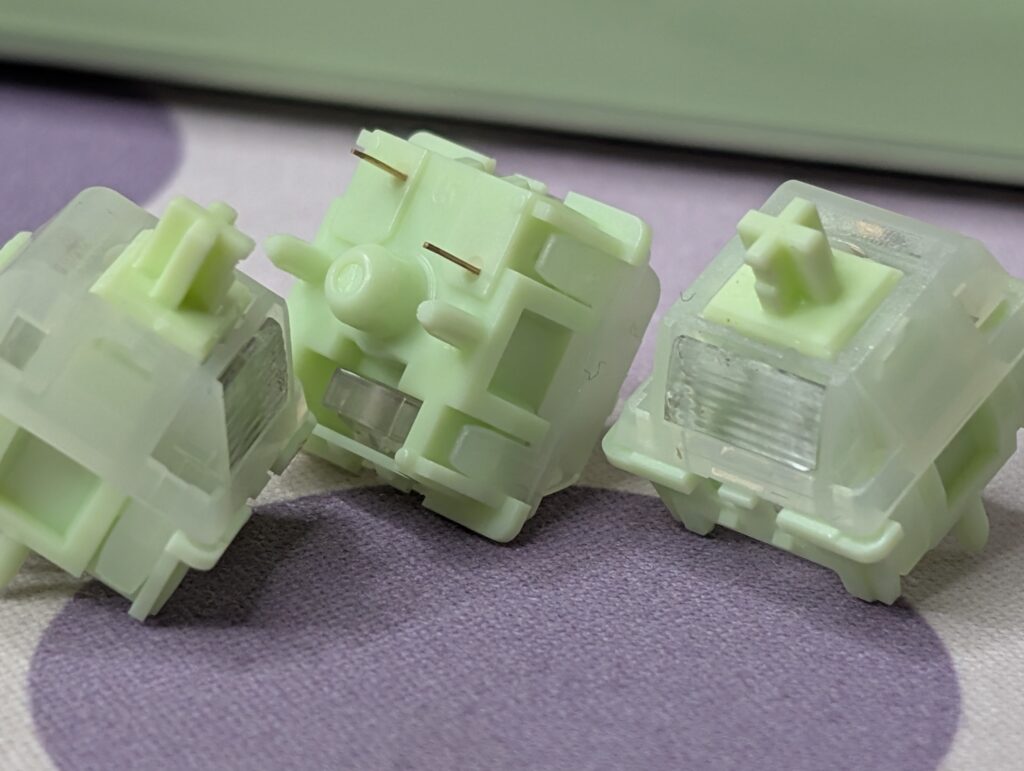
The keyboard uses a 97-key layout and comes with dye-sub PBT keycaps. The keycaps feel solid and better than cheap ABS keycaps often found on many keyboards. During use, the surface felt smooth but not slippery. The legends also looked clean and easy to read.
KiiBOOM has also used MOA profile keycaps here, which give the keyboard a unique and rounded look. Combined with the Rainy Frogy Day theme, the keyboard feels playful and different from standard gaming keyboards. The colours and artwork make the setup look more relaxing and fun without feeling too flashy.
Connectivity and battery
The KiiBOOM Phantom 98 Lite comes with three connection modes, including Bluetooth 5.0, 2.4GHz wireless, and USB Type-C wired mode. During testing, switching between modes felt simple and quick. The keyboard can also connect with multiple devices, which is useful for users who work between a PC, laptop, tablet, or other devices daily.
For gaming, I mostly used the 2.4GHz wireless mode and wired mode. Both felt responsive during gameplay and typing. The keyboard supports a 1000Hz polling rate in wired and 2.4GHz mode, which helps inputs feel fast and smooth. Bluetooth mode is slower with a 125Hz polling rate, but it still works fine for casual work and normal daily use.
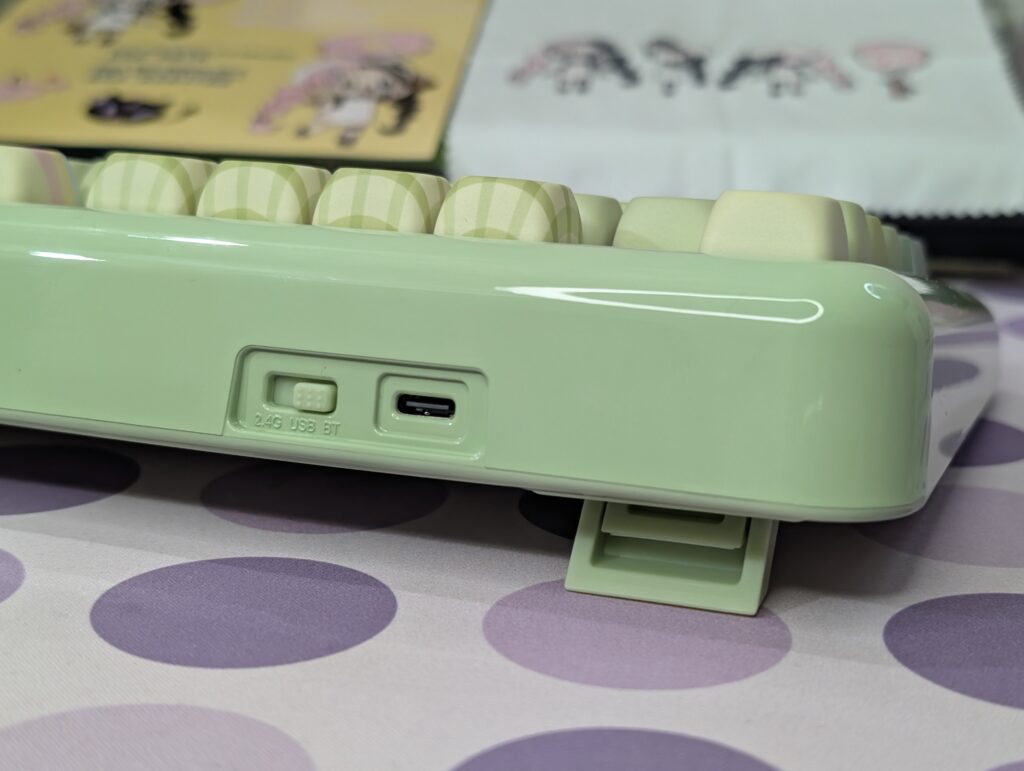
Latency was also good in my experience. Wired mode offers the fastest response at 3ms, while the 2.4GHz mode stays very close at 5ms. Bluetooth mode has higher latency at 15ms, so it is better suited for office work, media use, or casual typing instead of competitive gaming.
Battery life is another strong point of this keyboard. The large 8000mAh battery easily lasted for days during my use without needing frequent charging. Even with RGB lighting enabled, battery performance felt reliable. For users who prefer wireless setups, the Phantom 98 Lite gives a very comfortable experience without constant charging worries.
User Experience
Using the KiiBOOM Phantom 98 Lite daily felt comfortable from the start. The 96% layout gives almost everything from a full-size keyboard but takes less desk space. I did not feel like I was missing any important keys during work or gaming. The compact design also made my setup look cleaner.
The tri-mode connectivity worked well during testing. Switching between devices was simple, especially when moving from PC to tablet. The large 8000mAh battery also helped a lot because I did not need to charge the keyboard again and again after a few days of use.
One thing that stood out quickly was the typing sound and feel. The gasket mount design with multiple foam layers gives the keyboard a soft and slightly muted sound. It does not sound hollow or overly loud. The typing feel is smooth and consistent, especially for long writing sessions.
The Mossy Silent switches were also interesting to use. They feel light and smooth, but the biggest difference is the low noise level. Even during fast typing, the keyboard stayed very quiet. This makes it a good choice for shared rooms, office work, or late-night gaming sessions where loud switches can become annoying.
I also liked that the keyboard supports hot-swapping. Many users buy one keyboard and later want a different typing feel. Here, switches can be changed easily without soldering, which makes future customization much simpler.
The south-facing RGB lighting looked clean and bright in darker rooms. The lighting is not too aggressive, and the effects spread evenly across the keyboard. VIA software support is another useful feature because it allows key remapping and custom shortcuts without much trouble.
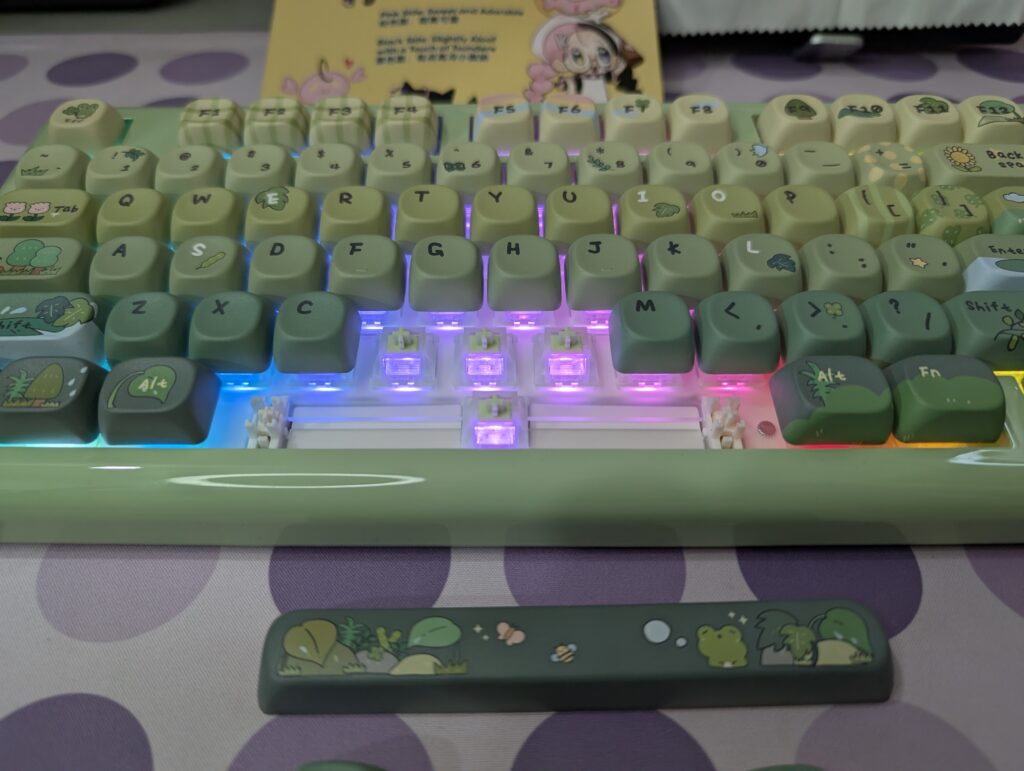
The Phantom 98 Lite feels more focused on giving a balanced daily experience instead of just chasing flashy features. It is quiet, comfortable, easy to use, and works well for both gaming and productivity.
Final Verdict
The KiiBOOM Phantom 98 Lite left a very good impression during my time with it. It looks unique, feels comfortable to type on, and comes with useful features for both gaming and daily work. The gasket mount design, silent switches, and foam layers help give the keyboard a soft and quiet typing experience. The battery life was also reliable, and the tri-mode connectivity worked without issues.
The Rainy Frogy Day theme is easily one of the biggest highlights of this keyboard. The MOA keycaps, soft colours, and small design details make it stand out from many other keyboards in the market. It feels fun without looking too childish, and it gives the setup a calm and clean look.
There was only one thing I did not fully like. The storage area for the 2.4GHz dongle uses a very strong magnetic plate. Removing the plate sometimes felt difficult and less convenient than it should be. It is a small issue, but something worth mentioning.
Other than that, I honestly enjoyed using this keyboard. The typing feel was smooth, the sound was pleasant, and the silent switches worked very well for long sessions. For users who want a compact keyboard with good looks, quiet typing, and strong customization options, the Phantom 98 Lite is a very solid choice.
Because of its unique theme and overall presentation, I would also like to give the KiiBOOM Phantom 98 Lite Design Award.