













Kiiboom Phantom81 Lite review – a lovely mix of design and comfort

Kiiboom is back again, and once more it doesn’t disappoint. Their keyboards always stand out from the rest, and the Phantom81 Lite is no different. This 75% gasket-mounted mechanical keyboard has been on my desk for about two weeks, and it’s been a joy to use. It delivers that deep thocky sound every keeb lover enjoys, paired with a cute, “yummy” keycap theme that instantly brightens the setup.
Built with premium ABS plastic and advanced UV technology, the Phantom81 Lite feels solid and looks stunning. The ABS build keeps it safe from scratches, while the UV coating makes the colours pop and protects them from fading. It’s a perfect mix of strength, style, and sound exactly what you’d expect from Kiiboom.
Unboxing
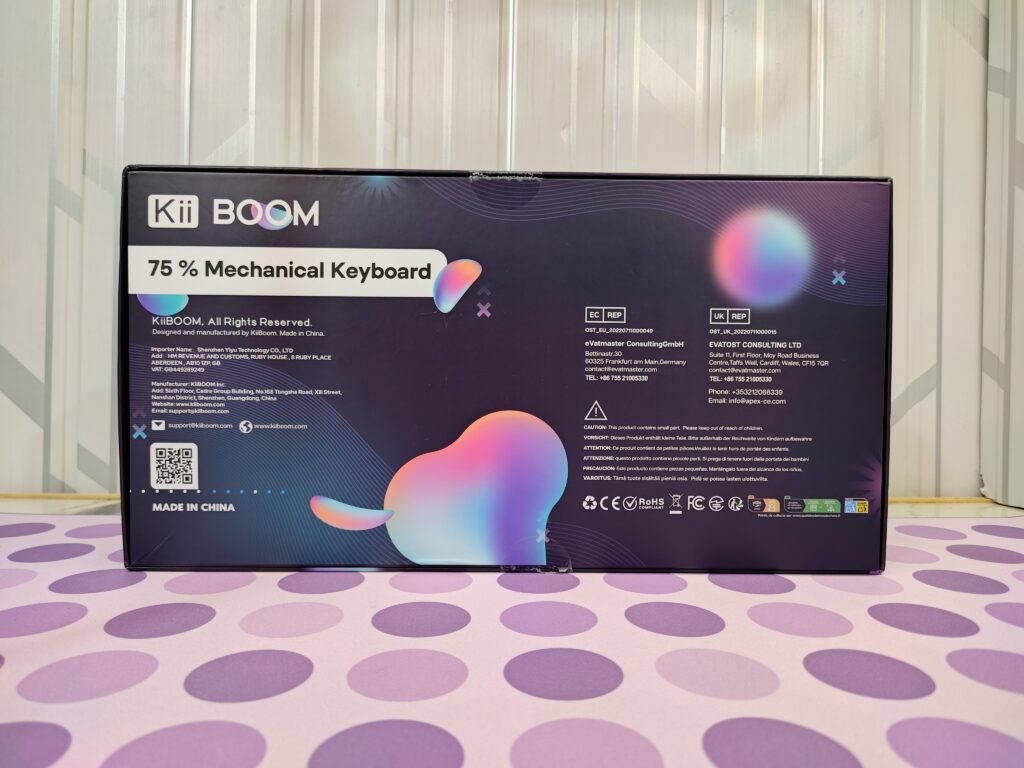
Talking about the unboxing, the Kiiboom Phantom81 Lite comes in a sturdy cardboard box, and as always, the quality is impressive just what we expect from Kiiboom. The front looks modern and colourful, with a deep purple background and shiny pink, blue, and purple shades giving it an RGB glow. The Kiiboom logo and Phantom81 Lite name stand out clearly, along with the main features and a clean keyboard sketch in the centre.

The back keeps the same dark theme but includes all the important details like maker information, support email, QR code, and safety logos such as CE, RoHS, and FCC. Overall, the box looks premium and gives a great first impression right from the start.
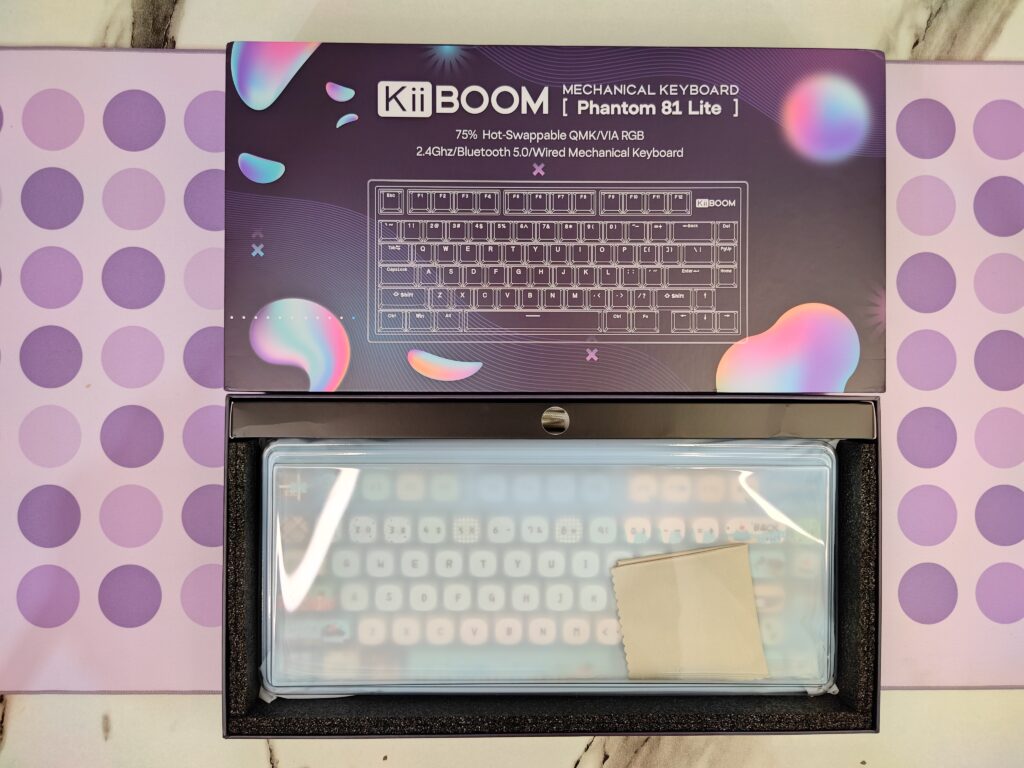
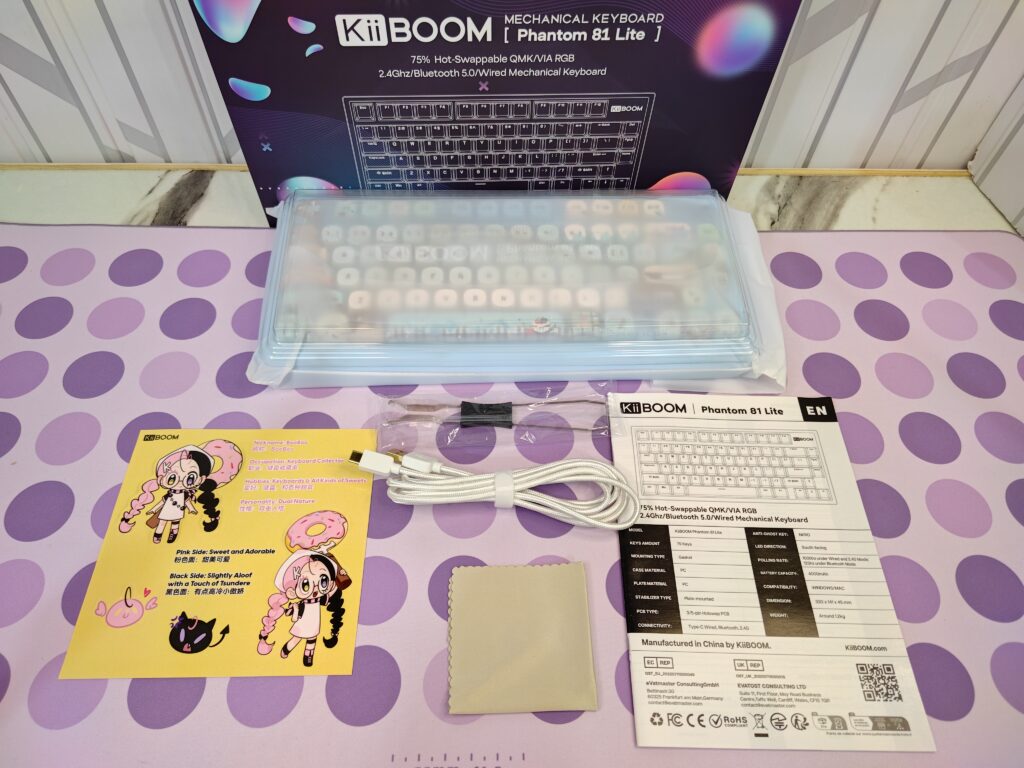
When you open the box, you get a microfiber cloth, and the keyboard comes inside a dust cover. At the back, there is a long section for accessories, which includes the cable and a keycap puller. The box also has a user manual and an introduction card for the Kiiboom Booboo character.
Pricing
| KiiBoom Official Store | $105.99 (Buy Now) |
KiiBoom Phantom 81 Lite specifications
Also read: KiiBOOM Breeze 75 Review: A stunning keyboard with smooth typing
A closer look
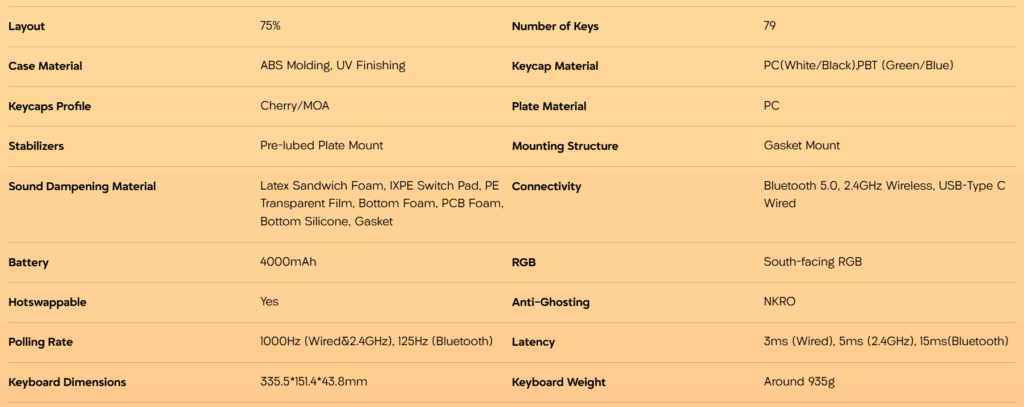
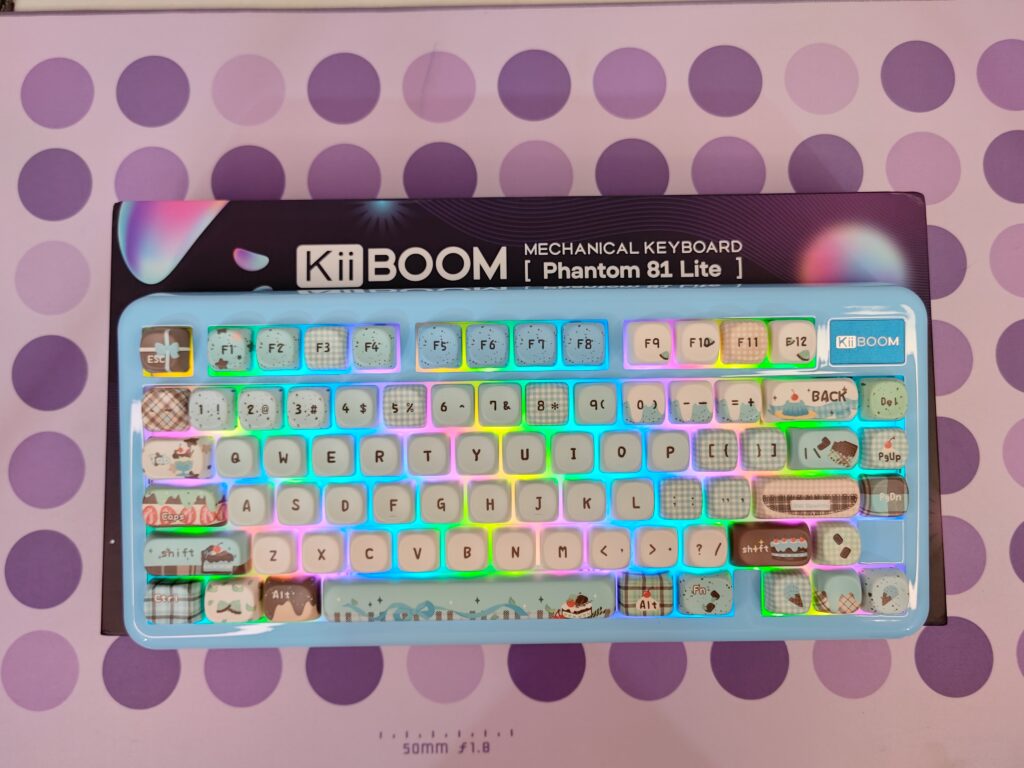
The Kiiboom Phantom81 Lite is part of the well-known Phantom series and comes in four colours white pink, black, green, and blue. We are checking out the blue one. It has a 75% layout with 79 keys, which means it’s small but still has all the useful keys like arrows and the function row. The keyboard is made of strong ABS plastic with a UV finish that gives it a smooth and shiny look. It weighs around 935 g and feels solid on the desk.
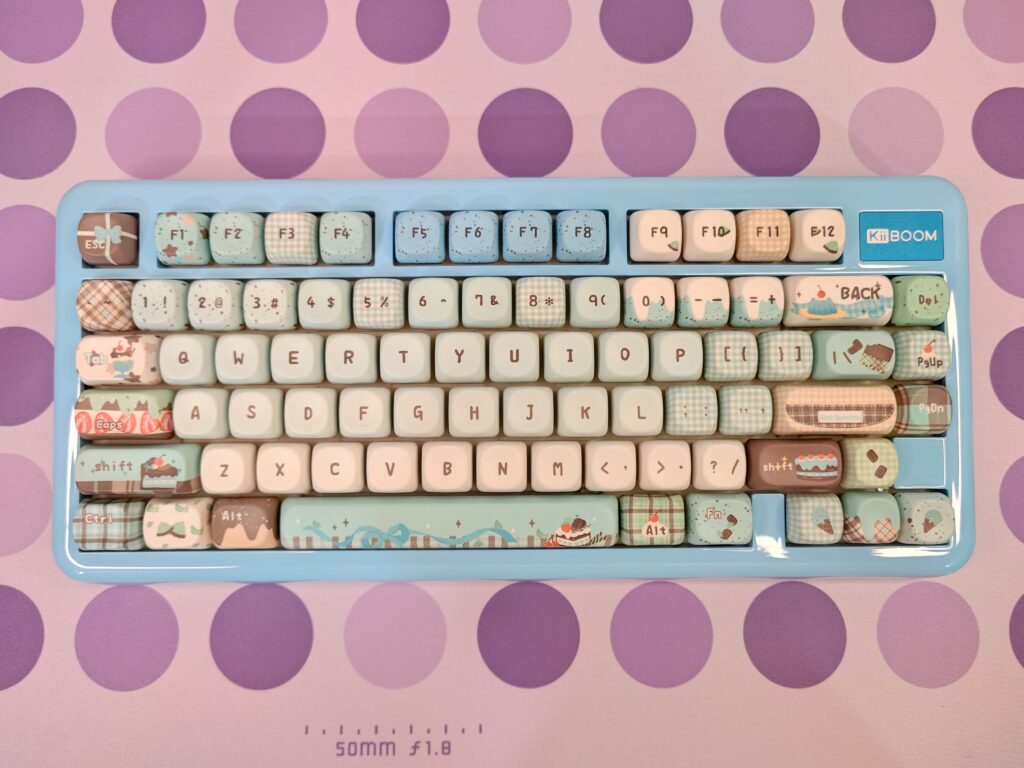
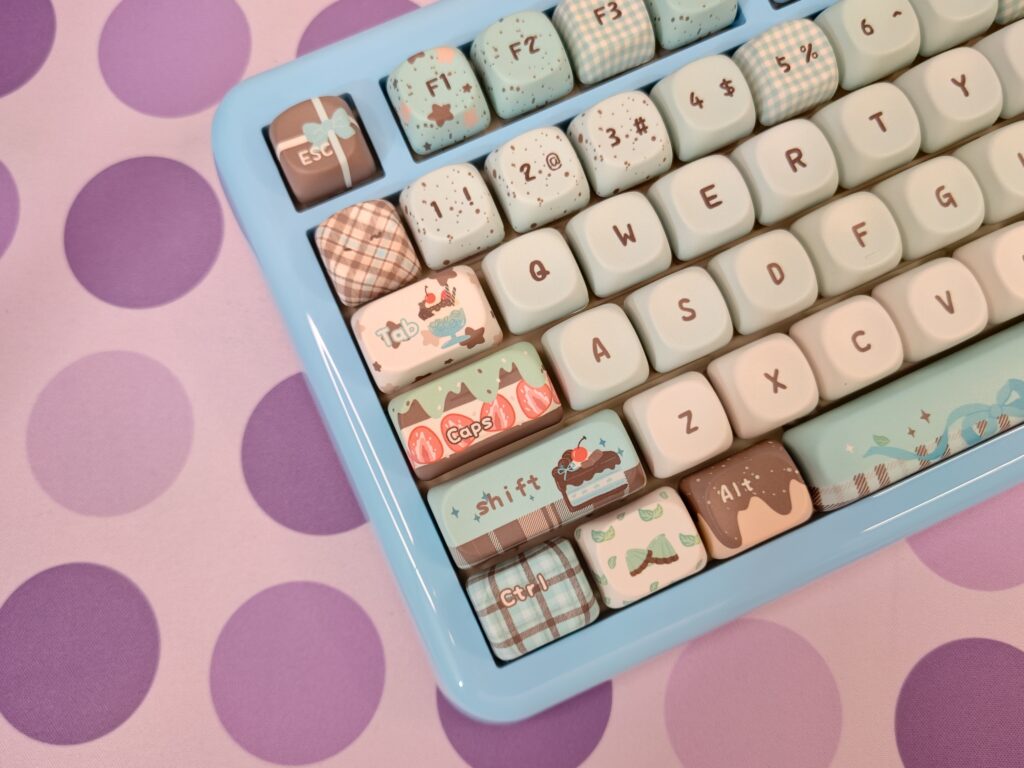
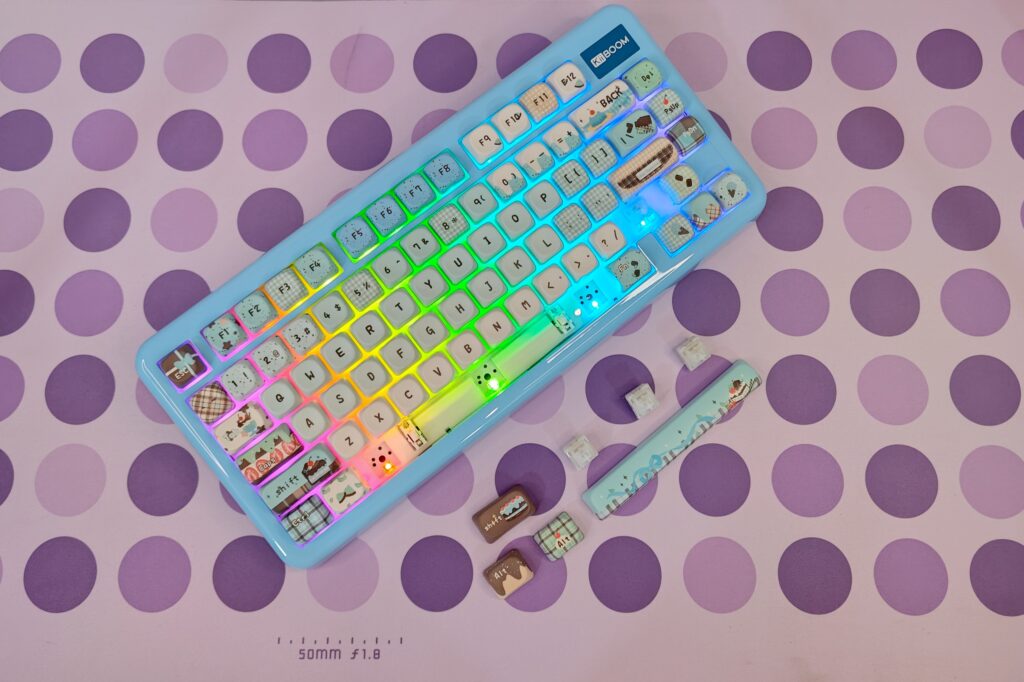
The Phantom81 Lite looks fun and eye-catching. The light blue case matches perfectly with the “Chocolate Factory” keycap theme. The keycaps use soft pastel colours like blue, cream, mint green, and brown with cute patterns of chocolates, cakes, and ribbons. Some keys have special designs the Esc key looks like a small gift, the Enter key looks like a chocolate bar, and the spacebar shows a lovely dessert scene. The main letters are clear and easy to read.
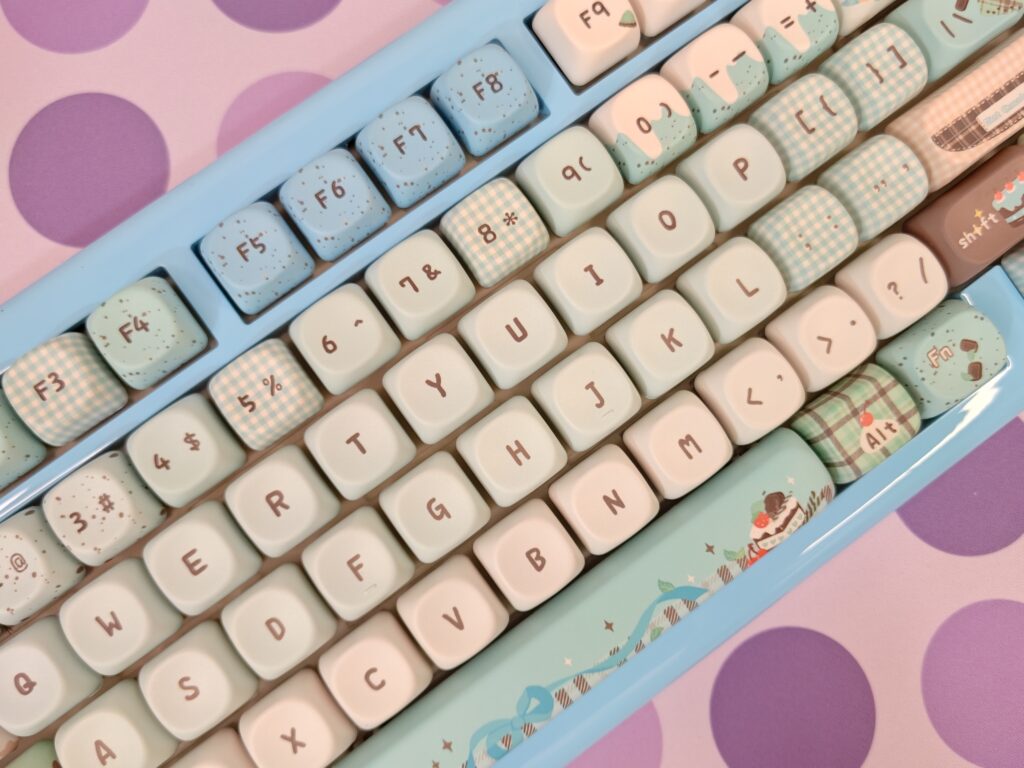
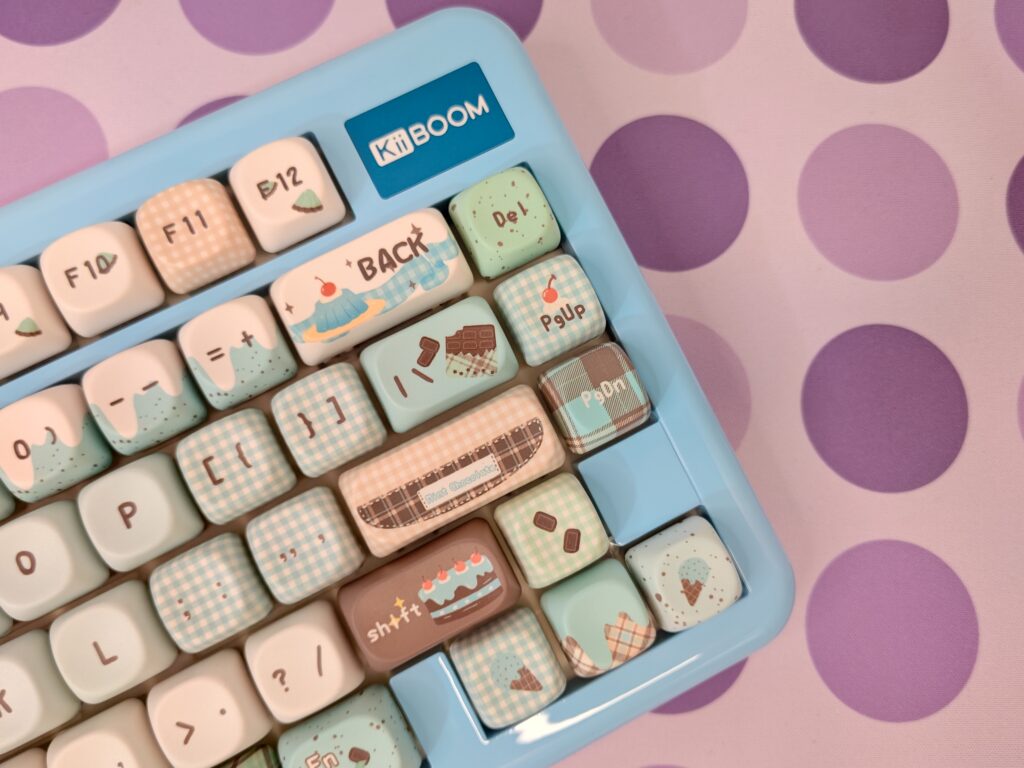
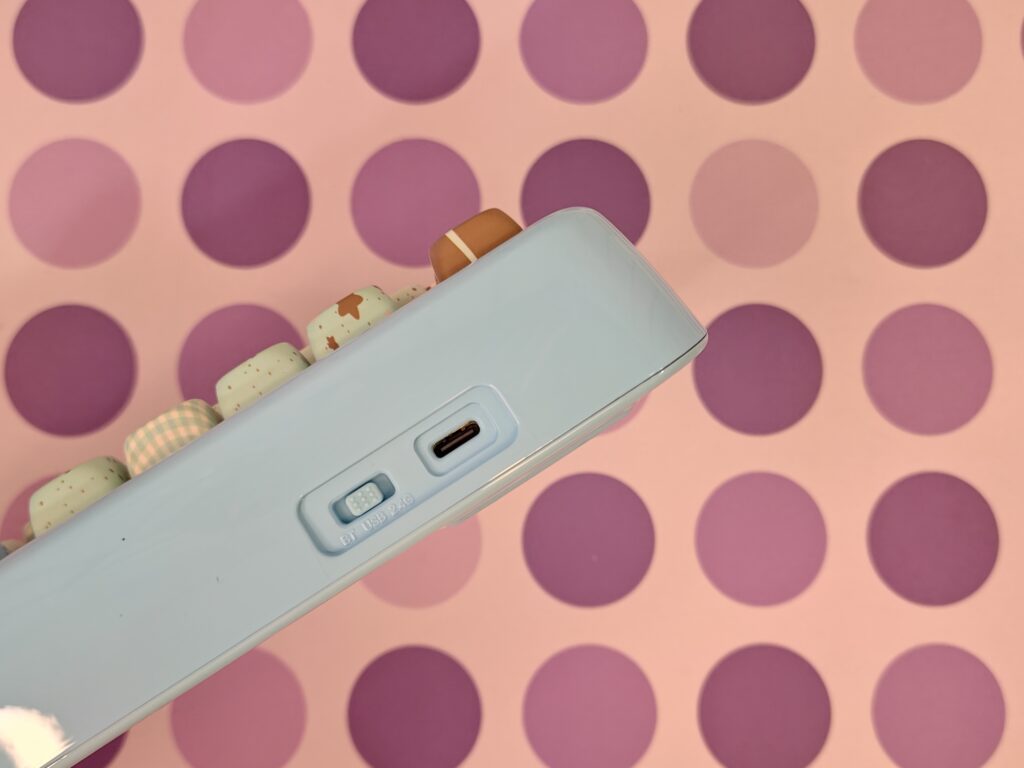
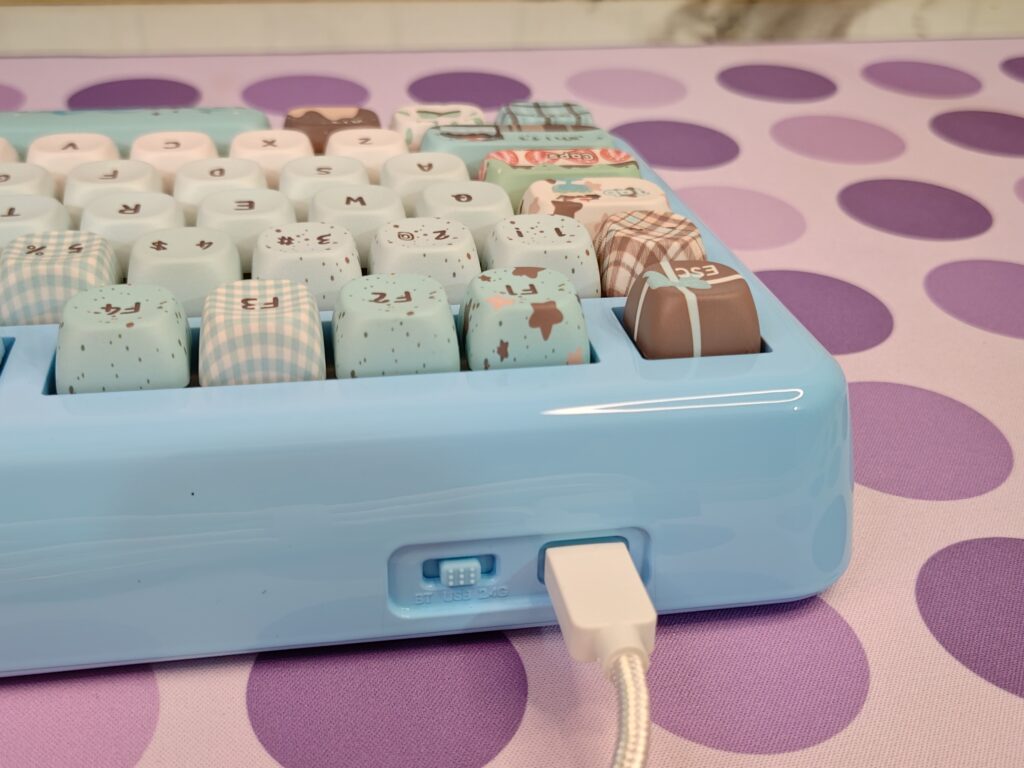
On the side, you can see a USB Type-C port and a switch for Bluetooth, USB, and 2.4 GHz wireless modes. It’s a cute, colourful, and stylish keyboard that’s also very easy to use.
The bottom of the Phantom81 Lite keeps the same light blue look as the rest of the keyboard. In the centre, there is a small plate that shows the main product details, like the model name, battery size (4000mAh), and the triple-mode support Bluetooth, 2.4G wireless, and USB wired.
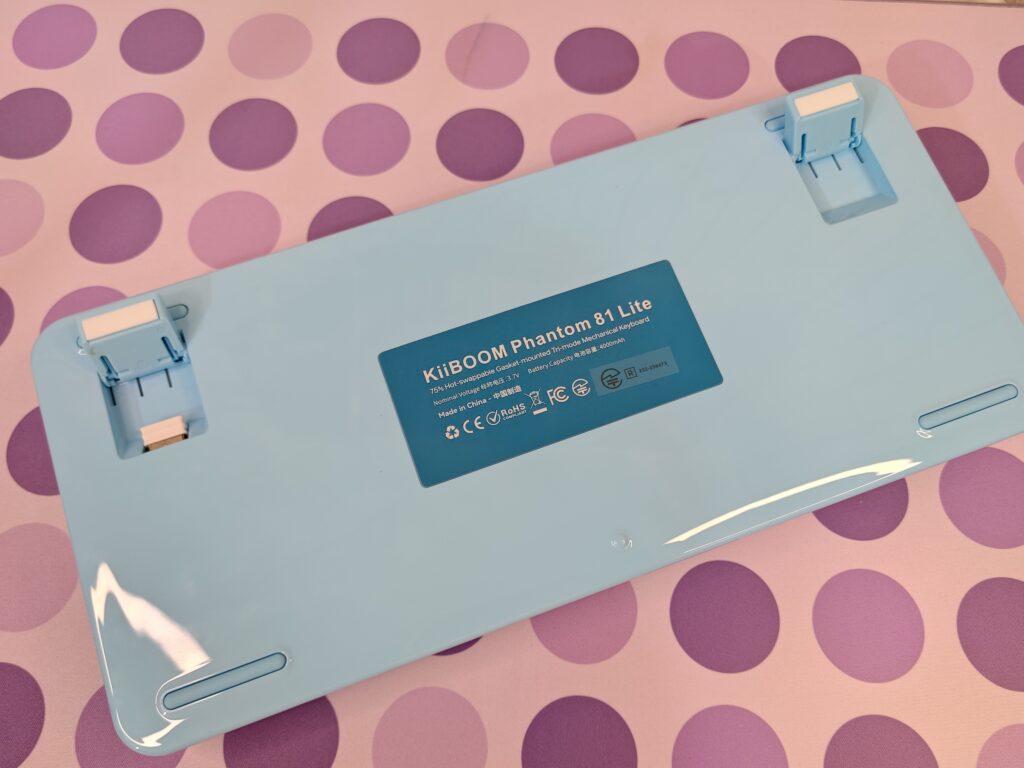
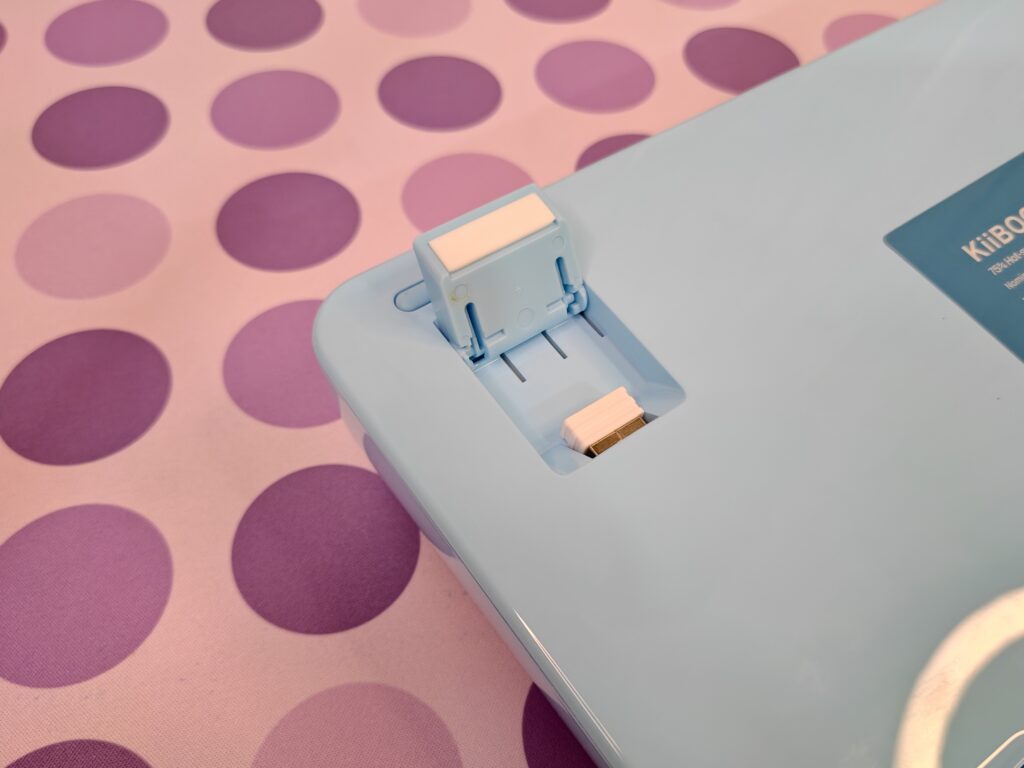
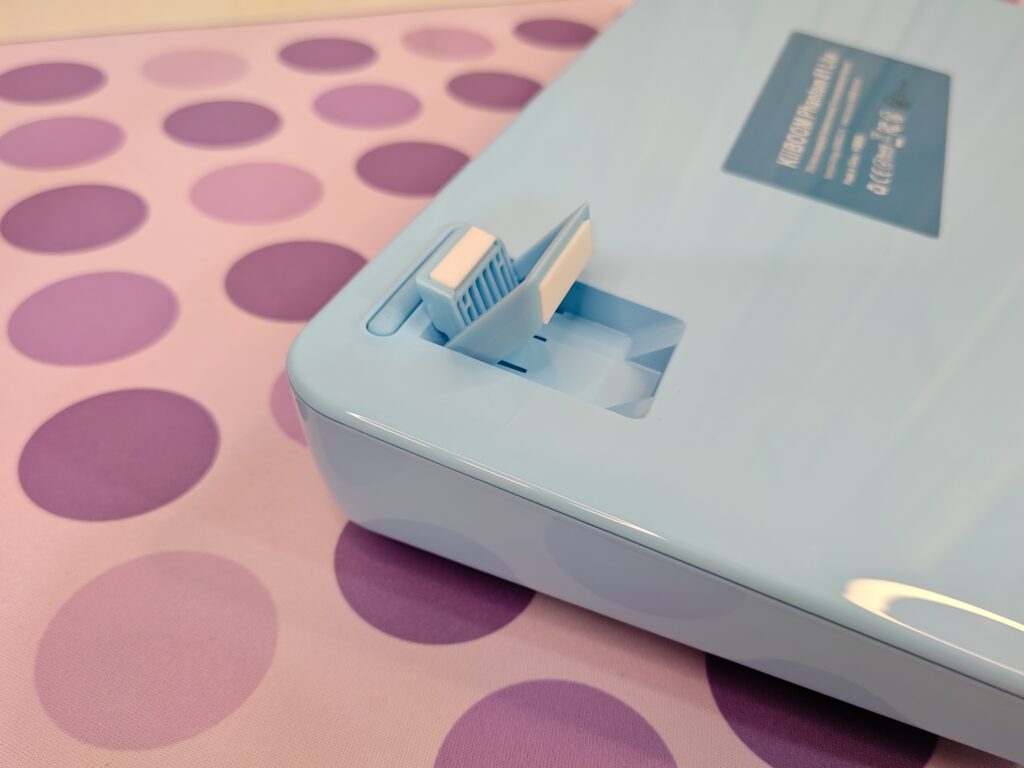
The design is simple and neat. You get two adjustable feet, so you can choose the typing angle that feels best. The feet have rubber tips to stop the keyboard from sliding, and one of the kickstands also includes a small slot to store the 2.4G dongle safely. There are long rubber pads on the bottom as well, which help keep the keyboard steady on the desk. The whole underside is clean, smooth, and matches the same soft blue colour.
Keycaps
The Kiiboom Phantom81 Lite comes with MOA and Cherry profile keycaps. The unit I am using has the Blue MOA keycaps, and there is also a Green MOA option if you prefer another colour. The MOA profile is a bit taller and rounder, which gives each key a soft and smooth press. The keycaps are made from PBT, so they are strong, long-lasting, and do not get shiny over time. With 79 keys, the full set looks neat, colourful, and ready for daily use.
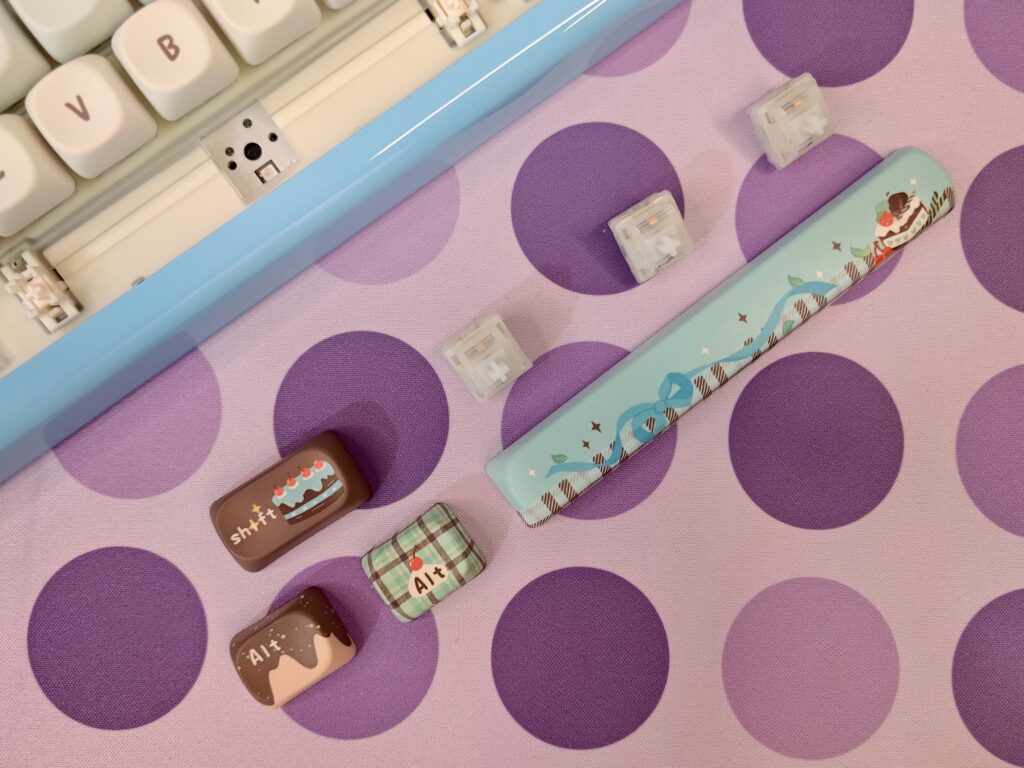
The keycaps have a cute dessert theme, which gives the keyboard a warm and friendly look. The colours match the light blue case nicely, with pastel shades like mint, cream, blue, and brown. Many keys have small drawings of cakes, chocolates, sprinkles, or simple patterns, making the whole keyboard look cheerful and fun.
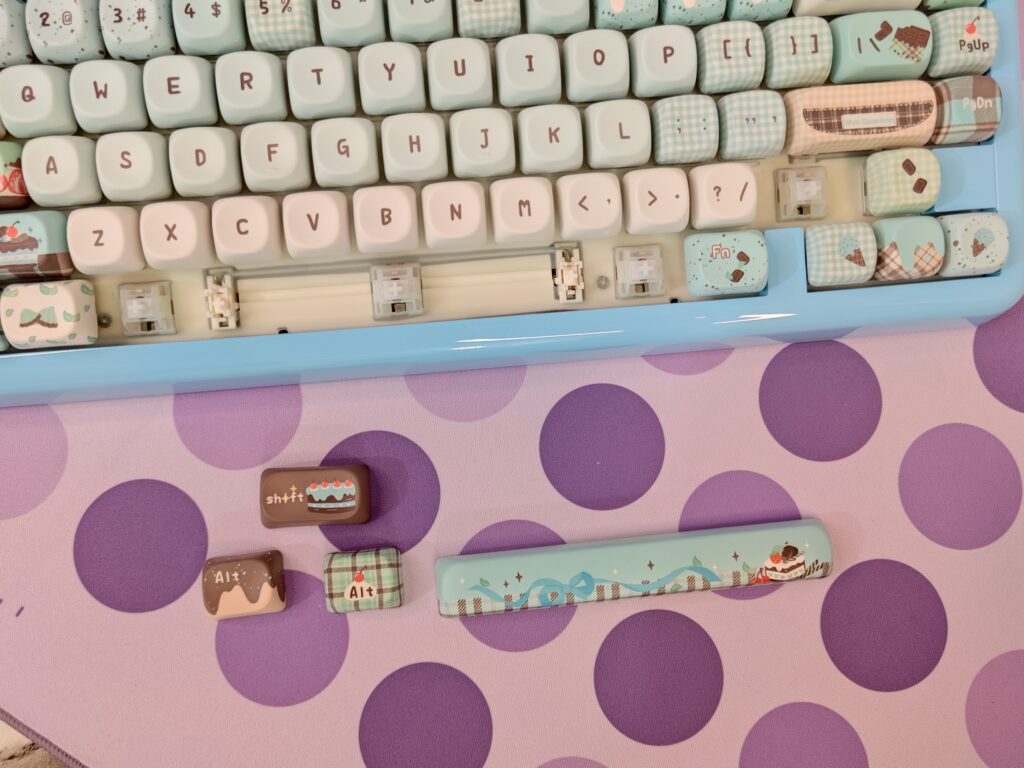
The legends are very clear. The main keys have simple writing in the centre, so they are easy to read. The function and modifier keys have more artwork, but the symbols still stand out well. Keys like the gift-box Esc key or the chocolate-bar Enter key add extra charm without hurting usability.
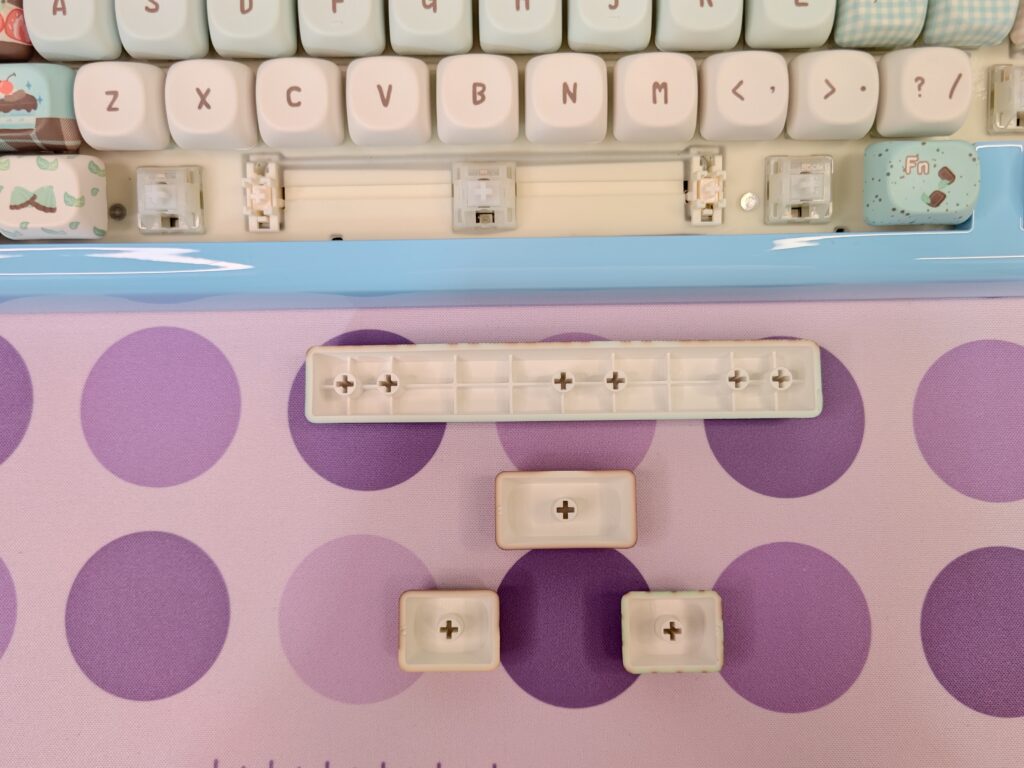
Overall, the keycaps look bright, cute, and well designed. They offer a nice mix of clear legends and playful art, making the keyboard both pretty and easy to use.
Switches
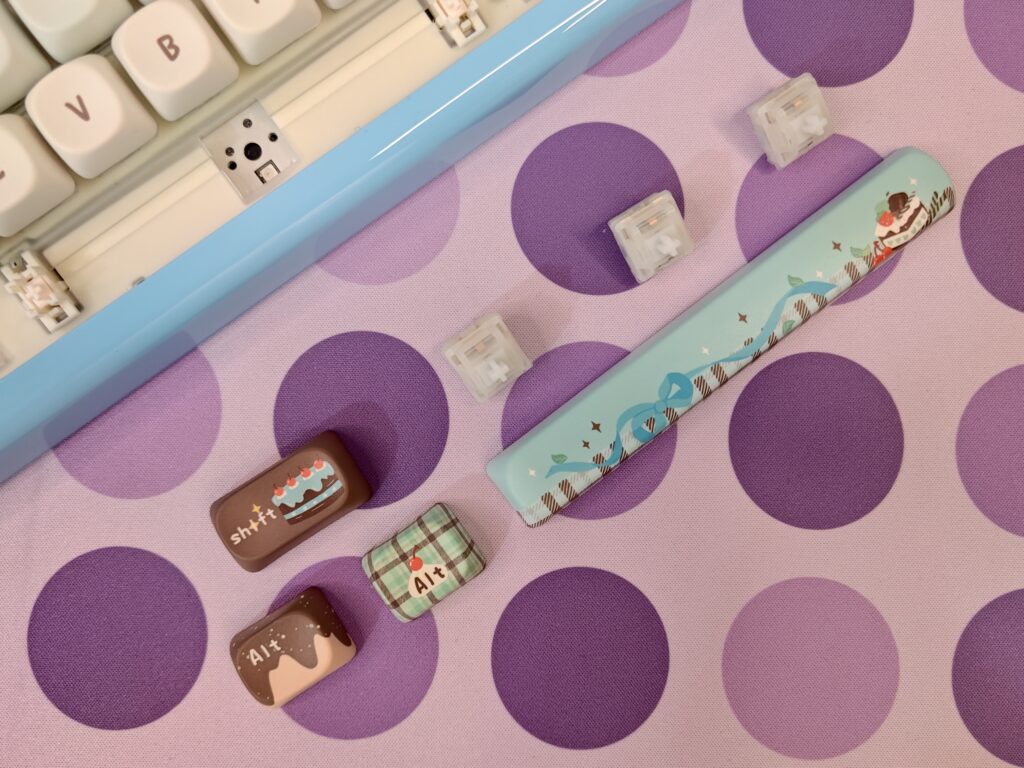
The Phantom81 Lite uses KiiBOOM Mochi linear switches, which are known for their soft and creamy feel. They offer a smooth typing experience with no scratchiness and no bumps, making every keypress feel easy and natural. The switches have an actuation travel of 2.0±0.4mm, a total travel of 3.5±0.3mm, and an actuation force of around 40±5gf. They bottom out at about 45gf and are rated for up to 50 million presses, giving you great durability. Overall, these linear switches deliver a gentle, satisfying sound and a very enjoyable typing experience.
Also read: KiiBOOM Moonshadow V2 Prebuilt CNC Via Mechanical Keyboard Review
RGB lighting
The KiiBoom Phantom 81 Lite has bright RGB lights that make it look fun and attractive. The lights also improve the typing and gaming experience. The keyboard uses south-facing LEDs, which face down. This is good because it works with almost any keycap set and creates a nice underglow. The glow looks great with the clear plate and smooth switch sounds.
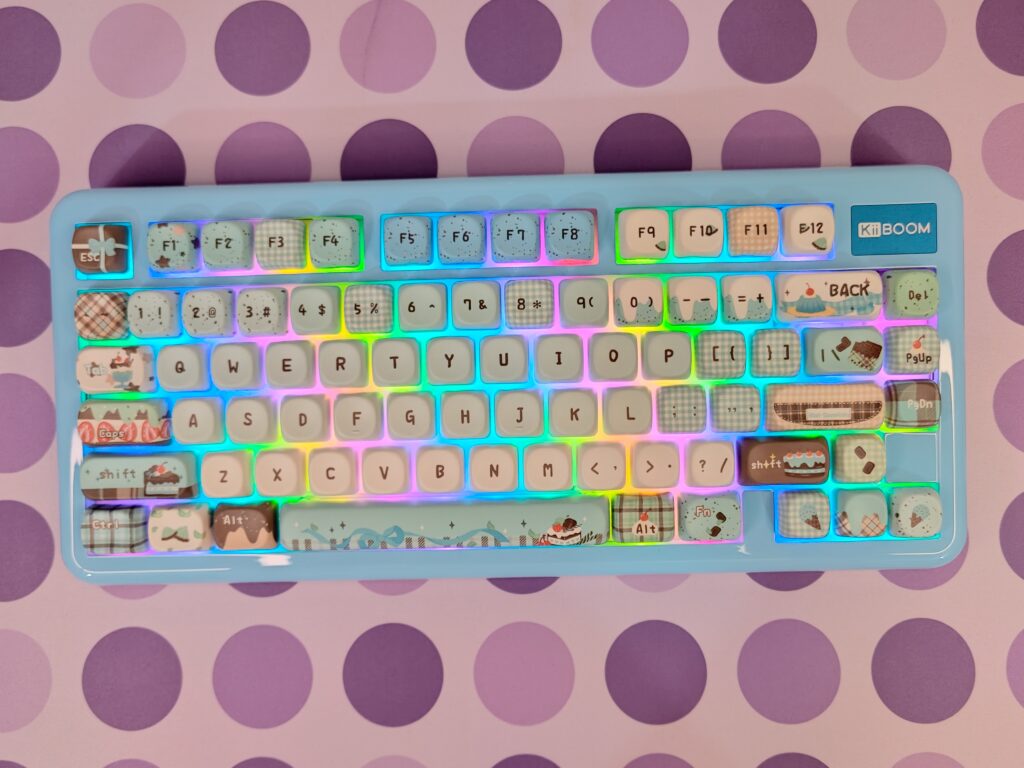
The RGB system has 16.8 million colors and is easy to control. You can use the Fn keys on the keyboard to change modes, adjust brightness, change effect speed, or pick colors. For advanced users, the keyboard supports QMK/VIA software. This lets you program keys, create custom lighting, and even sync lights with music or games.
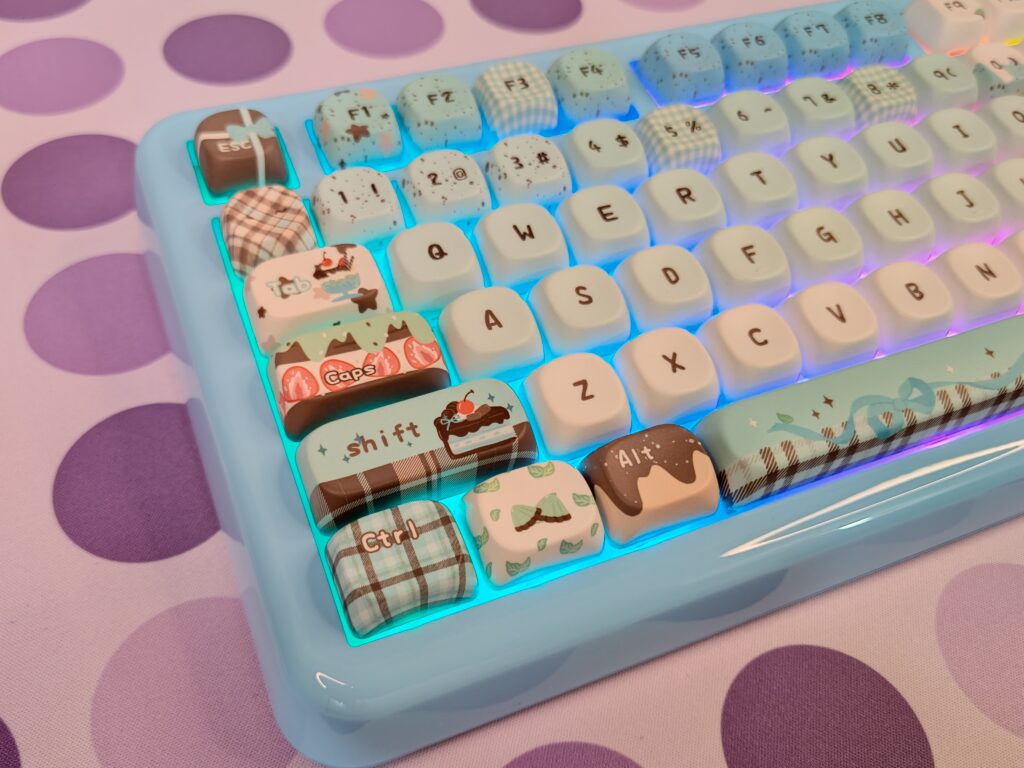
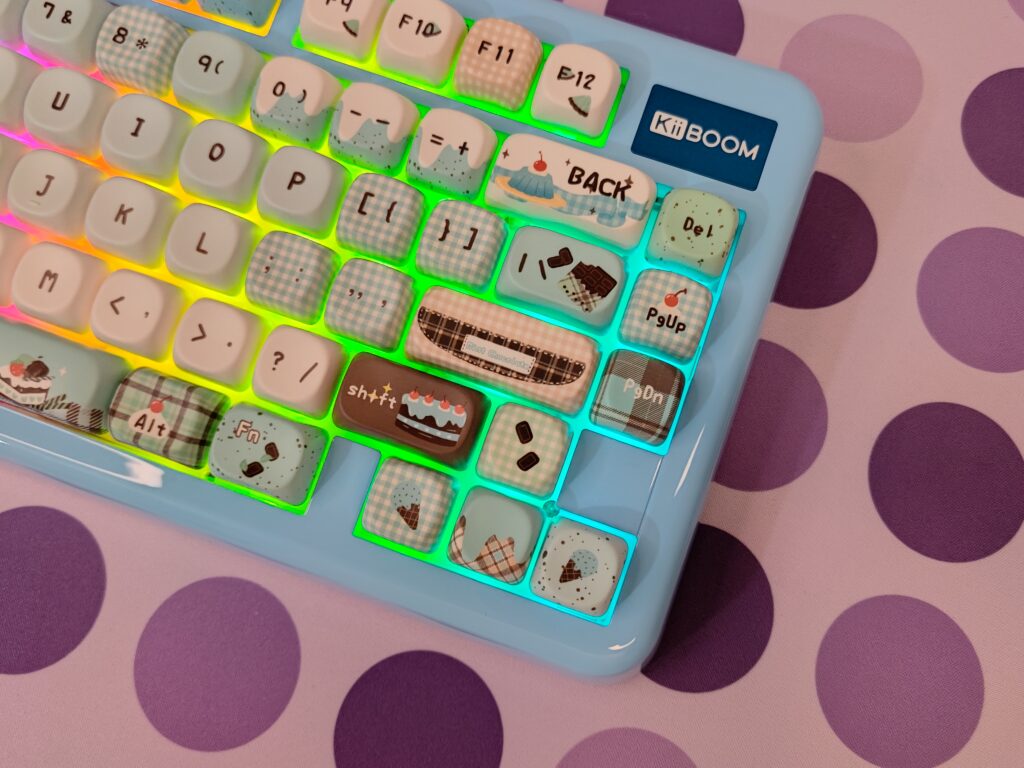
The lights make the “Chocolate Factory” keycaps really stand out. The rainbow glow matches the dessert theme and makes the keyboard both fun and stylish.
Connectivity & Battery
The KiiBoom Phantom 81 Lite is very flexible when it comes to connectivity. It works in three modes: wired via USB-C, 2.4GHz wireless with a dongle, and Bluetooth 5.0. You can easily switch between modes using a physical toggle switch. The keyboard can connect to up to five devices, making it easy to switch between a PC, Mac, tablet, or other devices.
It works well on Windows, Mac, and Linux, so it is great for work and gaming. The 4000mAh battery gives long usage in wireless mode, especially if the RGB lights are off or dim. The polling rates are fast: 1000Hz for wired and 2.4GHz, and 125Hz for Bluetooth. Latency is low, with wired at 3ms and 2.4GHz at 5ms, so gaming feels smooth and responsive.
KiiBoom Phantom81 Lite software
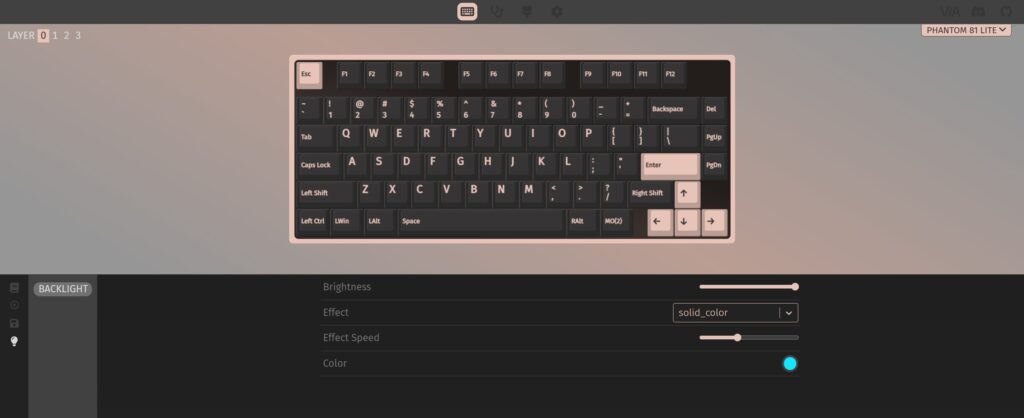
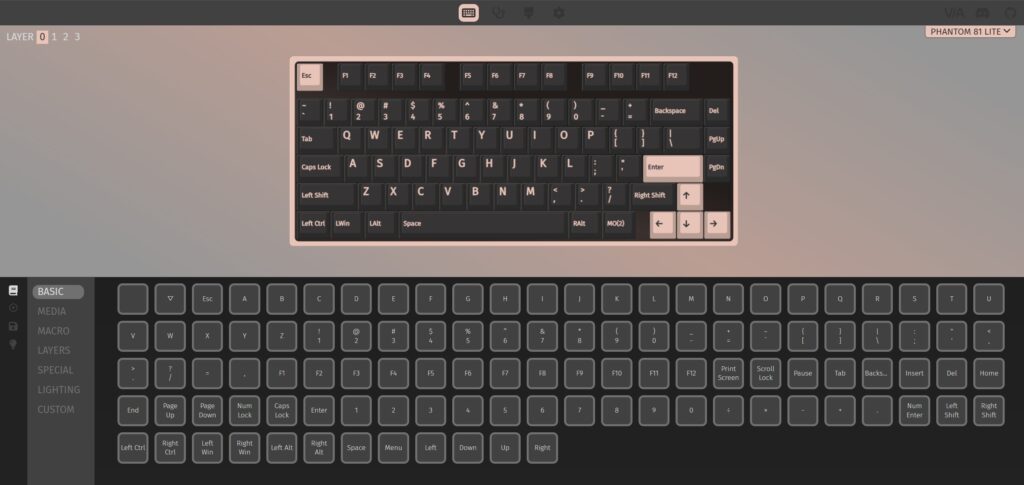
The Phantom81 Lite supports VIA, which is a big plus because many keyboards in this price range do not offer this feature. With VIA, you can change the keyboard the way you like without using any complicated software.
VIA is simple and works in real time when the keyboard is in wired mode. You can remap any key by just clicking and selecting a new function. This helps you build your own layout for Windows, Mac, work, or gaming. The keyboard also supports different layers, so you can add more functions without losing the clean 75% layout.
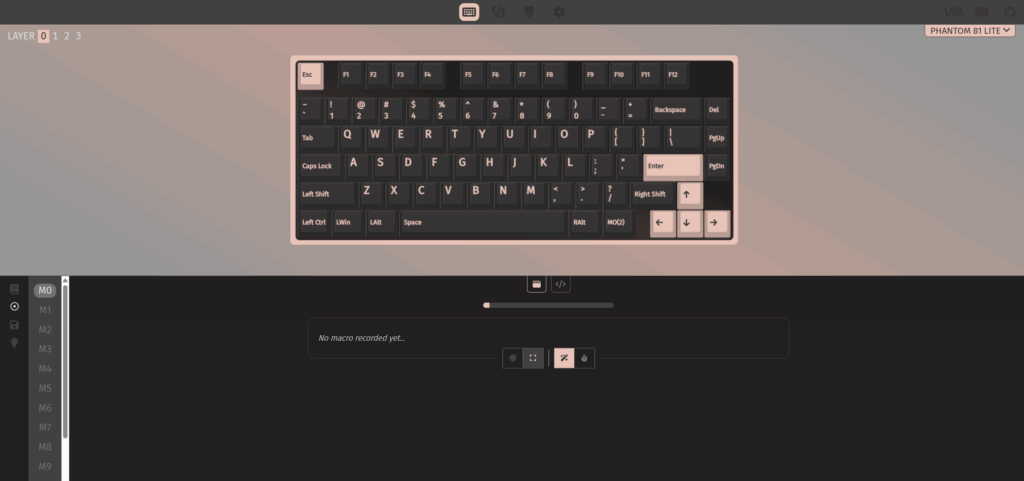
You can create macros too, which means you can make one key perform a full action or a long command. This is helpful for editing, coding, and gaming shortcuts. VIA also lets you adjust the RGB in more detail than the onboard shortcuts, including colours, speed, and lighting effects.
To use VIA, you only need to open the VIA app or web version and load the JSON file for the Phantom81 Lite from Kiiboom’s website. After that, the keyboard is detected right away, and your changes save instantly.
Overall, VIA support makes the Phantom81 Lite feel like an enthusiast keyboard, giving users full control, not just looks.
User Experience
Using the Phantom81 Lite in daily life feels smooth and enjoyable. The keyboard is light to carry, but it still feels strong on the desk. The gasket mount and soft plate give every keypress a gentle and cushioned feel, which makes typing for long hours comfortable. The sound is clean and soft, without any loud ticking or metal noise, so the keyboard feels premium even though it is budget-friendly.
The switches are responsive, and the stabilisers come pre-lubed, so the bigger keys like the spacebar and Enter sound steady and do not rattle. The RGB also looks very bright and even, and the transparent case lets the light spread nicely, giving a clean glow when you type at night.
Wireless use is stable, and there is no delay during normal typing, work, or gaming. The battery also lasts well, so you don’t have to charge it again and again. When using VIA, the whole experience becomes even better because you can change the keyboard layout easily and make it match your own style.
Overall, Phantom81 Lite in everyday use feels smooth, quiet, and very user-friendly. It gives the feeling of a much more expensive keyboard while staying simple and easy to use for both new and experienced users.
Also read: KiiBOOM Loop65 Review: A Stunning Aluminium Mechanical Keyboard
Final verdict
The Kiiboom Phantom81 Lite is a keyboard that looks good, feels good, and works well for almost every type of user. It mixes playful design with strong build quality, giving you a fun keyboard that still feels premium on the desk. The MOA profile PBT keycaps, soft typing feel, clear RGB, and stable wireless connection make it a great daily driver for work, school, and gaming. The VIA support also adds a lot of value because you can fully customise the layout without any effort.
While it is a “Lite” version, the overall experience does not feel cheap. The sound is clean, the case is solid, and the typing experience is comfortable for long sessions. If you want a keyboard that offers personality, performance, and flexibility in one package, the Phantom81 Lite is a very easy choice. It brings excellent quality at a price that makes it stand out in the market, especially for users who enjoy custom keyboards but do not want to spend too much.
Thank you KiiBoom for sending Phantom81 Lite for review.

KiiBoom Phantom81 Lite Pros and cons
Pros
- Smooth linear switches
- Strong PBT keycaps
- Cute and colourful design
- VIA support
- Stable wireless modes
- Bright RGB
- Good build quality
Cons
- Theme may not suit all users