










KiiBOOM Breeze 75 Review: A stunning keyboard with smooth typing

The KiiBOOM Breeze 75 is a compact and eye-catching mechanical keyboard. It offers a perfect mix of design, performance, and comfort. Priced at $149, it feels like a premium product with features that make it stand out. It is made using both aluminum and acrylic, giving it a strong build and a fresh look. We tested the Black and White variant, which looks different and fresh on any desk.
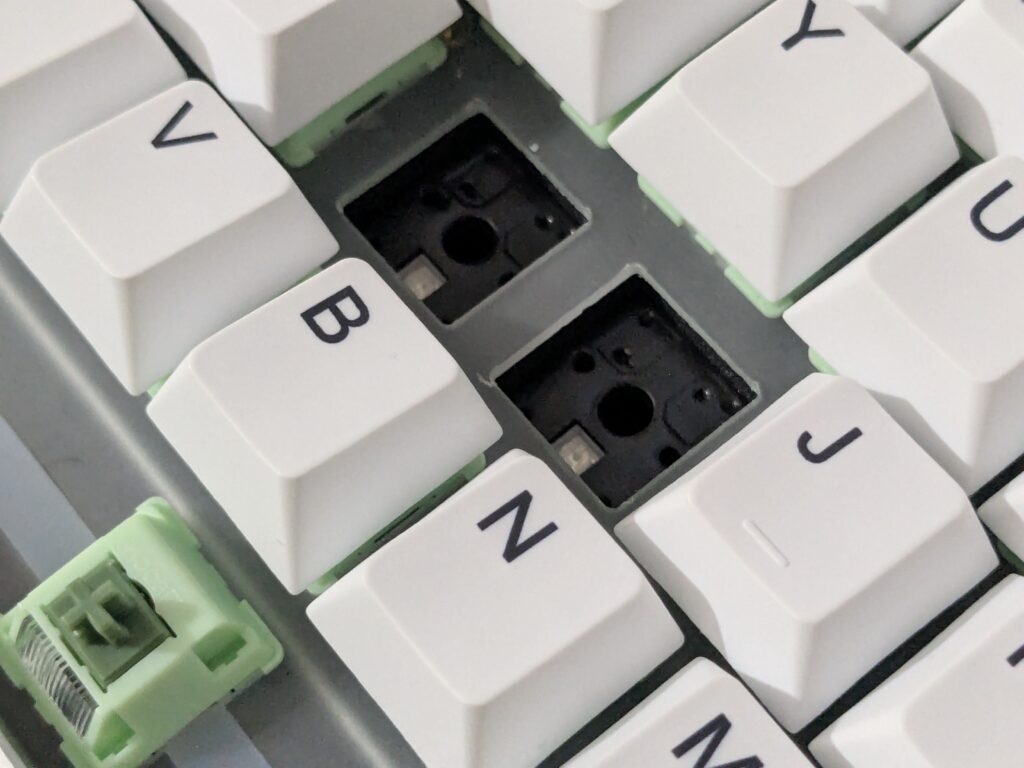
TheKiiBOOM Breeze 75 follows a 75% layout. It has all the main keys, arrow keys, and function row but takes up less space. This makes it great for gamers and office users who want a smaller keyboard without losing key functions. It also supports hot-swappable switches, so you can change them without any soldering. It comes with soft RGB lights, a gasket mount for smooth typing, and an ergonomic layout.
Pricing
| KiiBOOM official website | $126.65 – Click here to buy |
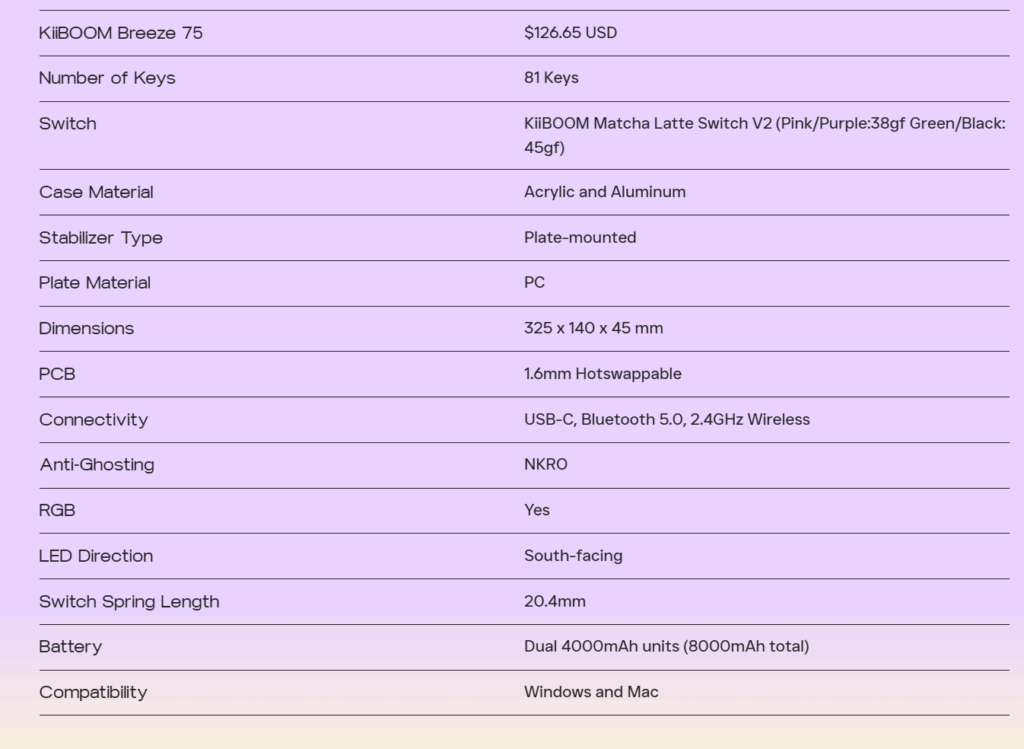
KiiBOOM Breeze 75 specifications
Unboxing
The KiiBOOM Breeze 75 keyboard comes in a strong colour box with clean design. The front shows a simple outline of the keyboard with the brand name and model. Inside the box, the keyboard sits in thick foam to stay safe. It includes a USB-C to USB-A braided cable (2 metres long), a microfiber cloth, a user manual, and a wireless USB dongle.
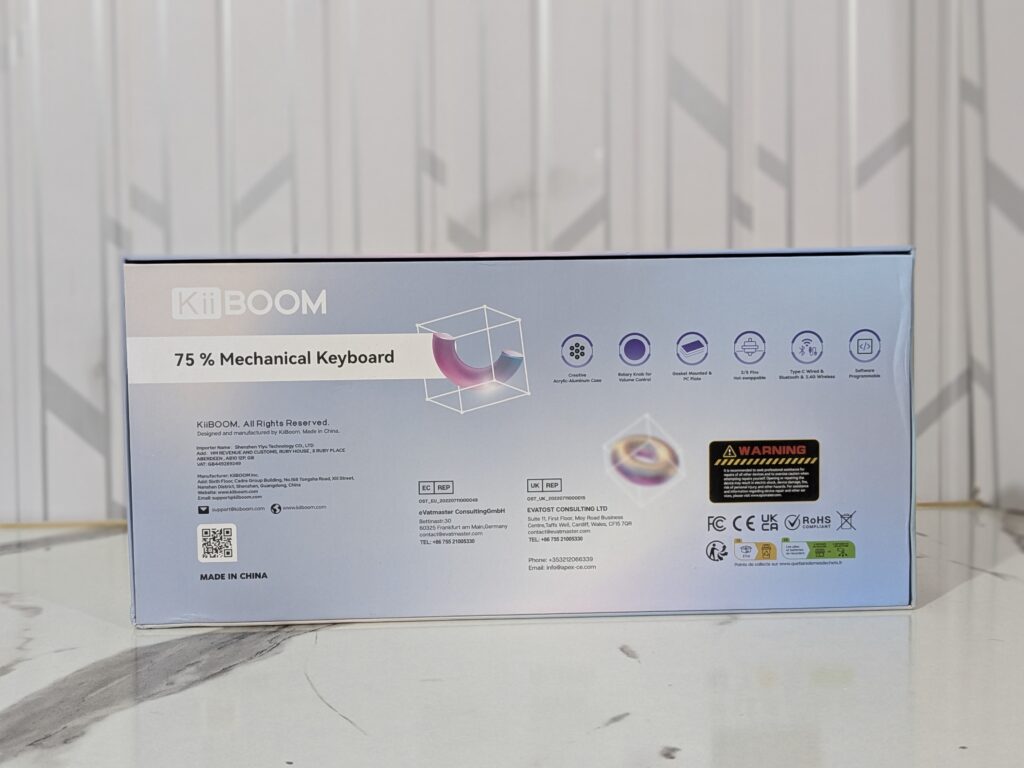

It also comes with useful tools like keycap and switch pullers, a small screwdriver, and two extra switches. These extras are great for people who like to tweak and take care of their keyboard.

A closer look – Build and design
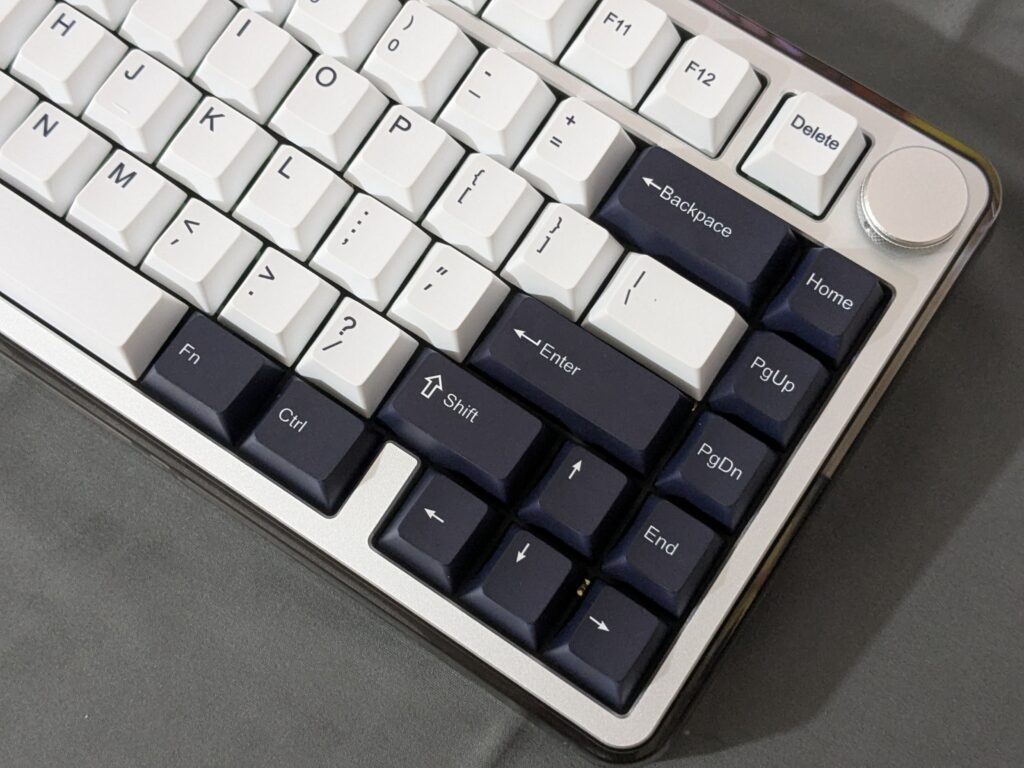
The KiiBOOM Breeze 75 uses a mix of CNC-machined aluminum and clear acrylic. It measures 325 x 140 x 45 mm and weighs 1.5 kg. It feels solid but not too heavy. The Black and White version we tested had a beautiful two-tone keycap set – Black and white – that looked refreshing.
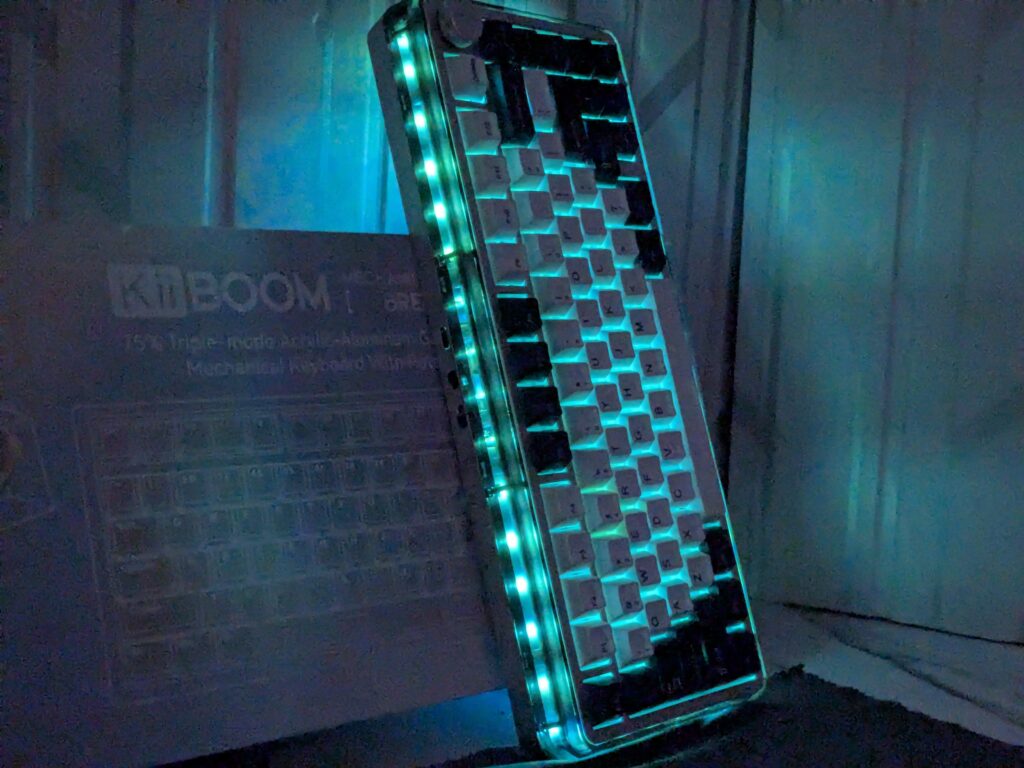
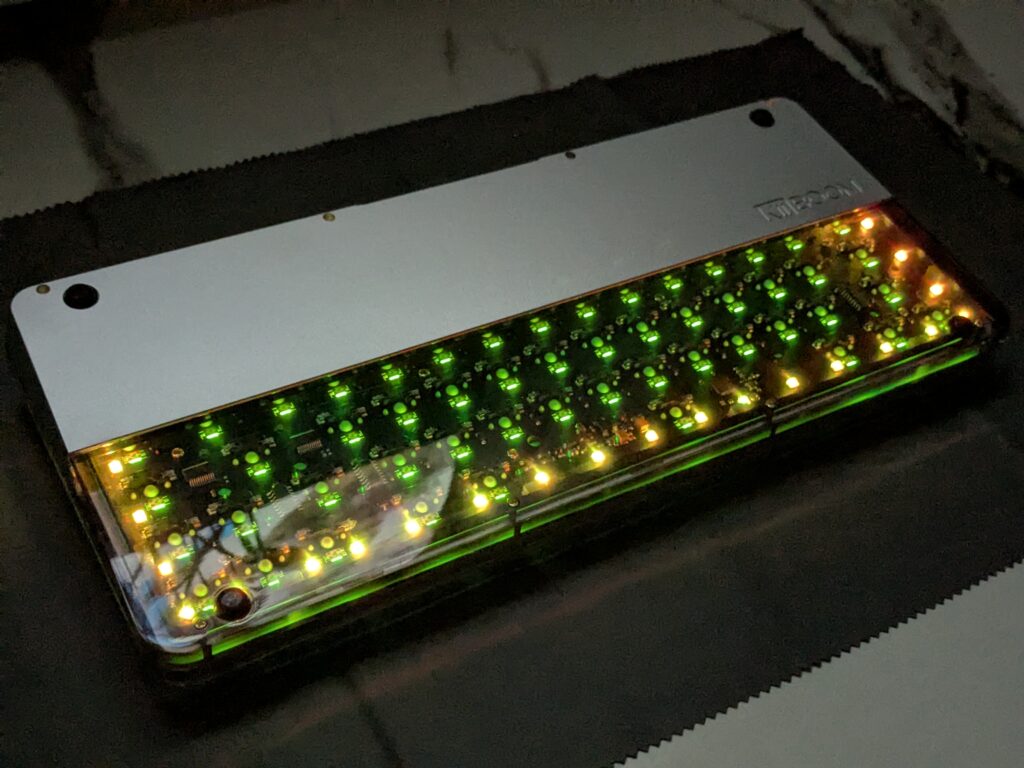
The keyboard has rounded corners and a modern look. The clear acrylic body lets the RGB lighting shine from the sides. On the back, you get a USB-C port, a switch to change between Windows and macOS, and another to toggle between USB, Bluetooth, or 2.4GHz modes.
There is also a metal knob in the top-right corner. You can use it for volume or lighting control. It feels premium and gives a nice click when turned.


Typing feel and structure
The KiiBoom Breeze 75 uses a gasket mount structure. This means the typing plate is held with soft materials that reduce noise and give a slight bounce when typing. It uses Poron foam below the plate and XPE foam under the switches. This setup cuts down on hollow sounds and makes typing quieter and smoother.
The keyboard also uses a 1.6mm thick PCB and a polycarbonate plate. This combo makes keystrokes soft but strong. It feels comfortable for long sessions. The sound is deeper and softer, with no sharp clacks. It’s a pleasure to use for both typing and gaming.
Keycaps and lighting
The KiiBOOM Breeze 75 comes with cherry-profile PBT keycaps. These are stronger than ABS ones and don’t get shiny over time. They have a nice texture and do not allow light to pass through. The RGB lighting glows through the sides and around the keyboard thanks to the acrylic base. The colours are bright, and the lighting looks great, especially in dim light.
The keyboard has 22 RGB modes and 6 extra effects. You can pick what suits your style. South-facing LEDs ensure that the light spreads evenly under the keycaps.


Matcha Latte V2 switches
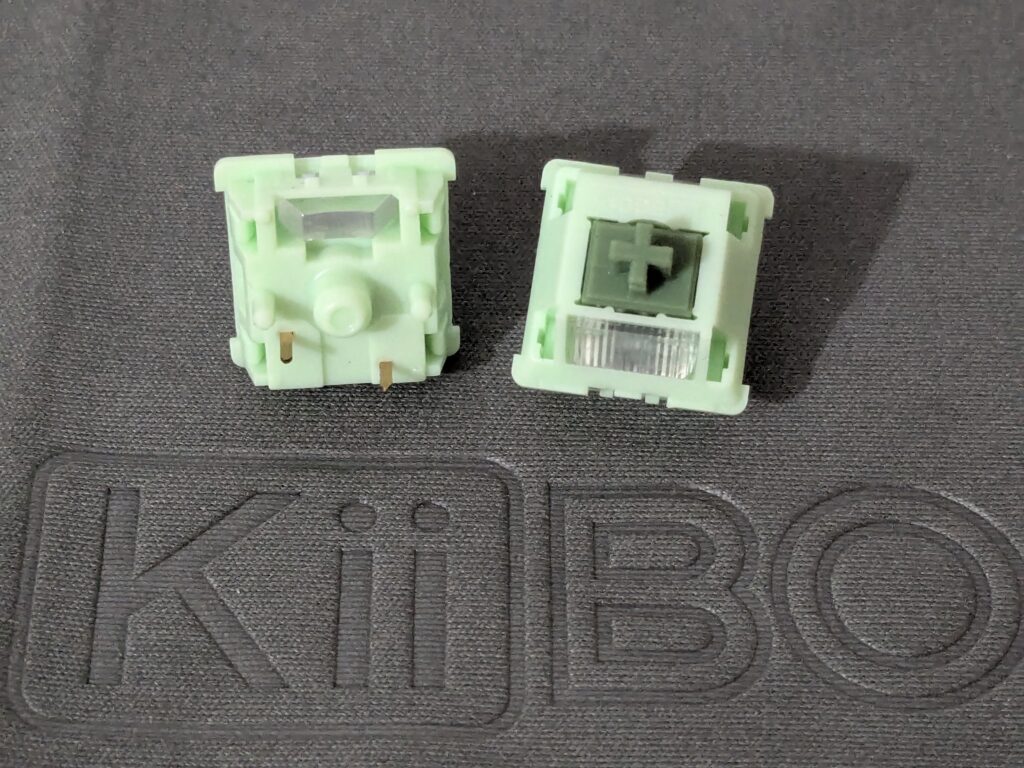
This KiiBOOM Breeze 75 uses KiiBOOM’s Matcha Latte V2 switches. They come in two types – one with 38g actuation and another with 45g. We tested the 45g version. These switches are linear, smooth, and quiet. They have a special LY stem with very low friction, giving an ultra-smooth press.
These are five-pin switches, so they sit firmly on the PCB. They are rated for 50 million presses. The switches also have built-in light diffusers, making RGB lights brighter and more uniform.


Software and control
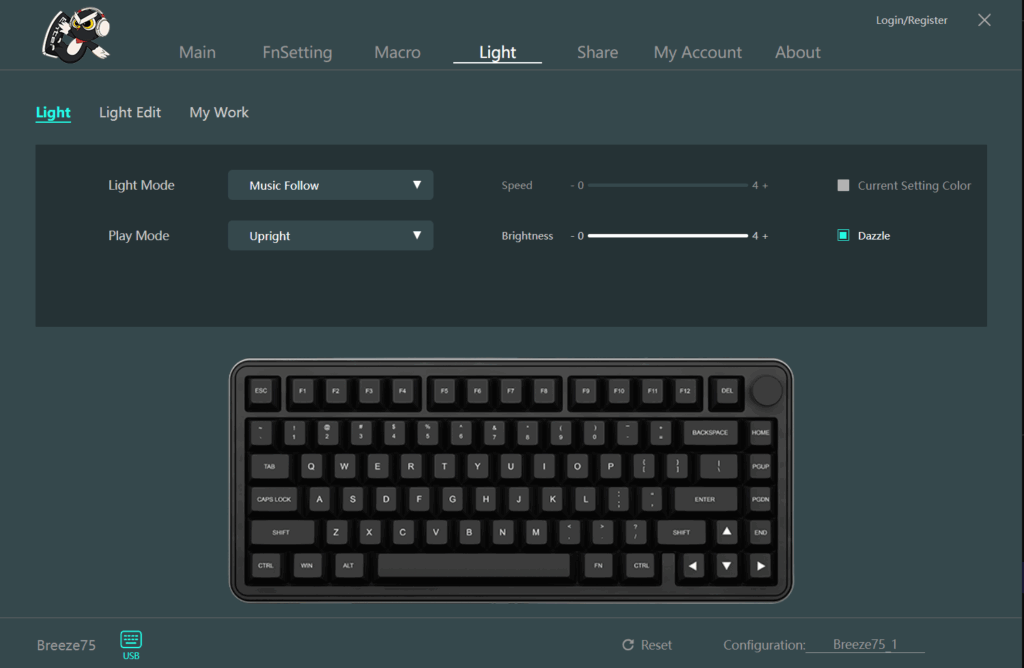
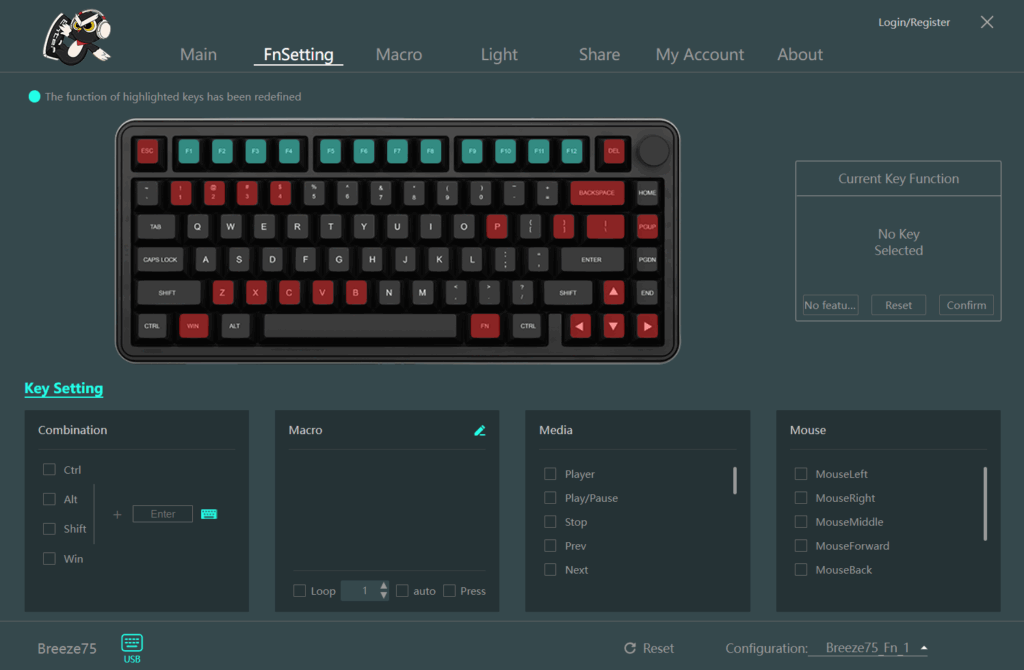
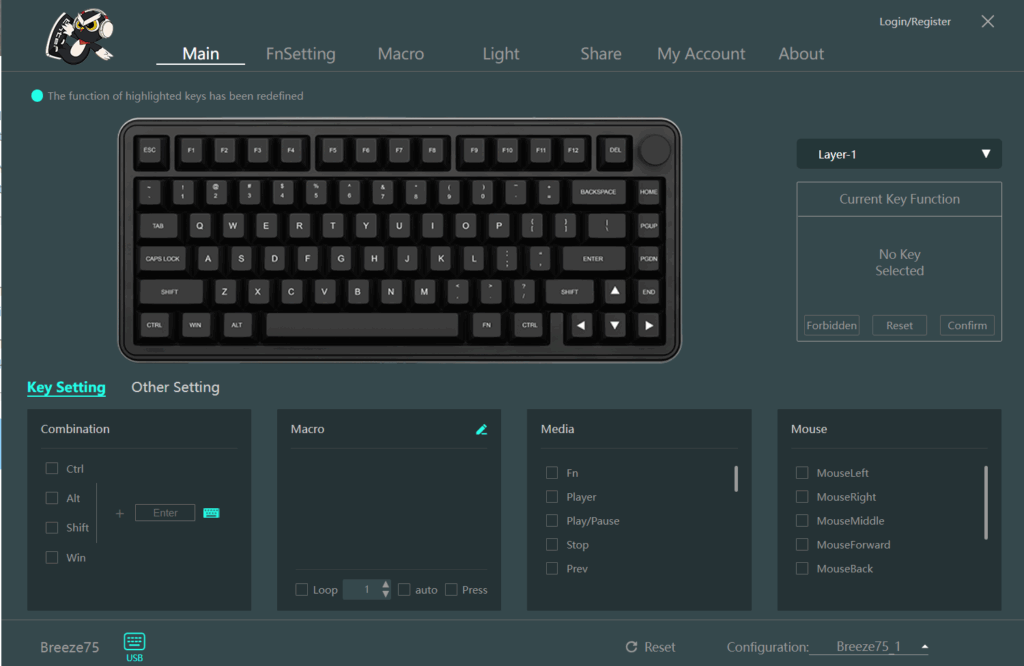
The KiiBOOM custom driver software is simple and works well. You can change key functions, adjust lighting, and record macros. It’s easy to use even if you are new to customising keyboards.
One nice feature is cloud storage. You can save and sync your keyboard profiles between different devices. This is useful if you use more than one KiiBOOM keyboard or work on different setups.
The software can record both keyboard and mouse actions for macros. However, it supports only one function layer. Power users may find this limiting, but it’s good enough for most needs.
Connectivity
The KiiBOOM Breeze 75 supports three modes: wired (USB-C), Bluetooth 5.0, and 2.4GHz wireless. You can use it with laptops, PCs, tablets, and phones.
To use wired mode, plug in the USB-C cable and slide the toggle to the centre. For 2.4GHz, slide the switch to the 2.4G side and press Fn+4. For Bluetooth, slide to BT mode and press Fn+1, Fn+2, or Fn+3 depending on which device you want to connect. It can pair with up to three Bluetooth devices and switch between them easily.

Battery life
Inside the KiiBOOM Breeze 75 there are two 4000mAh batteries, giving it a total of 8000mAh. That’s quite large. With RGB off, it can last up to a full week. If you keep the lighting on, you’ll get a few days based on brightness and mode.
You can check the battery level by pressing Fn + Backspace. Keys 1 to 0 will light up to show the percentage. For example, if 6 keys light up, that means it’s at 60%. The left Ctrl key blinks red when the battery is low.
Final verdict
The KiiBOOM Breeze 75 is a beautiful mechanical keyboard with great features. The design is modern, the typing experience is smooth, and it works well across all devices. The Matcha Latte V2 switches are a joy to type on, and the RGB lighting looks fantastic.
The only small downside is the software’s single function layer, and the acrylic bottom might not suit everyone’s taste. But for $149, this keyboard gives strong value. If you want a premium 75% keyboard that feels and looks amazing, the Breeze 75 is an easy choice.
I want to thank KiiBOOM for sending the Breeze 75 keyboard for review

KiiBoom Breeze 75 – Pros and Cons
Pros:
- Clean black and white design
- Strong aluminium and acrylic build
- Soft and quiet typing feel
- Hot-swappable switches
- Bright and smooth RGB lighting
- Smooth Matcha Latte V2 switches
- Wired, Bluetooth, and 2.4GHz modes
- Big 8000mAh battery
- Handy volume/RGB knob
- Easy-to-use software
Cons:
- No adjustable typing feet
- Acrylic base shows smudges
- No VIA or QMK support