









GL.INET COMET REMOTE KVM REVIEW – THE PERFECT WAY TO CONTROL YOUR DEVICE WHILST ON THE GO

ENOSTECH VERDICT
The GL.iNet Comet is a sub £100 KVM. Coming in at under £100/$100 makes it affordable to the masses. The number of features in this product is astonishing. Whether you need to mount ISOs, boot into the BIOS, or even copy and paste, the Comet offers it all. Don’t get me wrong, there are a few minor flaws, but GL.iNet are continuously upgrading the firmware and improving its features..
I can see the Comet being a success in the SOHO market, being able to control a desktop, laptop or server from anywhere and control it from the moment the PC is powered on is awesome. Don’t get me wrong, most servers have some kind of ILO or remote control built in anyway, but if you do have a device that you need complete visibility of, then the Comet is the KVM for you.
Featuring an optional ATX adapter for your regular PC, USB-C port for power delivery, USB 2.0 for peripherals, Gigabit Ethernet, and so much more. There isn’t much that this little device can’t do. You could even use it to help maintain a friend or family member’s computer who lives in a different county/state, and save on those expensive road trips. GL.iNet have also developed a finger bot to power on devices which officially may not otherwise be supported.
Pros:
- Affordable
- Feature rich
- Usable on a whole range of devices
- No subscription fees
- Easy to set up (however, some slight technical know-how is still required)
- Supports resolutions up to 4K and with audio support
Cons:
- USB-A port is only a 2.0 port
- Limited storage on the device

COMET KVM MANUFACTURER’S VIDEO
PRICING
The GL.iNet Comet is currently available for £89.99 on Amazon UK and $89.99 on Amazon US as well as on the GL.iNet store. Even with the current economic doom and gloom, it’s nice to see the prices being held the same retrospectively on both storefronts. You can buy the Comet and ATX board as a bundle using this link.
SPECIFICATION
| Interface | 1 x Ethernet port 1 x USB 2.0 port 1 x HDMI-IN port 1 x Type-C power port 1 x Reset button |
| CPU | Quad-core ARM Cortex-A7 |
| Memory / Storage | DDR3 1GB / 8GB eMMC |
| Ethernet | 10/100/1000Mbps |
| Power Input | Type-C, 5V/2A |
| Dimensions | 80 x 60 x 17.5mm / 85g |
A CLOSER LOOK
One thing I like about GL.iNet packaging generally is its clean aesthetic look. The Comet is no different in this regard. On the front of the box is an illustration of the device, as well as the GL.iNet logo. Looks pretty neat to be fair.
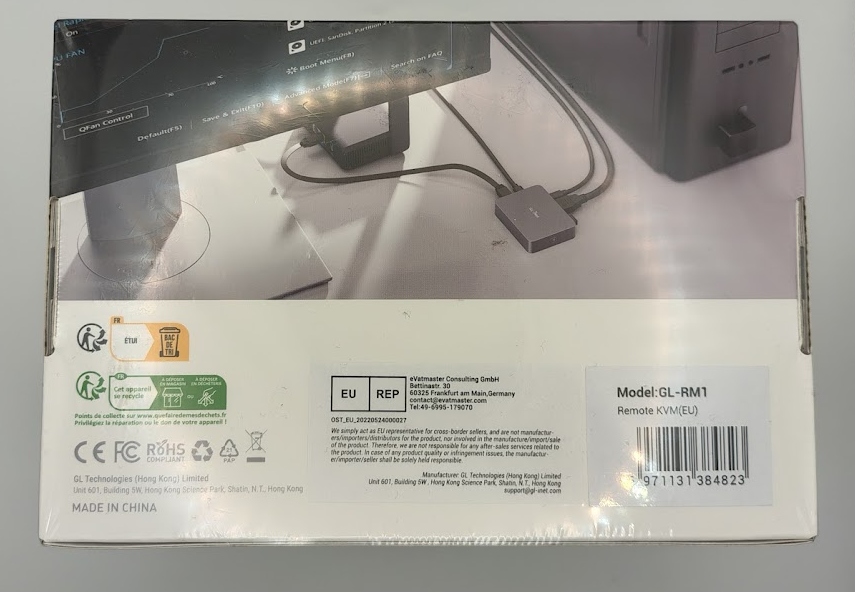
Now, having a look at the rear of the box, there is an example of the product installed and in use. As well as all the usual regulatory and certification markings. There’s minimal detail about the Comet itself, but chances are, if you are in the market for this kind of product, you’re already going to know what you are after. So it’s kind of unnecessary at this point.
Now, taking a look inside the box, you can see how neatly and well presented everything is. The ATX card comes separately (as does the finger bot if you’ve gone down this route, but we aren’t covering that in this review). But for the eco warriors, the majority of the packaging is recyclable. Something we are seeing more and more manufacturers paying attention to.
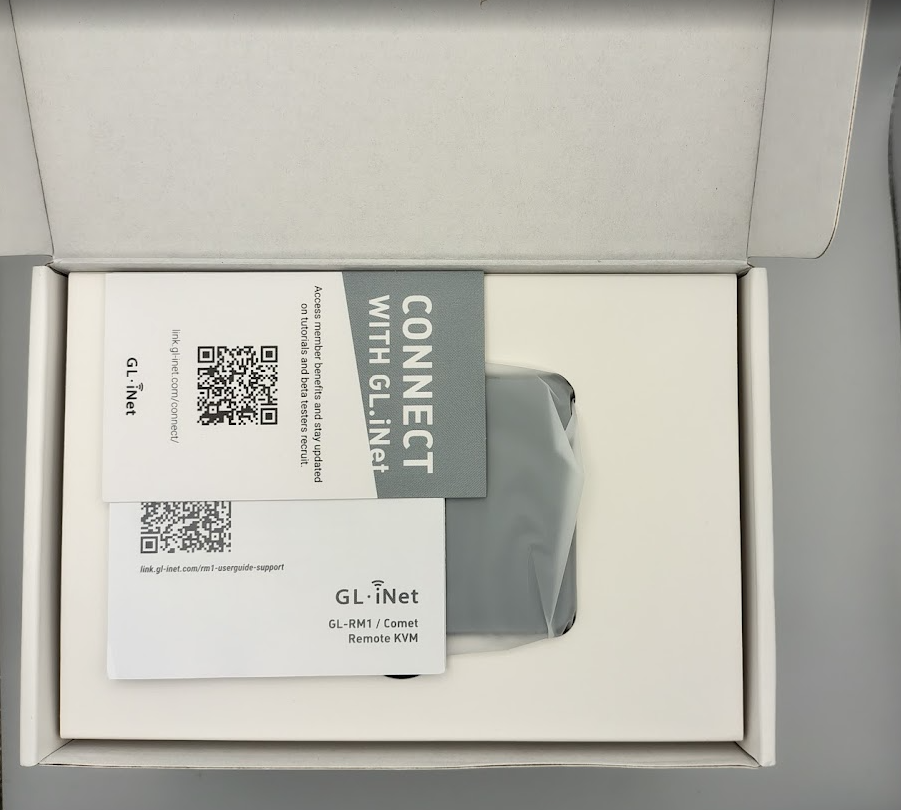
Now, after unpackaging it all, you can see the device itself as well as the included accessories. You get the Comet, a USB-C, USB A to C, Ethernet and HDMI cable. One thing that I think is cool is that GL.iNet is always recruiting for its BETA program, whether you are a seasoned reviewer or consumer alike.

GL.iNet was kind enough to also send us the optional ATX Power Control Board, which is what you use to connect the Comet to for a regular PC or file server, that kind of thing. This allows you to control the power button by connecting it up to the Power, Reset and LED headers on your motherboard.
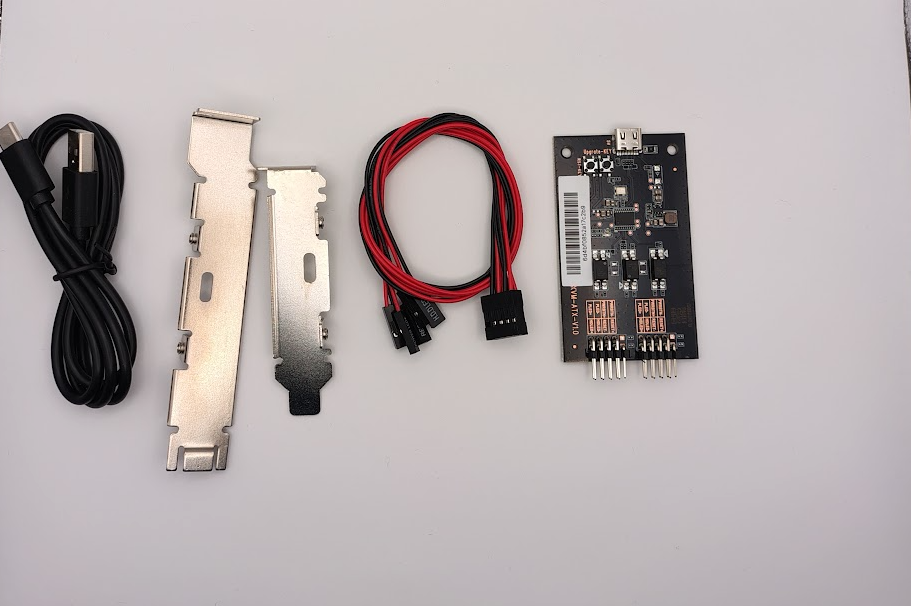
Here is the ATX Control Board unboxed. You can see you get the board itself, a header cable, full height and half height adapters and a USB-C to A cable, which you plug into the Comet itself. This allows the Comet to recognise and control the PC. Make sure you plug those header cables the correct way, though, otherwise it might not work as intended.
FEATURES
Once you’re all plugged in and raring to go, you can log onto the Comet by going to https://glkvm.local on your network, and you’ll be presented with the login screen. Looks pretty smart to me. GL.iNet have tried to keep it simple where possible.

Once you’re in, you’re pretty much good to go. If you just wanted immediate control of a device. You can see the display of the remote computer presented in the middle of the screen.

As you can see, there is a menu at the top of the screen which presents various options. You have Settings, Toolbox, Accessories, Virtual Media, Apps Center and Help. Over to the right-hand side, there are options to reboot the KVM and upgrade the firmware.

Having a quick look at the settings. You have options for video quality and resolution, audio, keyboard, mouse and system language settings. Mouse Jiggle is an interesting one; you can enable this to jiggle the cursor, ideal for preventing the screen from locking.
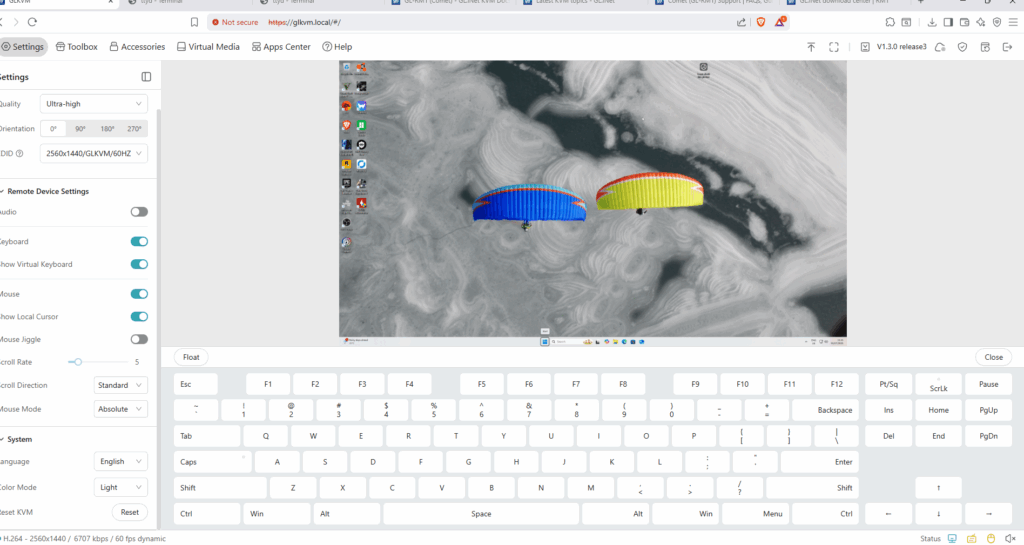
One thing I do like is the option for an on-screen keyboard. It could be quite useful in some scenarios when troubleshooting or needing certain key presses.

Accessories bring you options for the ATX Control Board if you have this installed. I was slightly frustrated by the way the control board connects up. Firstly, you have to ensure the header cables to the motherboard are 100% connected correctly, otherwise the Comet may behave unpredictably or not work at all. The next thing is that you need to connect the control board with a USB-C to A cable to the Comet. This ties up the only USB port on the device, meaning if you wanted to connect other devices (like a USB storage device), then the port is already being used. You could try using a USB hub, but then this is going off the beaten path a bit and may not be supported. Now, granted, not everybody is going to need the control board, so I’ll leave that there for now.
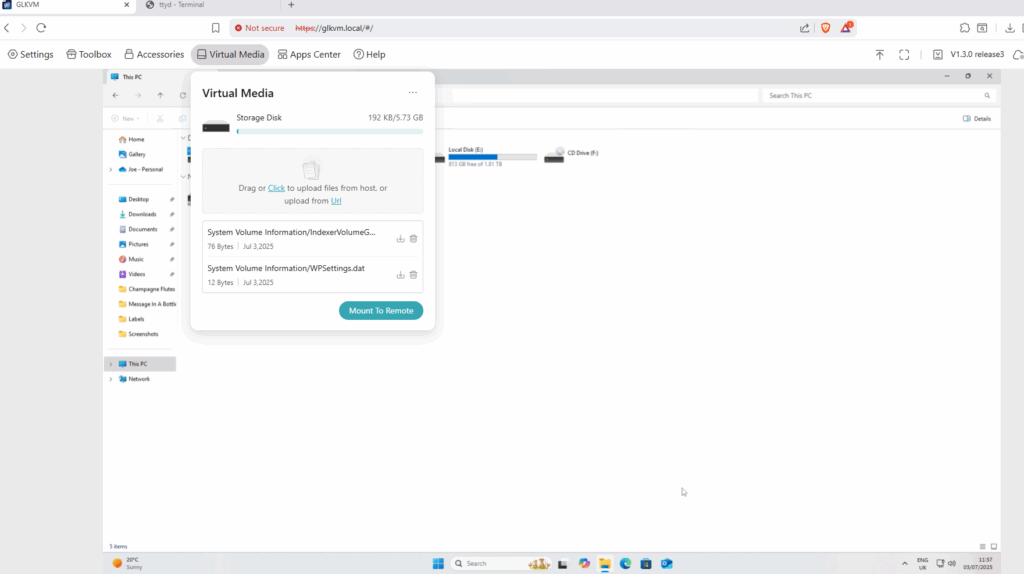
Now, the Virtual Media part is interesting. Again, a little on the frustrating side. As you can see, the Comet has 8GB of EMMC/flash memory pre-installed. So, mounting a Windows ISO (say you were reinstalling the operating system) could be a little bit tricky with the restricted amount of space available. However there is the option of using a flash drive for extended storage, so you win some and you lose some.
I get trying to keep the cost down for the consumer, but I’d be happy to pay slightly more if there was an option of say 32GB or 64GB of EMMC storage. That way, you could store multiple ISOs on the Comet. What you can also do is use the Virtual Media section to mount a storage device on the remote PC so that you can easily copy and paste to/from it. That’s a pretty cool feature to have.
The Apps Center option allows you to set up Tailscail for a direct VPN connection between the host device and your machine.

One thing I really love is the ability to control the remote PC from the moment you power it on. You’re able to go into the boot menu and manipulate/configure the BIOS if you need to. So in terms of troubleshooting, there isn’t much that this little device won’t allow you to do.
FINAL WORDS
So there’s a lot to love about the GL.iNet Comet and a few things not to like. Its price range is incredible for what it offers out of the box. It’s relatively user-friendly and easy to use. It’s initially a bit fiddly to set up if you’re using the ATX control board. First go I ended up plugging in cables the wrong way round, etc, and was then wondering why it wasn’t working properly. Maybe I should have read the instructions properly, who knows? BUT once it’s set up, there’s not much to it.
Now, if I’m honest (and that’s what we do here). I didn’t like the singular USB A port, being only 2.0, it’s extremely limiting in this day and age. USB 3.0 would have been nicer and even more so if there were 2 ports rather than just the singular one. I get it means the device would be slightly bigger and maybe cost a few £ more, but this wouldn’t be the end of the world. The world is currently in a USB-A > C transition, so it’s definitely still needed in this day and age, but I feel GL.iNet were missing a trick there.
The ability to control the host machine immediately after powering on is a big win for me; it could save on pesky and expensive travel. Especially in the current economic climate we live in. It’s almost like having an enterprise-grade ILO system, but at the end-user level.
Now, bear in mind, GL.iNet are predominantly a router manufacturer; this is their first proper venture into the world of KVMs, and I think they’ve done an exceptional job with the end product. Yep there’s room for improvement but this being their first KVM, I think it could definitely give other manfucturer’s a run for their money.