










CPS RZ820 Air Cooler Review

In our last take from CPS, aka PCCOOLER, we tested the DC360 Pro ARGB Display cooler. This time, we are testing a flagship air cooler from CPS, the RZ820. We also tested RZ620 and found it a competitive air cooler coming at a low price with a decent warranty period. This time, we have a flagship offering from CPS, and we have a white version of it as well.
The salient features include:
- CNC Aluminum Alloy Top Cover
- Magnetic Attachment
- TriForce ARGB Corner
- TDP 290W
- All Welded Heatsink
- Side Folding
- Reflow welding finplates
- Wavy Flow Matrix
- Rail mount for front fan
- Combination of 120 and 140mm fans
CPS has set the MSRP for this cooler to be at USD 199, which is a steep price. However, you can pick it up on Amazon for $125.99 before the discount. This is even 10 bucks higher than the Noctua’s flagship NH-D15 G2. The cooler is compatible with the Intel LGA1700/1200/115x/20xx and AMD AM4/AM5 sockets.
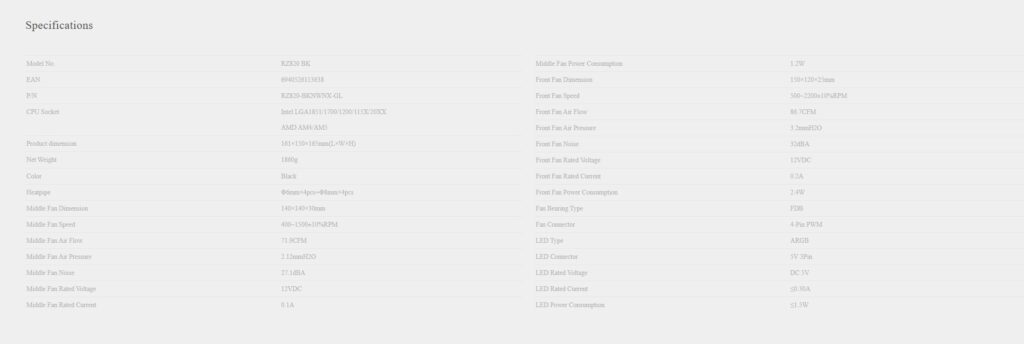
Specifications
Packaging

The shipping box has a CPS standard silver color theme all around.
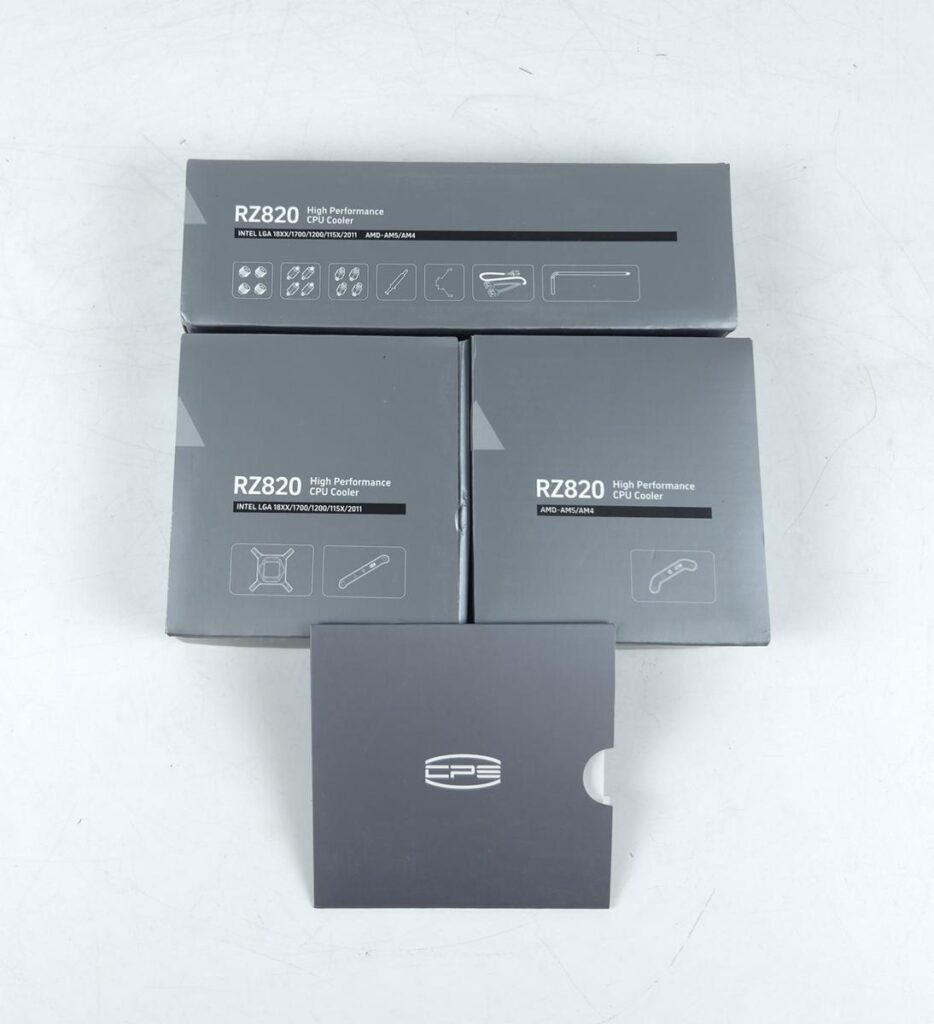
CPS has provided three silver color accessory boxes. I like the premium feel coming from the overall packaging.
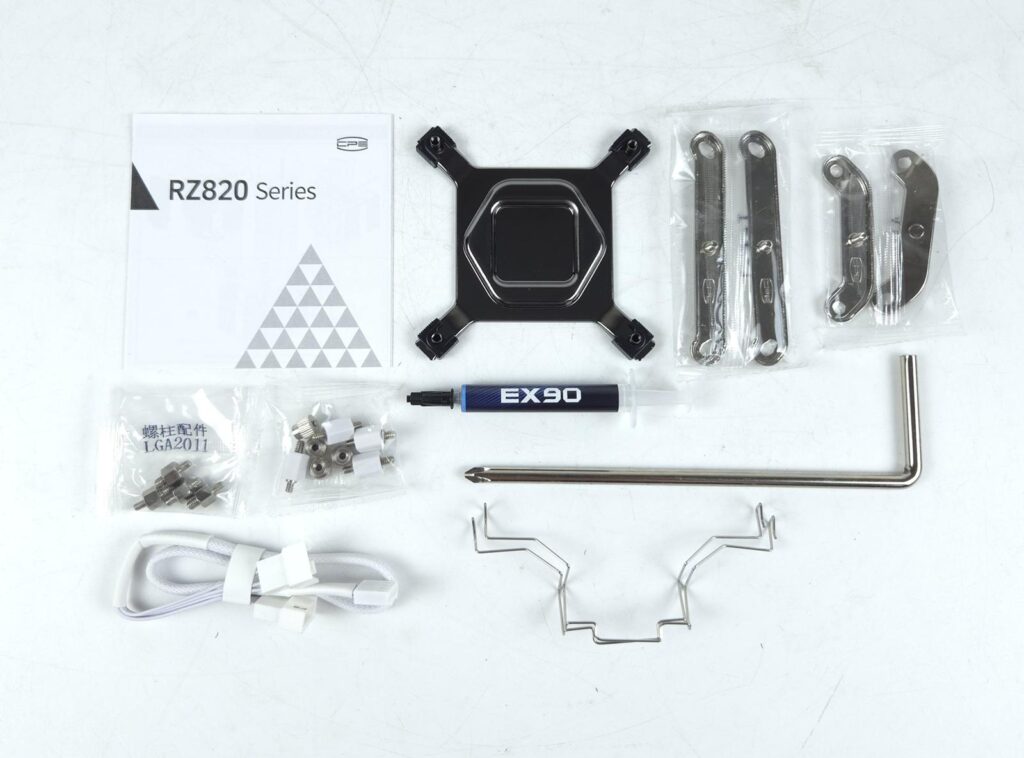
Now it is time to see what is in the box.
- 1x Cooler
- 1x Intel Backplate
- 1x Set of Intel Mounting Brackets
- 1x Set of AMD Mounting Brackets
- 4x Intel LGA20xx standoffs
- 4x Standoffs for all other sockets
- 4x Nut Screws
- 2x Fan Clips for optional third fan mount
- 1x PWM Y-Splitter Cable
- 1x Thermal Paste Tube
- 1x Screwdriver
- 1x User Manual
Closer Look
Let’s take a look at the cooler.

The overall dimension of the assembled cooler is 161x150x165mm (LxWxH). This cooler has a height of 165mm. Please note that the middle fan’s height can’t be adjusted, but you can adjust the height of the front 120mm fan, which may result in more height of the cooler. The net weight of the cooler is 1860 g. The complete assembly is in white.
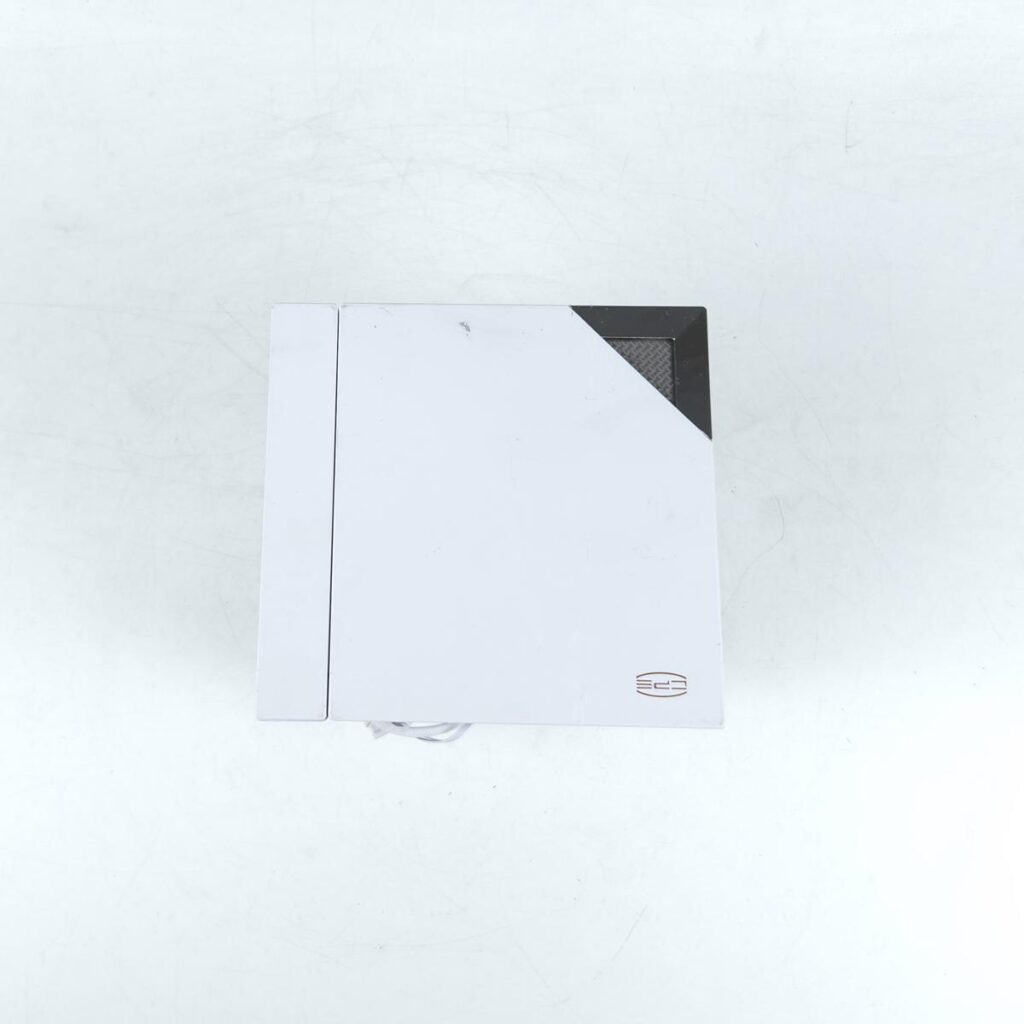
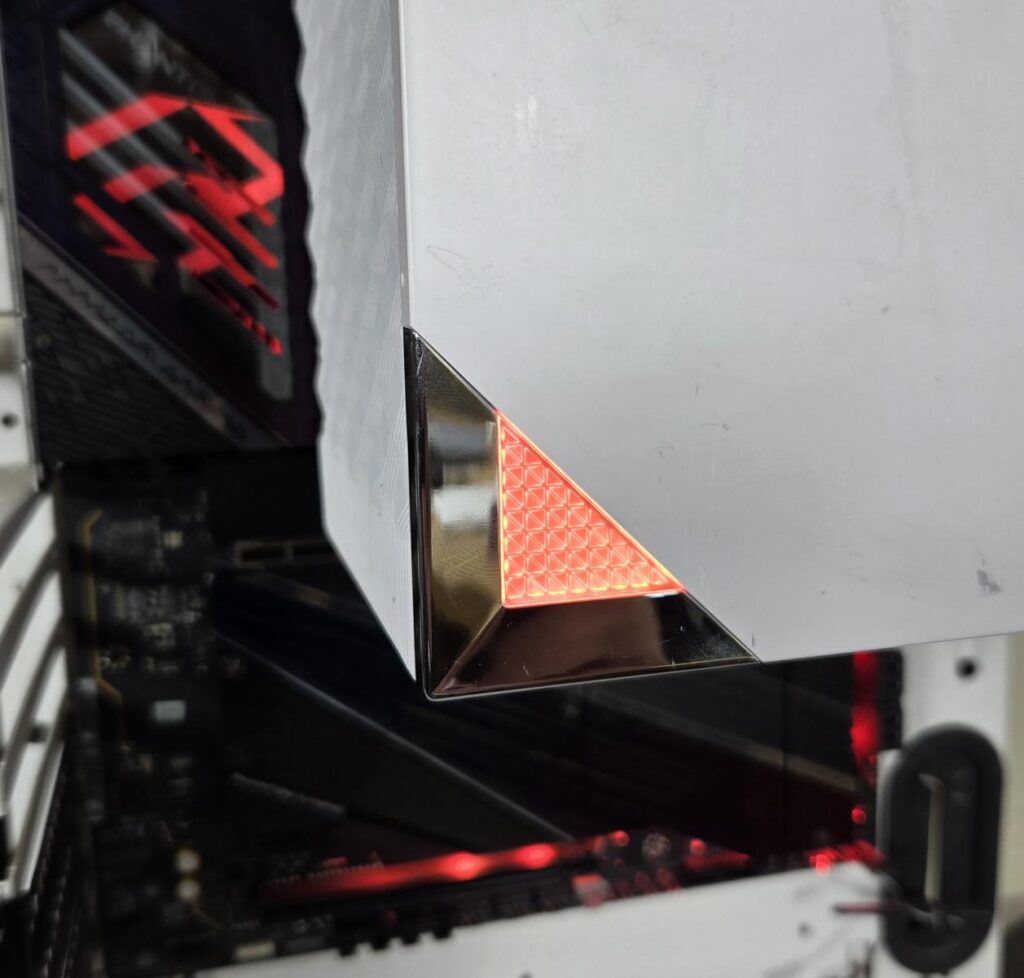
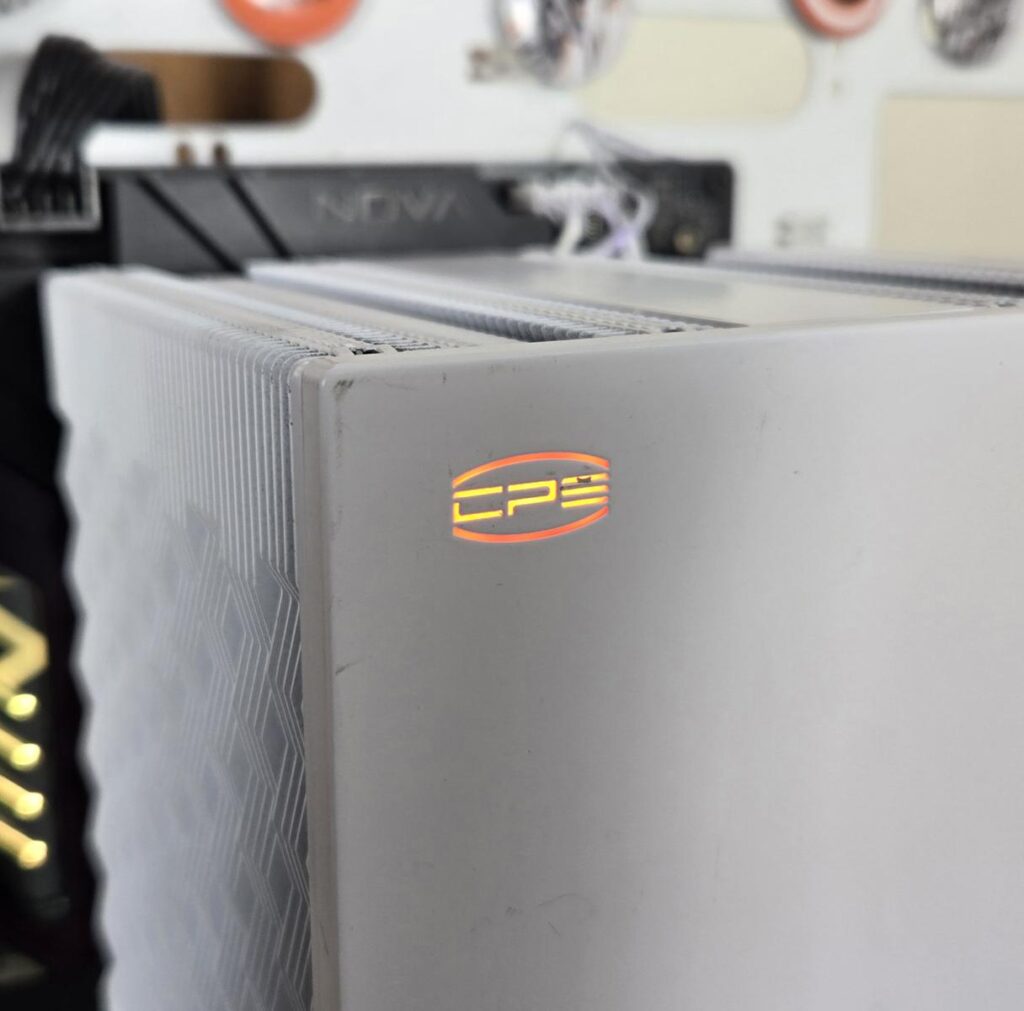
The top of the cooler has a magnetic cover. This cover is made of CNC aluminum alloy. You can scratch the area, which happened during shipping. You can spot a CPS branding that has an orange LED under it. The Tri-Force corner further below is also ARGB backlit. The top cover sits flush with the front fan, giving a uniform outlook.
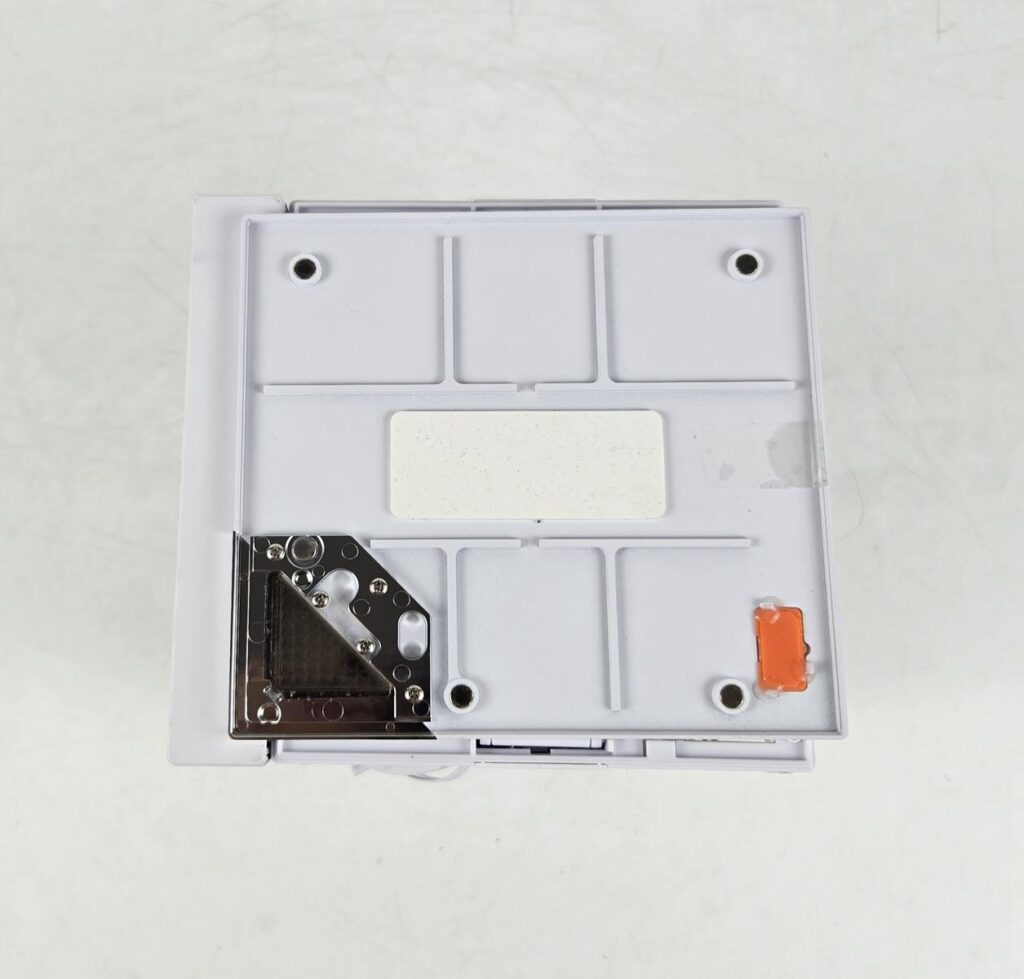
I am showing the underside of the top cover. The silver color cover is on the Tri-Force corner. The Orange color cover is on the CPS logo side. The four magnets on the frame attach this cover to the main housing.
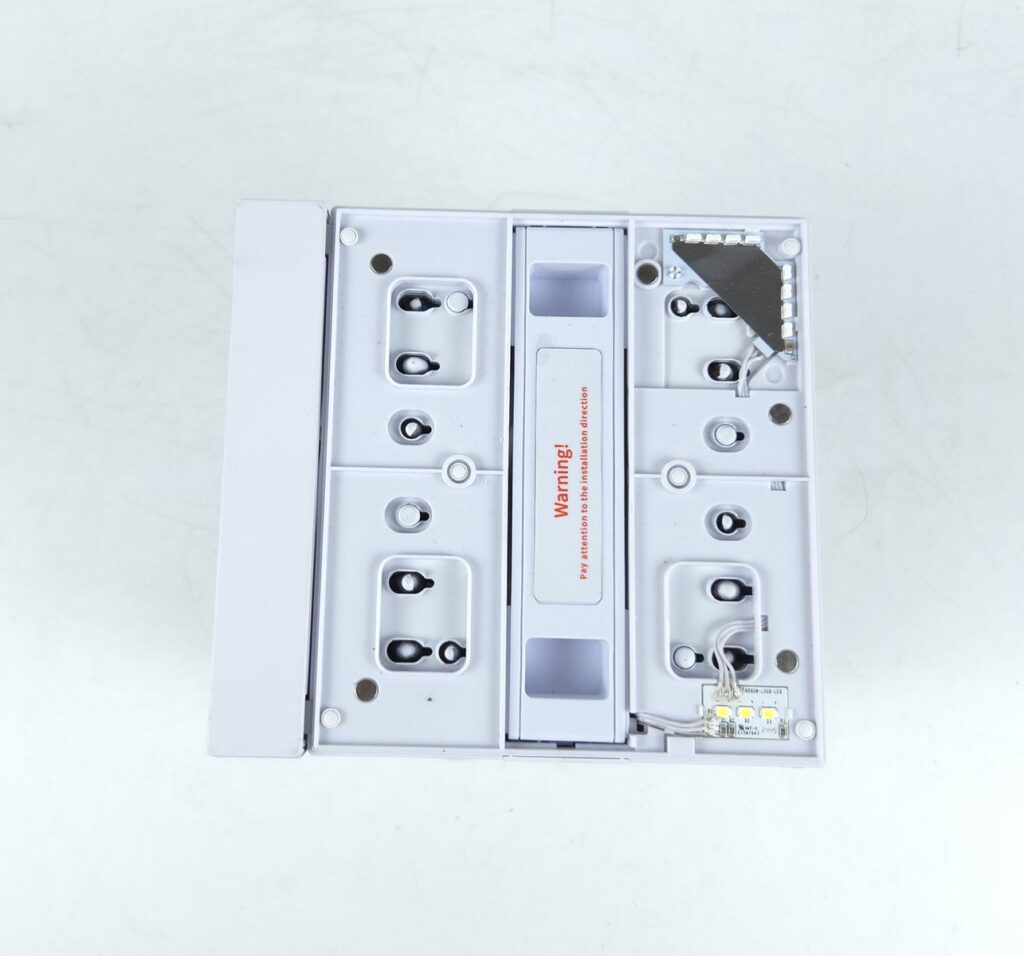
Now, I am showing the top view of the main housing of the cooler. You need to be careful handling the middle fan to align its position correctly with the front fan. You can spot 8 ARGB LEDs on the Tri-Force corner and 3x LEDs on the CPS logo. The two insets on the middle fan are where you place your fingers to slide the fan in/out.
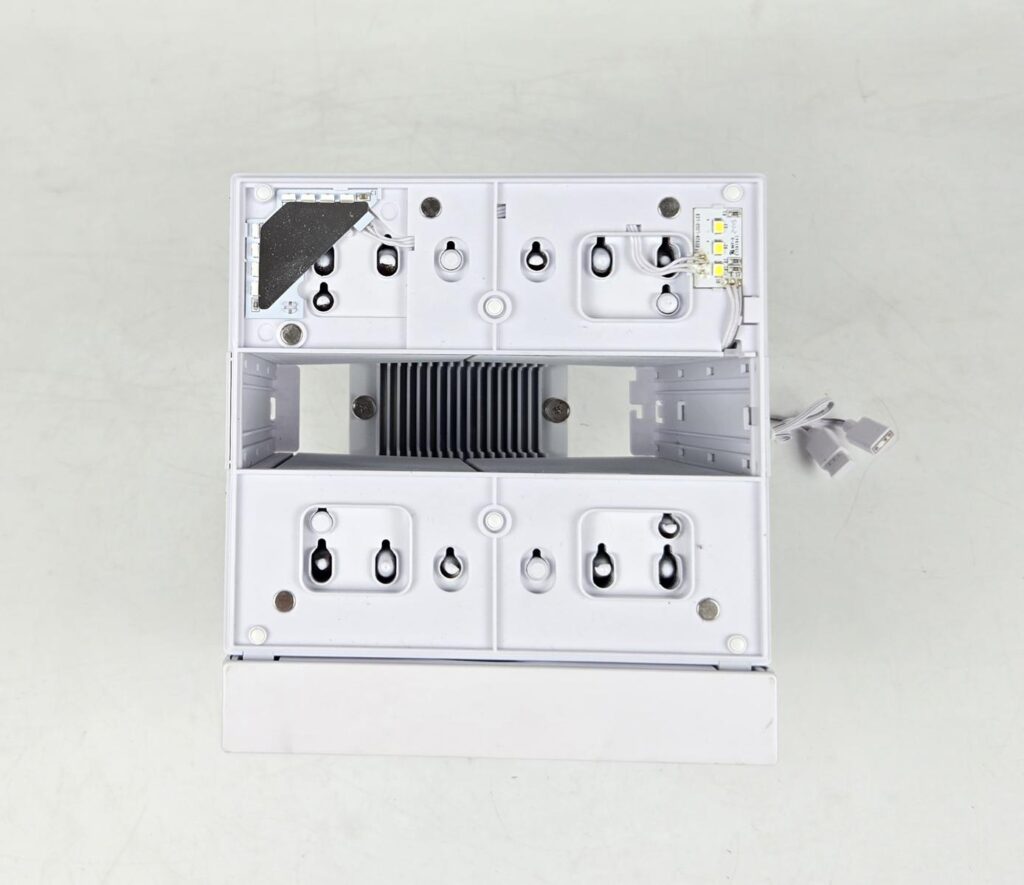
I have removed the middle fan and am showing the inside view of the main heatsink.
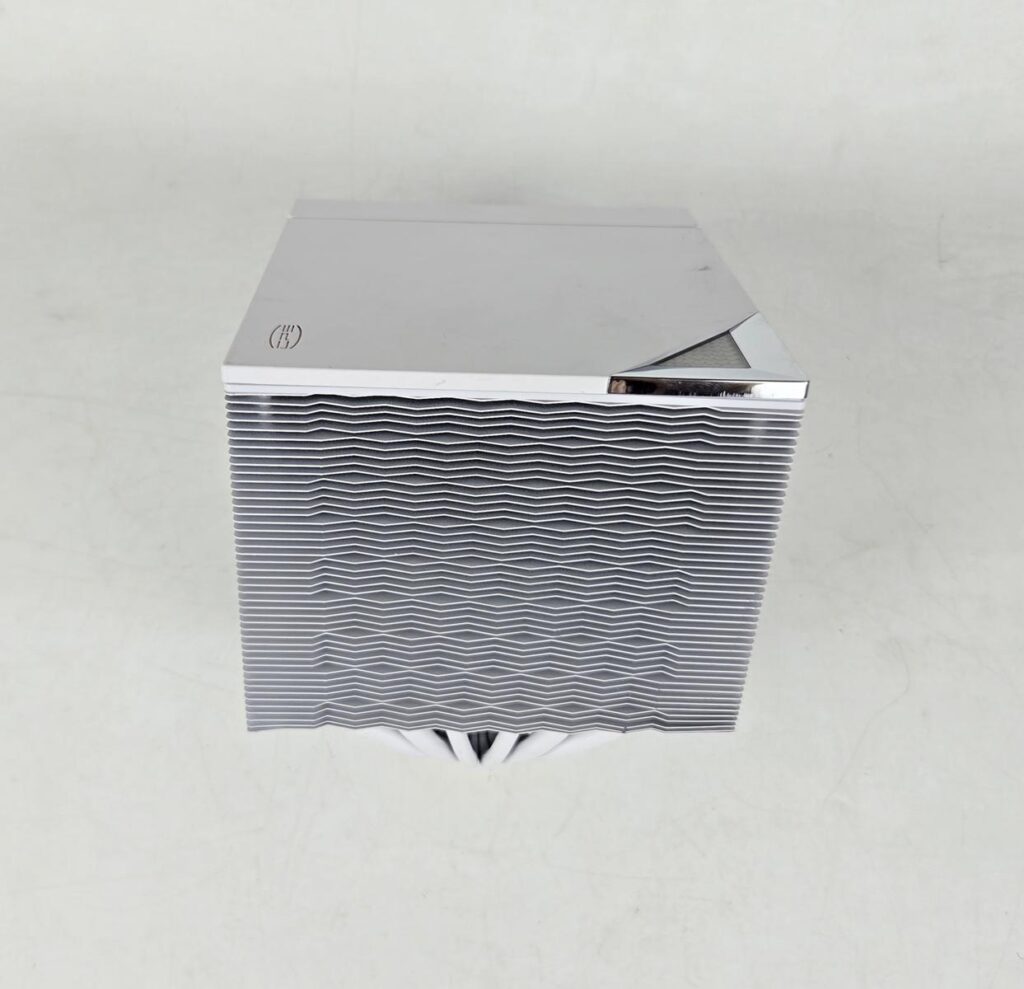
I am showing the backside view of the heatsink. The fin stack comprises 45 fins in a wave pattern. This generates maximum airflow while reducing the air drag. The complete assembly is soldered, which CPS has mentioned as a welded heatsink.

Here you can see that heat pipes are making maximum point of contact within the fin stack at an equal distance between any two pipes.
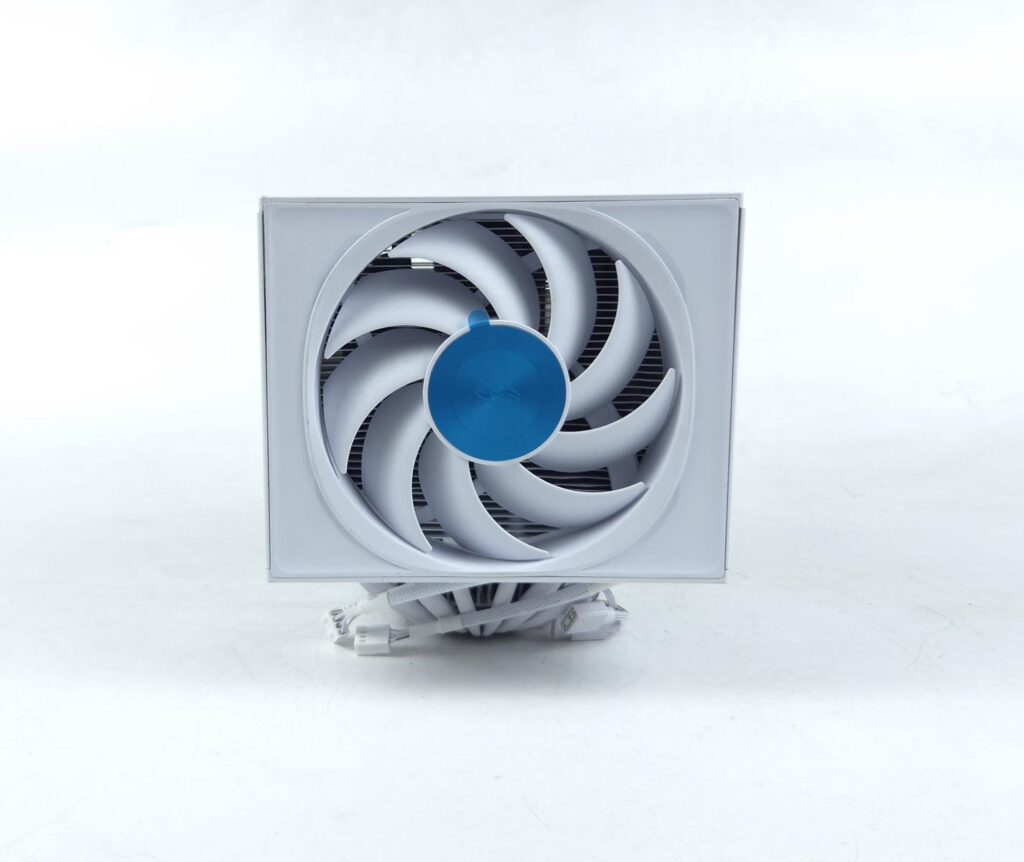
CPS has provided a 120mm fan on the front. This fan has 9 blades and it has a dimension of 150x120x25mm. Its maximum speed is 2200±10% RPM, generating 86.7 CFM airflow and carrying a static pressure rating of 3.2 mmH₂O. It uses an FDB bearing and comes with a power rating of 2.4W.
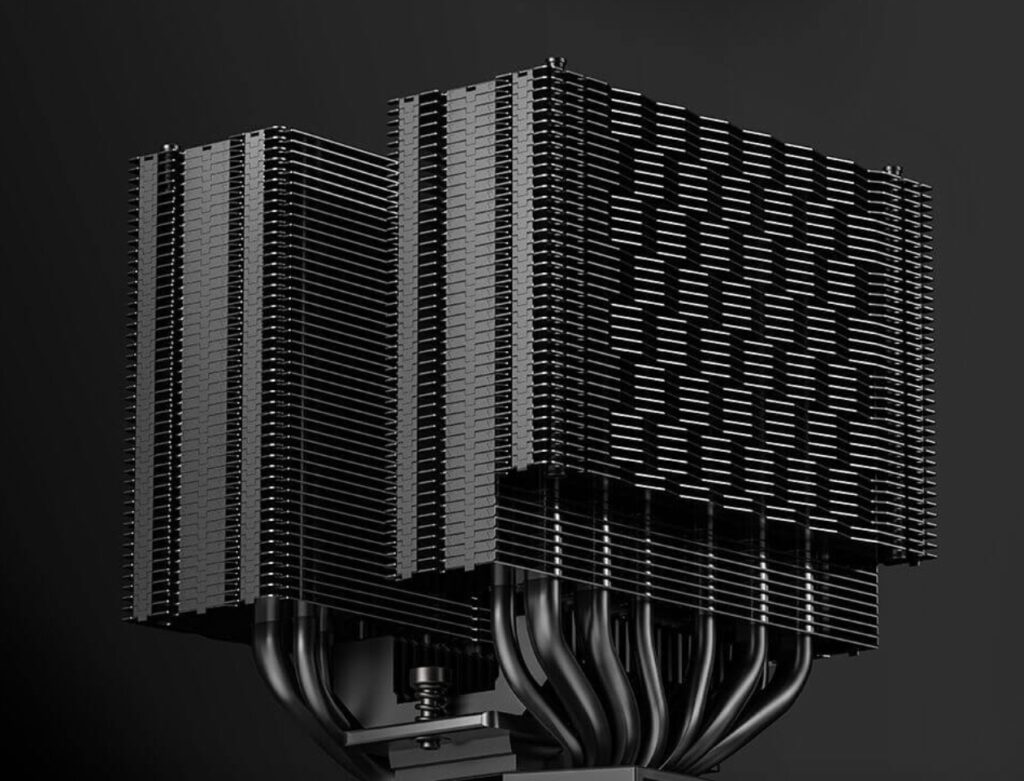
I did not remove the front fan, as it seems like removing the top cover by undoing the plastic tabs. I was not comfortable doing that. The above picture is taken from the CPS website. It shows an offset design on the front with 37+8 fins in that manner. The 37 fins have the same design as on the backside.
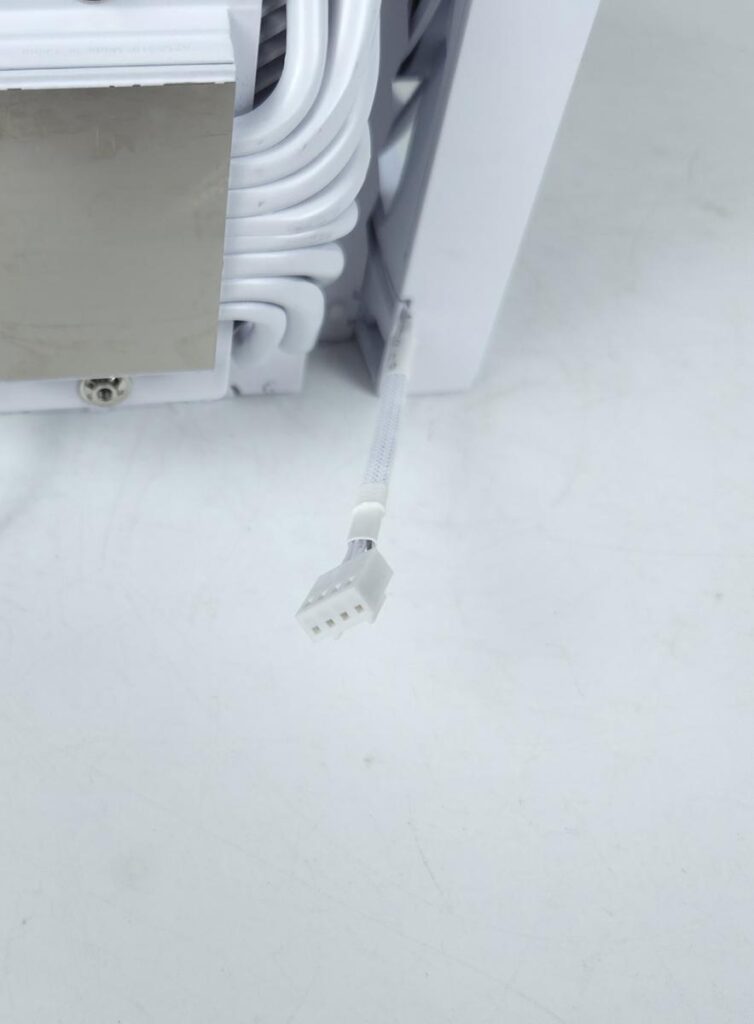
The front fan has a small length cable with a 4-pin PWM connector.
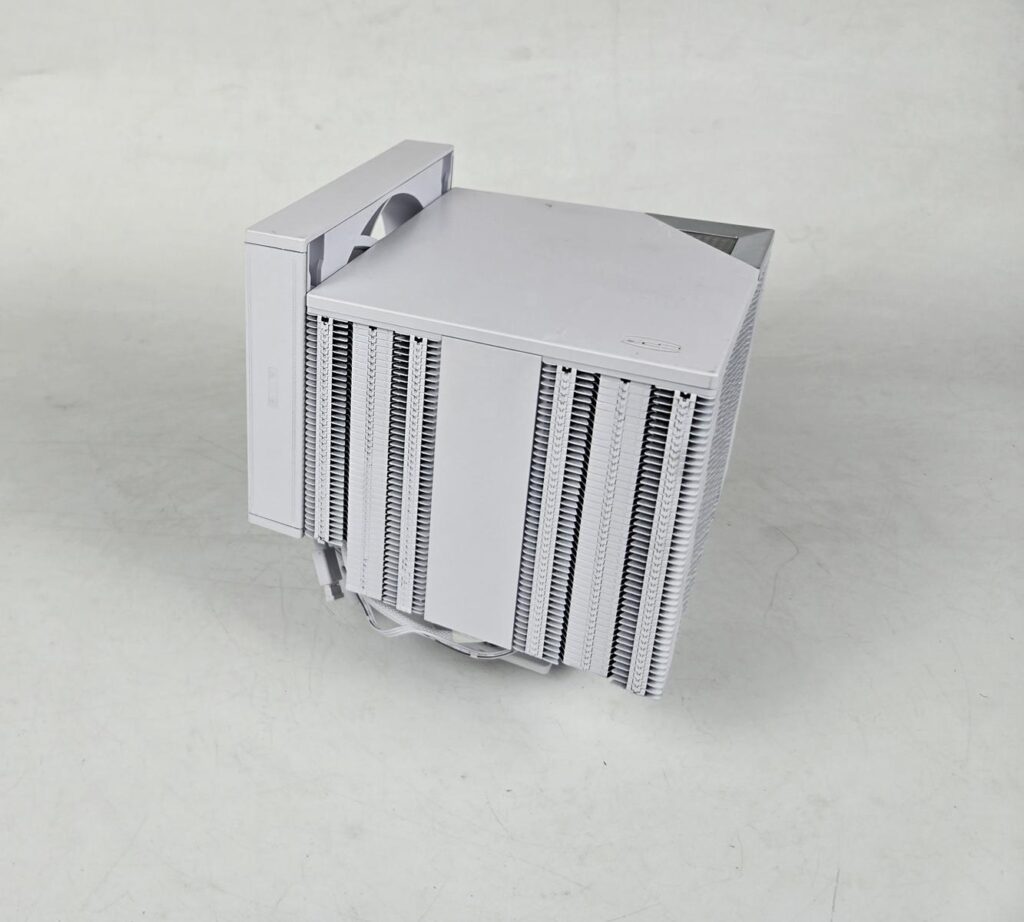
I am showing a picture in which I have adjusted the height of the front fan. This can be done to provide more clearance for the tall RAM, but it will result in increased overall height of the cooler.
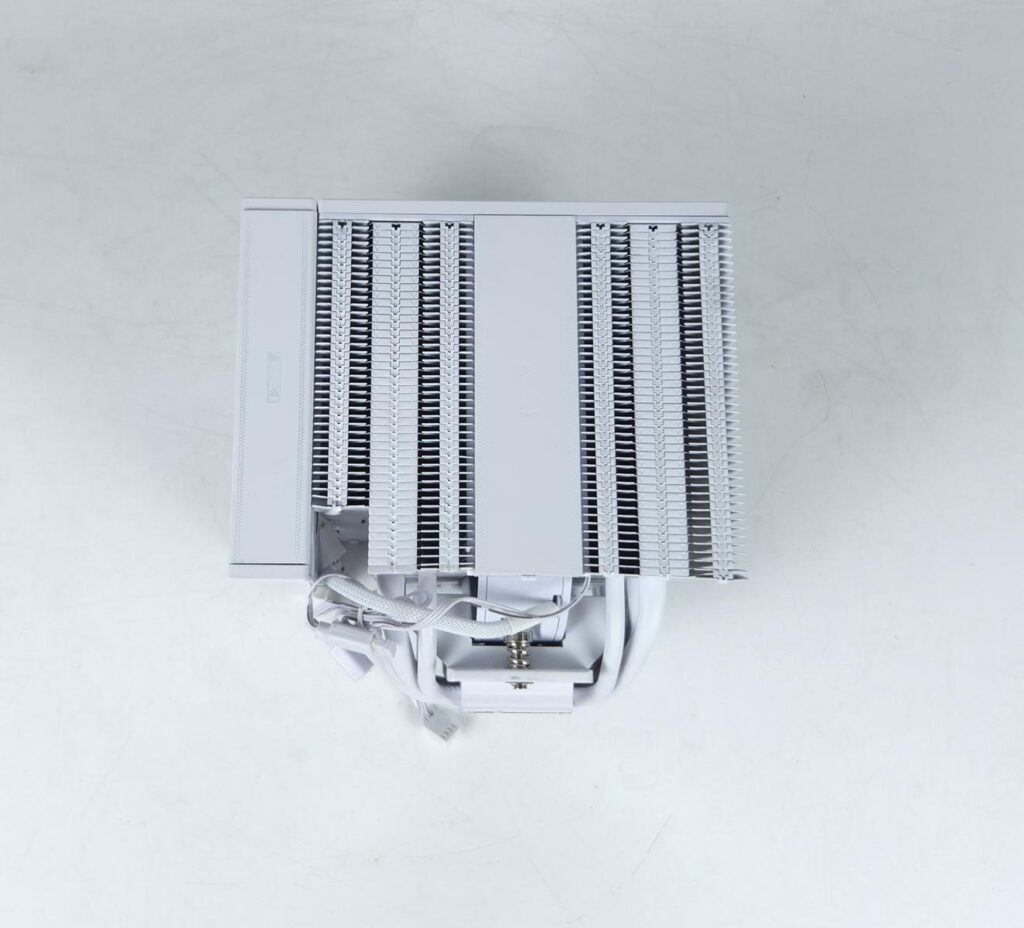
The left and right sides of the towers are identical in layout. The fins have a joint assembly here. CPS has provided an area on which optional third fan clips can be rested. You can spot a cover in the middle.

The RZ820 comes equipped with 4x 6mm and 4x 8mm heat pipes. These are nickel-plated pipes that have a white color coating. The 8mm pipes are in a group of two. The center of the fin stack is being handled by two 6mm heat pipes.
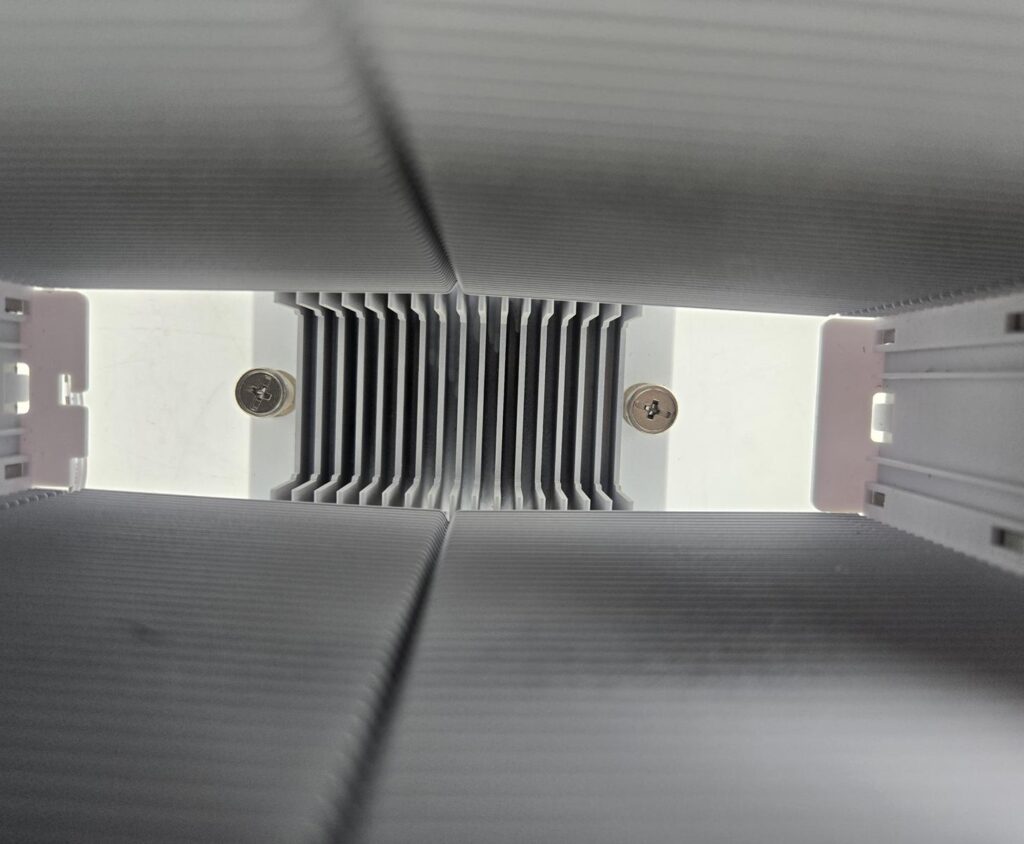
The mounting plate has 17 fins on the top that act like a heat diffuser.
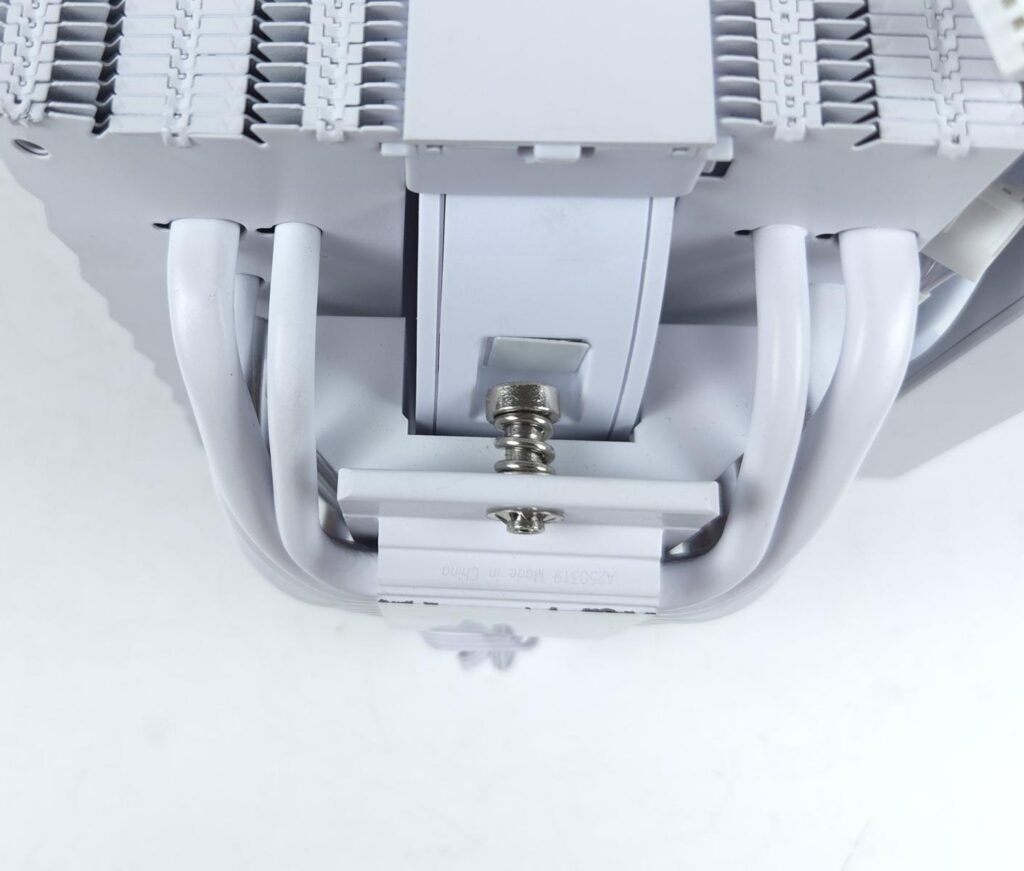
Two spring-loaded screws come pre-installed on the cross bar or mounting plate.
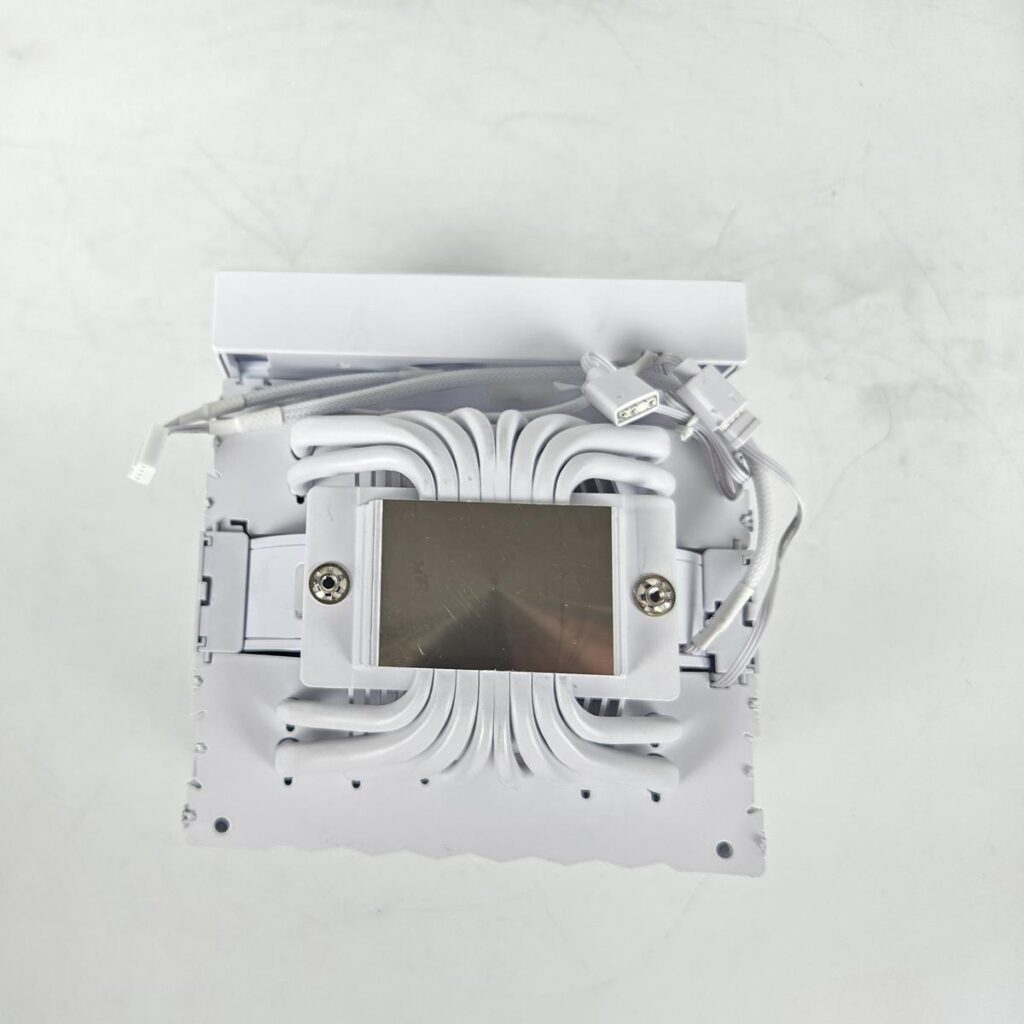
The base of this cooler is nickel-plated copper. It has a large surface to provide maximum coverage to the IHS of the CPU.
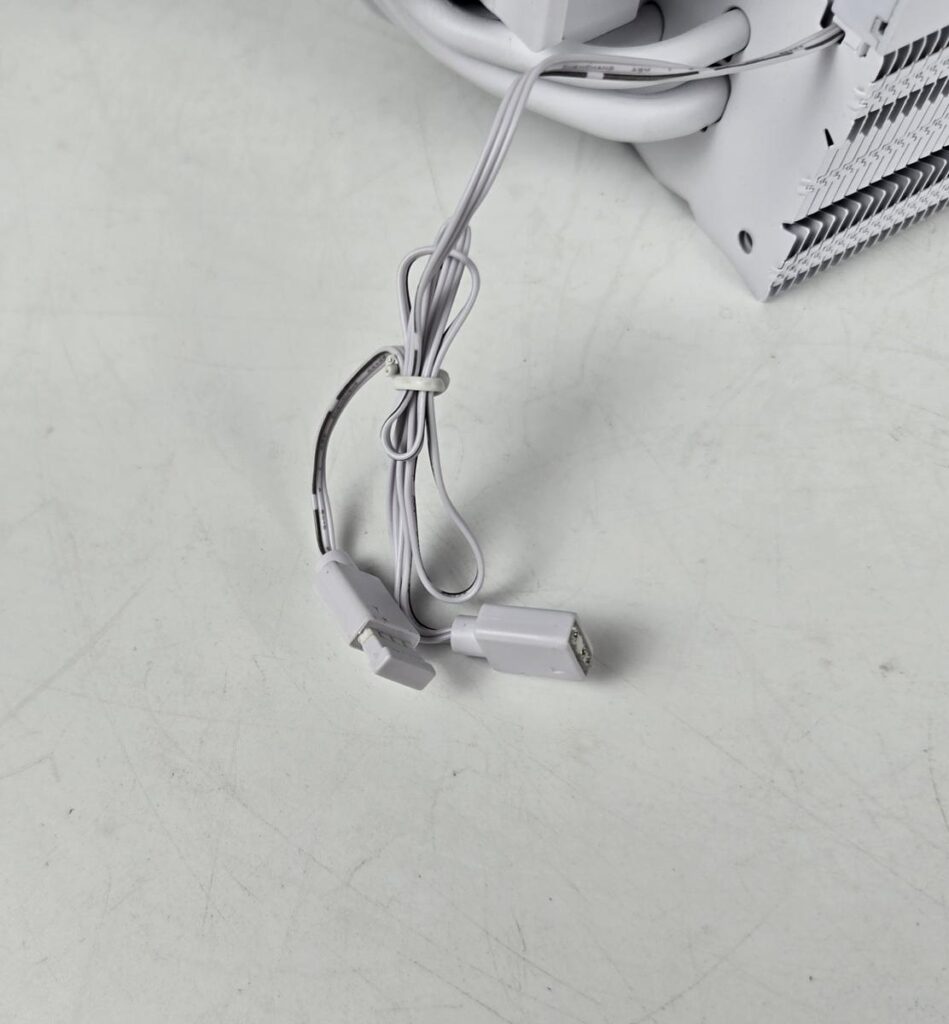
CPS has provided 3-pin, 5V standard ARGB connectors for the lighting.
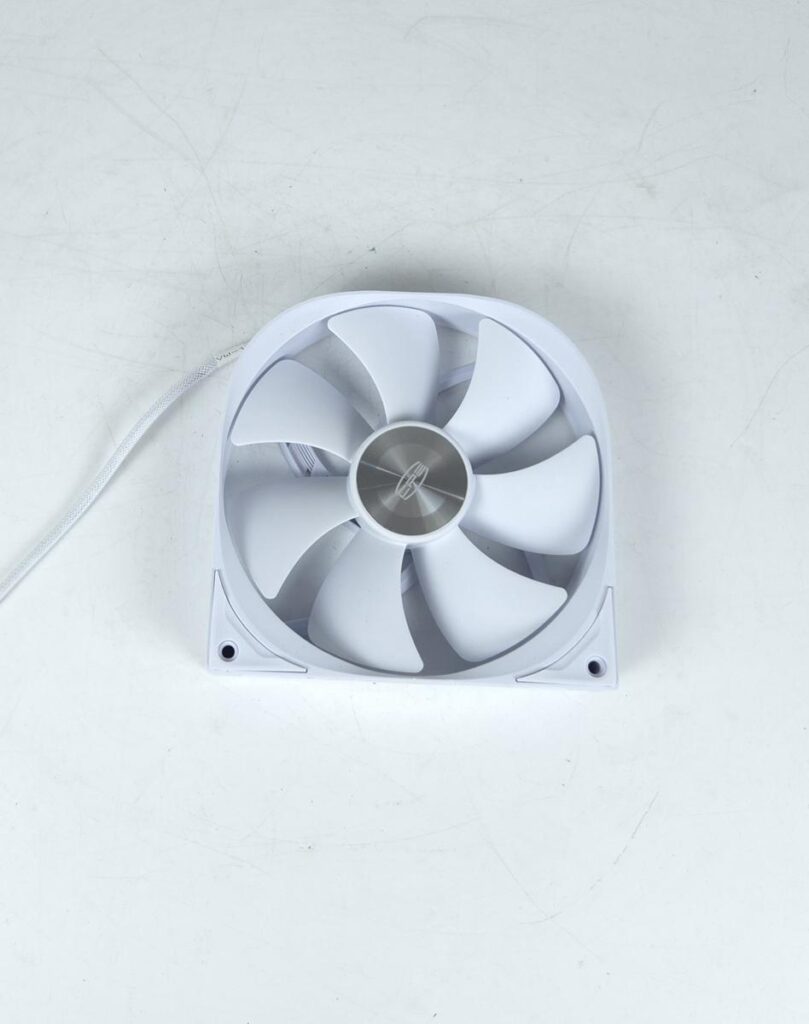
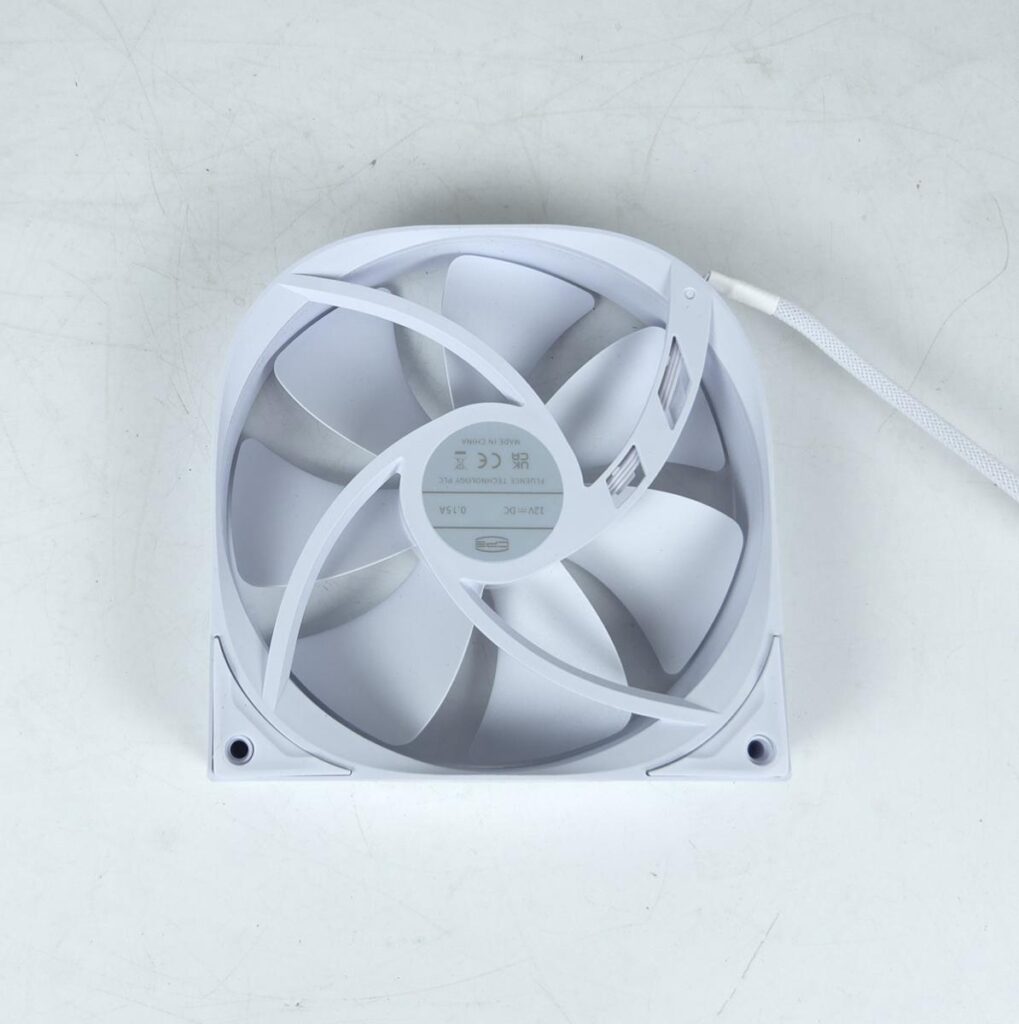
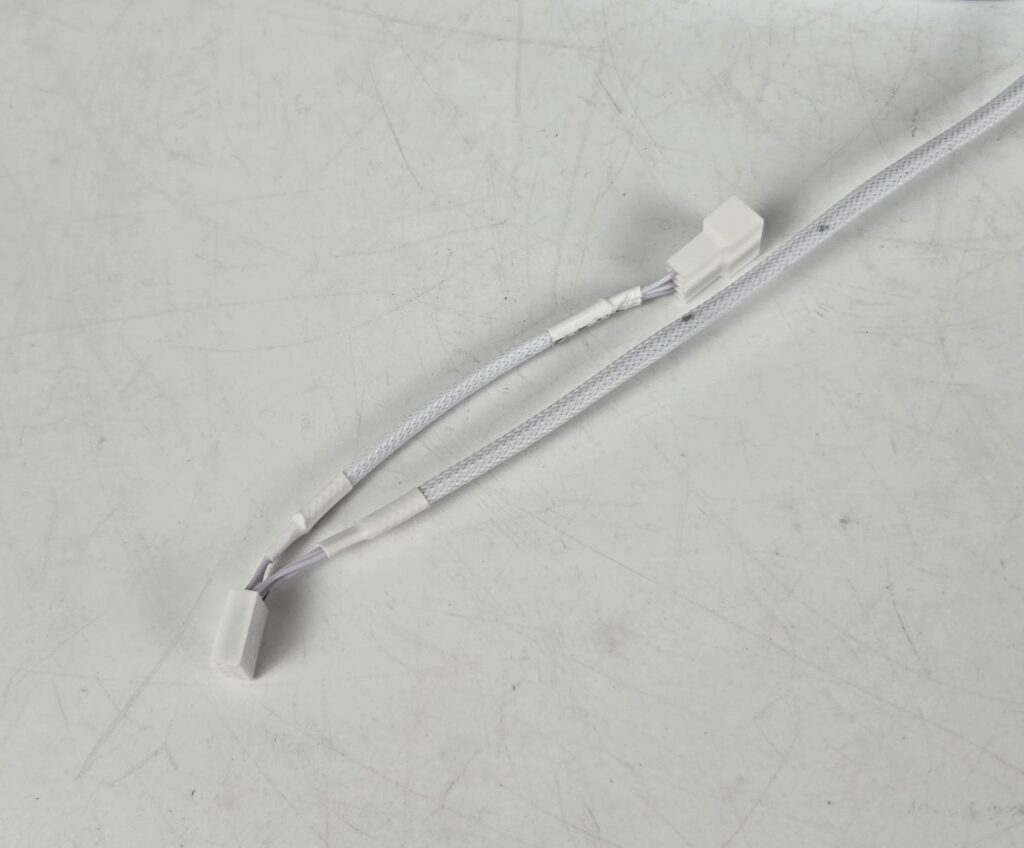
The middle fan has a dimension of 140x140x30mm. It has a speed rating of 1500±10% RPM, generating 71.9 CFM at a static pressure of 2.12mmH₂O. Its power rating is 1.2W. Its bearing type is not mentioned. It has a 4-pin PWM connector and a 3-pin socket so that front and middle fans can be daisy-chained.
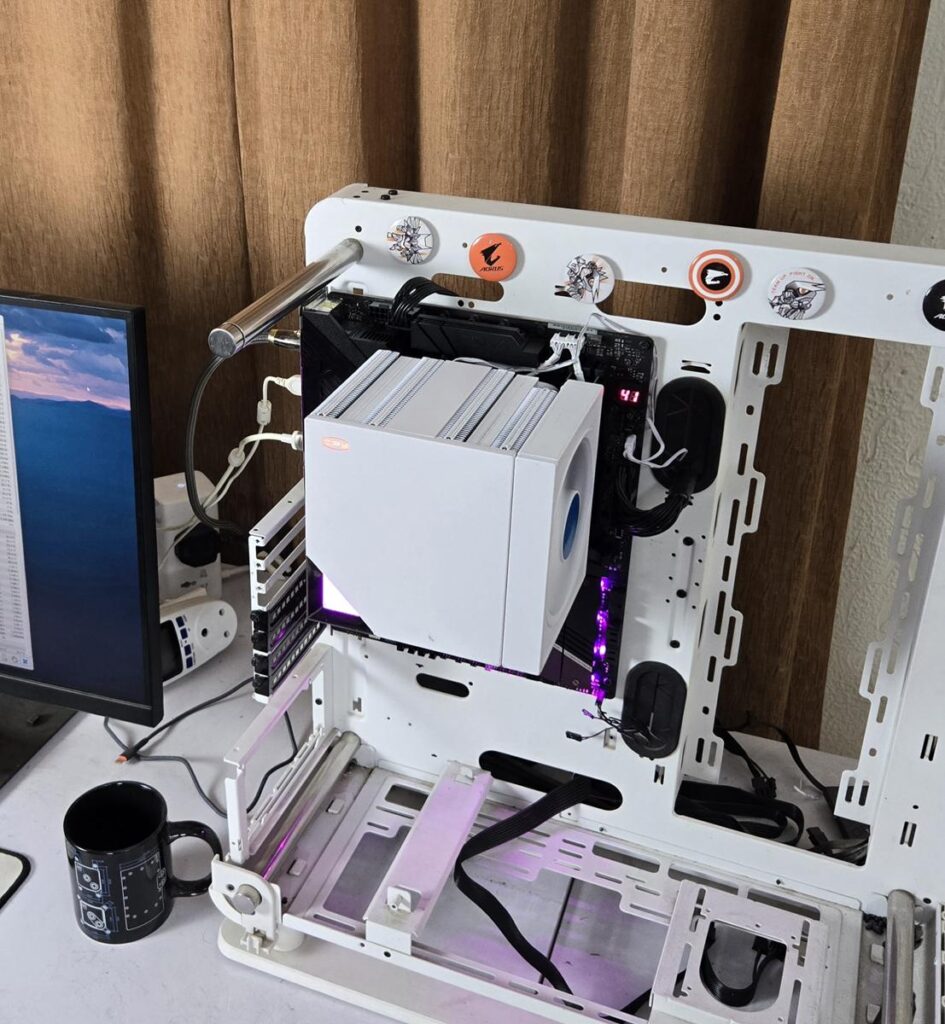
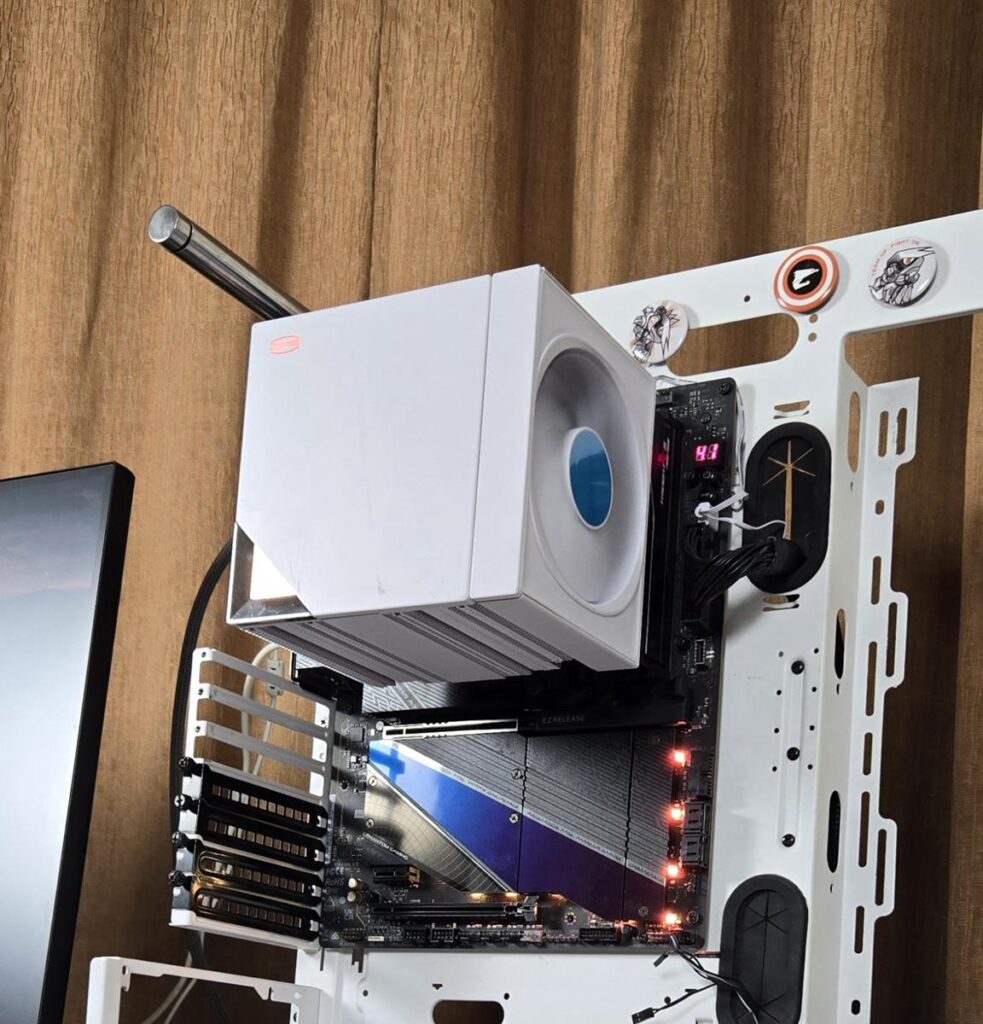
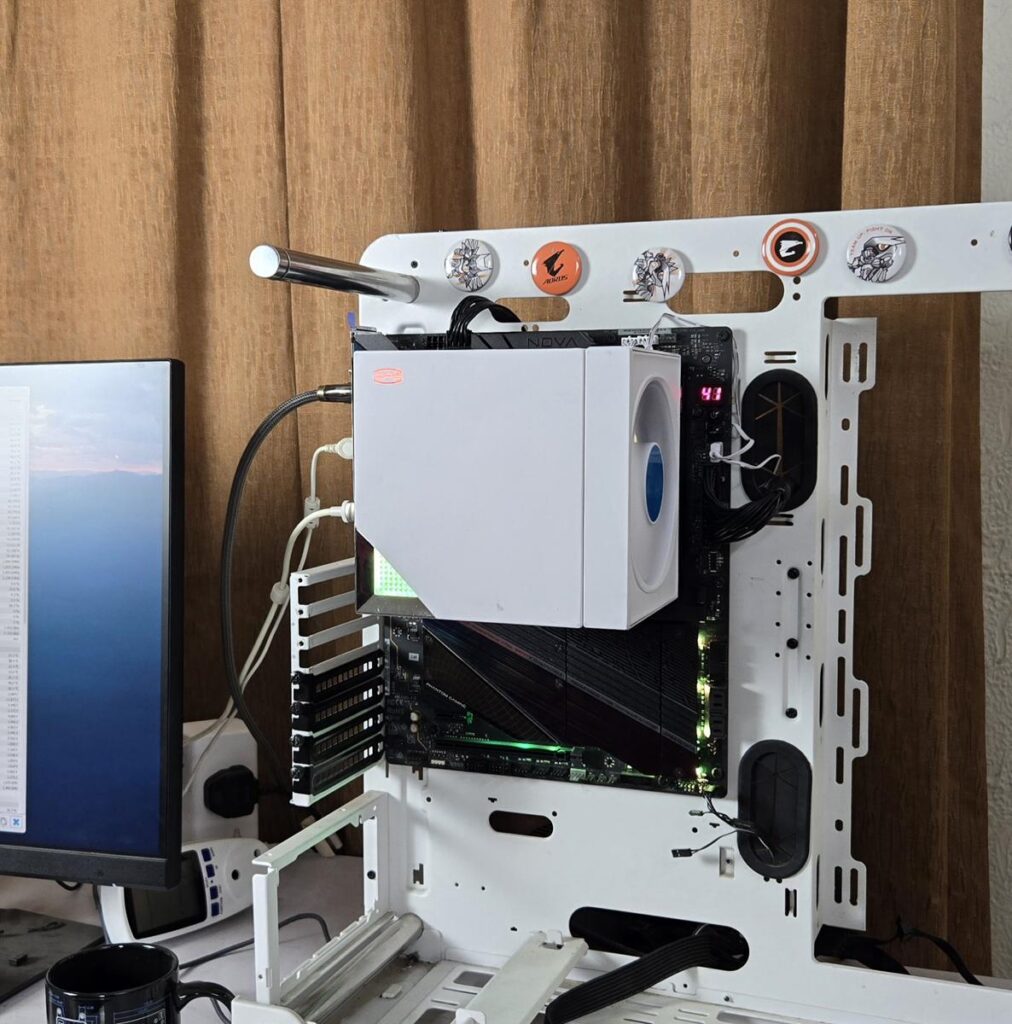
Here are the pictures of the installed cooler:
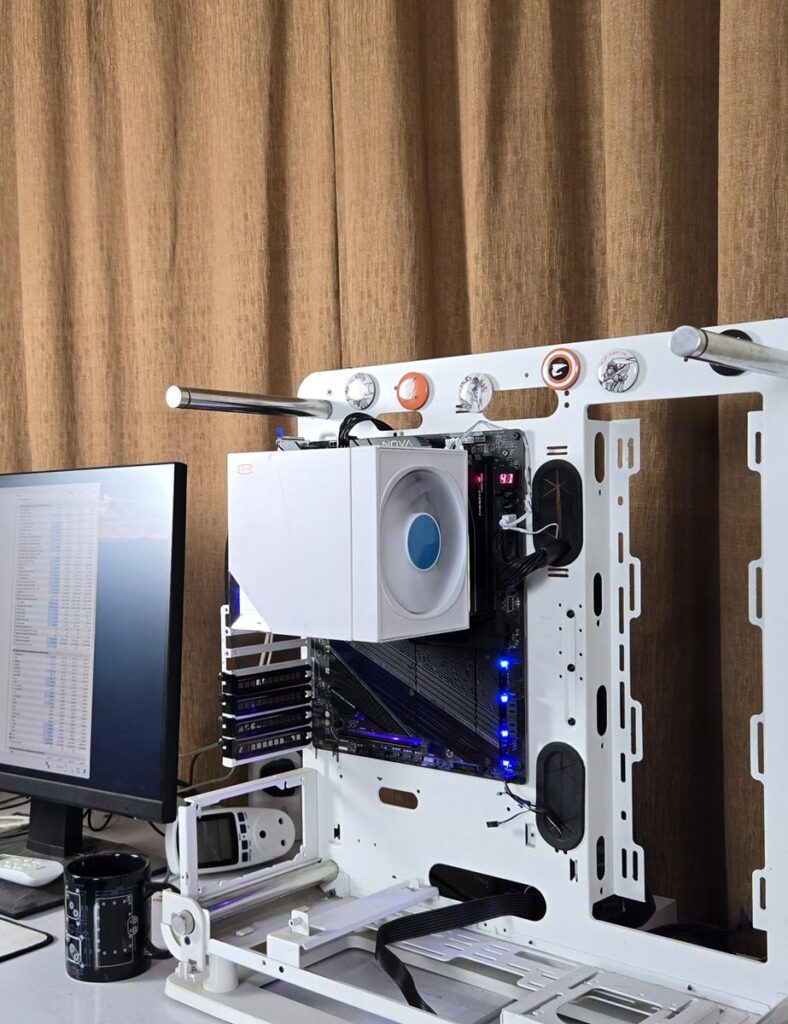
Installation
We are not covering installation steps anymore. Consult the user manual for that. We only provide observations noted during the installation process. Installing this cooler on the AMD AM5 socket is easy, and we did not record any issues.
Clearance
We need to look at the clearance from multiple angles. Let’s start with the RAM.
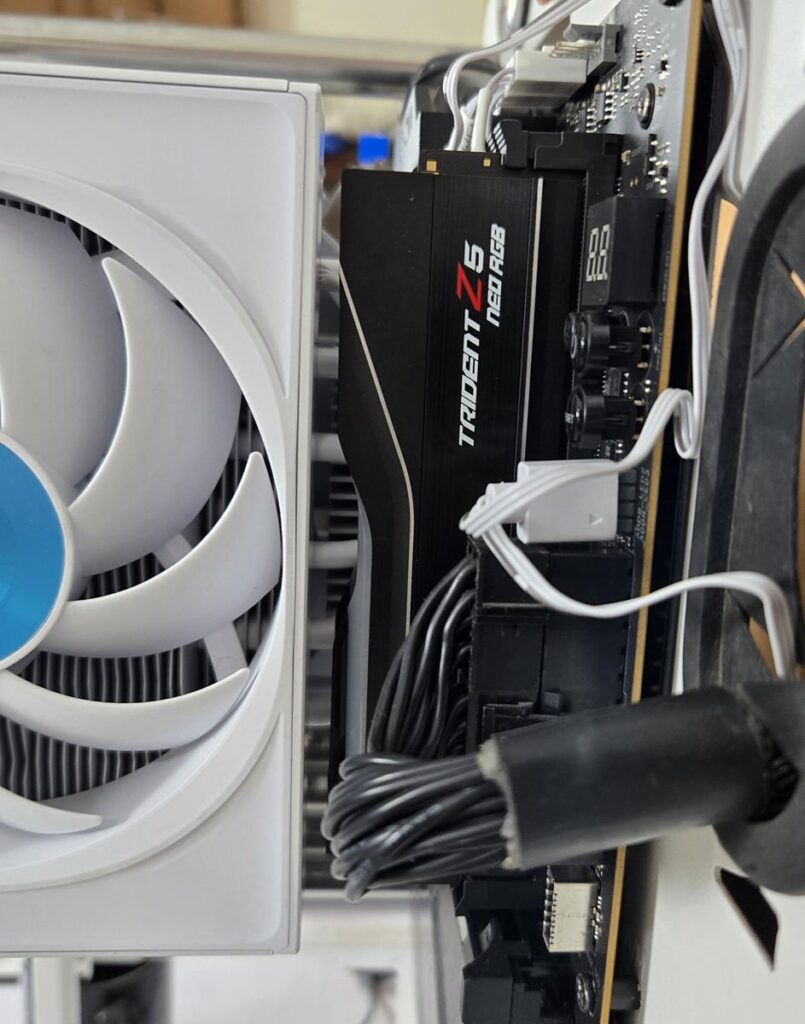
The RAM clearance is between 42 to 62mm.
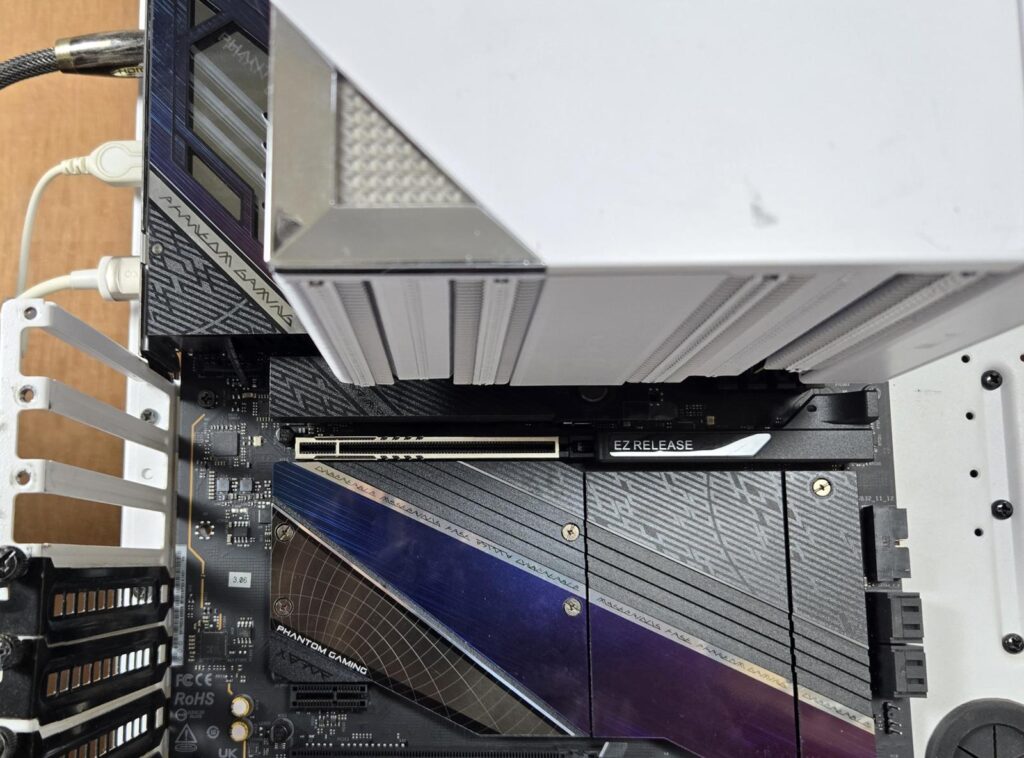
There is no issue with respect to the first PCIe x16 slot on ASRock X870E NOVA WiFi. However, the mATX motherboard may not have this clearance.
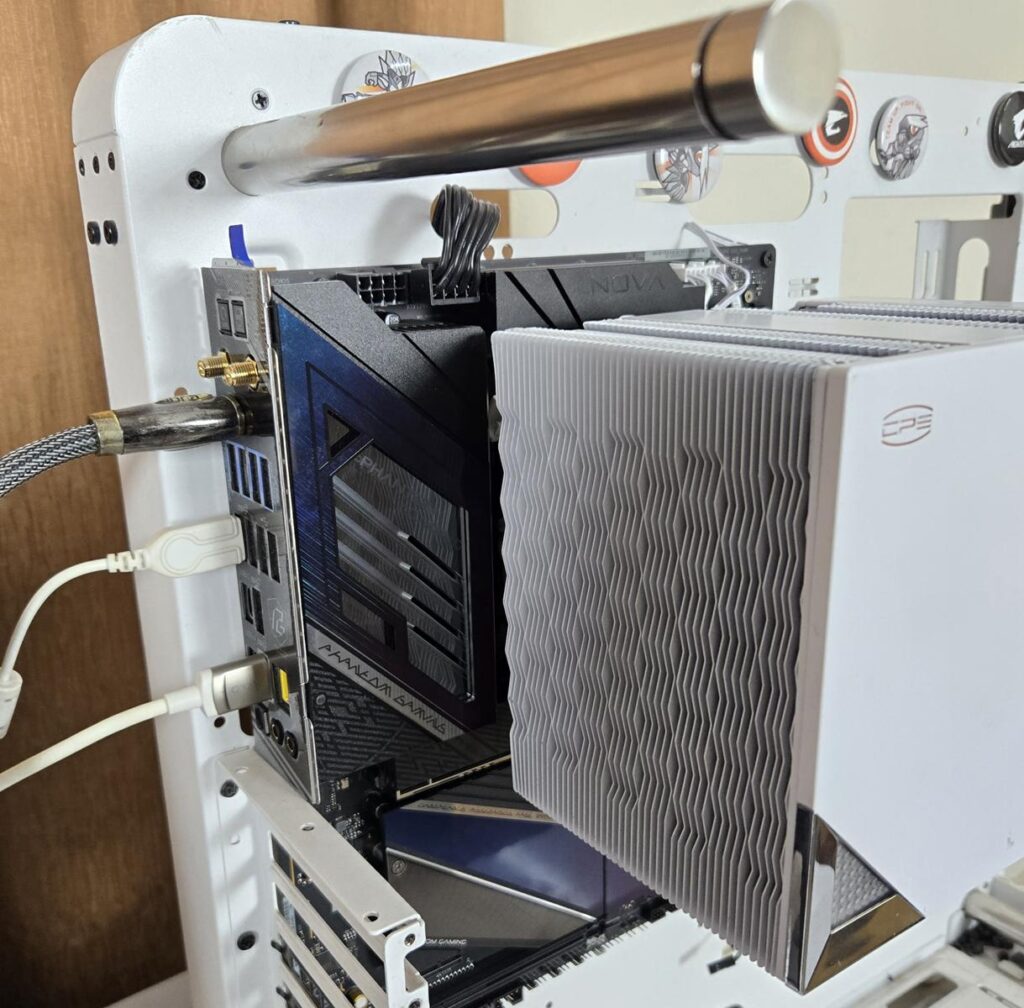
The heatsink is not obstructing the thicker rear IO cover on this motherboard. There is enough clearance with respect to the motherboard’s top.
The height of the cooler is 165mm. Keep this in mind while planning your build with respect to the PC Chassis, as the chassis should have support for the CPU cooler’s height of minimum 170mm or so.
Testing
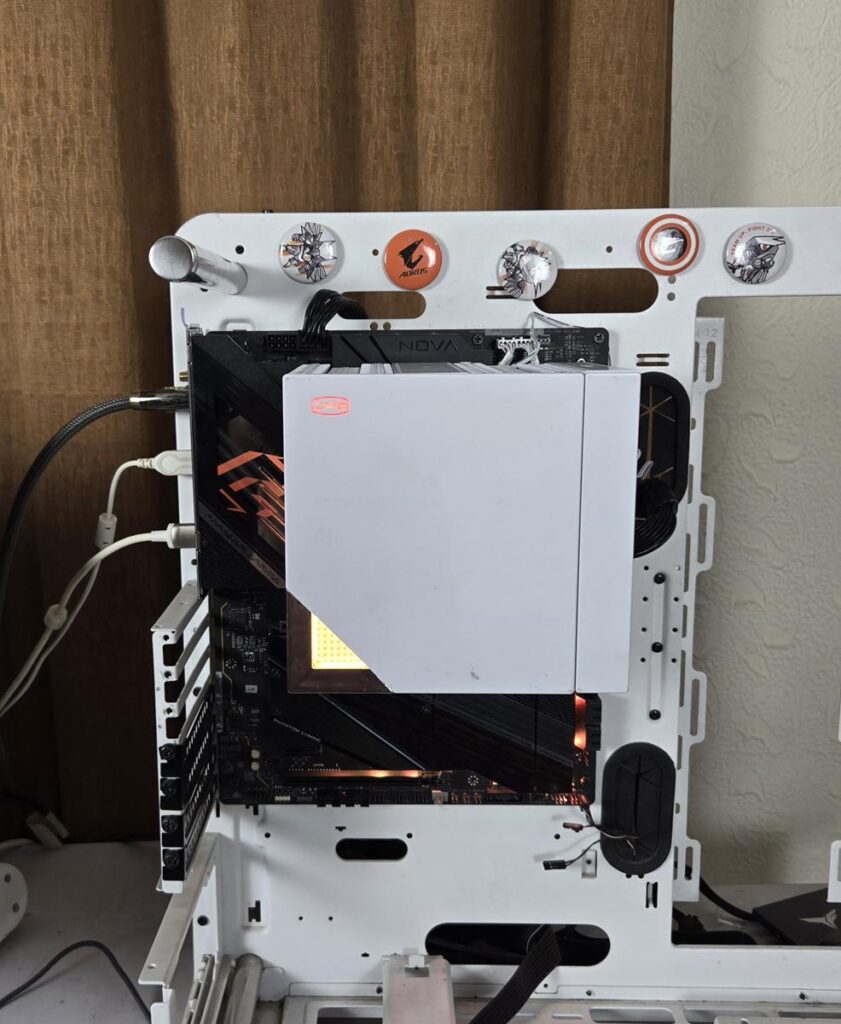
The following configuration is used for thermal testing:
- AMD Ryzen 9 9900X
- ASRock X870E NOVA WiFi
- GSkill TridentZ NEO RGB 32GB 6400MHz CL30 DDR5 kit
- ASRock Phantom Gaming RX 7600 Graphics Card for Display
- WD SN850 500GB NVME SSD
- Be quiet! Straight Power 11 850W Platinum PSU
- Praxis Wetbench
Here is the settings table for testing:
| Settings | PBO Enabled [243W] |
| Clock (MHz) | Auto |
| Voltage (V) | Auto |
| Thermal Paste | Noctua NT-H2 |
| Thermal Paste Application | Dots Method |
| Test Run Time | 30 minutes |
| Idling Time | 10 minutes |
| All Fans Speed | 100% PWM Duty Cycle |
| Pump Speed | |
| Stress Software | CINEBENCH R23.2 |
| Monitoring Software | HWINFO64 |
I am reporting absolute temperature in the graph because the room temperature was at 22°C throughout the day. The testing is done on an open-air bench system. Once inside the chassis, the temperatures are expected to rise and would largely depend on the optimal airflow inside the chassis.
Result
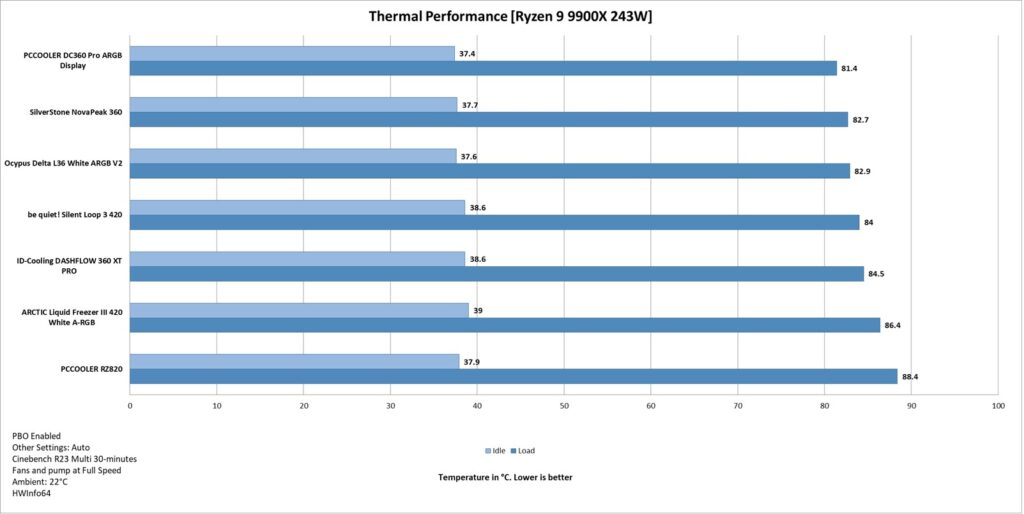
The CPS RZ820 reached 88°C during the thermal stress testing. I could not test any other air cooler for the comparison. It will be added down the road since this is our new test bench, and we are building the graph from test results gradually. The fans are not loud at full speed which is a plus for this cooler.
Conclusion
I have tested a new flagship cooler from CPS which is RZ820. This cooler is available in white and black colors and is rated for 290W TDP. This cooler is compatible with Intel LGA115x/1200/1700/1851/20xx and AMD AM4/AM5 sockets. It is nice to see support for Intel LGA20xx socket.
This is a dual tower configuration that is encapsulated in a plastic shroud. However, the top cover is made of CNC aluminum alloy and has a magnetic attachment. The top cover has ARGB lighting on the tri-force-themed corner. The CPS logo lights in solid static orange color. CPS has employed a powerful 120mm fan (custom size) on the front and a 140x30mm fan in the middle.
The front fan has a rail mount mechanism, making it a breeze to adjust its height. The middle fan can be taken out completely by removing the top cover. You are required to take it out anyway during the installation.
Both heatsinks are identical in layout in terms of fin design; however, the front stack has an offset design in 37+8 fins, providing a better clearance for the taller RAM and the nearby area of the socket. Each tower has 45 fins, making a total count of 90 fins. The complete assembly is soldered.
CPS has employed a combination of heat pipes in a group of 4×6 mm and 4×8 mm pipes. These are composite heat pipes that are coated in white color (our sample is white). The copper base is nickel plated, though not a mirror finish. The mounting plate comes equipped with two spring-loaded screws.
The front fan is rated for 2200±10% RPM, generating 86.7 CFM airflow and carries a static pressure rating of 3.2 mmH₂O. It has a dimension of 150x120x25mm. It uses an FDB bearing and comes with a power rating of 2.4W. The middle fan has a dimension of 140x140x30mm. It has a speed rating of 1500±10% RPM, generating 71.9 CFM at a static pressure of 2.12mmH₂O. Its power rating is 1.2W.
Both fans are PWM regulated, and the middle fan has a socket so that both fans can be daisy-chained for a single source control. CPS has provided a screwdriver as well, so that you don’t need to worry about anything. The ARGB lighting is controlled via standard 5V, 3-pin ARGB connectors.
CPS has provided a streamlined mounting kit that uses the same standoff on any type of socket except LGA 20xx, which is understandable. The overall installation of this cooler on AMD AM5 is simple and requires 10 items for the mounting kit.
The maximum RAM clearance is up to 62mm with both fans. You can adjust the height of the front fan, but it will also increase the overall height of the cooler. There is no interference for the first x6 PCIe slot on ATX motherboards, but you may run into a clearance issue on mATX motherboards.
This cooler has an MSRP of USD 199, making it one kind of an expensive air cooler on the market. It is available for around $125 at present. This cooler was able to handle the 243W on 9900X easily, though I don’t have comparison data from other air coolers. That result will be added down the road with more test results. This cooler comes with a 5-year warranty.
Pros
- Stylish and bold design
- Thermal Performance
- Magnetic Cover with ARGB lighting
- Matrix and Wave Fins Layout
- Rail Mount Mechanism on the front fan
- 120mm and 140mm fans
- Easy Installation
- Warranty
- Noise
Cons:
- Price