














CHUWI CoreBook X i5-12450H Review: A Budget Laptop That Feels Premium

We know Chuwi well, a Chinese company that has been on the Italian market for almost 10 years and has carved out space over the years through a very particular philosophy: make products available to more budget-conscious users, while at the same time offering a high-quality-price ratio. In general, mini PCs, tablets, and notebooks arrive on the market with hardware architectures that are not new, but rather set up in a way that can satisfy the requirements of most users.
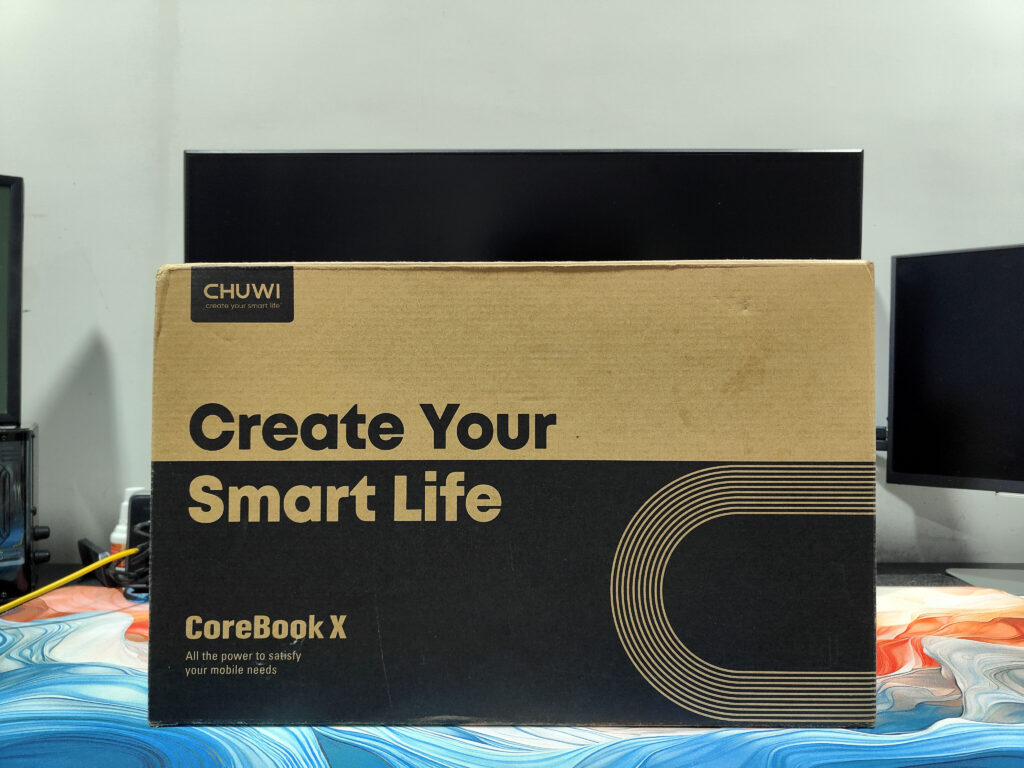
Chuwi’s CoreBook series offers budget notebooks with Intel processors and regular updates. We explore the updated CoreBook X, which has recently been refreshed to include the Intel Core i5-12450H.
Unboxing
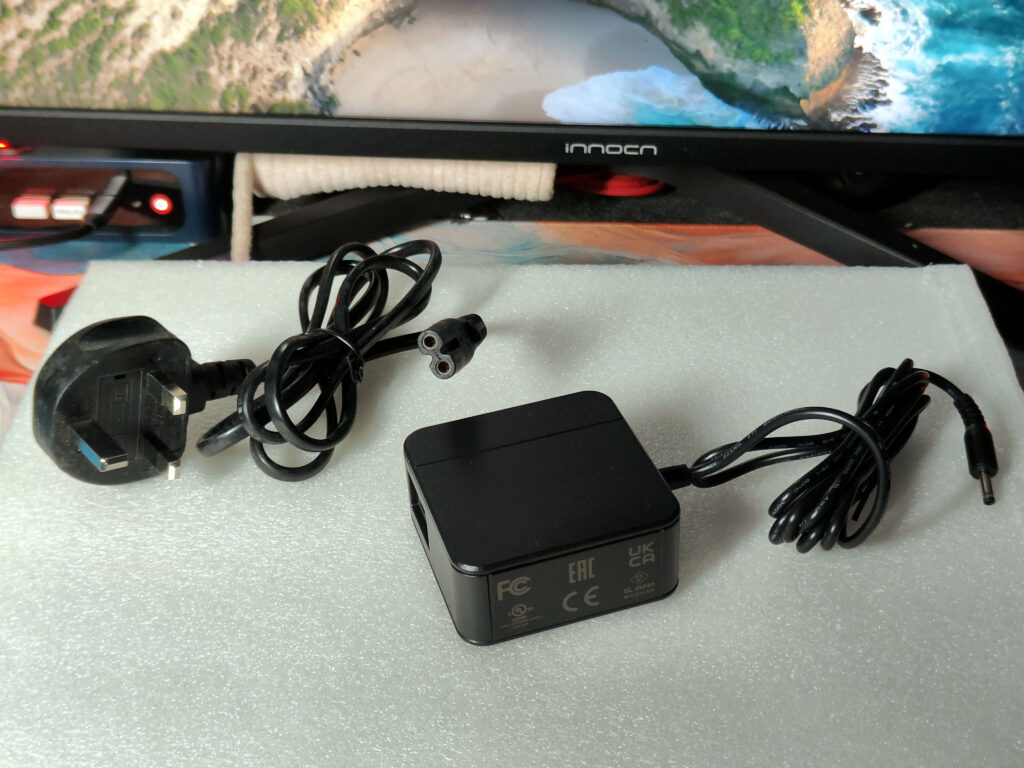
When you open the box in which the CHUWI CoreBook X i5-12450H comes to the door, everything you need is there to quickly start without any hassle. All you find inside the box, of course, is the laptop itself, alongside a slim 65W (19V/3.42A) power adapter that you charge using a DC-in port for quick charging. The adapter offers a pocket-friendly design that won’t take up too much room in your bag, so you’ll stay productive on the go.
What’s included are simple papers: an instruction book in several languages, compliance trading cards, and a Styrofoam warranty card. While you’re still covered for set up and daily use, don’t count on any bonus goodies here—CHUWI keeps it straightforward, avoiding extras, whether that be a protective sleeve or extra peripherals. It’s a no-frills method, good for anyone who looking to stay more environmentally friendly.
Design
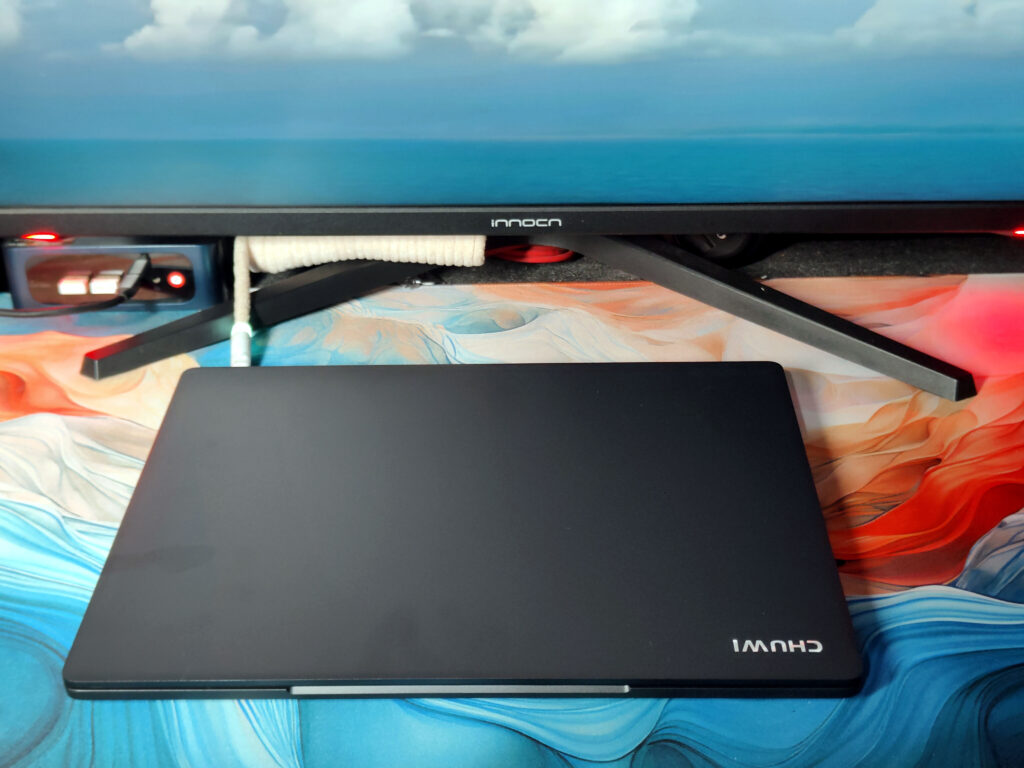
If you’re looking for a 14-inch laptop, the 12450H Chuwi CoreBook X is a decent choice, with a compact design measuring 31.2 x 23.5 cm that slips nicely into any suitcase or briefcase. It’s not the slimmest at 1.7 cm in thickness, but not bulky, either — a good middle ground. The dark gray matte finish gives it a solid, modern look, and the build quality feels solid straight out of the box, a solid first impression.
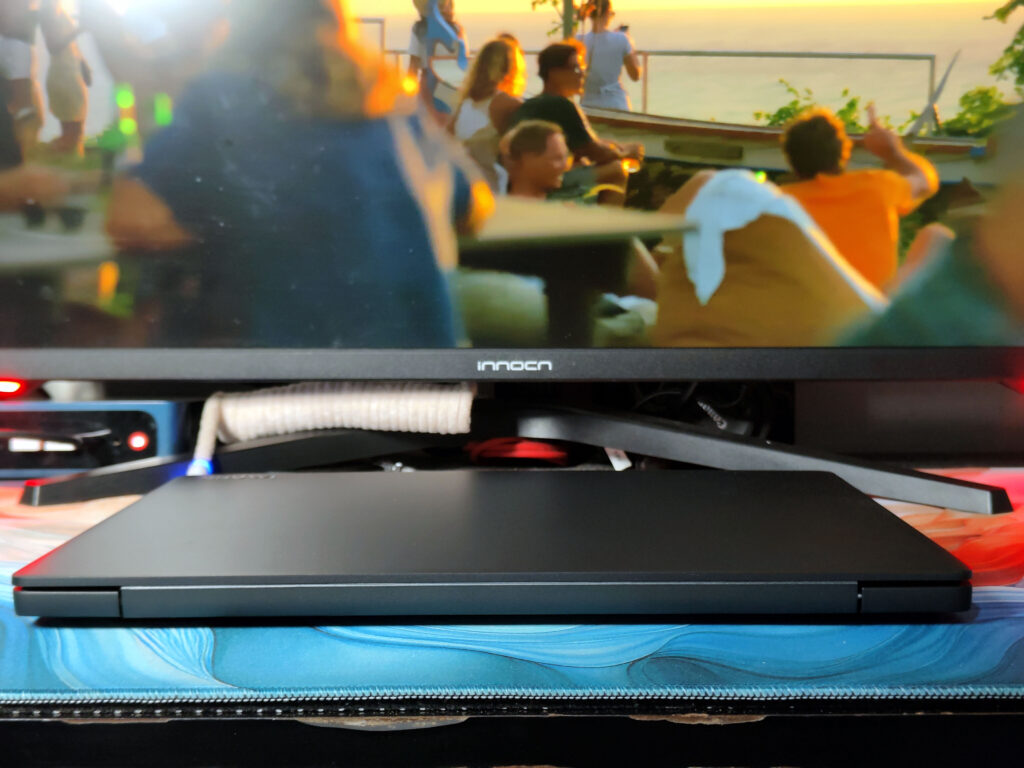
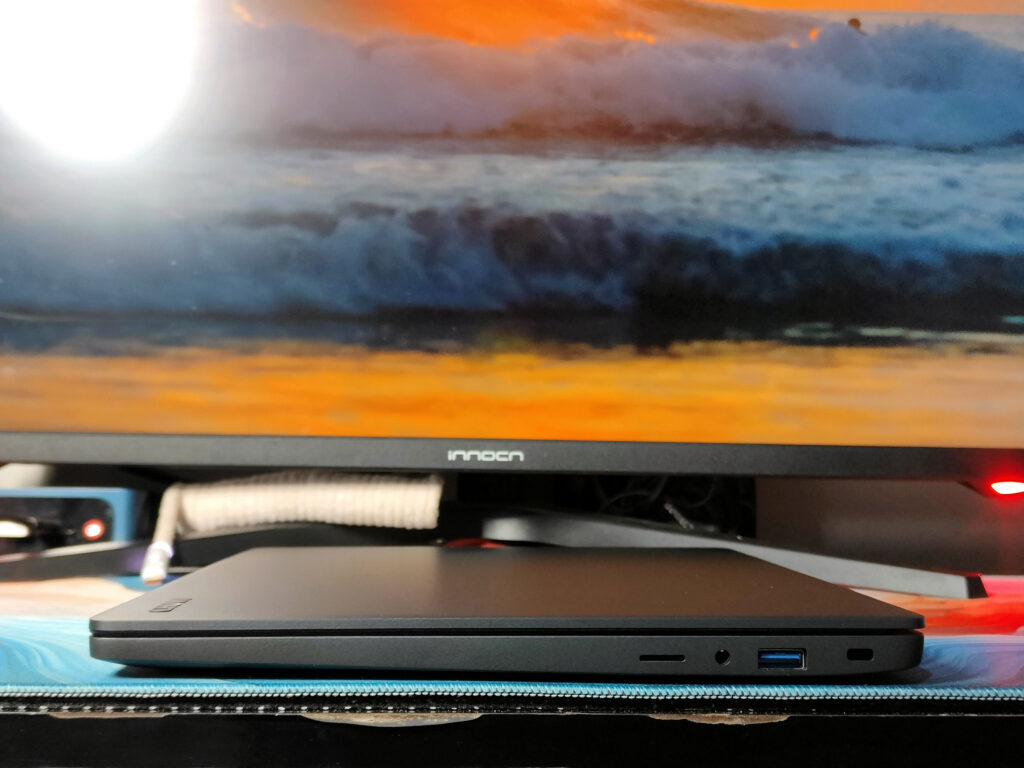
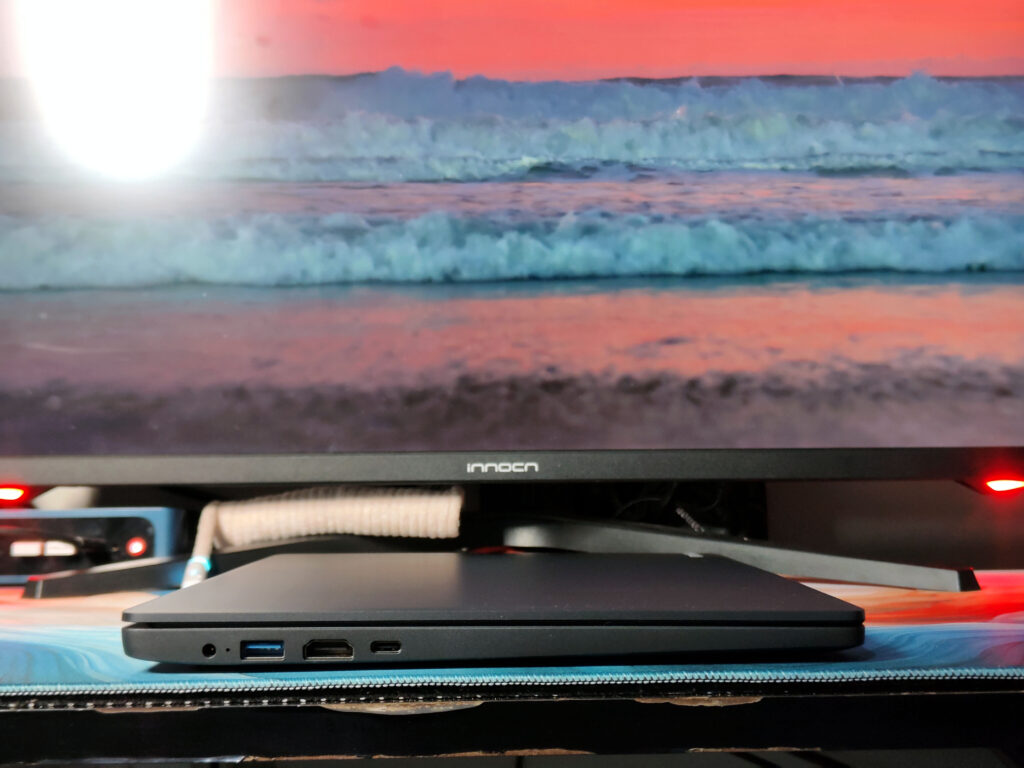
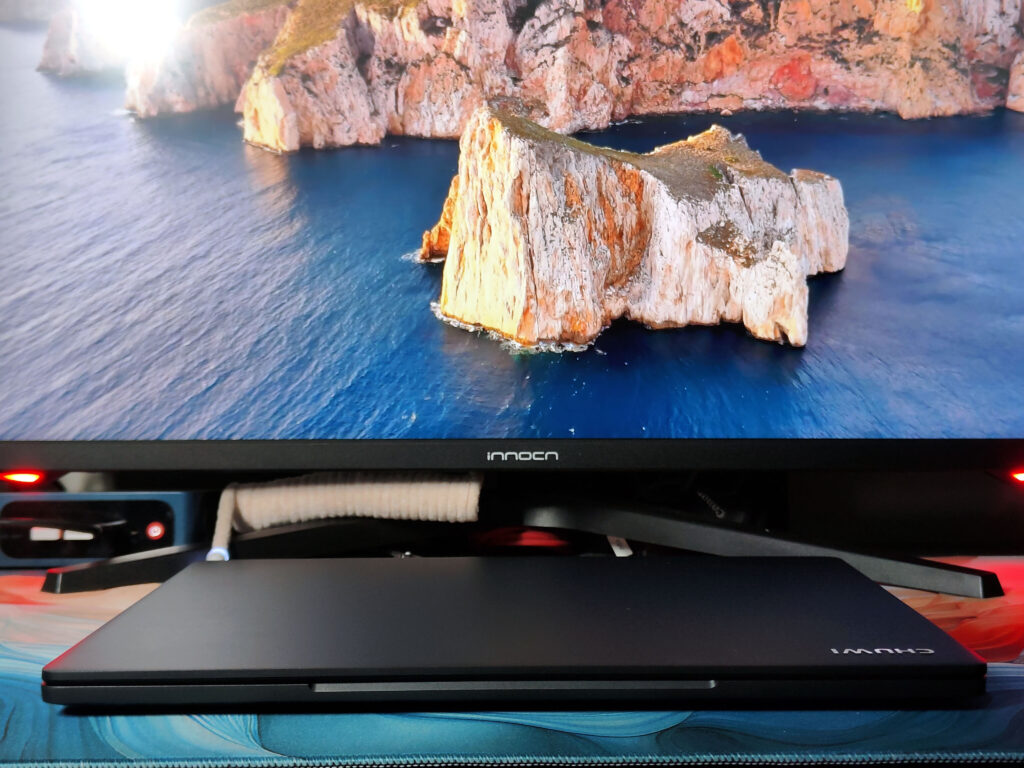
It goes with a familiar combo: a plastic top and a metal base, the display mostly metal except the panel’s frame. The metal plates keep it super stable when closed. But open it up, and touching it too roughly by a corner could cause it to develop a slight bend. Even firm pressure on the palm rest or keyboard flexes a bit — not a dealbreaker, but noticeable.
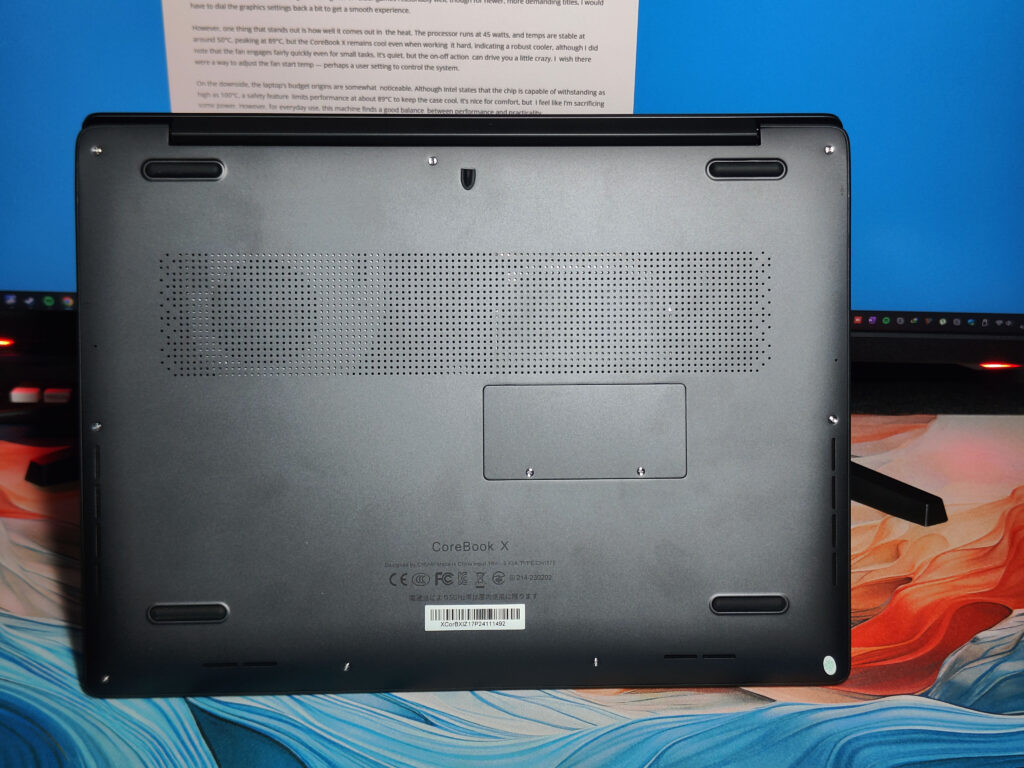
It feels good to use on the go. The screen is rock solid and shows little wobble, and the hinge maintains its angle nicely. One minor annoyance: you’ll have to grip the base to open it; the laptop’s light enough that if you simply tug or pull on the lid, it lifts up with it. It closes with a snap and is secure with no rattle — very satisfying.

The hinge’s wide range is a fantastic feature—you can open this thing nearly flat, which is great for various setups. Even with the screen at the extremes of its angle of movement, it remains firmly in place, however much you shake it. For added grip on any surface and just the right amount of lift for airflow, there are chunky rubber feet.
Display
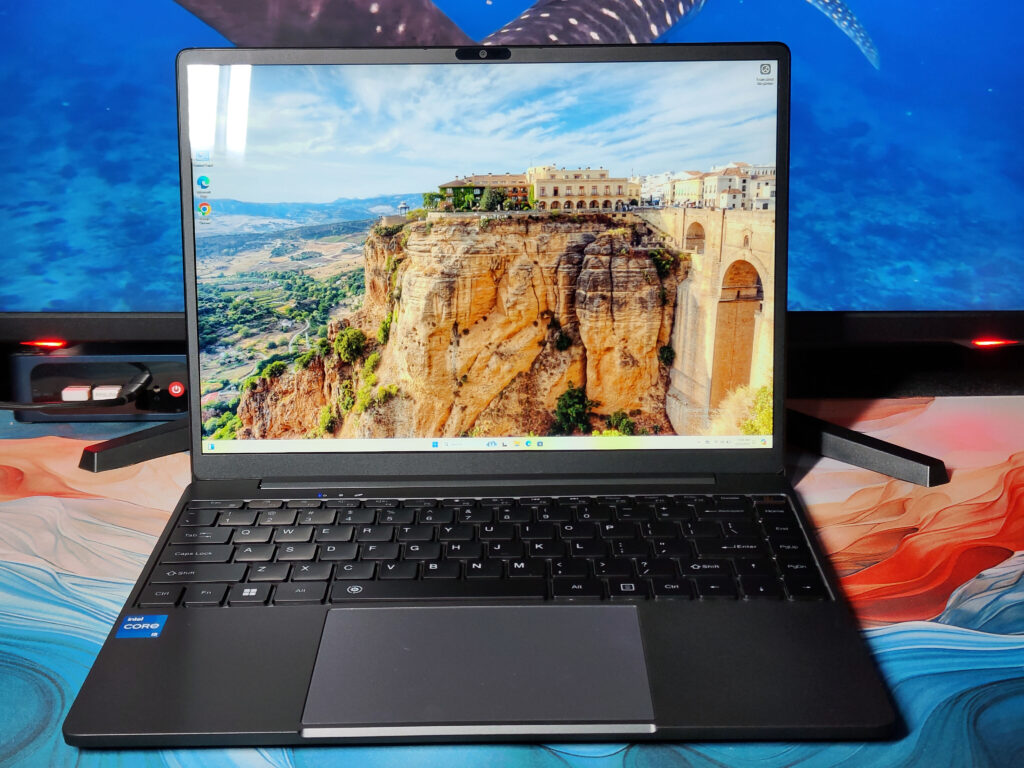
The 14-inch IPS panel of the CHUWI CoreBook X i5-12450H isn’t going to wow you with any cutting-edge technology or gaming performance, but it does provide a good balance between sharpness and color accuracy. Not only does the 3:2-bys-2K (2,160-by-1,440-pixel) screen read well in specs, it’s built for productivity. Whether you’re drafting spreadsheets, altering photos, or browsing through web pages, the taller screen ratio gives you more vertical real estate to play with, leading to less scrolling and keeping your focus where it counts.
Colors pop with confidence due to full coverage of 100% sRGB, chipper images, and lively, true-to-life video. Brightness levels are strong in most environments, and while the glossy finish provides great color vibrancy, it also tends to catch reflections in well-lit rooms. The thin bezels (5.8mm) running around the display make for a sleek, modern aesthetic with an impressive 85% screen-to-body ratio. Details remain sharp, and the whole viewing experience is immersive, whether you’re crunching numbers or kicking back with a film.
Keyboard and Touch Pad
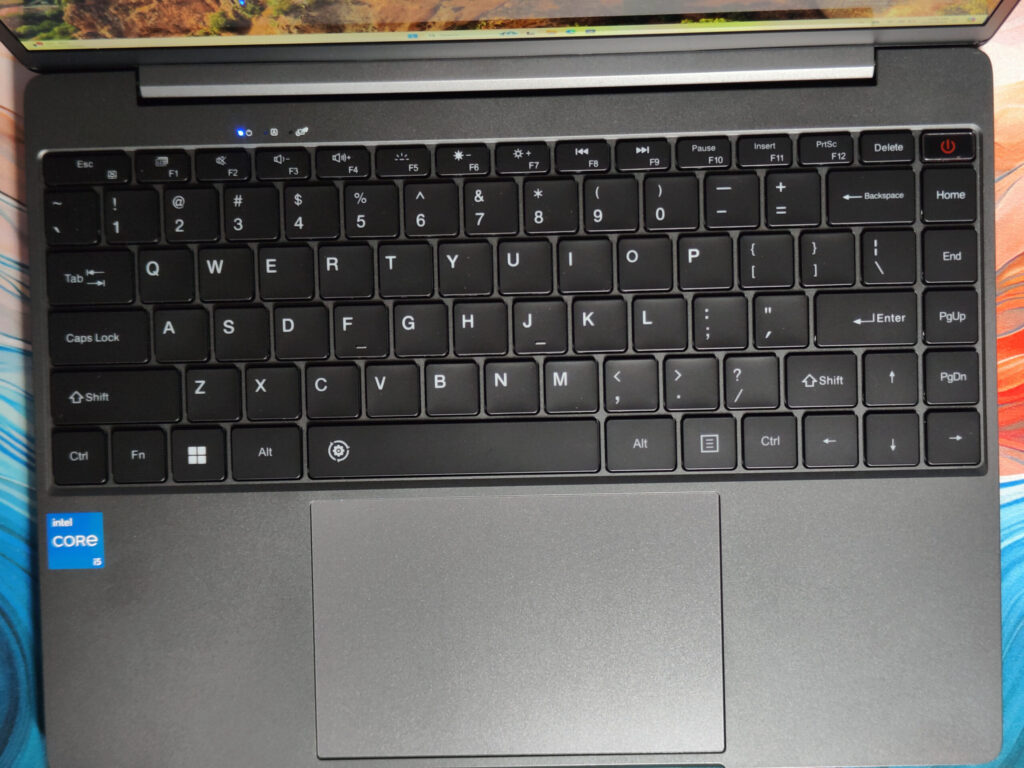
As with most Chuwi laptops, the Chuwi CoreBook X 12450H has a standard American QWERTY keyboard. Whether this annoys you depends on what you’re used to. You can switch to a QWERTZ layout if you want that, and if the key labels give you trouble, some stickers can fix that up in no time.
The keyboard itself feels tight for a Chuwi device. It’s not whisper-quiet, but it doesn’t have that cheap, rattly sense, making typing feel smooth and enjoyable. The keys are nicely spaced, so even if you’re a two-finger typist, you shouldn’t miss too many of the right ones. They have a fair amount of road travel as well — no mush or sponge in the response. It also does not miss or double any keystroke, which is great. To be frank, typing here is a walk in the park, even for entire posts like this review.
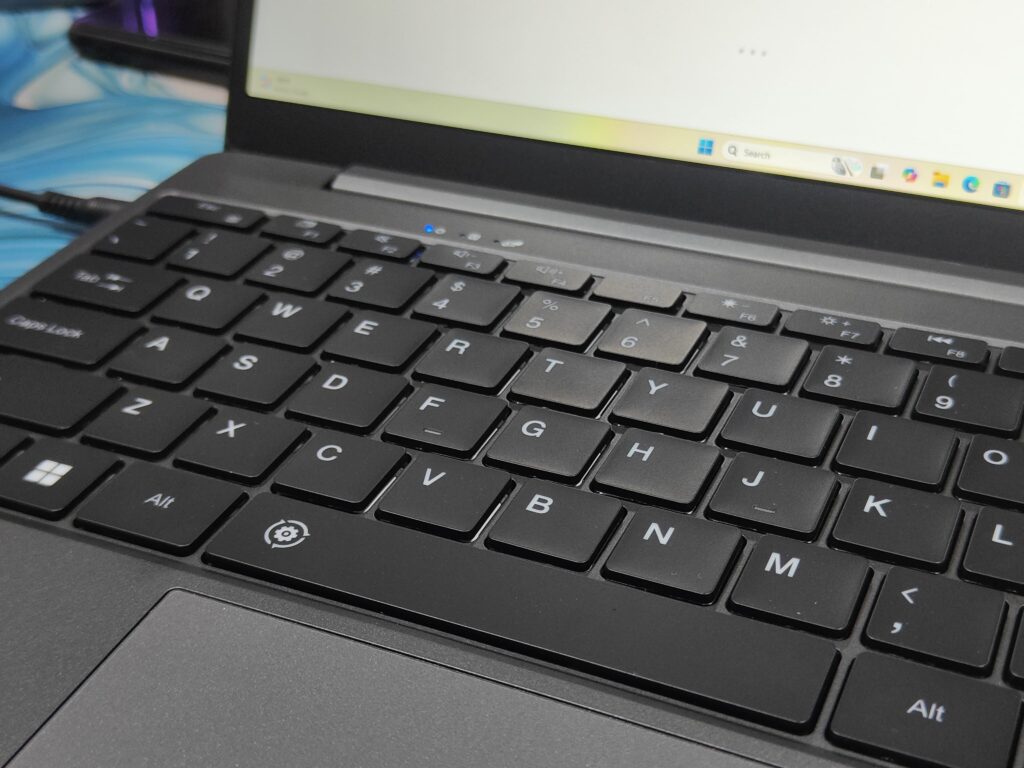
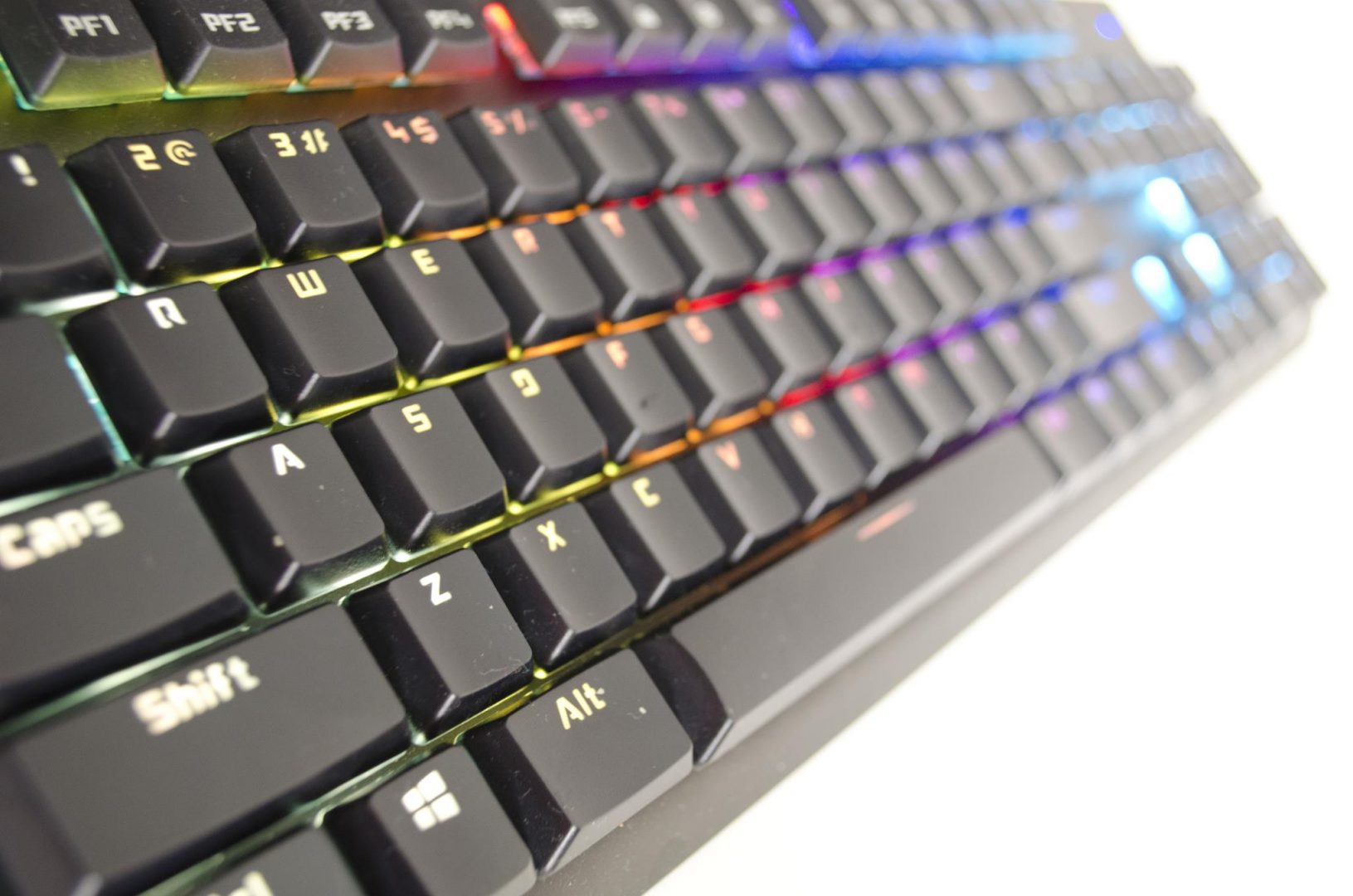
The keyboard features a backlight for working in low-light conditions, which you can enable and cycle through off, on, and a few brightness settings with FN+F5. One press of a button turns it on, another button makes it brighter, and a third turns it off. It’s bright enough that you can see clearly without blinding yourself, and the keys are illuminated pretty evenly. If you pause typing for something like 35 seconds, the backlight dims to conserve power, but it flares back to life when you hit a key.
Now the touchpad — Chuwi is raising its game on this one. Say goodbye to clunky, frustrating touchpads on cheap laptops. We found this one to be a good performer for the price. It’s a generous 5.8 inches wide, so you can swipe the cursor from one end of the screen to the other in a single dip, even at a relatively low cursor speed. Multitouch gestures such as pinch to zoom feel intuitive on its expansive surface.
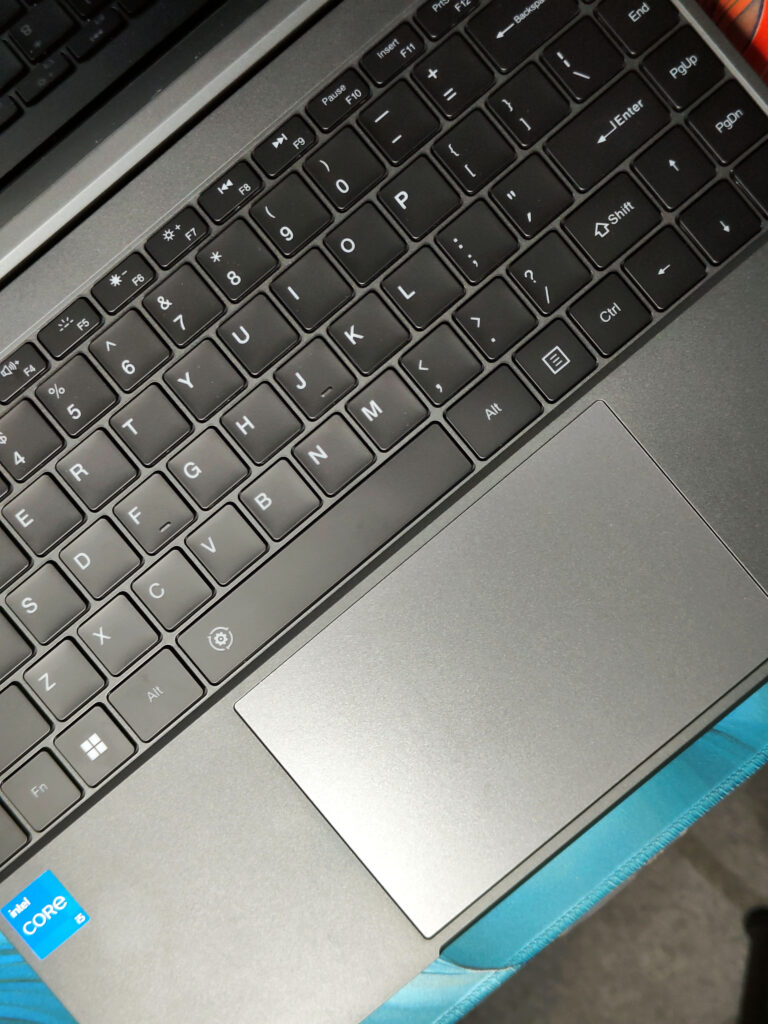
Although slightly rough in texture, the touchpad is still smooth enough to glide across. It doesn’t come across cheap or flimsy, and the integrated mouse buttons operate effectively to about halfway across the surface. It doesn’t flex too much under normal pressure, which contributes to the sort of premium vibe. Throughout a week of daily use, it didn’t miss a beat — no jumpy cursors or ignored taps. It’s precise enough to perform get-fussy things like selecting text cleanly.
Because it’s a Precision Touchpad, you get all the Windows gestures—you can swipe with three or four fingers to switch between apps or desktops, for example, or use two fingers to scroll and zoom. As is the norm, you can adjust the gesture settings to your liking. The touchpad’s sensitivity can be tweaked as well, and I’d bump it up one notch from the default for a more responsive feel to small movements. All in all, it’s a solid, easy-to-use setup that makes navigating a joy.
Chuwi CoreBook X 12450H Features
| processor | Intel Core i5-12450H 12th Gen Alder Lake (Intel 7 10nm) 4x x86_64 efficiency @3.3GHz 4x x86_64 performance @4.4GHz (multi-threading) 12MB Intel Smart Cache Power Limits: 28W PL1 / 45W PL2 |
| GPU | Intel UHD Graphics (Alder Lake-P 282 GT2) 48 execution units 1.2GHz clock speed |
| R.A.M. | 2x SO-DIMM (up to DDR4 3200MHz) Ex works: 1x 16GB DDR4 3200MHz AirDisk AD4AS3200QG DRAM Manufacturer: Samsung Timings: 22-22-22-52 |
| memory | 1x M.2 2280 PCIe 4.0 slot Ex factory: 512GB AirDisk M.2 2280 PCIe 3.0 NVMe SSD SSD Controller: Maxio MAP1202 |
| Micro SD | Integrated Micro SD USB 2.0 card reader (Realtek) |
| Fingerprint scanner | No |
| Sensors | Eyelid Sensor |
| Special features | 2x USB-A USB 3.2 Gen1 5Gbit/s 1x USB-C USB 3.2 Gen2 10Gbit/s + USB-PD + DP 1x HDMI 1.4 Full Size 1x 3.5mm Audio In / Out |
Hardware and Performance

The CHUWI CoreBook X, which runs on the Intel Core i5-12450H processor with 16GB of DDR4 RAM, is the type of workhorse that feels like it can be relied upon for day-to-day jobs. It’s 8 cores and 12 threads, clocking up to 4.4 GHz in Turbo mode, floats through web browsing, document editing, and video streaming like it owns the place. Even when I throw heavier tasks such as photo or video editing at it, the processor and generous RAM keep it running smoothly.
The 512GB PCIe SSD is also a welcome addition, allowing the system to boot up in seconds and apps to launch a split second later. The built-in Intel UHD Graphics is enough to run lighter or older games reasonably well, though for newer, more demanding titles, you will have to dial the graphics settings back a bit to get a smooth experience.
However, one thing that stands out is how well it comes out in the heat. The processor runs at 45 watts, and temps are stable at around 50°C, peaking at 89°C, but the CoreBook X remains cool even when working it hard, indicating a robust cooler, although I did note that the fan engages fairly quickly even for small tasks. It’s quiet, but the on-off action can drive you a little crazy. I wish there were a way to adjust the fan start temp — perhaps a user setting to control the system.
On the downside, the laptop’s budget origins are somewhat noticeable. Although Intel states that the chip is capable of withstanding as high as 100°C, a safety feature limits performance at about 89°C to keep the case cool. It’s nice for comfort, but I feel like I’m sacrificing some power. However, for everyday use, this machine finds a good balance between performance and practicality.
The aforementioned Chuwi CoreBook X 12450H is not made for gaming. Its GPU simply isn’t strong enough to handle demanding 3D titles. Even old games like Tomb Raider or Dirt 4 can barely manage a rock-solid 60 fps at Full HD, even with graphics settings turned way down. Even using AMD FSR upscaling does not help that much—complete games like No Man’s Sky still feel choppy at Full HD.
SSD Performance
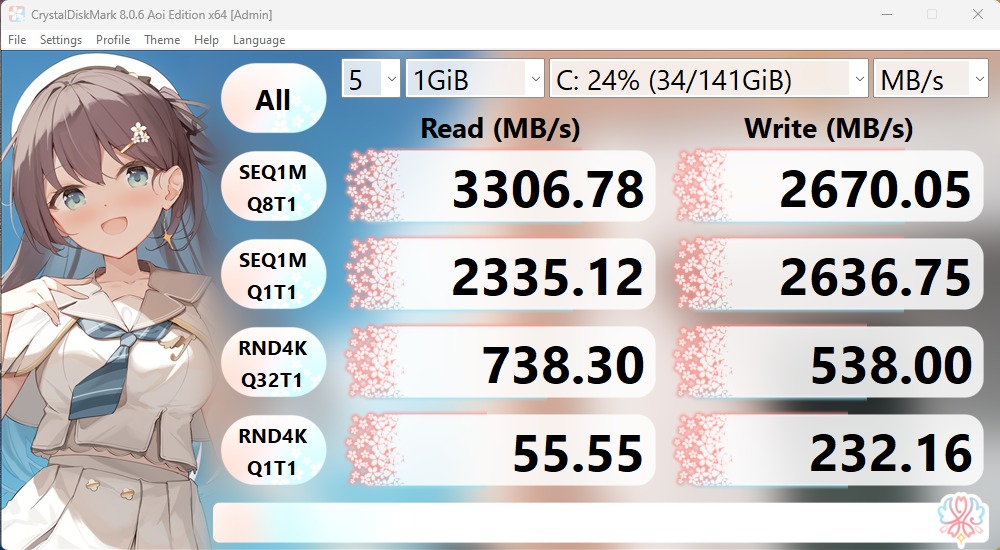
The model in the Chuwi CoreBook X 12450H is a 512GB PCIe 3.0 NVMe SSD from AirDisk, which is not a very well-known brand. It has plenty of room for most people, and in tests, it achieves good transfer speeds — up to 3.3GB/s for larger file transfers. But for random access workloads (such as opening apps or small files), it slows to under 1GB/s, which is pretty low. For most people, this will still do the trick. You can also replace it with a faster SSD if you need more speed, and the slot supports PCIe 4.0 as well for an additional performance boost.
Connectivity
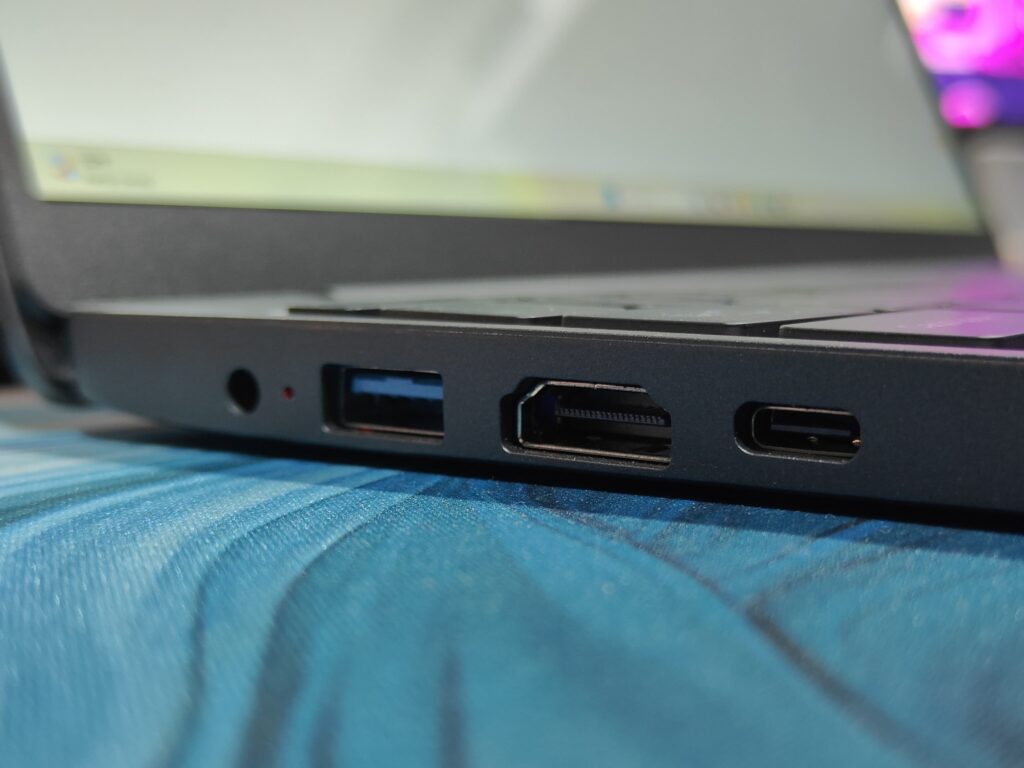
You can connect external monitors to this laptop through a standard full-size HDMI port or the USB-C port. It’ll also work with 4K displays through its HDMI port, but it’s limited to 30Hz because it’s only HDMI 1.4. But the USB-C port can do 4K at a buttery 144Hz. You can have two external displays connected at the same time—one on HDMI and one on a USB-C connector—but if you’re pushing resolutions above Full HD, the laptop’s basic graphics chip will struggle. We connected it with a power delivery compatible USB-C monitor, and while the Chuwi CoreBook X 12450H was powered on, it was charging without issue.
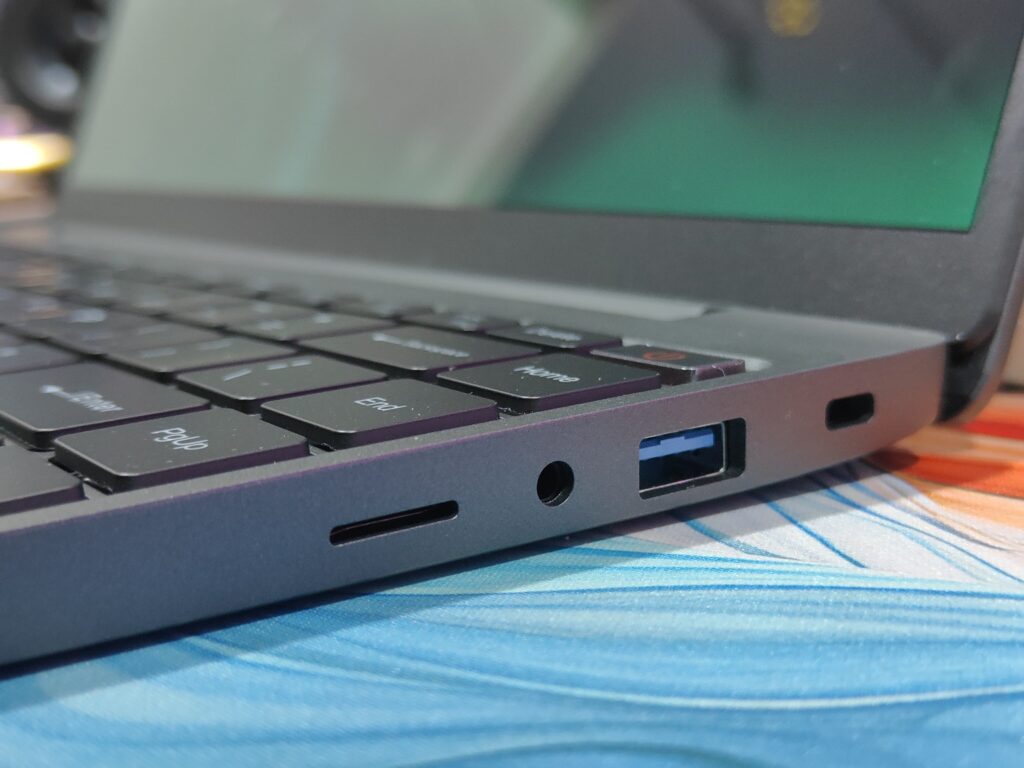
All the USB ports on this laptop are of the USB 3 variety. The USB-C port is the fastest, with support for USB 3.2 Gen2 at 10 Gbps, making it great for fast external SSDs or network adapters. The two USB-A ports are slower and reach only USB 3.2 Gen1, at 5 Gbps. All three ports are capable of supplying power sufficient to run 2.5-inch external hard drives without requiring an extra power supply.
Battery
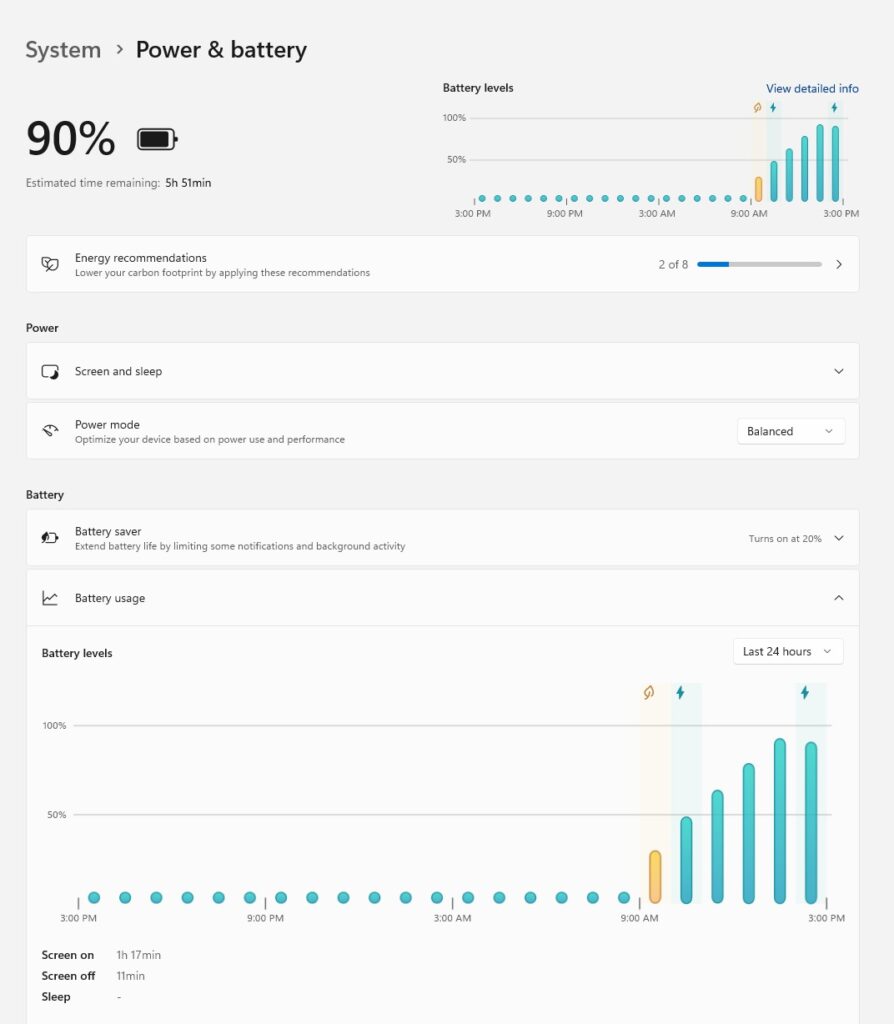
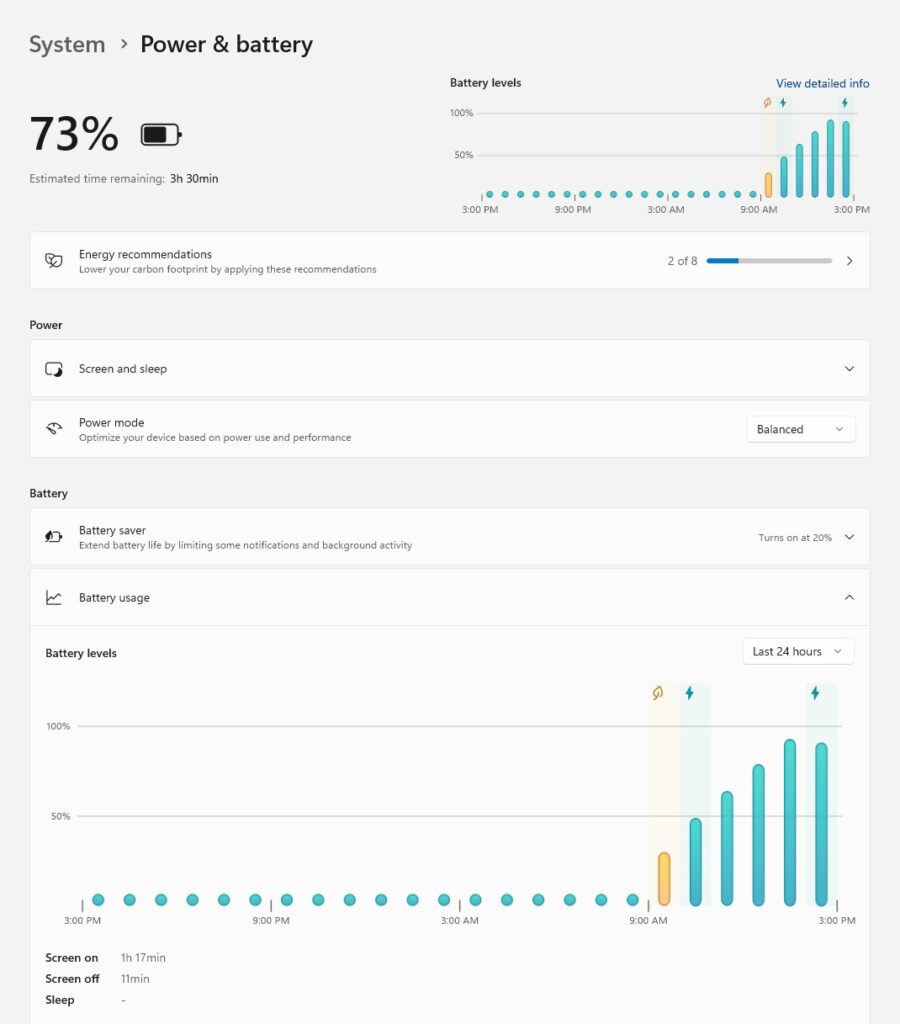
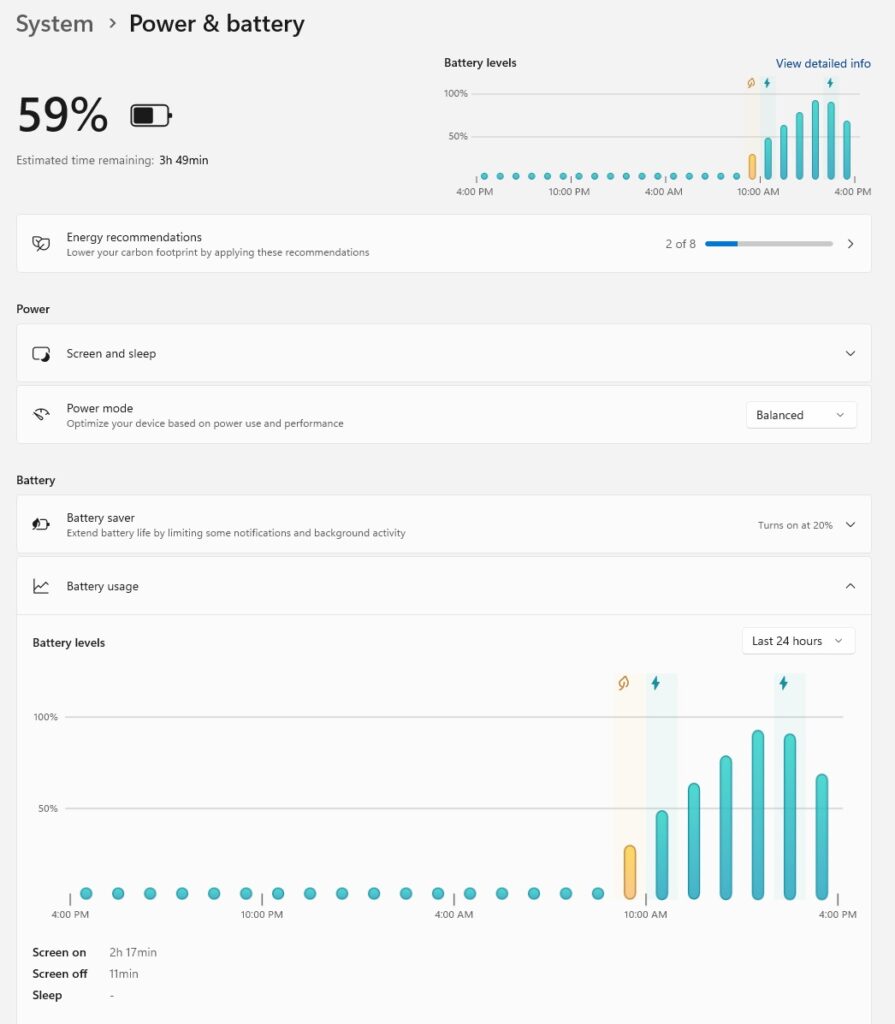
The CHUWI CoreBook X i5-12450H has a 46.2 Wh battery, and it is rated for up to 8 hours of runtime under “moderate” loads according to the manufacturer. But in real life, what does moderate even mean?
If you’re doing typical things like working on documents, answering emails, or browsing the web, you’ll likely get close to that estimate, figure 6 to 7 hours of screen time. Those activities don’t tax the battery much. But as soon as you add in some multitasking, stream a few YouTube videos, or edit some photos and videos and it’s a different story. You could be staring down 4 hours or less before you’re scrounging for a charger.
How long the battery lasts varies a lot depending on what you’re up to and how you’ve got the power settings dialed in. Intensive stuff, like gaming or running demanding apps, will drain it much faster; hardly a shocker. The silver lining is that the laptop is compatible with fast charging via PD2 on its USB-C port 0 and can therefore charge to 60% in around an hour, which is great for when you’re in a jam.
Speaker
The speakers on the CHUWI CoreBook X i5-12450H offer clear sound with decent sound volume and also pack a punch, offering surprising bass for a laptop of this price. That said, bottom placement isn’t ideal — sound can get a little muffled, particularly on softer surfaces like a couch or bed.
Audio performance is otherwise good for casual listening, but if you’re particular about sound or want a richer experience, consider plugging in external speakers or headphones.
Verdict
Continuing in the tradition of delivering value on a budget, the Chuwi CoreBook X 12450H is one of those laptops that’s a lot more than the price would suggest. Starting at around €340, it pairs a nice design with well-thought-out details, such as a comfortably-sized keyboard and a large, responsive trackpad, both unusual at this price level. Its upgrade-friendly design, which includes dual DDR4 SO-DIMM slots and a PCIe 4.0 M.2 slot for storage, is a nod to tech enthusiasts, while its display is sharp enough to hold its own against the competition.
That being said, Chuwi hasn’t completely shaken its usual foibles over the years. The screen’s dim brightness (prevalent across their line) hampers use in direct sunlight, too, and the fans can rev up noisily, even in light-duty use. The laptop is fitted with two RAM slots and ships from the factory with one populated stick—that’s a missed opportunity, as a second RAM stick can improve graphics performance by as much as 40% in dual-channel mode. The speakers are also lacking, feeling shallow, and battery life will have you looking for the charger sooner than you want. A brighter 400–500 nit panel and a bigger battery (using the unused space in the chassis) would’ve been big wins.
All the same, the CoreBook X 12450H is a solid indoor workhorse for the budget buyer. And if you felt underwhelmed by Intel N-series laptops for your taste, this one is a tempting middle ground with 12th-gen Core i5 muscle. Those who can overlook its shortcomings will find it a bargain against more expensive €450-€540 offerings from established names. Just keep the charger nearby and perhaps plan for a second RAM stick — it’s a strong choice for casual users or anyone who wants specs over bells and whistles.
If you are interested in buying Corebook X 12450H, you can use our code: EnosTech and get 14% OFF.
Read Also: Blackview AirBuds 9 Review: Most Affordable Earbuds Under 20$?