












DeepCool CG530 4F WH: A perfect case for the budget users with no compromise

Panoramic design PC cases are not new now; they offer a breathtaking up to 270° view of your build. I have tested many such cases so far. In this article, I am taking another such case, but from DeepCool. It is CG530 4F WH. Here, 4F refers to the pre-installed four fans in the case. Three of those fans are reverse blades. WH refers to the white version.
When this design came into the market, the manufacturers took it further by providing a pillar-less design, providing a seamless experience to the users, and creating novelty in the design. The CG530 hails from the category of compact PC cases featuring a panoramic view. I have tested C3 T500 ARGB from PCCOOLER and Iota C70 ARGB from Ocypus in this category. But there is a major difference. The other two options provide two fans set on the side of the cas,e whereas the CG530 provides 3x 120mm fans on the side. However, the bottom of the case provides the same limitation as on those two cases.
The CG530 supports a backplug motherboard, which is another plus to the design. It comes equipped with reusable PCIe slot covers. The provision of up to 10x 120mm fans is another plus to the case. However, this case provides a limited storage provision, as we shall see.
This case outshines the other two cases I have mentioned above in the price bracket. Coming in at USD 75, the CG530 provides a much better overall value to the users.
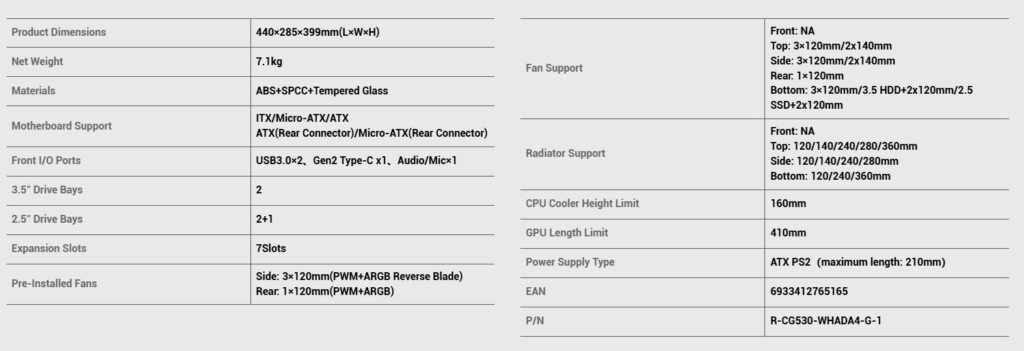
Specifications
Packaging and Unboxing
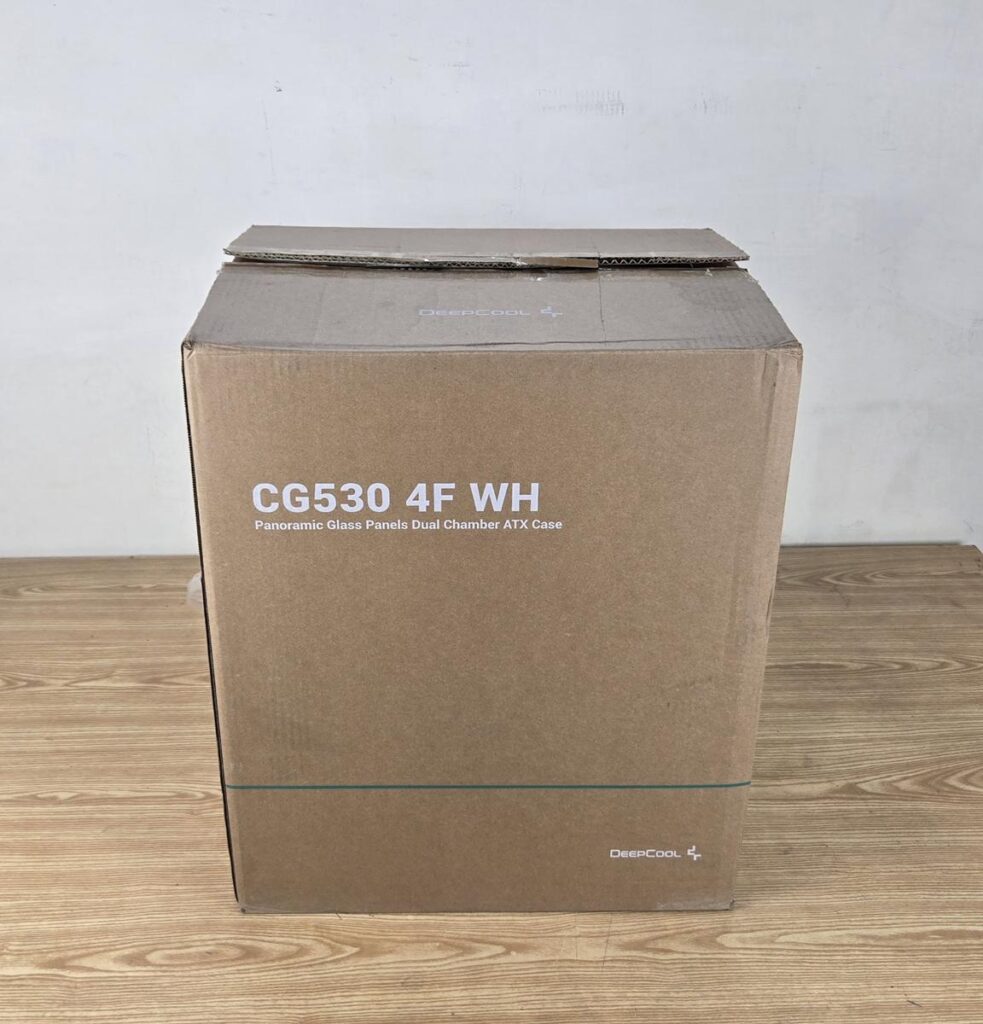
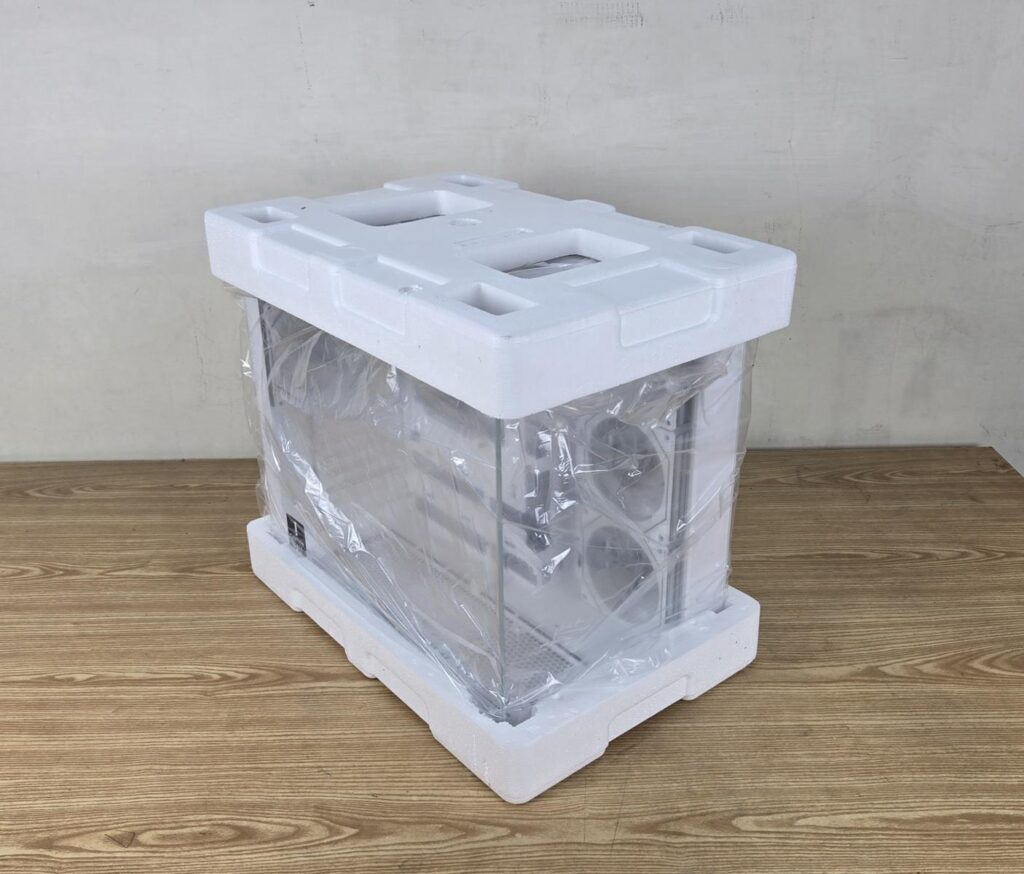
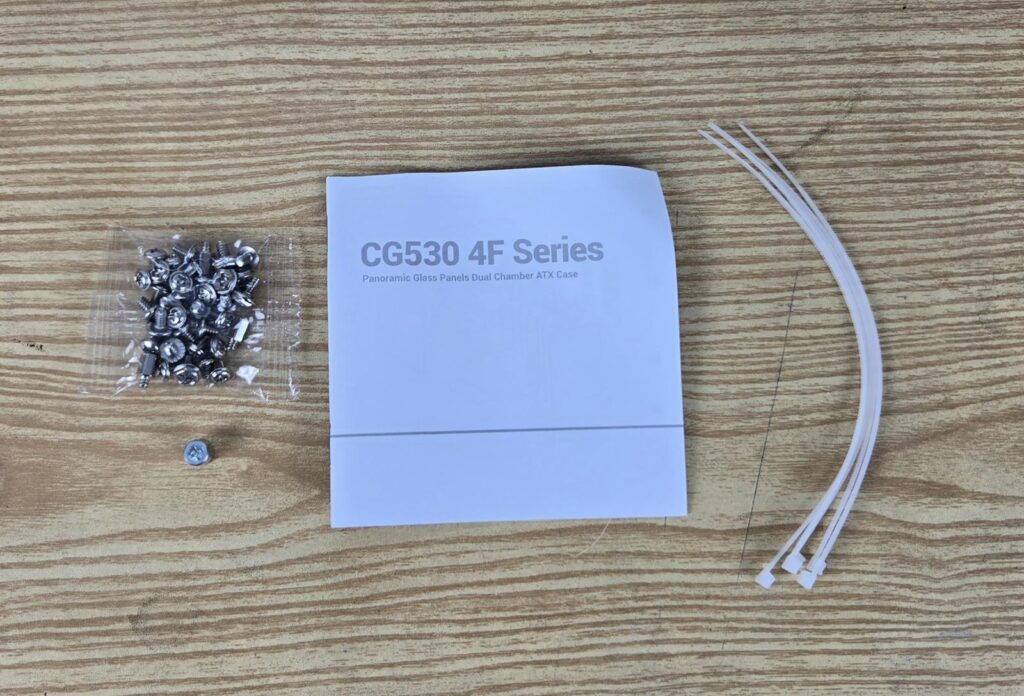
The case is shipped inside a standard cardboard box finished in brown. The features and specifications are also listed on the box. There are two thick white Styrofoam pads sandwiching the case for safe shipping. The following are provided:
- Quick User Guide
- Motherboard Tray Standoffs
- Motherboard Screws
- PSU Screws
- HDD Cage Screws
- Socket Wrench for standoffs
- Zip Ties
Closer Look

The CG530 4F WH has a dimension of 440x285x399mm (LxWxH). It is made of ABS, SPCC, and Tempered Glass. The weight of this case is 7.1 kg, and it comes with a 1-year warranty from the manufacturer. This warranty should have been extended to cover the fans.
Exterior View
Let’s start with an exterior view of the chassis, starting from the front.

You can see a clear tempered glass over the front panel, providing a clear, see-through view of the case internals. The steel panel has DeepCool branding on the base. This panel is fixed. An offset design on the motherboard tray is also visible. The complete assembly is in white spray coating.
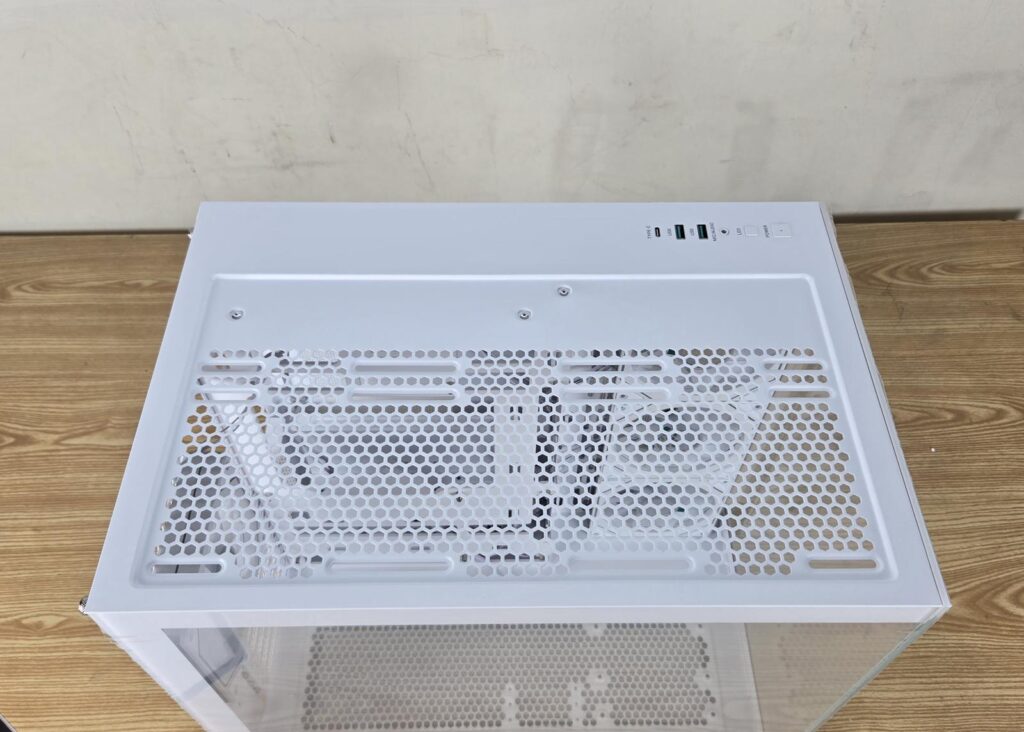

The top view of the case let us know that the IO panel is integrated into the main assembly. The perforated area has a rail mount design for the cooling gear, which is a plus. I have removed the magnetic dust filter to provide this view. The dust filter has a teal color catcher for easy handling, reminding me of the Corsair cases. The width of this case is 285mm, which is 10mm less than that of Ioat C70 ARGB from Ocypus.
The user can install:
- Up to 3x 120mm Fans or 2x 140mm Fans
- Up to 360mm Radiator
The cooling options are quite good for the top of this case.
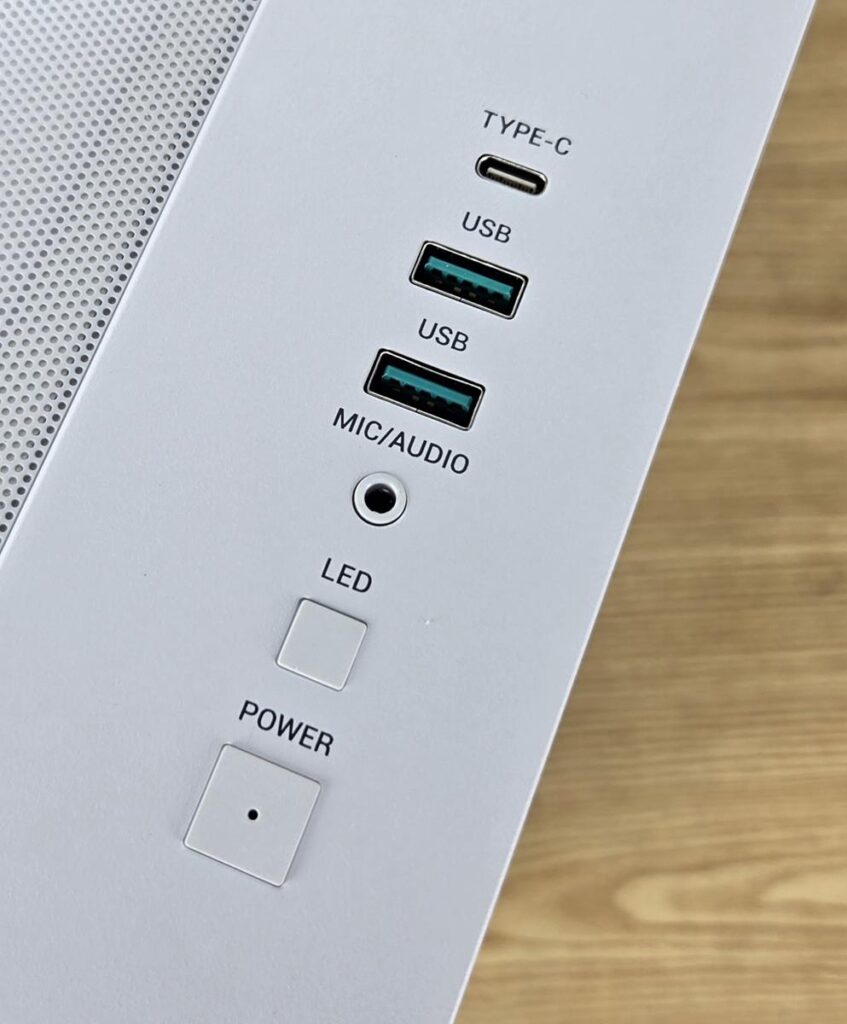
The IO panel has the following ports:
- 2x USB 3.0 Ports
- 1x USB Gen-2 Type-C Port
- 1x Mic and Audio Port
- 1x Power Button
- 1x LED Switch Button
There is no reset button on this case. The power button does not wobble and has a nice tact to it.

I am showing a rear view of this case. It has a side-by-side two-chamber layout. The top portion is vented for air flow. The vertical cutout on the left area is for the ATX PSU. The area below this cutout is perforated to provide air flow towards the storage drives.
The motherboard’s rear IO cutout is visible as well. There is a rail mount system for the 120mm fan on the rear so that you can adjust the height of the fan. The case comes with one 120mm ARGB fan preinstalled. You can see 7x PCIe slot covers, which are vented and reusable. These are secured via a solid cover using a thumb screw.
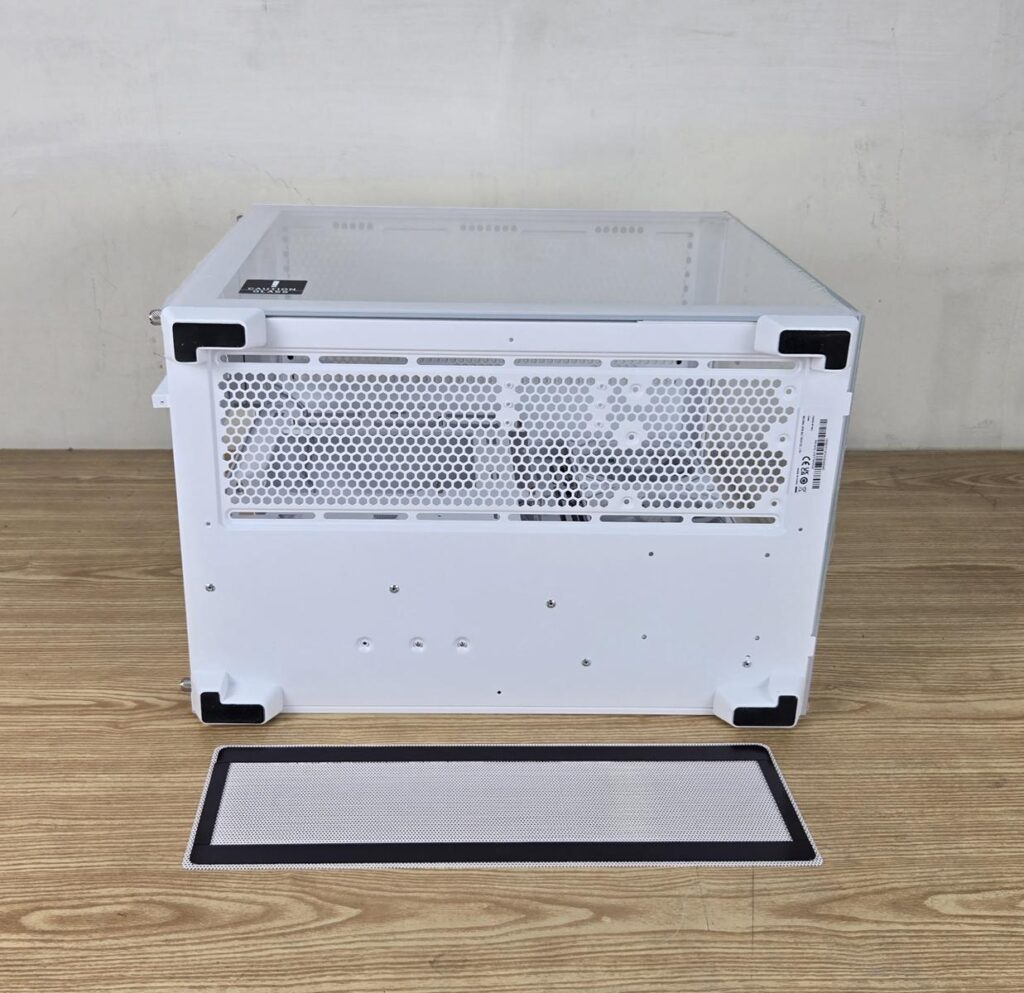
I am showing the bottom view of this case. A magnetic dust filter runs on the entire perforated area here. The rail mount design helps the user in a convenient fan installation. Alternatively, you can install a 3.5” drive towards the front of the case as well. In that case, you may be able to add 1-2 fans.
The four legs provide enough lift towards the bottom of the case so that three 120mm fans can intake fresh air. These have rubber pads on four corners.
The fans are screwed from this side. This means, if you need to take these fans out, you would need to lay the case on its side, which is not a convenient solution. Also, take note that using a backplug motherboard with three fans on the base requires you to install the motherboard first.
Interior View
It is about time to take a peek at the inside of this case.

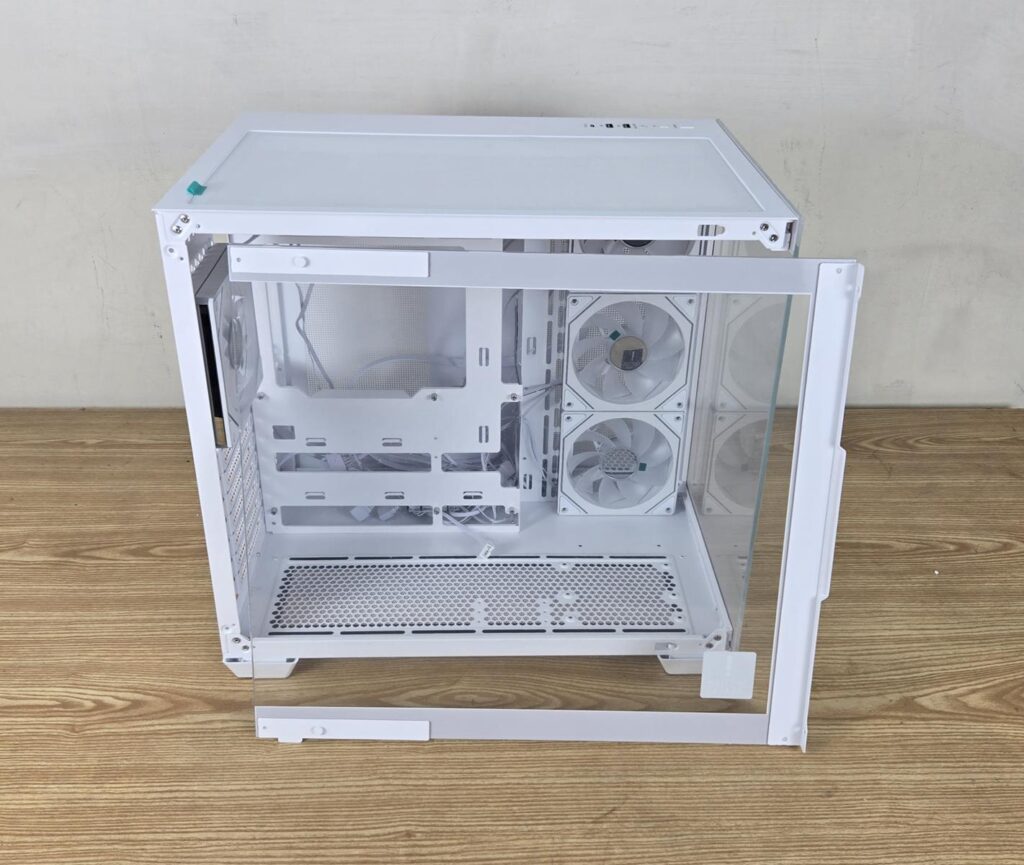
The case has a clear tempered glass on the side. It is a see through design that shows the complete build in its entirety. This panel is not hinged and has a Snap-On design with studs on top. You can see that it is not a pillar-less design. The protective cover has a Caution Glass sticker towards the lower left.
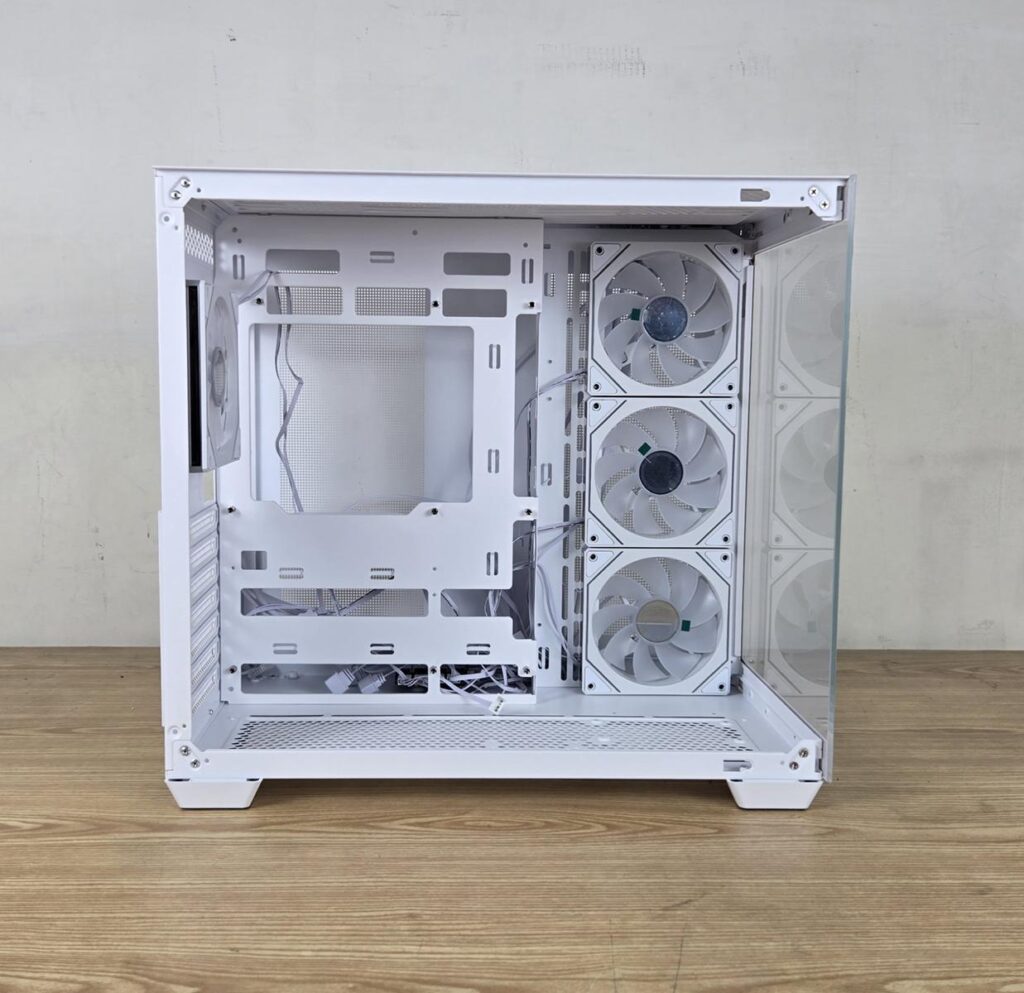
I have removed the side panel and am showing a complete inside view of the case. This case has 3x 120mm ARGB Reverse blades fans. The fourth fan is on the rear, exhausting the air. You can see that there is not enough room on the floor of this case. The ATX motherboard has a few millimetersof clearance, and the side fans also touch the floor. Let’s take a closer look at each.
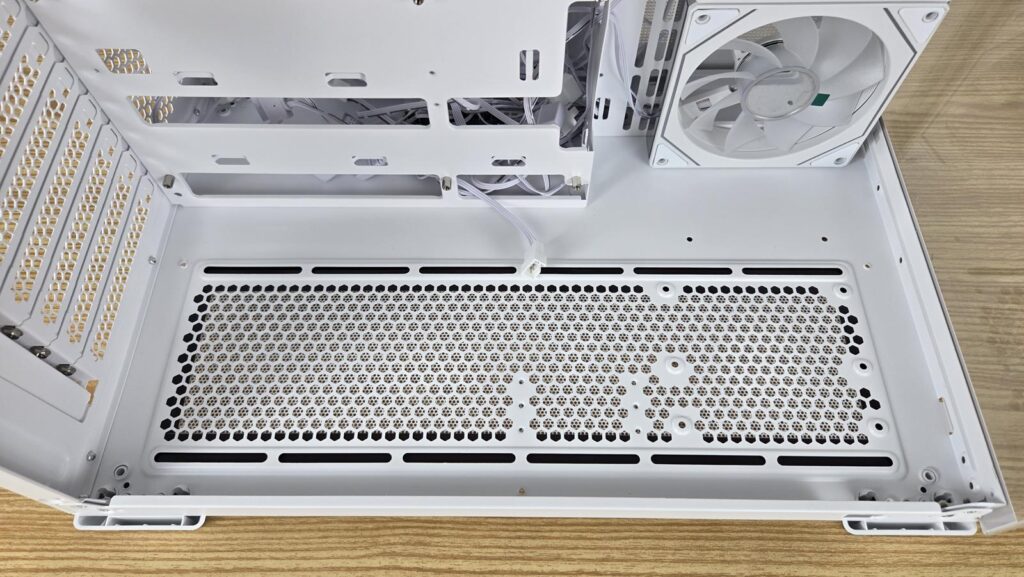
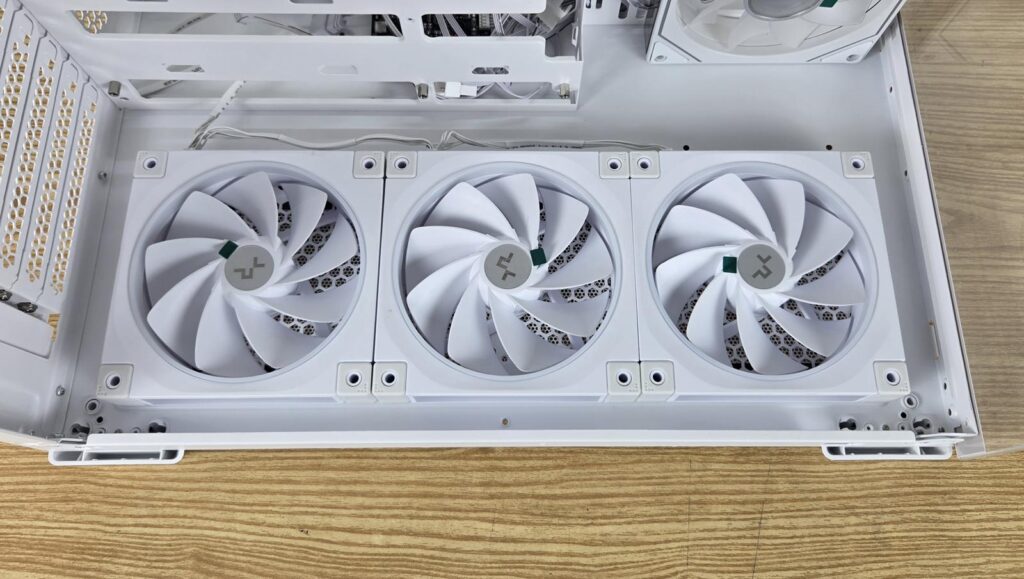
I am showing the floor of the case with a rail mount. You can install up to 3x 120mm fans here. Alternatively, you can install a 3.5” drive and two 120mm fans, depending on your requirements.

I am showing the close-up of the side-mounted fans. These pack stunning visuals coming from vivid ARGB backlighting. These have a reversed flow design and are rated for up to 1500 RPM. They are silent even at full speed. You can install 2x140mm or 3x120mm fans on the side.
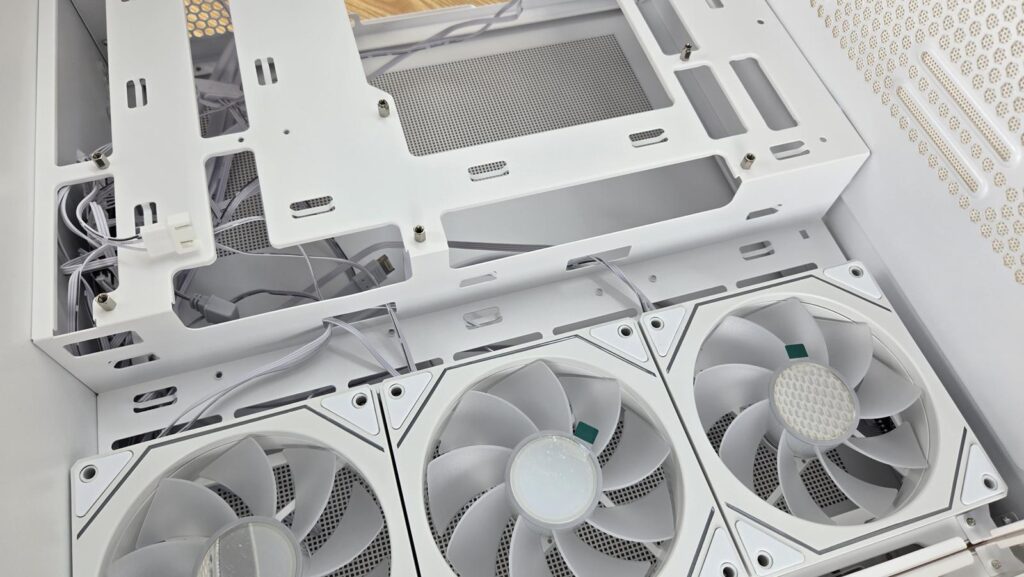
I am showing the offset design of the motherboard tray. This is done to create more room on the back of the tray for the PSU and storage drive. This is why this case, despite having a 285mm width, is still able to pack everything.

Now, we are taking a look at the motherboard tray. This case supports the following motherboard form factors:
- Mini-ITX
- Micro-ATX
- ATX
You can also install a backplug motherboard like MSI Project Zero in this case. The CPU cutout is quite large to facilitate a convenient CPU cooler installation. The case comes with all 9x standoffs pre-installed for the ATX motherboard.
The side cutouts are angular, supporting both types of motherboards, be it backplug or a regular design. The top two cutouts provide enough room to pass the cables. However, you will need to be creative for the regular ATX motherboard with connectors on the front since the bottom of this case does not provide any cutout to pass the cables for motherboard connectivity.
This case supports:
- 160mm height for the CPU Cooler
- 410mm length for the graphics card
- 210mm length for standard ATX PSU
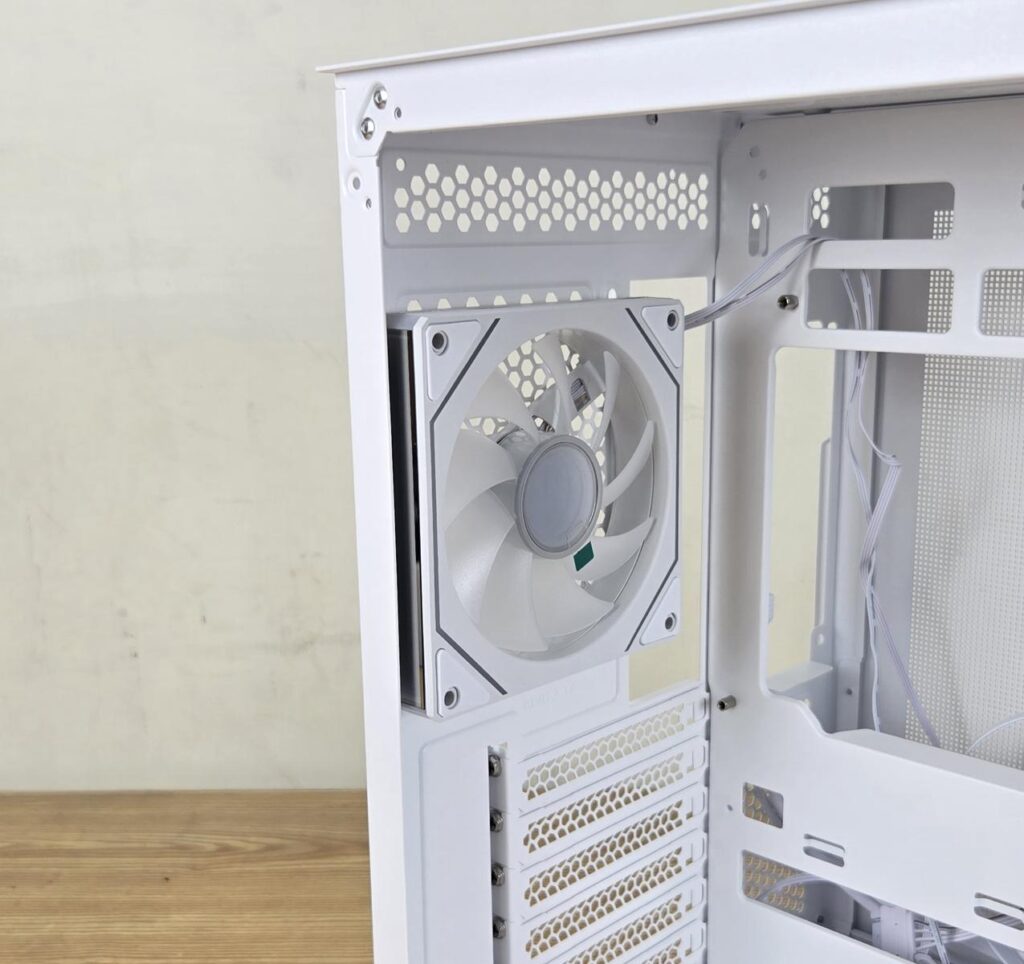
The case comes equipped with a 120mm ARGB fan on the rear to exhaust the air from the case. It has the same speed rating as the side-mounted fans.
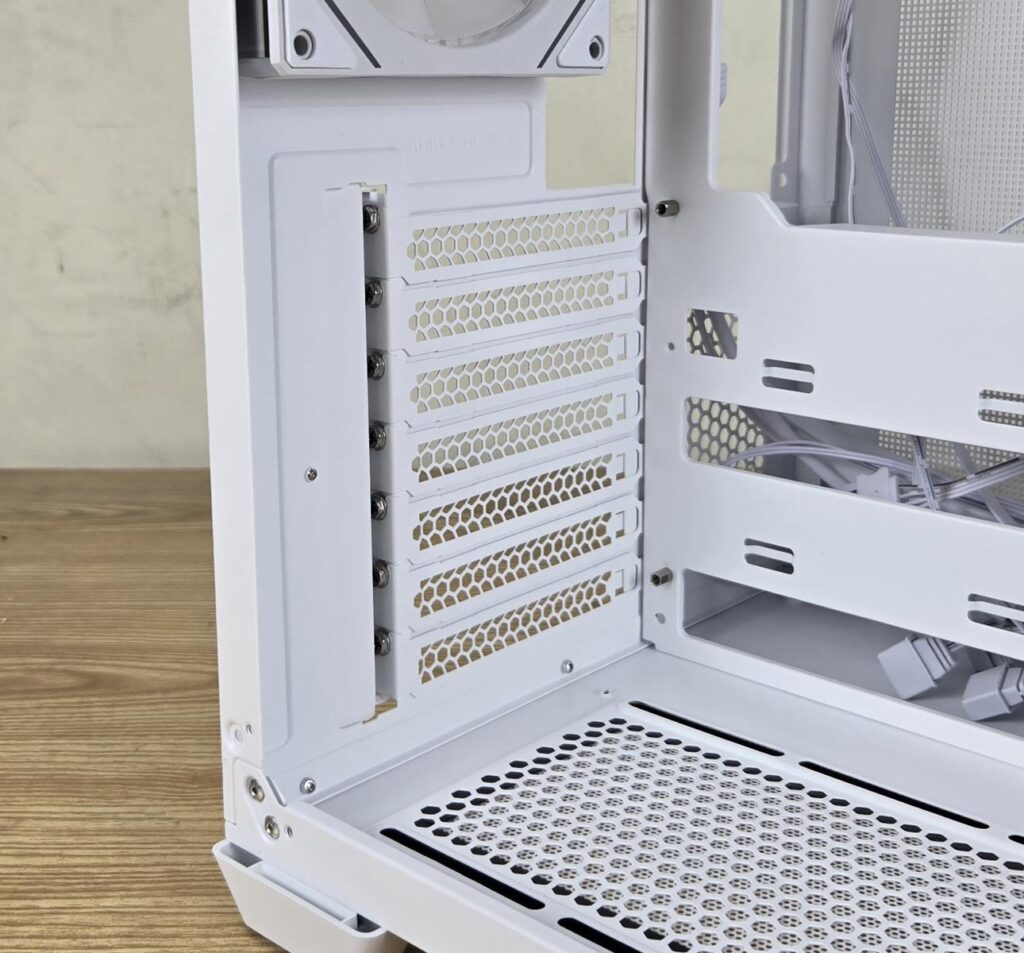
The 7x PCIe slot covers are reusable and perforated.
It is now time to look at the backside of the case.
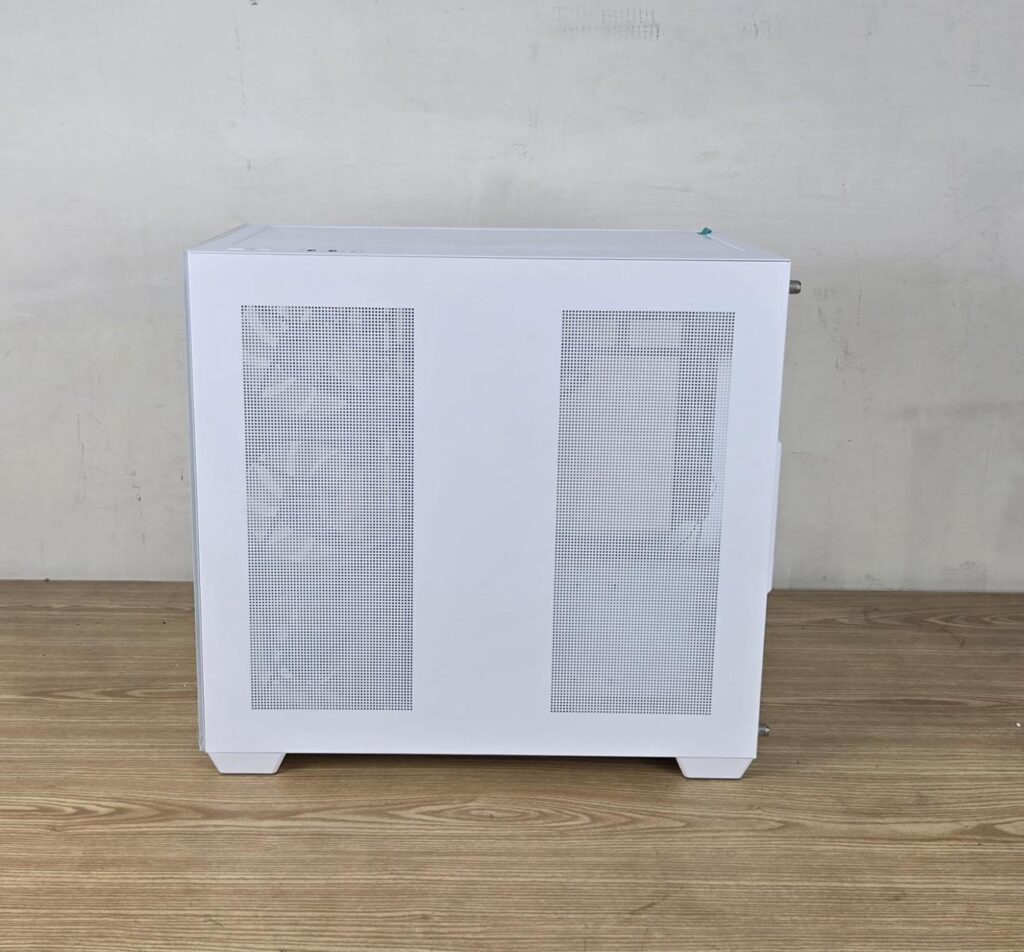
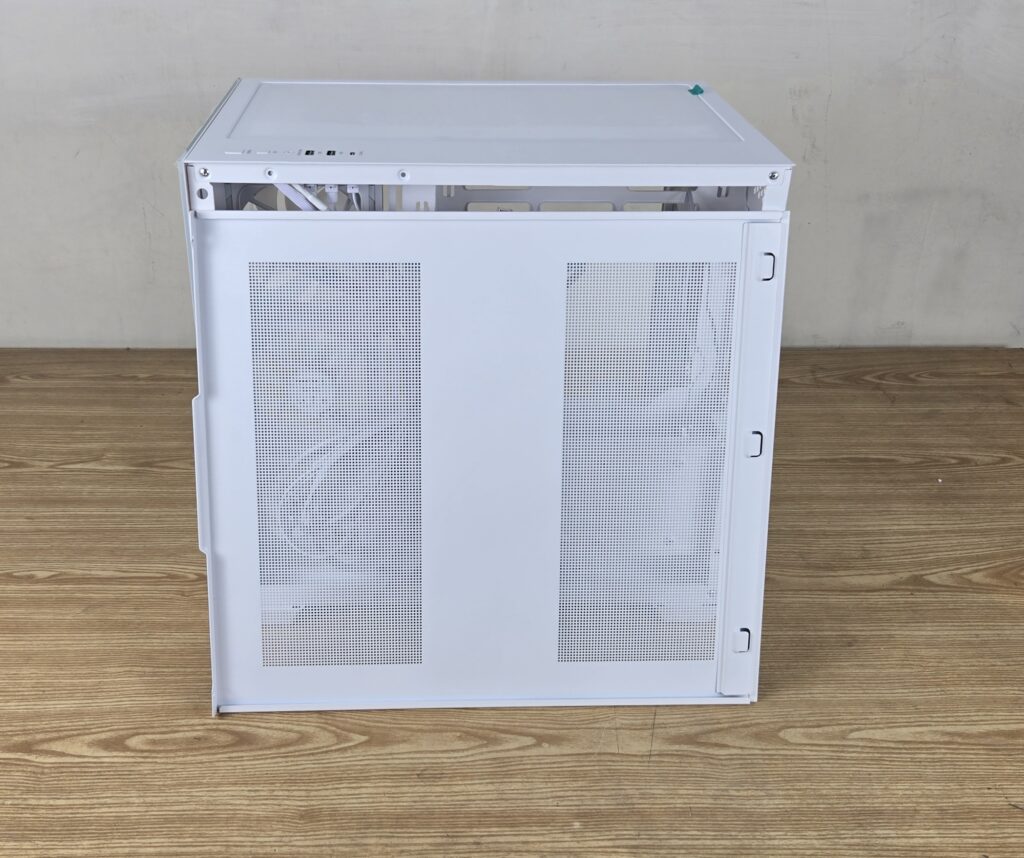
The side steel panel is made of steel. You can see two perforated areas. These face the pre-installed 120mm fans and the storage/PSU area for effective ventilation. This panel also uses Snap-On design like the side panel. These perforations are without dust filters.
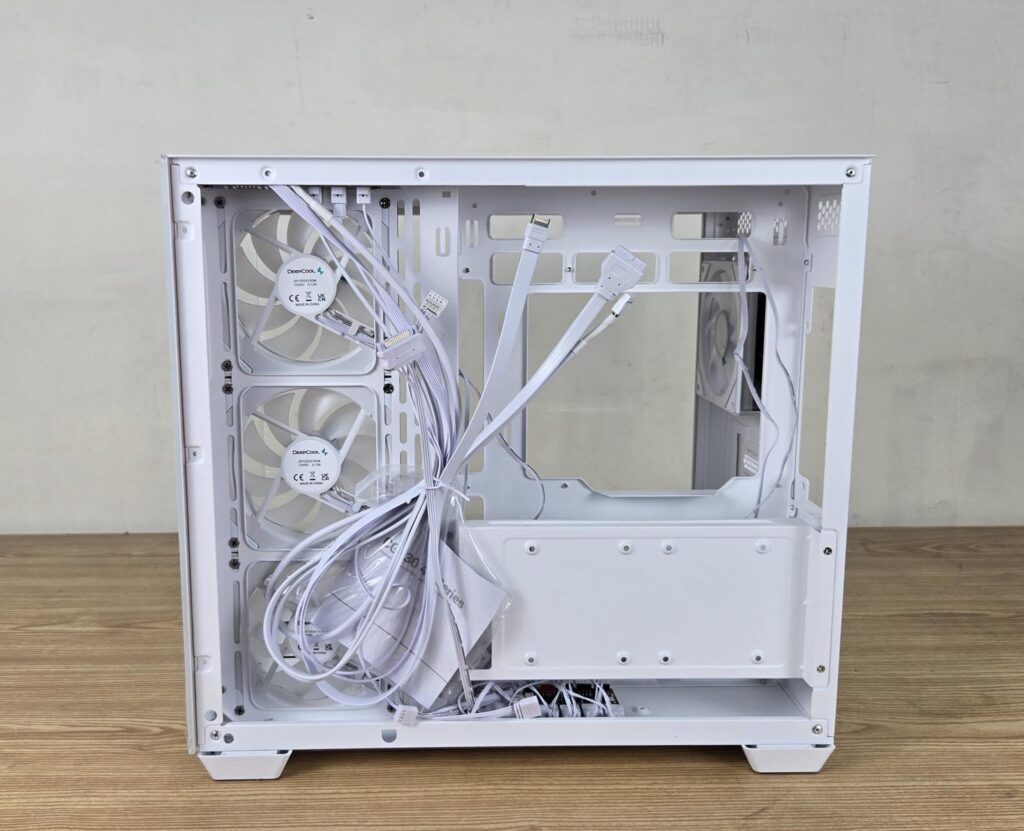
Now you can see the backside of the case. The motherboard tray is offset to the side where the fans are installed. This is done to ensure maximum clearance and compatibility for the back-plug motherboard. There are large-sized cutouts facing the fan mounts for effective air ventilation. The cables come tucked behind. The accessory box is also located on the backside.
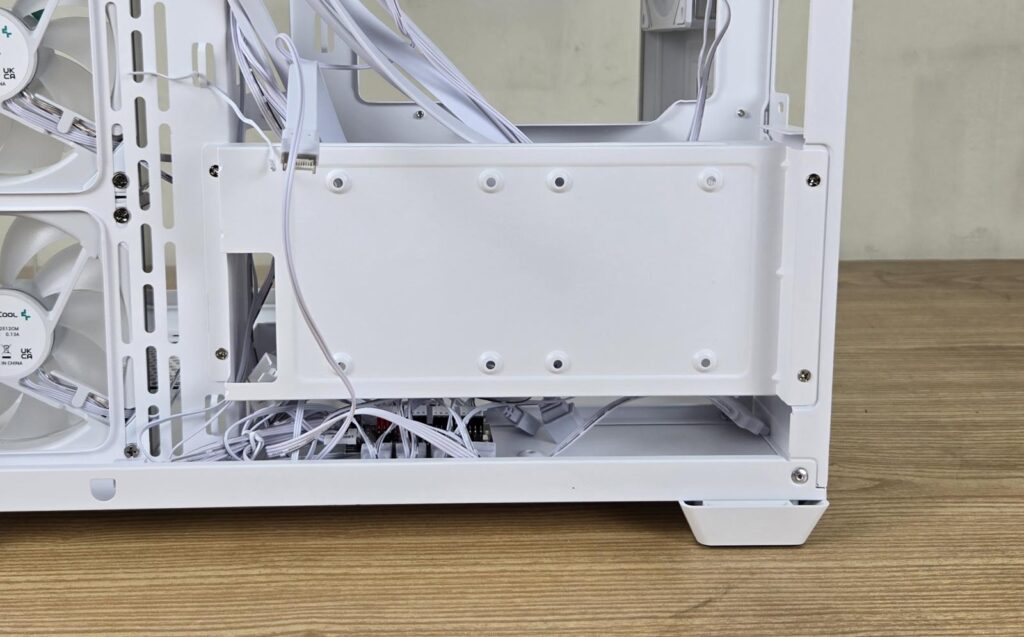
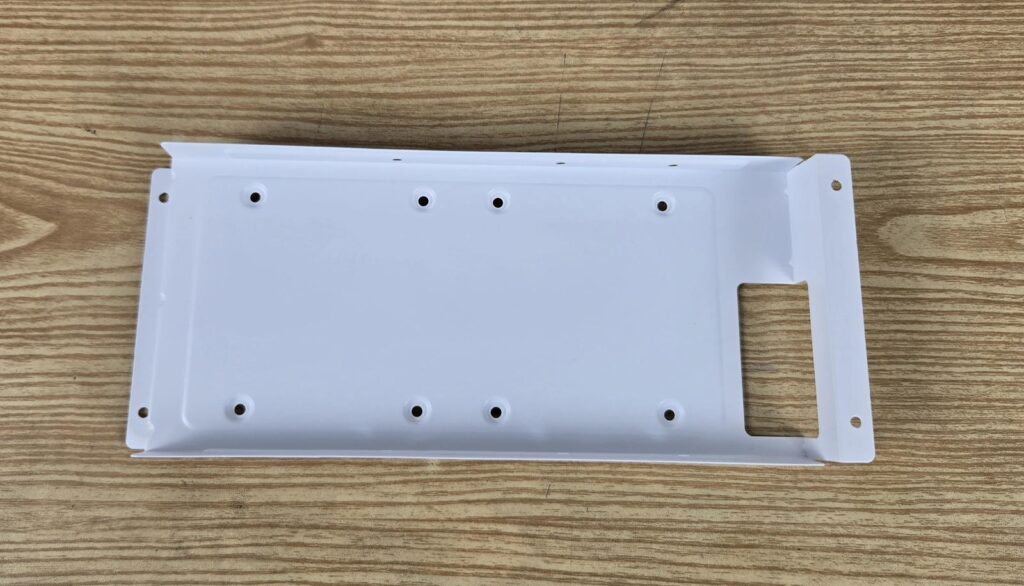
DeepCool has used a smart design wherein you can install 2x 2.5” drives on the bracket or cover below the PSU mount. You can also install a second 3.5” drive behind the motherboard tray. However, this makes the cable management task even more challenging. You would need to spend some time dealing with cables and handling storage drives.
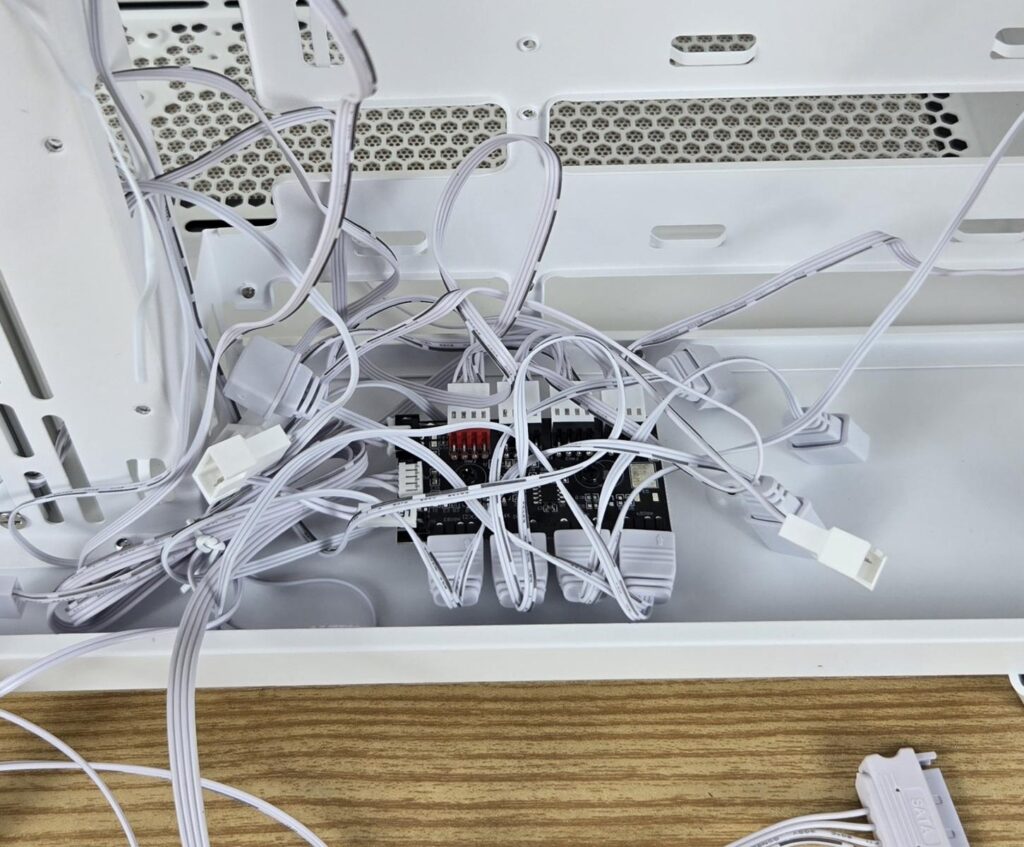
This case also comes equipped with a fan and an ARGB controller. This controller can house up to 4x ARGB fans. This is why the pre-installed 4x fans are wired to it. Since it is SATA powered, you can still connect more ARGB elements/fans to it. However, I could not get the total power consumption to determine the optimal number of fan connections to this controller. Each pre-installed fan supports the daisy-chain function.
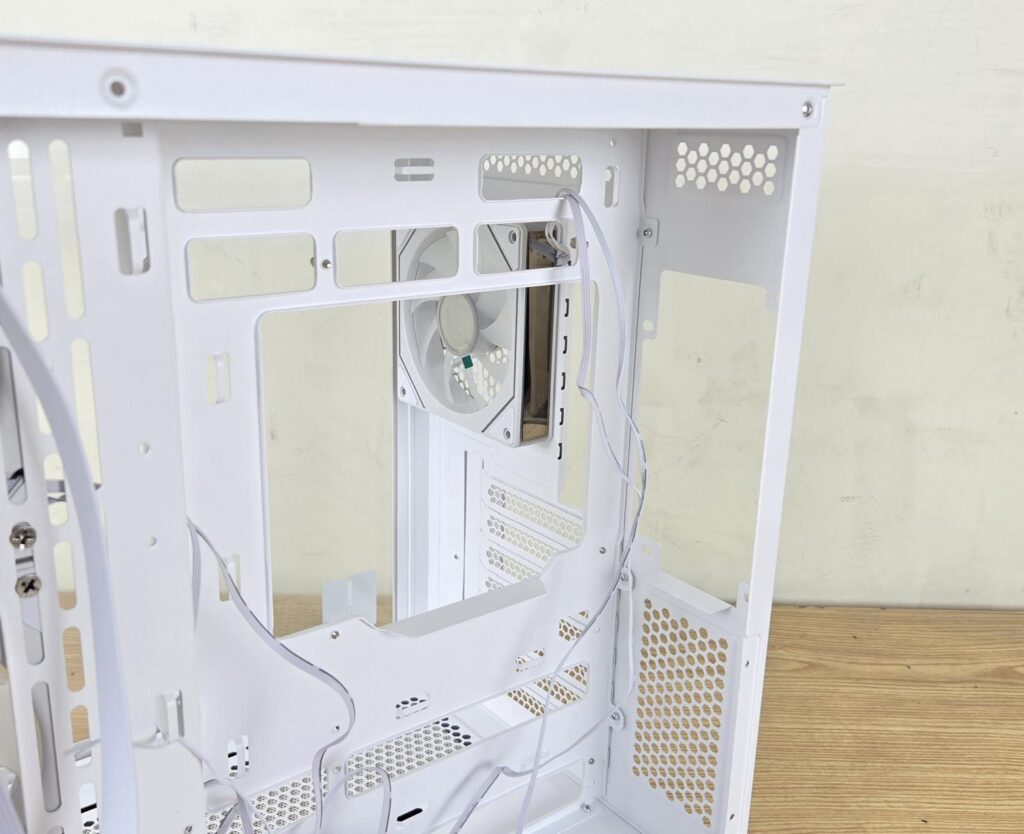
I am showing the PSU bay where you need to install the unit vertically. I prefer the fan side facing the side panel.
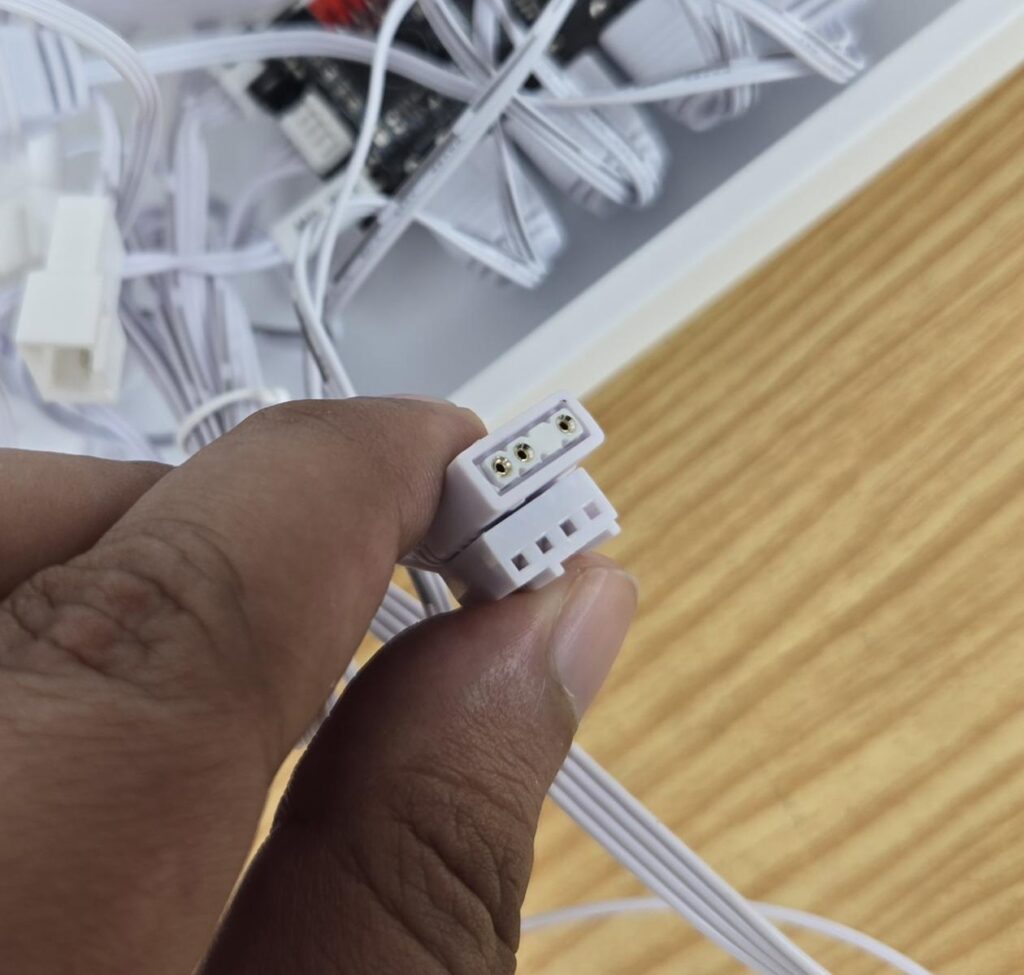
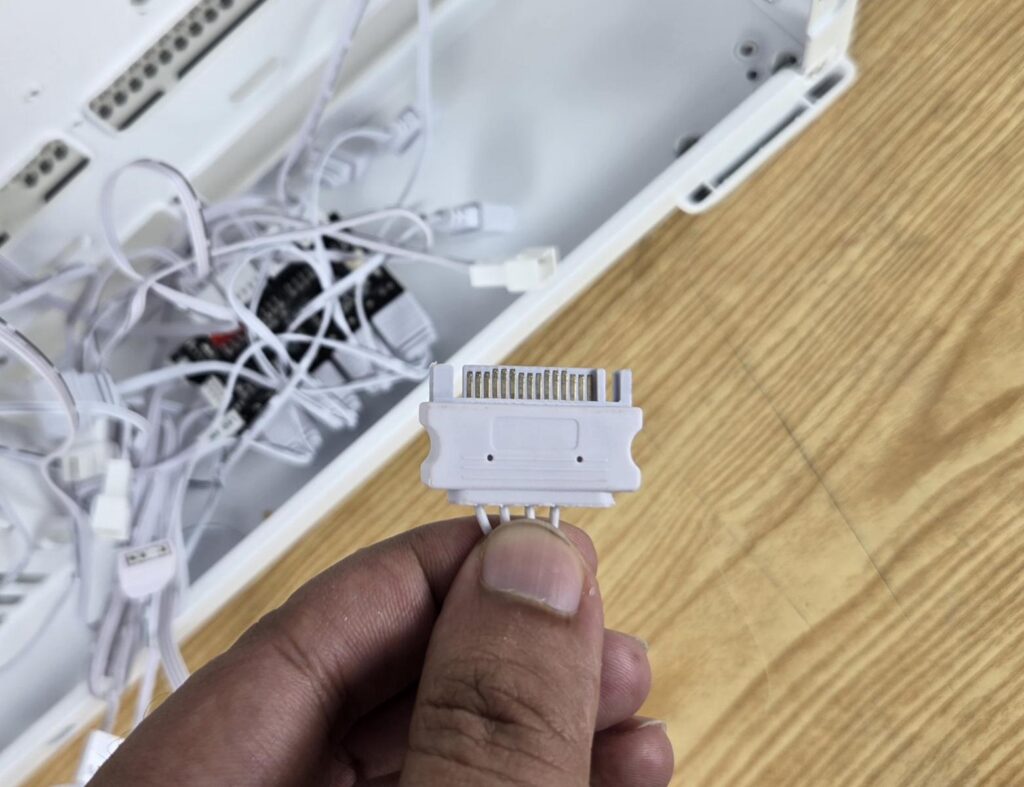
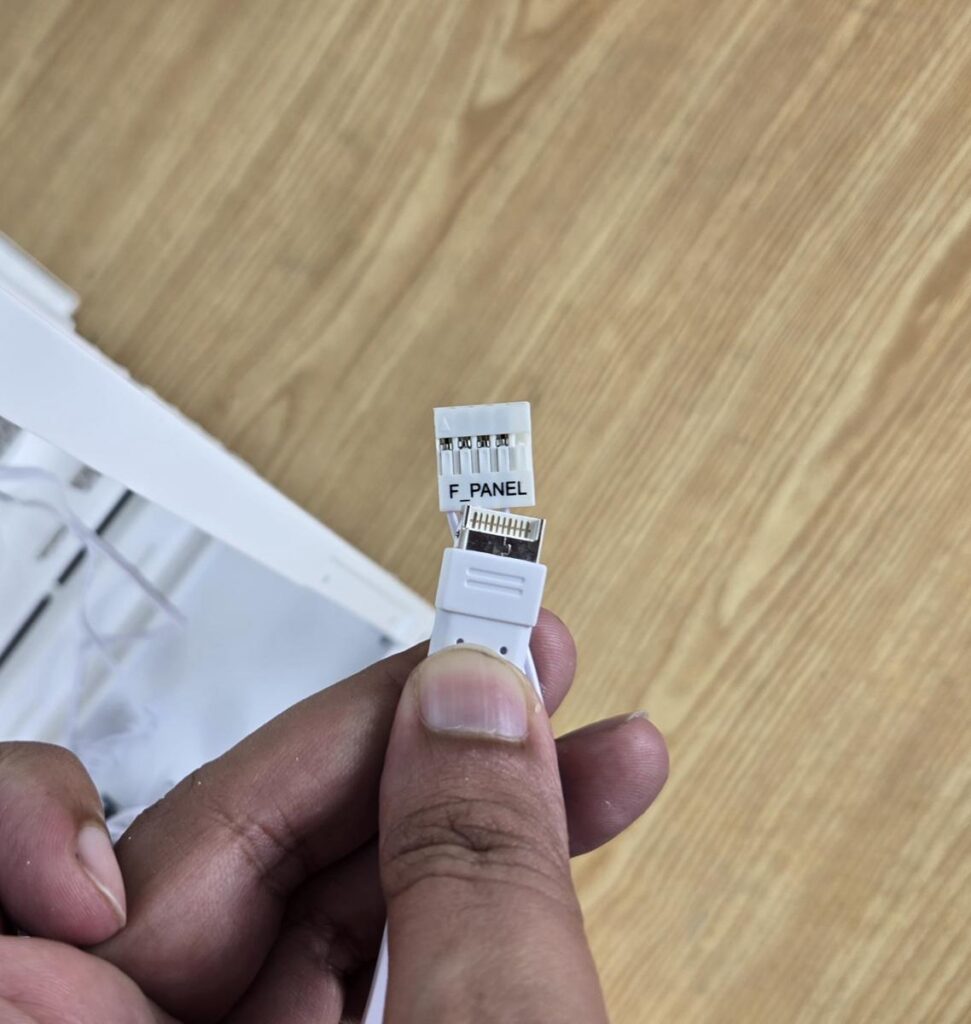
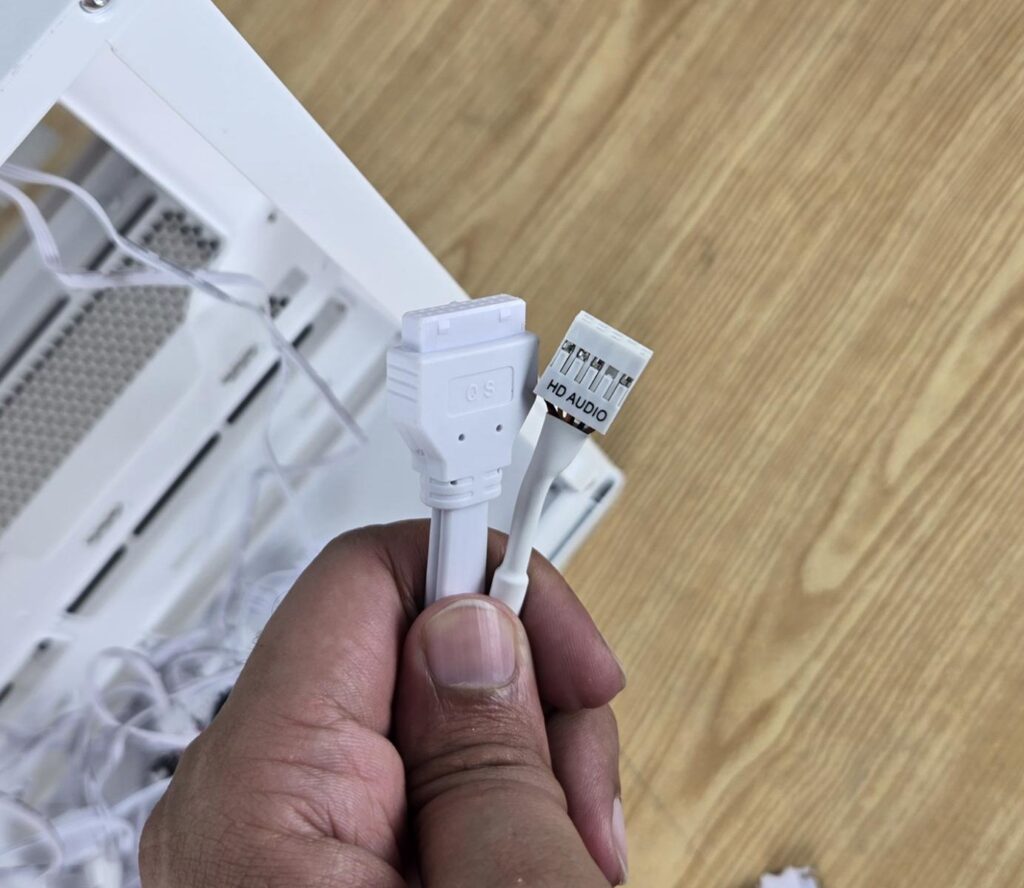
DeepCool has provided cables/connectors for the top IO panel:
- USB 3.0 Connector
- USB Type-C Connector
- HD-Audio Connector
- Front Panel Single Connector
- 4-pin PWM Connector to control all fans via the motherboard
- 3-pin ARGB Connector to control the lighting via the motherboard
- SATA Connector
Installation
The following configuration is used:
- Intel i7 13700K
- MSI Z790 Project Zero
- Maxsun iCraft B580 White Graphics Card
- DeepCool LE360 V2 White
- V-Color Manta RGB 32GB @ 5600MHz DDR5 kit
- Sabrent Rocket 4 Plus 1TB NVMe SSD
- DeepCool DQ 750-M-V2L-White PSU
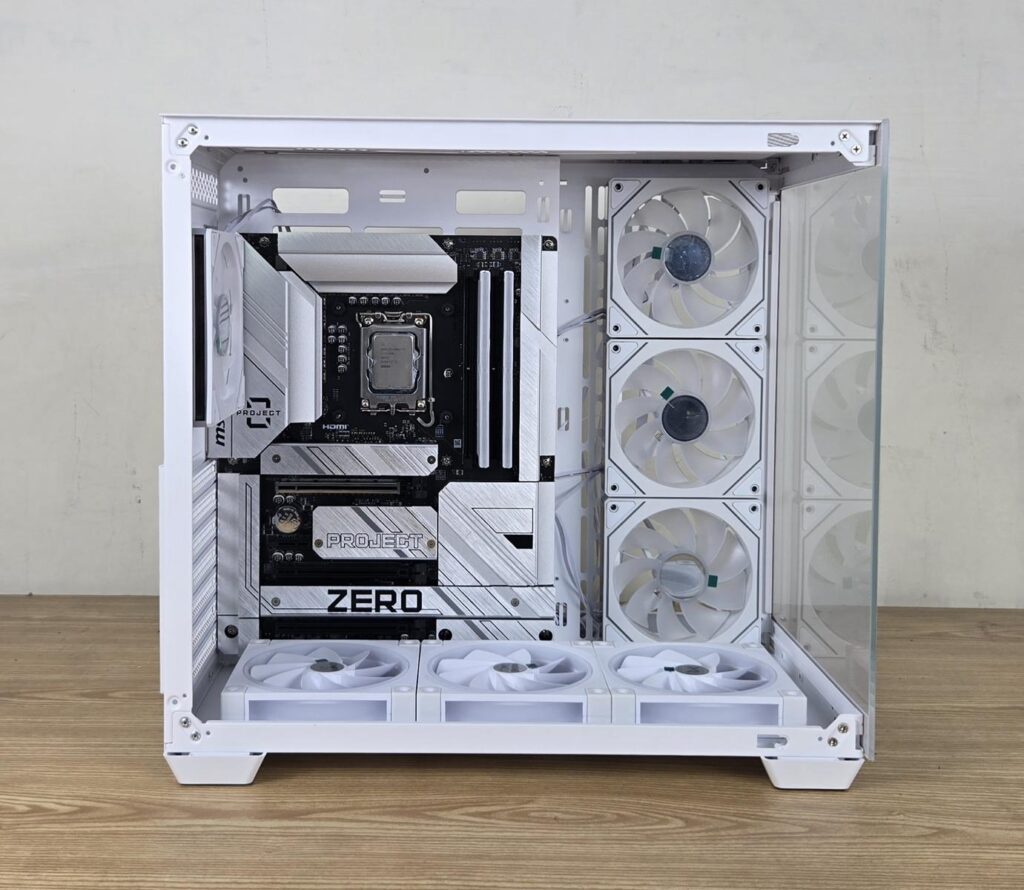
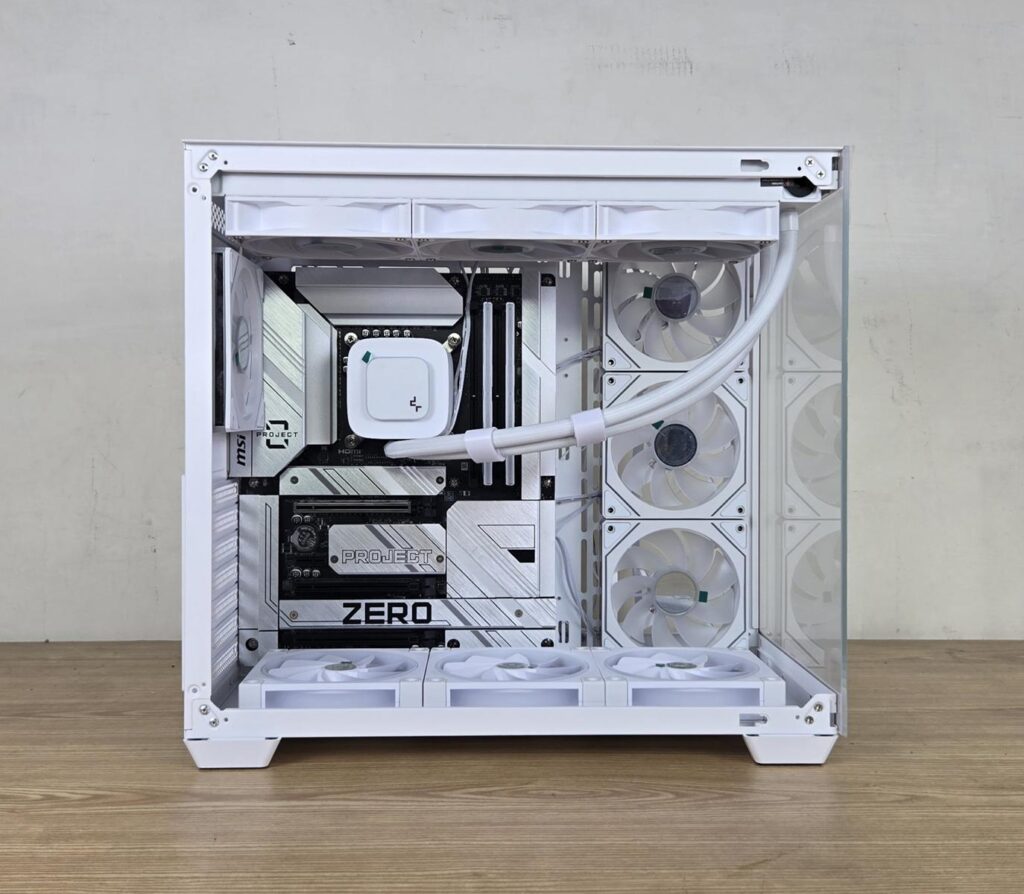
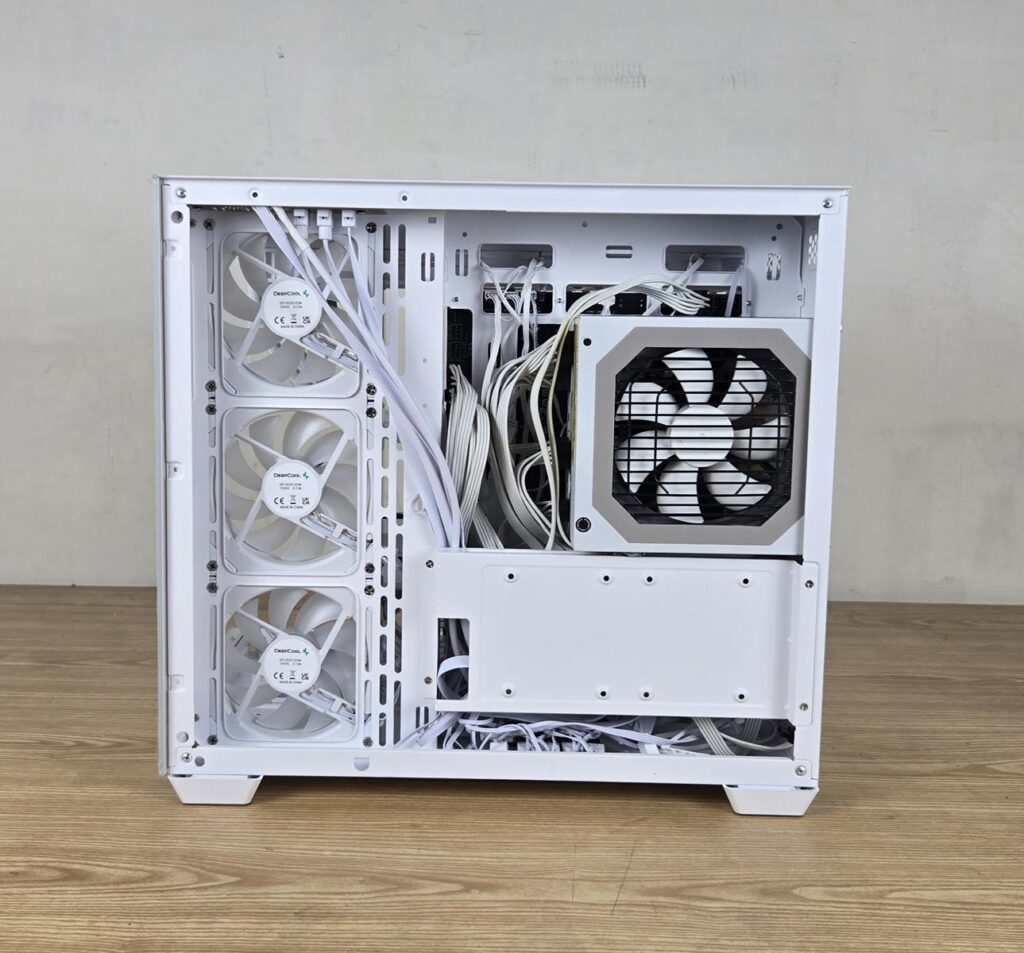
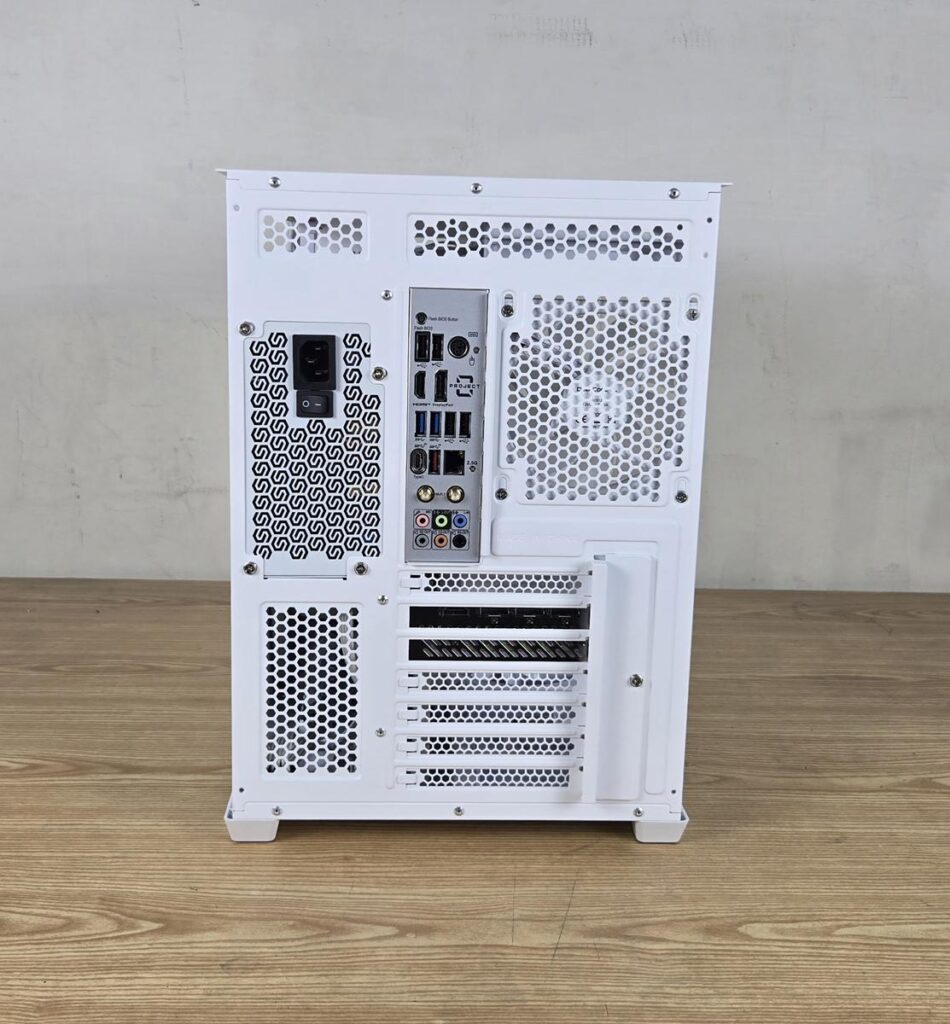

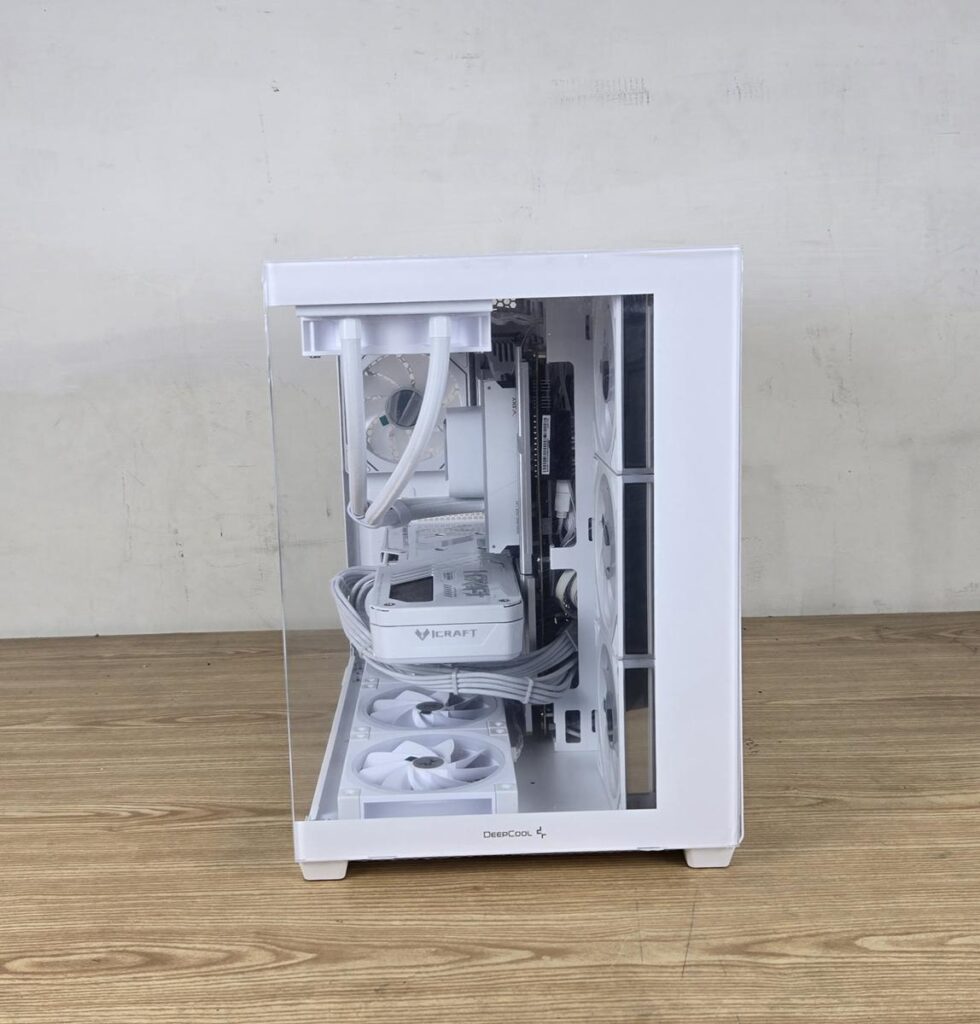
Plan well for your build in this case, as the motherboard type will have different implications. Since the motherboard will cover the cable cutouts, you will have no option but to use the cutouts on the right side 90ᵒ cutouts on the motherboard tray. The bottom connectivity also has implications since there is no bottom cutout to route these cables. You will need to place these cables from under the motherboard PCB or from the side cutout.
The bottom fans (if installed) are required to be removed to remove the motherboard. Also, install the motherboard first and then install the fans on the floor of this case. This is needed only for the backplug motherboard. Also, the regular motherboard’s bottom connectors may not have enough space with fans installed on the floor.
Since this case has more height, I did not face any issue installing a 360mm AIO on the top, unlike my experience with the Ocypus Iota C70 ARGB Case. However, I needed to remove the rear fan to install the back plug motherboard. There is a slim holder for the PSU on the backside, and the PSU is supported by the main housing of the case using 4x screws. I suggest increasing the length/width of the PSU holder a bit for more strength.
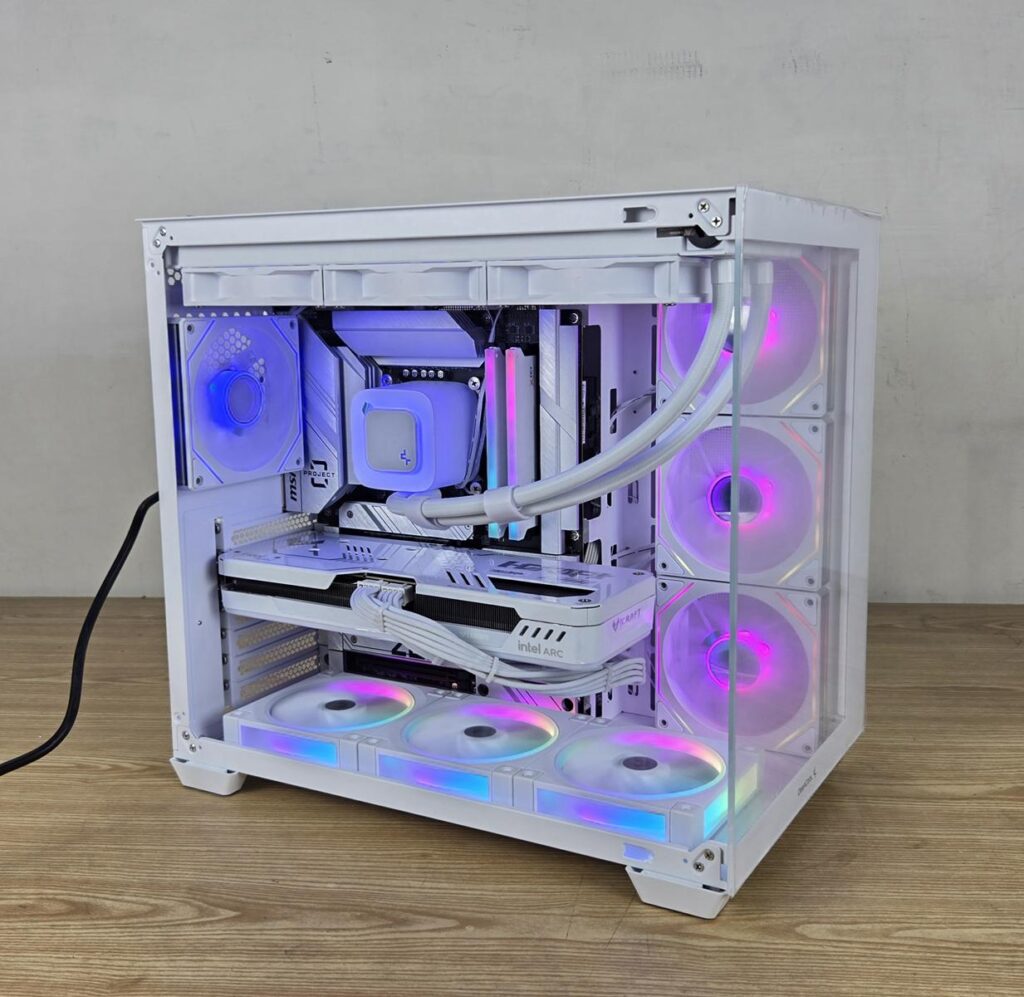

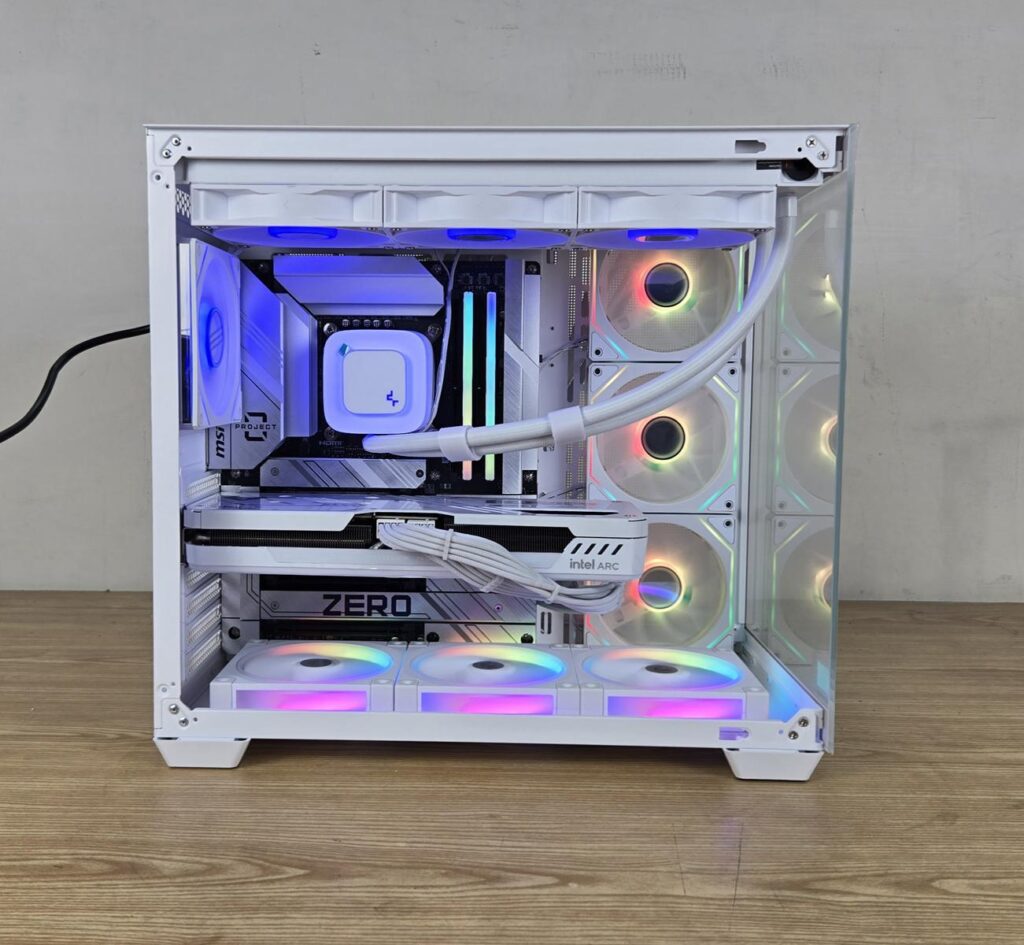
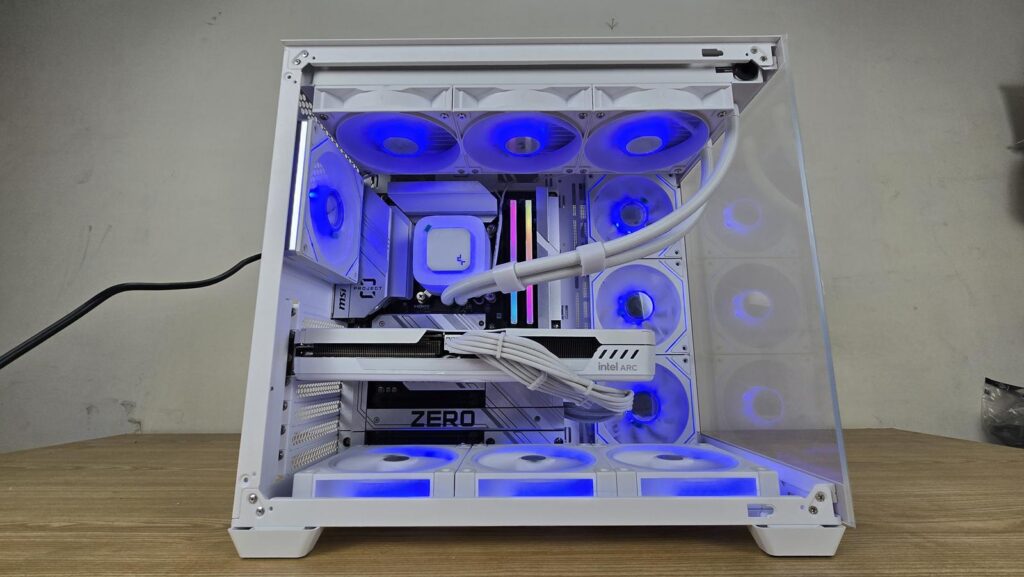

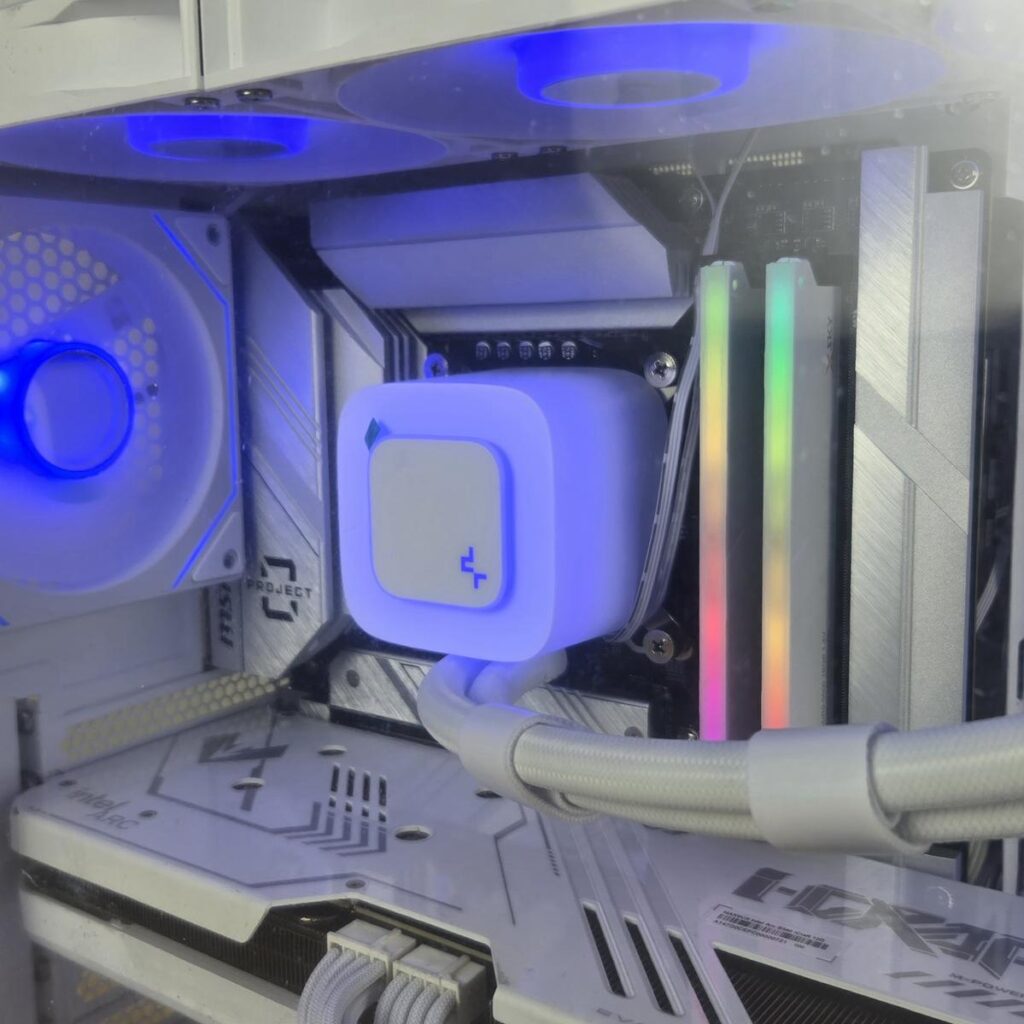
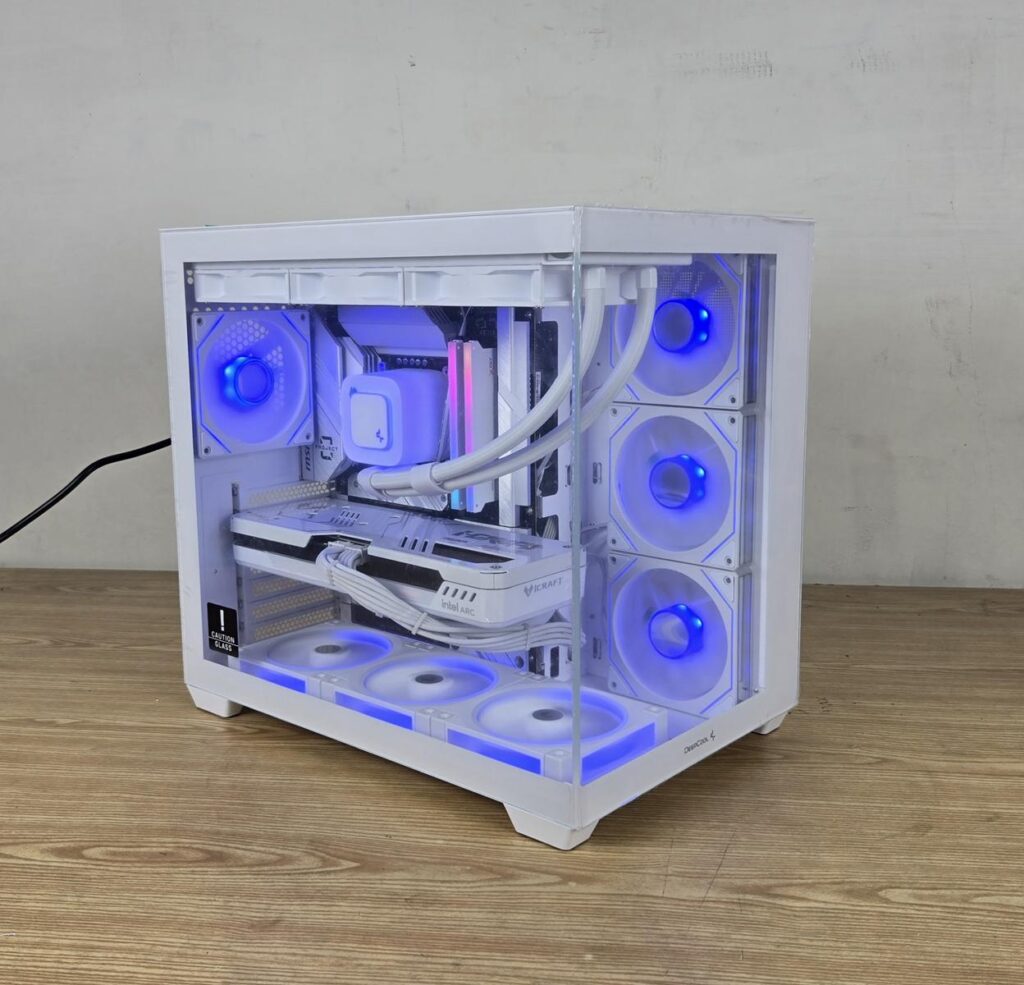
The above are a few pictures of the build.
Thermal Testing
The test build configuration is already mentioned above. I have tested the fans at full speed on their 100% PWM cycle. The fans on the AIO were also set to run at their full speed. For this testing, the DeepCool FL12R ARGB fans on the floor/bottom of the case were disconnected. The graphics card was running at stock settings. I have used Noctua NT-H2 thermal paste. The AIDA64 Engineer was used to stress the CPU (using FPU) and the GPU at the same time. The ambient temperature was 27°C.
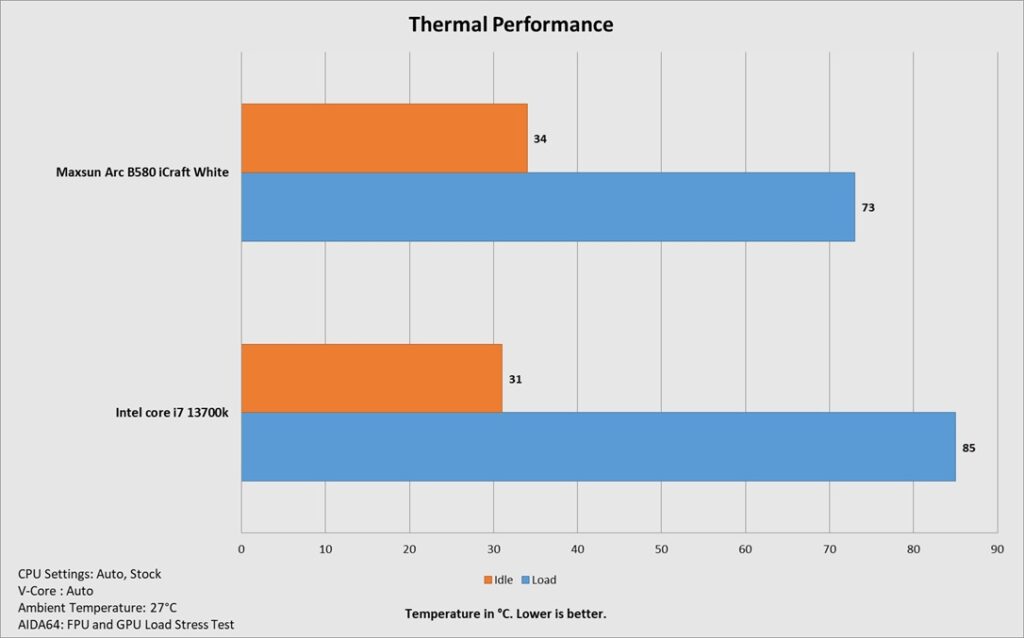
The thermals are self-explanatory. This is a good result from the case. However, running all fans at full speed increases the overall acoustics. You’d better use a custom fan curve or Auto PWM on the AIO fans for a better noise-to-performance ratio.
Conclusion
In this article, I have tested a beautiful-looking case from DeepCool, which is the CG530 4F WH. This case is available in white and black. It has a 270ᵒ panoramic view with two clear glass panels. The housing of this case is made of SPCC for its metal frame, along with ABS material. The complete assembly is white coated. It has a dimension of 440x285x399mm (LxWxH). The weight of this case is 7.1Kg and it comes with a 1-year warranty from the brand.
The fan support is as follows:
- 3x 120mm or 2x 140mm fans on the top
- 3x 120mm fans or 2x140mm fans on the side [3x Inverted 120mm fans are pre-installed]
- 3x 120mm fans on the bottom
- 1x 120mm fan on the rear [120mm fan pre-installed]
The radiator support is as follows:
- 120mm/140mm/240mm/280mm/360mm on the top
- 120mm/240mm/360mm on the bottom
- 120mm/140mm/240mm/280mm radiator on the side
Clearance is:
CPU Cooler Height: Up to 160mm
Graphics Card Length: Up to 410mm with side fans only
PSU Length: Up to 210mm
Storage provision is:
- Up to 2x 3.5” drive bays
- Up to 2+1x 2.5″ drive bays
Dust Filtration:
- Magnetic top filter
- Magnetic bottom filter
This case supports mini-ITX, micro-ATX, and ATX motherboards. It also supports a backplug motherboard. This case has a strong cooling provision and a limited storage provision, which is still adequate given the price tag of the case. The lack of dust filtration on the back panel is somewhat surprising.
The offset motherboard tray design is provided for better clearance on the backside of the tray. The side cutouts are angular, which is a wise move. This case has 7 PCIe slots with reusable covers. The 3x inverse fans and 1x regular fan on the rear are packed with stunning ARGB show.
The bottom area does not have enough space for the motherboard’s bottom connectors (on the regular ATX motherboard). However, this does not apply to the backplug motherboards. If you are installing optional 120mm fans on the bottom, do so after installing the motherboard.
The IO panel is located on the top frame and has a USB Type-C port along with USB 3.0 ports. The power button has a nice clicky sound and does not wobble. This case comes equipped with SATA SATA-powered ARGB fan controller. Pre-installed fans are wired to it.
Despite having a spacious space on the backside, the cables need to be tucked in front of the storage drive bracket. This case has ample cable tie points to help you with cable management. In my assembling experience inside this case, I did not observe any glaring point. The challenge is the cable management.
This case retails at around UISD 75 bucks. It provides almost everything with a balanced feature set, even more than what the competition offers, and all this in this price bracket makes this case a must-have for budget users. The only downside is a 1-year warranty.
Pros:
- Panoramic View
- Stunning ARGB Lighting on the fans
- 3x Reverse Blades ARGB Fans
- 1x ARGB Rear Fan
- Fan ARGB Controller
- Backplug Motherboard Support
- Tool-Less Panels
- Dual-Chamber Design
- 360mm size AIO on top
- Fan mounts on floor of the case
- USB Gen2 Type-C Port
- ARGB Fans
- Graphics Card Clearance
- Price
Cons:
- Warranty
- No dust filter on the backside