












Cooler Master V4 Alpha 3DHP Black Cooler Review: Best Value Cooler
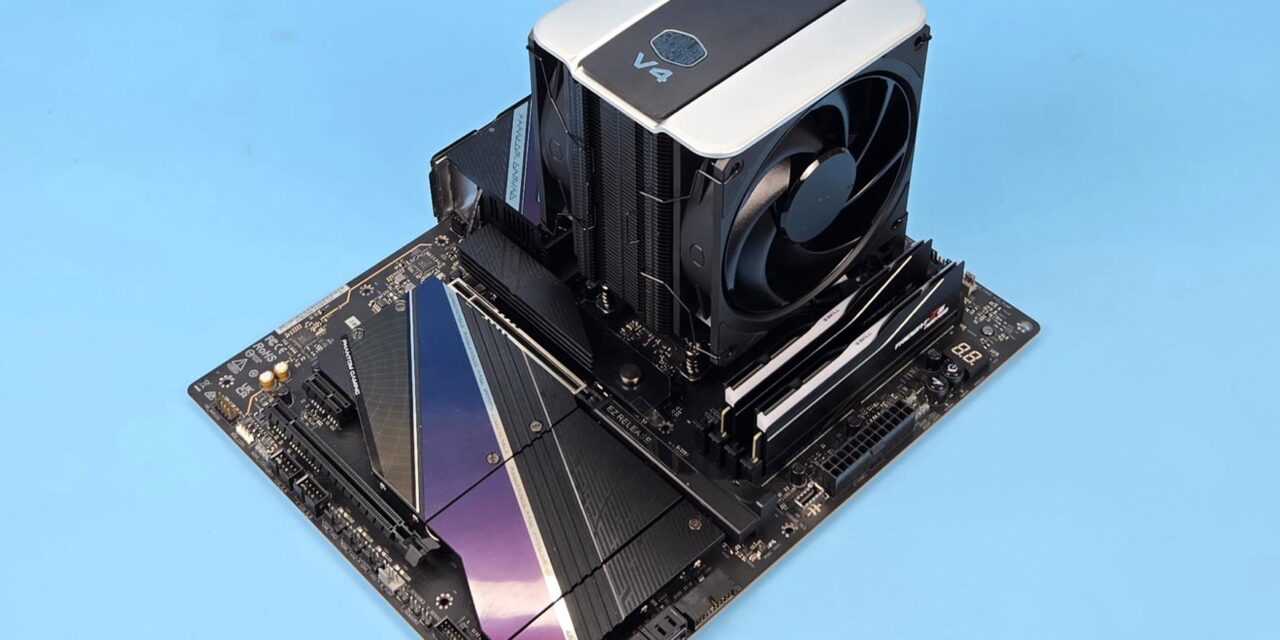
In this review, I am taking a look at the V4 Alpha 3DHP Black CPU air cooler from Cooler Master. It has quite a long name! I am not sure if V4 indicates Version 4 or something, but it is from the V series. This cooler utilizes Cooler Master‘s advanced thermal management solution that uses one additional T-point or pipe end on a regular heat pipe for efficient heat dissipation and maximizing surface area contact.
Cooler Master is never afraid to experiment and come out with some unique innovations, then improve its learning curve and refine the product until it matures or is dropped. This cooler seems to be one such case.
According to Cooler Master, this cooler effectively competes against the 4 heat pipes cooling solution, yet comprises only 2 heat pipes, though each heat pipe has one additional end. We will see in more details late.
This cooler is essentially a single tower with dual fans. Cooler Master has used a top cover over the non-RGB Mobius 120 fans. This whole assembly is integrated. The cooler looks sleek, elegant, and stylish, yet at the same time presents a minimalistic design approach which I really appreciate.
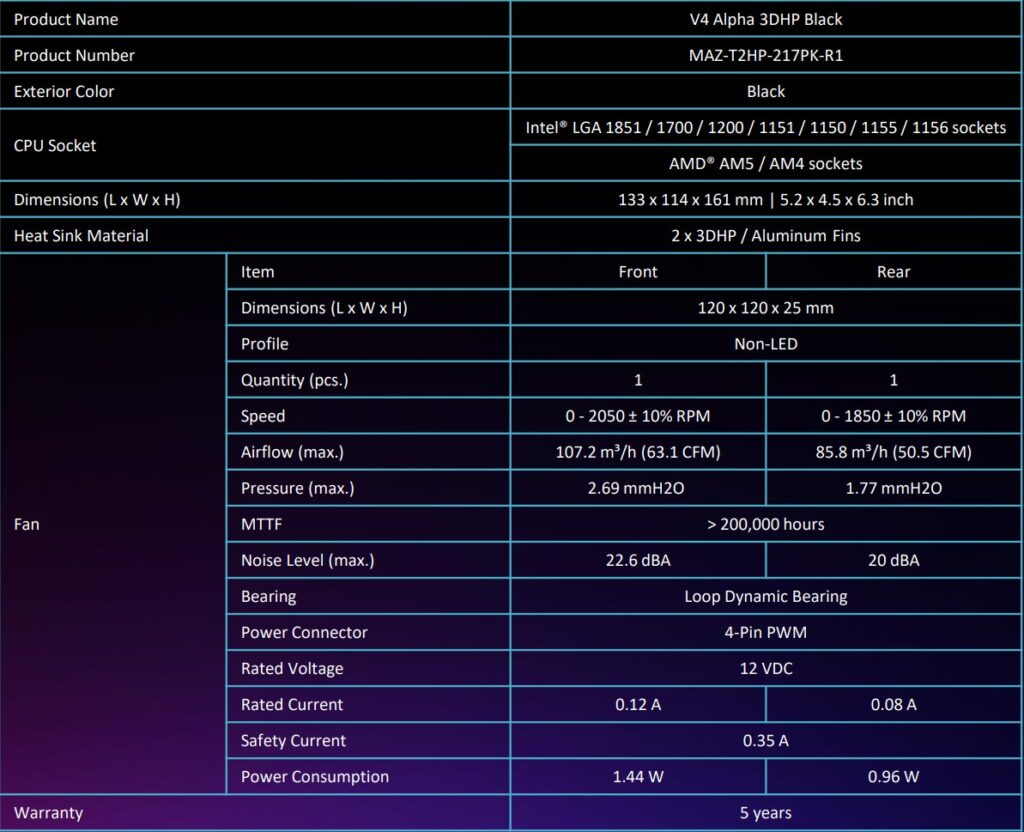
This cooler is compatible with Intel LGA115x/1200/1700/1851 and AMD AM4/AM5 sockets. This cooler is a budget segment cooler coming in at USD 39.99, £32.99, and PKR 14000. Cooler Master offers a 5-year warranty period, showing its confidence in this cooler.
Specifications
Packaging
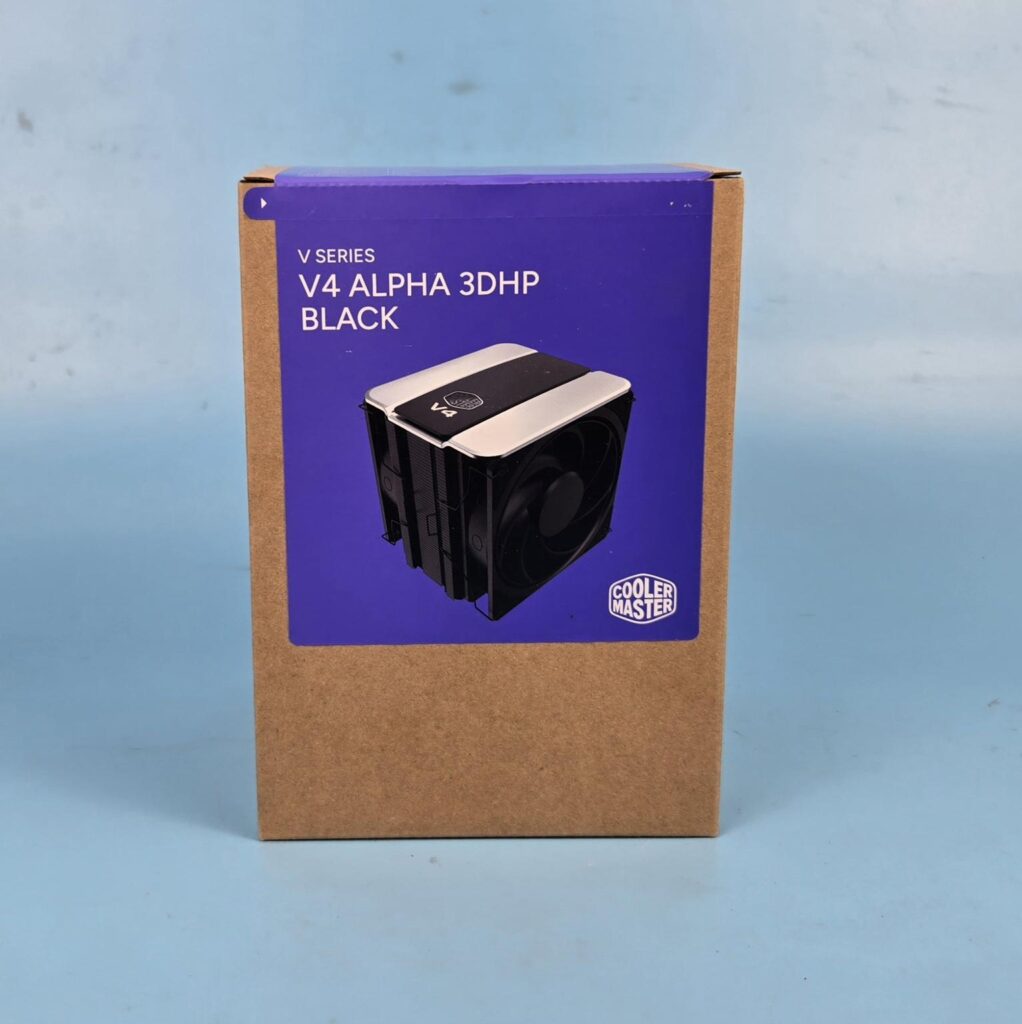

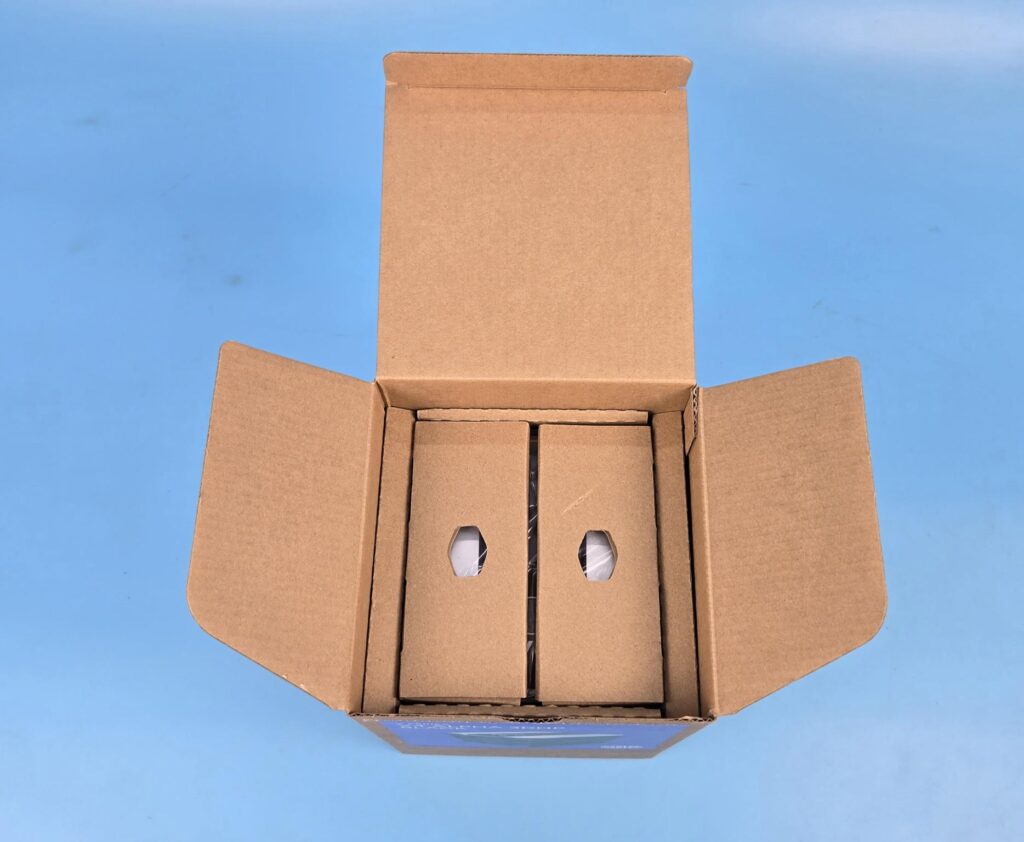
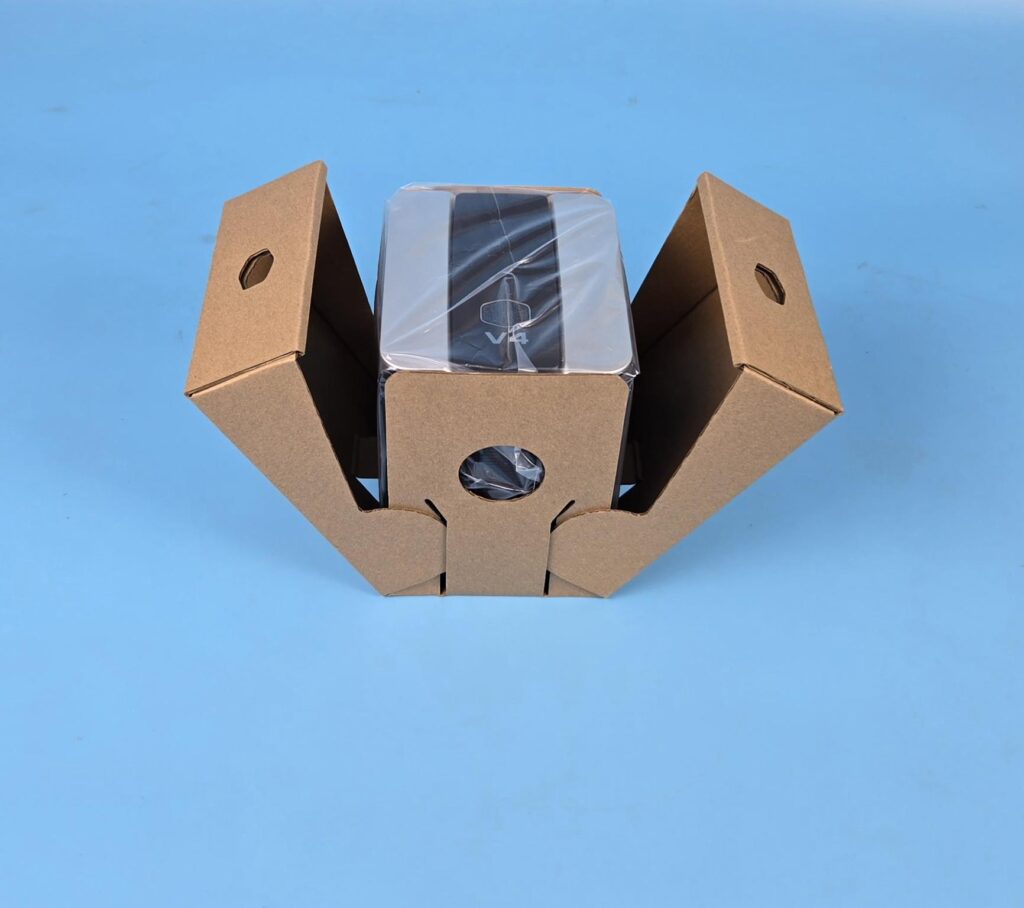
Cooler Master has definitely got me here with the packaging of this cooler. The cooler comes in a cardboard box that has a purple cover. The seal to open the box is on this side. Tear it apart so that the box can be opened from the top.
The accessory box is placed over the top inside the main shipping box. Removing it shows another cardboard box with the cooler inside. Cooler Master has provided quite a catchy way to unbox the cooler itself.
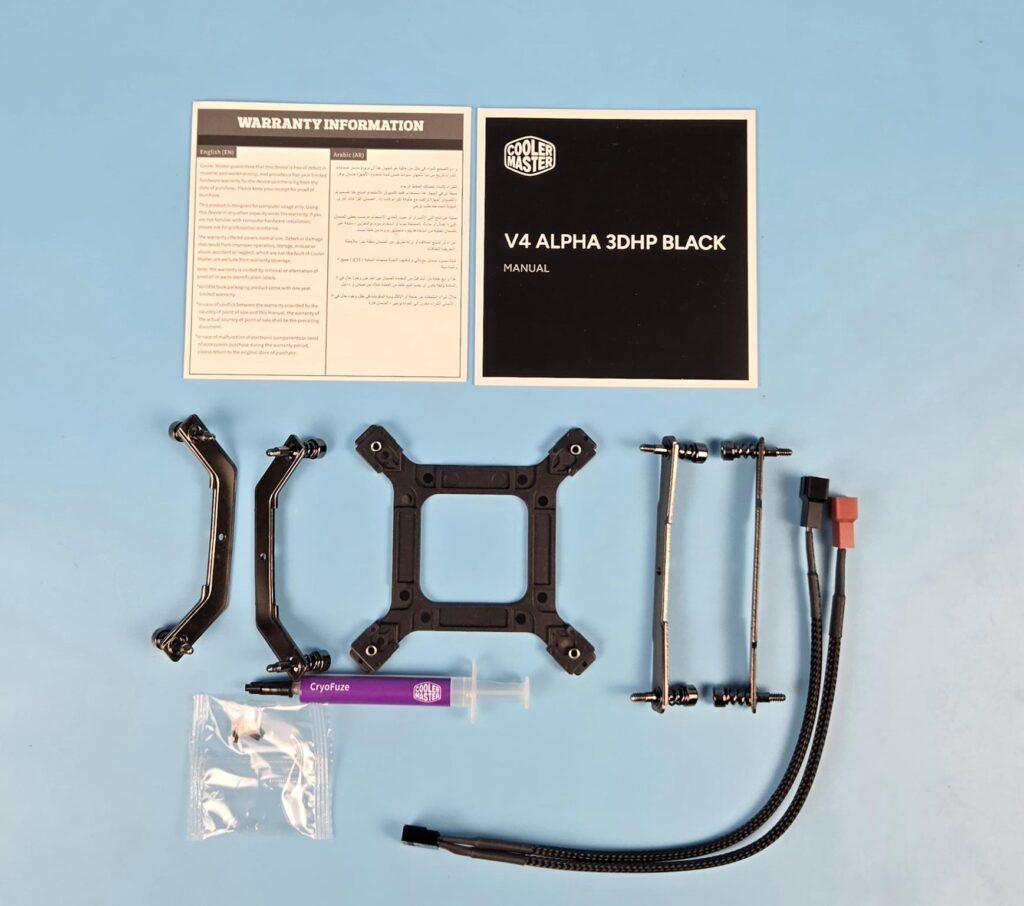
The following come inside the accessory box:
- 1x Intel Backplate
- 2x Intel Mounting Brackets
- 2x AMD Mounting Brackets
- 2x Screws for Mounting Brackets
- 1x PWM Y-Splitter Cable
- 1x Thermal Paste Tube
- 1x Installation Guide
- 1x Warranty Paper
Design
Let’s take a look at the cooler.
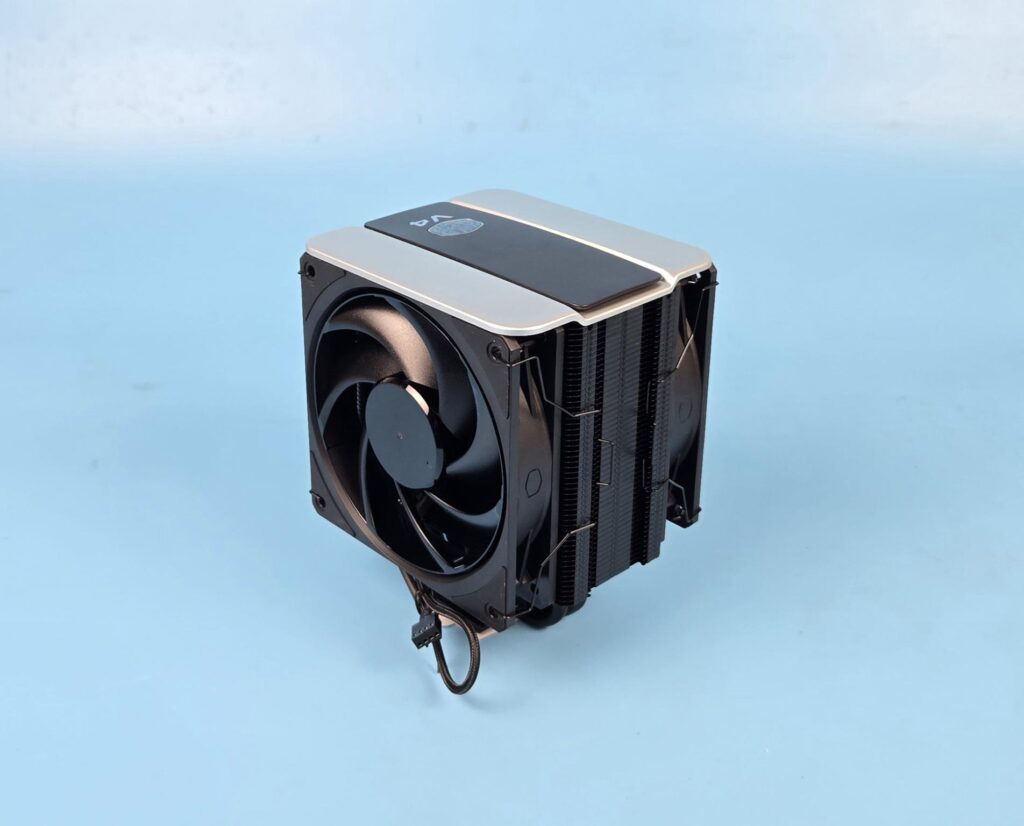
The overall dimension of the cooler is 133x114x161mm (LxWxH). The fans are in black color, which, when combined with the top silver and black colors, gives a good overall look and feel to the cooler. Both fans operate at different speeds.
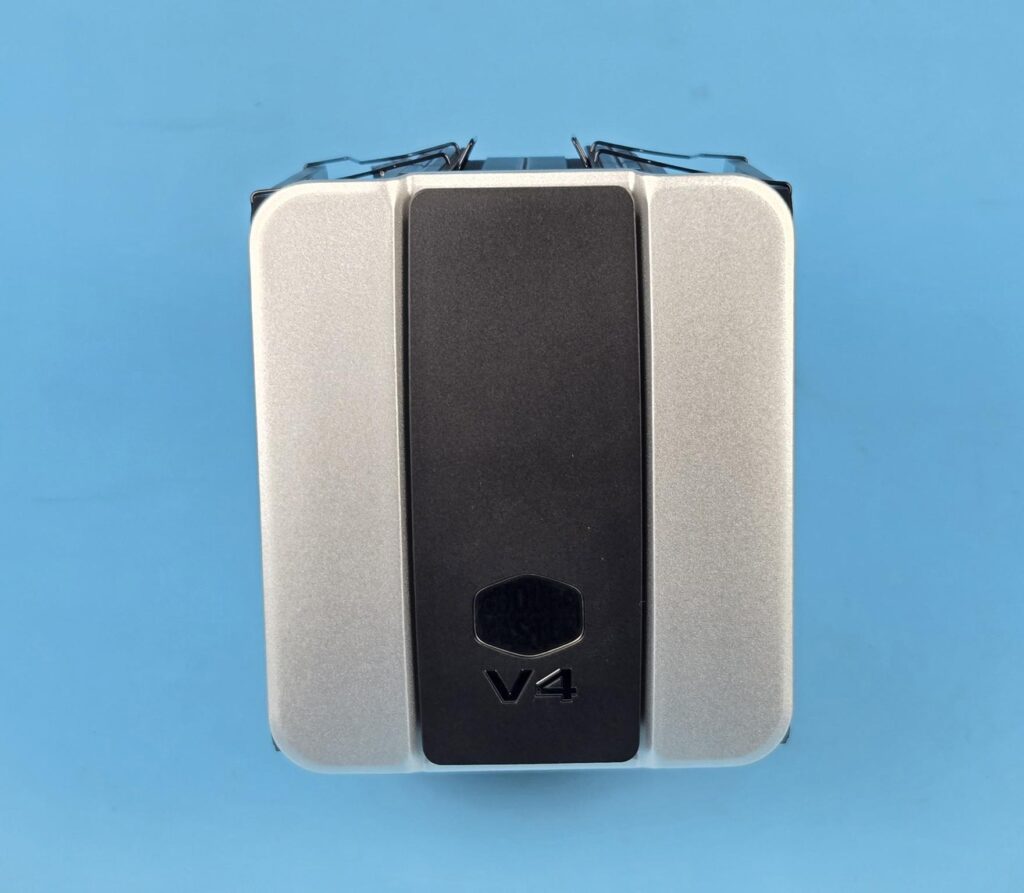
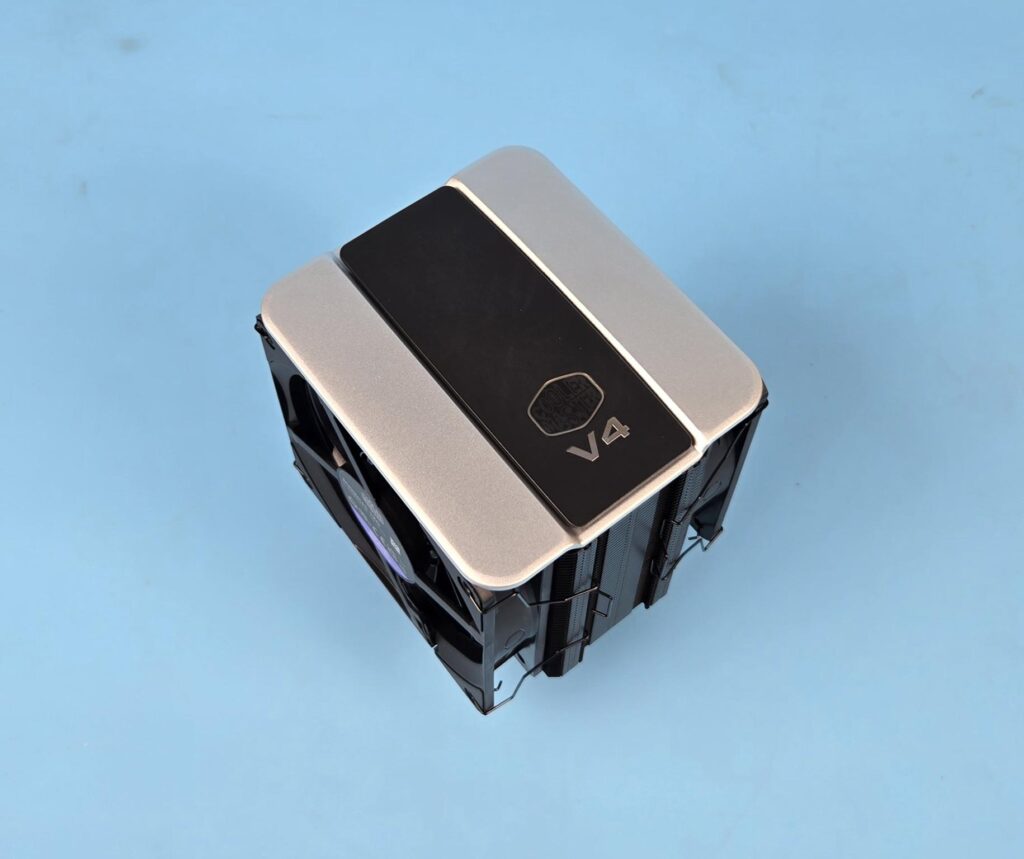
The top of this cooler has a stylish CM-themed cover. The cover itself is metallic, whereas the center black frame is made of plastic or ABS material. That black frame has the Cooler Master logo over it. This is one impressive-looking cover, giving a sleek look to the cooler.
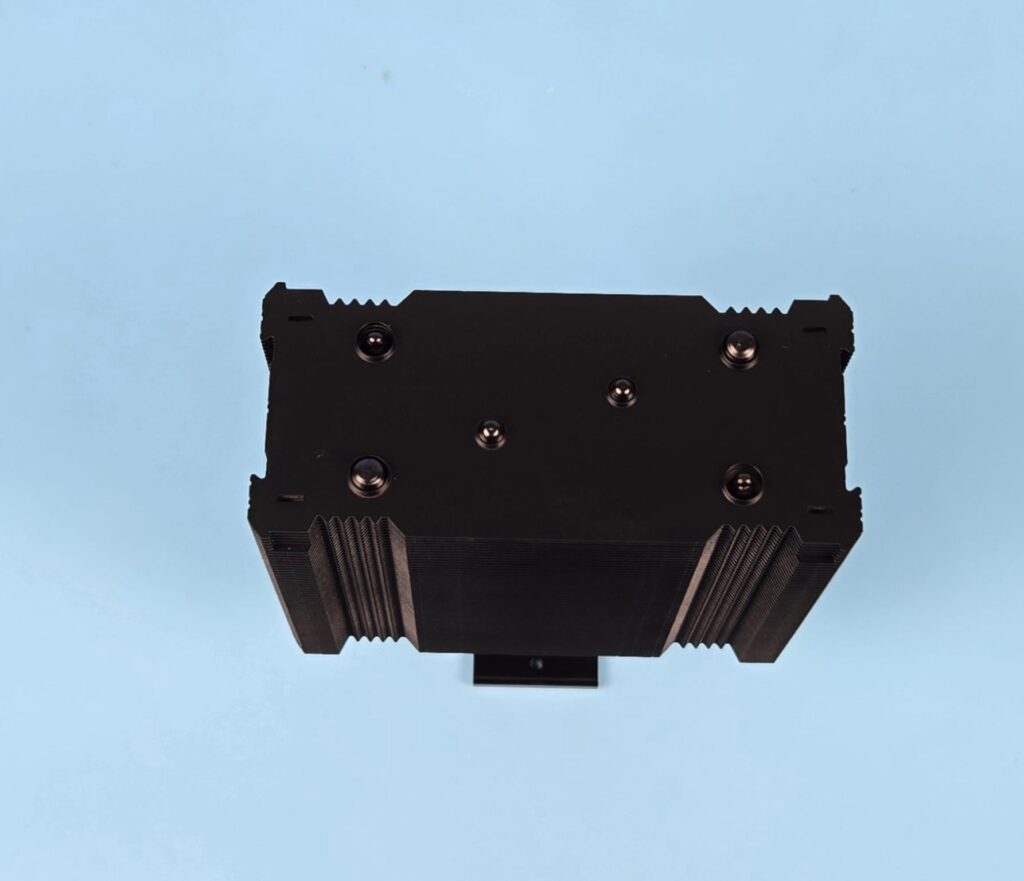
I have removed the top cover. You can see the terminating tips of the heat pipes over the top fin. The assembly seems soldered. The center two heat pipes are what make the difference in this cooler. The cooler has essentially two heat pipes, with each having one additional pipe end.
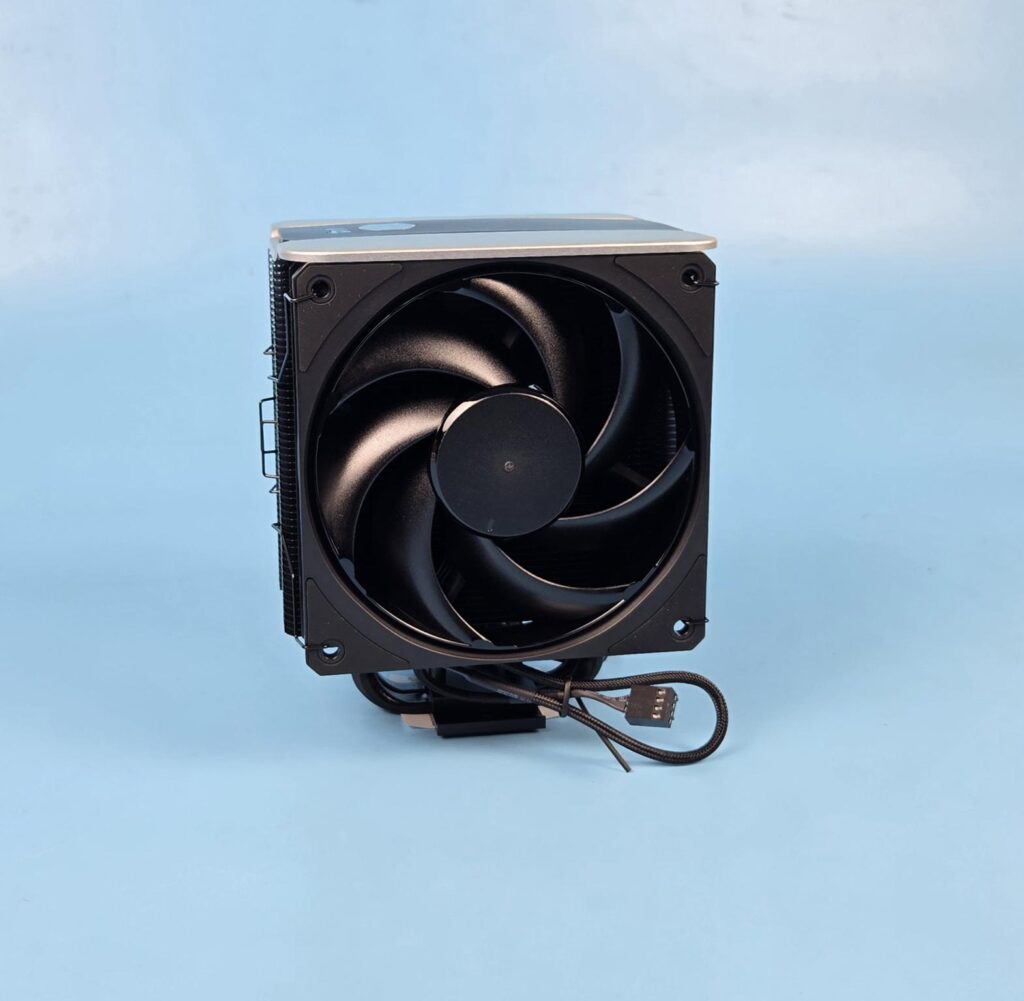
The cooler comes with 1x Mobius 120 non-RGB fan installed on the front.
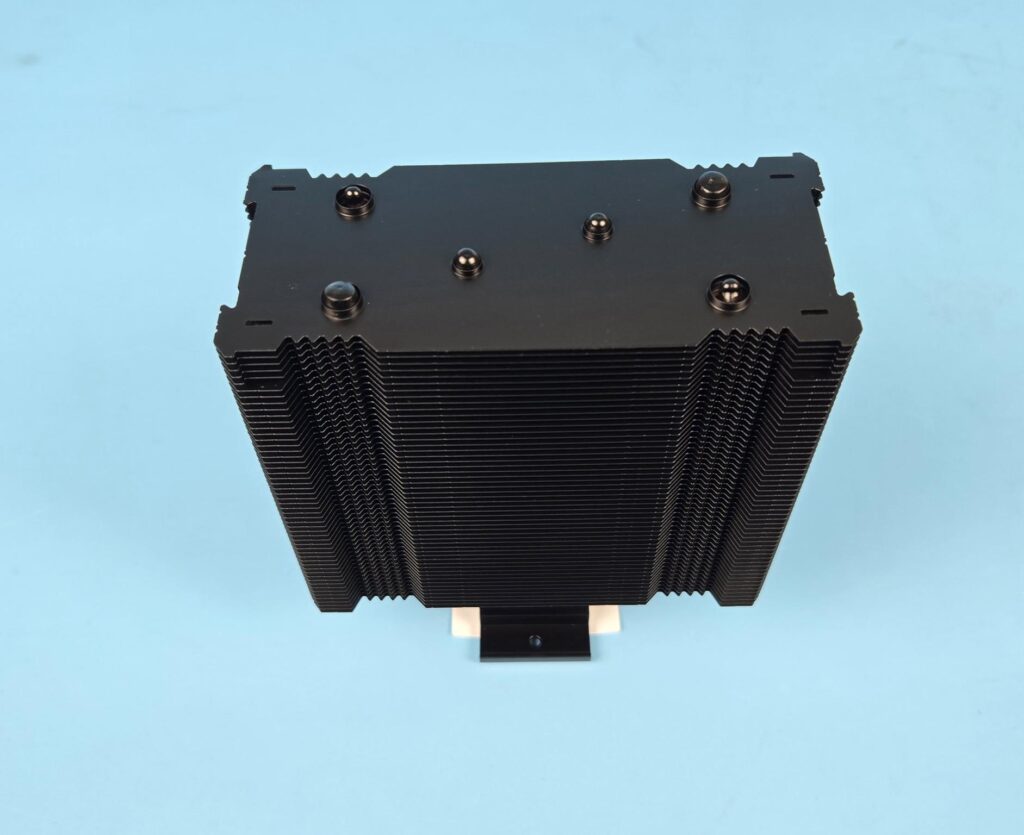
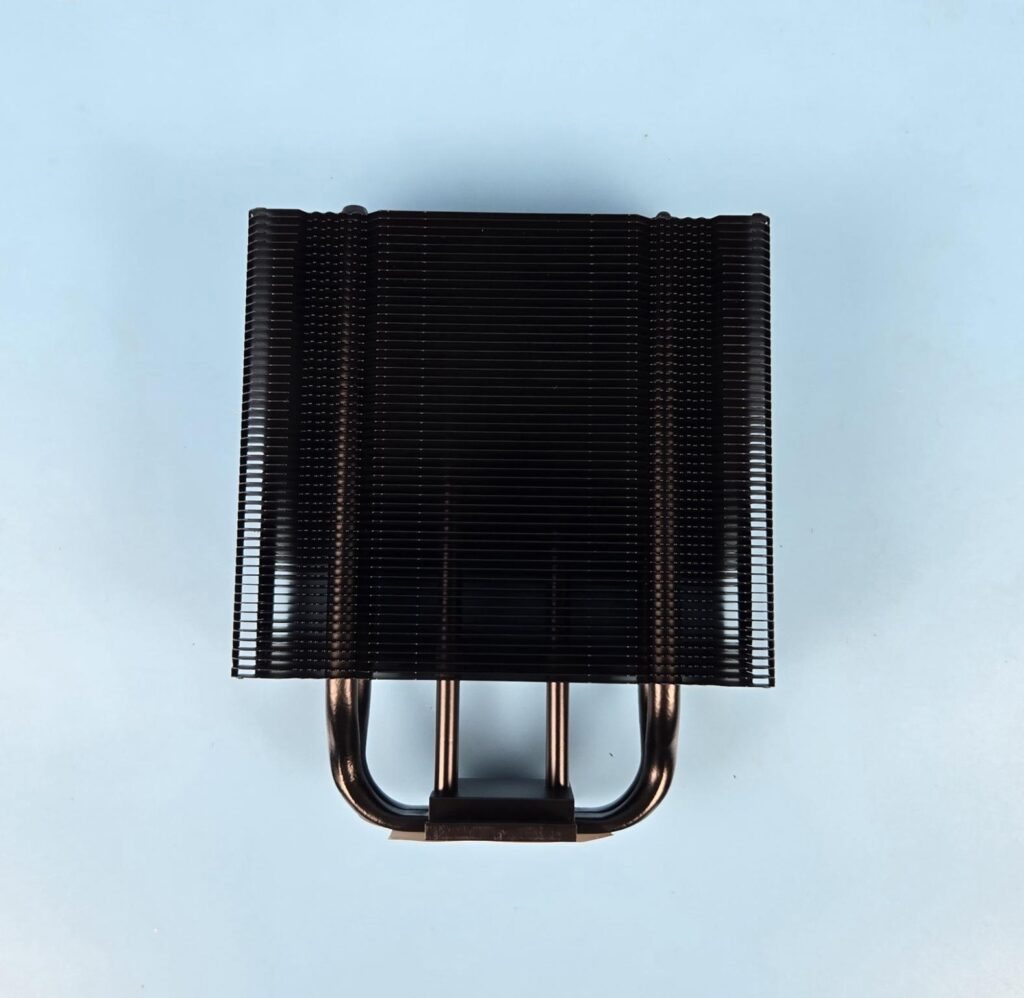
The front and rear design is identical on the heatsink. You can see the wave format on both sides in an inset manner. The center mast has a straight line pattern. The outer banks have the same straight line pattern as well. This combination provides effective airflow through the heatsink by reducing drag. My poor eyes count the number of fins to be 51.
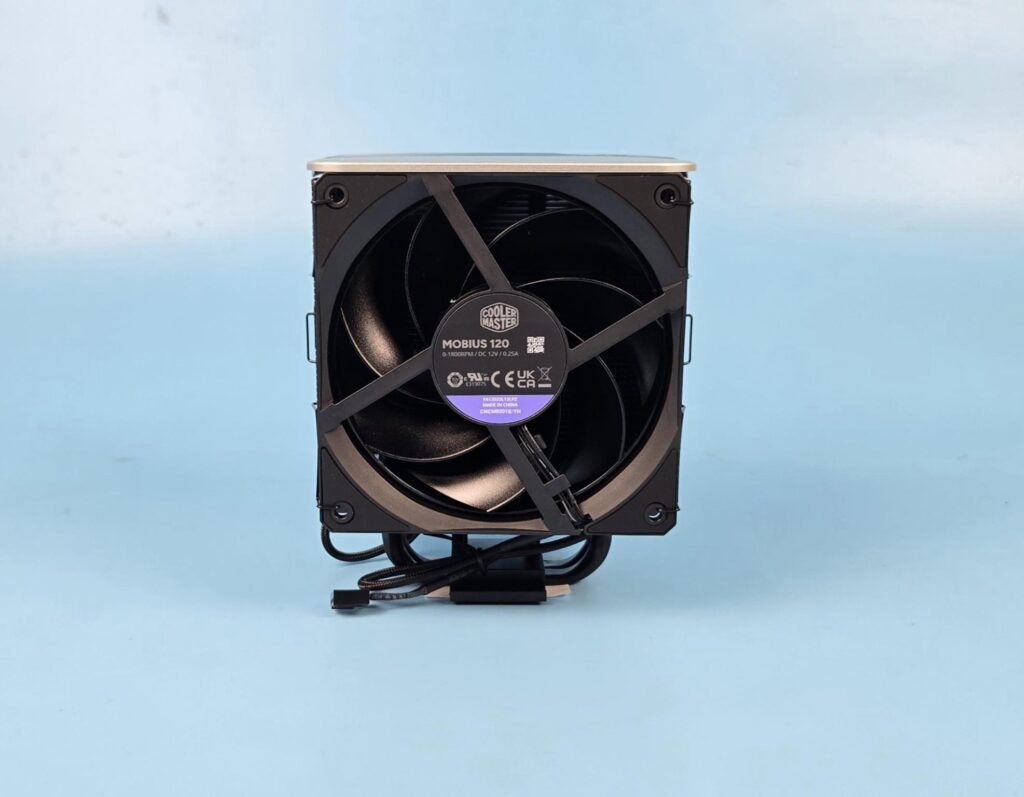
The cooler comes equipped with 1x Mobius 120 non-RGB fan on the rear. I would suggest Cooler Master use a reverse-blade fan on the rear for a more streamlined outlook.
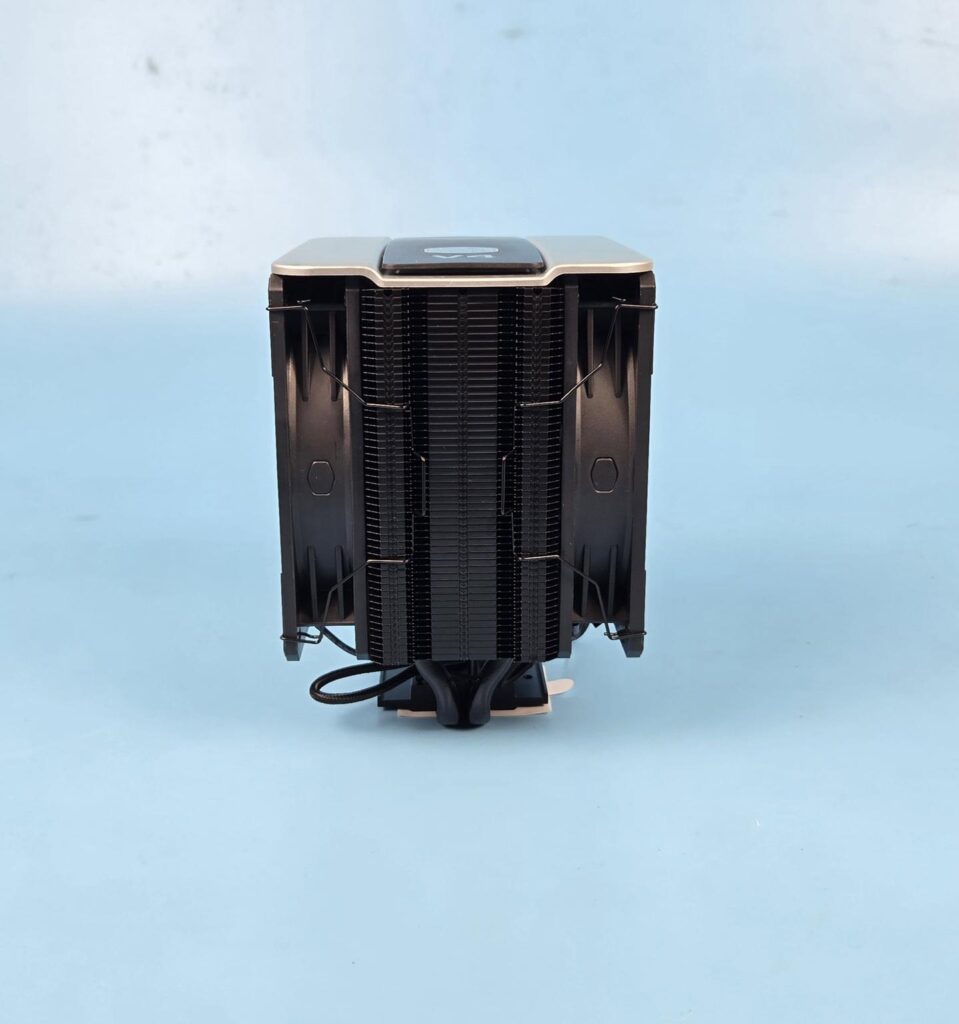
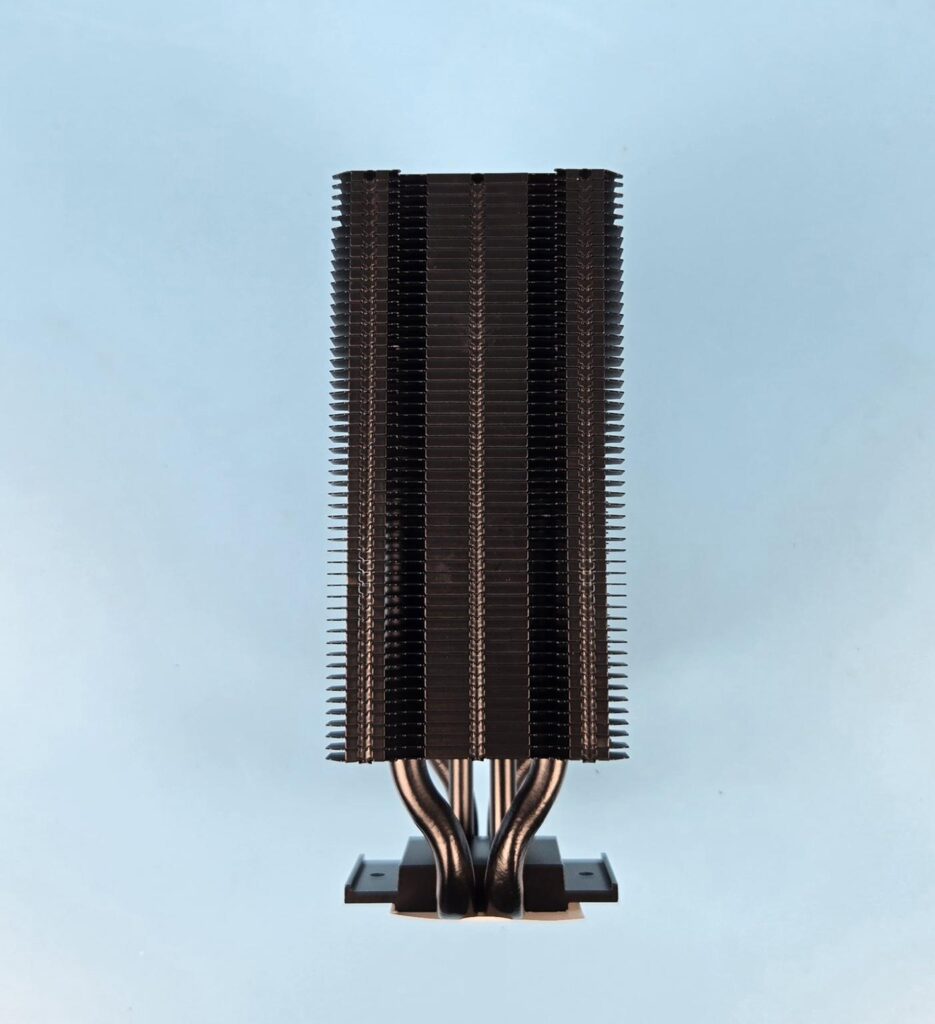
The left and right sides of the tower are identical in layout. The fins have an interlocking mechanism on the sides. The inset on the banks catches the fan clips.
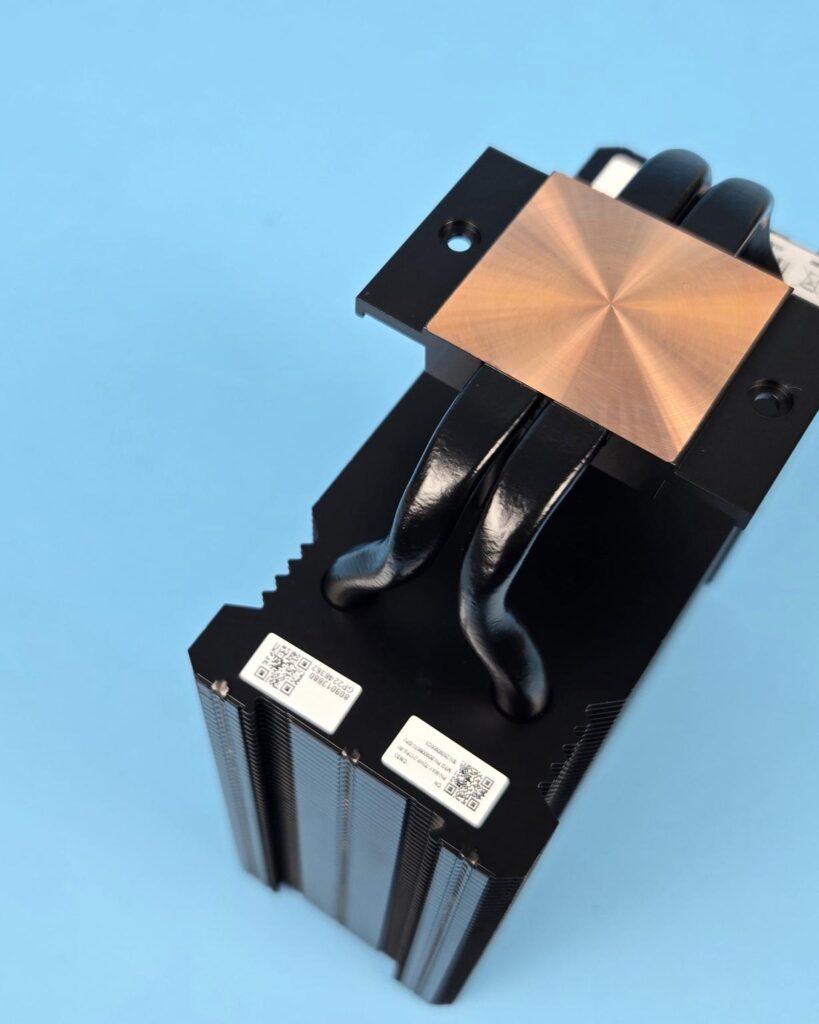
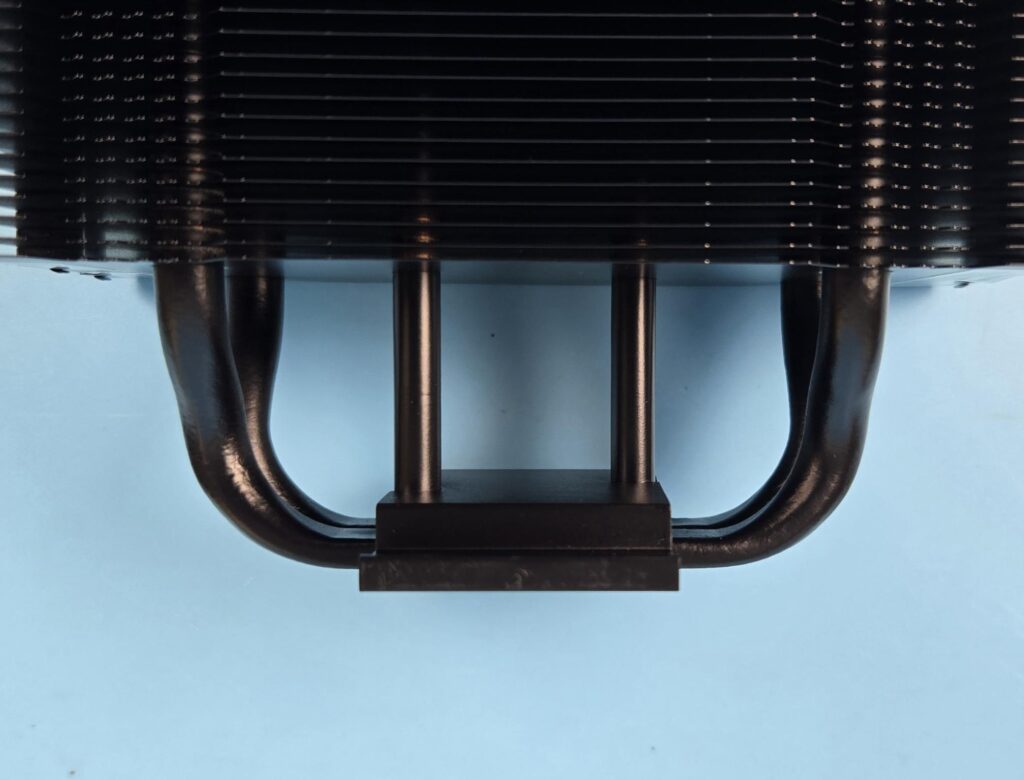
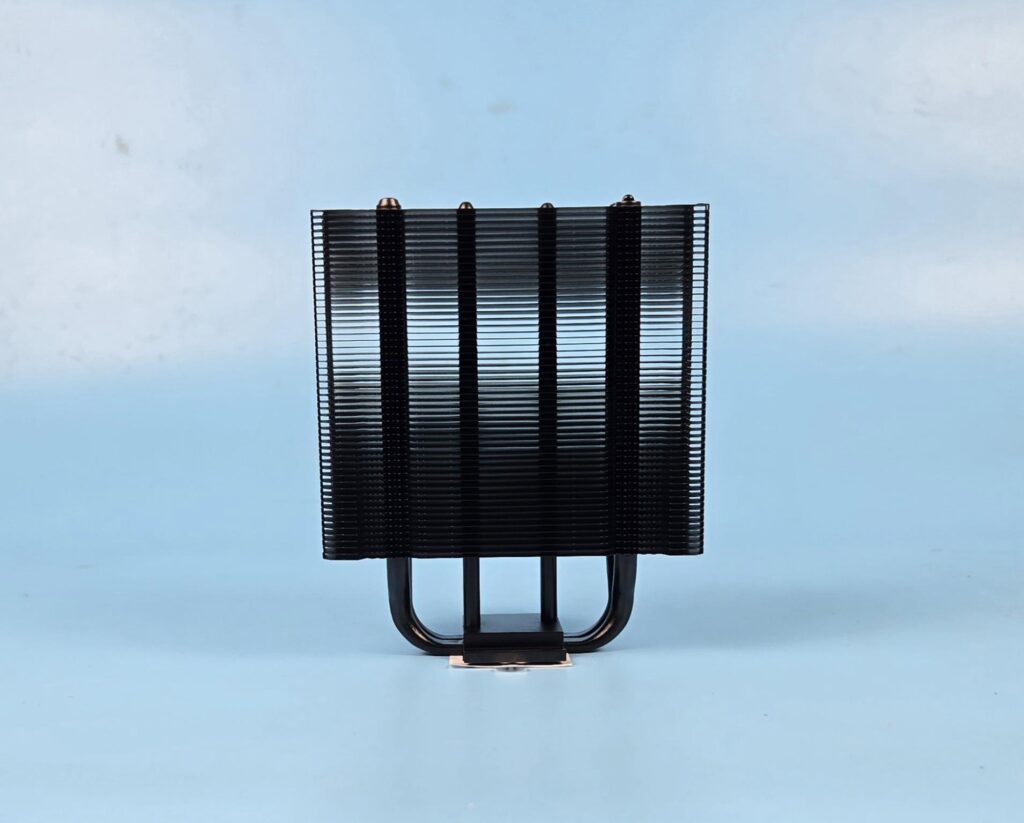
The V4 Alpha 3DHP Black comes equipped with two heat pipes. It seems like these are 6mm thick each. 3DHP may either refer to a 3 Dimensional Heat Pipe or 3 Pipe Ends. When heat pipe’s design shifts from a one-directional to bi-directional or 2D and above, it usually means the manufacturer is using Vapor Chamber technology. You can see two more pipes in the center, right above the base. This is something different here. So, technically, these two heat pipes actually have two more (one per pipe) pipe ends on a T junction.
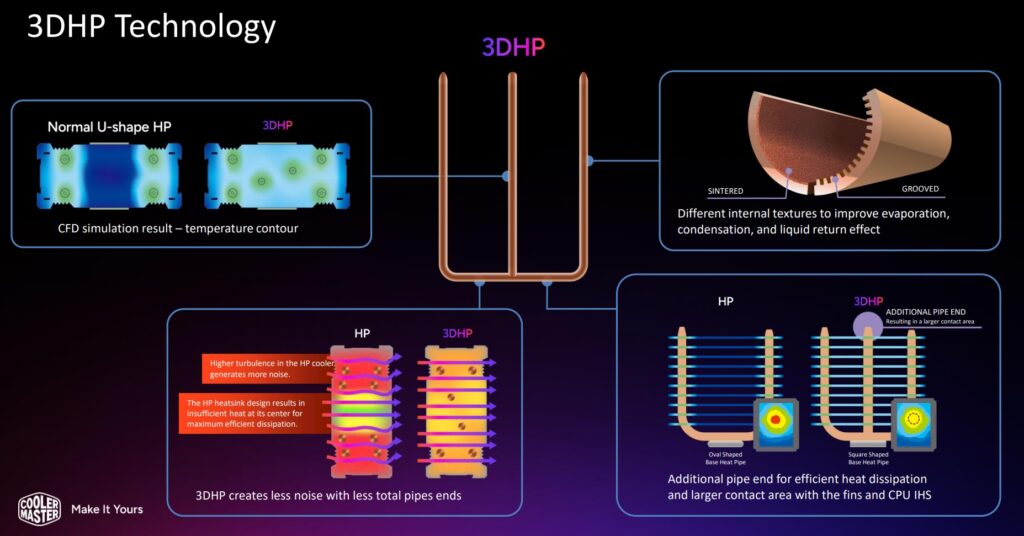
Cooler Master has mentioned that using two additional pipe ends in the center mass provides even better or maximized surface contact compared to regular heat pipe design, where in most cases the U-shaped pipes cover the left and right sides of the heatsink, leaving the center mass.
According to Cooler Master, this design enhances heat transfer, reduces turbulence, and lowers fan noise. I think they may be referring to the high fan speed when talking about reducing turbulence, since there is no other vibrational element that can cause turbulence.
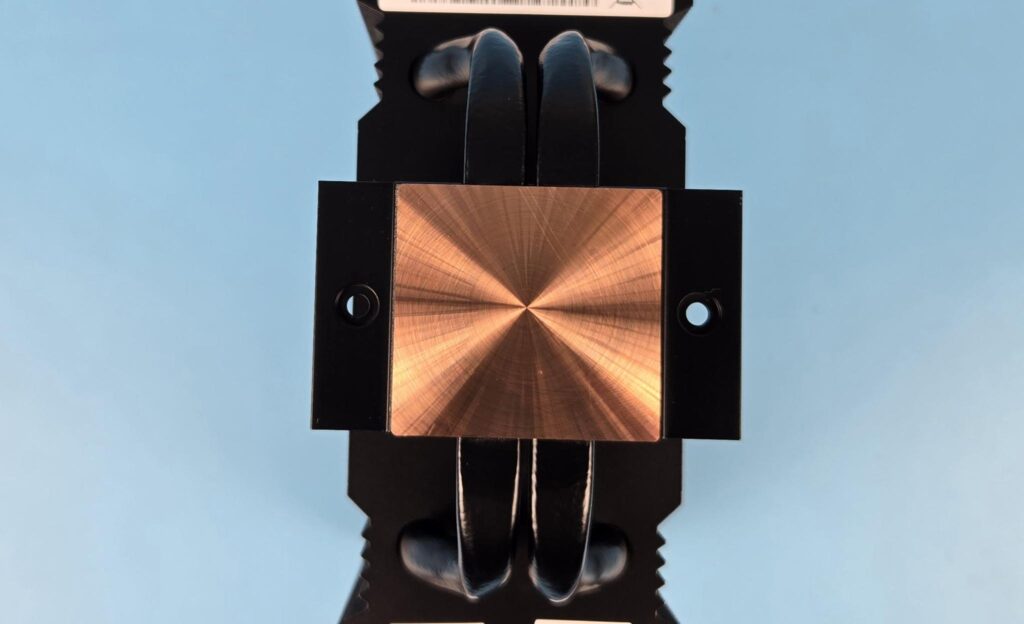
The V4 Alpha 3DHP Black comes with a copper base. It has a protective sticker that needs to be removed during the installation. Notice the mounting holes on the mounting plate. This is where you would attach mounting brackets.
Fan Assembly
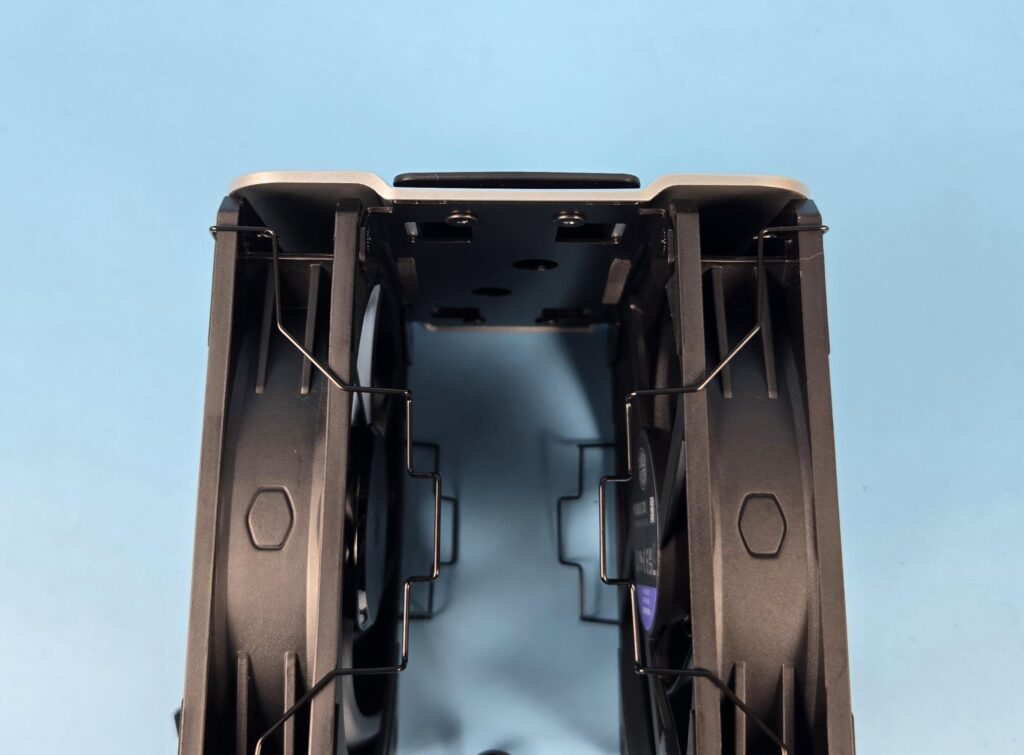
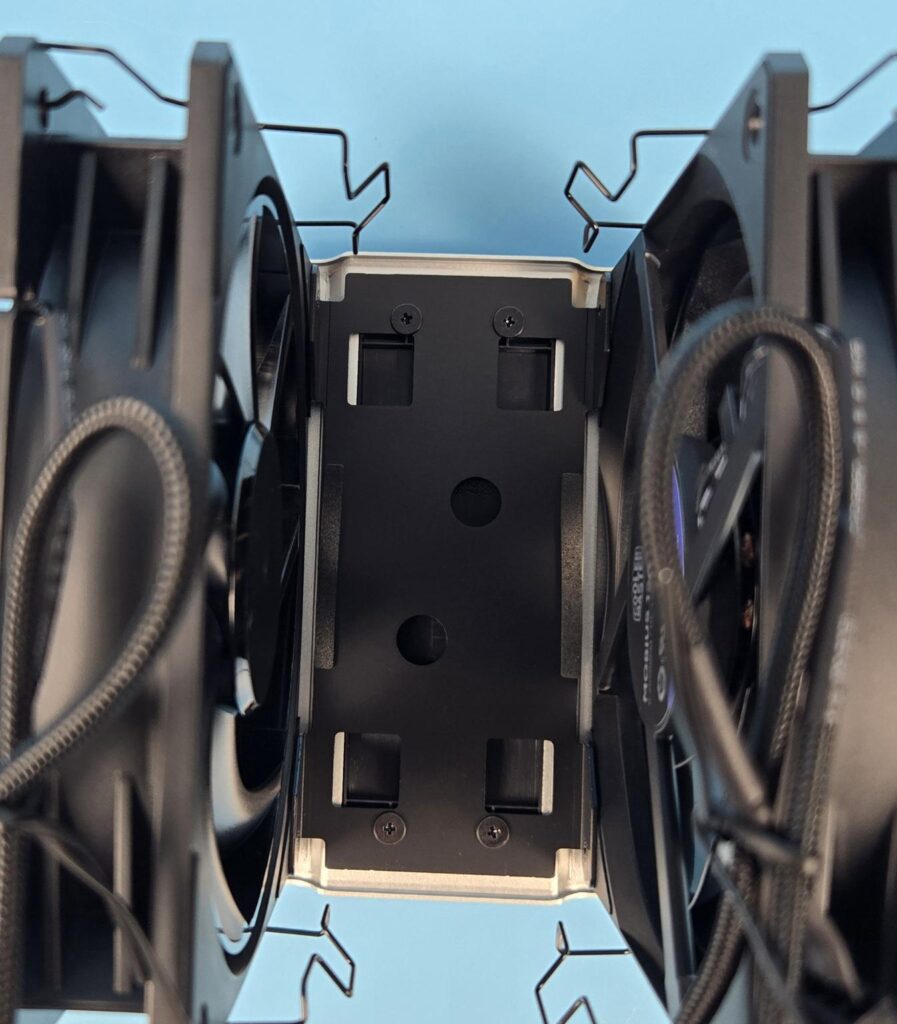
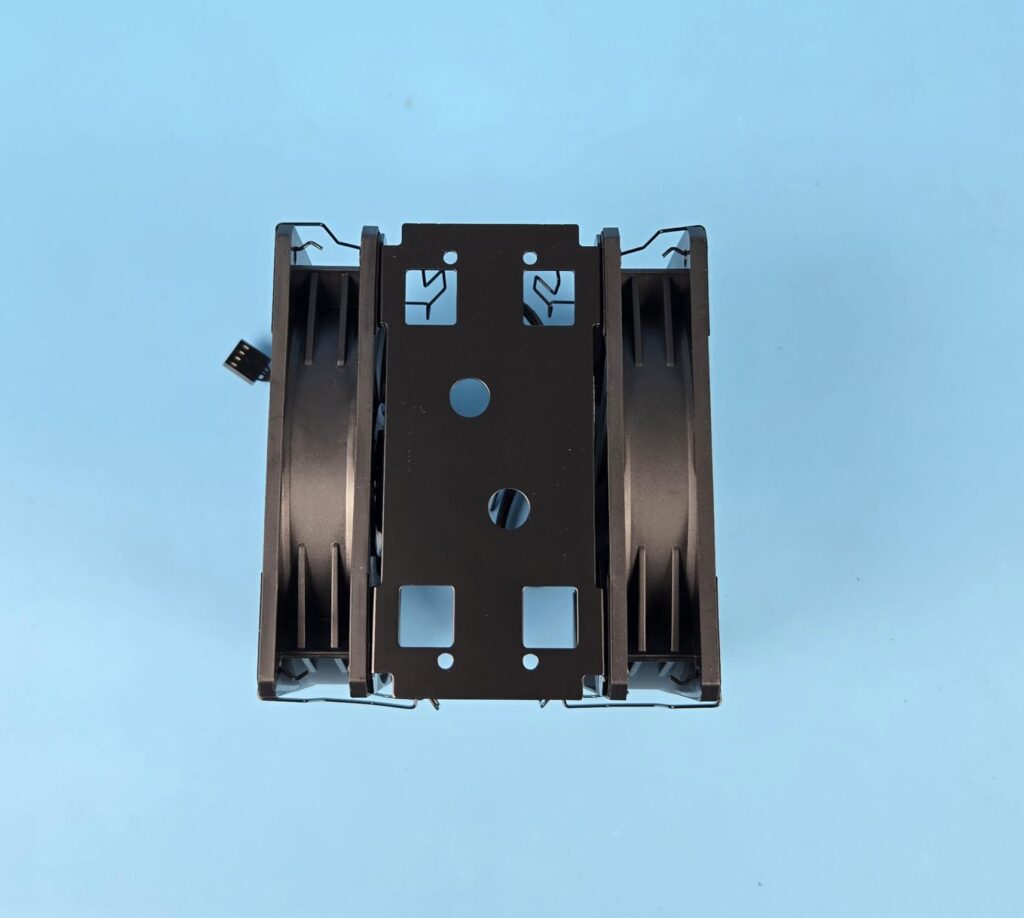
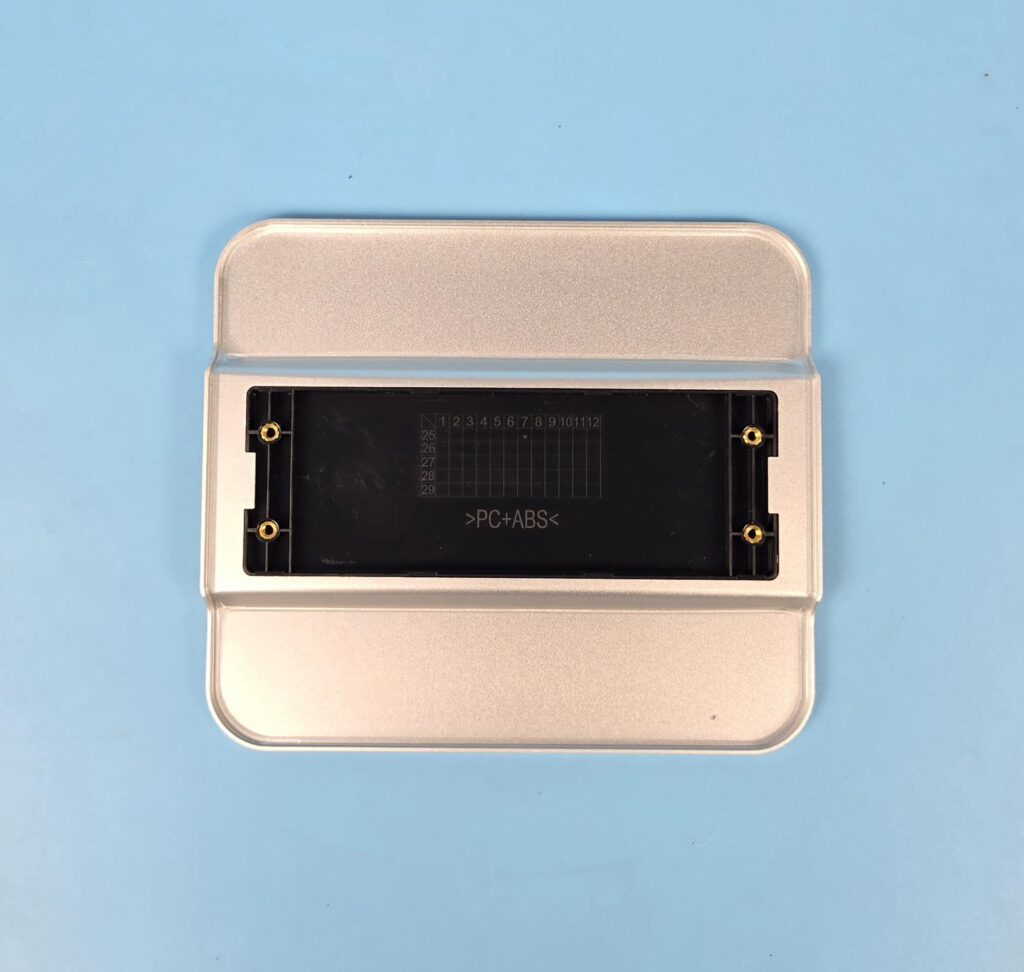
Cooler Master has coupled the top cover with the fans, providing a single assembly. Since fans are attached via screws to the top frame, this assembly, in turn, is attached to the heatsink using only fan clips.
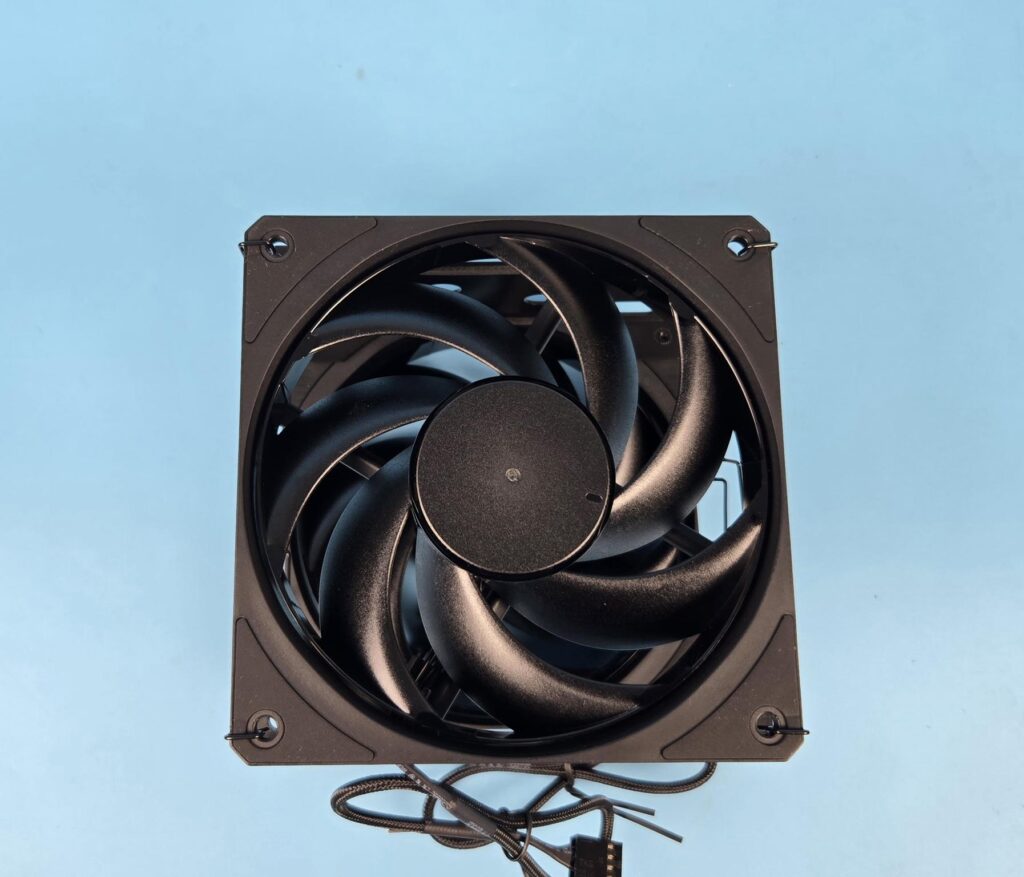
The Mobius 120 fans are not RGB/ARGB. They have a black theme. Each fan has 7x blades with a ring attachment. The ring also rotates along with the impellers. According to Cooler Master, this is done to ensure low noise operation even at full speed. Each mounting corner has an anti-vibration pad.
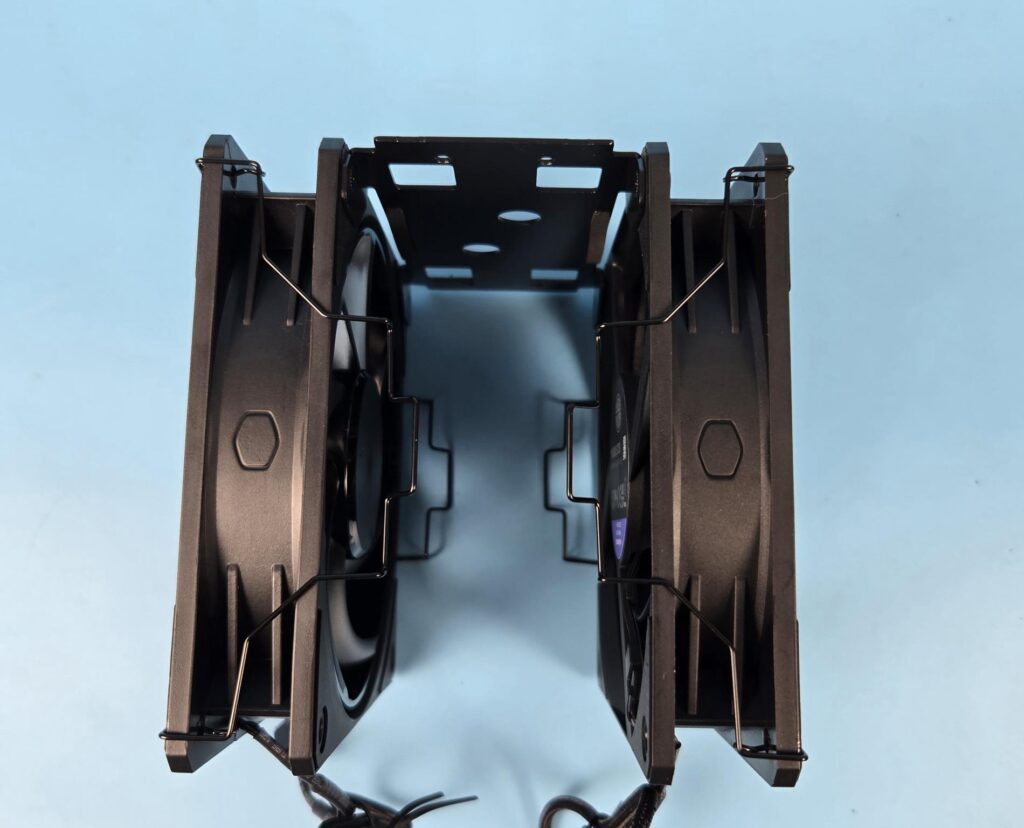
The side frame of each fan has the Cooler Master logo design. I did not find any arrow marker on the side frame on both fans.
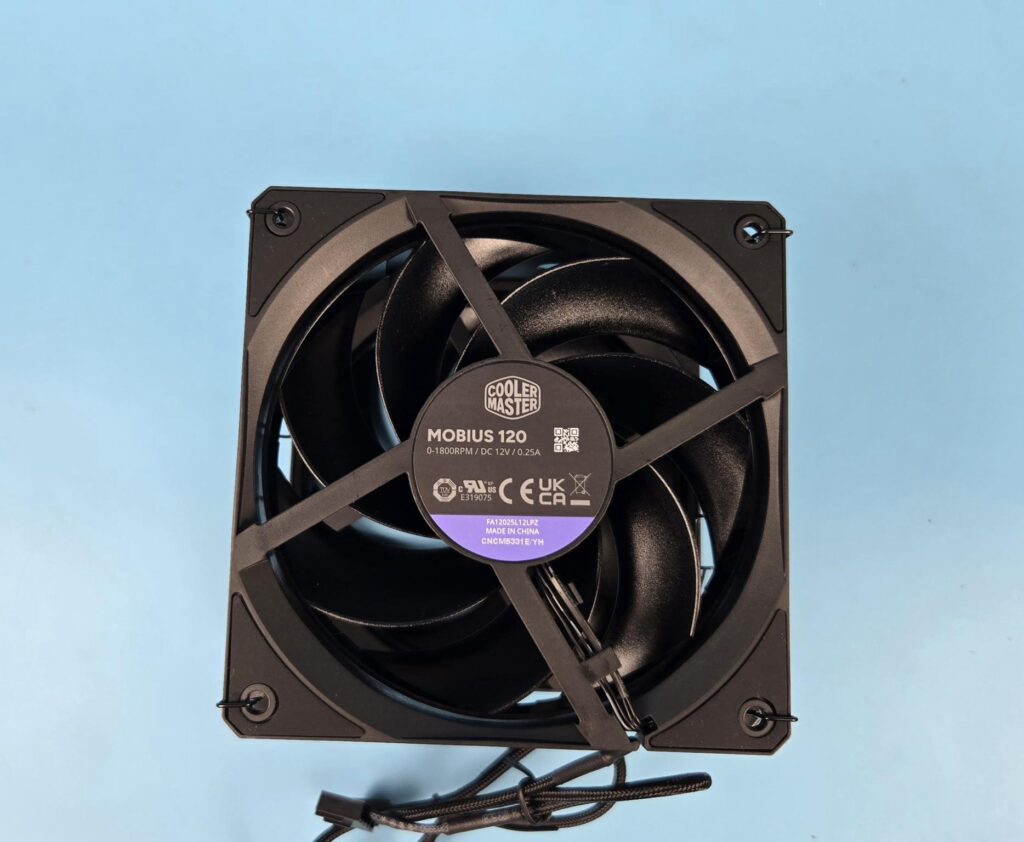
The backside of the fans has slope design on the border. Each fan has a 4-armed assembly in X shape. The rear fan is rated for 0.25A at 12VDC. These fans are made in China.
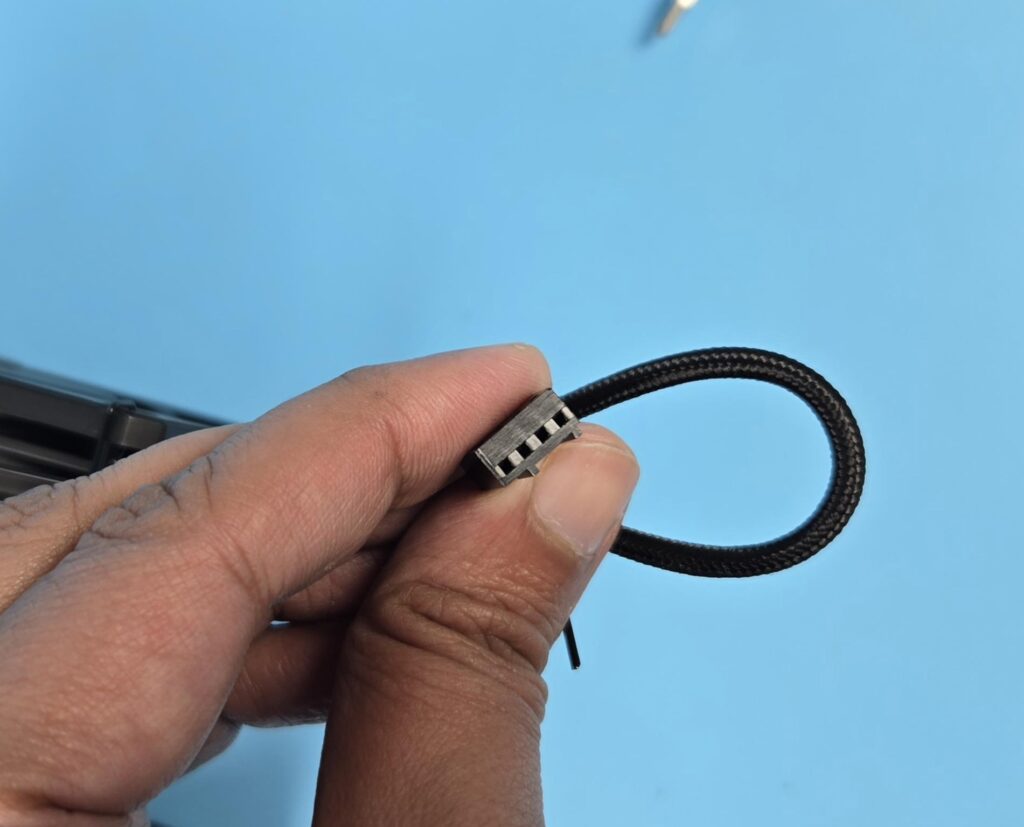
Each fan is PWM regulated via a 4-pin connector. Cooler Master has also provided a PWM y-splitter cable so that both fans can be controlled via the same source.
Installation
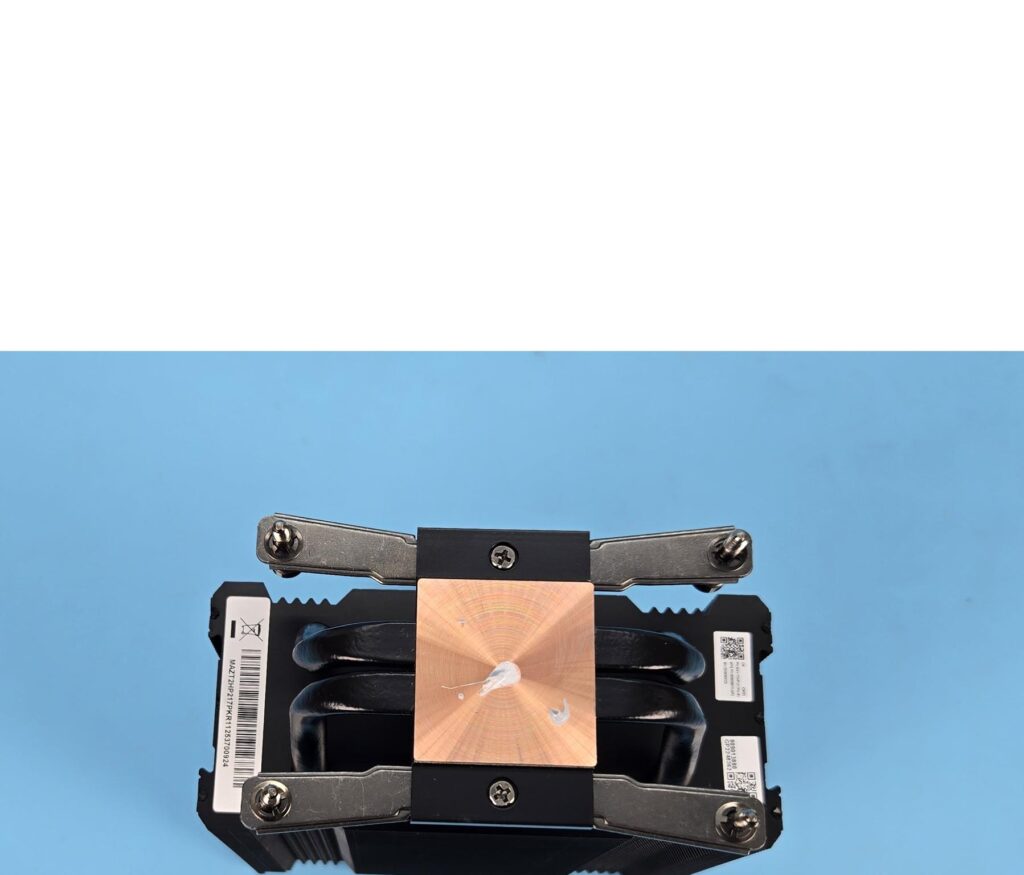
We do not cover the installation steps. You may refer to the user guide for that purpose. I only report my observations during the installation and removal of the cooler. I have tested many air coolers, and one common complaint that I make of these is loose fan clips that come off easily.
The V4 Alpha 3DHP Black is an exception to that. Cooler Master has designed the mounting holes and fan clips so that the clips can be rotated across the mounting holes without falling off. Good job, Cooler Master! This was needed since the complete fan assembly is installed using the clips only.
Also, the installation of this cooler is super easy on AM5 and even on Intel. Cooler Master has my praise in this department.
Clearance
We need to look at the clearance from multiple angles. Let’s start with the RAM.
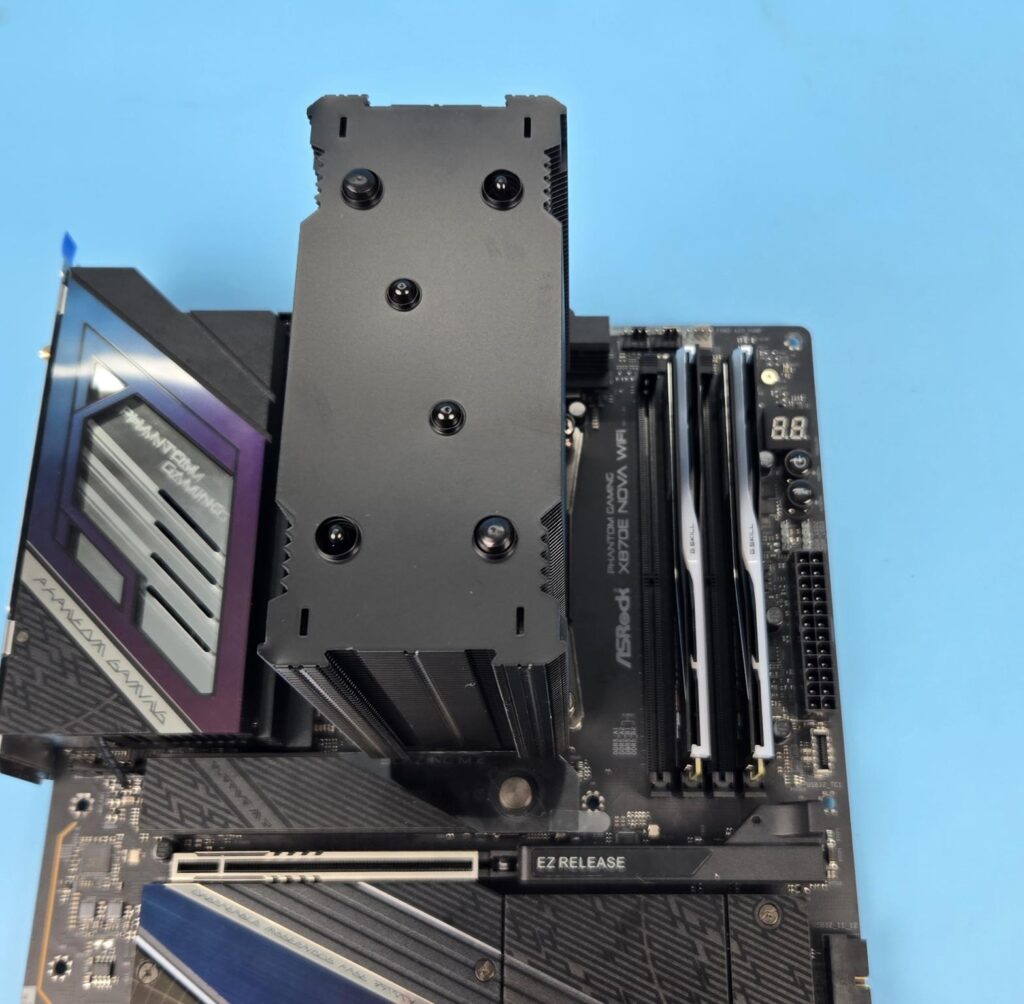
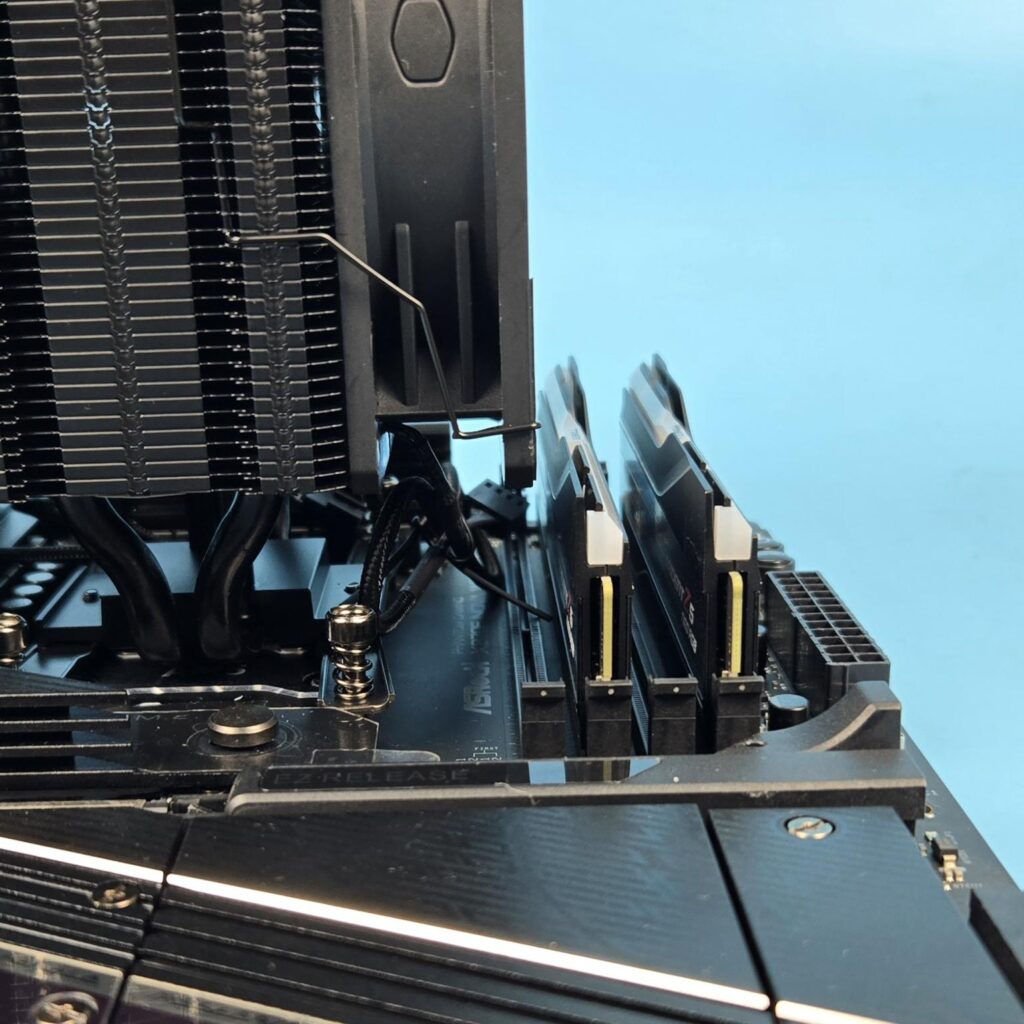
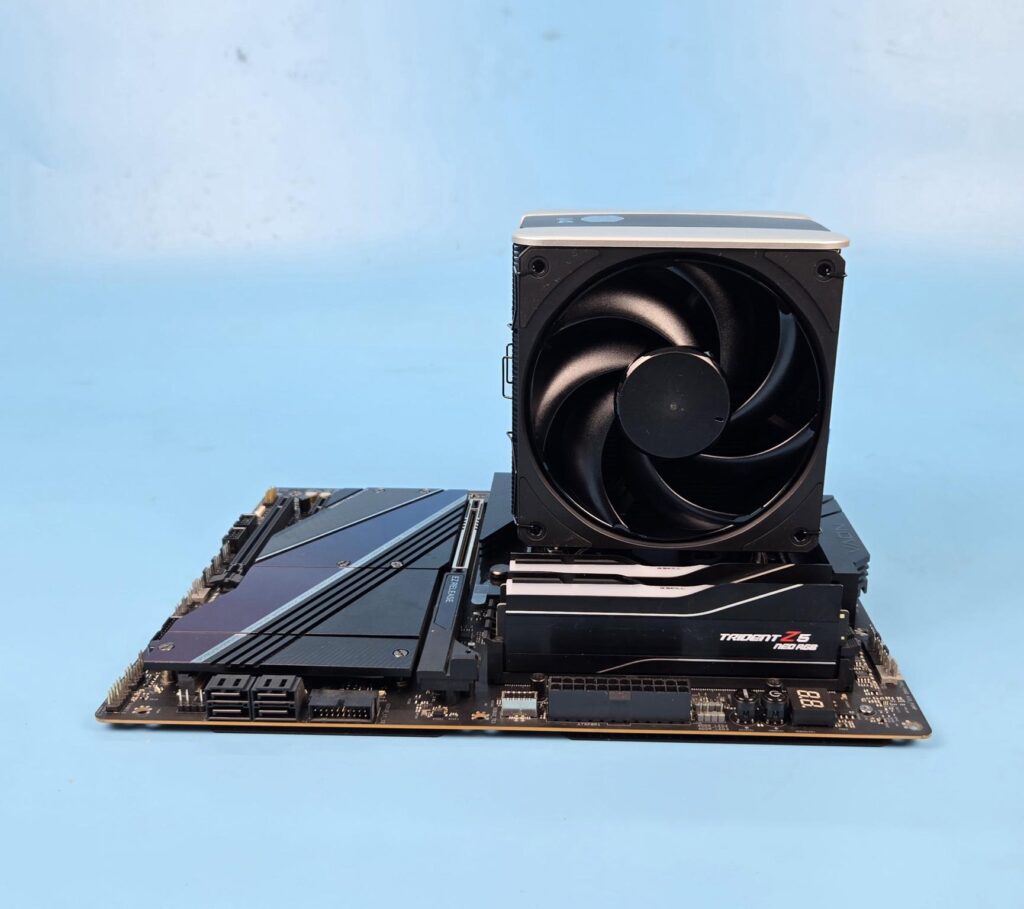
The heatsink provides a universal clearance for the RAM. You will not face an issue if using 2 memory modules or sticks. Since the fan covers the first DIMM slot close to the CPU socket, the RAM clearance with 4 sticks is questionable. I would not want to adjust the height of the fan as it will ruin the simplified, sleek outlook of the cooler by showing a gap between the heatsink and the top cover.
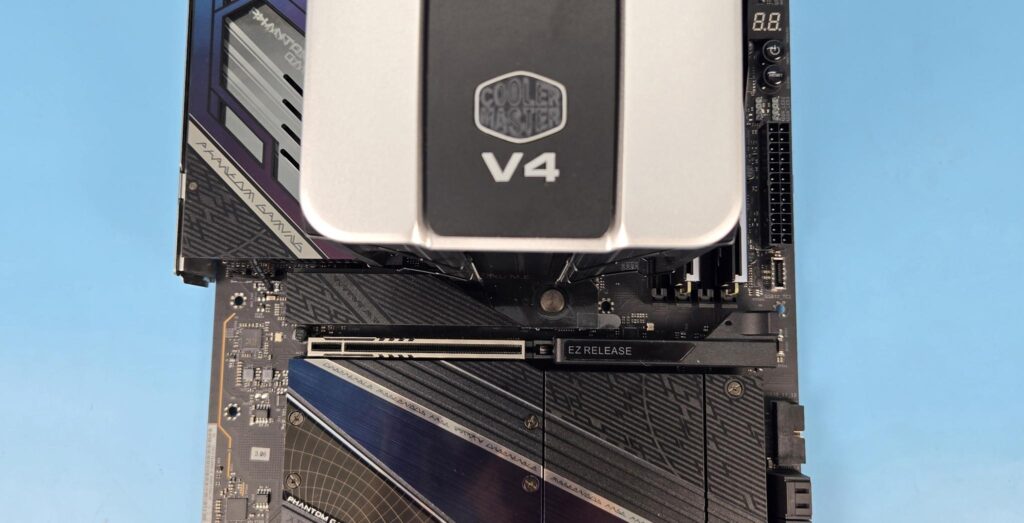
There is no issue with respect to first PCIe x16 slot on the ASRock X870E NOVA WiFi motherboard.
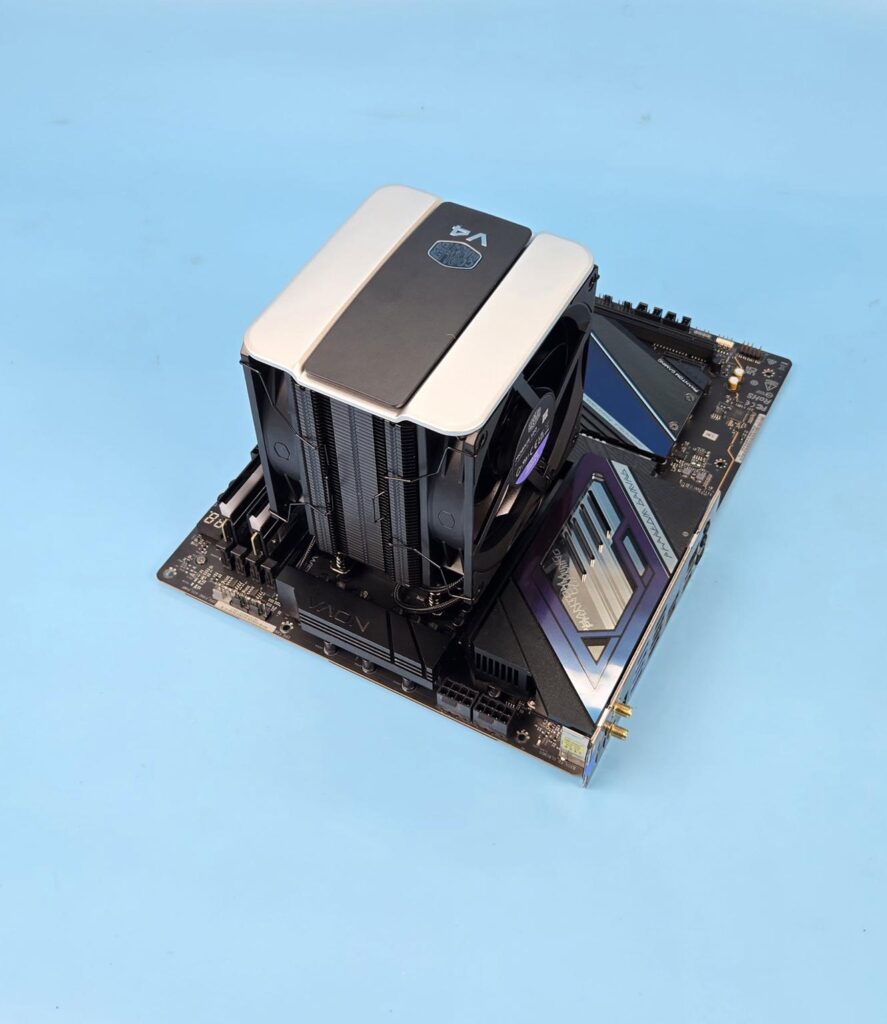
The cooler has no clearance issue with respect to the rear and top of the motherboard.
The height of the cooler is 161mm. Keep this in mind while planning your build with respect to the PC Chassis.
Testing
The following configuration is used for thermal testing:
- AMD Ryzen 9 9900X [243W, 167W]
- ASRock X870E NOVA WiFi
- GSkill TridentZ NEO RGB 32GB 6400MHz CL30 DDR5 kit
- ASRock Phantom Gaming RX 7600 Graphics Card for Display
- Biwin X570 Pro 4TB PCIe Gen5 NVMe SSD
- Fractal Design ION+2 860W Platinum PSU
- Thermaltake Core P6 TG Snow Edition in an open frame layout
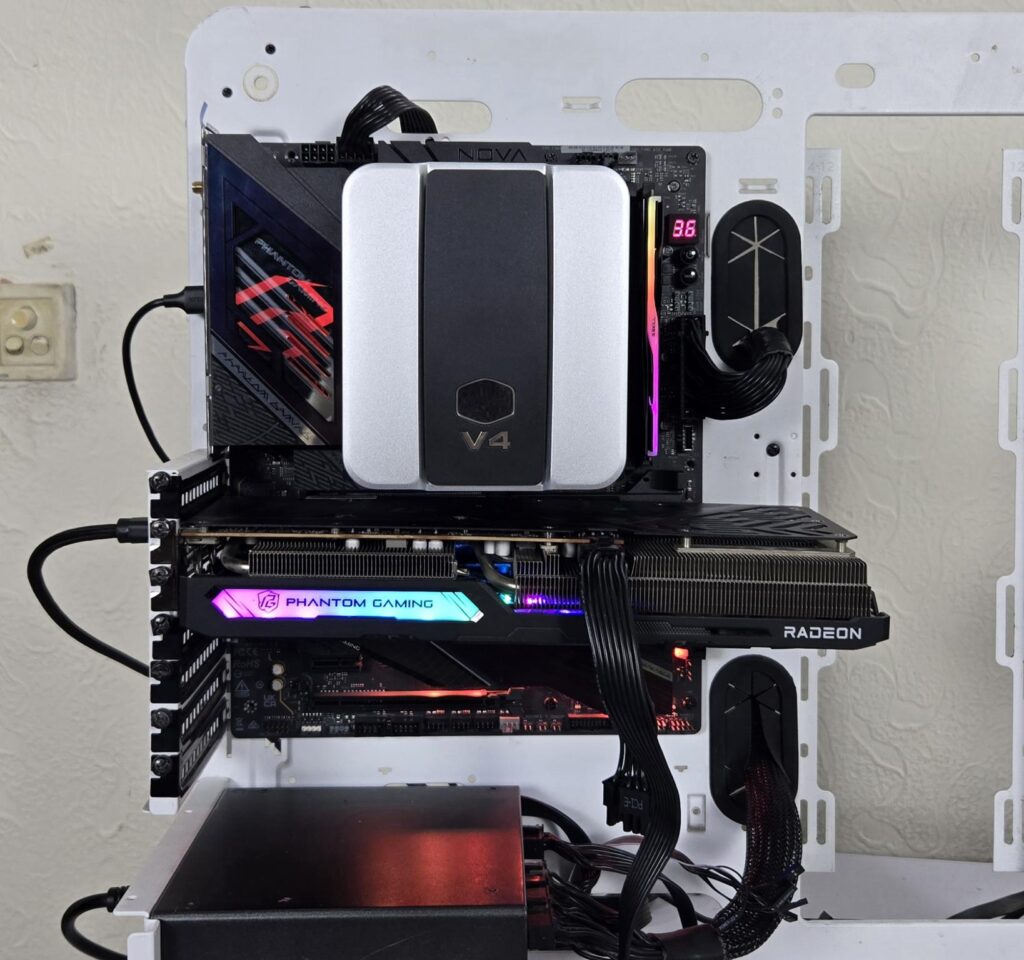
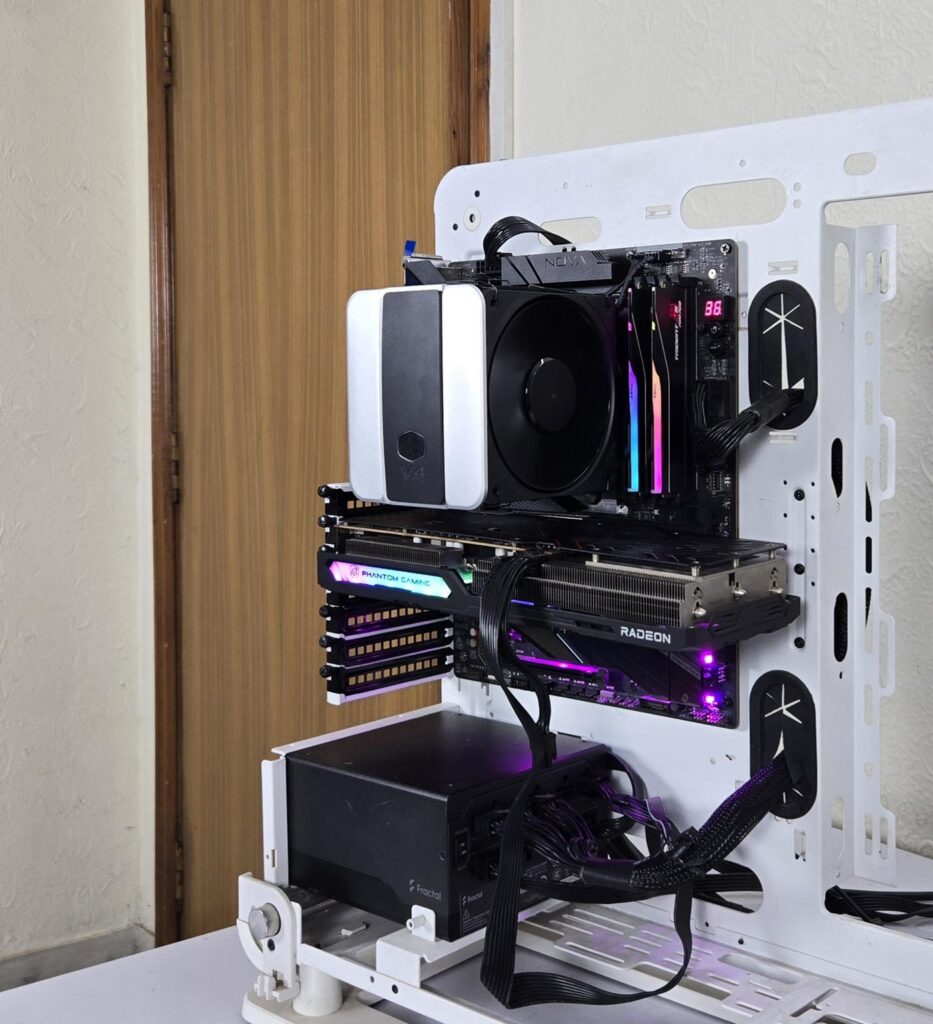
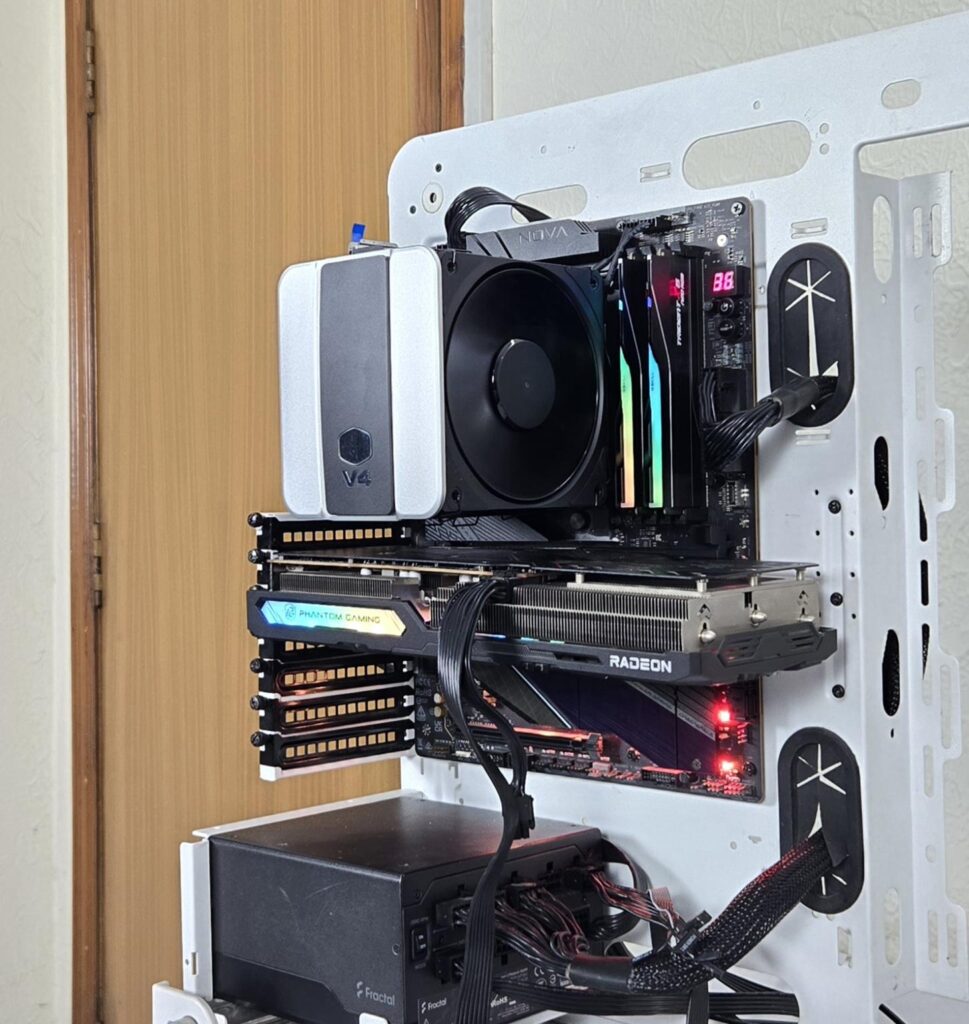
Here is the settings table for testing:
| Settings | PBO Enabled [243W and 200W for this cooler] |
| Clock (MHz) | Auto |
| Voltage (V) | Auto |
| Thermal Paste | Noctua NT-H2 |
| Thermal Paste Application | Dots Method |
| Test Run Time | 30 minutes |
| Idling Time | 10 minutes |
| All Fans Speed | 100% PWM Duty Cycle |
| Pump Speed where applicable | |
| Stress Software | CINEBENCH R23.2 |
| Monitoring Software | HWINFO64 |
I am reporting absolute temperature in the graph because the room temperature was at 22°C throughout the day. The testing is done on an open-air bench system. Once inside the chassis, the temperatures are expected to rise and would largely depend upon the optimal airflow inside the chassis.
Result
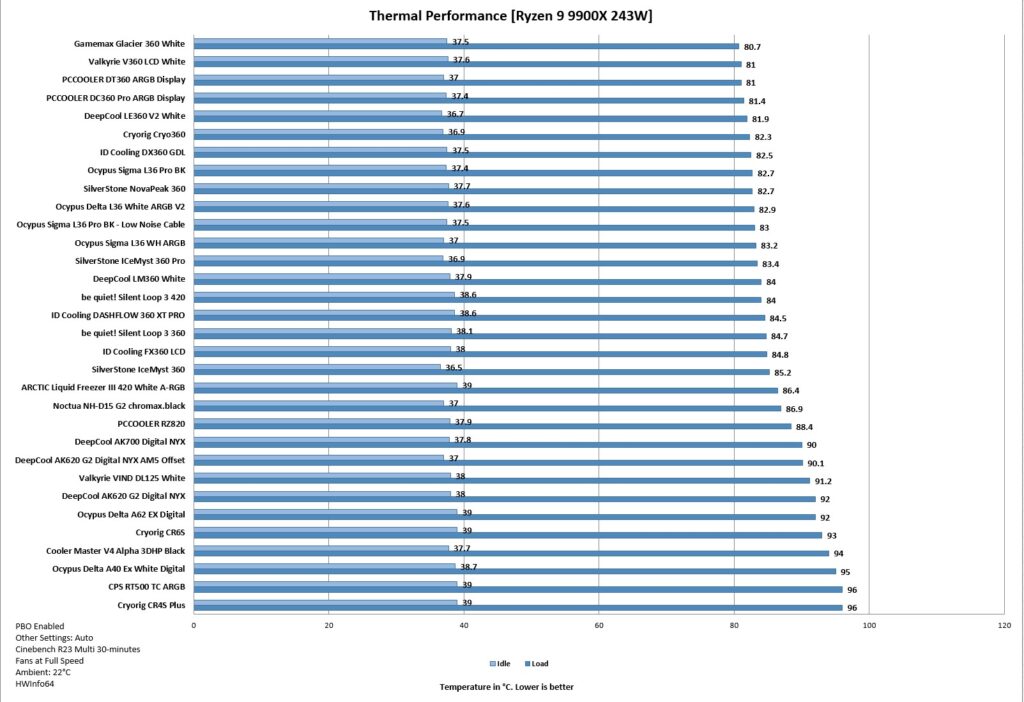
The Cooler Master V4 Alpha 3DHP Black cooler did 93°C on 243W continuous all-core load on 9900X. This is one difficult test to pass, but this cooler has managed it decently since it did not jumped at 90s right away, rather it took some time before reaching this temperature. I have no complaint in this regard, given the price bracket.
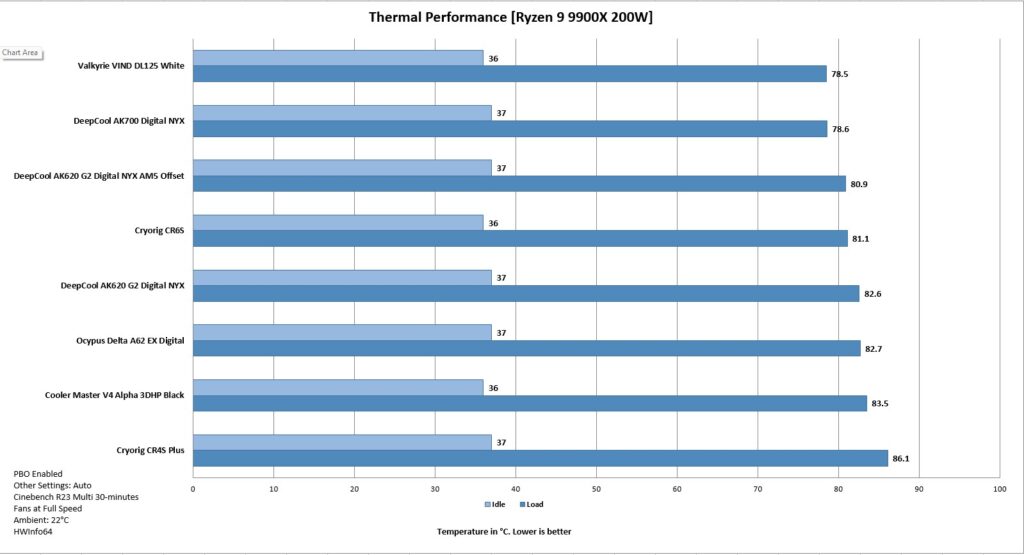
Next, the test was done on a 200W load, and this cooler has performed admirably well. The overall noise level is damn good.
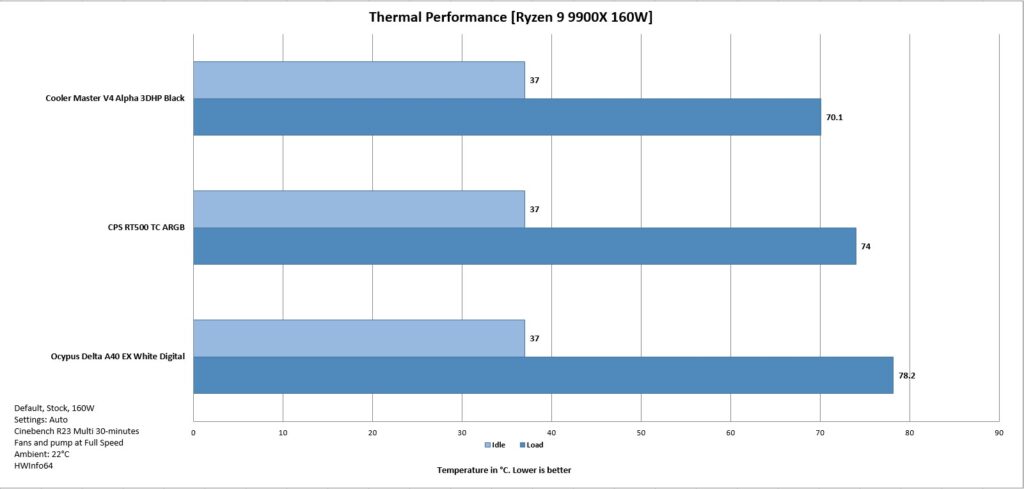
I have also tested three coolers on the stock configuration with settings on auto and default. You can see that this 2HP cooler is doing phenomenally well against the 4 and 5 heat pipes design.
I recorded a near 40 dB(A) sound output even at full speed of fans.
Conclusion
The V4 Alpha 3DHP Black from Cooler Master is a budget segment cooler with a distinctive design and a sleek and minimalistic outlook. This is a single-tower, dual-fan configuration where the cooler has dimensions of 133x114x161mm (LxWxH). Ignoring the height, this is a slim profile with two fans.
The socket support is Intel LGA1851/1700/1200/115x and AMD AM4/AM5. Speaking of the heatsink, this cooler has a single tower with 51 fins (per my counting) combined with two heat pipes. Yes, two heat pipes, but with a different design, which you can expect from Cooler Master. They are good at it when it comes to innovation.
Each heat pipe has one additional pipe end. The additional pipe ends on both heat pipes are in the center, providing maximum surface coverage, hence resulting in even heat distribution across the fin plates compared to other U shape designs where hot spots are on banks of the heatsink.
According to Cooler Master, this would reduce turbulence, noise, and improve thermal efficiency. The cooler has a copper base. The top cover has a stylish design. The fans are screwed into its main frame, and the complete assembly rests on the heatsink secured with fan clips. This also means that you can’t swap the fan easily without removing the complete assembly and then removing the screws for which you need a slim long-neck screwdriver that could pass through the fan’s mounting hole.
The cooler comes with two Mobius 120 non-RGB fans. Their salient specs include:
| Front Fan | Rear Fan | |
| Speed | 0-2050 RPM ± 10% | 0-1850 RPM ±10% |
| Airflow | 63.1 CFM | 50.5 CFM |
| Air Pressure | 2.69 mmH₂O | 1.77 mmH₂O |
| Bearing | Loop Dynamic Bearing | |
| MTTF | > 200,000 hours | |
| Noise Level | 22.6 dBA | 20 dBA |
| Rated Current | 0.12A | 0.08A |
| Power Consumption | 1.44W | 0.96W |
| Safety Current | 0.35A | |
These fans are PWM regulated. Cooler Master has provided a 2-way PWM Y-splitter cable as well.
The overall installation of this cooler on AMD AM5 is simple and requires 4 items for the mounting kit. On Intel, it requires 5 items. As long as you are using 2 RAM sticks, you are good with this cooler. Keep in mind that the front fan almost sits over the first DIMM slot (the slot closer to the CPU socket). The height of this cooler is 161mm; keep that in mind when doing homework.
This cooler has price tags of USD 39.99, £32.99, and PKR 14000. Cooler Master offers a 5-year warranty, which is excellent given the cooler’s target market. This cooler has indeed given a tough time to some 4 heat pipes air coolers in our testing. It has handled stock (160W) and 200W (with PBO) all-core load comfortably. The 243W torture test showed it to be near the thermal junction.
I am impressed with what Cooler Master has achieved or trying to achieve. The best noise level out of the box with good thermal performance in a pocket-friendly price and a minimalistic, sleek, and clean look makes this cooler a top recommendation.
Pros
- Thermal Performance
- 2 Heat Pipes + 1 Pipe End
- Mobius 120mm Fans
- Stylish Top Cover
- Good all-round Clearance
- AMD AM5 Support
- Intel LGA1851 Support
- Installation
- Price
- Warranty
- Noise
Cons:
- None