













ORICO X50 Pro Thunderbolt80G Enclosure Review
Thunderbolt 5 protocol is built on the Thunderbolt 4 technology, but it has taken the game up considerably compared to the last gen. It was released back in 2023, with supporting products starting to roll out in 2024. It is not yet available in mainstream consumer PC hardware. Although USB 4.0 was introduced in Intel and AMD’s latest generations, USB 4.0 V2 or even Thunderbolt 5 is far from reach.
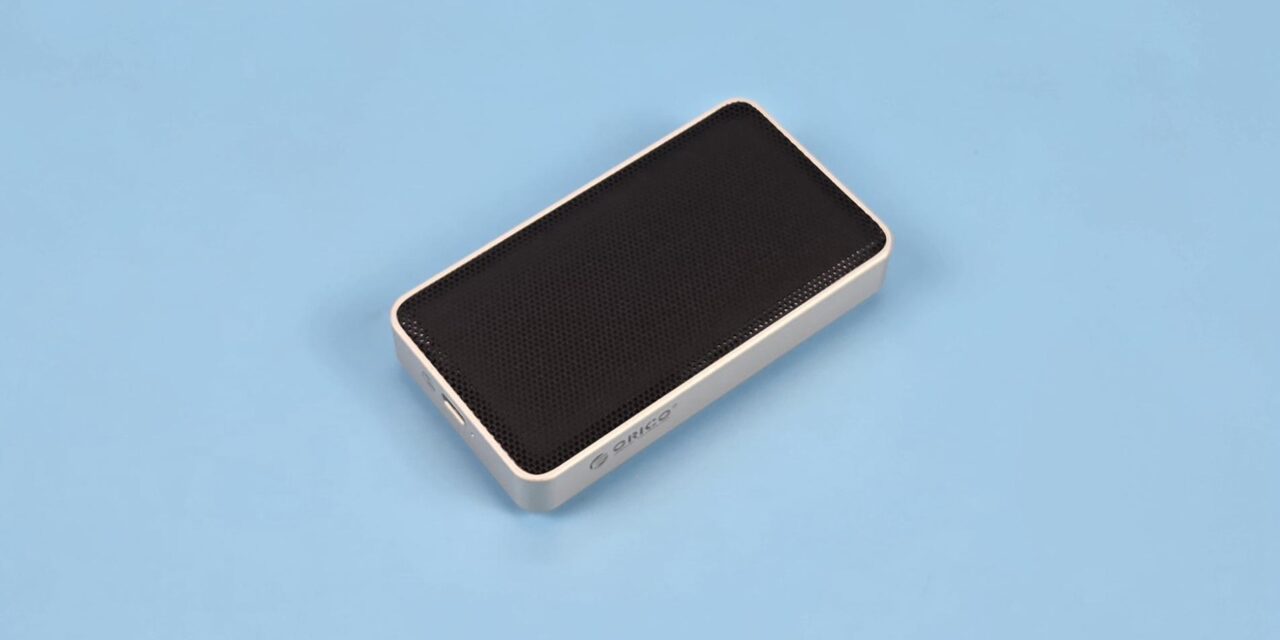
We have got our hands on the Orico X50 Pro, which is a Thunderbolt 5-based storage drive enclosure that supports PCIe Gen5 and Gen4 NVMe SSDs. This is a passive cooling solution, which I have reservations about based on my testing. The salient features include:
- This enclosure is based on 80Gbps bandwidth, which technically falls under USB 4.0 V2 and Thunderbolt 5 as well.
- This enclosure features 4-layer cooling, all but passive. It is engineered with an innovative micro-fin design and hydrogel thermal film to increase dissipation area by 200%.
- Since this enclosure does not come with any fan, it is a passive cooling solution providing silent operation.
- This enclosure supports up to 4TB NVMe SSDs.
- It is made from aviation-grade aluminum with precision CNC machining for durability.
- It is compatible with Windows, Linux, and Mac.
- It comes equipped with an 80Gbps-rated USB-C cable.
This enclosure has an MSRP of USD 239.99 but can be had at USD 199.99 on the Orico website.
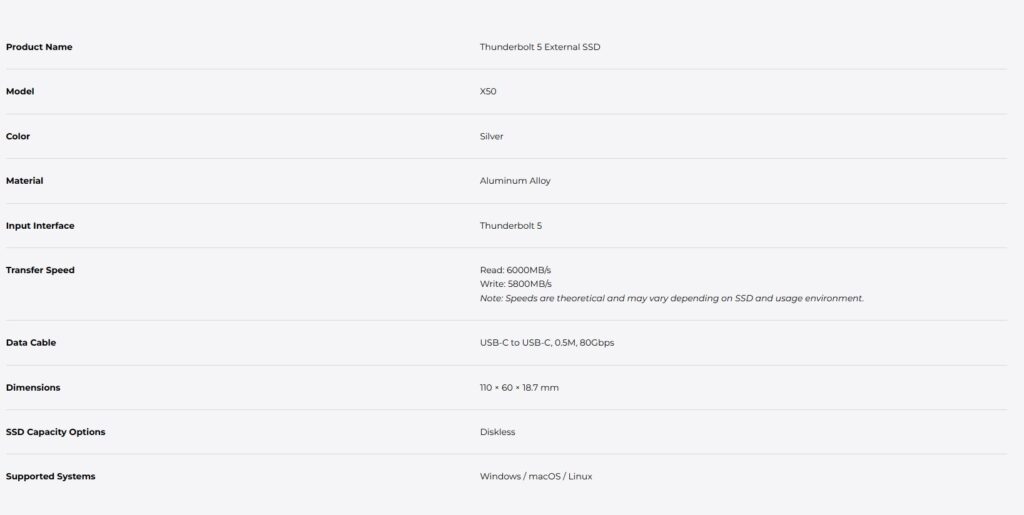
Specifications
Packaging and Unboxing
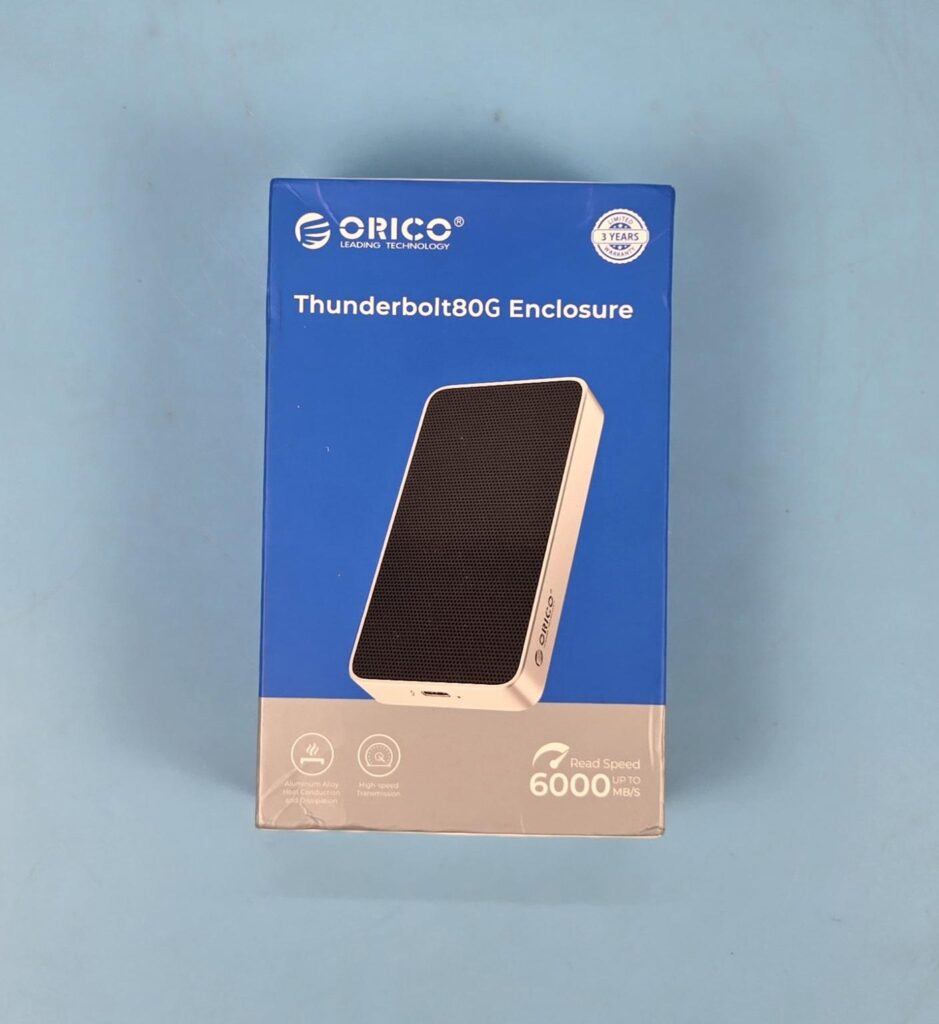
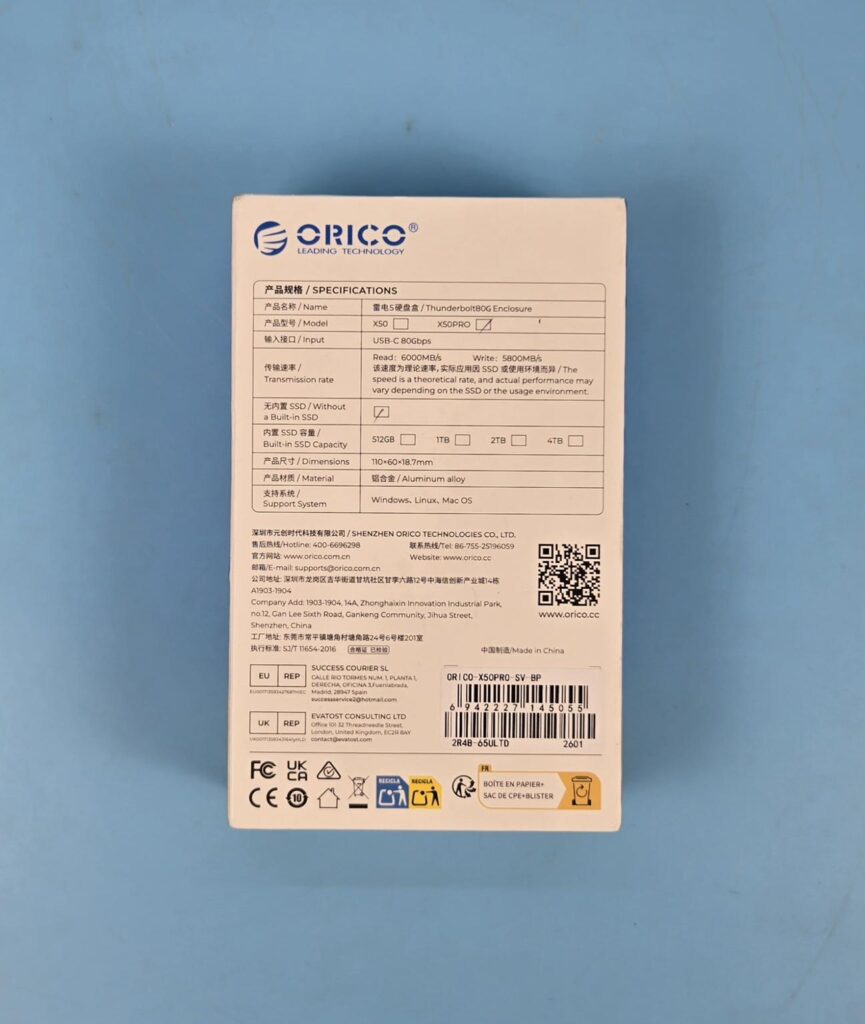
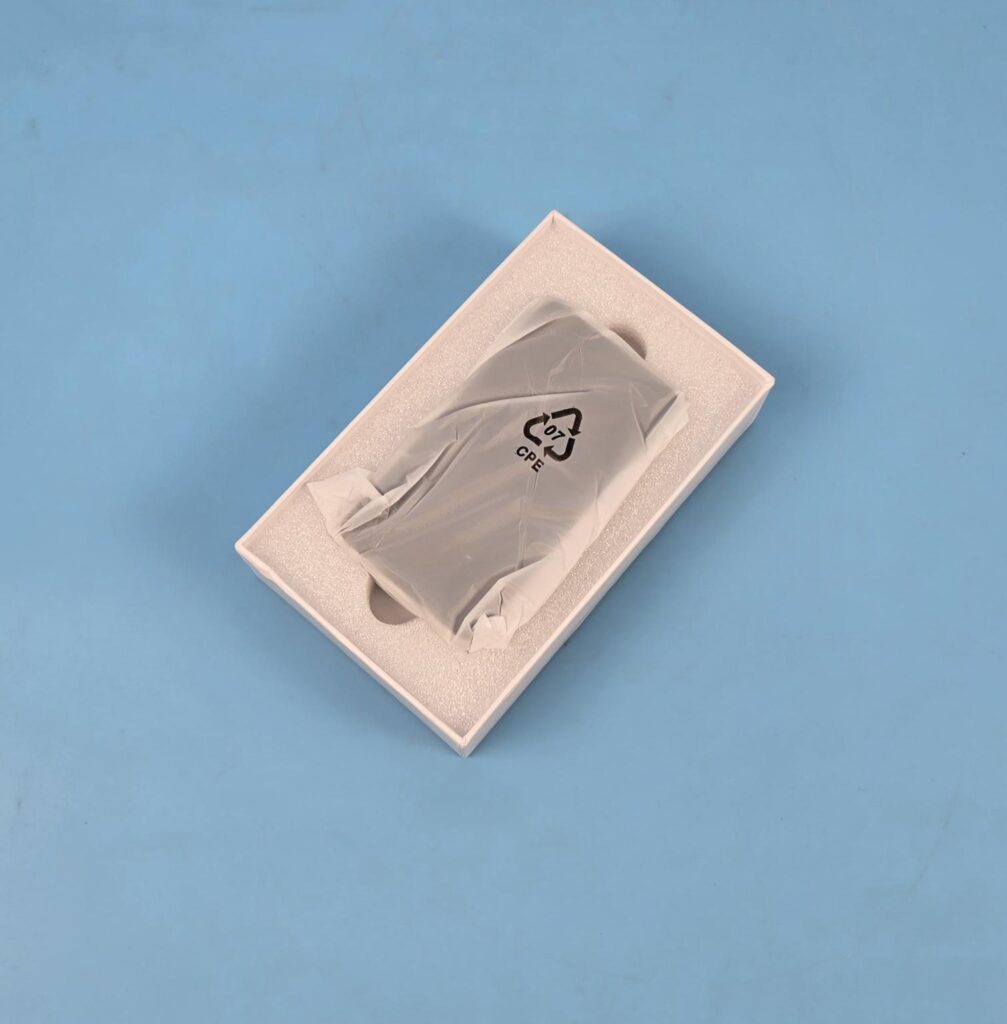
The product ships in a cardboard container, which is placed inside a paperboard-made cover. The enclosure is placed in white Styrofoam. Accessories are placed under the enclosure.
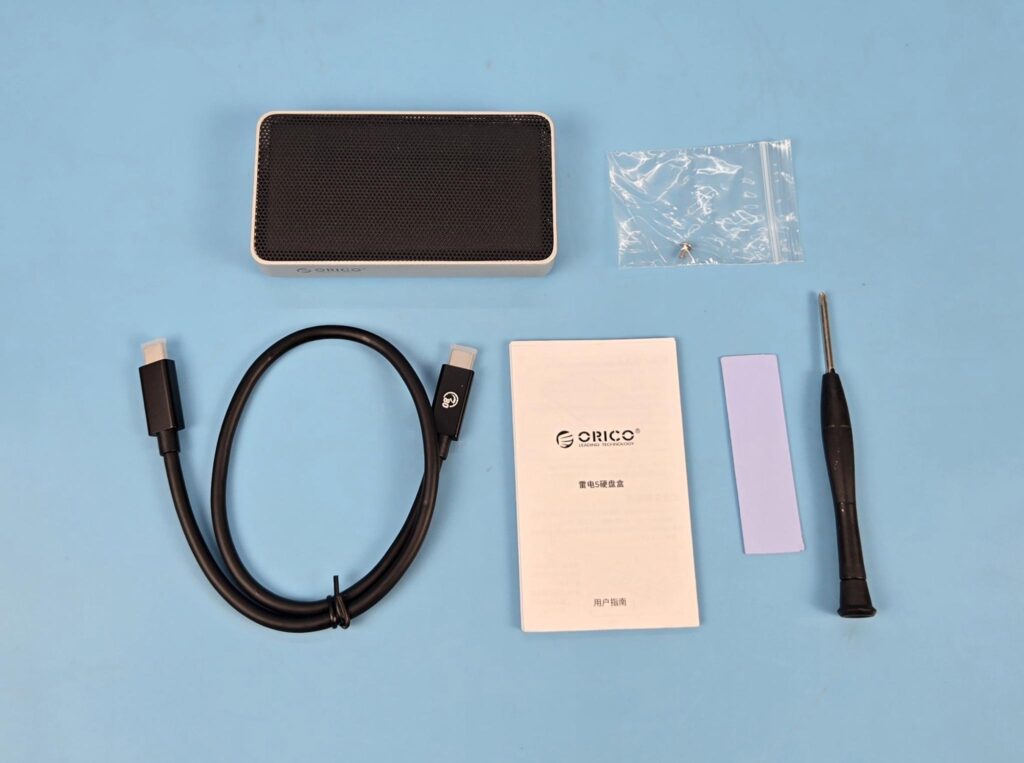
The following are provided in a box:
- 1x Enclosure
- 1x USB-C Cable
- 1x Thermal Pad
- 1x Screwdriver
- 1x Screw to install SSD on the socket
- 1x User Guide
Closer Look
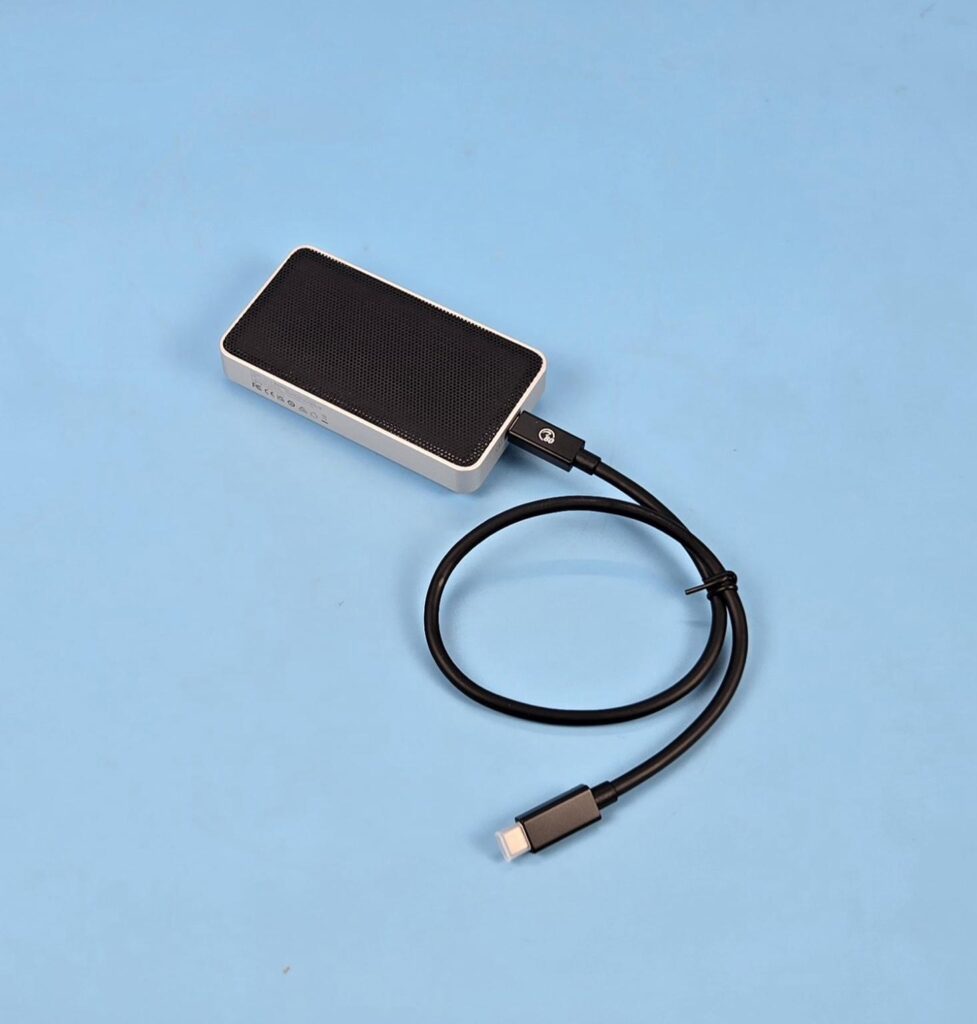
Orico X50 80Gbps Thunderbolt 5 Compatible Portable SSD/M.2 Enclosure is an advanced portable storage option that features 80Gbps bandwidth, hence favoring the PCIe Gen5 drives on paper, but it is not the case since this enclosure is rated for up to 6000MB/s sequential read and 5800MB/s sequential write speed, which is the domain of PCIe Gen4 drives. This enclosure has a dimension of 110x60x18.7mm (LxWxH). It is not a compact form, but you can carry it in your hand comfortably.
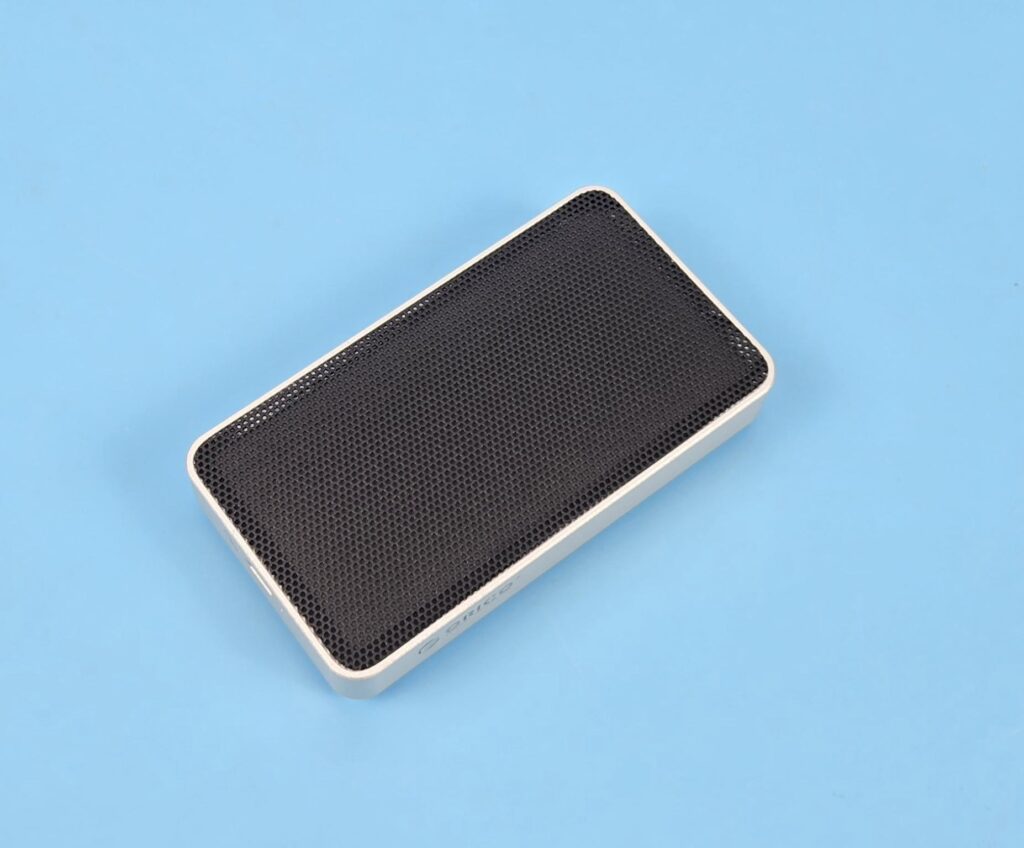
Looking at the top of the enclosure, you can see a black perforated cover. Orico has mentioned that this product employs advanced Hydro Film for extreme cooling. The black cover is only there to vent the heat from the thermal pad placed under it. This side of the enclosure is sealed, and the only way to open the enclosure is from the underside.
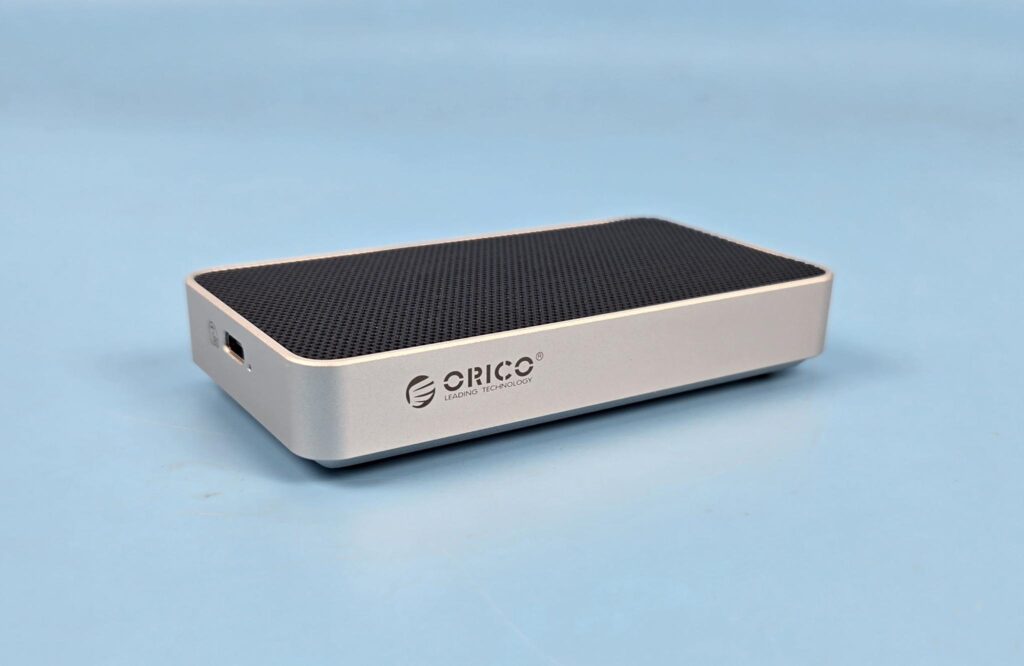
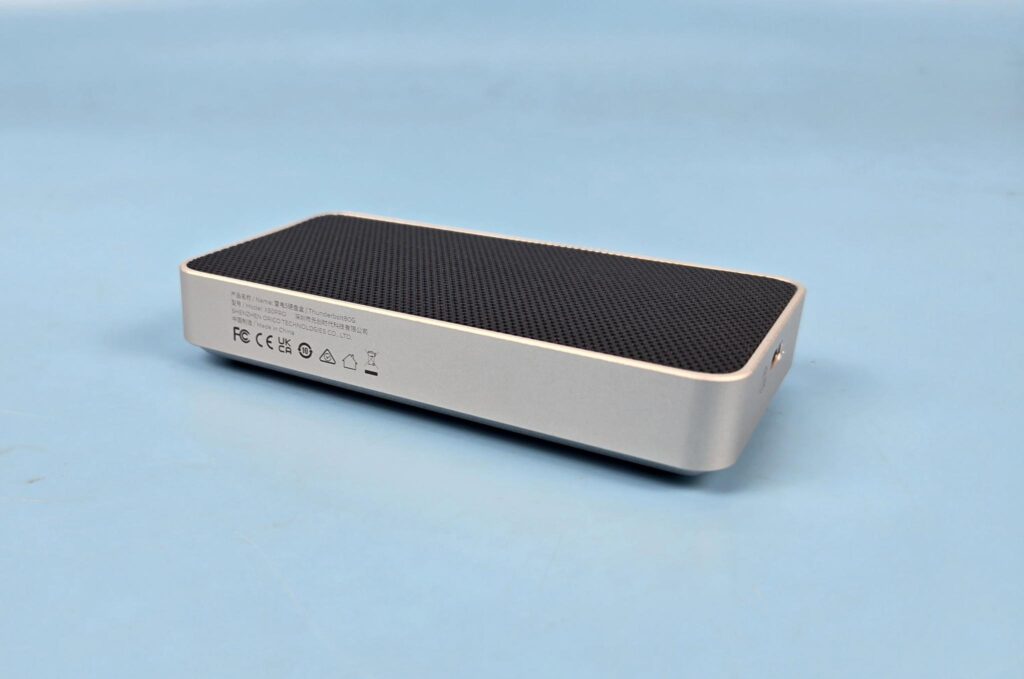
The complete enclosure is made of a single piece of aluminum, giving a perfect uni-look to it. The sides of the housing are silver in color, providing a nice blend of silver with a black top. You can see Orico branding on one side and manufacturing data on the opposite side.
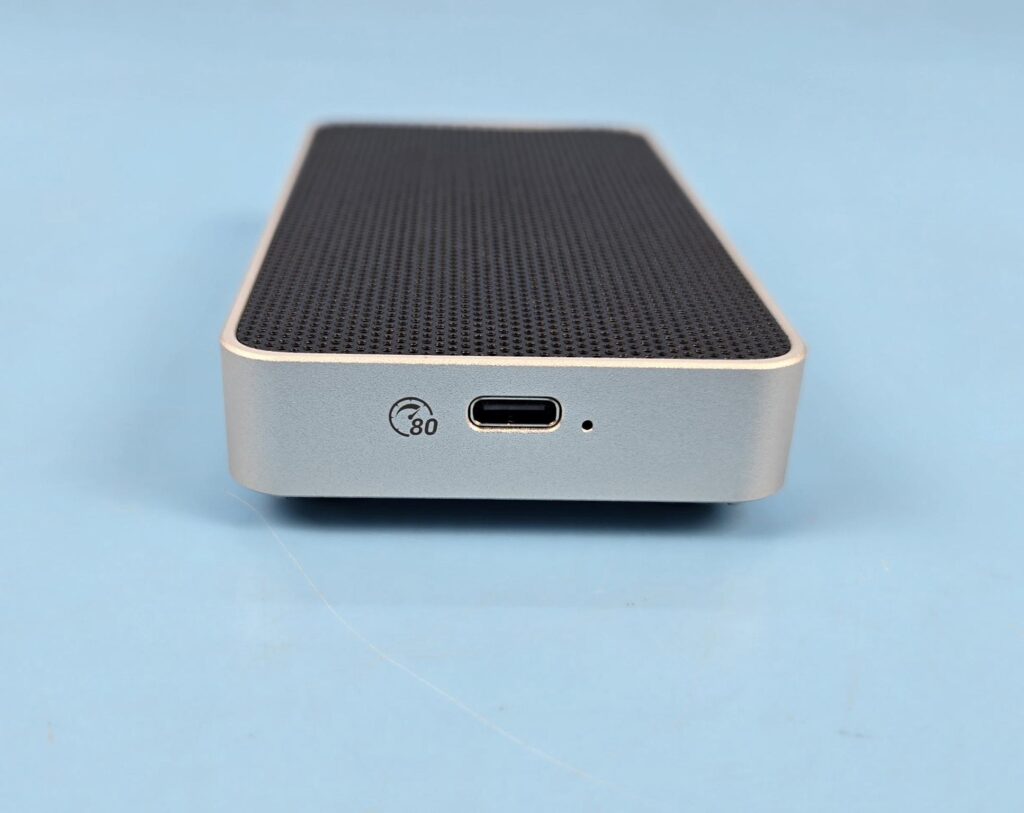
The enclosure features a single USB-C port on one end. The 80Gbps rating symbol is also visible before the port, confirming its operating speed. A small hole next to the port has a white LED that comes to life during operations on the installed drive.
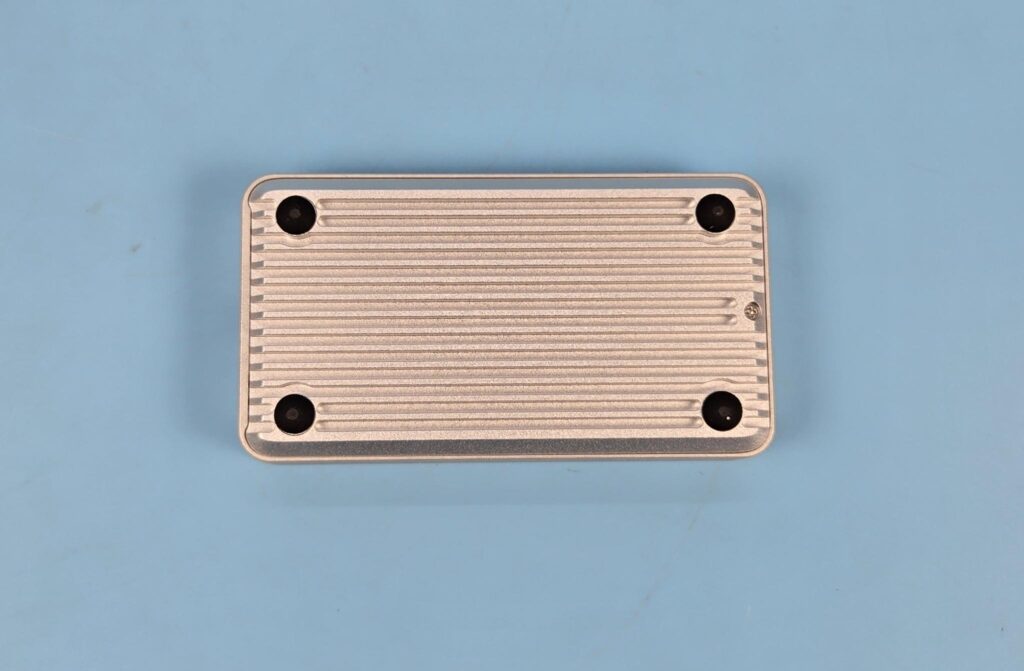
Looking at the base of the enclosure, you can see a fin design with 15 fins in total. According to Orico, this provides up to 200% more surface area for effective heat dissipation. The black rubber pads provide a lift to the enclosure from the surface on which it will be placed. The enclosure is to be opened from this end as well. You can see a screw on the far end of the right side. You need to undo it to take off the aluminum cover.
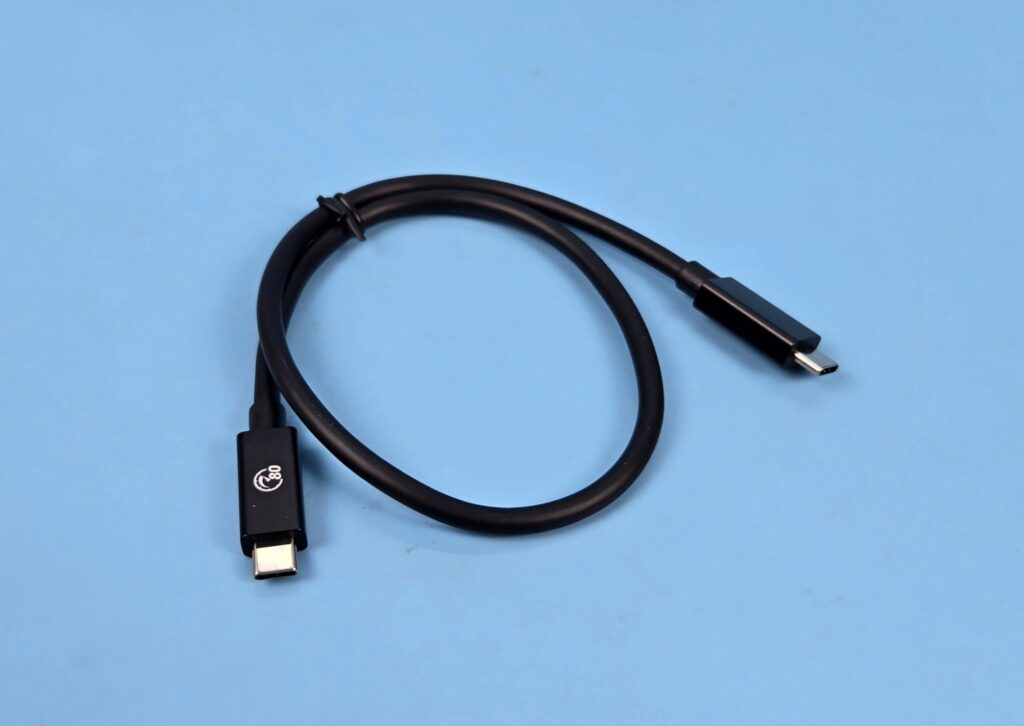
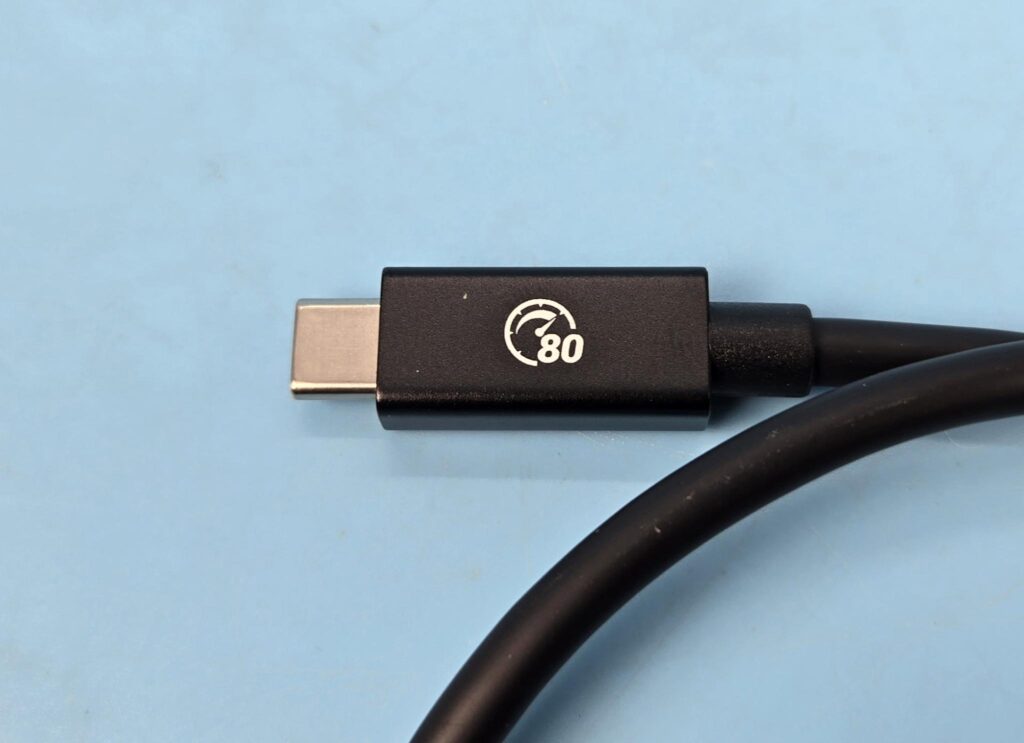
Orico has provided a USB-C cable that conforms to 80Gbps speeds. Its length is 0.5m. The cable is thick but flexible.
Insides
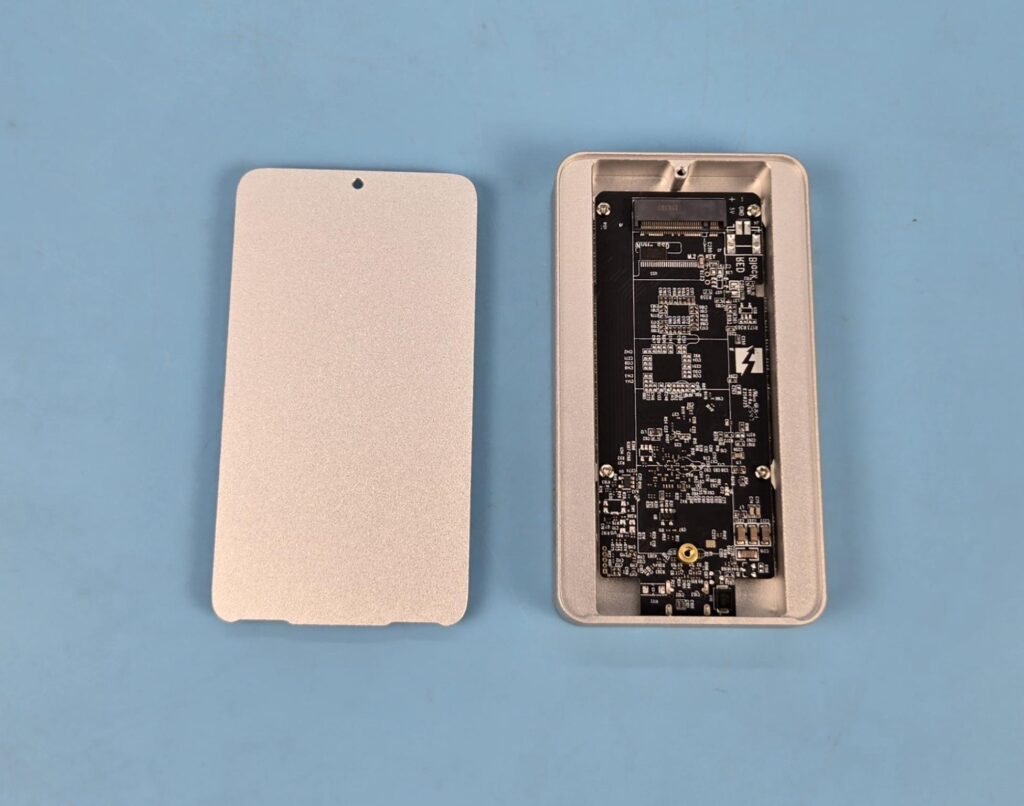
You need to remove a screw (only one screw is visible, so it should not be an issue). This will release the back cover. The inside view is shown in the picture.
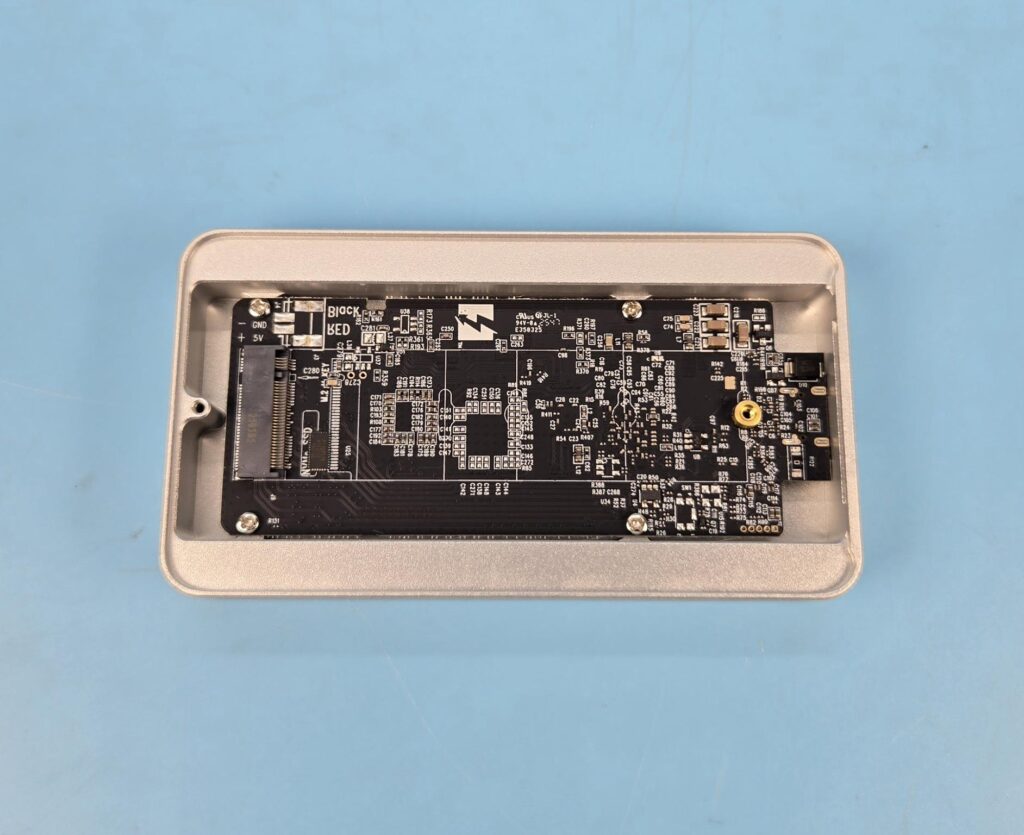
Orico has used a black PCB. You are not seeing any thermal pad on this side because the controller is located on the backside of the PCB. The PCB is secured to the main frame using 4x screws. This enclosure only supports 2280 format M.2 drives. You can’t use (technically) drives with a length lower than 2280.
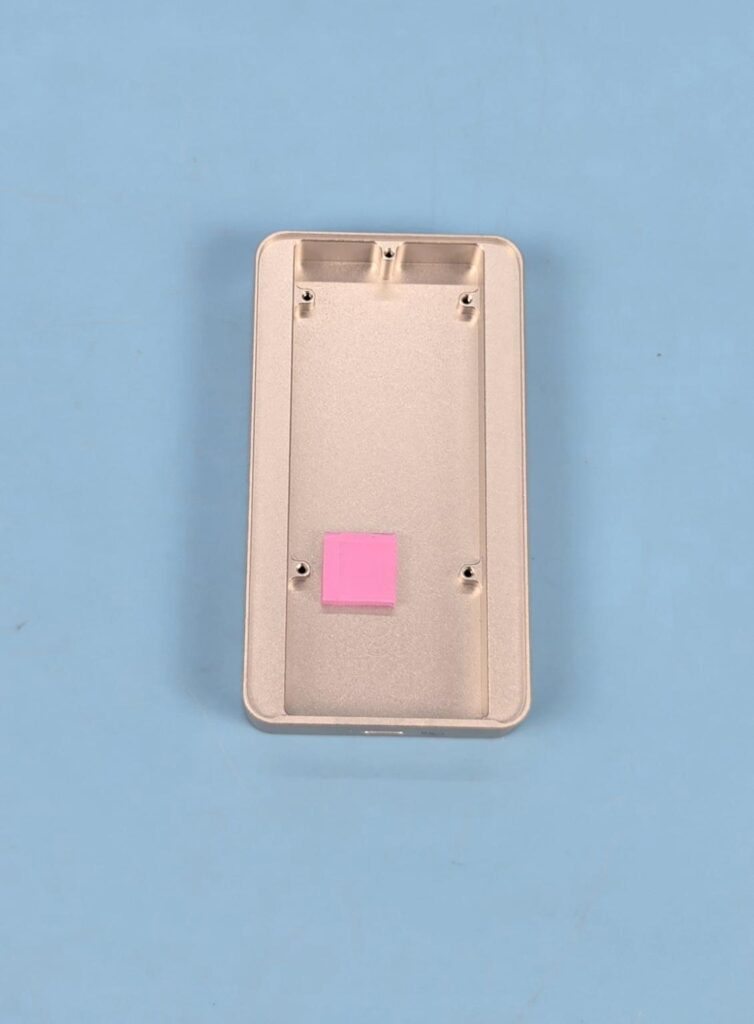
I have removed the PCB, and you can see a pink color 2mm thick thermal pad. This pad contacts the controller on the PCB, and on the other end, it connects to the top aluminum layer. The Hydro Film is located on the opposite side of this top aluminum layer. Orico relies heavily on thermal pads to transfer the heat from the drive and PCB towards the top for dissipation.
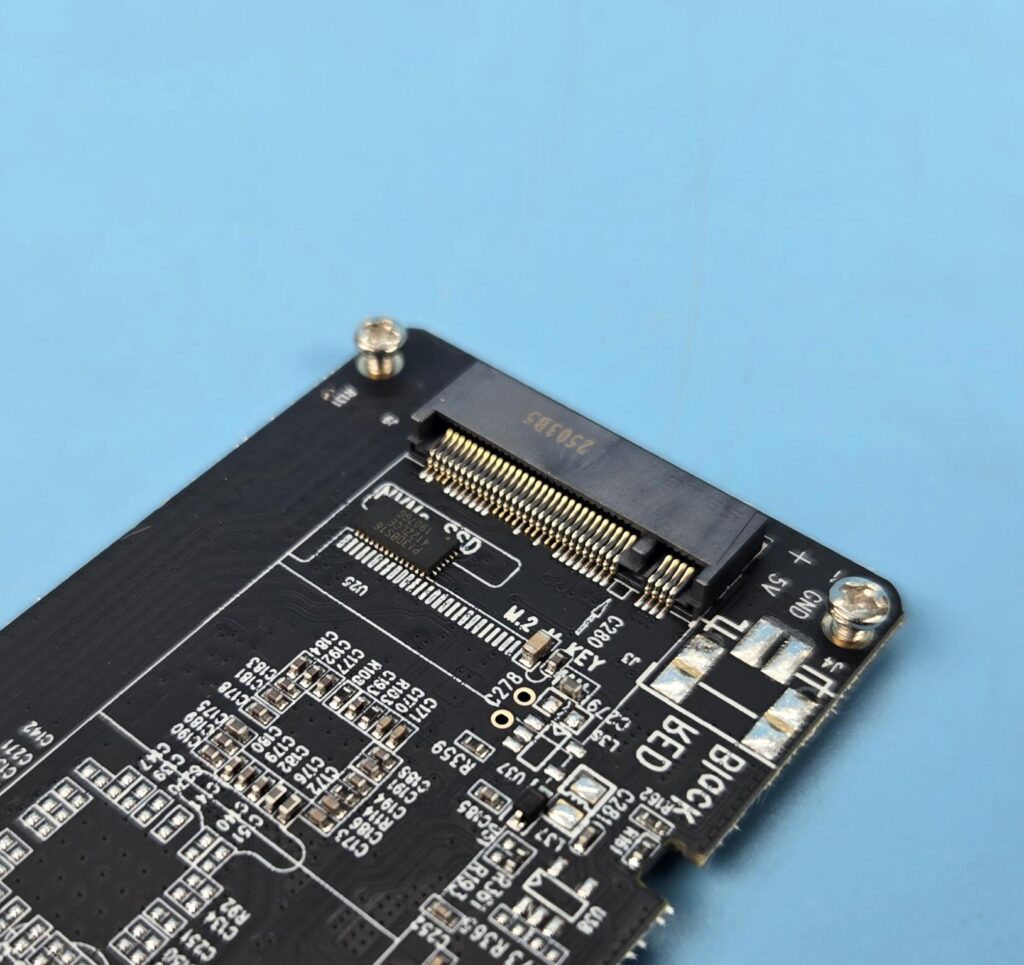
This enclosure supports M-Key and M/B-Key PCIe/NVMe drives only, meaning you can’t use NGFF and SATA M.2 drives.
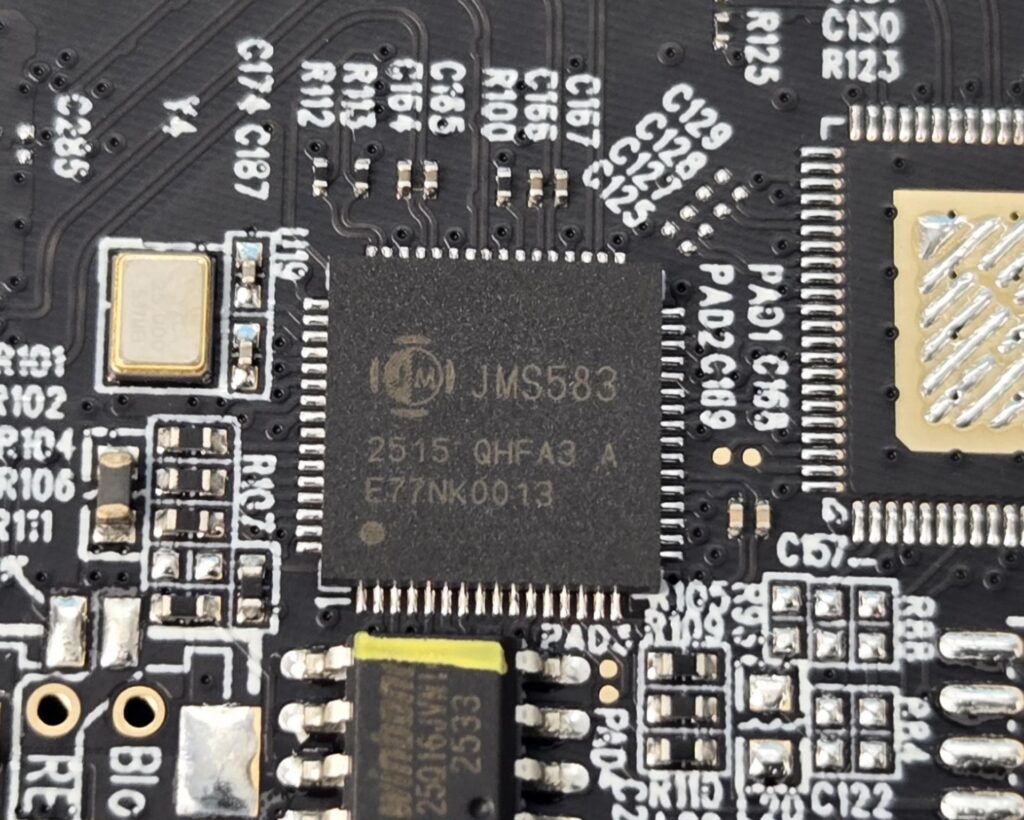
Orico has employed JMS583 from JMicron, which is a bridge controller between the USB host and the PCIe interface device. The choice of this low-speed bridge controller is a bit surprising.
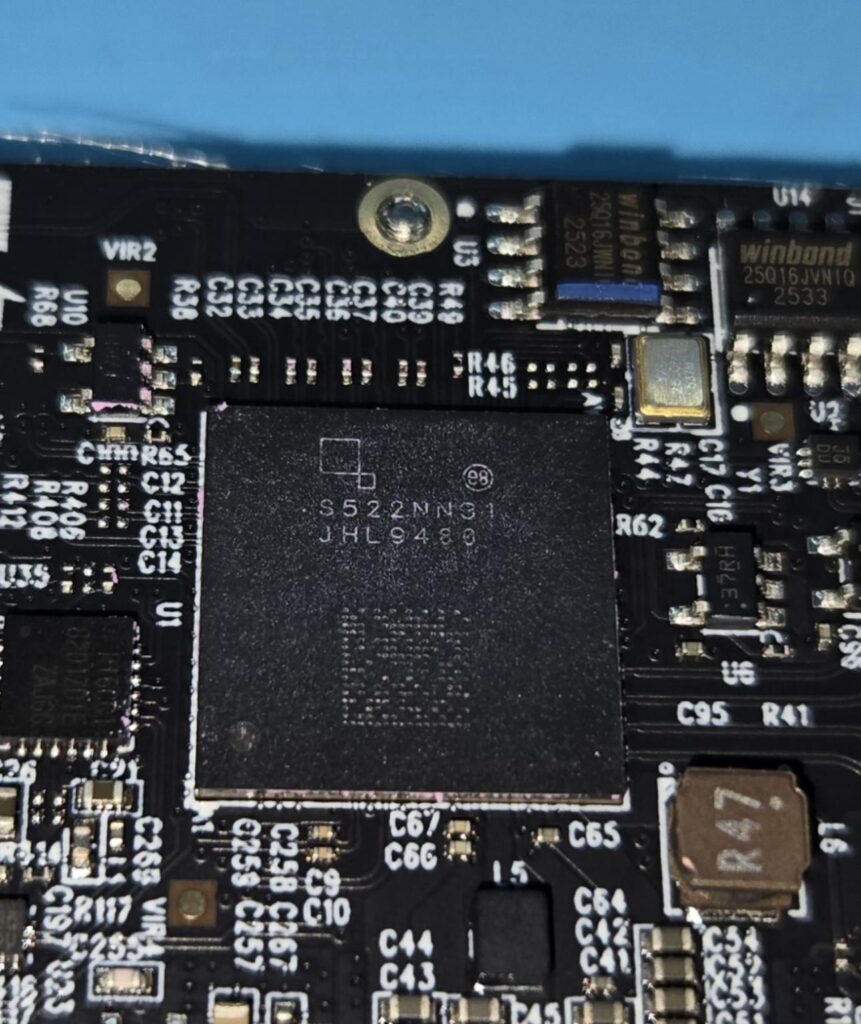
Orico has employed the JHL9480 controller from Intel. This is the main game on the enclosure, providing high-speed connectivity to the host. It supports quad-port configuration. It supports PCIe Gen4x4. Take a note on this. This means, even if you use a PCIe Gen5 NVMe drive featuring blazing fast 14000MB/s speeds, it will scale down to the x4 link speed, substantially reducing the speed. This controller is capable of 80Gbps bandwidth and 120Gbps high-resolution displays.
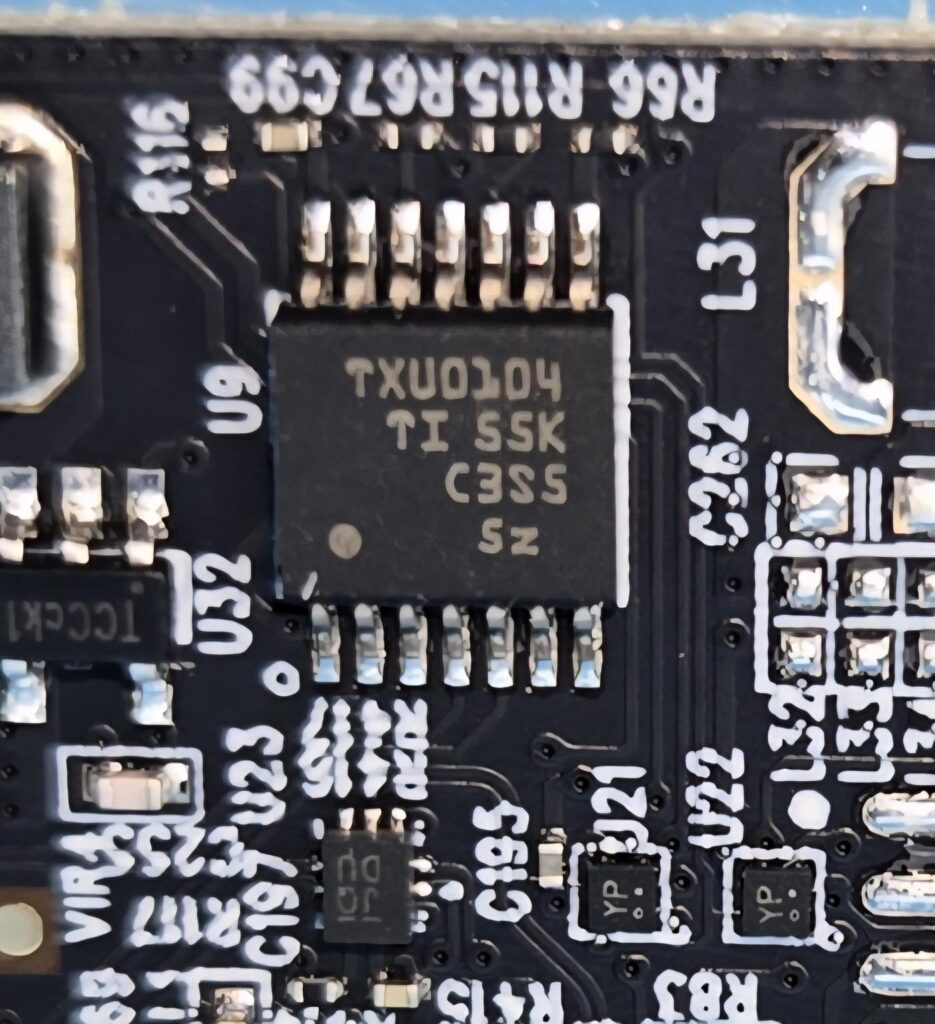
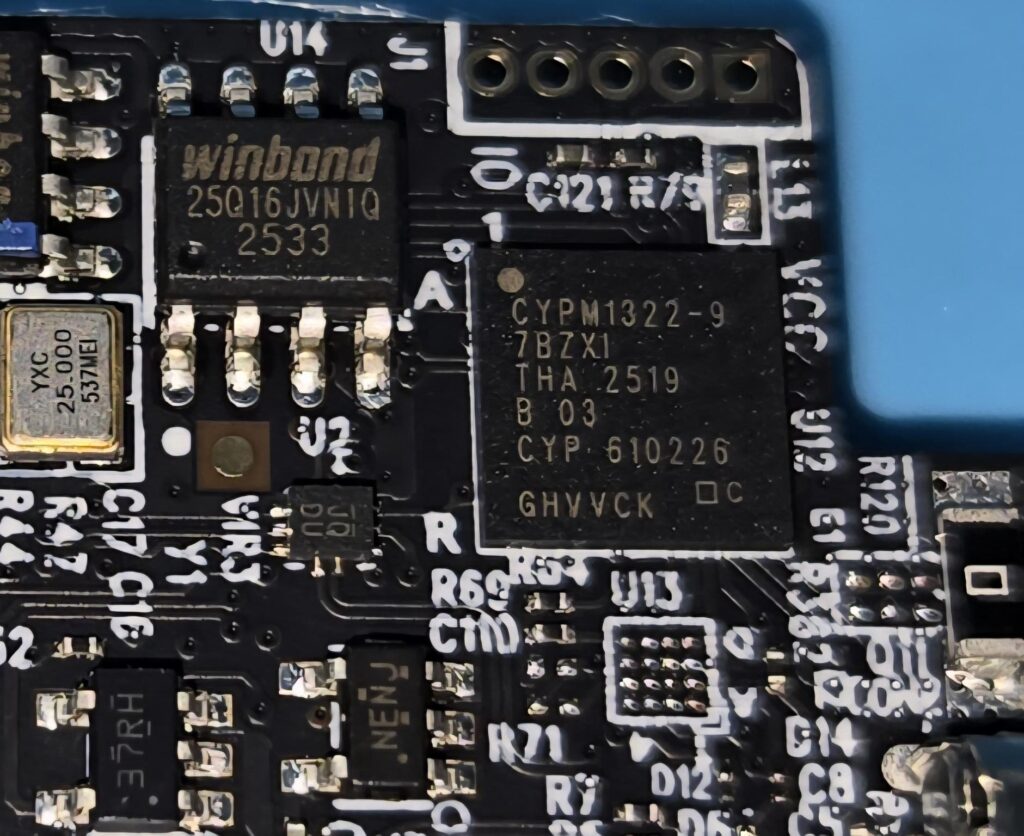
The other chips used on the PCB include TXU0104, which is a four-channel uni-directional level shifter, CYPM1322-9 7BZXI for PD function with the capability of driving up to 240W, and winbond 25Q16JVN1Q, which is a 16M-bit (2MB) serial flash memory chip providing firmware update support where possible.
Installation
Setting up X50 Pro is a simple task.
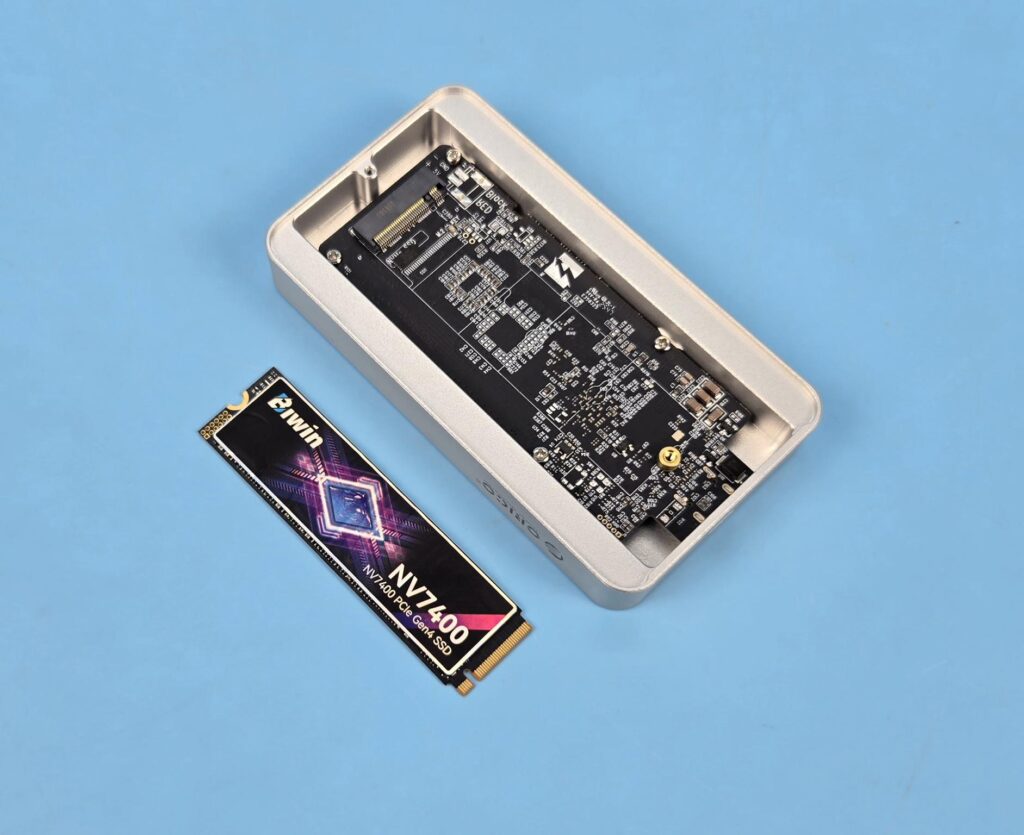
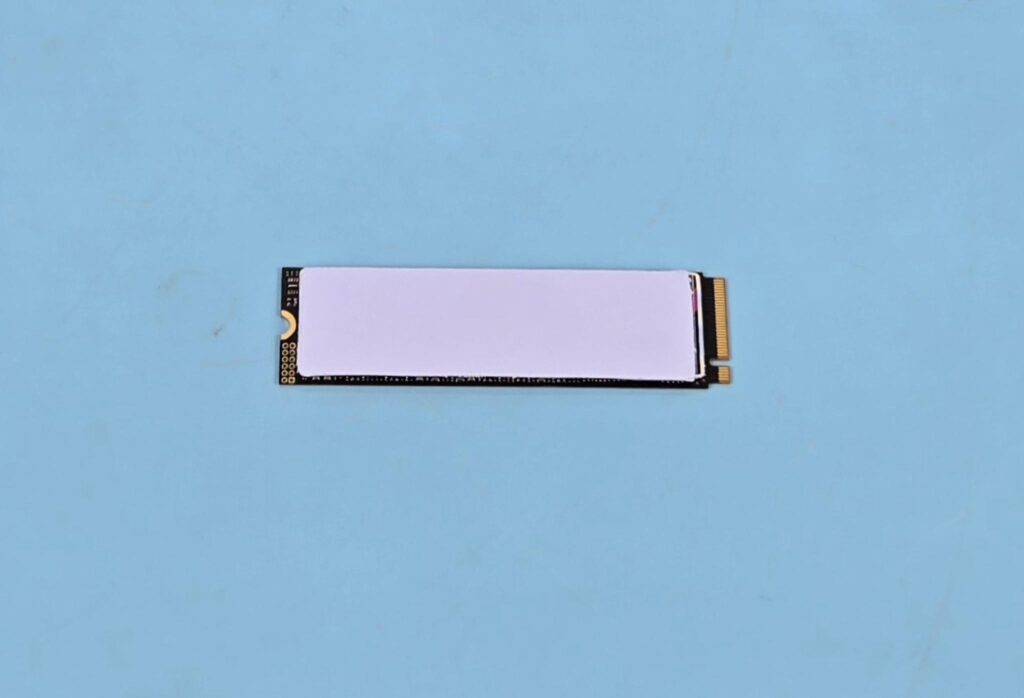
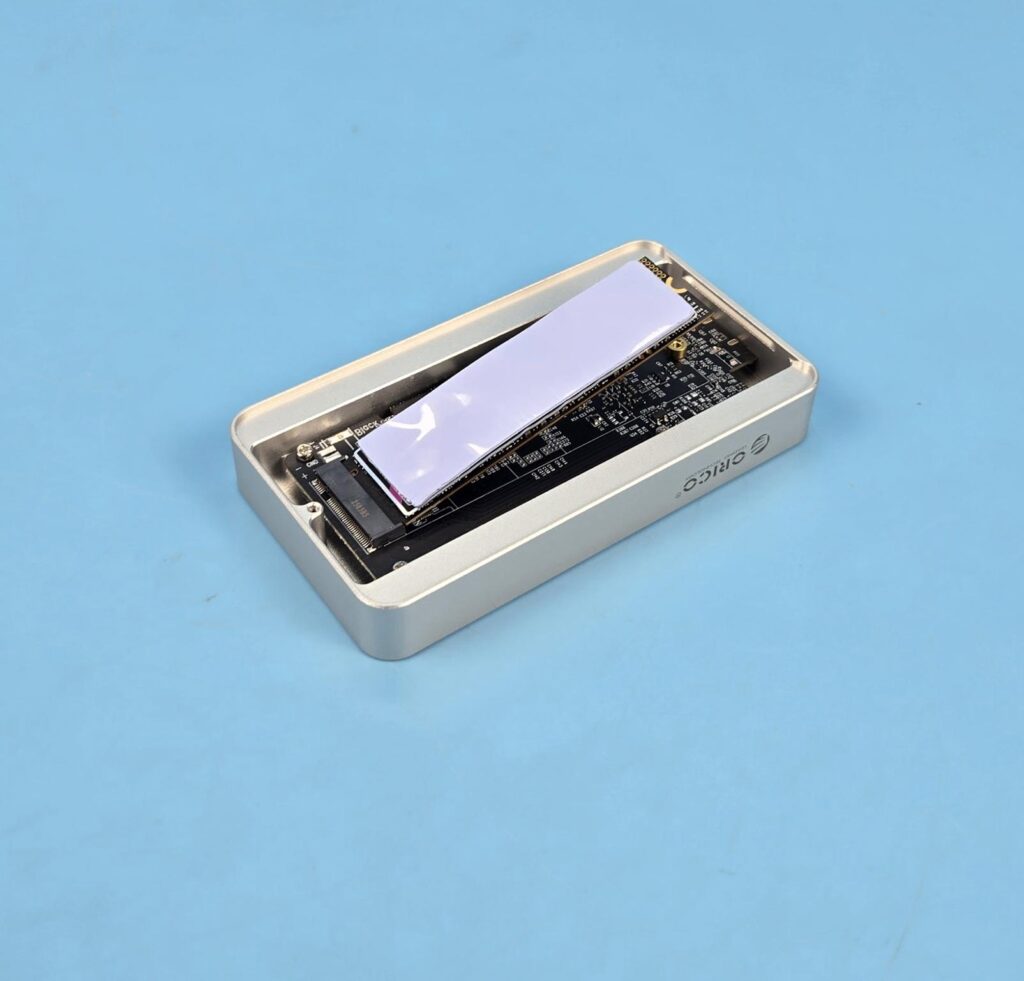
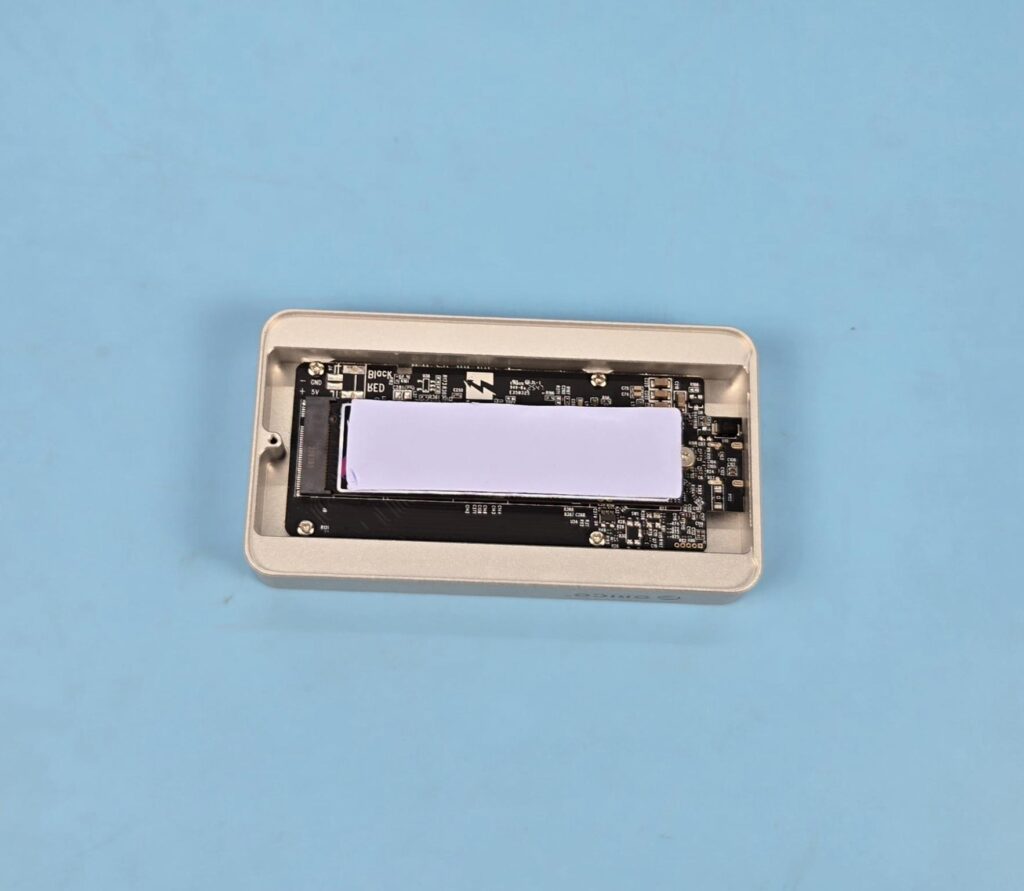
You need to remove the back cover from the enclosure. Install the NVMe SSD in the socket as you do on the motherboard, place a thermal pad over the SSD after peeling the protective covers from both sides of the pad, and close the cover.
Editor’s Note: While I did not face any issues during the installation process, the rapid temperature hike during the operation suggests that the back aluminum cover might not have proper contact with the thermal pad. I did not feel anything sticky on the cover either. To check that I replaced the pad with a thicker one from Gelid, and it put some pressure on the back cover, confirming proper contact.
Testing
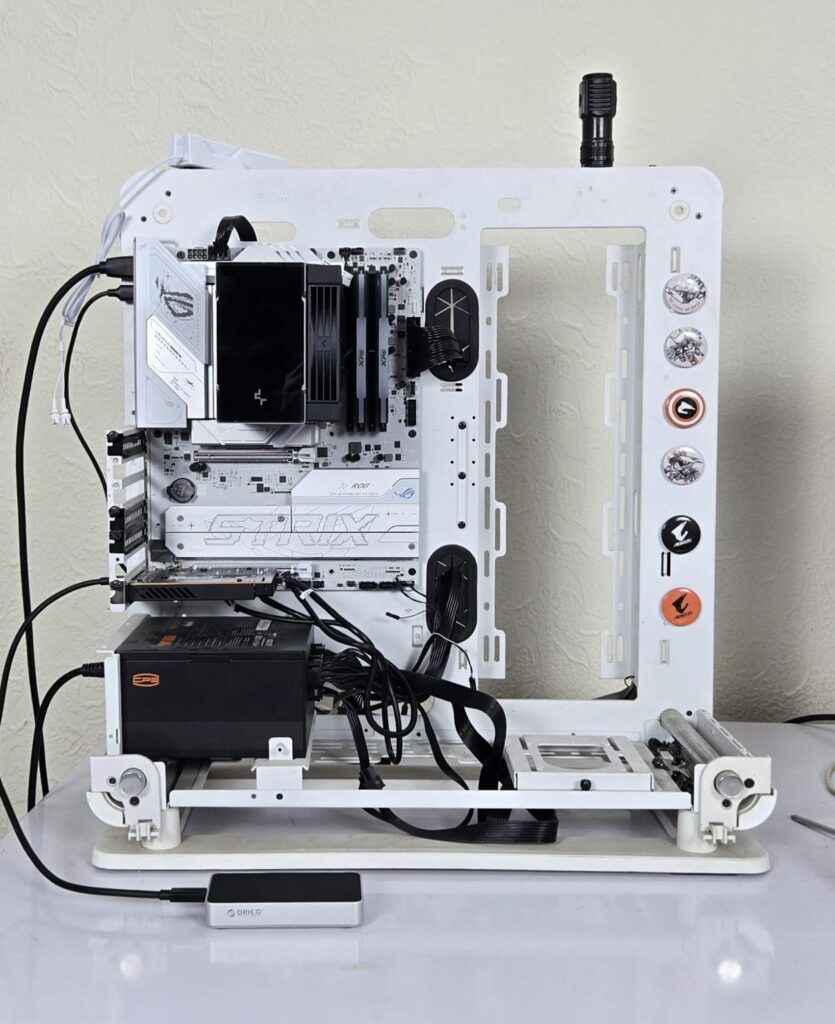
The below-mentioned test build is used:
- Intel Core Ultra 7 265k
- DeepCool AK700 NYX Digital
- Asus ROG Strix B860-A WiFi
- Asus ThunderboltEX 5 AIC Card
- XPG Lancer RGB DDR5 7200MHz, CL34 Kit
- Sabrent Rocket 4 Plus 2TB NVMe SSD [OS Drive]
- CPS YN1000 PSU
- Thermaltake Core P6 TG Snow Edition in an open frame layout
We have used the following software:
- ATTO Disk Benchmark
- CrystalDiskMark
- DiskBench
- Blackmagic Disk Benchmark
Microsoft Windows 11 24H2 is used for the testing.
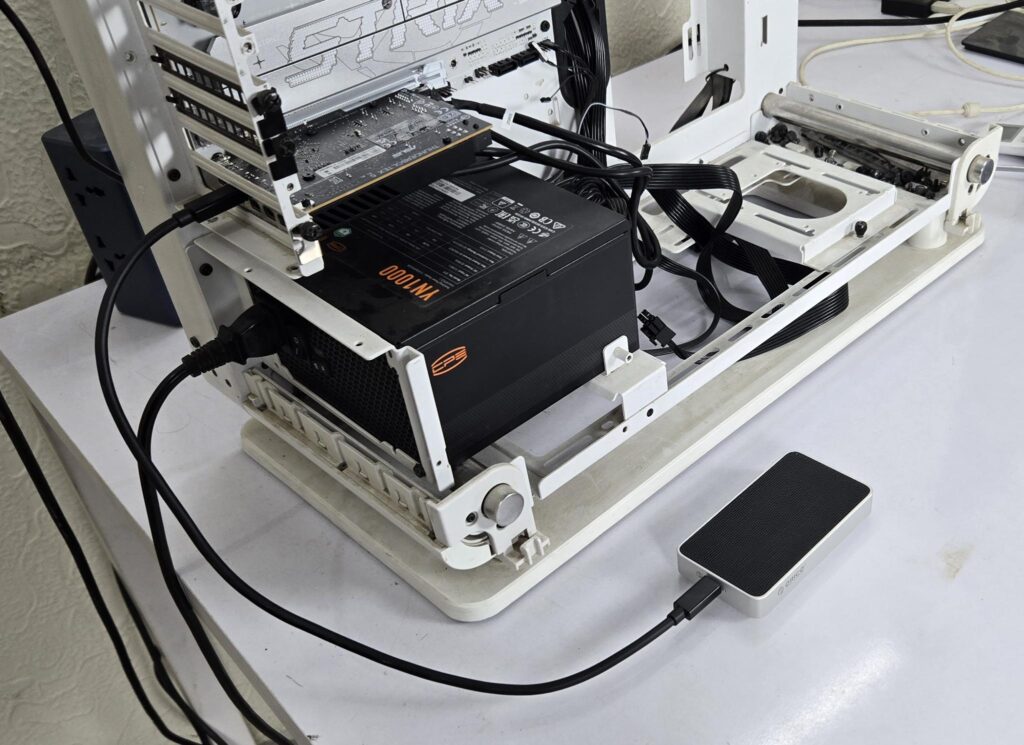
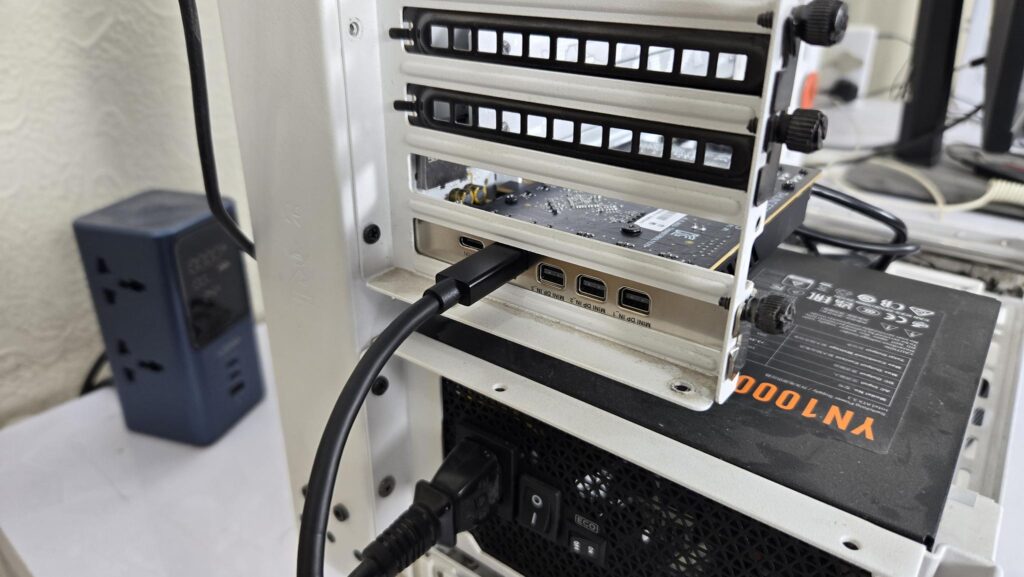
I have used the following NVMe SSDs for this testing:
- Biwin Black Opal X570 4TB PCIe Gen5 NVMe SSD
- Biwin Black Opal NV7400 2TB PCIe Gen4 NVMe SSD
- Netac NI7000-Q 2TB PCIe Gen4 NVMe SSD
- XPG GAMMIX S70 Blade 2TB PCIe Gen4 NVMe SSD
In case you are wondering why, three Gen4 drives, two of these drives (Biwin and Netac) are DRAM-less editions, whereas the XPG SSD has a dedicated cache chip. During testing, I observed write speeds suffering on the DRAMLess drive (Biwin). To verify this, I put another DRAMless drive to the test and observed the same behavior. Then I used a drive with a DRAM chip, and the write speeds were ok. I will show that below in the test result.
Also Read: TerraMaster D1 SSD Enclosure Review: A Rugged DIY Portable SSD Enclosure – EnosTech.com
Test Results
I have used a PCIe Gen5 drive for all tests unless mentioned in the results. Even if you use a PCIe Gen5 drive, it will operate in Gen4x4 mode, as confirmed using Crystal Disk Info. Sorry, I did not take a picture of that; otherwise, I would have shown it here.
CrystalDiskMark
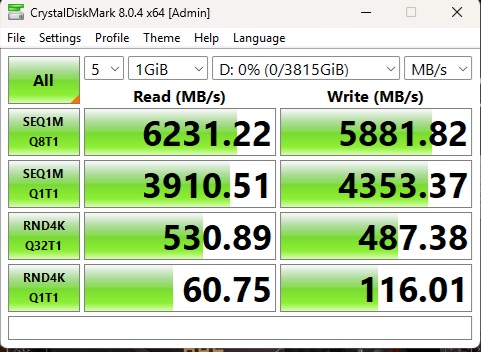
The first test result is from the PCIe Gen5 drive from Biwin. This drive is rated for up to 14000MB/s sequential read speed and 13000MB/s sequential write speed. Random read speed is up to 2000K IOPS, whereas the random write speeds are up to 1600K IOPS.
As you can see, this drive did achieve over 6000MB/s in sequential read and 5800MB/s in sequential write departments, confirming the rated speeds for this enclosure by Orico. However, random read and write speeds in every category are low.
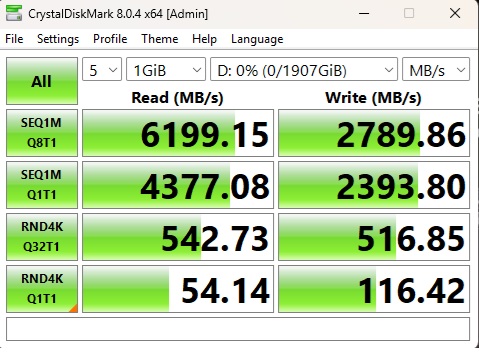
The above is a test run on Biwin NV7400, which has a rated read speed of up to 7450MB/s and write speed of 6500MB/s. Its random read and write speeds are 1000K IOPS and 900K IOPS. You can see that write speeds are struggling regardless if I enabled the Caching feature from the Device Manager or not.
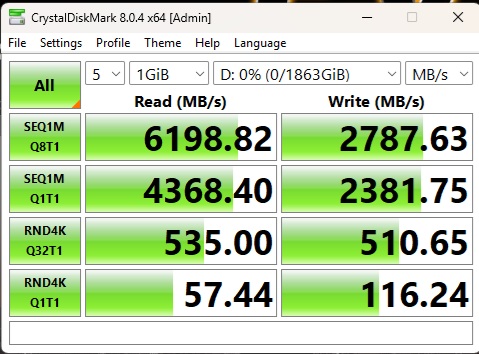
To confirm this behavior, I installed the Netac NI7000-Q 2TB drive in the enclosure and tested it again. It produced the same result. This drive has rated sequential read and write speeds of 7100MB/s and 6200MB/s. You can see a similar result to that from the Biwin NV7400 drive.
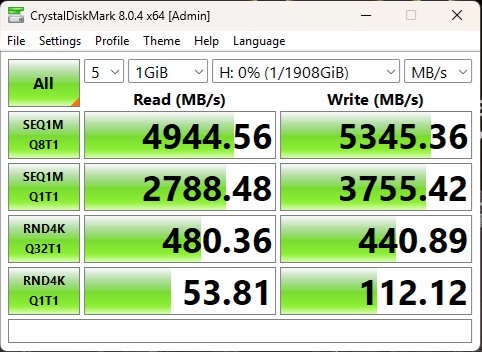
I installed the XPG GAMMIX S70 Blade 2TB NVMe drive in the enclosure and repeated the tests. Now, we have good results in the sequential read and write departments. This only concluded that this enclosure does not favor the DRAMLess drives.
ATTO Disk Benchmark
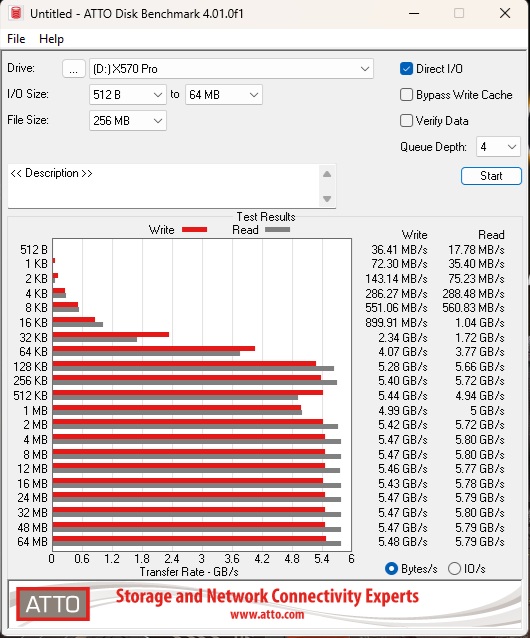
The maximum read speed using the Gen5 drive 5.80GB/s in read and 5.48GB/s in write.
Blackmagic Disk Benchmark
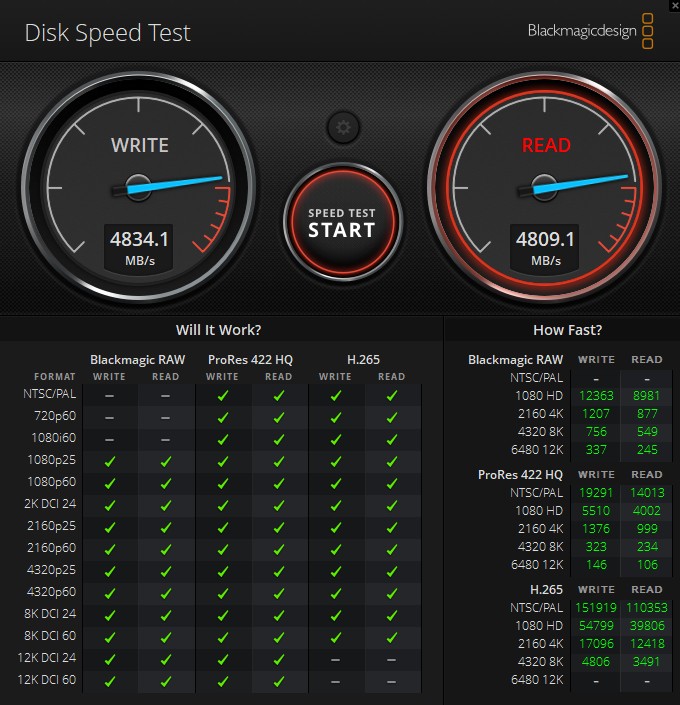
We have used Blackmagic Disk Benchmark as well. This is a critical benchmark from the point of view that it monitors the three video compression coders against multiple formats and checks if the drive in hand supports that format, and if it does, then at what speed.
Real World Testing
Now, it is time for real-world use. For that, we have used DiskBench in multiple scenarios to check the real-world data transfer rates. We prepared a data set of mixed files and folders, including compressed files. My focus was on random speeds, hence I made sure to use a large number of small-sized files.
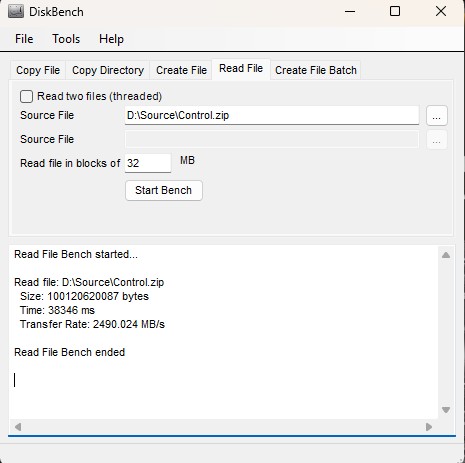
A 97GB-sized compressed file was copied to the drive. The file was then read from the DiskBench. The operation took 38.346 seconds at an average speed of 2490.024MB/s. This is somewhat acceptable performance.
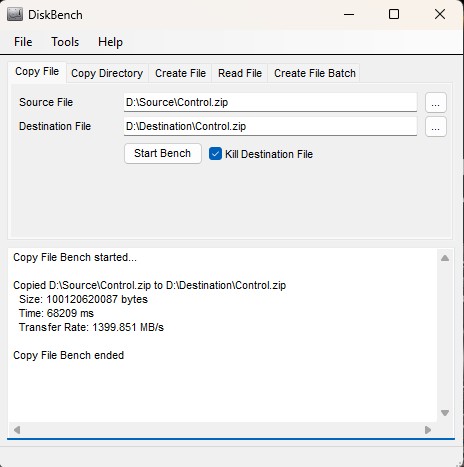
Next, I copied the same compressed file from one folder to another on the same drive. The transfer rate was 1399.851MB/s and it took 1.136 minutes to complete this operation.
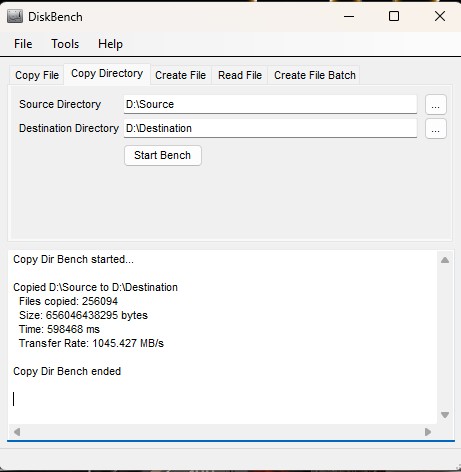
Next, we copied a folder of 610GB size containing multiple compressed files, sub-folders, and mixed files. The main folder was copied from the same drive to a destination drive on the same drive. The transfer rate was 1045.427 MB/s, and it took 9.974 minutes to complete this operation.
Overall, I was expecting a better performance given the higher link speed available for the data transfer on Thunderbolt 5.
Gaming Load Time
This is the time when gamers are using NVMe SSDs for their games for faster loading. This is why we also test the game load times. This is done using the Final Fantasy XIV: Shadowbringers Benchmark using High settings.
It took 11.866 seconds in total to load the game. This is a much higher load time compared to the usual load times of the PCIe Gen4x4 drives, ranging from 5 to 7 seconds depending on the configuration.
Sustained Speeds
I also wanted to see the behavior of the drive under continuous operations with no brake. I have tested the PCIe Gen5 and PCIe Gen4 drives with both options having a dedicated DRAM chip. CrystalDiskMark was set up to torture the drives with a continuous sequential 1M, Q8T1 configuration for read and write speeds. Each run was 18 minutes.
I will first show the result from the XPG GAMMIX S70 Blade 2TB.
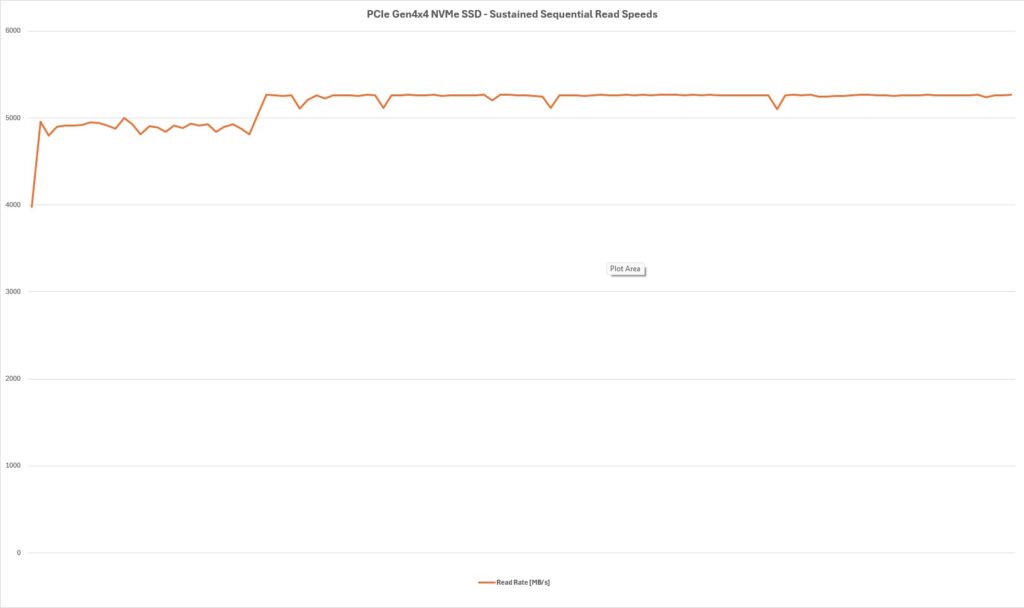
The drive did well in the read department, operating at almost above the 5100MB/s mark with a few dips, which are still above the 5000MB/s. The drive reached 72°C during this operation.
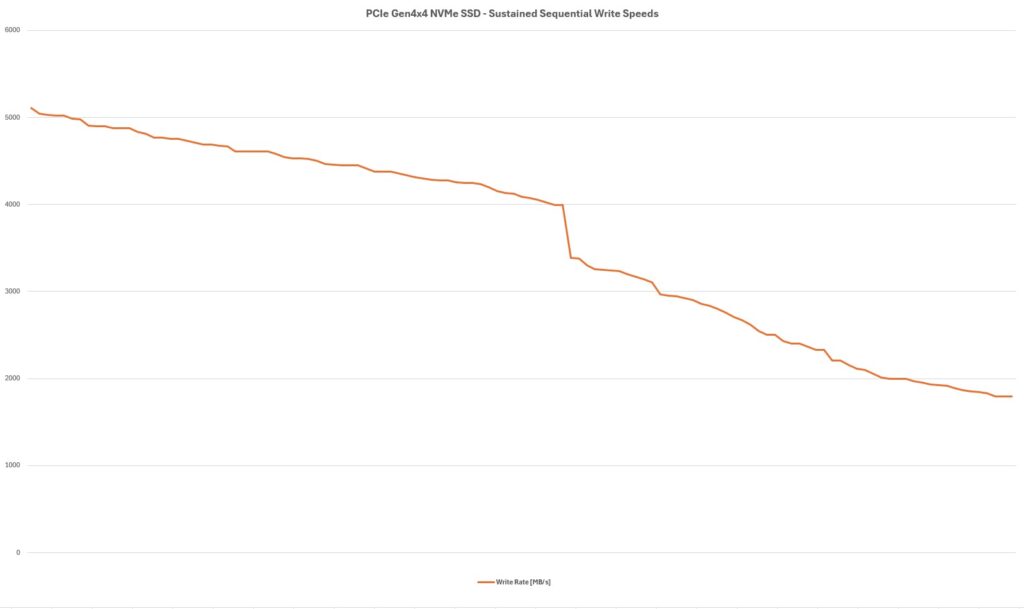
Well, well, well! The drive struggled in the write department. It started good from 5100MB/s approximate, but then dropped down to the 1800MB/s mark. The maximum temperature was 74°C.
This shows the throttling in the write department using this enclosure.
Now, I will show the results from the Biwin Black Opal X570 4TB.
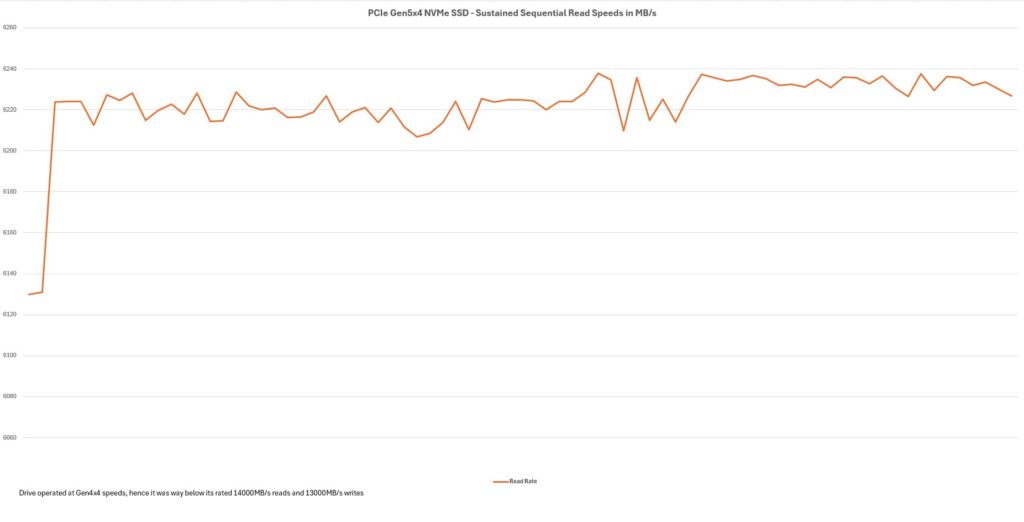
We have persistent performance in the read department where speeds remain between 6200 and 6240 MB/s.
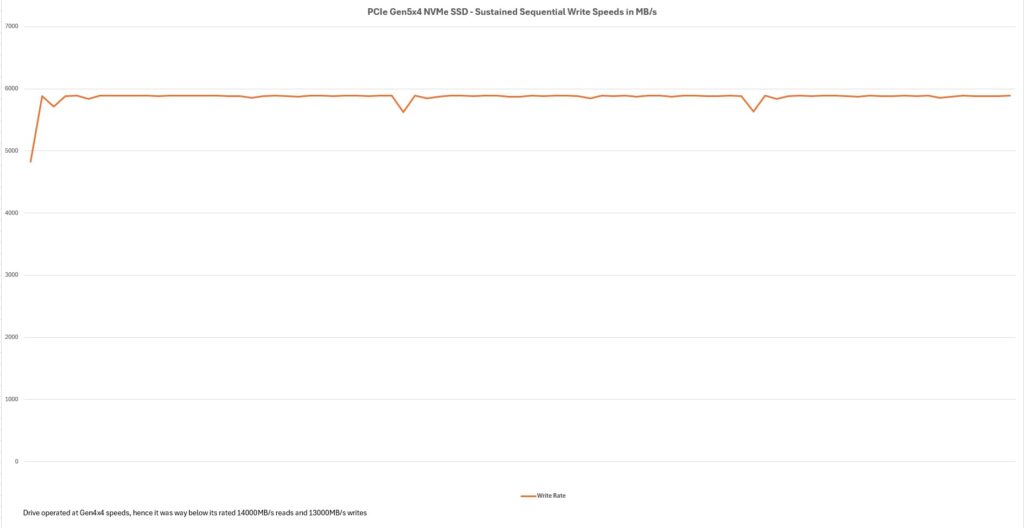
The write department shows a persistent performance as well, with speeds above 5800MB/s for the most part. The temperature reached 84°C during the operation.
Is the Gen5 result any good?
Well, the graph will say that speeds are consistent and persistent, hence indicating that the drive was able to sustain the continuous operation. You need to remember that this drive is already operating at 4×4 link speed, not 5×4. We are below half the rated speeds of 14000MB/s and 13000MB/s in sequential read and write speeds, respectively. Despite the 84°C temperature on the drive, there is no throttling because the drive is already operating at 57% reduced read speed and 55% reduced write speed under 4×4 mode. The real-world tests show a decent performance, which is not at the level of PCIe Gen4 drives if installed on the motherboard.
Thermals
The maximum temperature on a PCIe Gen4x4 drive under continuous load was 74°C, and it was 84°C for the PCIe Gen5x4 drive (operating at Gen4x4).
Editor’s Note: The enclosure was hot to touch and to my surprise, it was retaining the heat more than it dissipates. It took hours for the enclosure to normalize the temperature at idle after testing without active cooling. But when I introduced a 120mm fan blowing some air at standard speed, the enclosure quickly normalized the temperature.
Conclusion
Thunderbolt brings more on the table taking the game up from Thunderbolt 4 like up to 240W PD compared to 100W PD on Thunderbolt 4, very high refresh rates of up to 540Hz for the gamers, 80Gbps bandwidth compared to 40 Gbps on the Thunderbolt 4, multiple 8K monitors compared to two 4K monitors on the Thunderbolt 4, Three 4K limited to 144Hz to two 4K limited to 60Hz on Thunderbolt 4 etc.
We have got our hands on the Thunderbolt 5 setup, enabling us to start testing Thunderbolt 5 and USB 4.0 V2-based devices, starting with one external/portable enclosure from Orico. It is an X50 Pro Thunderbolt 80Gbps enclosure capable of delivering sequential read speeds of up to 6000MB/s and sequential write speeds of up to 5800MB/s (theoretically). This range of speeds falls under the PCIe Gen4x4 NVMe SSDs, and this is exactly what is possible with Thunderbolt 5, which was not possible before.
This enclosure supports M.2 NVMe SSDs in the 2280 form factor in M-Key and M/B-Key types. This means you can’t use NGFF and SATA M.2 interface drives in this enclosure. This enclosure is made of a single piece of aluminum material and has a dimension of 110x60x18.7mm. It is not a compact form.
The salient highlight is the silent operations since this enclosure does not have a built-in fan for active cooling; instead, it relies on what Orico has mentioned as a Hydro Film on the top side. This pad is attached to the upper side of the top aluminum layer. The inner side of the aluminum layer has a 2mm thick small size thermal pad contacting the controller on the black PCB. The lower side of the enclosure has a fin-style design offering more surface area for heat dissipation. This lower cover contacts the M.2 drive via a bundled thermal pad.
Speaking of the controller, this enclosure is powered by the Intel JHL9480 controller that supports a PCIe Gen4 x4 interface. It is capable of 80Gbps bandwidth and 120Gbps high-resolution displays. Orico has bundled an 80G-certified cable with a 0.5m length.
Now, coming to the performance of this enclosure, we have got mixed results. I started with the PCIe Gen4x4 drive from Biwin, which is NV7400 with good read and write speeds, but the write speeds were merely in the 2700MB/s range. I changed the drive to the XPG GAMMIX S70 Blade drive and repeated the tests. This time, the sequential speeds were within an acceptable margin. The difference between these two drives is that the Biwin SSD does not have a DRAM chip, whereas the XPG SSD has a dedicated DRAM chip.
To verify this, I installed the Netac NI7000-Q SSD in the enclosure and repeated the tests. The sequential write speeds were again in the 2700MB/s range, confirming that this enclosure somehow does not bode well with DRAM-Less drives. I settled on the Biwin Black Opal X570 Pro Gen5 drive for testing purposes. The rated sequential speeds of 6000MB/s and 5800MB/s are only possible with Gen5 drives. The Gen4 drives were below the rated speeds, though nothing significant.
The synthetic test results show a good performance, but our focus is on the real-world use scenario, and this is where this enclosure struggles. The 4K speeds are even way below the 4K random read/write speeds that you would get from the SSD installed on a motherboard. In our test of copying different-sized files and folders, this enclosure was operating below the 10Gbps mark and took more time to complete the testing.
Another key observation is the thermal performance of the enclosure. The PCIe Gen5 drive reached 84°C, and we all know that so far, we need active cooling for the Gen5 drives even on the motherboard. It did 74°C on the PCIe Gen4x4 drive, and it throttled crazy on the Gen4 drive when it comes to the write department.
This enclosure is a good way to bring a high-speed storage solution, but, in my opinion, Orico needs to come out with an active cooling solution for this enclosure.
Pros:
- 80Gbps Transfer Rate
- Thunderbolt 5 Interface
- Stylish Design
- Aluminum Alloy all around
- Passive Cooling, hence Silent Operations
- Easy handling
- 80G certified cable bundled
- No tweaking needed
- Works on Windows, Linux, and Mac
- Decent Performance
- Uses Host’s power
Cons:
- It actually needs active cooling
- Write speeds struggle on DRAMless SSDs
- Slow 4K Random Read/Write speeds
- Price