














Antec P30 AIR PC Case Review – Budget Friendly Mid-Tower Goodness

Antec has recently done a great job of offering some of the best budget-friendly and affordable cases on the market. In our last case review, we took a look at the Flux M from Antec that comes with 6x pre-installed fans for $74.99/£64.99 at the time of review. Normally, buying six fans could cost more than this, especially when considering three of them were ARGB.
Today, we are taking a look at one of Antec’s newest Mid-Tower cases by way of the P30 Air. The P30 comes in two different variants, the ARGB model and the AIR model. We have been sent the AIR model, which comes with five pre-installed fans. The P30 AIR has a premium wood accent with plenty of metal mesh, offering the best in both aesthetics and cooling performance.
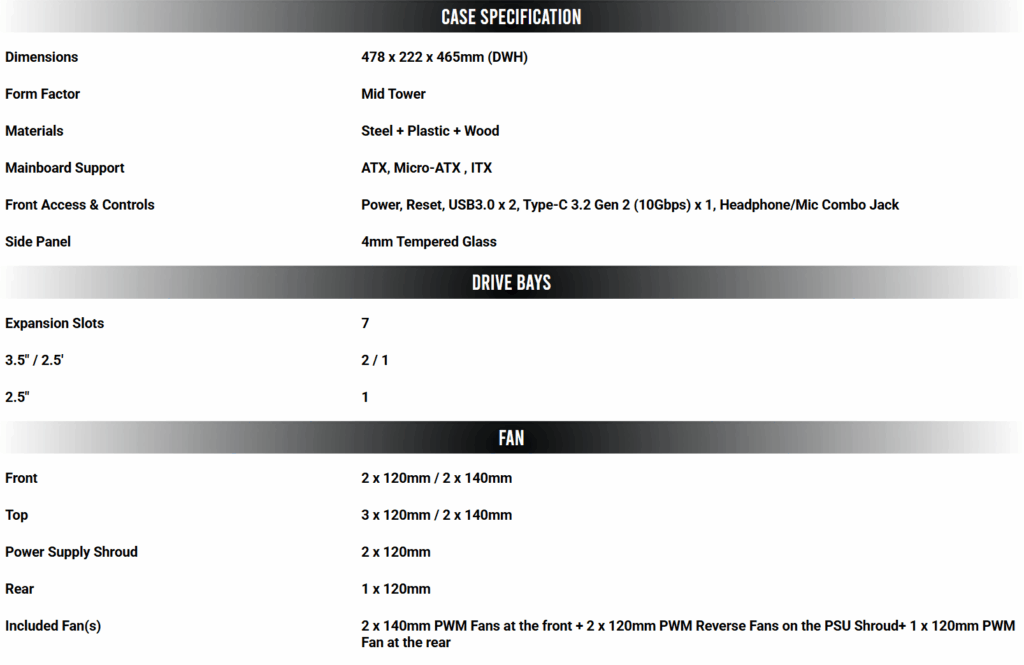
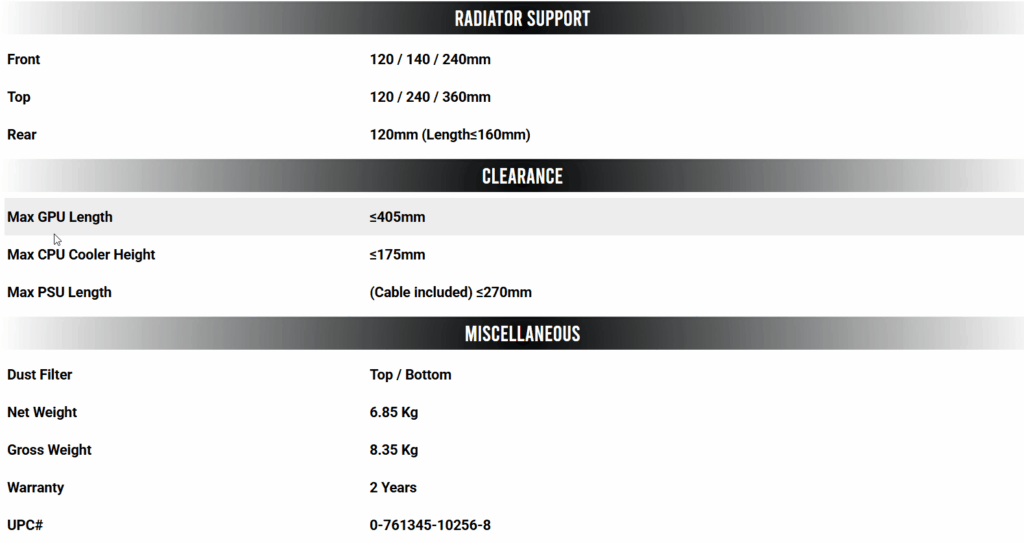
Specification
Purchase Links
Prices may change and were taken minutes before publishing the review to ensure accuracy.
Accessories
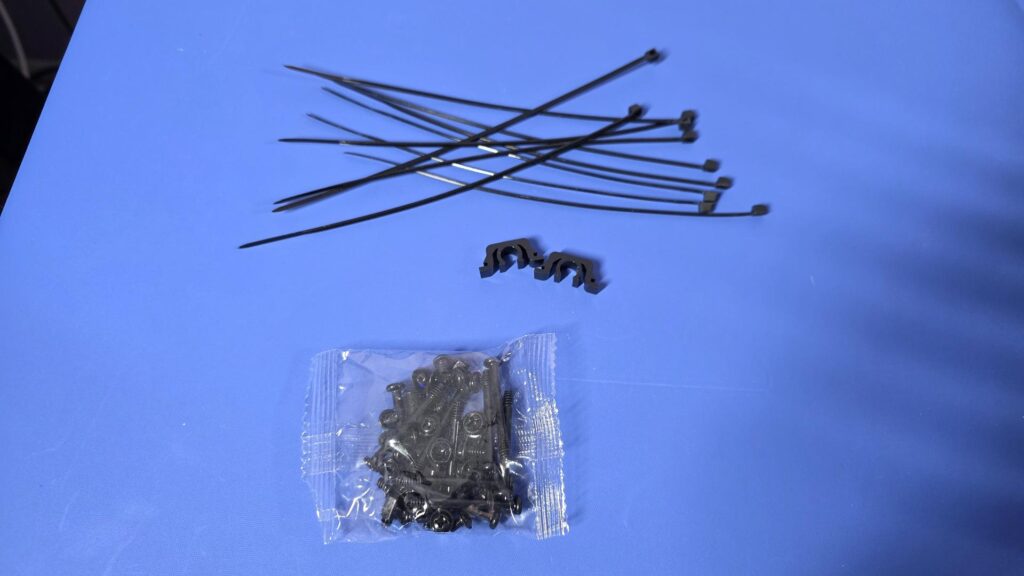
As we see with all PC cases these days, there is a small box with some accessories to get you going with your build. Antec has included 10x Zipties, a pair of clips, and numerous screws for its P30 chassis, which will be enough for most users to get their build up and running and keep their cables tidy.
Closer Look Exterior
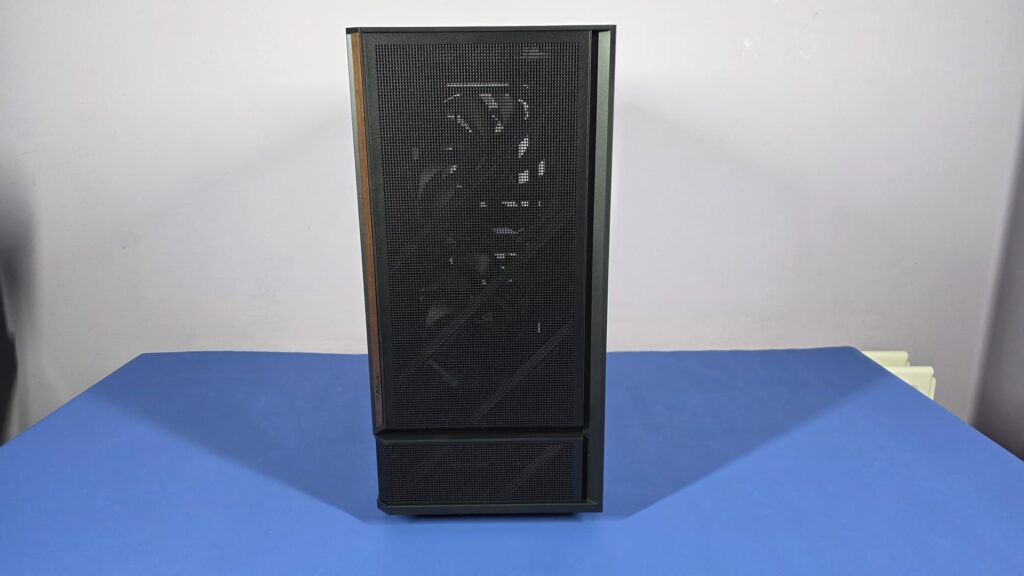
The front of the P30 is almost completely meshed. There is a small plastic trim down the right-hand side, and on the left, there is a real wood trim, offering a unique but pleasant aesthetic to the case.
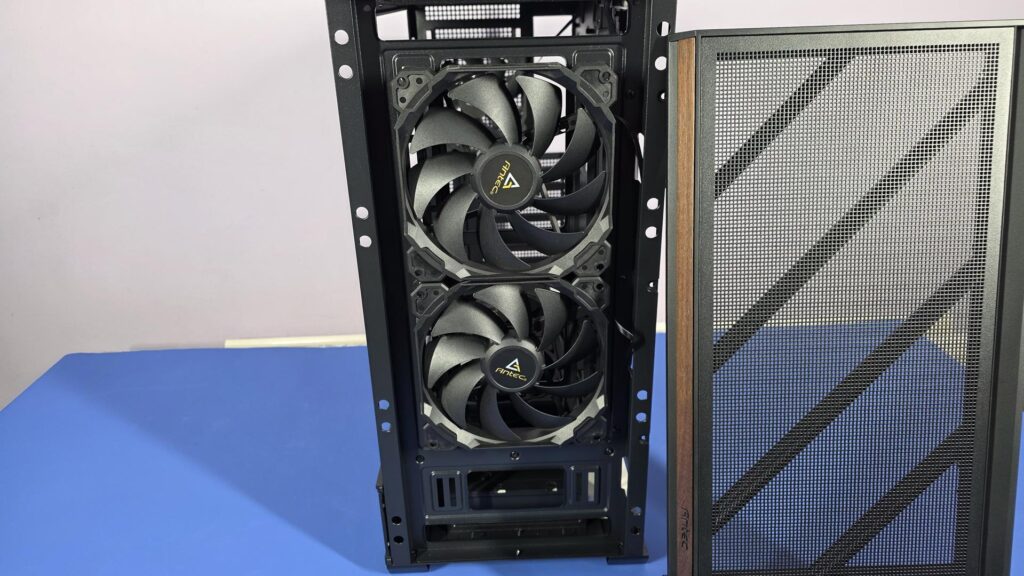
The front panel is easily removed, and once done, you can see the pre-installed 140mm PWM fans. Antect have gone with all black fans for its P30 case, which is nice to see. RGB is amazing, but sometimes it’s nice to see things looking clean, stealthy, and sleek.
The wood accent seems to be a growing concern in the PC market as of late. Some people love it and, of course, some hate it. It all comes down to personal opinion, but at the end of the day, it does offer a chance for a unique build and an extra level of personalization.

The side of the case is mostly tempered glass, though there is also a small mesh panel that runs along the bottom as well. Having a peak inside, and we can already see two of the five fans that come pre-installed inside the P30 AIR.

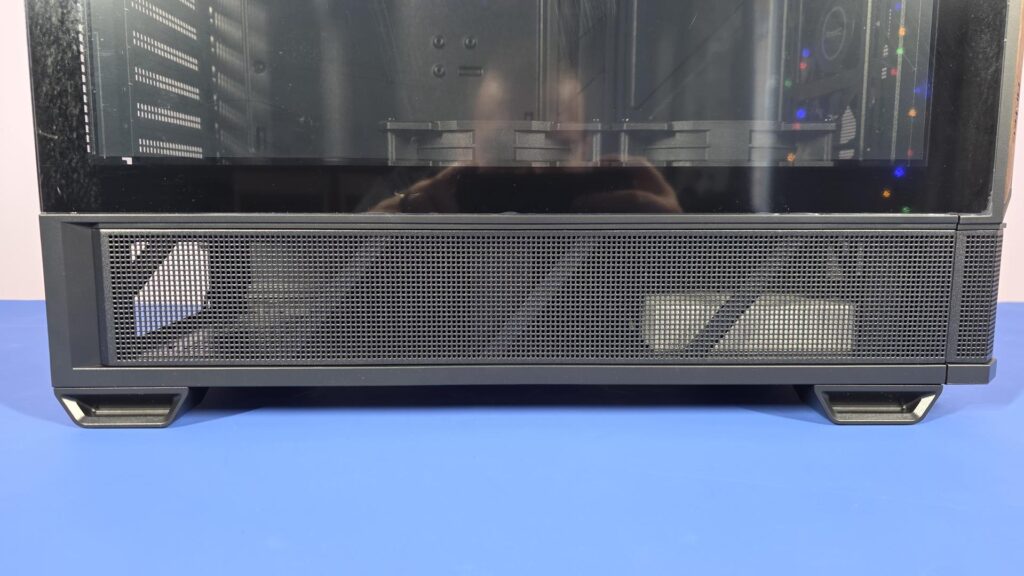
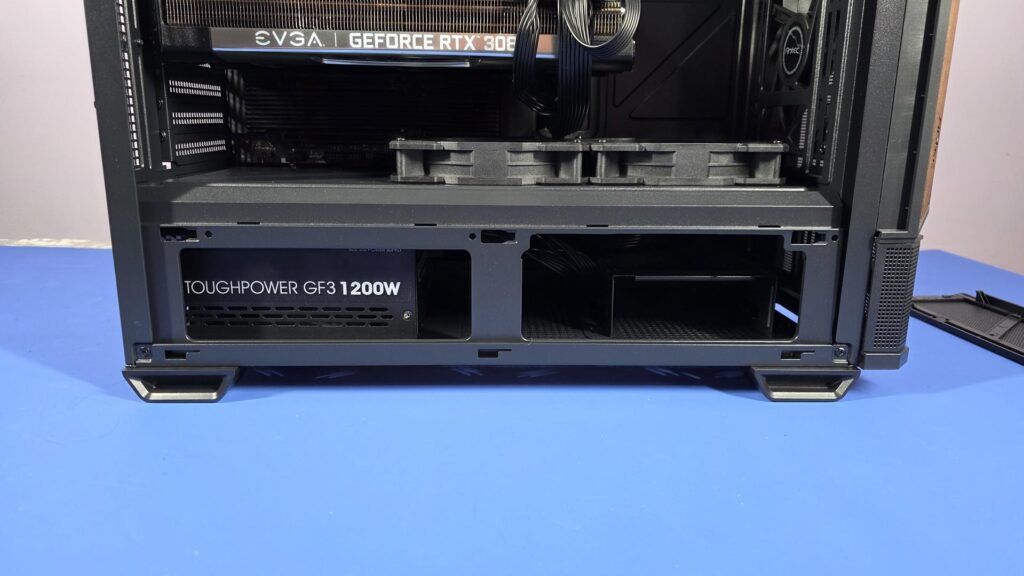
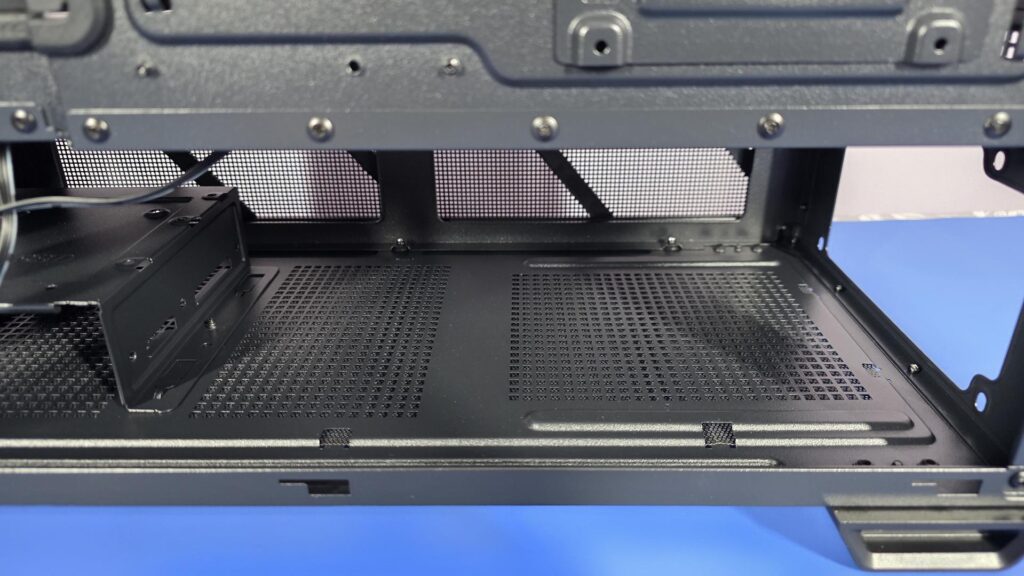
This bottom mesh area has multiple functions. When it comes to the P30, this is where your power supply will be, but don’t worry, you can’t see the cables when the mesh panel is on. Removing the mesh panel will also show you the hard drive cage, but again, you can’t really see it when the mesh panel is on.
On most cases, this area is blocked off with a metal side panel of sorts, or a PSU shroud. Antec has decided to go all out with its “AIR” variant, and this mesh panel is going to allow the two intake fans on the bottom of the case to draw in more cool air into the case. This unique design is also going to better manage the airflow of the whole case when used in combination with the two intake fans. We all know hot air rises, but with the P30 Air, it is going to have a little help and a push in the right direction.
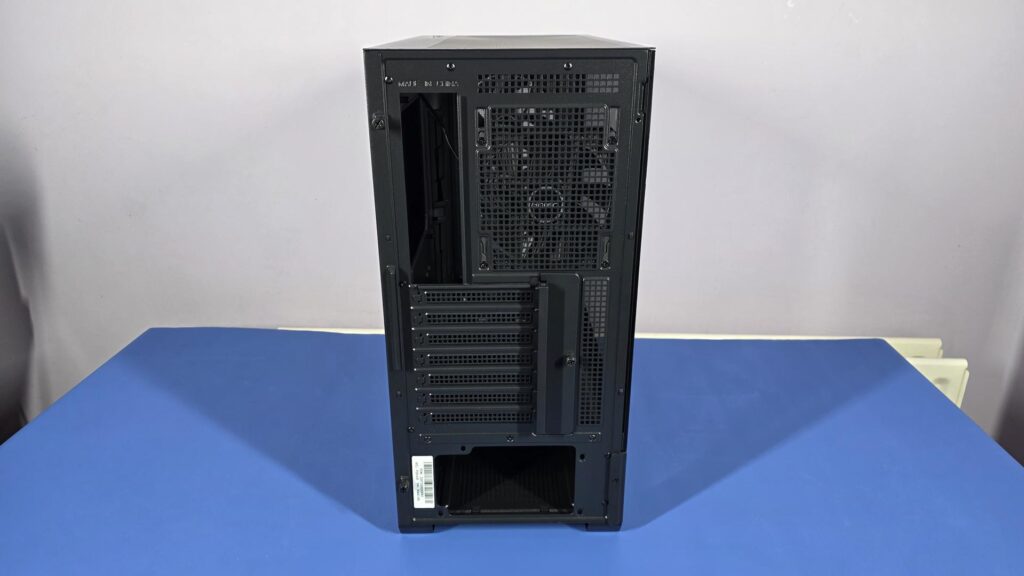
Around to the back of the case, and everything looks fairly normal here. There are cutouts for the motherboard IO and the PSU. We can also see a pre-installed exhaust fan with the option to move the fan up or down to give complete control of your case’s airflow. There are seven PCIe expansion brackets and a couple of extra vented areas to make sure this case really does live up to its naming sake, “Air”.
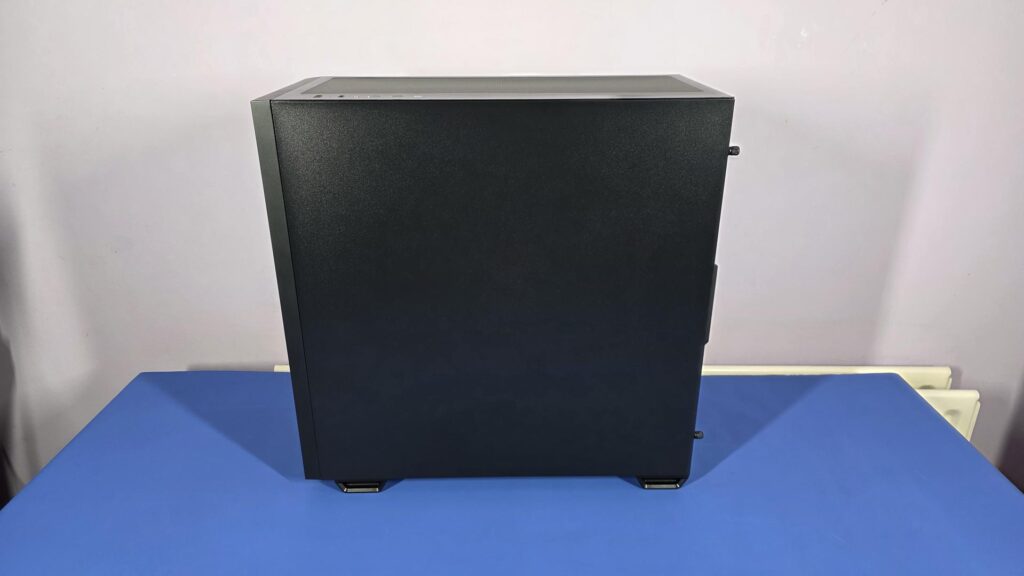
The other side of the case is completely blank and is just a single side panel. While some may find it out that there are no vents or mesh here, it is understandable. Leaving this side as is allows for better air flow and control with less input needed from the end user. The P30 case is designed with airflow in mind and is set up accordingly.
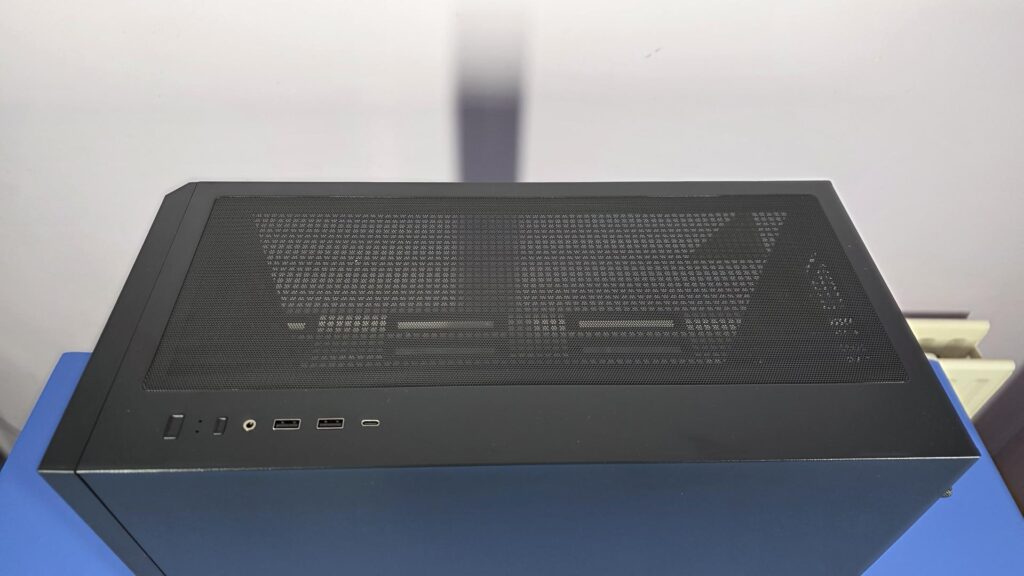
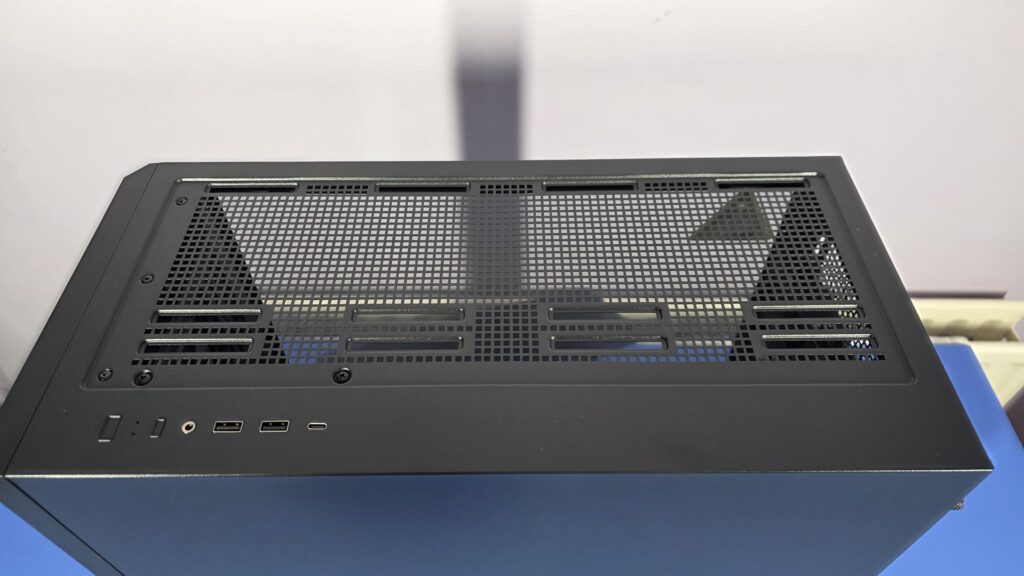
The top of the case is where the front IO can be found and it consists of:
- Power Button
- Reset Button
- Headphone / Mic Combo Jack
- USB 3.0 *2 Port
- Type-C 3.2 Gen 2 (10Gbps) Port
It also comes with a magnetic mesh panel that is easily removed to allow access for installing fans, an AIO, or a radiator at the top of the case. This magnetic filter can also be easily cleaned, which will come in handy.
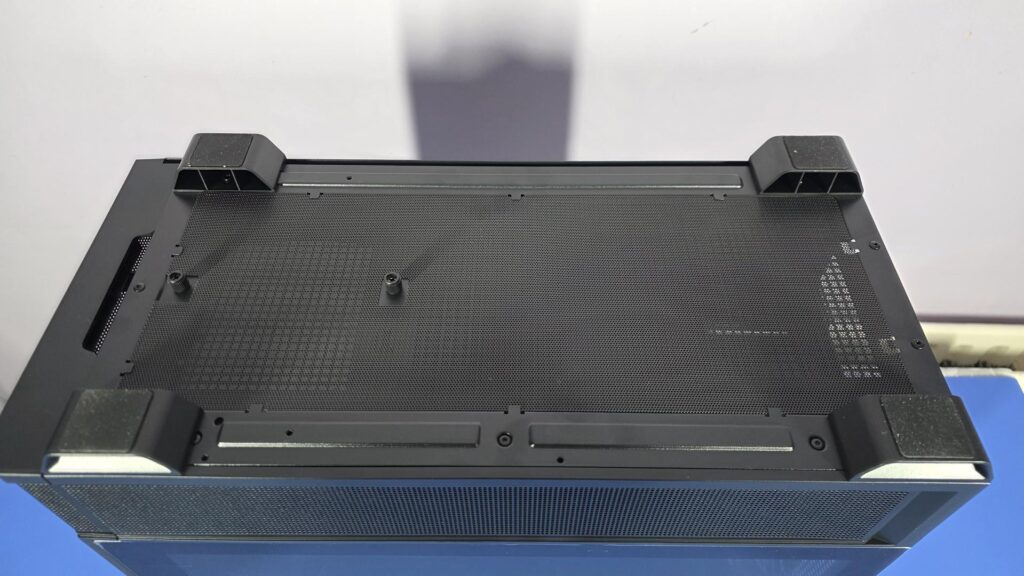
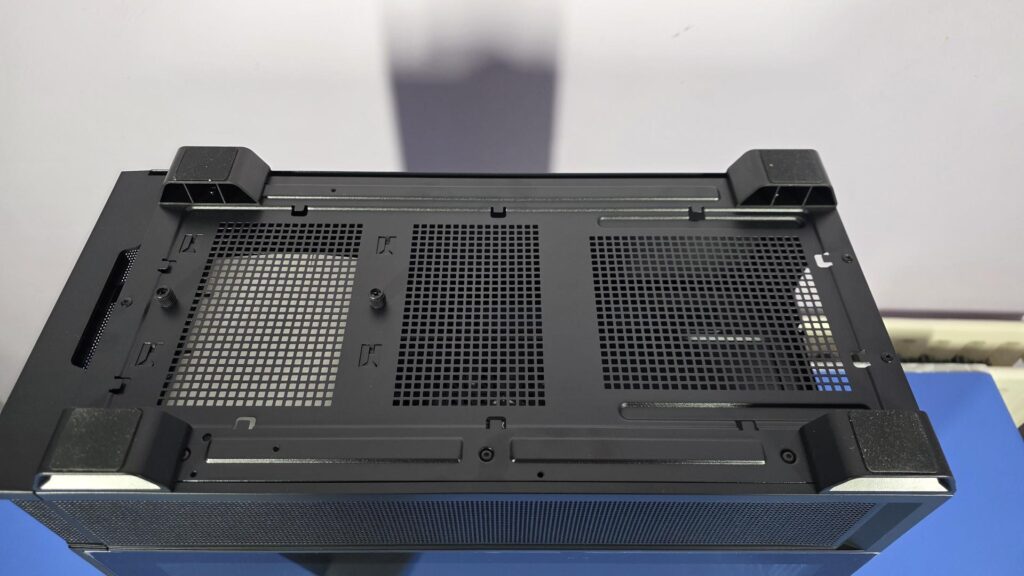
On the bottom of the case, we can see the four feet that keep the case off the ground, allowing for further airflow to the PSU and other areas. There is also a pair of thumbscrews that, if removed, will allow you to take the hard drive cage out of the P30.
The dust filter is not magnetic, and while it is easily taken out and put back in, it will take a tiny bit of attention to do so, as it goes under eight small areas to help hold it in place.
Closer Look Interior
On the inside of the P30 Air, there is quite a bit going on. We have five PWM fans, plenty of pass-through areas for cable management, some with rubber grommets. A nice cutout for CPU cooler installation without removing the motherboard from the case.
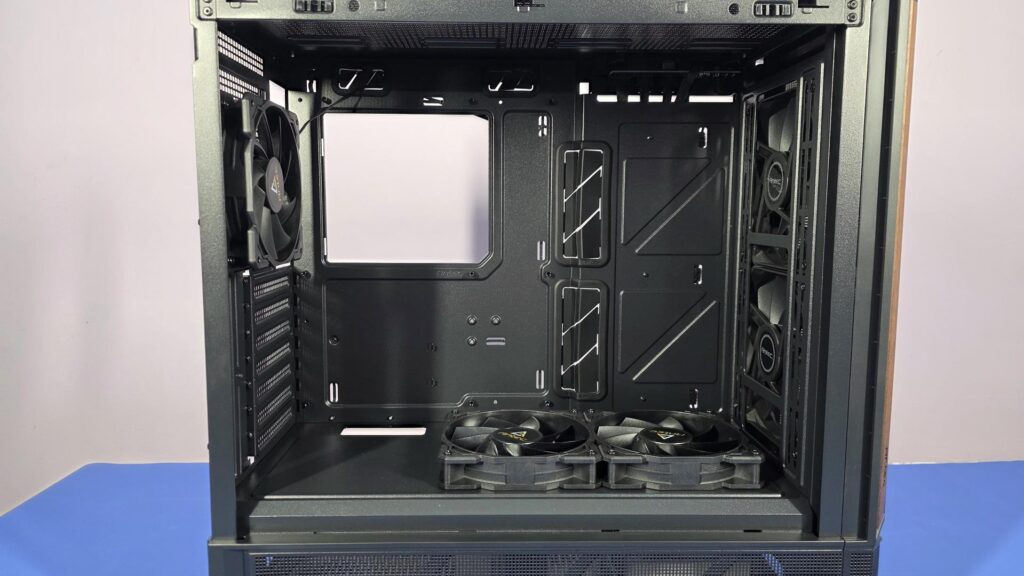
The CPU cutout isn’t exceptionally big; it should be just the right size to change the backplate on your CPU Cooler bracket without having to remove the motherboard from the case. Rubber grommets can be found on the pass-throughs that are next to where the motherboard will be mounted.
The P30 is designed for ATX motherboards and, as such, the standoff screws for ATX motherboards are already installed. However, the case is also compatible with Micro-ATX and ITX motherboards, though you may need to swap the standoffs around if using one of these form factors.
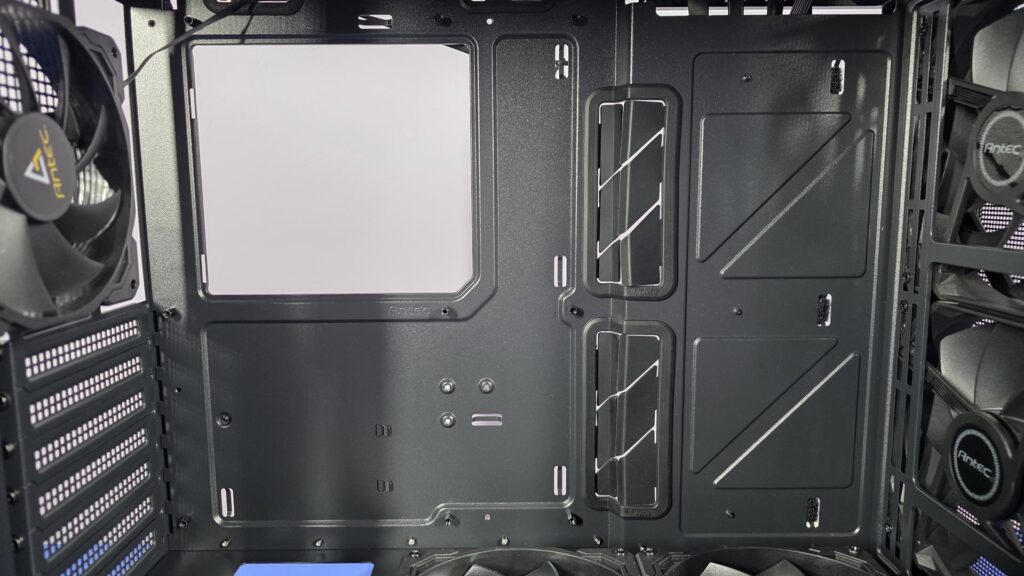
As mentioned, there are five Pre-installed fans :
- 2 × 140mm PWM fans at the front
- 2 × 120mm PWM reverse fans on the PSU shroud
- 1 × 120mm PWM fan at the rear
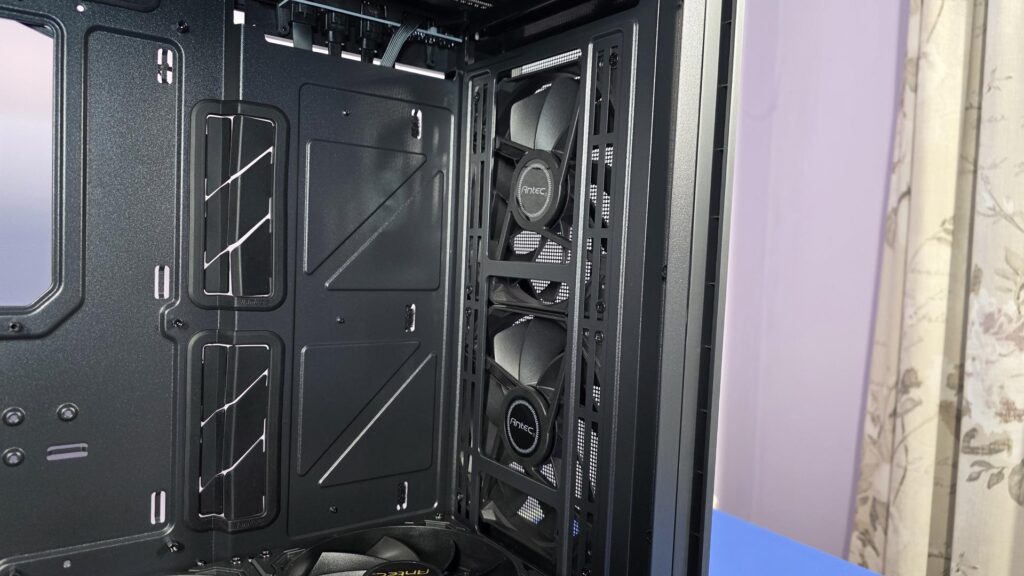
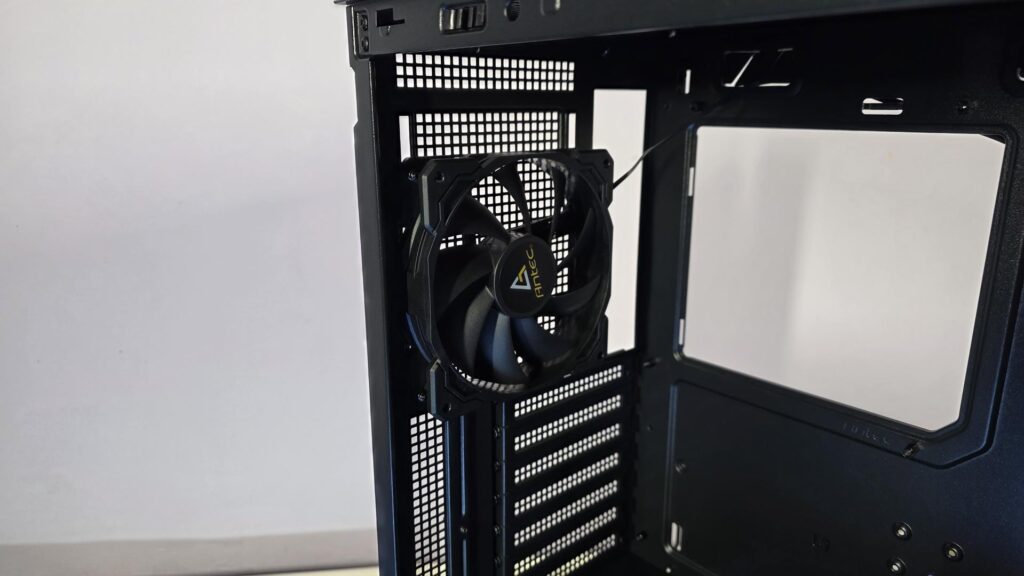
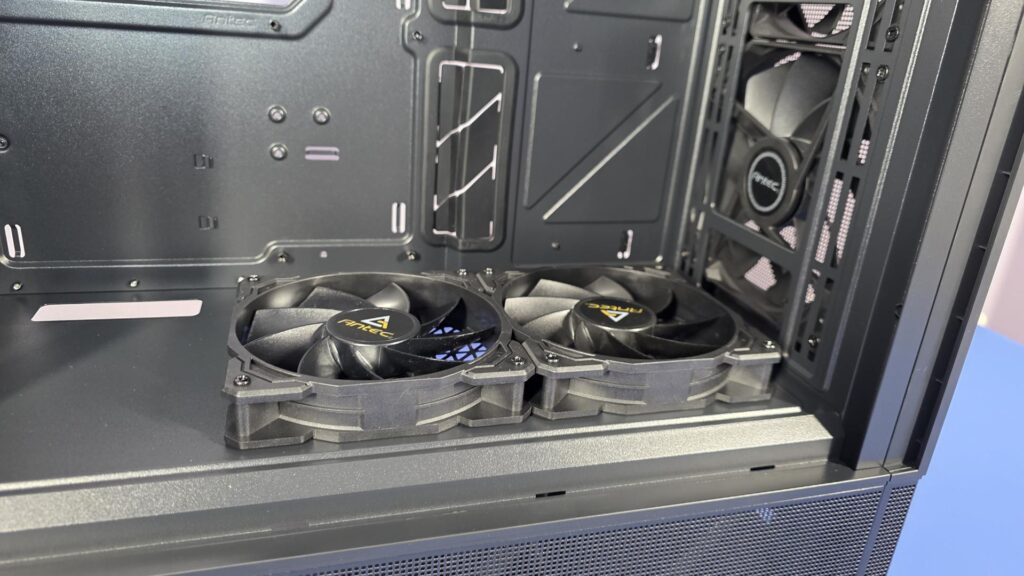
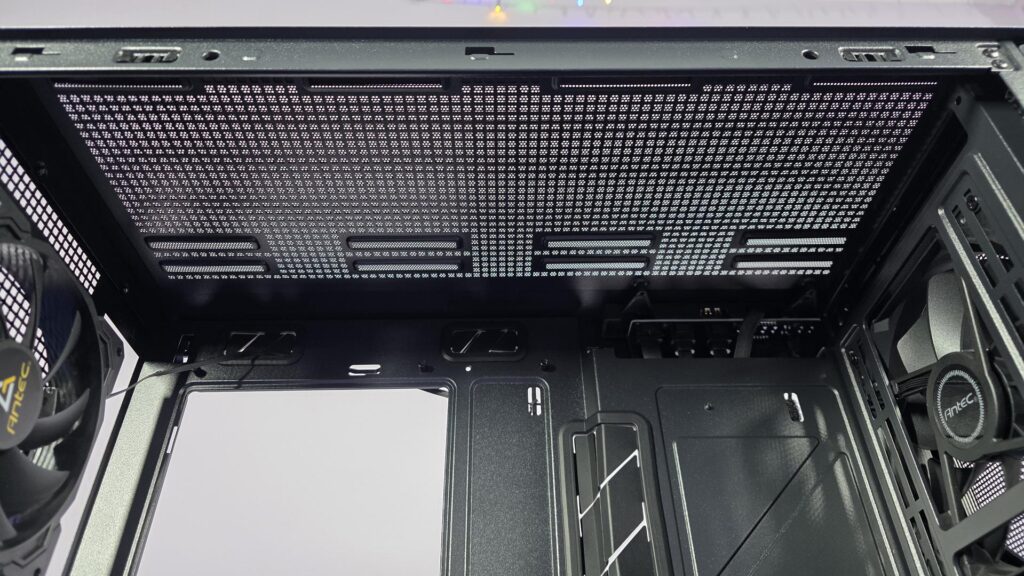
While there are other pre-installed fans in the P30, Antec has left the top of the case up to the end user. This is likely due to the fact the are expecting many to install an AIO and use this space to mount the radiator and fans. The top of the case can house two 140mm fans, three 120mm or radiators up to 360mm in size.
While it is a bit hard to see, the two top passthrough holes also have rubber grommets. These will be used to plug in cables to the top of the motherboard, such as the EPS connectors, fan, and AIO headers, and maybe an RGB/ARGB connector depending on your motherboard.
Taking a look at the back of the case, we can see that all of the cables for the case itself come nicely tucked away and strapped into place with three antec branded velcro ties. This is going to be a good place to try and keep your cables out of the way as it is pushed in a bit further than the motherboard tray, so it won’t affect putting the side panel back on as much.
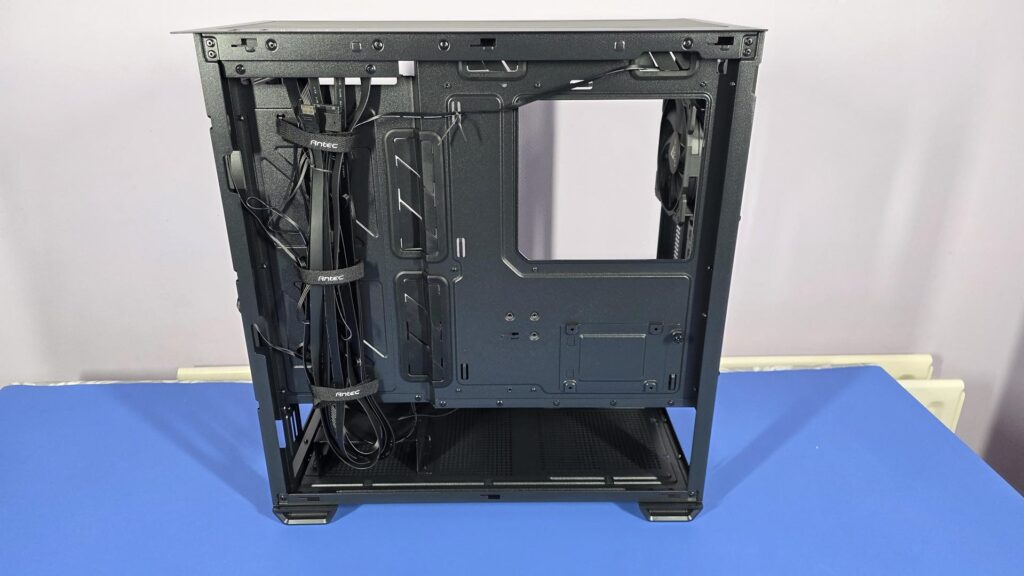
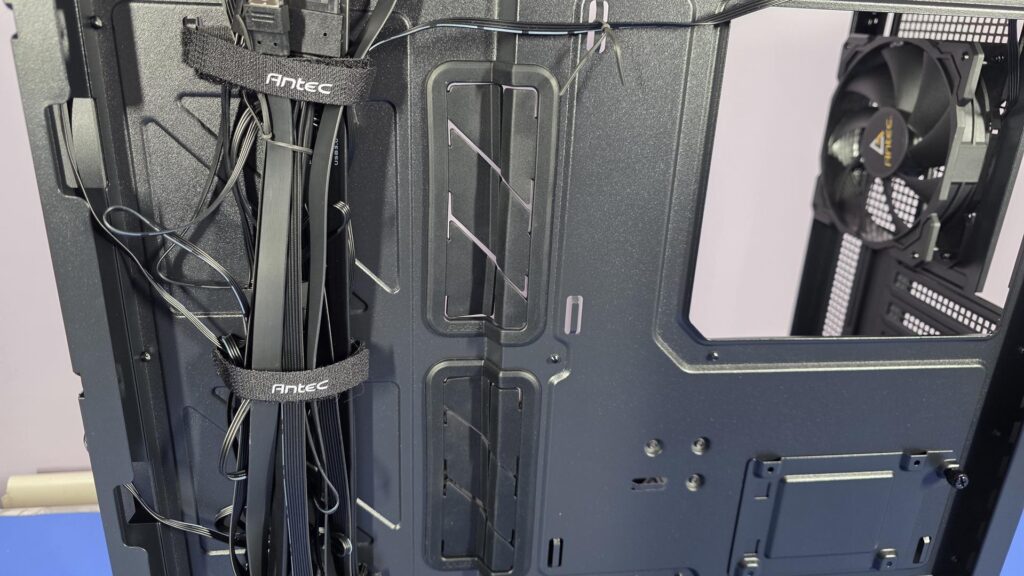
While M.2 drives, which connect directly to the motherboard, are becoming more popular, case manufacturers such as Antec still include some basic mounts for 2.5″ and 3.5″ hard drives. The P30 can accommodate either two 3.5″ and one 2.5″ drives, or it can take two 2.5″ drives and one 3.5″ drive.
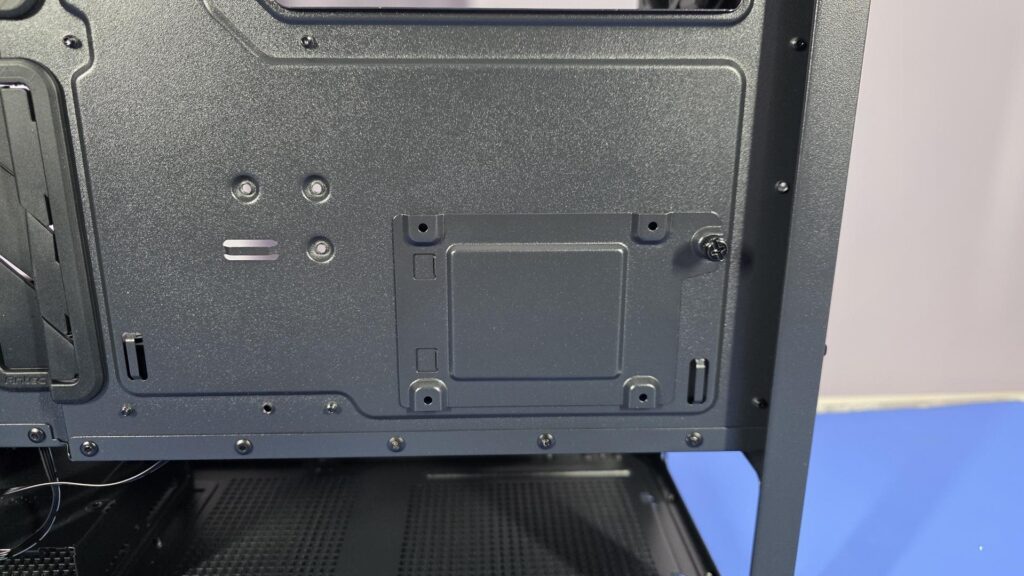
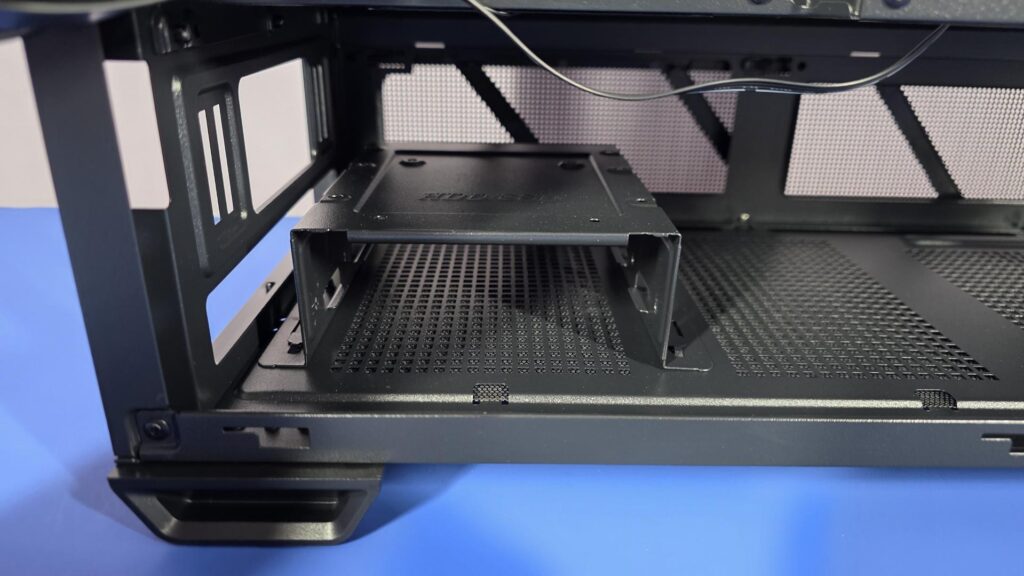
As for power supplied, the P30 can take PSUs up to 270mm in length, including cables. This should be more than adequate for most users, but it is always worth double-checking just in case.
Final Build
Building in the P30 was a pleasant experience overall. While there is plenty of room, there are a couple of small things to take note of when installing your components. First, due to the size of the case, the top and bottom of the motherboard are almost inaccessible when everything is installed inside the case. This isn’t an issue, just something to make sure you are aware of beforehand.
If using an AIO, you will want to connect everything needed on the top of the motherboard before installing the rad/fans into the top of the case, especially if using a 360MM radiator. As you will see in the images below, you cannot see the top of the motherboard. However, there will be a small gap between the radiator and motherboard, but it will be almost impossible to use this to install any cables into the fan headers or the EPS connectors.
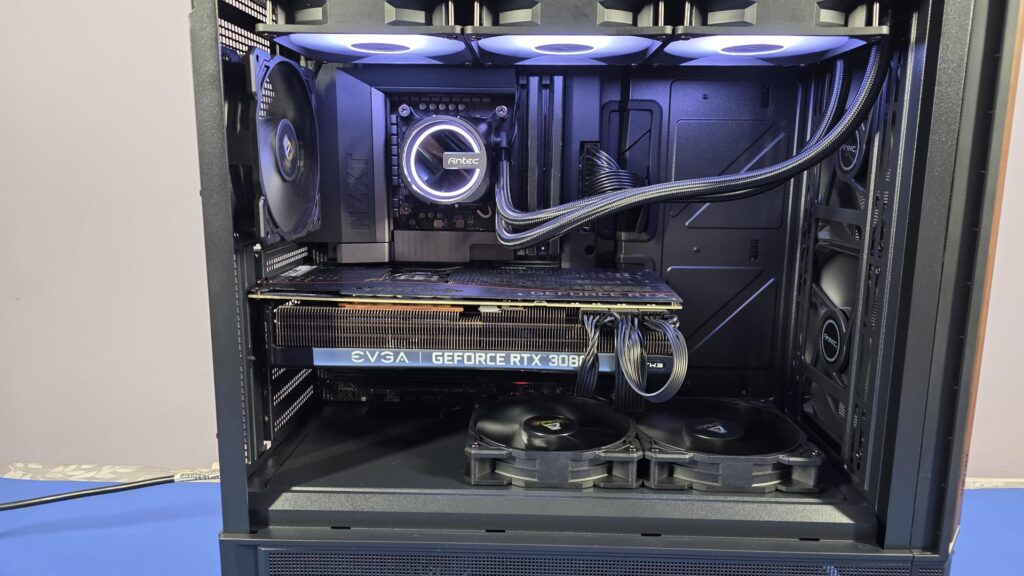
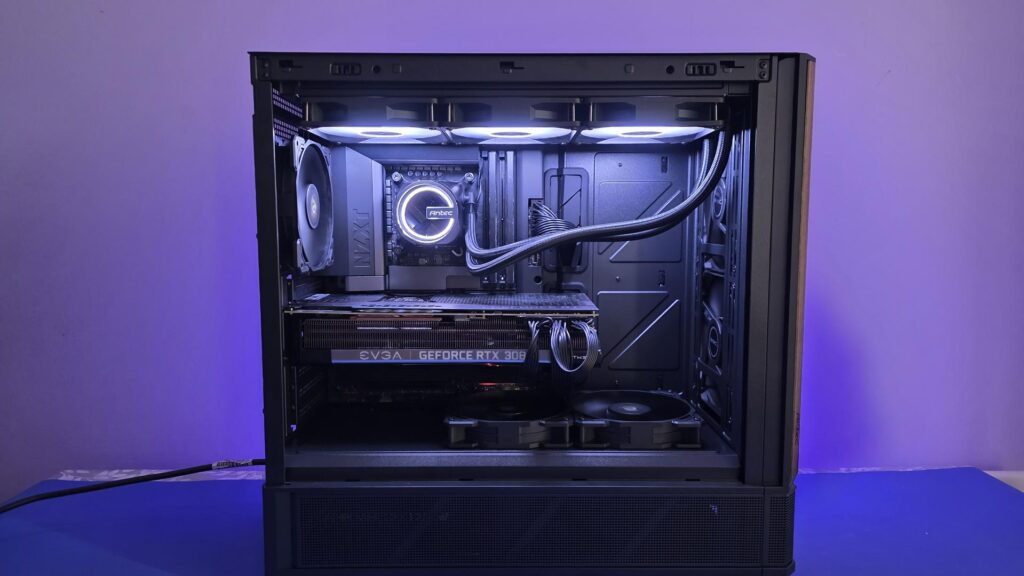
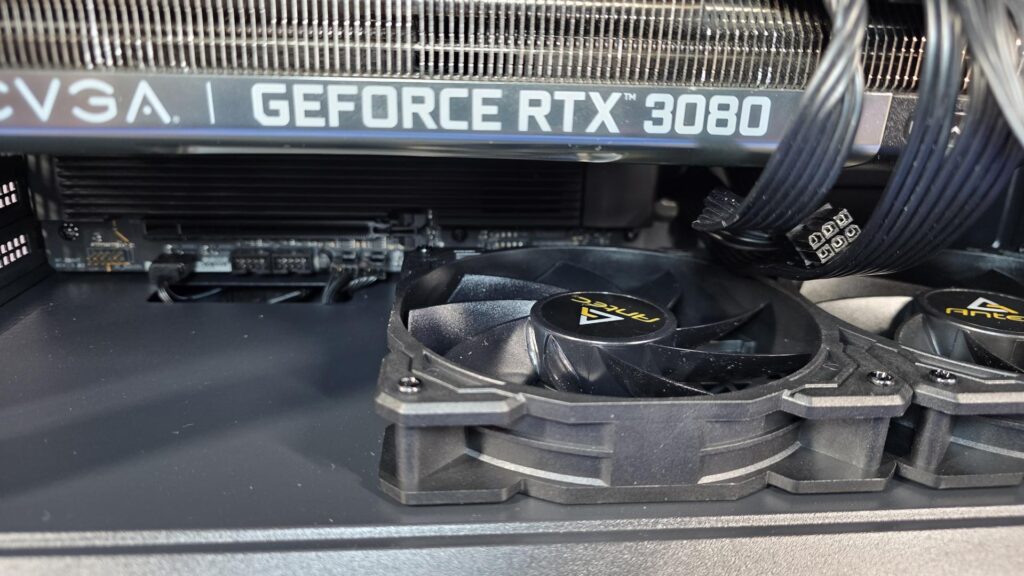
The other thing to look out for is that once the motherboard is installed, the two intake fans on the PSU shroud make it hard to access that side of the bottom of the motherboard. This is generally where the front IO connectors for the case are, if nothing else, and it is very hard to install them while the fans are in place. It can be done, but it’s not easy, especially once the GPU is installed, so you may want to consider connecting anything in this area before you install too many components into the case.
Final Thoughts
The biggest advantage the P30 Air from Antec is going to have over its competitors is all it has to offer for a budget-friendly price. Yes, the P30 is actually affordable, and it has a lot to offer! Coming packed with five PWM fans as standard, that alone will cost almost as much from competitors as everything you get when purchasing the P30 Air. The only real debate is, which retailer do you want to purchase it from?
Pricing aside, the P30 Air has plenty going on. The five PWM fans and unique mesh panelling are going to work for maximum airflow, helping keep all your components as cool as possible. The PSU area, which also features a removable hard drive cage, is going to ensure that the airflow throughout the main chamber of the case is as unobstructed as possible. The tempered glass side panel is going to allow you to show off your build with ease. If that’s not enough for you, the dust filters are going to keep the inside of your case as clean as possible and can easily be cleaned themselves.
The only small issue to even mention comes when you are building inside the P30 Air. As mentioned in the Final Build section, you will need to take certain steps when installing your components so that you don’t run into issues. This isn’t really a negative against the P30, but it is more of a warning on what to avoid so you can make your life easier. Once the motherboard is installed, you will want to connect any cables to the top of the motherboard and the bottom right corner of the motherboard, where the intake fans on the PSU shroud are. This is particularly important to do before installing your graphics card, and if you plan on using an AIO. While it is still possible to reach these areas with everything installed, it is much harder.
When all is said and done, the Antec P30 Air is more than capable of housing all your high-end components. It offers great airflow, a sleek, stylish design with a unique wood accent, and, as mentioned, it comes at an affordable price.



Antec seems to be on a mission lately to offer great performing products at a price that won’t make you cry. With all that is currently going on in the industry, this is perfect timing and more than welcome.