













SilverStone MS12-40G USB4 Enclosure Review

Earlier, we tested SilverStone MS12 and MS13, which are M.2 SATA & NVMe to USB 3.2 Gen 2×2 and USB 3.2 Gen 2 enclosures, respectively. This time around, we are taking a look at a new enclosure from SilverStone, which is MS12-40G. As the name indicates, this enclosure provides USB 4.0 speeds of up to 40Gbps on M.2 NVMe drive. I guess SilverStone is not coming out with a new name rather covering the USB 4.0 enclosure under MS12 naming.
This is about time as full USB 4.0 implementation is provided on the consumer motherboards from AMD. Intel side is still using Thunderbolt 4 ports on the latest platform. These ports though, don’t provide full 40Gbps bandwidth for the USB 4 devices.
MS12-40G features are:
- USB4 Type-C interface, capable of ultra-fast data transfer speeds up to 40Gbps.
- tool-free setup for NVMe M.2 SSDs.
- All-aluminum alloy enclosure with ultra-thin fan and bottom vent design for efficient heat dissipation
- NVMe M.2 SSD support (M KEY)
- Support TRIM command set
- Supports 22x42mm, 22x80mm lengths M.2 SSD
This product has an MSRP of USD 119.90 and carries a minimum 1-year warranty. Currenty it is available for $126.46 on Amazon.com or £118.14 on Amazon UK.
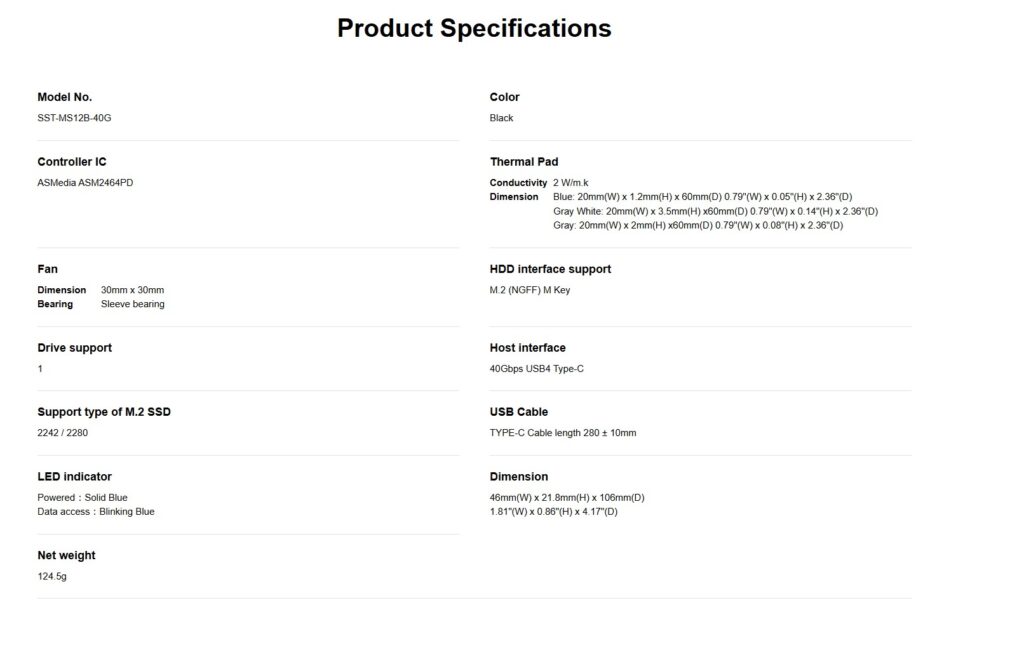
Specifications
Packaging and Unboxing
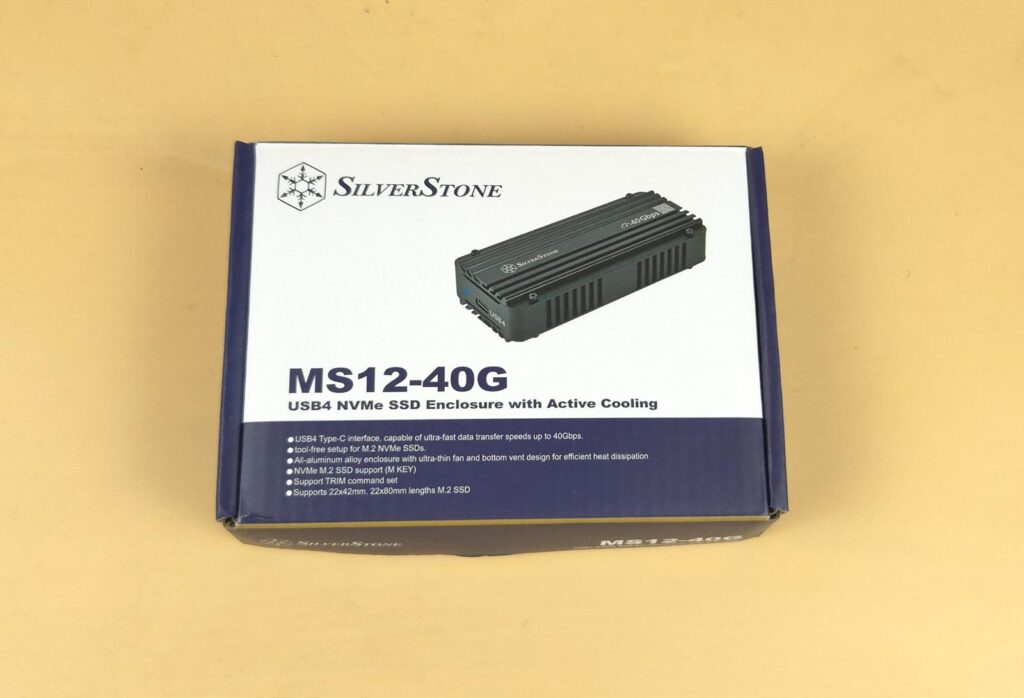
The enclosure is shipped inside a cardboard box with SilverStone’s standard theme colors: blue and white.
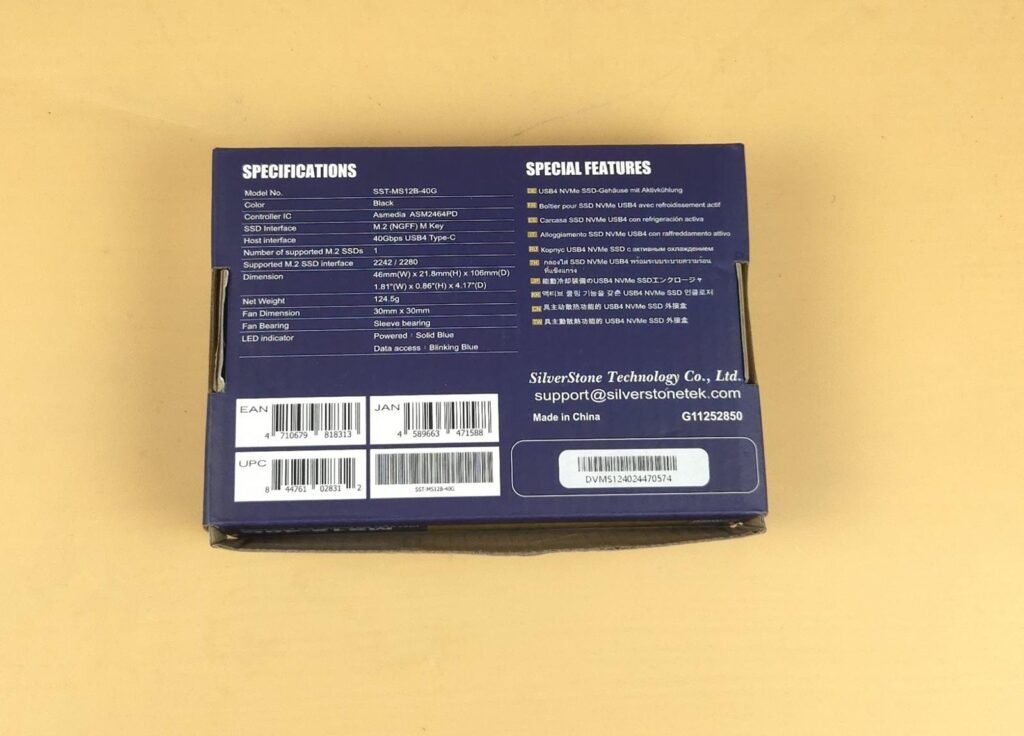
The specifications and features are listed over backside of the main shipping box.
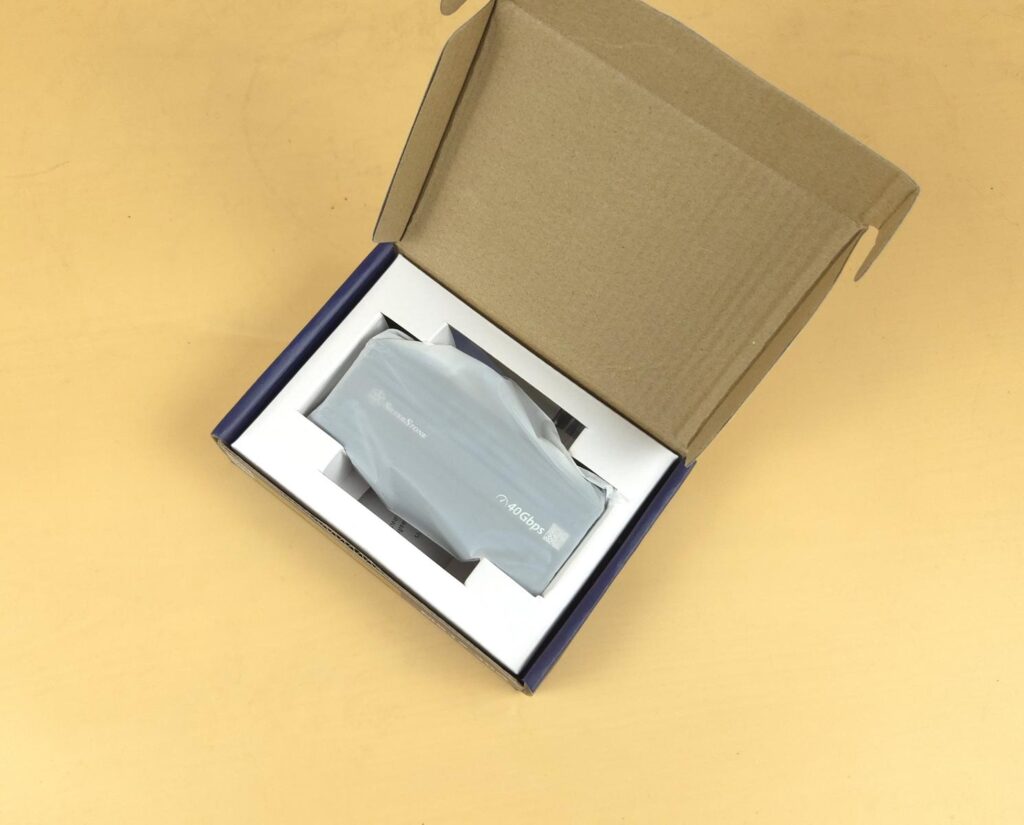
The enclosure is placed inside a semi-transparent cover on a paperboard container.
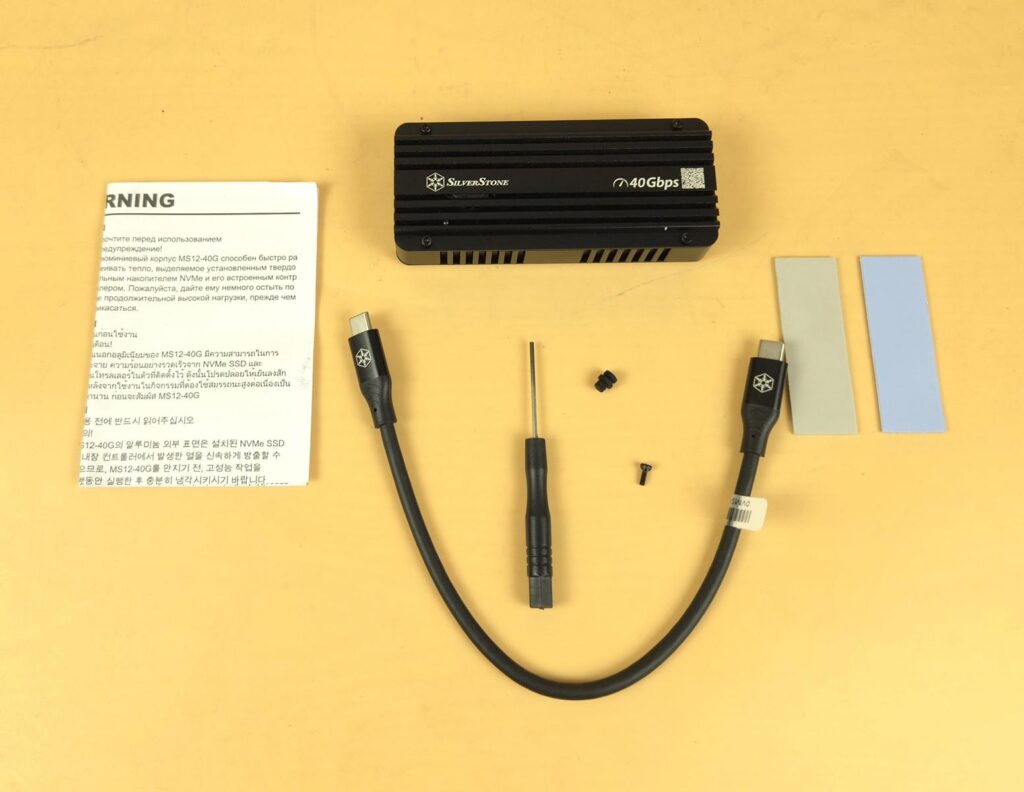
The following are provided:
- 1x Enclosure
- 1x Warranty Paper
- 1x Screwdriver
- 1x USB Type-C Cable
- 1x Blue Thermal Pad 1.2mm
- 1x Gray/White Thermal Pad 3.5mm
- 2x M.2 Mounting Screws
- 1x M.2 Stud/Standoff
Closer Look
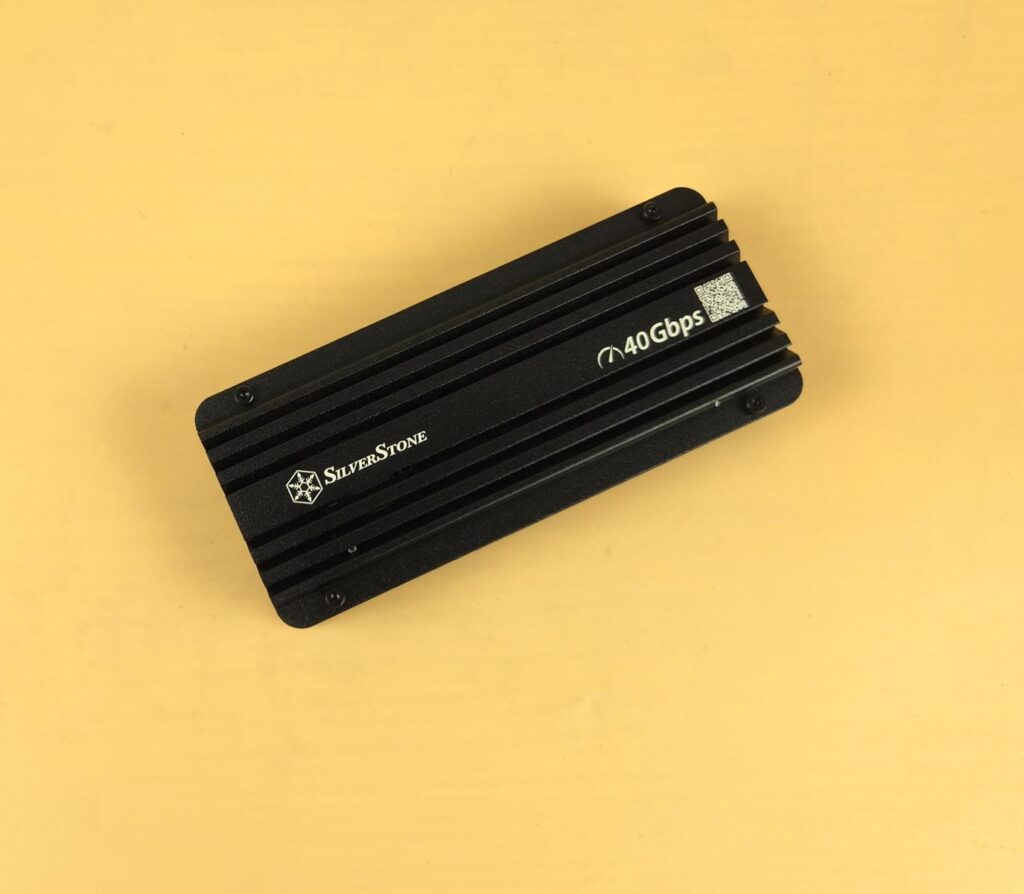
The enclosure is made of the aluminum material. The complete enclosure acts as a heat diffuser. This is not a passive solution since a small fan is provided inside the main body. The dimension of the enclosure is 106mm (D) 46mm (W) 21.8mm (H). You can see a SilverStone branding on the top along with USB 4.0 symbol. The top view shows the striped or fin layout forming a heatsink for heat dissipation.
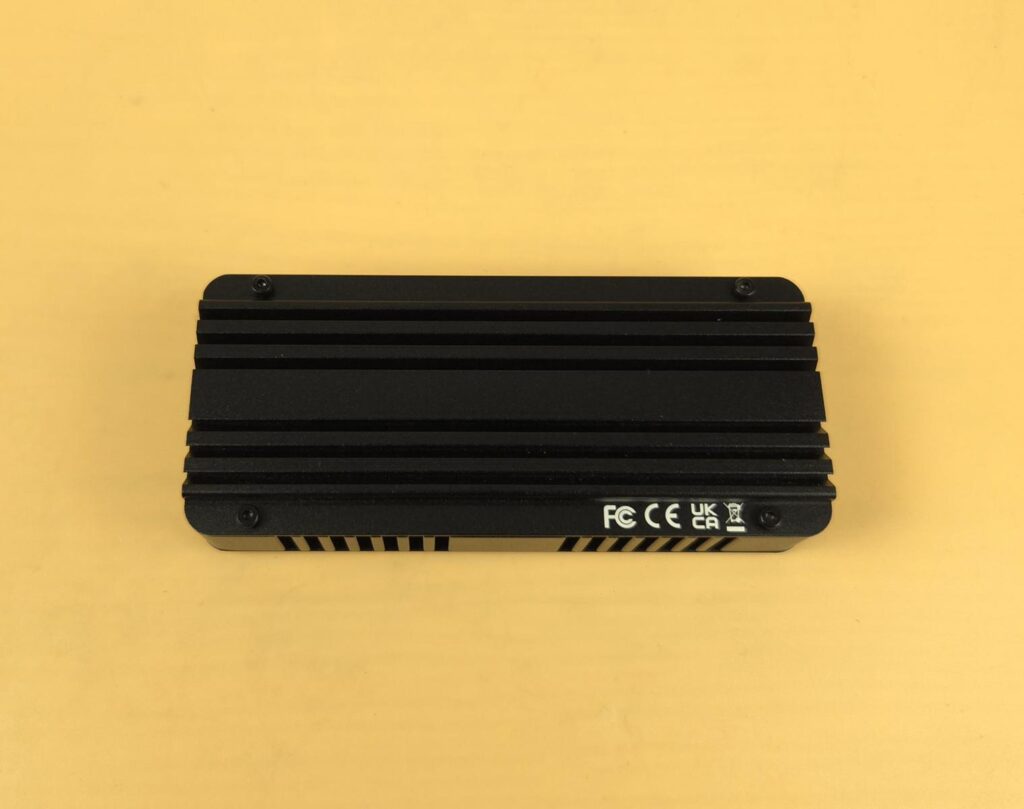
The bottom or base of the enclosure has a similar layout to the top. Both sides have 4x screws that connect them with the PCB body.
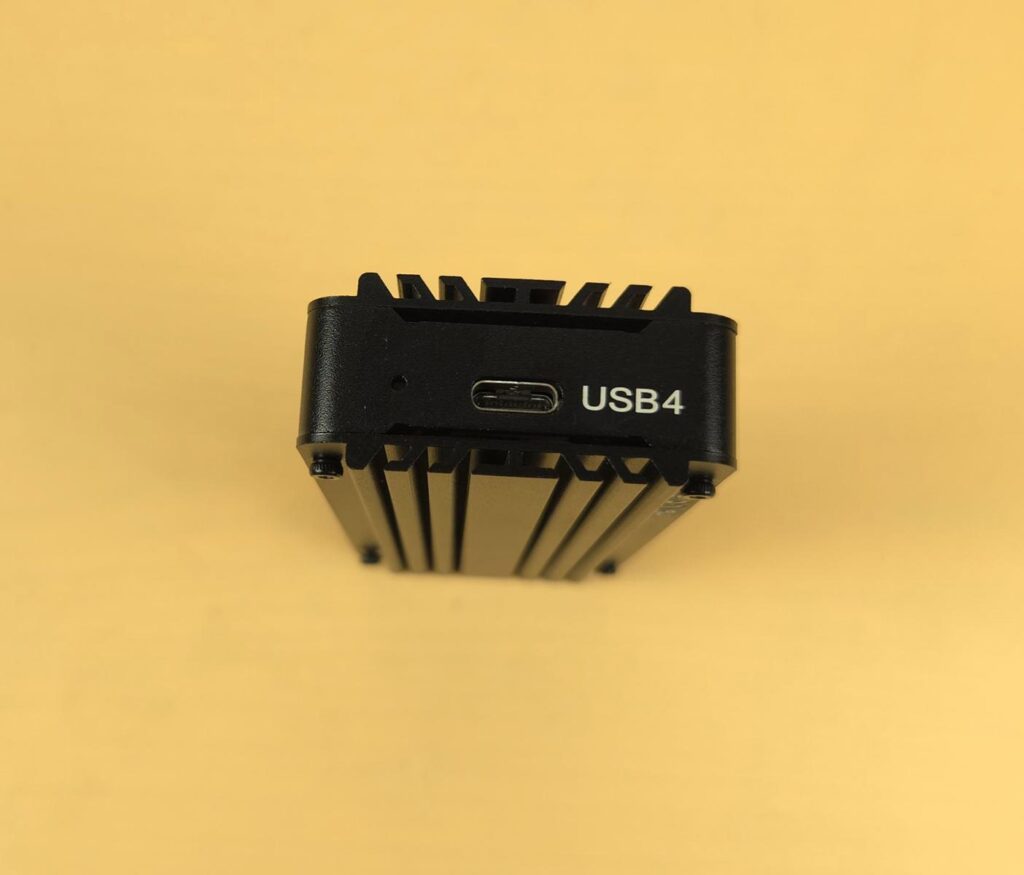
There is a USB Type-C port on one end of the enclosure. You can also see a light indicator which blinks or show steady light depending on the use. This is not a sliding design as is on the MS13.
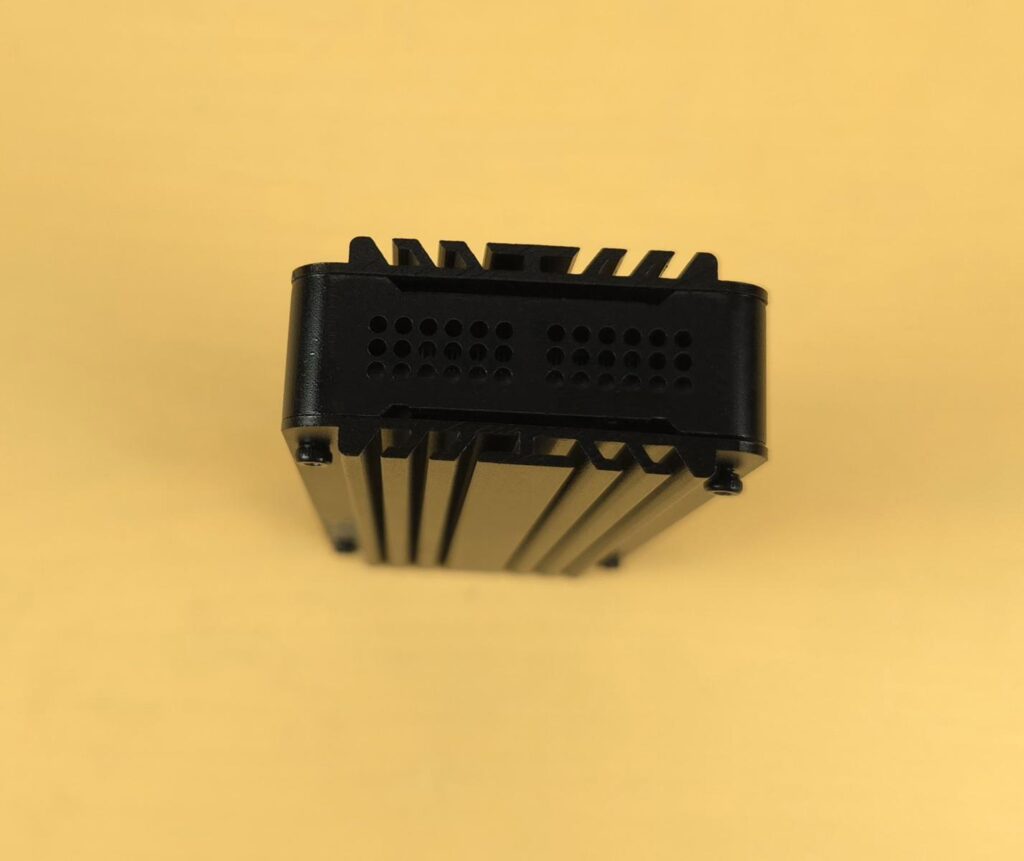
The opposite side of the port end has a vented portion. The inner fan expels the hot air from this vent.
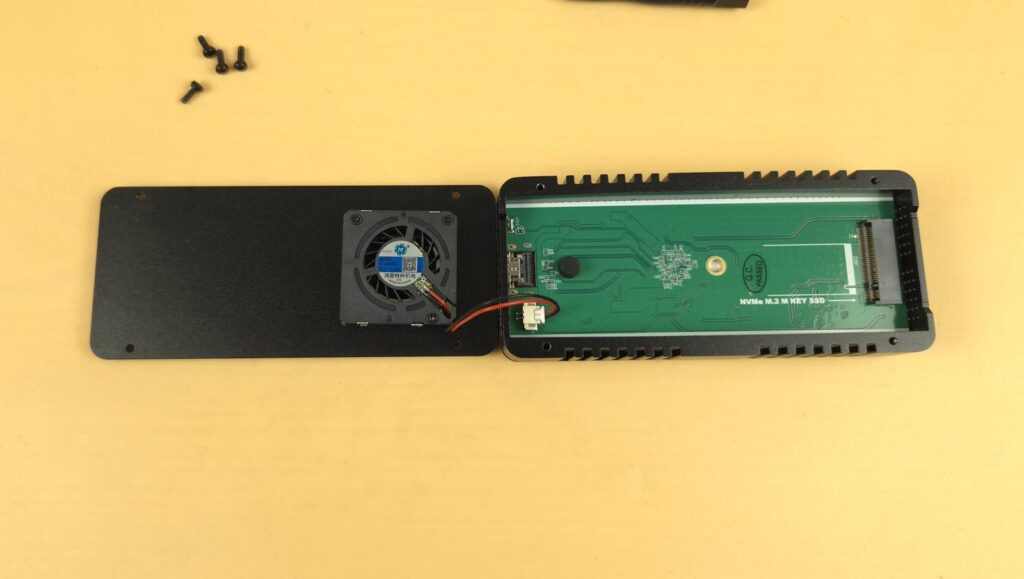
You don’t need to open the enclosure from the base. Just remove the top four screws to expose the PCB area. You can see a green PCB with M.2 M Key type port that supports 2242 and 2280 form factor drives. The 30x30mm fan is installed over the heatsink cover. This fan rests near the port end of the enclosure, not the end with the vent.
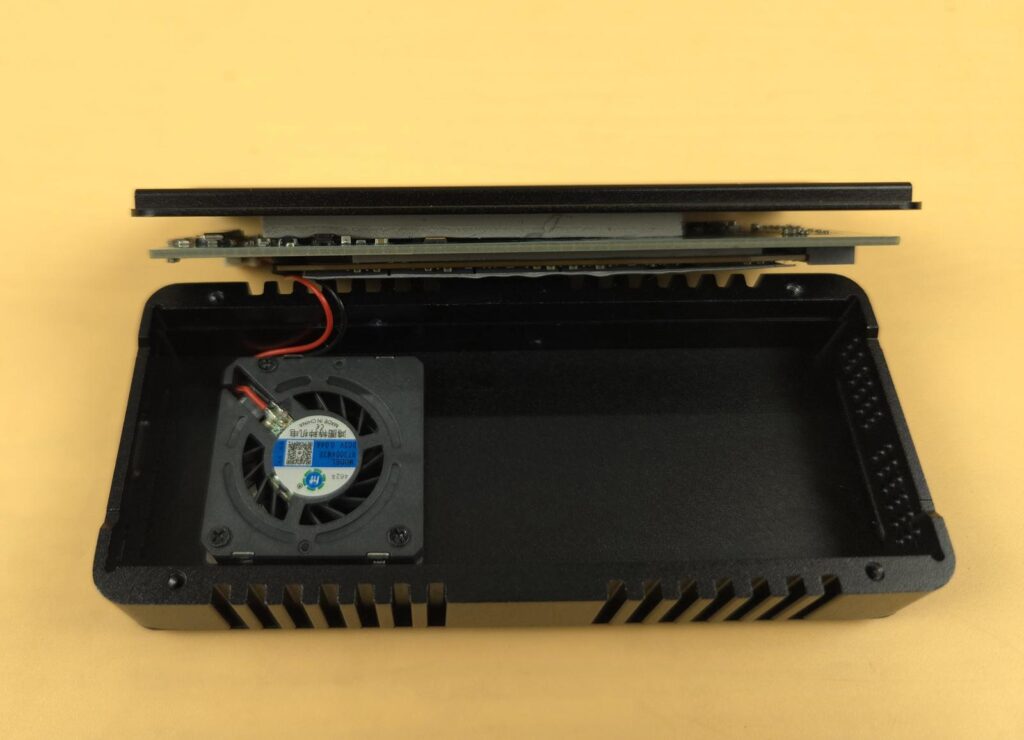
Opening the frame from the backside will take out the complete assembly. You can see a thick thermal pad between the heatsink cover and the backside of the PCB.
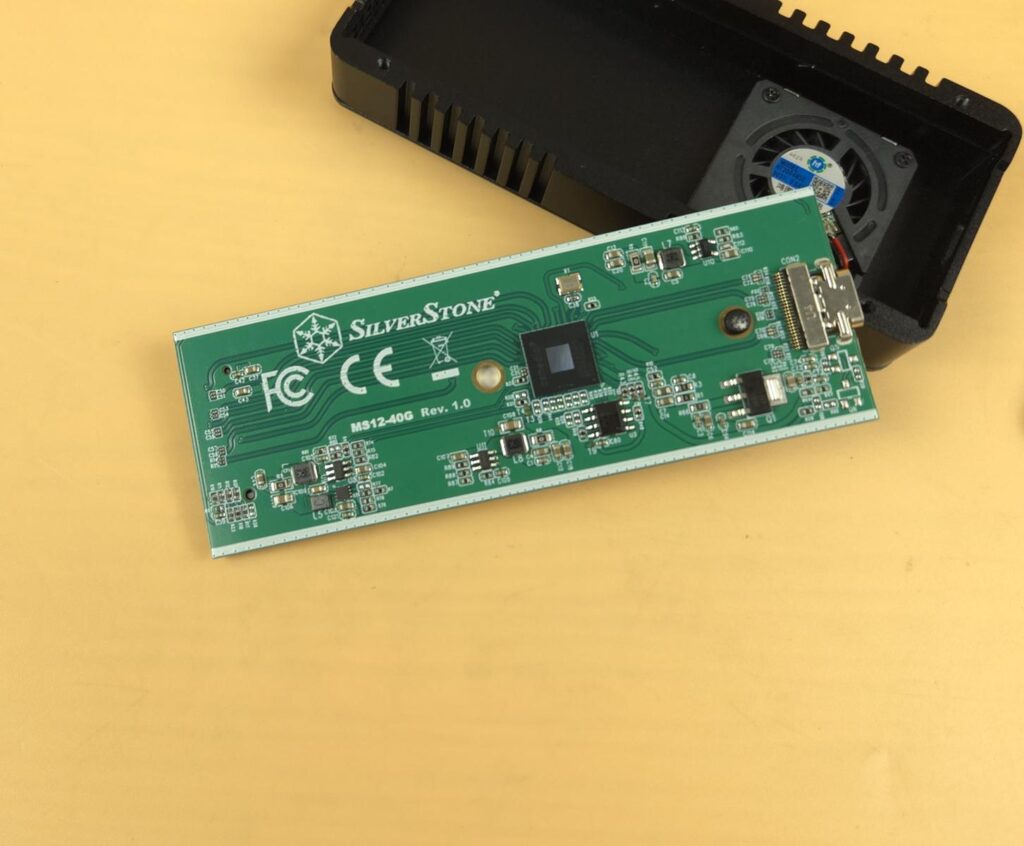
The PCB is green in color, and Revision 1.0 is printed in front of the product model. I am not sure if SilverStone has plans for any modifications or if this is for identification only. SilverStone has employed the ASMedia ASM2464PD controller in this enclosure. This is a new generation of USB4 ®/Thunderbolt to PCIe/NVMe Accessory controller from ASMedia. This controller supports USB/Thunderbolt tunneling and is suitable for portable SSDs and Enclosures, providing high-speed data transfer.
This controller provides data rate speed of USB 4 and Thunderbolt 20Gbpsx2 with backward compatibility over the Type-C interface. The main selling feature is its downstream port link which is capable of PCIe Gen4x4 support.
All thermal pads are rated at 2W/mK. The blue thermal pad has a dimension of 20×1.2x60mm (WxHxD). The Gray/White pad has a dimension of 20×3.5x60mm whereas gray pad has a dimension of 20x2x60mm.
Set-Up
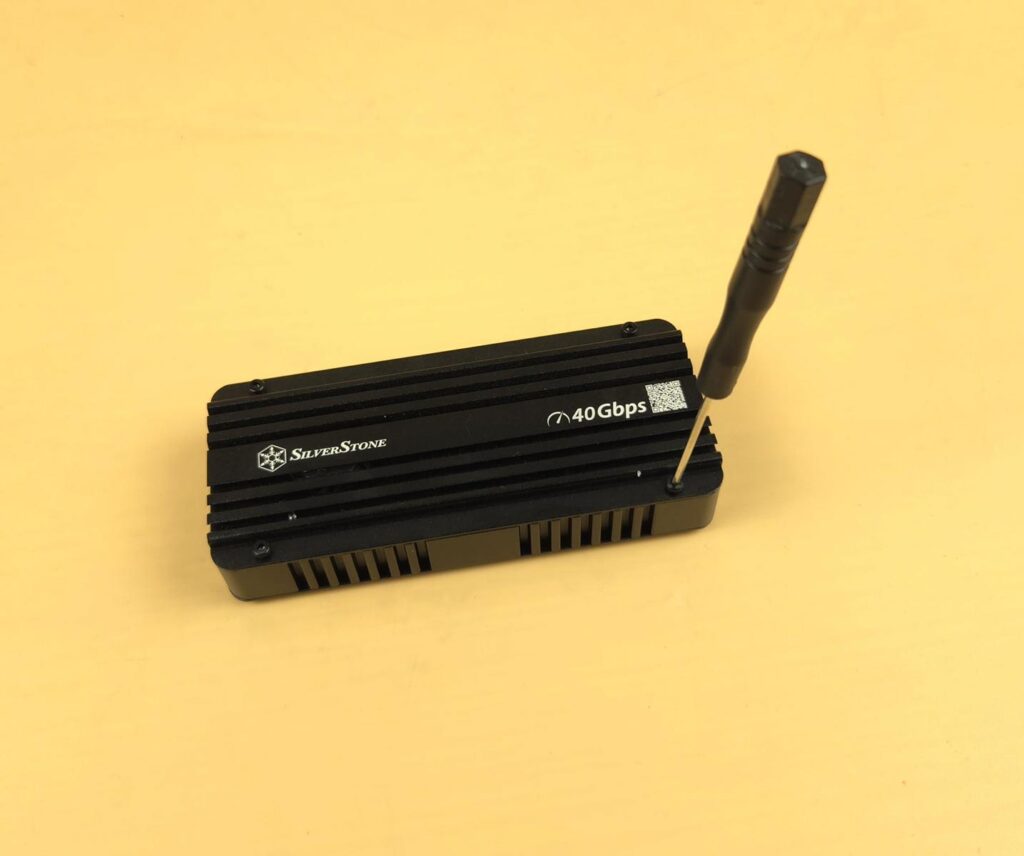
Setting up the enclosure is simple. Remove the four screws from the top side.
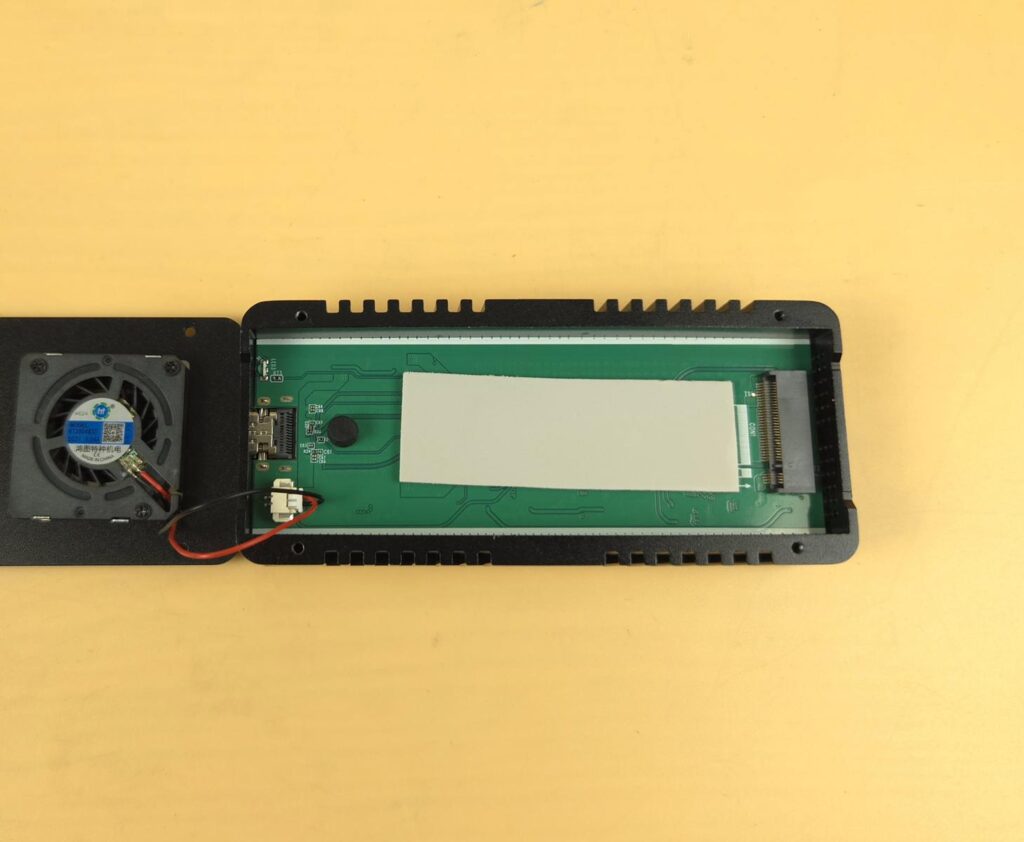
Install a thermal pad as per the required thickness on the main PCB.
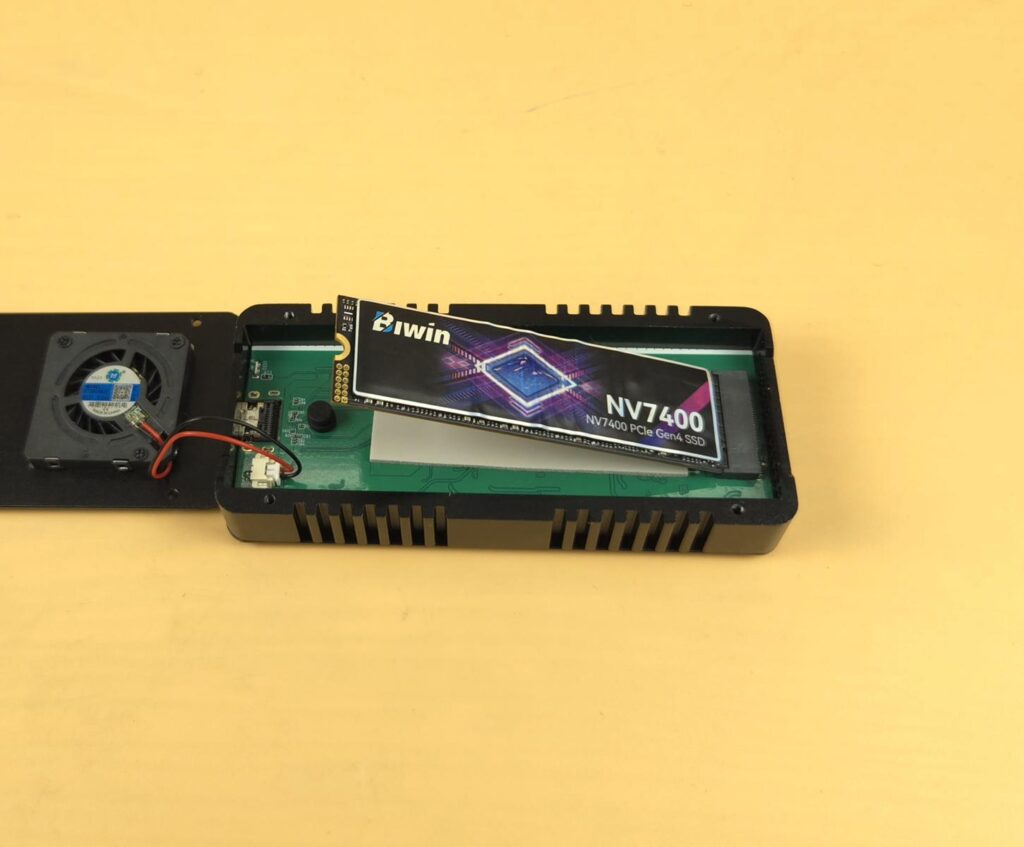
Insert the SSD on the M.2 port at a 20ᵒ angle.
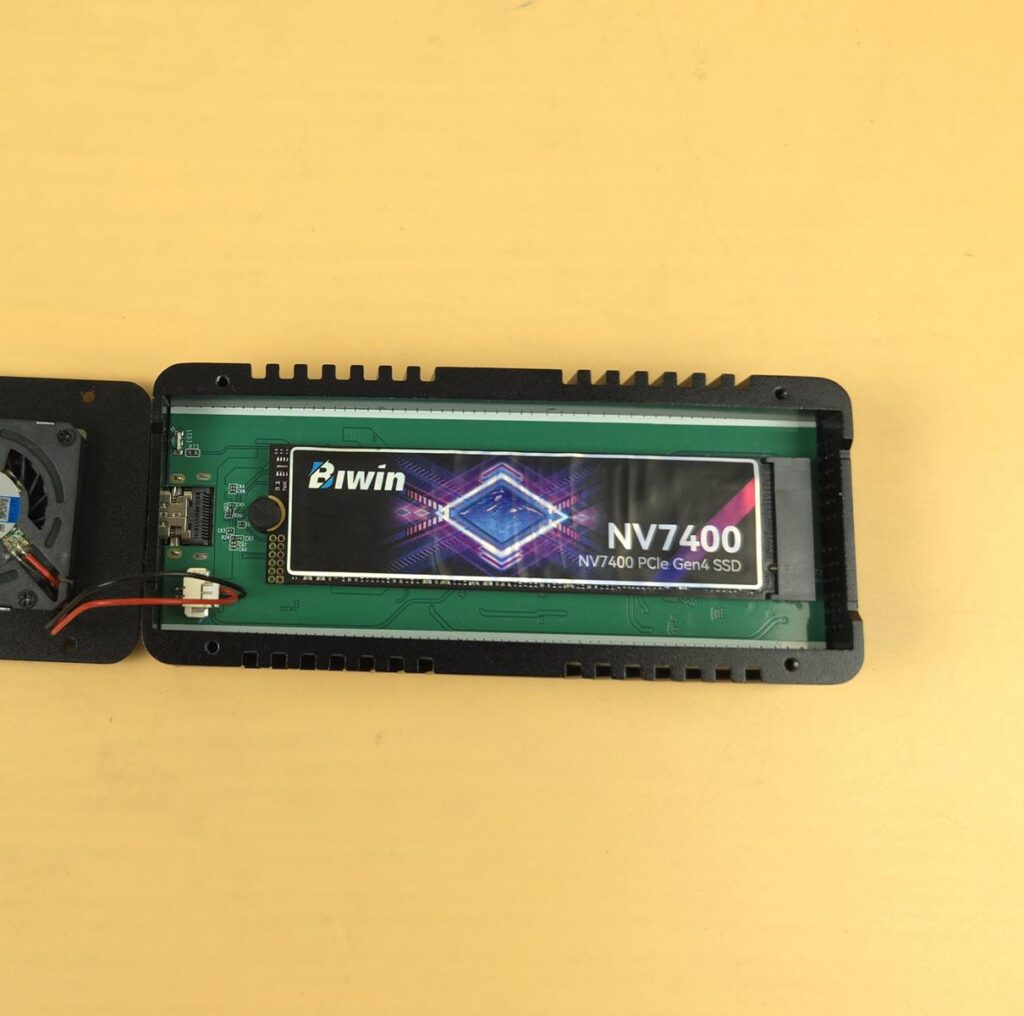
Connect the SSD to the silicon standoff.
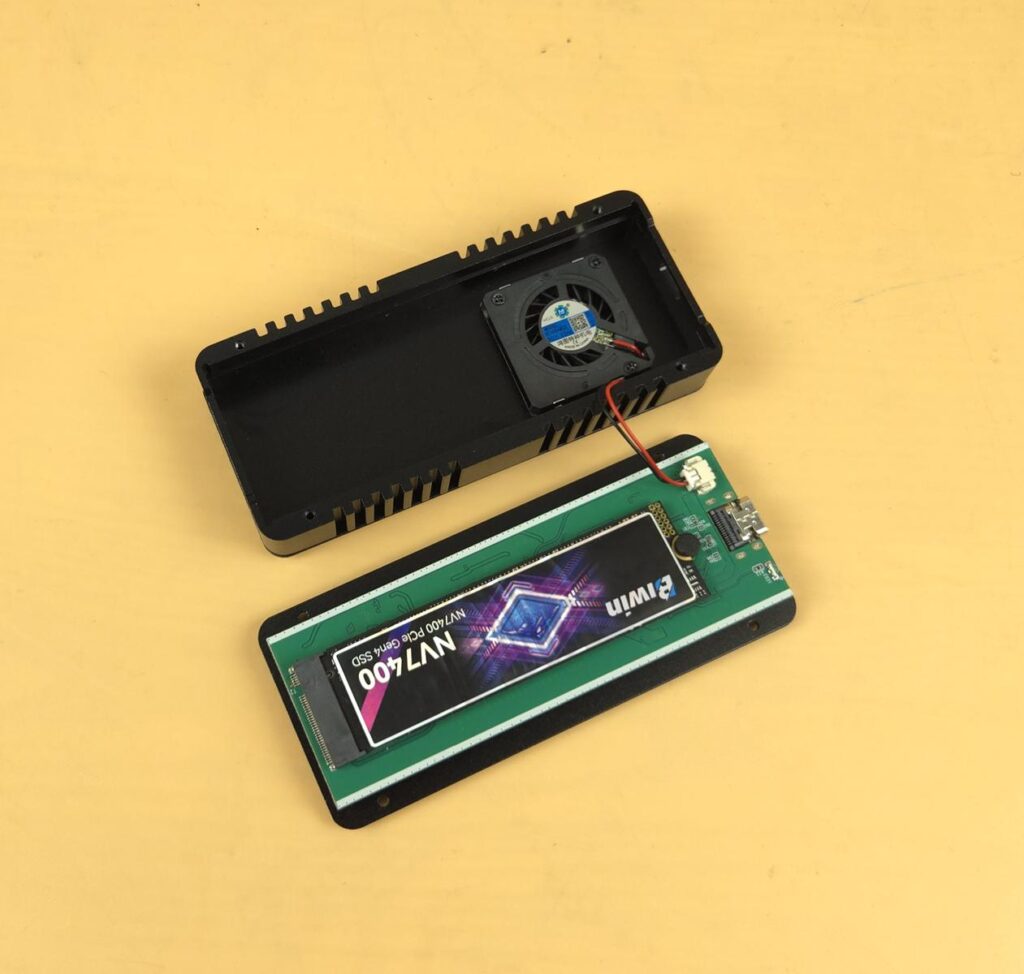
Install the cover back on the main frame, and you are good to go.
Testing
I have used the below configuration for testing:
- ASRock X870E NOVA WiFi
- AMD Ryzen 9 9900X [Stock, Auto]
- G.Skill Trident Z RGB 32GB 6400MHz CL30 kit
- Western Digital SN850 500GB NVMe Drive [OS]
- BIWIN NV7400 2TB NVMe Drive [For testing]
- ID-Cooling DashFlow 360 XT PRO
- Fractal Design ION+ 2P 860W Platinum PSU
- Thermaltake Core P6 TG Snow Edition in an open-frame layout
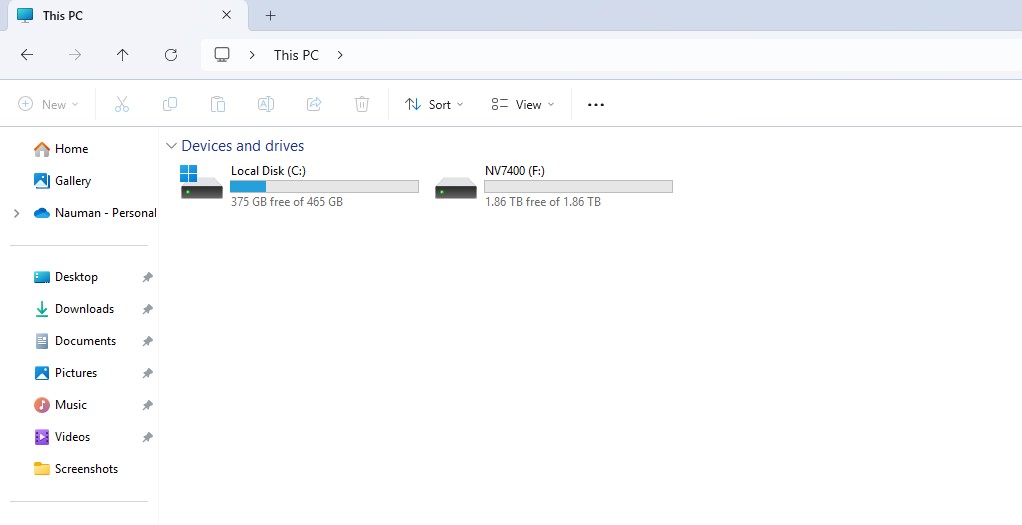
After initializing the drive, it showed up in MY Computer.
Let us take a look at the test results, starting with CrystalDiskMark:
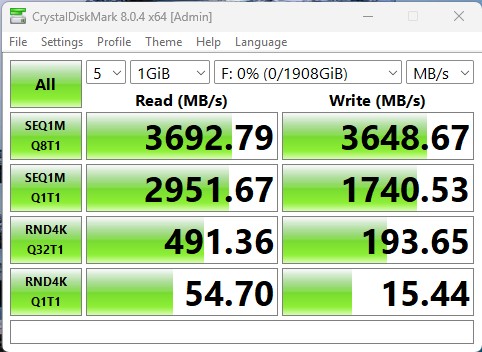
The drive reaches the 3692MB/s sequential read and 3648MB/s sequential write speed. This is close to 40Gbps mark.
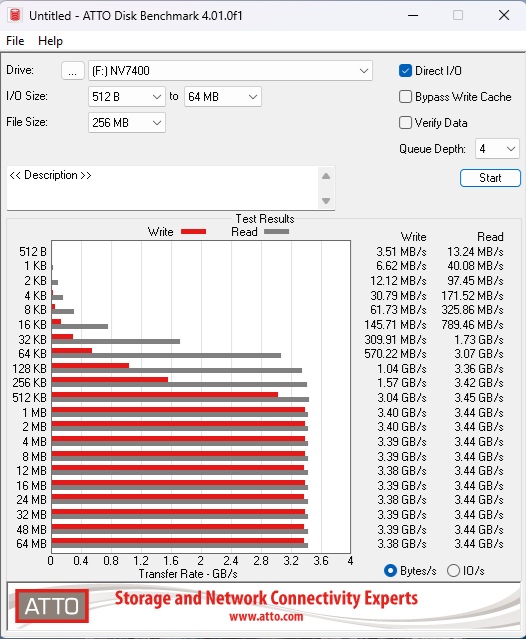
The maximum read speed was 3.45 Gbps, and the maximum write speed was 3.4Gbps.
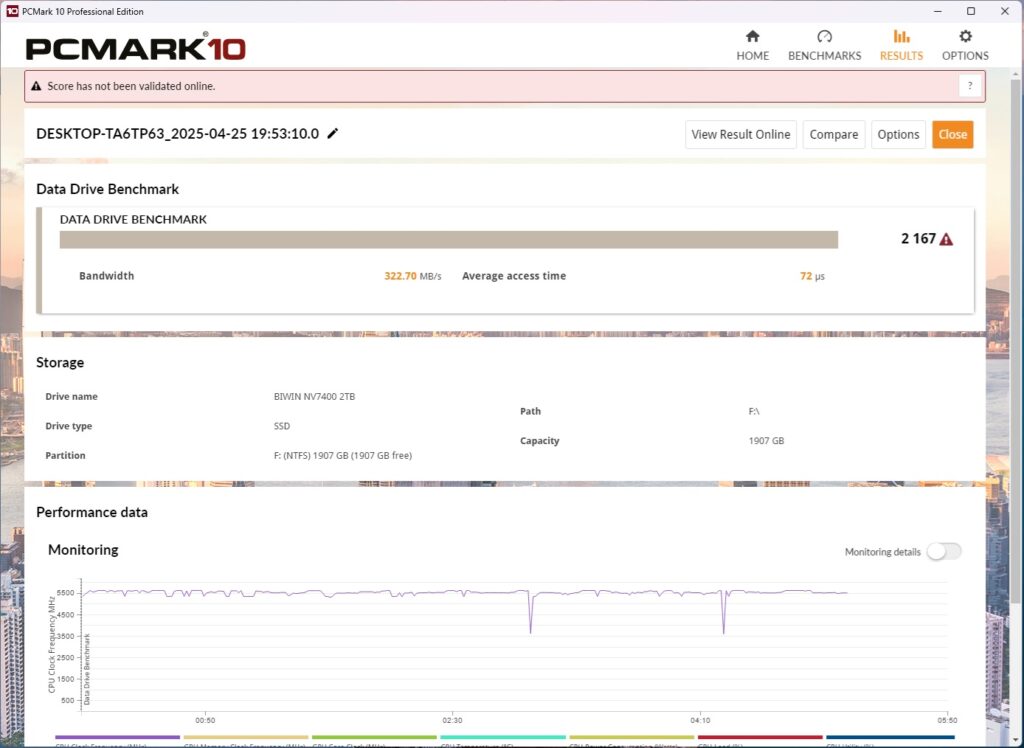
The drive scored 2167 in PCMARK10 Data Drive Benchmark.
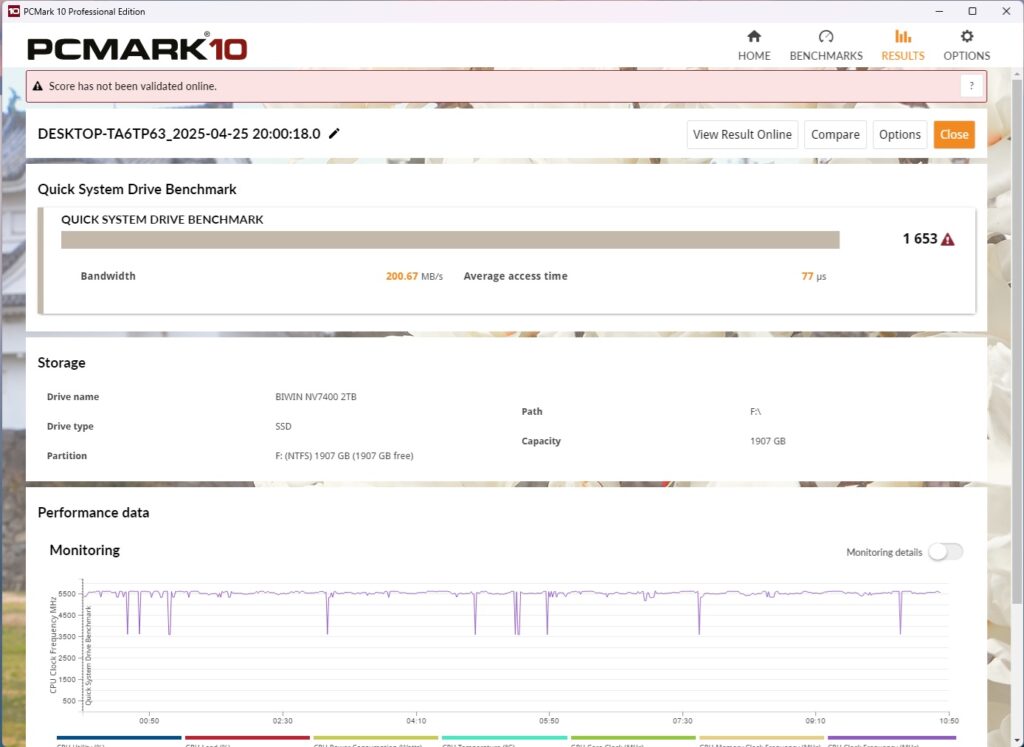
The drive scored 1653 in PCMARK10 in PCMARK10 Quick System Drive Benchmark.
Thermal Testing
I customized the CrystalDiskMark to run for 18 minutes continuously on sequential read and write speeds simultaneously on the drive. I wanted to see the thermal behavior of the drive.
| Sequential Read | Sequential Write | |
| Minimum Speed | 3011.496 | 1126.784 |
| Maximum Speed | 3695.863 | 3629.837 |
| Average Speed | 3600.624 | 2843.642 |
The drive reached 85°C maximum temperature during this test which is beyond my comfort level. I did not observe drive throttling during sequential read speed. However, drive throttled during sequential write speeds. Please note that 9 cycles of read speed tests were repeated first followed by 9 cycles of sequential write speeds.
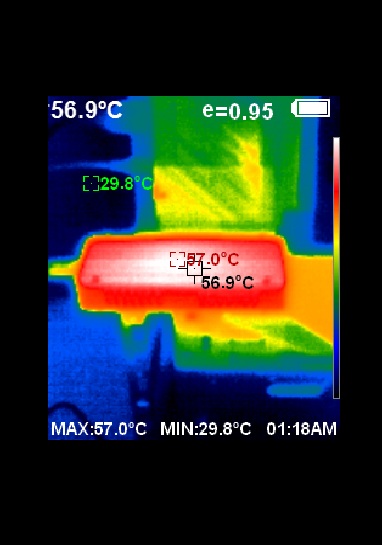
I have used thermal imaging camera to see the surface temperature of the enclosure itself which was 57°C. The ambient was 27°C. I am not satisfied with the overall thermal behavior.
Conclusion
Many manufacturers are releasing USB 4.0 based enclosures for M.2 NVMe drives. SilverStone has released MS12-40G which is a USB 4.0 to M.2 NVMe enclosure capable of providing up to 40Gbps theoretical data transfer rates. The latest AMD X870E/B850 provides USB 4.0 ports on consumer grade motherboards. However, Intel’s latest platform uses Thunderbolt 4 port(s) which don’t support full 40Gbps bandwidth on USB 4.0 devices.
The MS12-40G supports M.2 NVMe M Key type SSDs in 2242 and 2280 form factors. The enclosure itself is made of aluminum material and acts like a heat sink. There is an embedded 30x30mm fan making this an active cooling solution. The user has no control over the fan speed.
USB Type-C port is provided which is obvious and the main driving force is ASMedia’s ASM2464PD controller that supports USB4/Thunderbolt tunneling and PCIe 4×4 supported downstream port link. Three thermal pads are provided out of which one is pre-installed. These are rated for 2W/mK thermal conductivity.
This is not a tool-less design as you need to undo 4 screws for the drive’s installation unlike sliding option on MS13 enclosure from SilverStone. The dimension of the enclosure is 106mm 46mm 21.8mm (DxWXH). SilverStone has bundled a screwdriver and a USB Type-C cable as well.
SilverStone MS12-40G comes at USD 119.90 which is a steep price given the current prices of the other USB 4 enclosures on the market. This is my second USB 4.0 based M.2 NVMe enclosure. First was from ORICO back in time when there were hardly any USB 4.0 enclosures and at that time, USB 4.0 was not integrated into the consumer motherboards. The enclosure has performed quite well. I have no complain in terms of data transfer rates as we are close to 40 Gbps mark but the thermal performance is not at par. The drive throttled during stress testing and reached 85°C while the enclosure itself was at 57°C.