














be quiet! Dark Rock 6 Air CPU Cooler Review
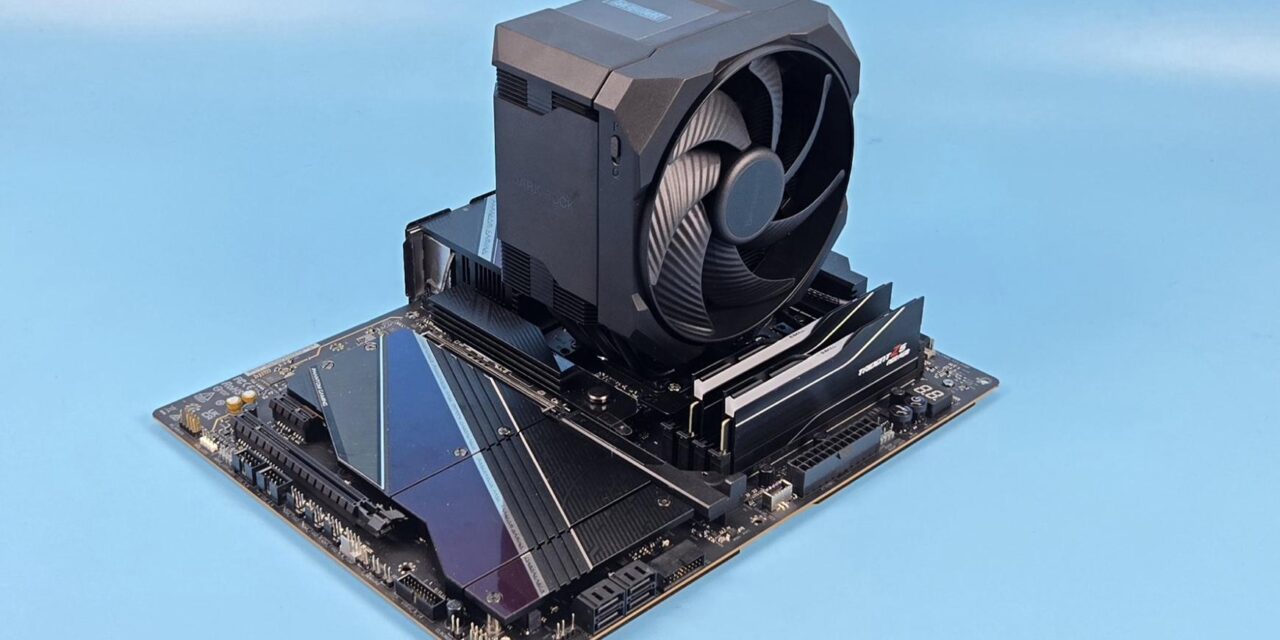
In my opinion, the tough competition in the air coolers is saturating the market, and it is now becoming evident that marginal performance gains are substantiated with augmentations like overall outlook of the cooler, RGB effects, mainstream installation kits, and customized fans. Nevertheless, brands are continuously coming out with new models offering better performance over the predecessors.
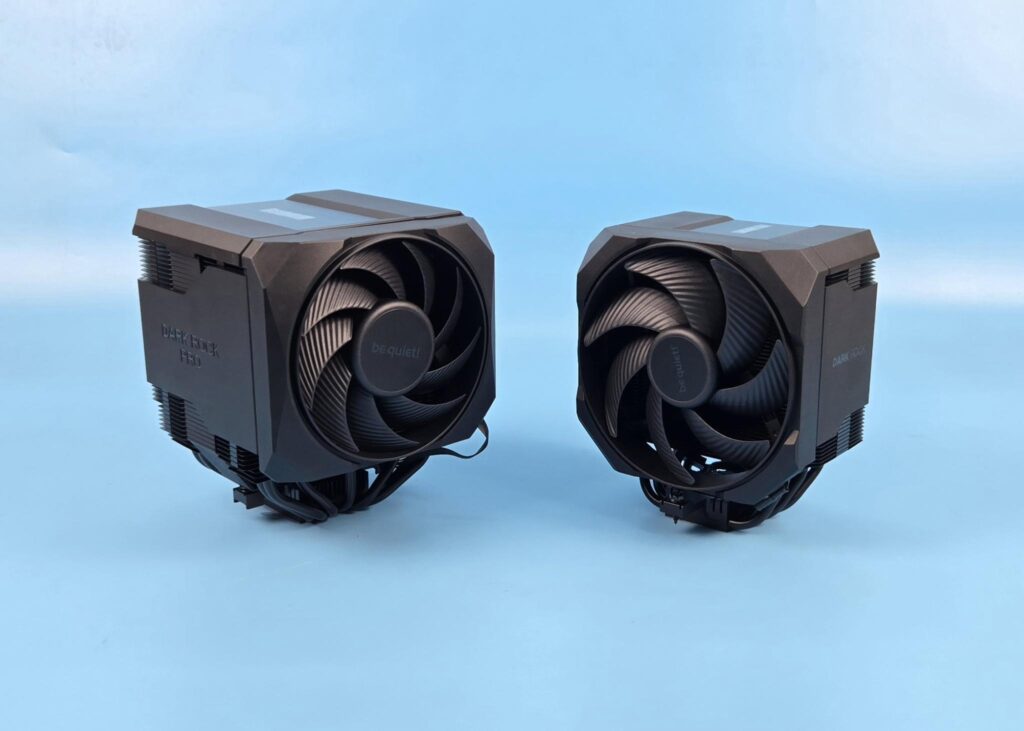
Be quiet! has released two new coolers:
- Dark Rock 6
- Dark Rock Pro 6
I will be covering Dark Rock 6 in this article, followed by its Pro version in the next article. The Dark Rock 6 is a single tower configuration with a customized 135mm Silent Wings fan and a rail-mount (almost) design. The black housing around the heatsink gives one unified and stylish profile to the cooler.
This is a mainstream cooler particularly aimed at gamers who would want silent cooling, with outstanding universal clearance and compatibility with convenient installation. Be quiet! has introduced P and Q fan curves as well, which are hardware-based. Q mode triggers semi-passive cooling in which fans will not spin under 40% PWM range.
It is about time, be quiet! has switched to fin-array structure fin placement. This is something that DeepCool has been doing for quite some time, and it has proven its effectiveness. The salient features include:
- Semi-passive quiet mode with full fan stop function
- Hardware switch to toggle between P and Q modes
- 6x heat pipes
- Revamped heat sink for better cooling performance
- Silent Wings 135mm PWM fan
- Achieves only 31.1dB(A) at maximum fan speed
- Universal RAM compatibility with better clearance for VRM cooler/heat sinks
- Easy mounting system for fan and heat sink
- Special ceramic-particle black coating
- Magnetic top cover
- Compatible with liquid metal thermal grease
- 3-year manufacturer’s warranty
The be quiet! Dark Rock 6 has an MSRP of €89.90 and US $109.90. It comes with a 3-year warranty
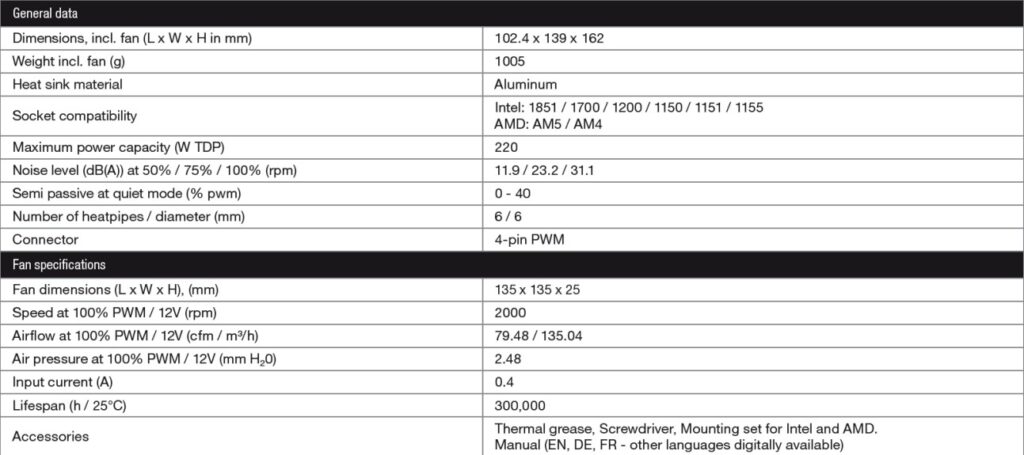
Specifications
Packing and Unboxing
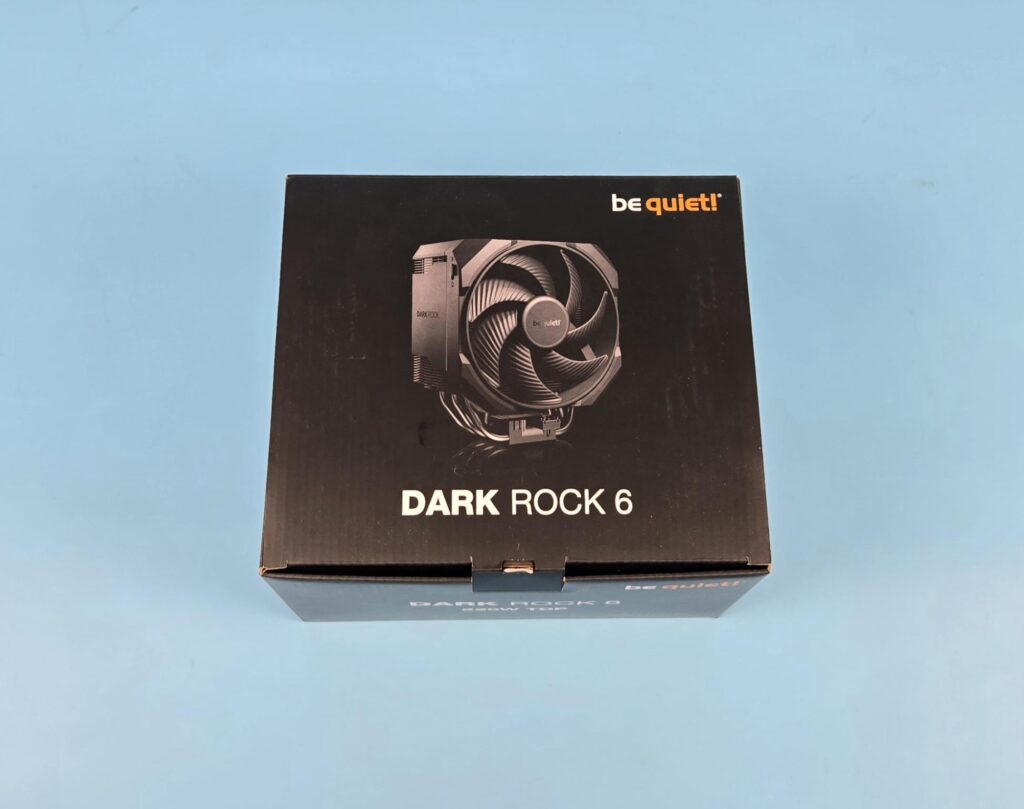
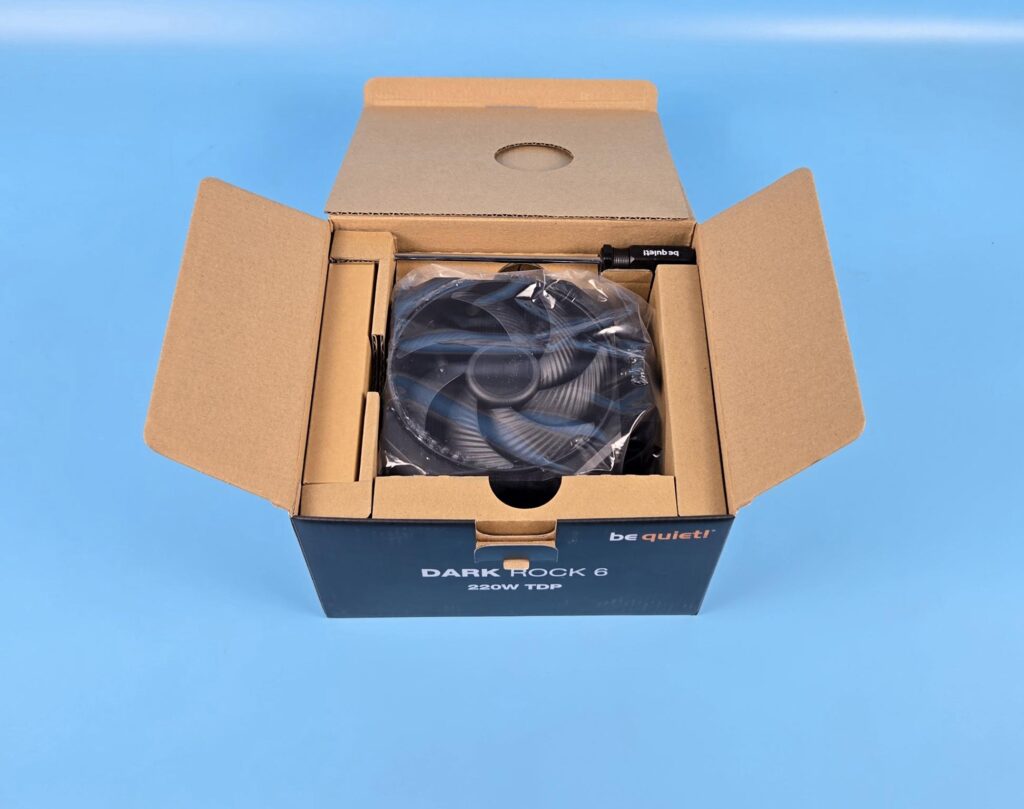
The product is shipped inside a cardboard box in a black color theme. Be quiet! has retained its theme for the packing boxes. Inside, you can see a screwdriver on one side. The accessory box is tucked on the left, and the cooler is placed in the middle.
The following are provided:
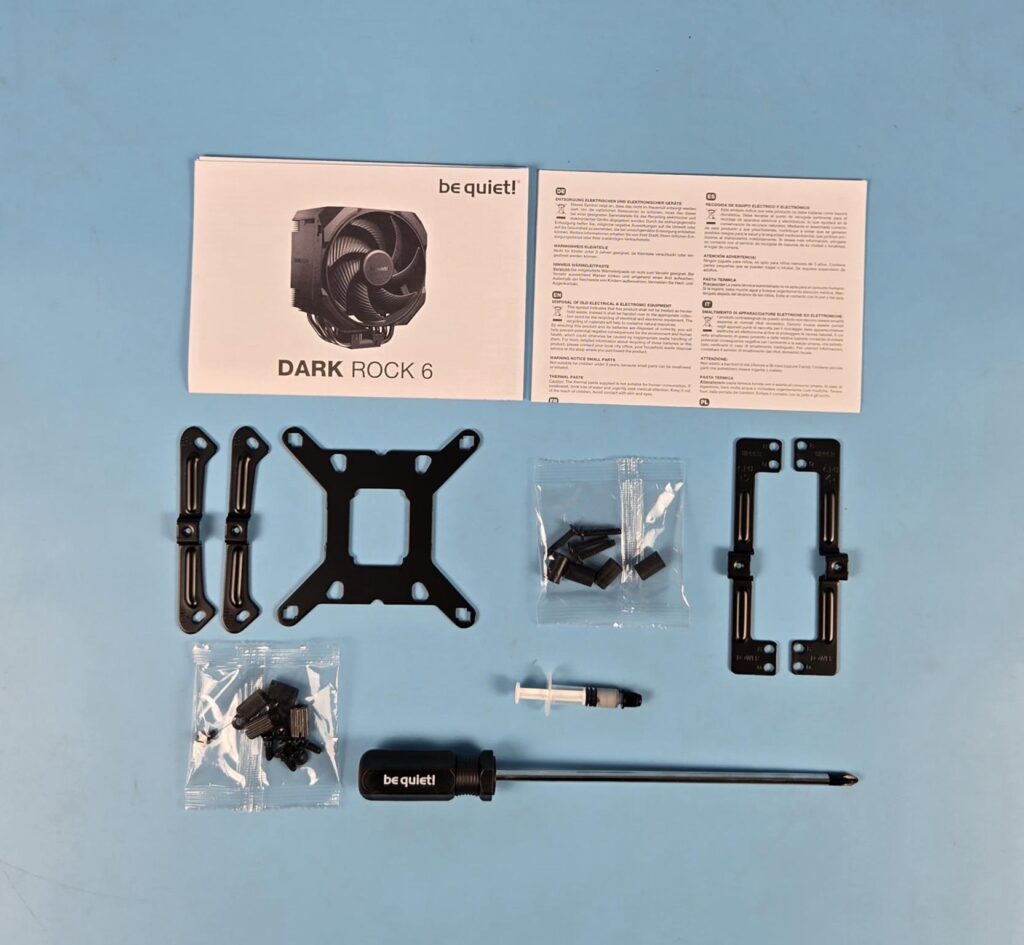
- 2x AMD Mounting Brackets
- 4x AMD Spacers
- 4x AMD Screws
- 1x Intel Backplate
- 4x Intel Screws for backplate
- 4x Intel Rubber washers for backplate
- 2x Intel Mounting Brackets
- 4x Standoff Screws
- 1x Thermal Paste
- 1x Long Neck Screwdriver
- 1x User Guide
- 1x Warranty Paper
Closer Look
Let’s take a look at the cooler and see its design and layout.
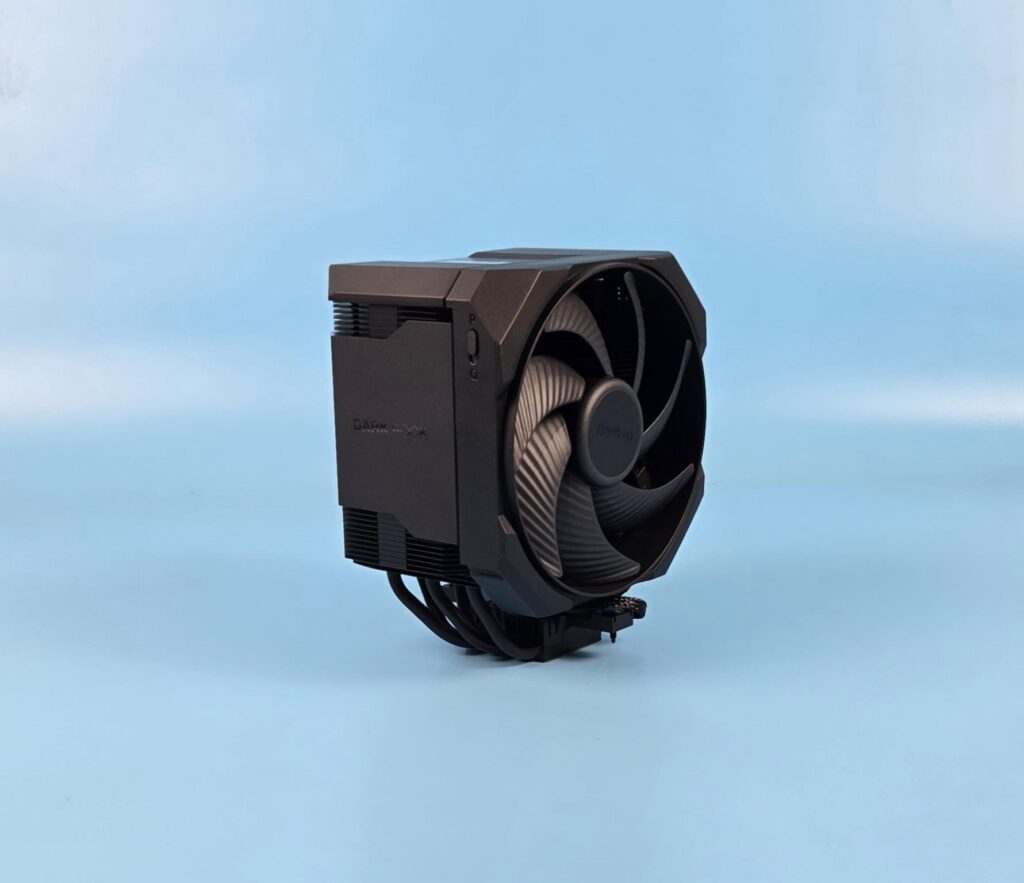
The dimension of the cooler is 102.4x139x162mm. The overall dimension is a tad more than the Dark Rock 5, which has 101x136x161mm dimensions. Here, 162mm is the height of this unit. The Dark Rock 6 has a weight of 1.05Kg whereas the Dark Rock 5 has 1.03Kg weight.
The new cooler is compatible with Intel LGA1150/1151/1155/1200/1700 sockets. It is compatible with AMD AM4 and AM5 sockets. There is no support for Intel LGA20xx, so keep that in mind. The complete assembly is black ceramic color spray-painted. The special black coating with ceramic particles makes a perfect transfer of heat possible.
The overall closed design speaks for itself and creates a bold yet stylish outlook that will bode well in themed builds, particularly the neutral one.
Heatsink Design
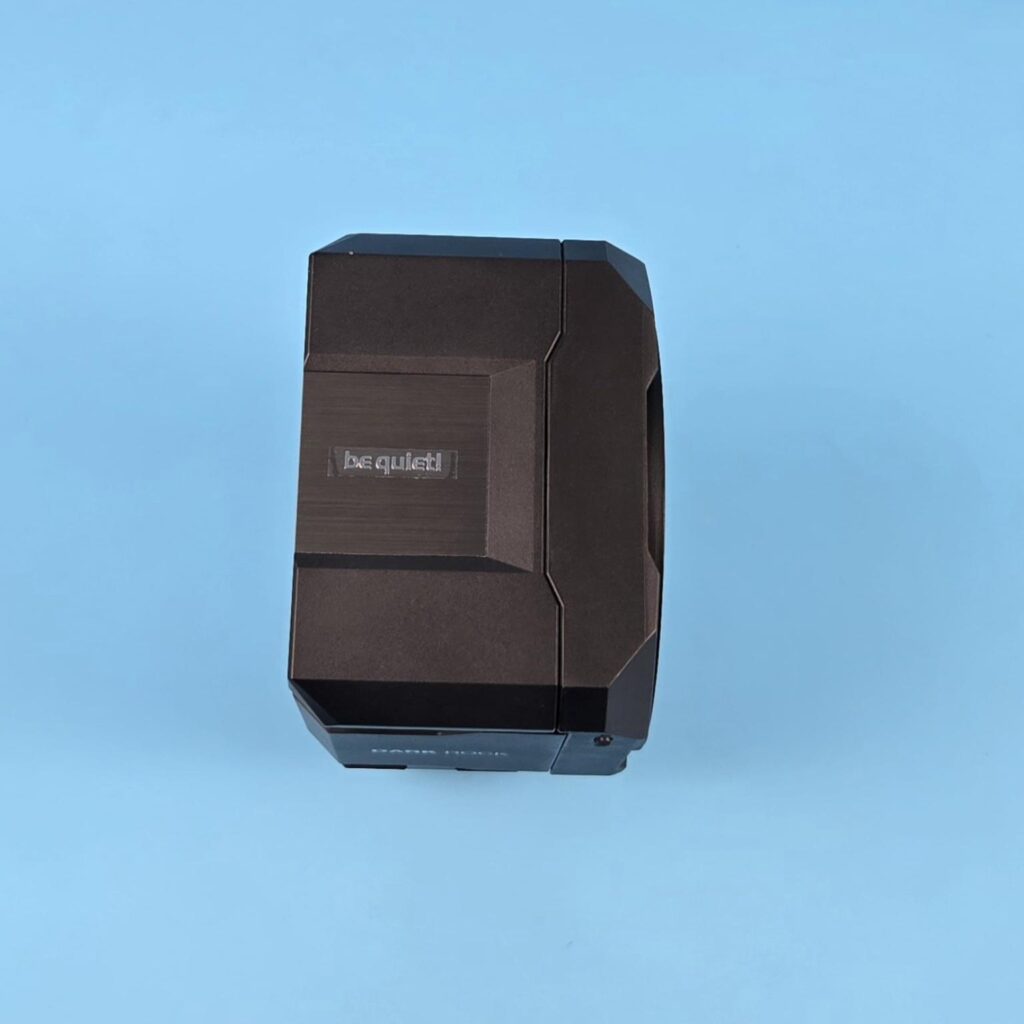
The top of the heatsink has a magnetic cover which is made of plastic and has a silver accent center with be quiet! branding. The contours sit perfectly on the cover and the fan assembly. The fan also comes encapsulated in a housing.
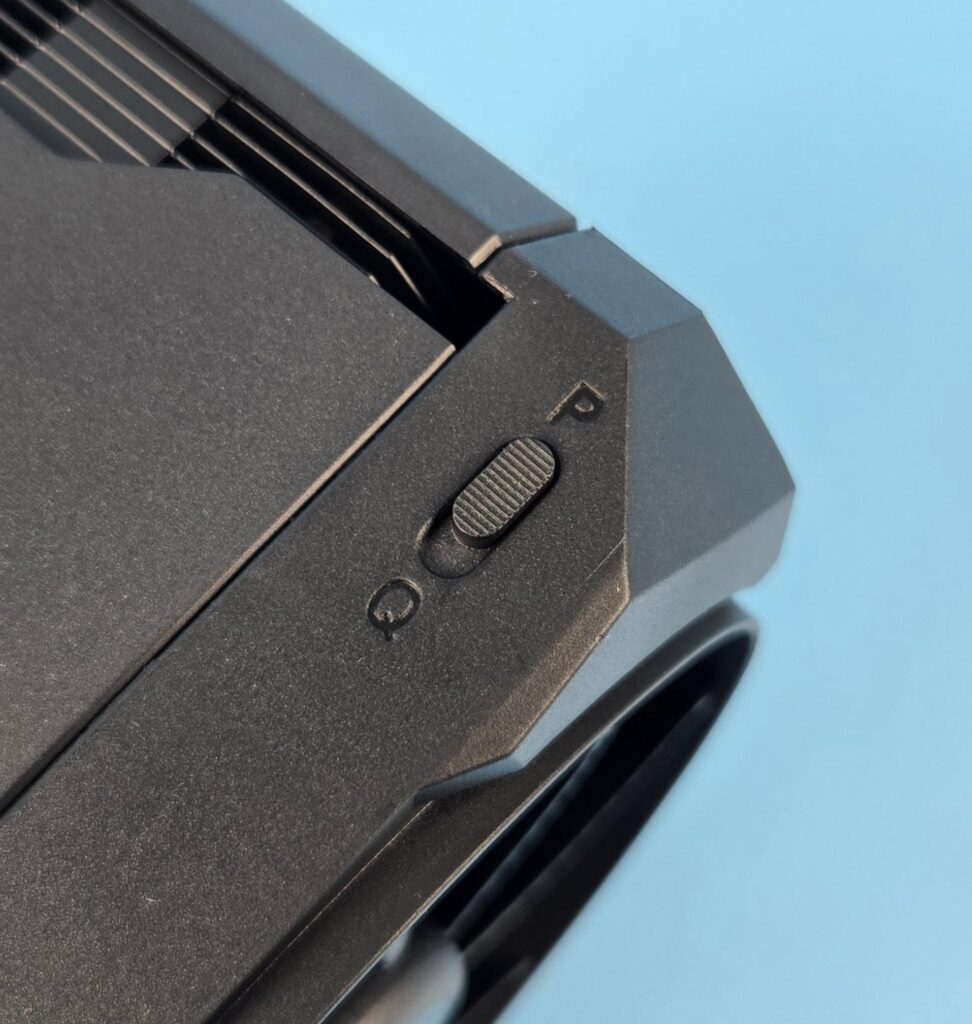
The fan frame has a slider button with P and Q labels. The P stands for performance mode, and it runs the fan at full speed. However, you can achieve a semi-passive mode using the Q (silent) mode. Two important points are:
- You need to shut the PC off before switching the mode.
- For Q mode, you need to set the fan header setting to either Silent or Normal depending on the motherboard’s UEFI. Silent should work on the majority of the motherboards.
Under Q-mode, the fans would come to a stop under 40% PWM load, providing excellent sound output. Please note that your motherboard should support the Fan stop function as well.
Editor’s Note: I appreciate the provision of two modes for the fan performance but it is not convenient to shut down PC every time to make a change and that to open the PC case to access the slider button. A software-based control would rather be better.
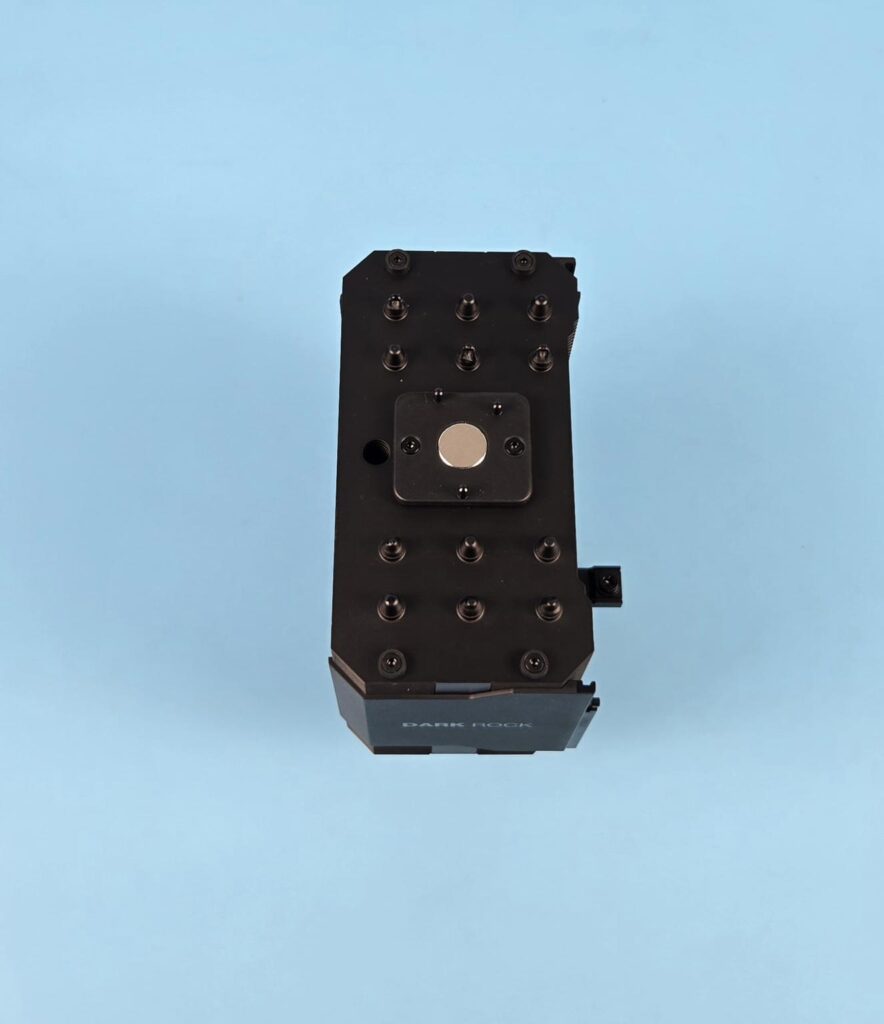
I have removed the top cover. You can see a large magnet in the center. The heat pipe placement resembles the ones on Dark Rock 5. Terminating tips are visible on the top.
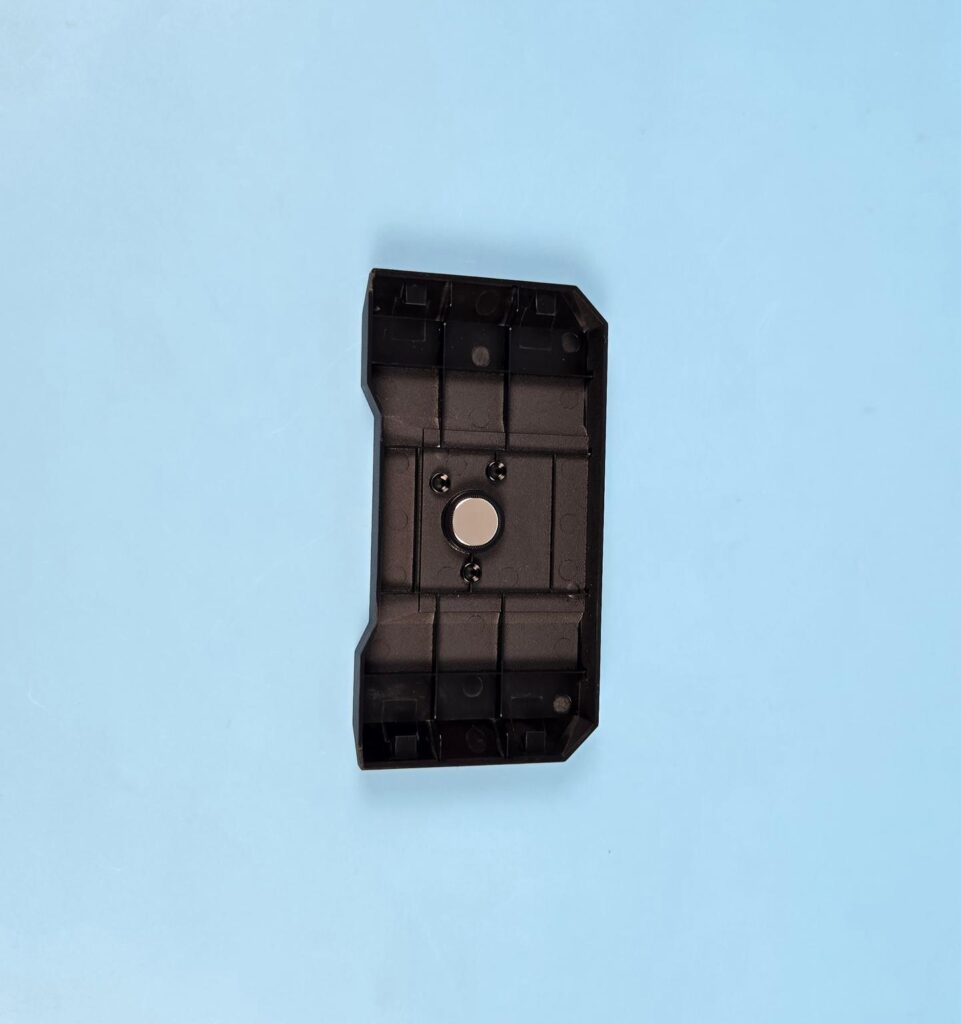
The top cover has a magnet in the center.
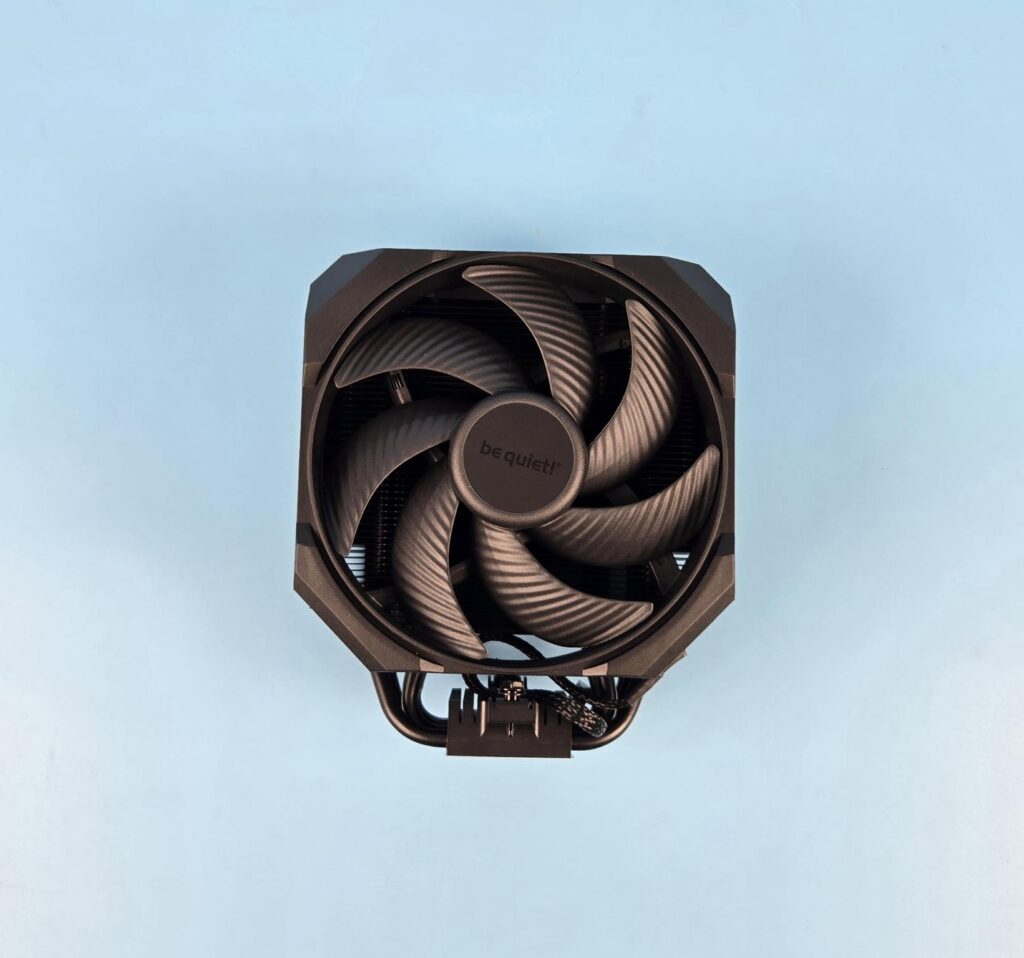
You can see a fan assembly on the front of the cooler. The fan is enclosed inside the housing, providing a closed look that looks brilliant. You can slide the fan upwards to release it from the heatsink. However, you can’t adjust the height of the fan; hence, it is not a fully rail-mount design.
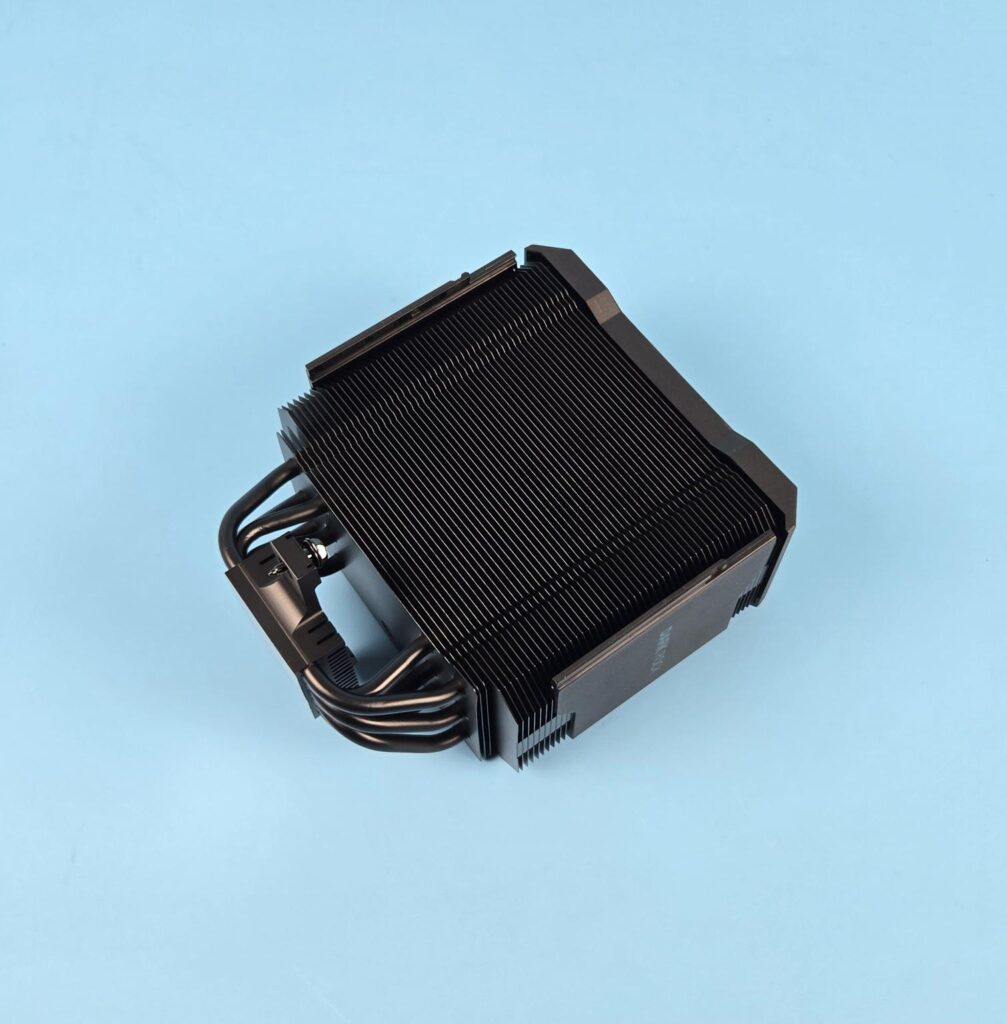
I am showing the heatsink on the front side after removing the fan. You can see latches on the side frame where the fan assembly slides on and latches to secure fit it. This cooler has 51 fins in total. They are in a straight-line pattern on the front, which reduces the air drag and reduces the noise and vibration. Also note that the last fins are offset from the rest of the fin stack. The step design provides clearance for the motherboard near the socket/VRM area.
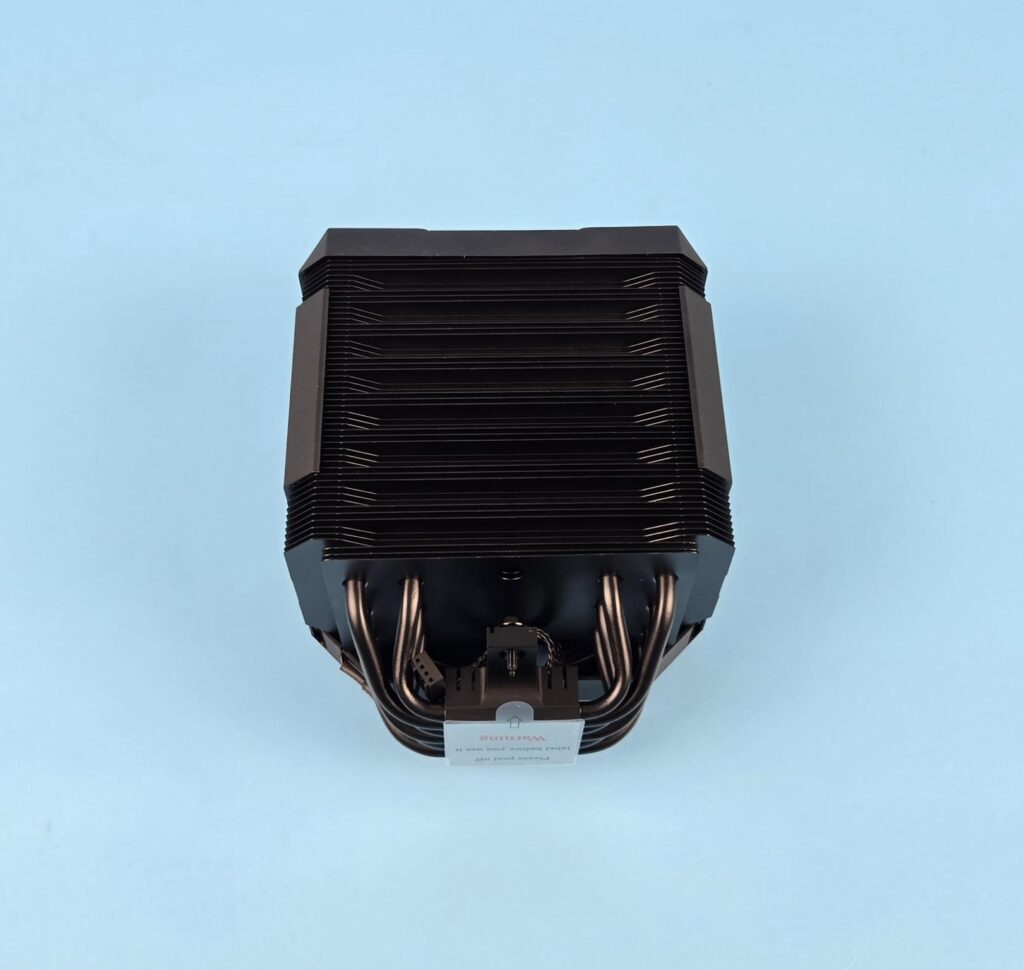
I am showing the rear of the heatsink. Here we have an alternate arrangement of the fin plates in groups of 8 and 9. The 8 groups are in an inset layout compared to the full width of the 9 groups. Each group has 3 fins forming a fin array design. This is similar to the Dark Rock 5 except that the number of fins is increased.
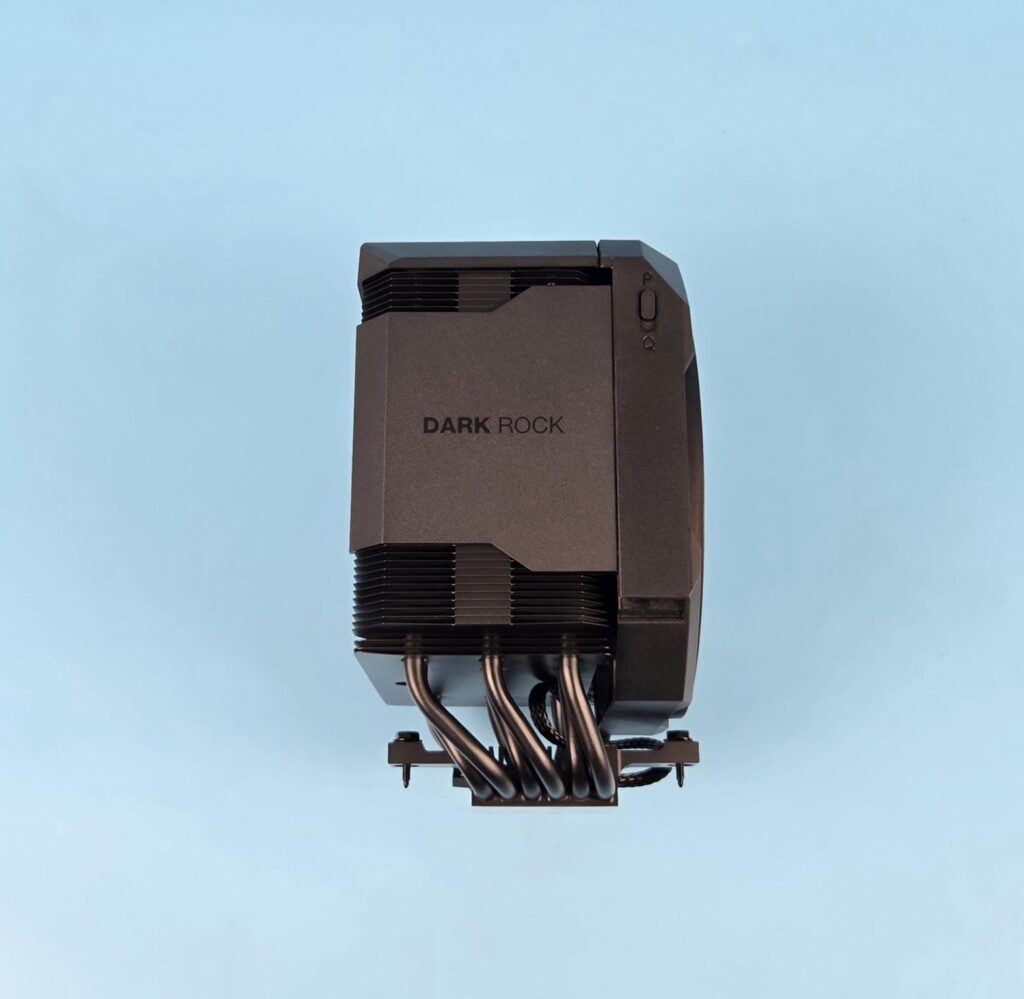
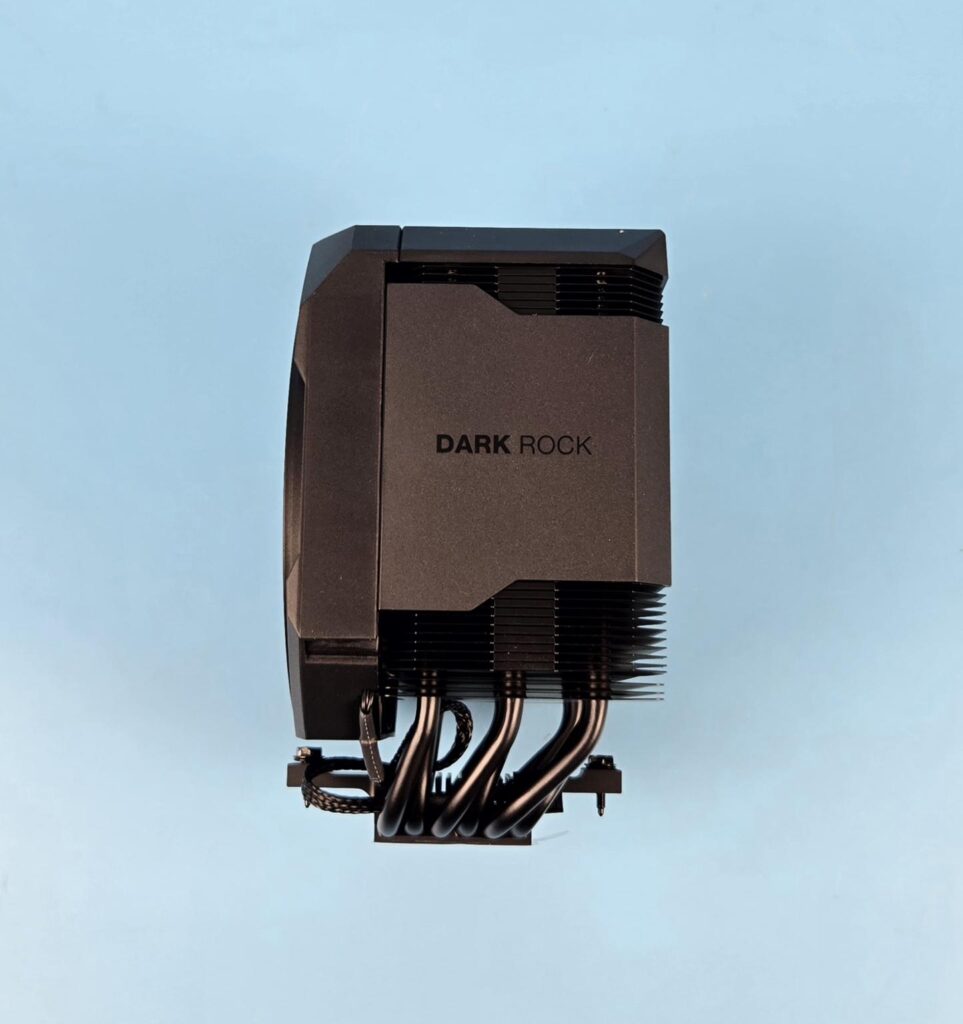
Looking at the side of the heatsink, we can notice three things:
- The interlocking mechanism of the fins is located on the side.
- The heatsink has an offset design to provide universal clearance for the DIMM slots.
- The housing is extended on the sides as well, providing a closed look (almost). Be quiet! has left some areas exposed, which is understandable, as an air vent is needed.
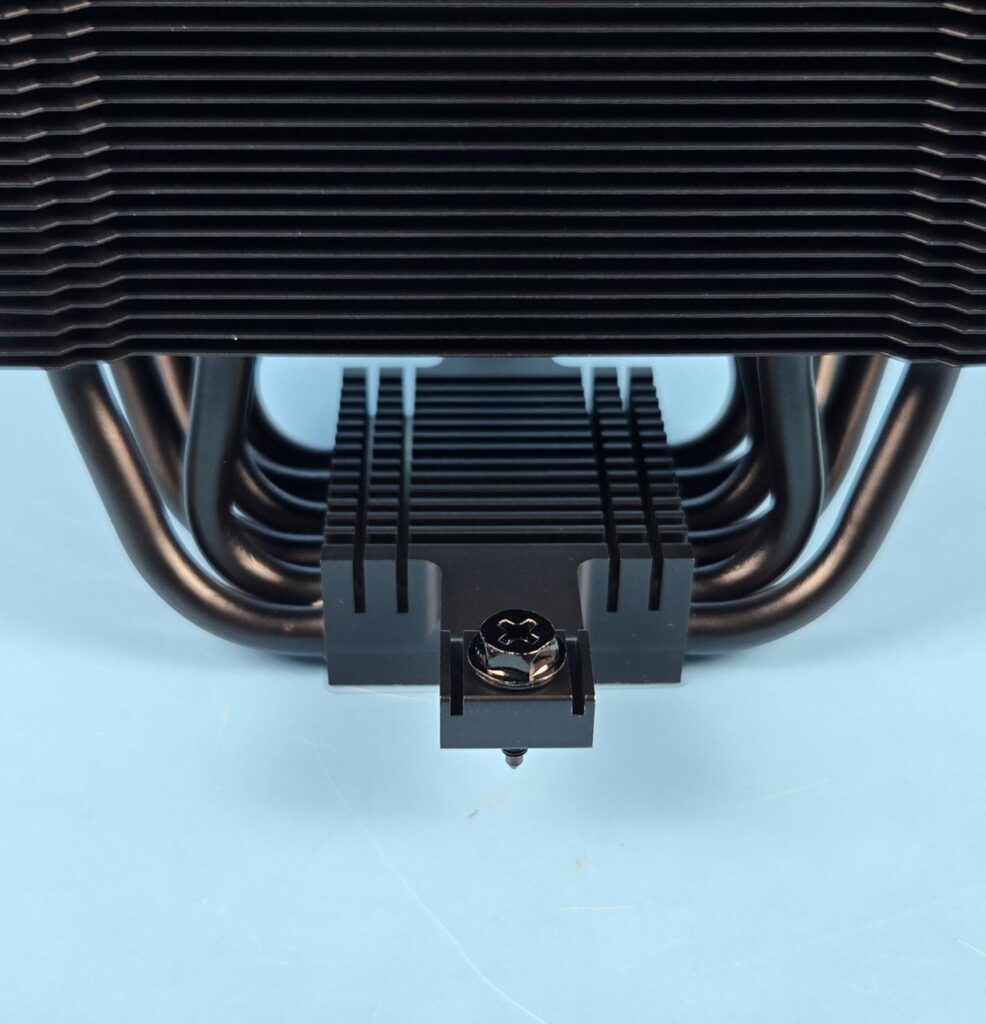
The cooler comes with an aluminum heatsink over the base that has a cross-bar pre-installed. The cross-bar has two screws (non-spring) to install the cooler over the mounting brackets.
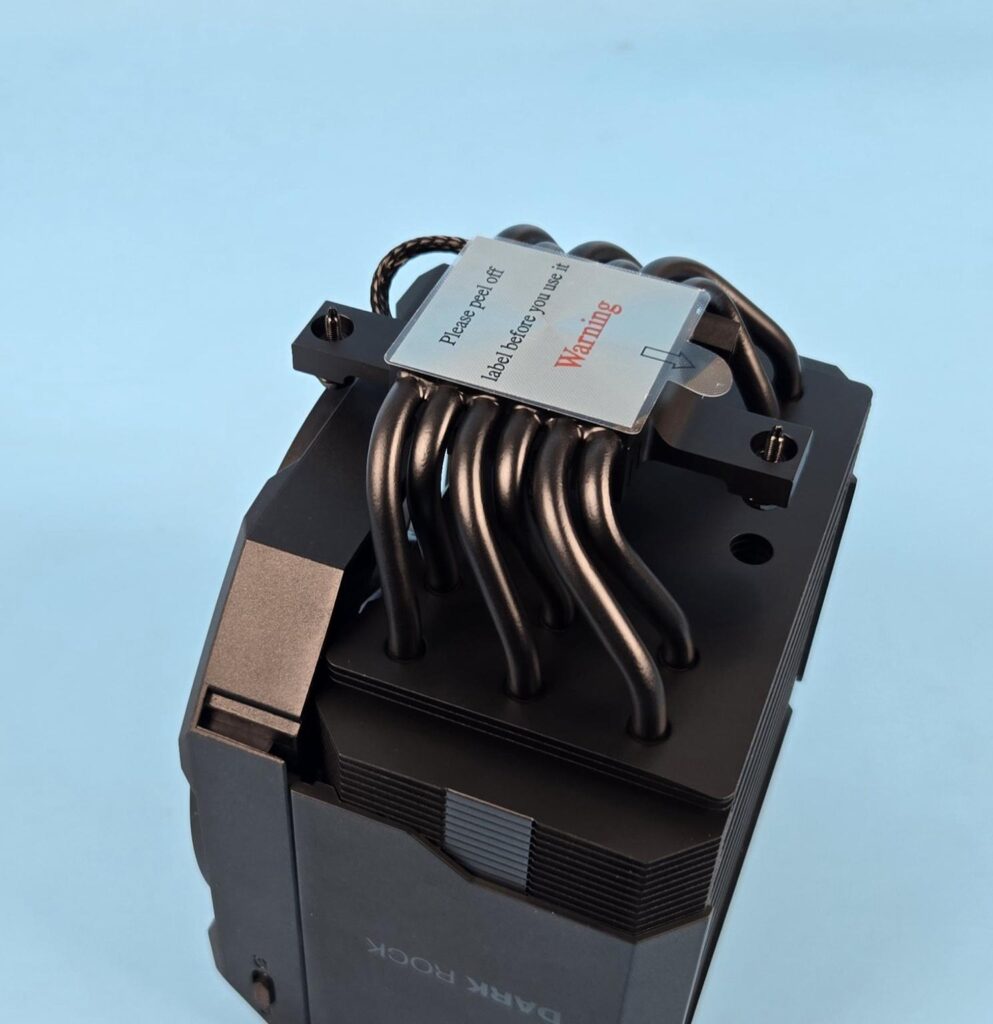
This cooler comes equipped with 6x copper heat pipes which are also black spray coated. Each heat pipe has a thickness of 6mm. These pipes are arranged in an alternate manner, providing maximum contact with the fin stack for even heat spread.

The cooler has a nickel-plated copper base on this cooler. It has a protective cover to protect it from scratching during shipping/handling. Don’t forget to peel it off before installing the cooler.
Fan Design
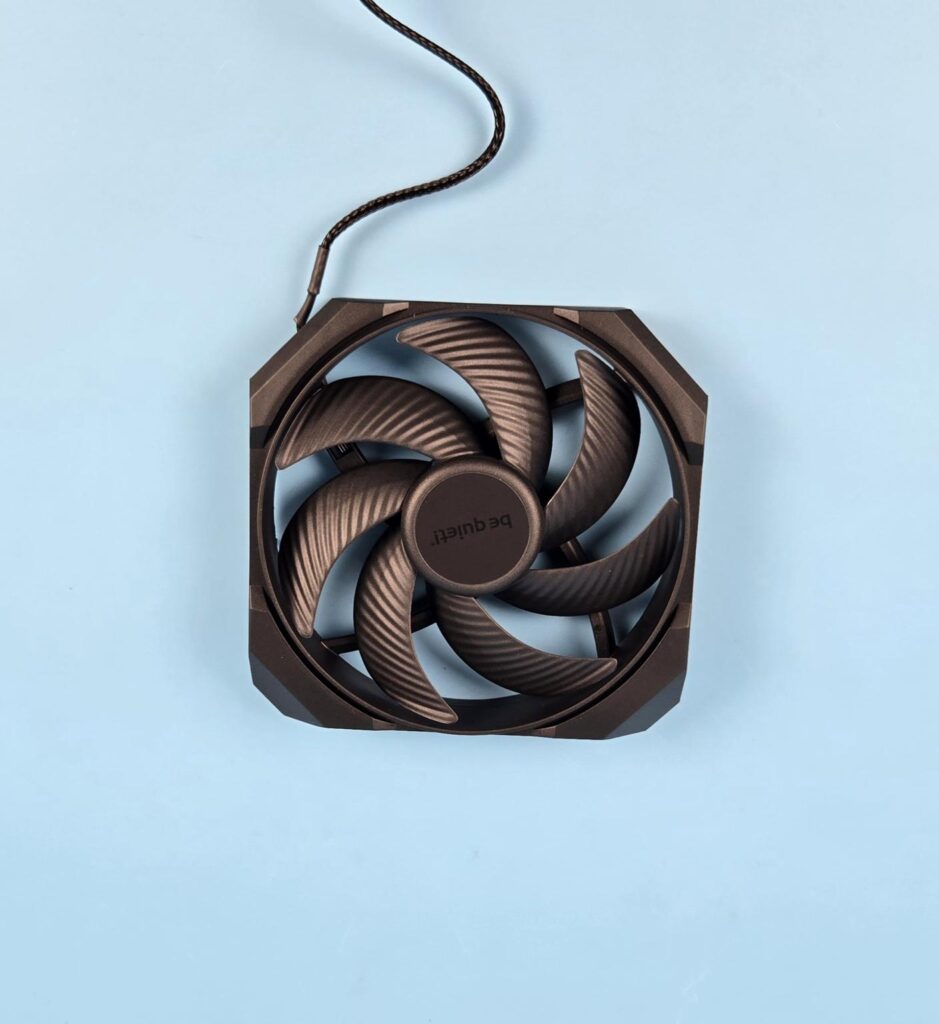
Be quiet! has provided a customized Silent Wings 135mm fan with this cooler that has dimensions of 135x135x25mm. It is encapsulated in a frame providing a unified look to the cooler. This fan has 7x blades with the same striped design that we have seen on other be quiet! fans. The center has be quiet! branding over it.
Be quiet! has mentioned that they have reduced the tip clearance of this fan to improve the airflow and increase air pressure. They have used advanced fluid dynamic bearings and a 3-phase, 6-pole motor for the fan.
Its maximum speed is 2000 RPM, generating 74.98 CFM at 12VDC at an air pressure of 2.48mmH₂O. The input current is rated at 0.4A. The input power is 4.8W. 31.3dB(A) is the sound level rating at full speed. Its semi-passive range is 0-40% PWM under Q mode.
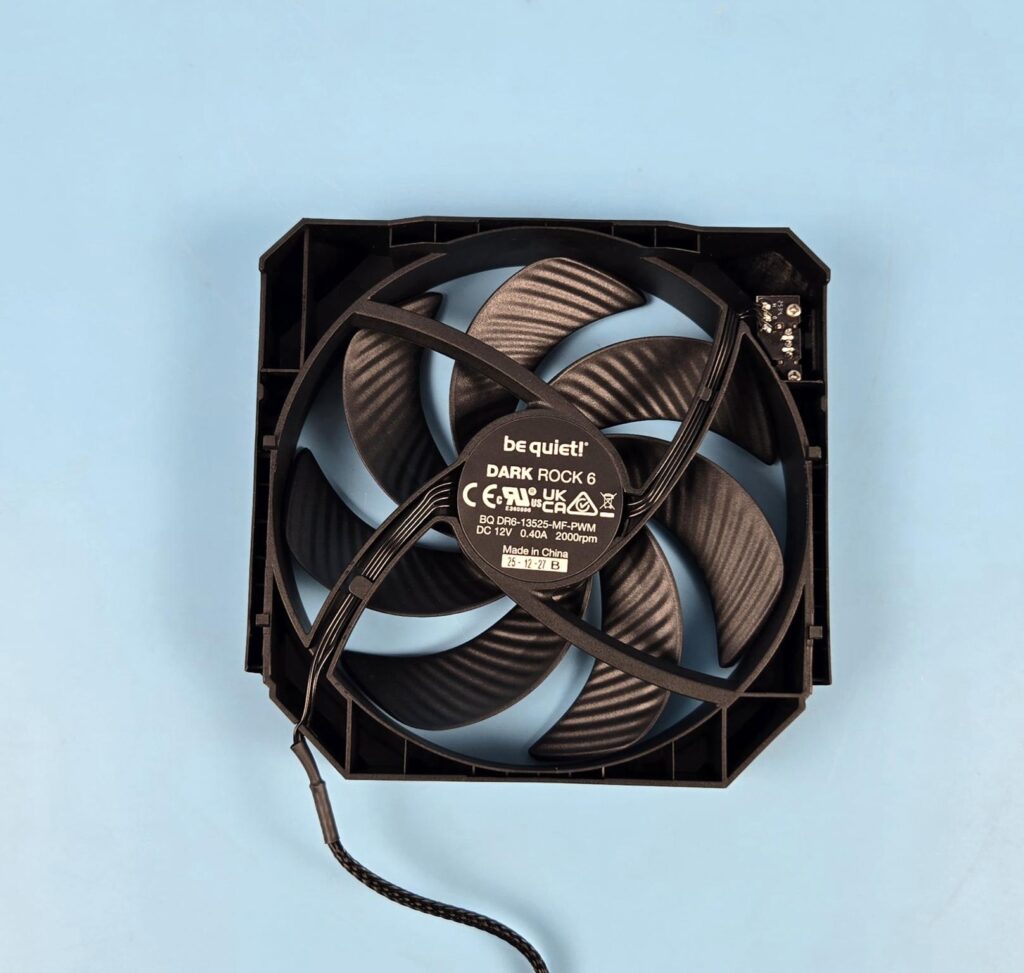
Looking at the back side, you can see that the ring is attached to the fan assembly housing. A 4-arm assembly is in the spiral design. Each arm has a curvature providing a directional airflow. One arm has a wider body as wires are routed from the center to the frame over it.
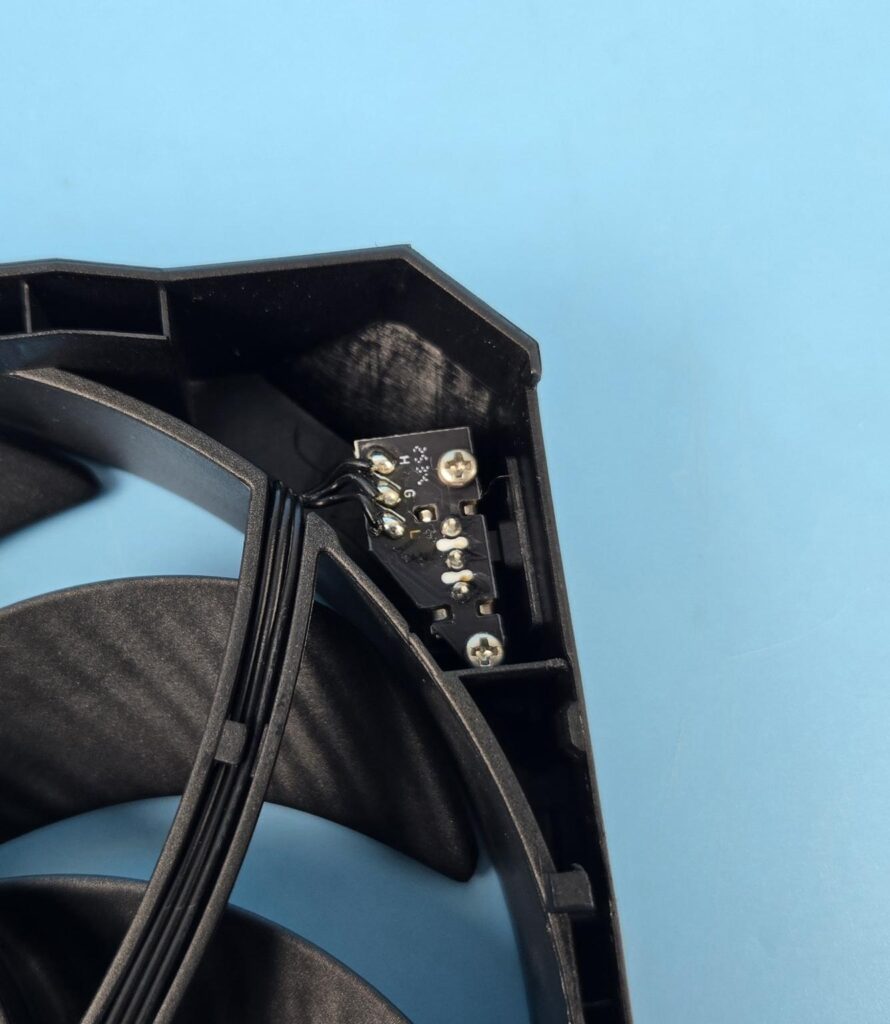
The hardware-level speed control (P and Q modes) is integrated into the main frame.
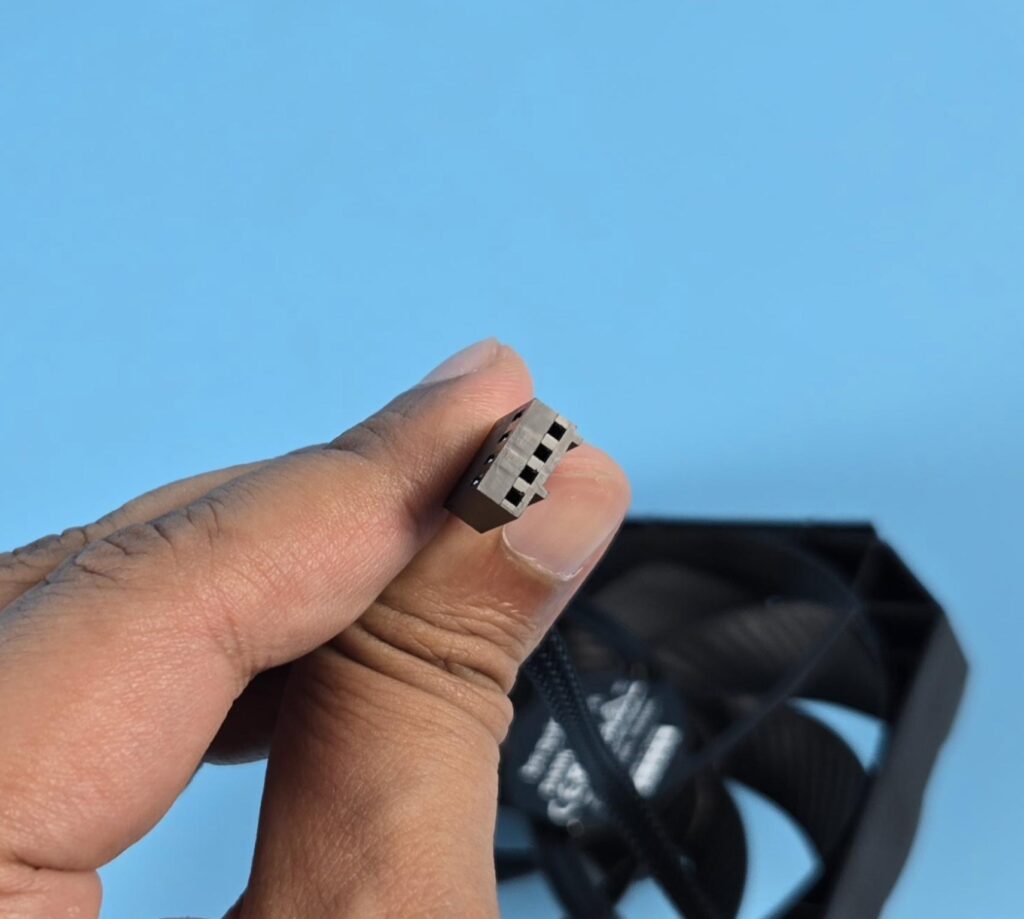
The fan uses PWM regulation using a 4-pin PWM connector.
Installation
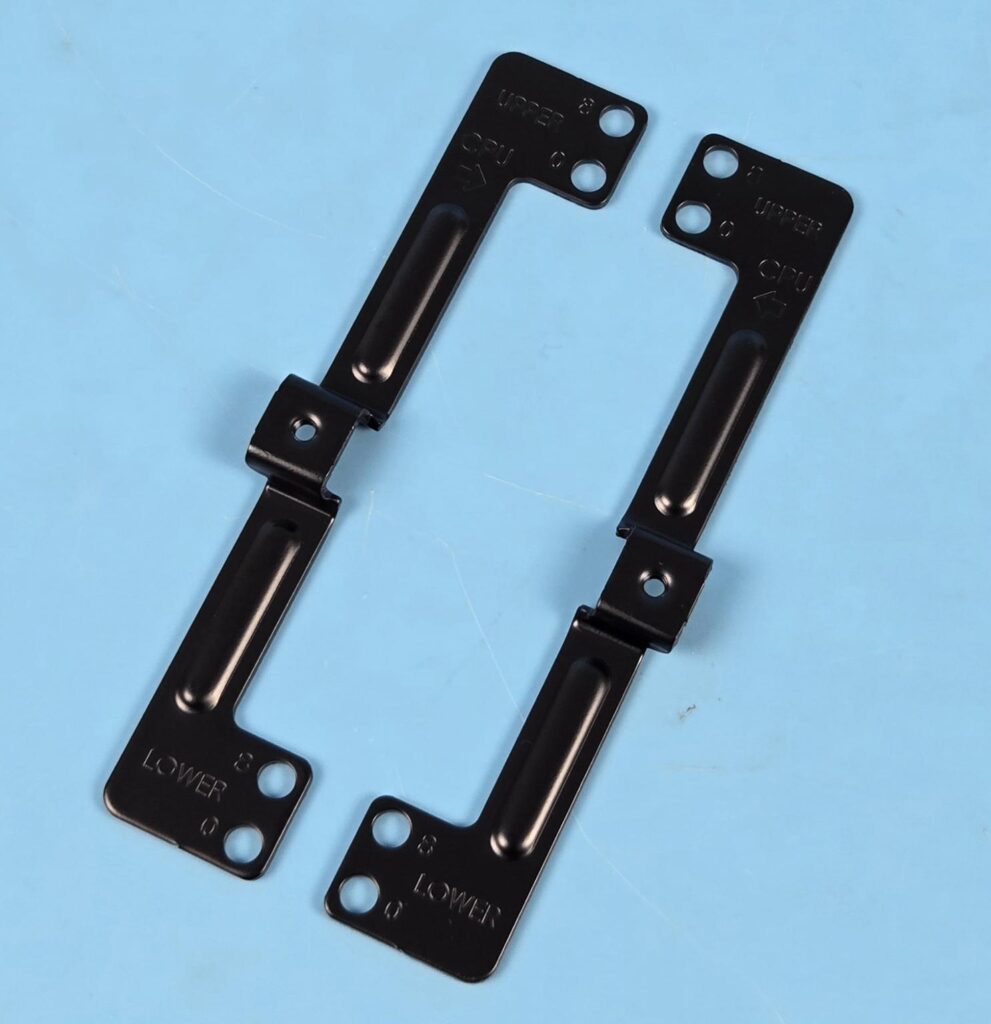
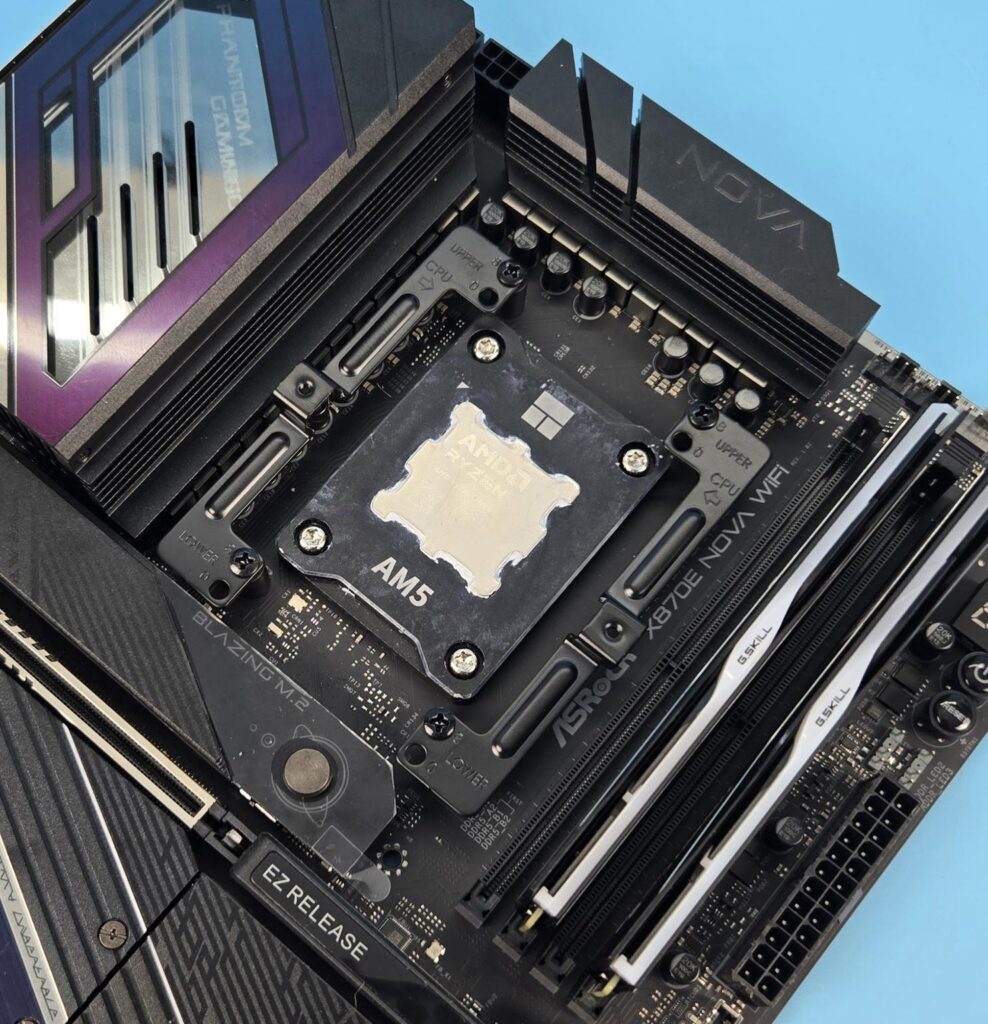
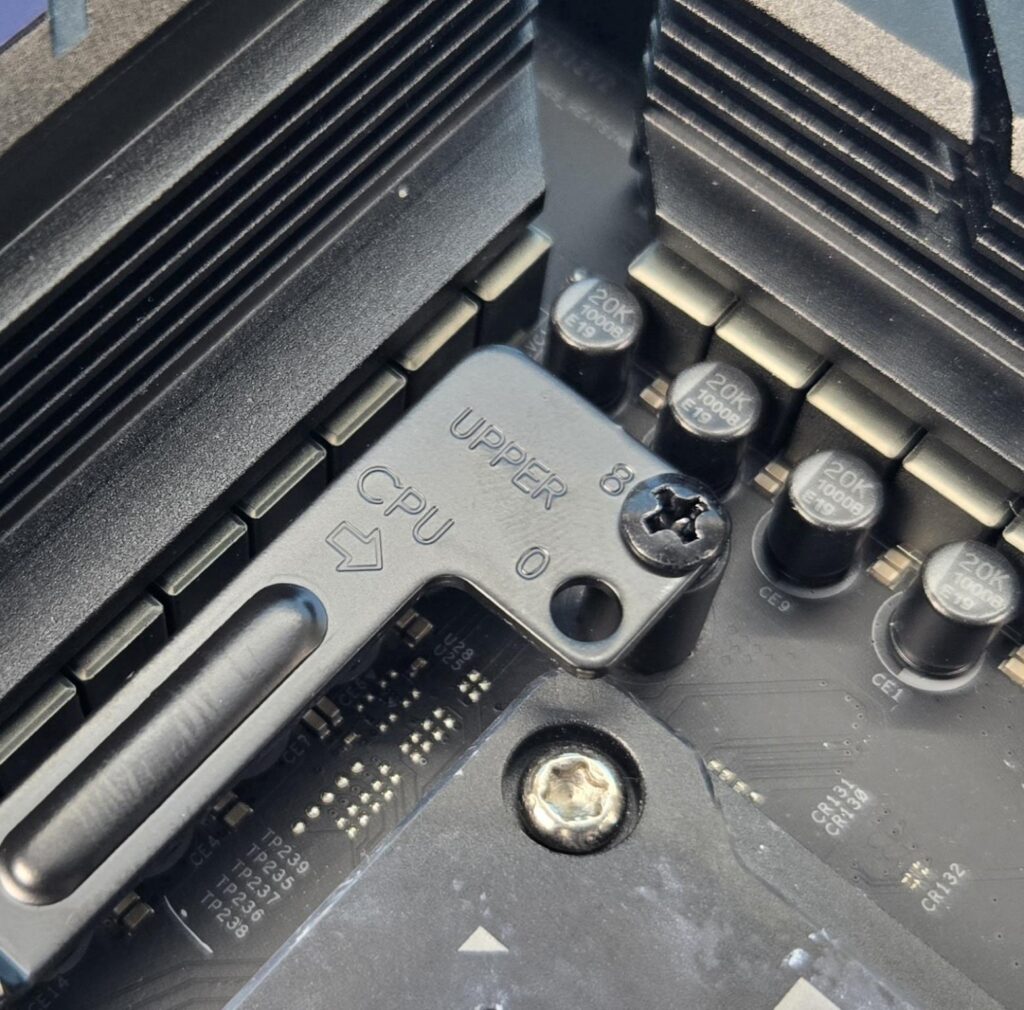
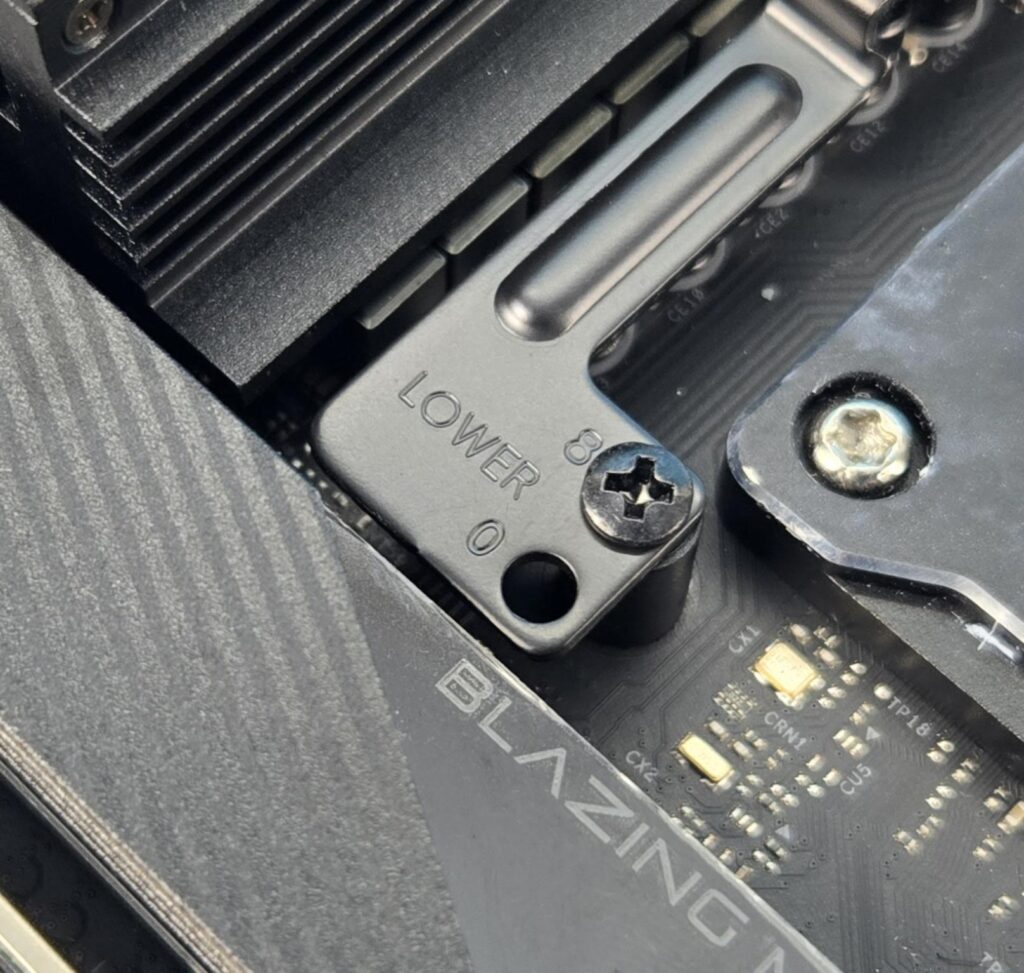
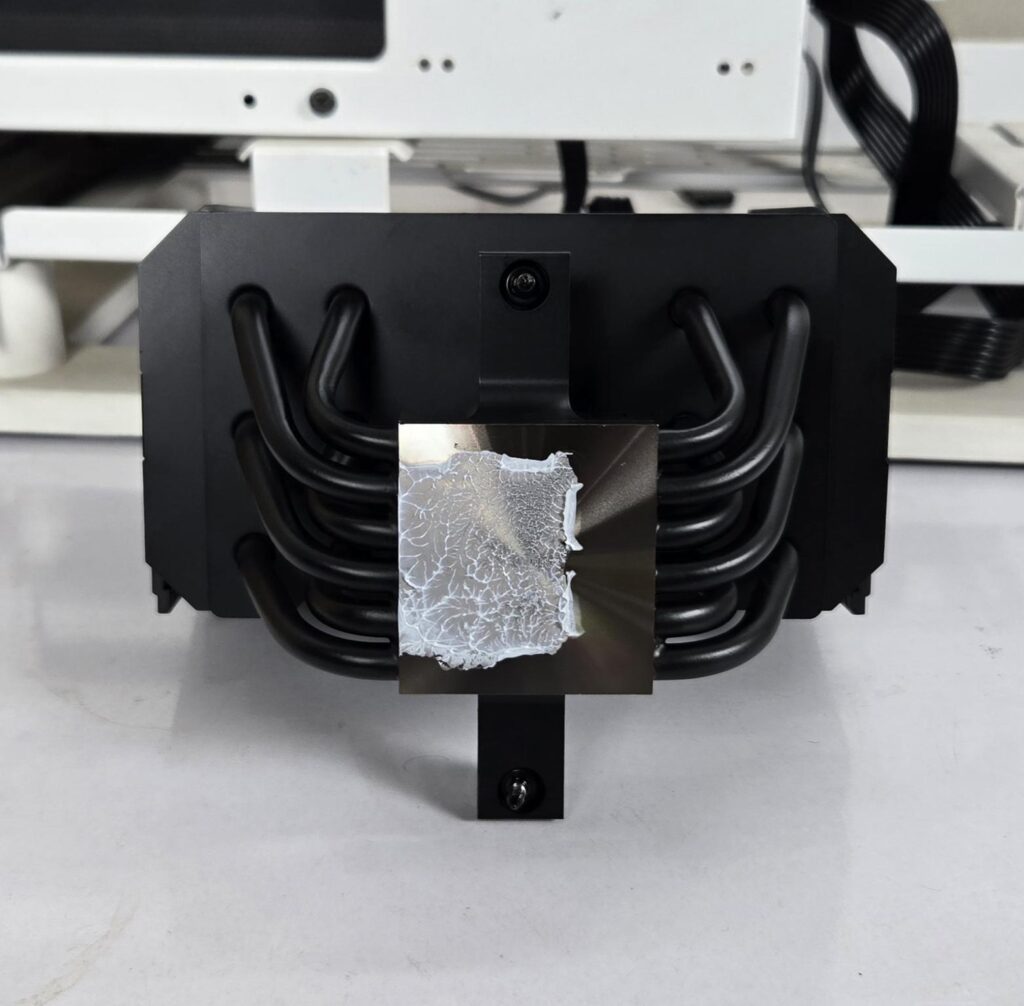
We don’t cover the installation steps. You can use the user guide for that purpose. But we mention the observations noted during the installation/removal of the cooler. Be quiet! has used different mounting brackets for AM5 mounting. They have provided an offset of -8mm. Each bracket has two mounting holes on each end. One is labeled 0, and the other is labeled 8. Using 0 will provide maximum clearance for the motherboard. The 8 will provide maximum coverage of the hotspot area on the CPU die, providing good thermal exchange for maximum performance.
This is nothing new. Noctua was the first brand to come out with this idea, and they released dedicated mounting kits for their coolers, followed by integrating this design as part and parcel of every new release. I have installed this cooler on the AMD AM5 platform and did not observe any issues. The overall installation was quick and simple.
Clearance
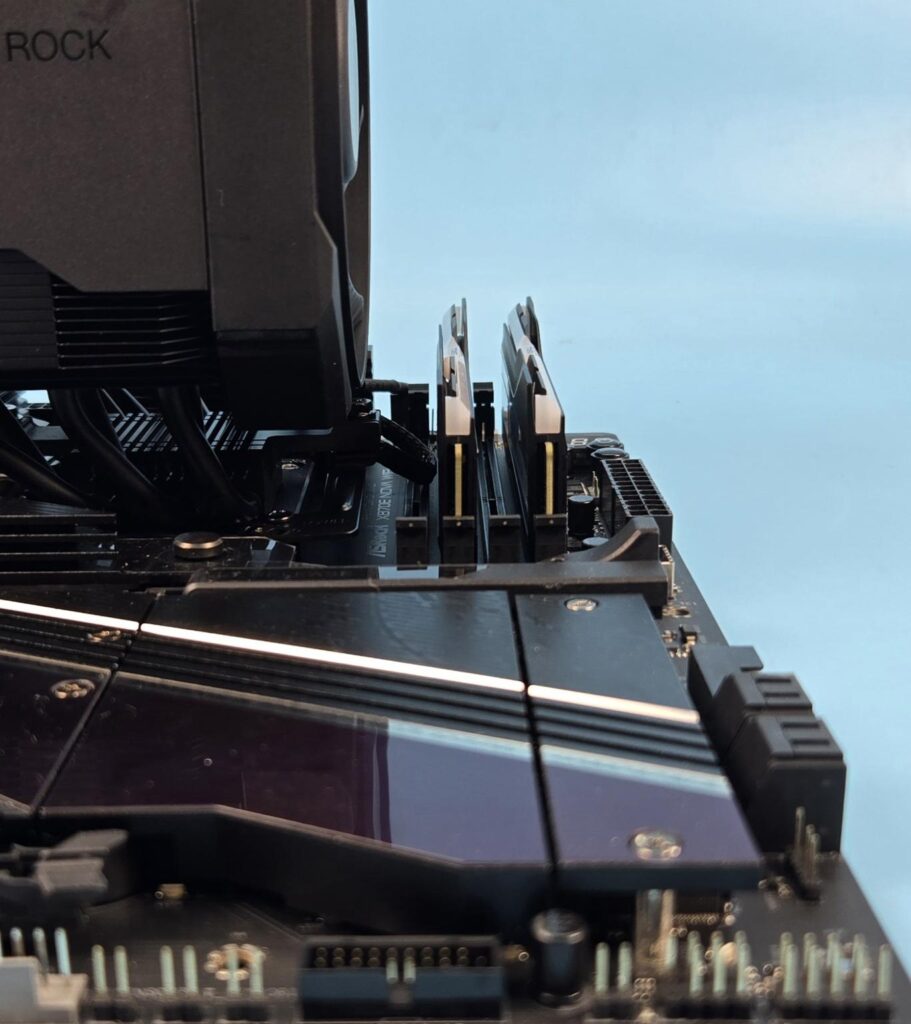
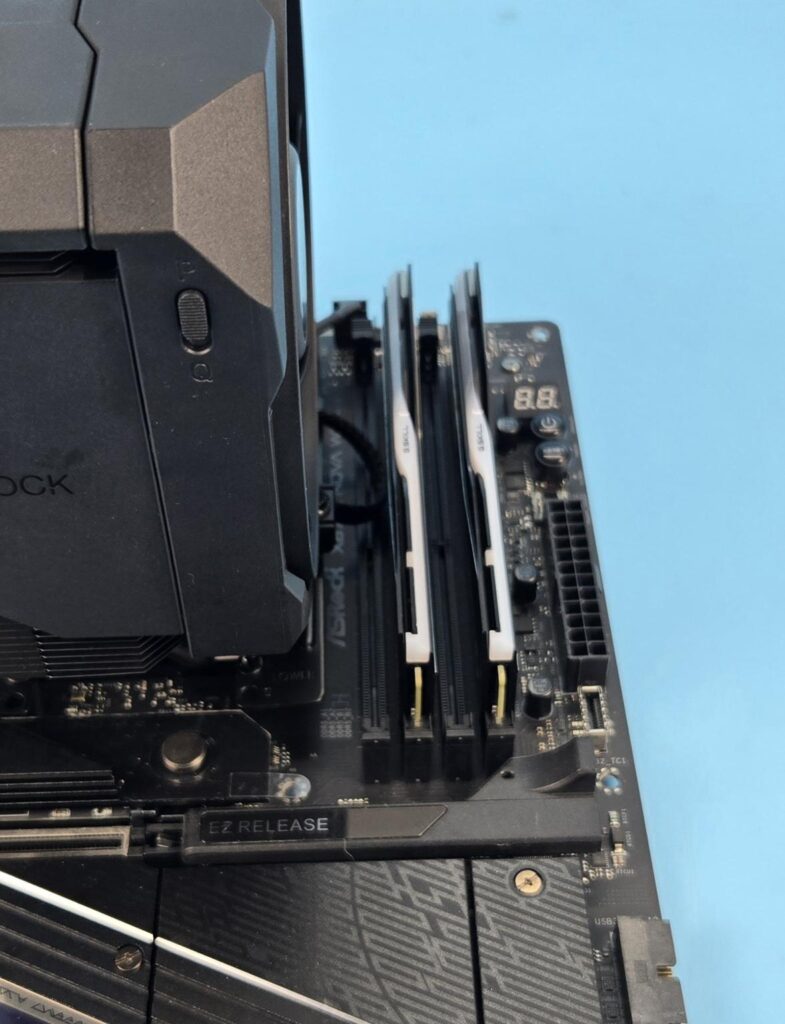
This cooler has universal clearance for the RAM.
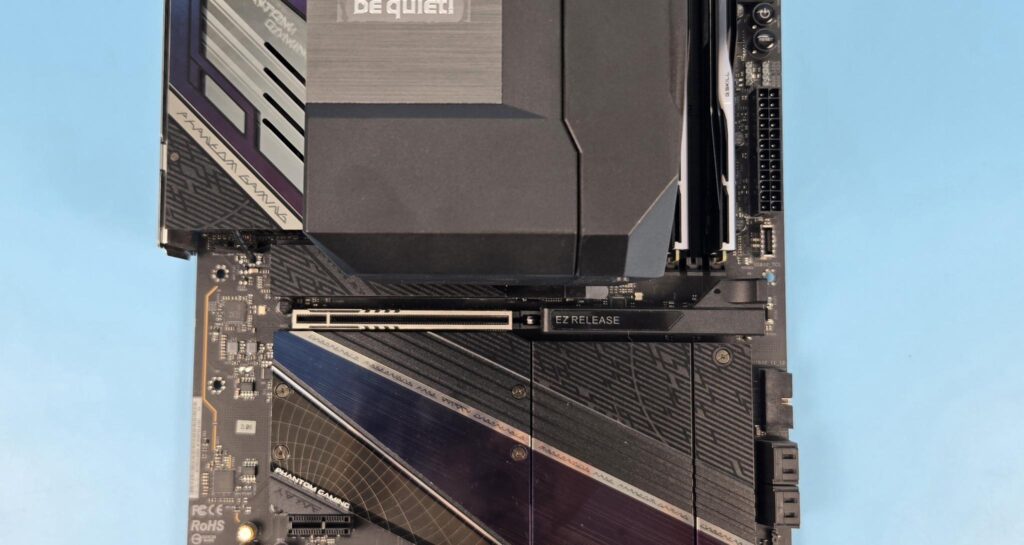
There is no obstruction for the PCIe slot.
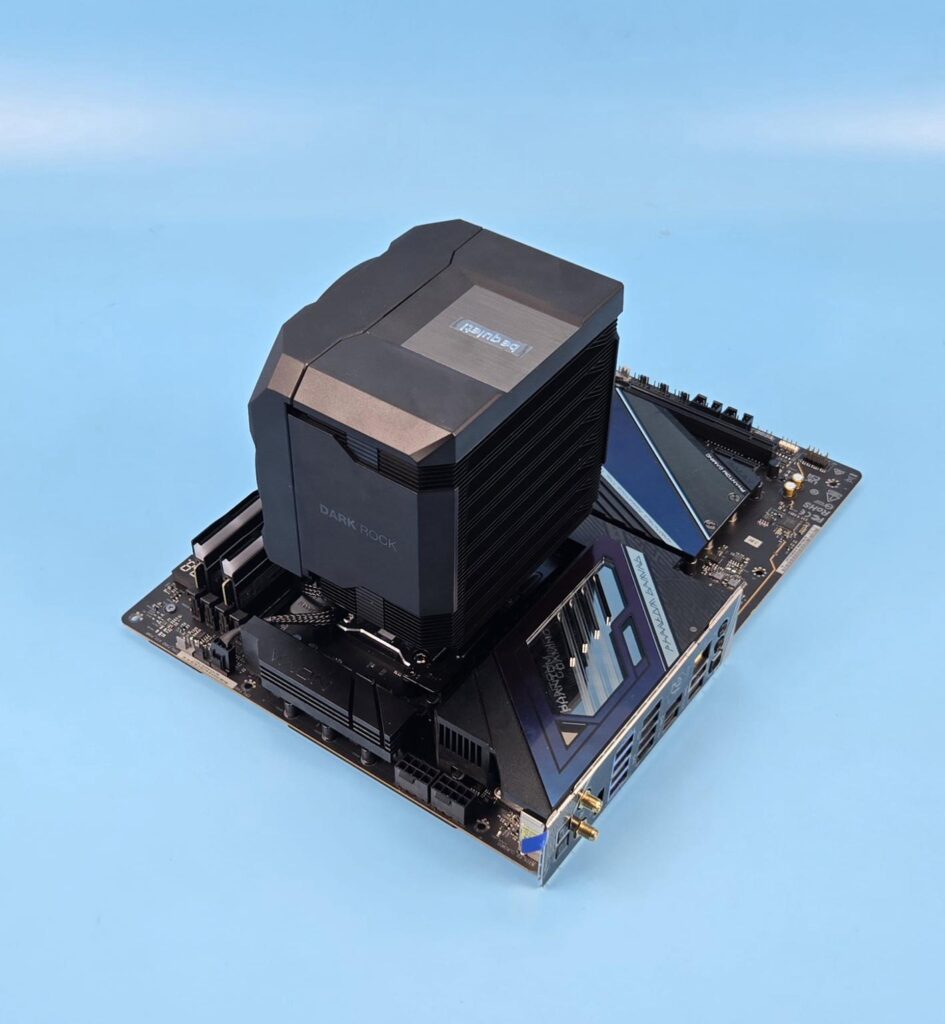
The cooler provides good clearance for the motherboard areas.
The height of this cooler is 162mm. You would need a 165mm clearance in your PC Case. Leaving some margin is fruitful.
Testing
I have used the below-mentioned configuration: –
- AMD Ryzen 9 9900X
- ASRock X870E NOVA WiFi
- G.Skill TridentZ Neo RGB 32GB 6400MHz CL30
- ASRock Phantom Gaming RX 7600 Graphics Card for Display
- Sabrent Rocket 4 Plus 2TB NVME SSD
- CPS YN1000 PSU
- Thermaltake Core P6 TG Snow Edition in an open frame layout
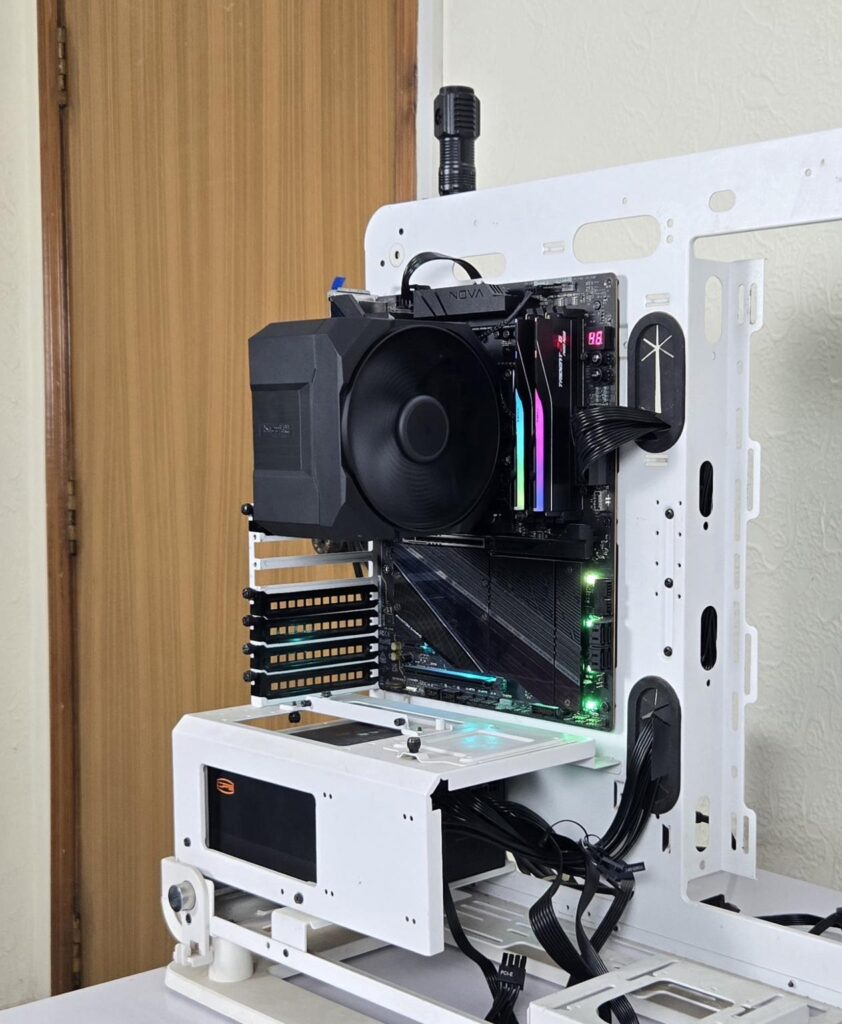
Here is the settings table for testing:
| Clock (MHz) | Auto |
| Voltage (V) | Auto |
| PBO | Advanced 200W |
| Thermal Paste | Noctua NT-H2 |
| Thermal Paste Application | 5 Dots Method |
| Test Run Time | 30 minutes |
| Idling Time | 10 minutes |
| All Fans Speed | 100% PWM Duty Cycle |
| Stress Software | CINEBENCH R23.2 |
| Monitoring Software | HWINFO64 |
The testing is done on an open-air bench system. Once inside the chassis, the temperatures are expected to rise and would largely depend upon the optimal airflow inside the chassis.
Result
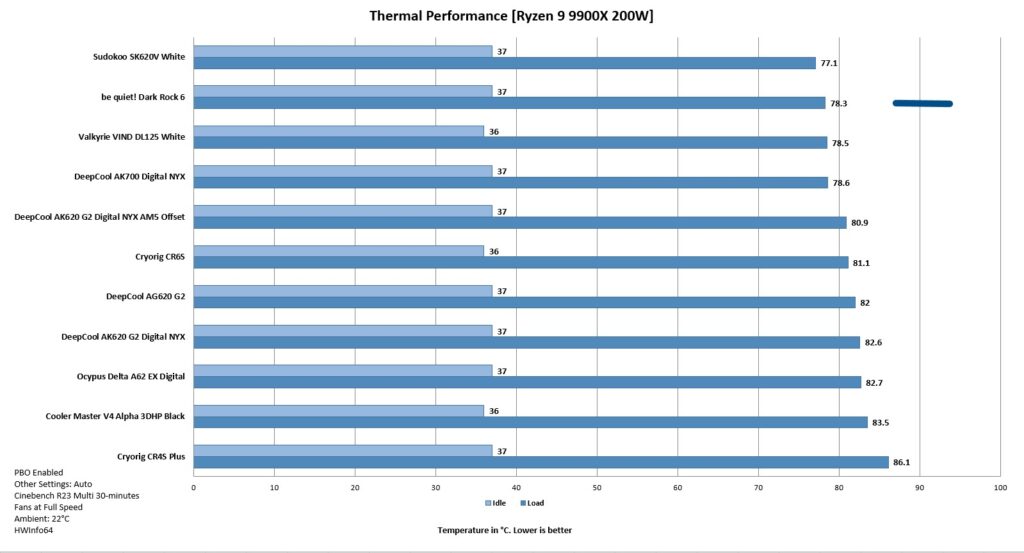
be quiet! has rated the Dark Rock 5 to handle the 220W thermal load. This cooler offers fantastic performance, handling 200W all cores load on the 9900X. The noise profile is good, as this cooler is not loud even at full speed in P mode.
Conclusion
I remember the Dark Rock 5 and Dark Rock Elite, with Elite being my favorite cooler at that time. The Dark Rock 5 was rated for a 210W thermal load. The new Dark Rock 6 is rated for 220W thermal power dissipation. I really don’t care about these TDP ratings since AMD and Intel use different methods to determine or set these values. Anyhow, the newly released Dark Rock 6 takes the game further from Dark Rock 5 and offers good performance with excellent outlook/form.
This cooler is compatible with Intel LGA1150/1151/1155/1200/1700 and AMD AM5 and AM4 sockets. No surprise there, as this cooler does not support the legacy LGA20xx socket. This is still a single tower configuration. The cooler has dimensions of 102.4x139x162mm (LxWxH). It uses a ceramic black color spray coating on the assembly for better heat transfer. The complete assembly is black in color, including the heat pipes.
The foremost aspect of the new cooler is the overall look and feel of it. The cooler uses a unified closed design using a plastic frame or housing surrounding the heatsink. Even the fan is enclosed inside a housing that bodes well with overall design symmetry.
The heatsink uses an asymmetric design offering universal clearance for RAM. The stepped fins design on the heatsink provides extra clearance/compatibility for the motherboard areas. All in all, this cooler is all about maximum clearance without compromising performance.
Speaking of fins, each tower houses 51 fins in a 48+3 layout, where 3 fins are in step design. The interlocking mechanism is provided on both sides of the heatsink. This cooler packs 6x 6mm thick copper heat pipes that are placed in an interleaving pattern. The nickel-plated copper base can safely be used with liquid metal. This was also a feature of Dark Rock 5.
be quiet! uses a customized Silent Wings 135mm PWM fan with this cooler. This fan has dimensions of 135x135x25mm and is rated for a maximum of 2000 RPM. The airflow rating is at 74.98 CFM with an air pressure of 2.48mmH₂O. 31.3dB(A) is the sound level rating at full speed. Its semi-passive range is 0-40% PWM under Q mode.
The P and Q modes are implemented on the hardware level, which is something I would want on the software level since I am not comfortable opening the PC Case just to switch the mode. Plus, you need to shut down the PC before changing the mode. Also, don’t forget to change the fan settings in UEFI to silent for Q mode. The motherboard should support the fan stop feature.
be quiet! has provided offset mounting brackets for the AMD with -8mm. You can install the brackets in regular mounting using 0 labeled holes or use 8 labeled holes. The latter provides maximum coverage of the hot spot area on the Die for maximum performance.
Installing this cooler on AMD AM5 platform requires 10x items. The bundled long-neck screwdriver is needed for the installation since the rear screw on the mounting plate is under the heatsink. Overall installation is a walk in the park, and I did not observe any issues.
The be quiet! Dark Rock 6 has an MSRP of €89.90 and US $109.90. It comes with a 3-year warranty. This cooler could not handle the 243W all-cores load on Ryzen 9 9900X, but it performs quite well on a 200W all-cores load. The sound profile is good as well.
Pros:
- Thermal Performance
- Excellent unified, closed outlook
- AMD AM5 and Intel LGA1700 Socket Support
- Customized Silent Wings 135mm fan
- P and Q Modes via a slider button
- Magnetic Top Cover
- AMD Offset Mounting Brackets
- Asymmetrical Design for RAM and VRM Clearance
- Noise
- Screwdriver
- Price
- Standard PWM Connector
- Special ceramic-particle black coating
- Convenient Fan Mounting
Cons:
- Warranty Period