










GIGABYTE X870 AORUS STEALTH ICE Review
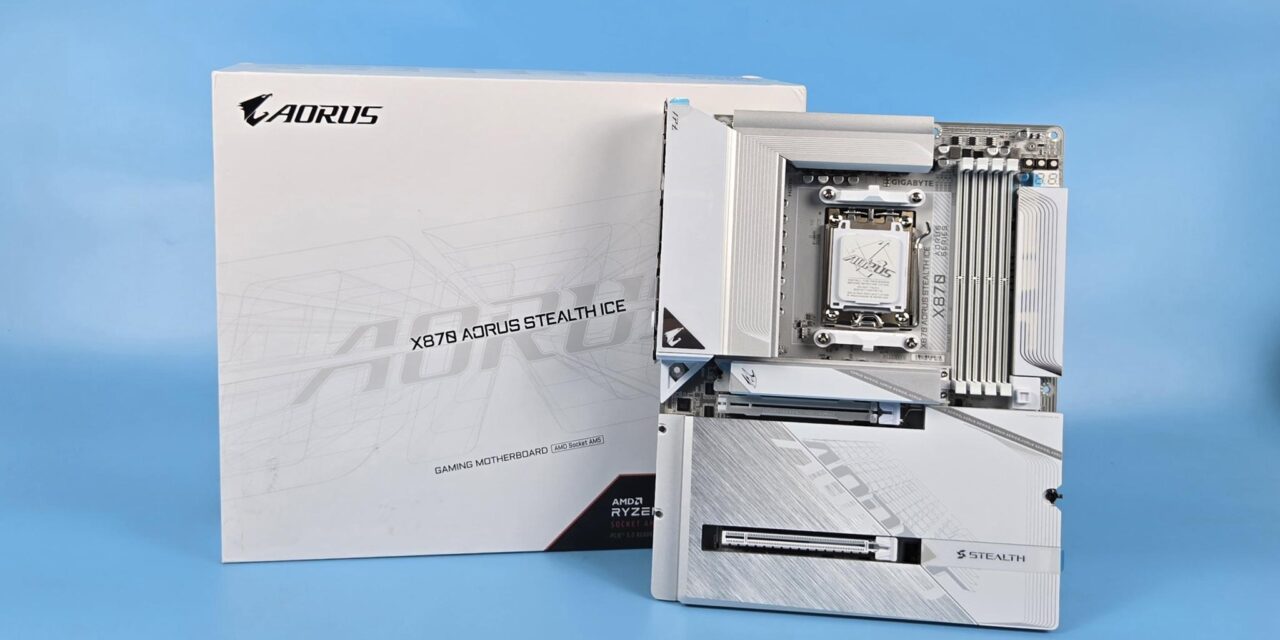
Whenever I hear the word stealth, the F-22 Raptor comes to mind, but I am not talking about that stealth. Back in 2021 or 2022, GIGABYTE introduced a concept wherein the connectors on the motherboard were on the backside. I remember Linus taking a look at that motherboard and the only case that supports that motherboard from GIGABYTE.
Well, this concept, as we know it by three names now- Stealth from GIGABYTE, Project Zero from MSI, and BTF from Asus – has come forward since these motherboards and the supported cases are now readily available. I have tested two Project Zero motherboards from MSI on AMD and Intel platforms. This time, I have got my hands on the X870 AORUS STEALTH ICE.
Ice here refers to the white theme of the motherboard, where Stealth refers to the connectors being on the backside of the PCB, providing a clean and neat look on the front. Obviously, you would need to reduce the cable clutter of the CPU cooler and the graphics card towards achieving a truly cable-free front.
In terms of looks, this is one killer motherboard, but the specs are equally good as well. This motherboard packs PCIe Gen5 connectivity for graphics cards and M.2 NVMe drives. It comes equipped with WiFi-7 wireless and 5GbE wired networking solutions. It has two USB 4.0 ports, though I am not comfortable with the implementation. The DDR5 support of over 8000MHz is too good, although the Intel platform provides a better reap in terms of DDR5 overclocking gains.
The provision of tool-less heatsinks, EZ button press release of PCIe lock, 80 port debug LED, troubleshooting LEDs, 64MB BIOS, and last, but not least, the X3D Turbo mode support along with AI-based augmentation, makes this motherboard super cool to have. The salient features of the motherboard include:
- X3D Turbo Mode
- DDR5 OC up to 8200MT/s
- DriverBIOS : Wi-Fi Driver Pre-install, Power-On & EZ to Launch the Network.
- AMD Socket AM5 : Supports AMD Ryzen™ 9000 / 8000 / 7000 Series Processors
- Digital twin 16+2+2 phases VRM solution
- Dual Channel DDR5 : 4xDIMMs with AMD EXPO™ Memory Module Support
- M.2 EZ-Flex : high-efficiency heat dissipation & flexible baseplate for M.2 SSD
- WIFI EZ-Plug
- EZ-Latch Plus
- EZ-Latch Click
- Friendly UI : Multi-Theme, AIO Fan Control, and Q-Flash Auto Scan in BIOS and SW
- Ultra-Fast Storage : 4xM.2 slots, including PCIe 5.0 x4
- Efficient Thermal : VRM Thermal Armor Advanced & M.2 Thermal Guard L & M.2 Thermal Guard Ext.
- Fast Networking : 5GbE LAN & Wi-Fi 7 with directional Ultra-high gain antenna
- Extended Connectivity : HDMI, Dual USB4 Type-C with DP-Alt
- PCIe UD Slot : PCIe 5.0 x16 slots with 10X strength for graphics card & Better Heat dissipation effect
- UD Base Plate : Experience the protection and heat dissipation with the UD Base Plate.
This motherboard is listed at USD 309.99 on AMAZON at the time of this writing. It comes with a 3-year warranty from the manufacturer.
Specifications
The salient specifications include:
| CPU Support | AMD Ryzen 9000, 8000 and 7000 series desktop CPUs |
| Memory Support | 4xDIMM Slots for DDR5 up to 8200MHz+ (OC) |
| Display Interface | Support 5K@60Hz as specified in HDMI 2.1 Support 4K@240Hz via DisplayPort Alt Mode |
| PCIe Slots | 1x PCIe Gen5 x16 slot 1x PCIe Gen4 x16 (x4) slot |
| M.2 Ports | 2x M.2 Gen5x4 slots 1x M.2 Gen4x4 Slot 1x M.2 Gen4x2 Slot |
| SATA Ports | 2x |
| Audio | RealTek ALC1220 |
| Network | 5G LAN port and wireless connectivity using WiFi 7/BT 5.4 |
| USB Ports | Total 20x USB Ports (Front and Rear) including a USB 4.0 with DisplayPort Alt Mode and 3.2 Gen2x2 Type-C |
| Size | 30.5cmx24.4cm, ATX Form Factor |
Packaging and Unboxing

The packing box weighs around 4.38 kg, which is too much, and what surprised me more is that the bulk of this weight comes from the packing box itself.
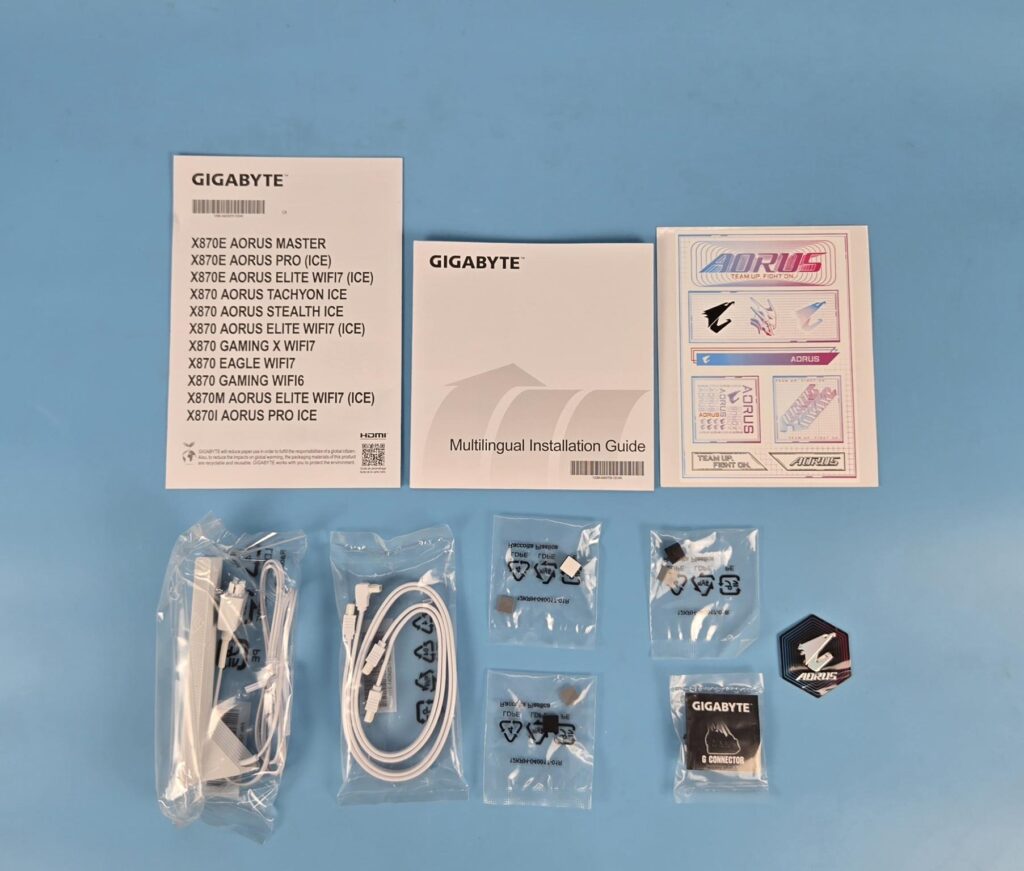
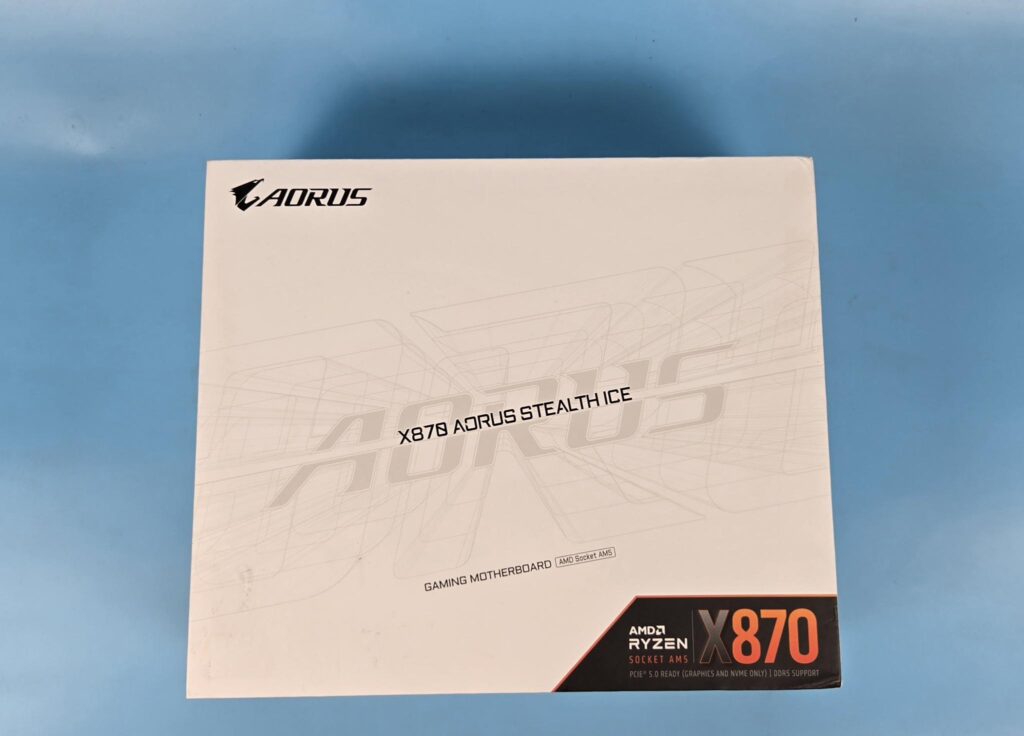
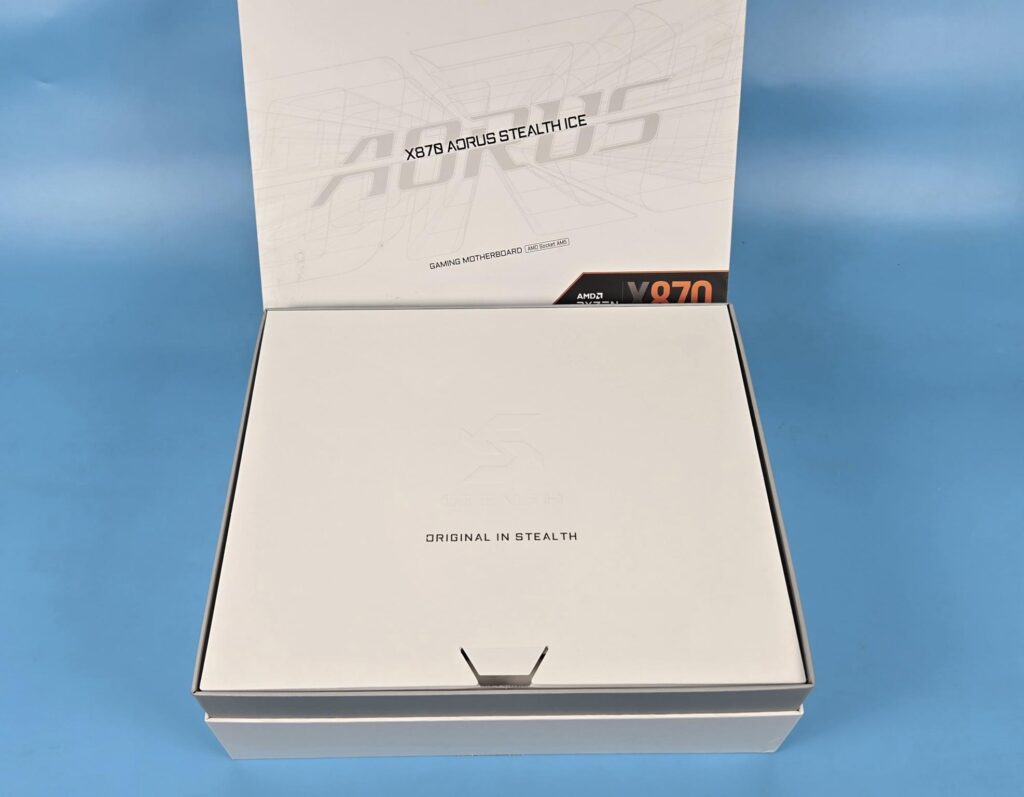
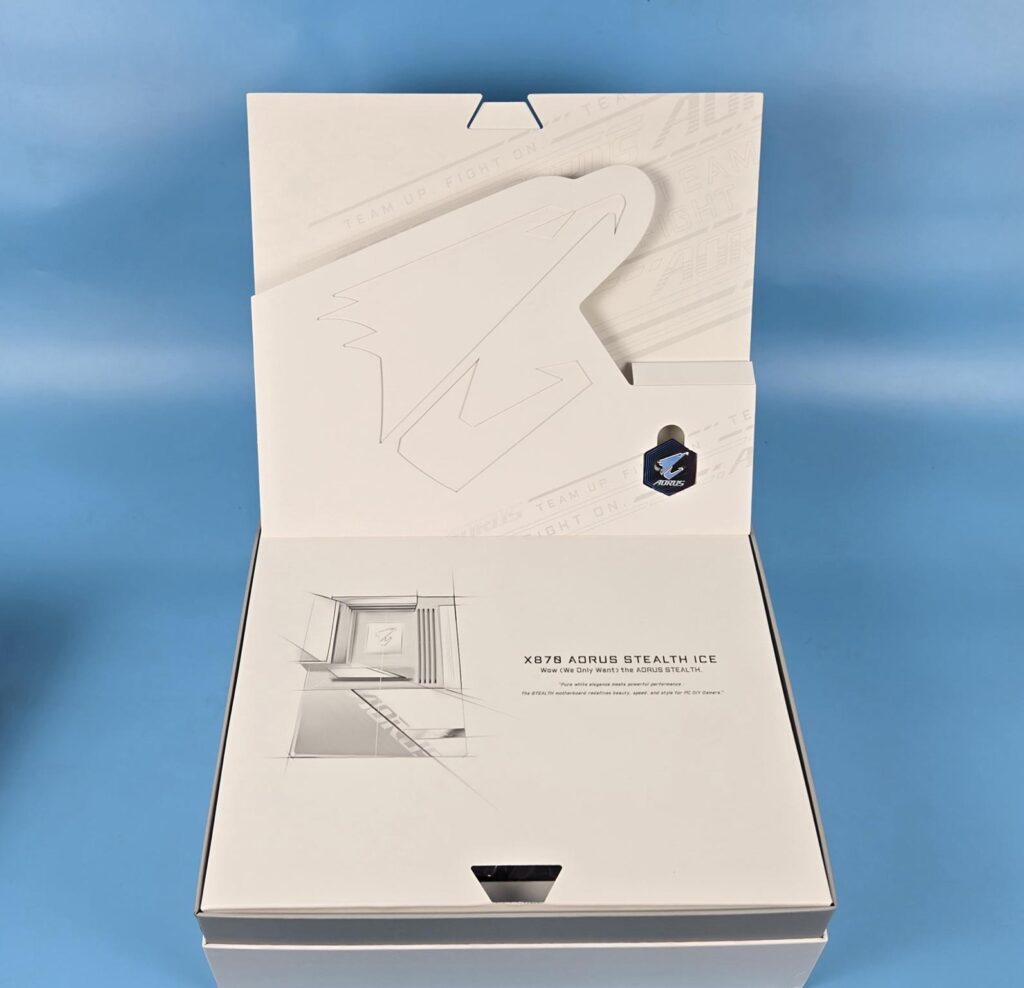
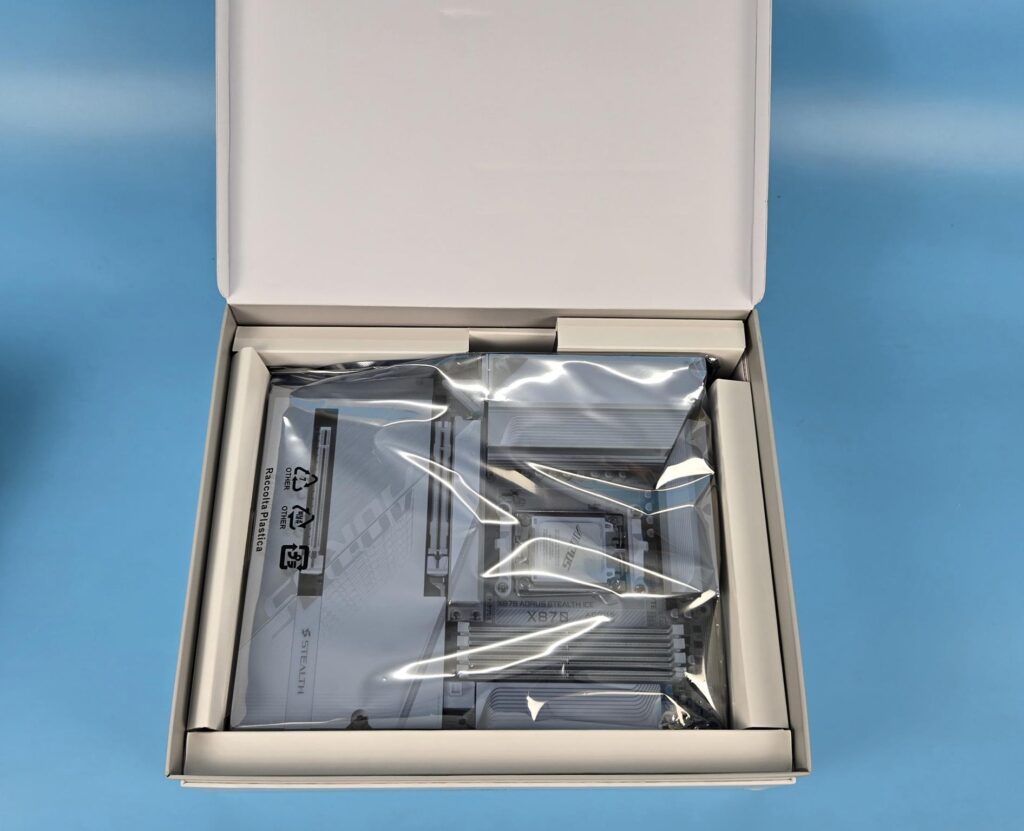
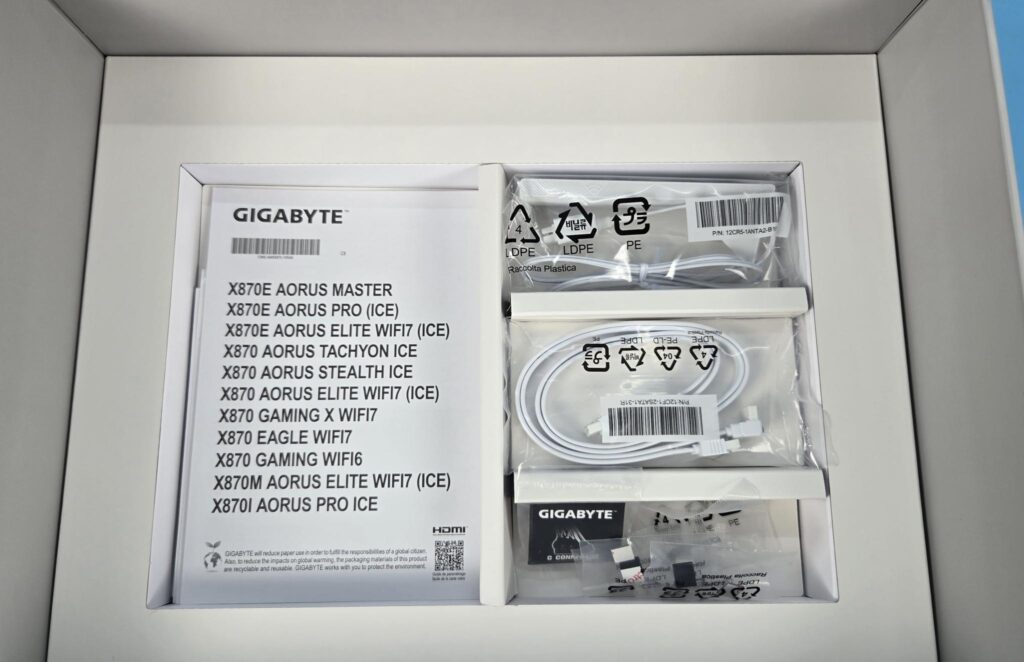
GIGABYTE has given a premium look and feel to the packaging box itself. The packing box is in a white theme, and it hasa layered internal design. A GIGABYTE sticker is placed between two layers. You will get the motherboard tray or container after going through two layers. The last layer or container has accessories.
The following are provided in the box:
- 1x Motherboard
- 2x Documentations
- 1x Sticker Decal Sheet
- 1x Wi-Fi Antenna
- 2x SATA Cables
- GIGABYTE G Connector for Front Panel
- M.2 Sockets and Screws
Design Overview
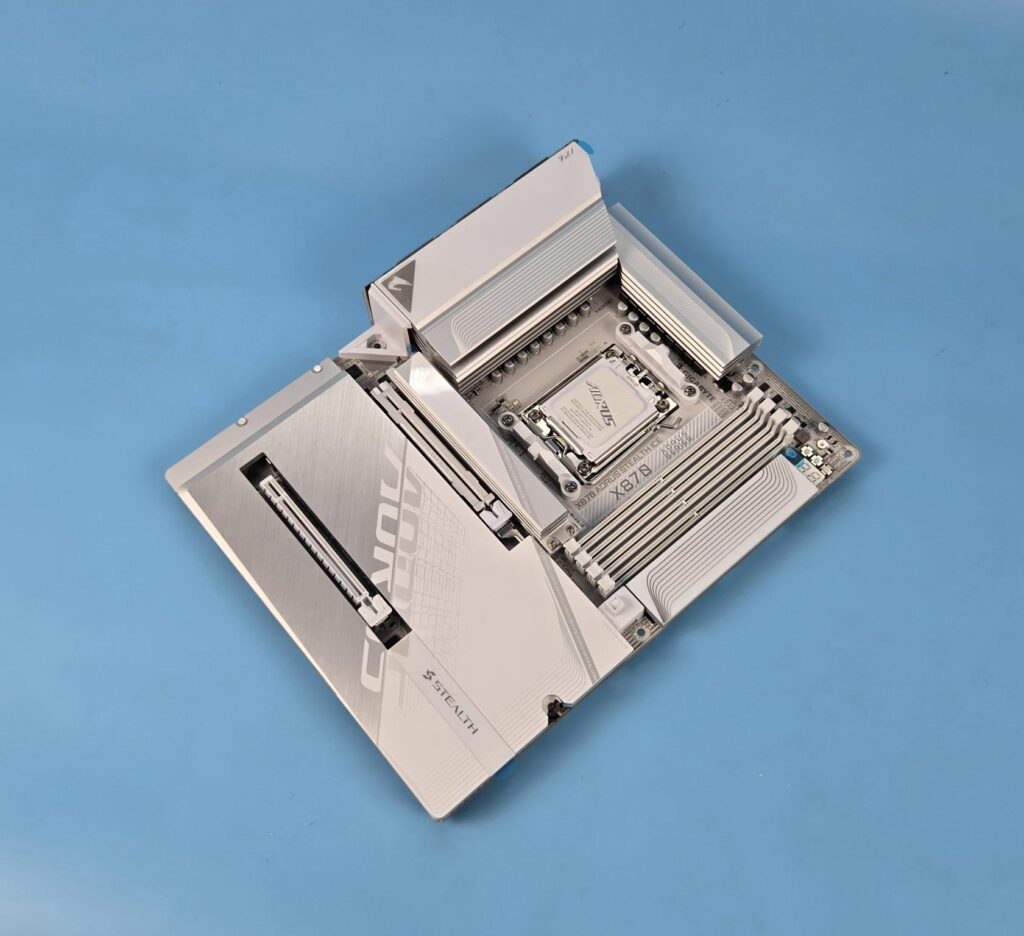
This motherboard uses an AMD AM5 socket that supports AMD Ryzen 9000, 8000 and 7000 CPUs. Since different SKUs have different levels of support for PCIe, refer to the user manual for more details. This board comes equipped with 4x DIMM slots providing memory support of up to 8200MHz (OC+). The motherboard has 6-layer Mid-Loss design with 2x Copper PCB.
The on-board display comes from the CPU socket via HDMI 2.1 supporting 4096×2140@60Hz and DisplayPort with Alt mode from 2x USB 4.0 ports providing 4K@240Hz. In addition, this socket provides 20x PCIe lanes. The super IO chip, audio solution, BIOS, TPM, and other high-speed USB connections are all wired to the socket.
Two Gen5 M.2 ports are wired to the CPU socket. Two USB 4.0 ports are also wired to the CPU socket via an ASMedia controller. The M2B_CPU M.2 NVMe slot shares bandwidth with 2x USB 4.0 ports and operates at x2 mode by default. You can change the behaviour in BIOS, though keep in mind that running this slot at x4 will disable the USB 4.0 ports.
Being X870, this motherboard comes with a single chipset, resulting in fewer PCIe lanes (32x) compared to the X870E (40x). Two M.2 Gen4x4 and PCIe x4 slots are wired to the chipset. The networking connectivity is also wired to the chipset on the same PCI bus. The remaining USB connectivity and SATA connection are also coming from the chipset.
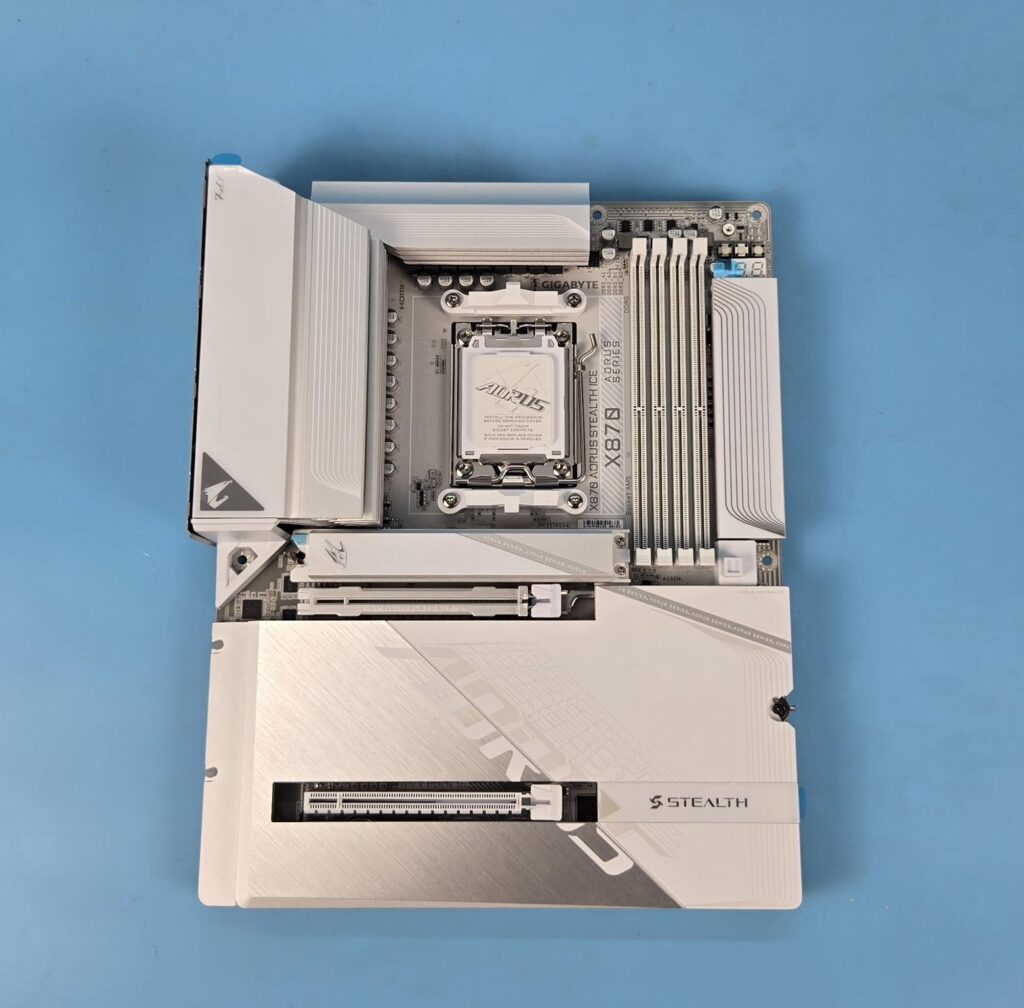
A quick glance at the front of the motherboard and the white layout is speaking out loud and bold in quite a style and manner. The white and gray texture elements are well synchronized. Obviously, the most important design element is no connectors on the front. The area right next to DDR5 slots has an ARGB backlit cover that has a brand text “Team Up, Fight On” which lights up. We have a neat and clean layout.
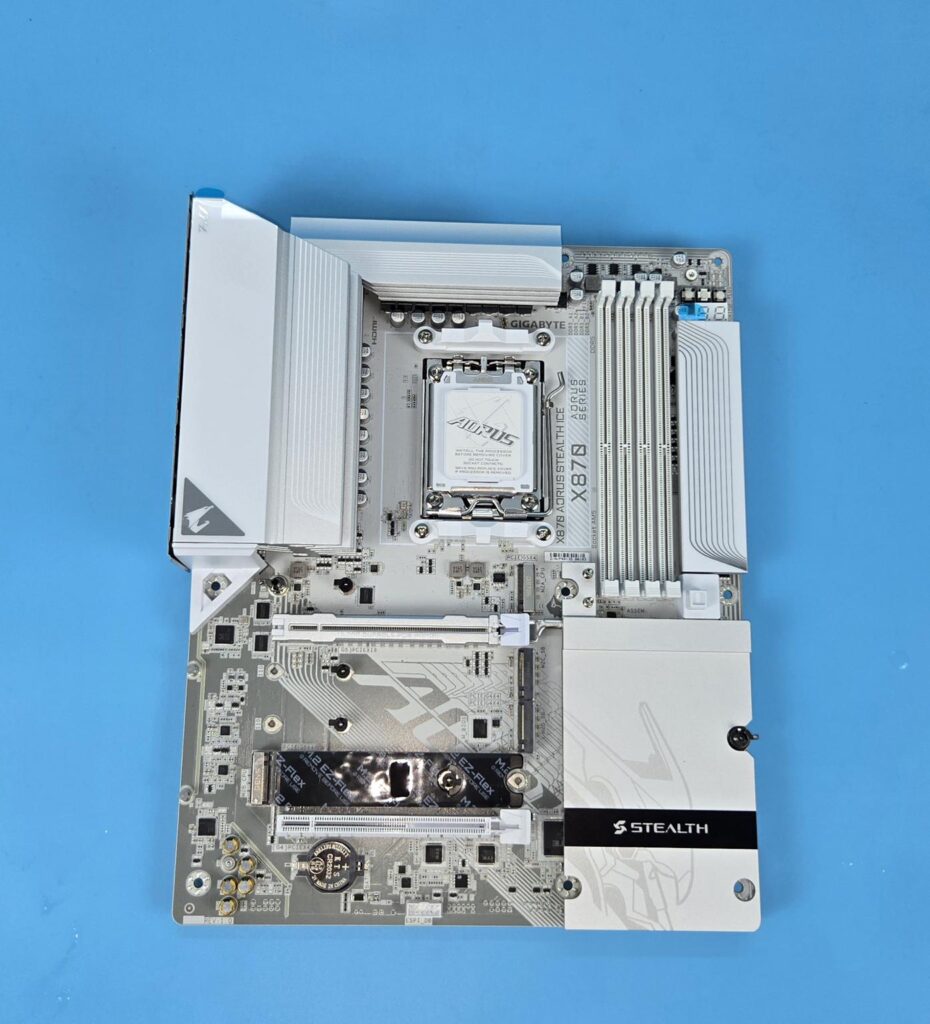
I have removed the aluminum heatsink covers, and now you can admire the white and gray color combination and styling.
Power Delivery to Socket
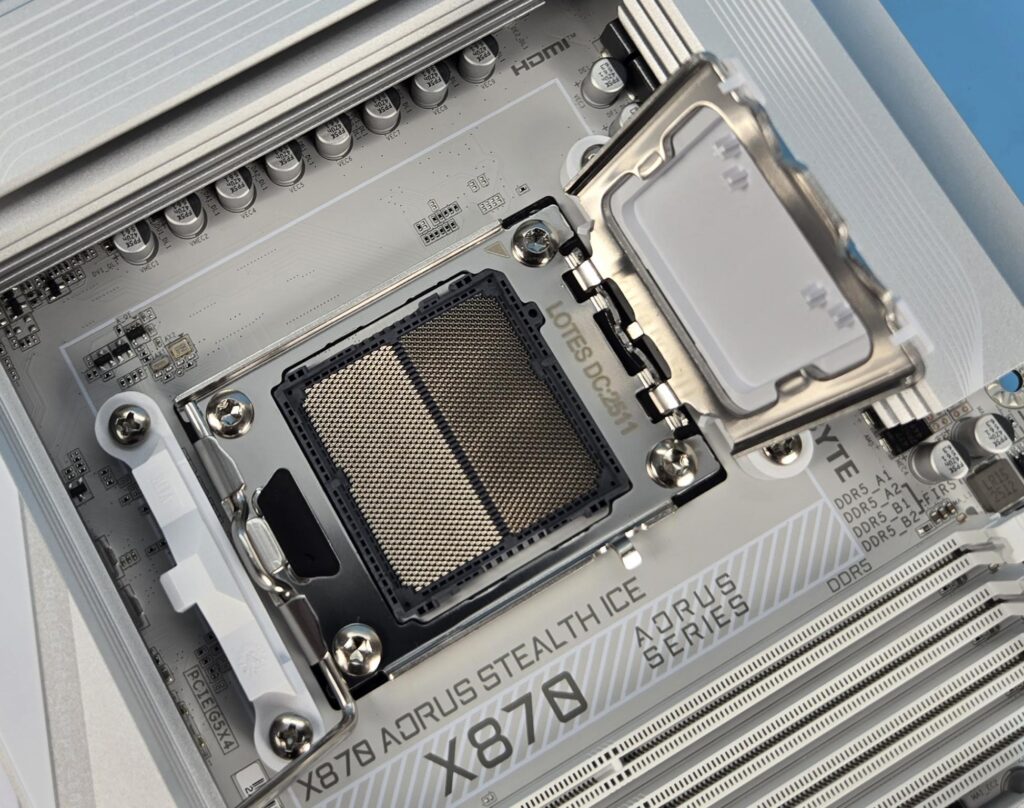
This motherboard uses the AMD AM5 platform (LGA 1718) supporting AMD Ryzen 9000/8000/7000 series CPUs. The power delivery comes from 16+2+2 power phases using an 8+8 phase parallel design. 16 phases are SPS 80A for VCORE, 2 phases are SPS 80A for SOC (integrated GPU and Memory management) and 2 phases are for MISC (CPU connected PCIe lanes).
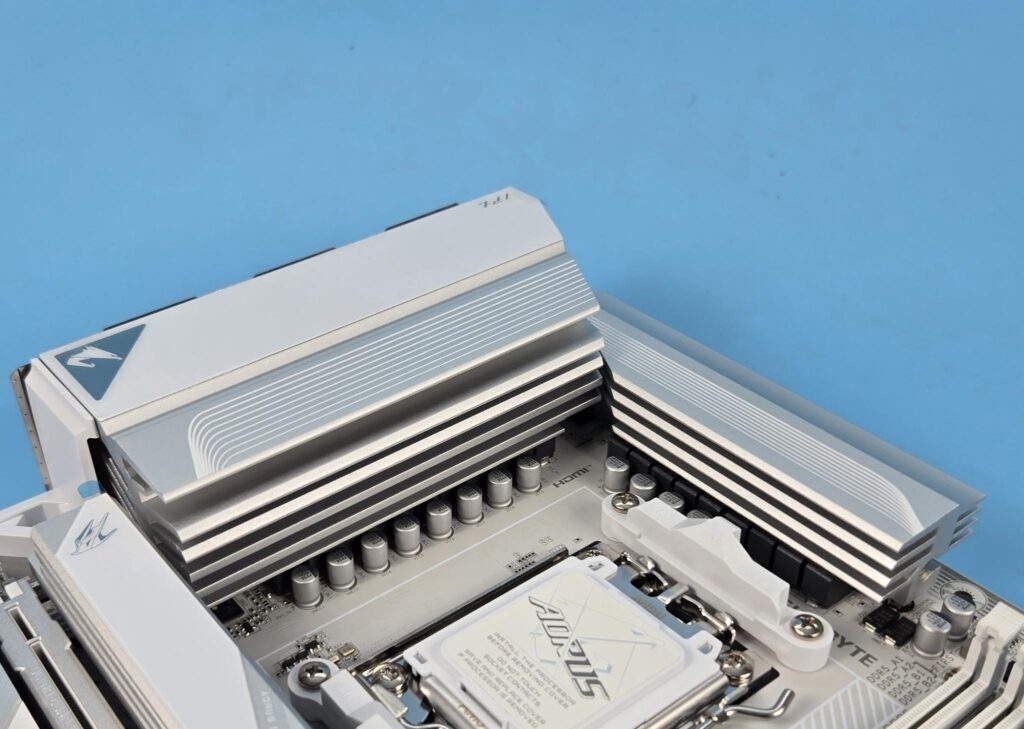
GIGABYTE uses two extended VRM heatsink covers along with a heat pipe. They provide a maximum cooling provision for the power phases. The thermal pads are rated for 7W/mK to ensure effective heat transfer. The surface area is 4x larger than traditional design, coming from a one-piece heatsink design. The heatsink has a multi-cut design for more grooves.
DIMM Slots
GIGABYTE has used 4x DIMM slots supporting up to 256GB memory capacity. The maximum 8200+ MHz(OC) support is limited on AM5 but is usually supported by Ryzen 9000 series CPUs. Finally, AMD is catching up with the likes of Intel. The JEDEC 5200 MT/s is supported. The motherboard supports binary as well as non-binary memory kits.
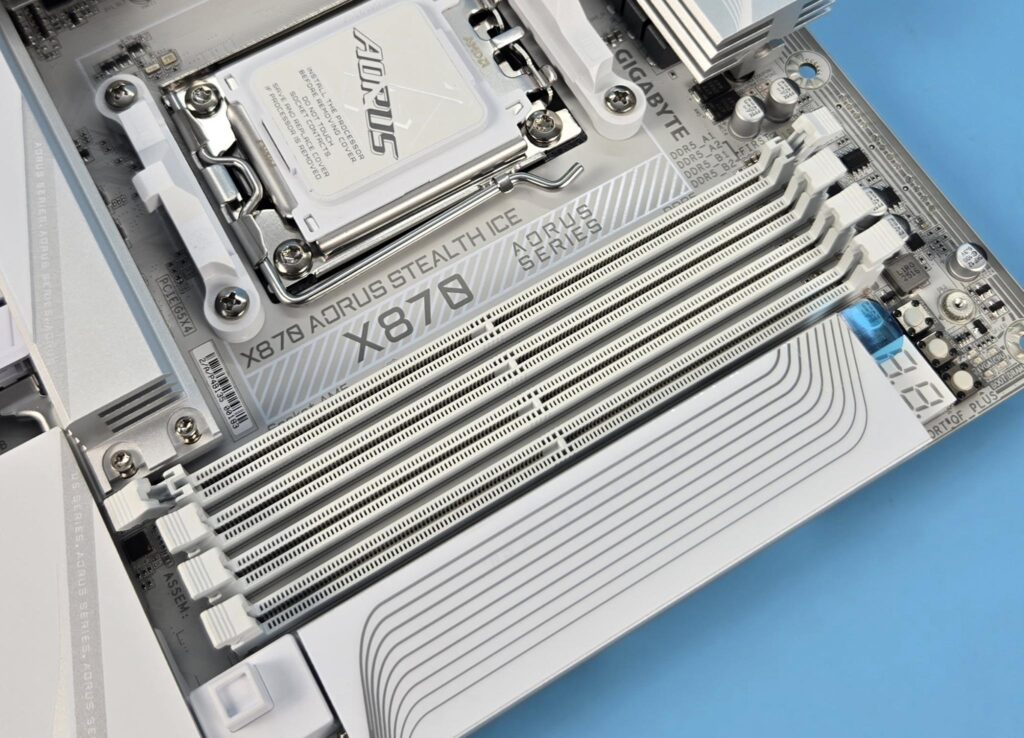
This motherboard supports AMD EXPO as well as Intel XMP with dual-channel and dual-controller modes. The supported memory is non-ECC and unbuffered. GIGABYTE has used the name Zenith Memory Performance to describe the unprecedented memory performance.
Storage Options
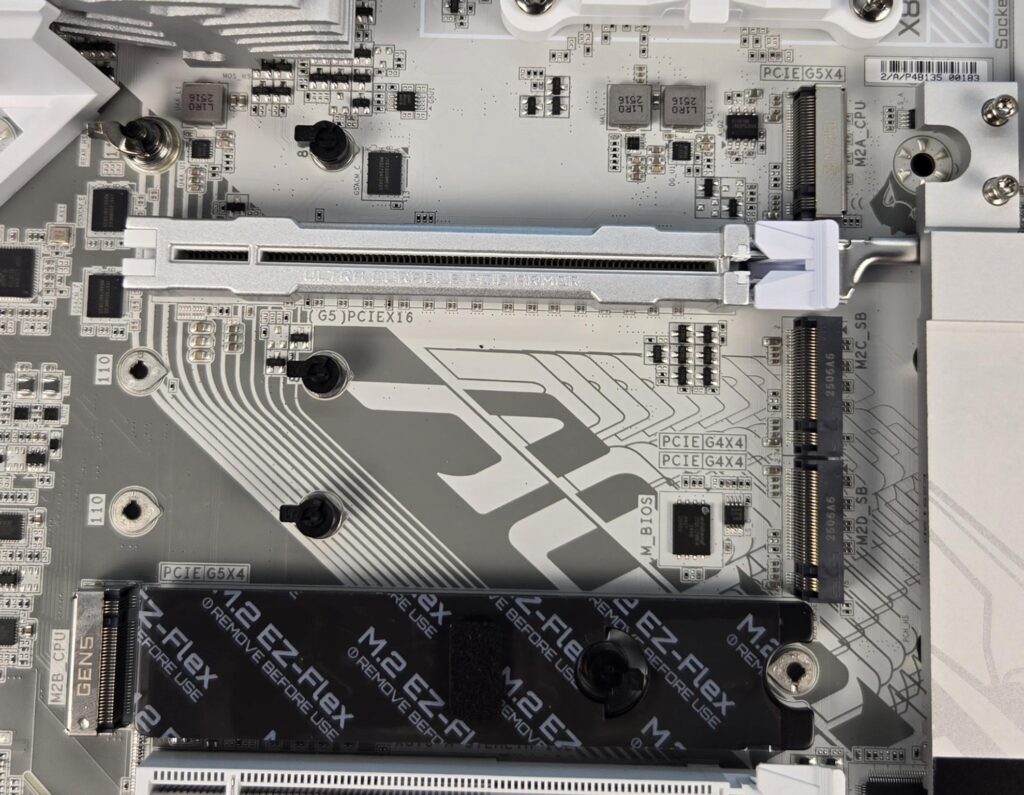
This motherboard has 4x M.2 slots and 2x SATA ports. The top and last M.2 ports are wired to the CPU socket. You will be surprised to know that only the M2B_CPU port has an EZ Flex design. It is a second PCE Gen5 M.2 port, and it shares bandwidth with 2x USB 4.0 ports on the rear IO panel. I would have loved to see the top Gen5 slot having an EZ Flex design. M.2 EZ-Flex offers a flexible base that improves contact between the heatsink & SSD, enhancing thermal performance.
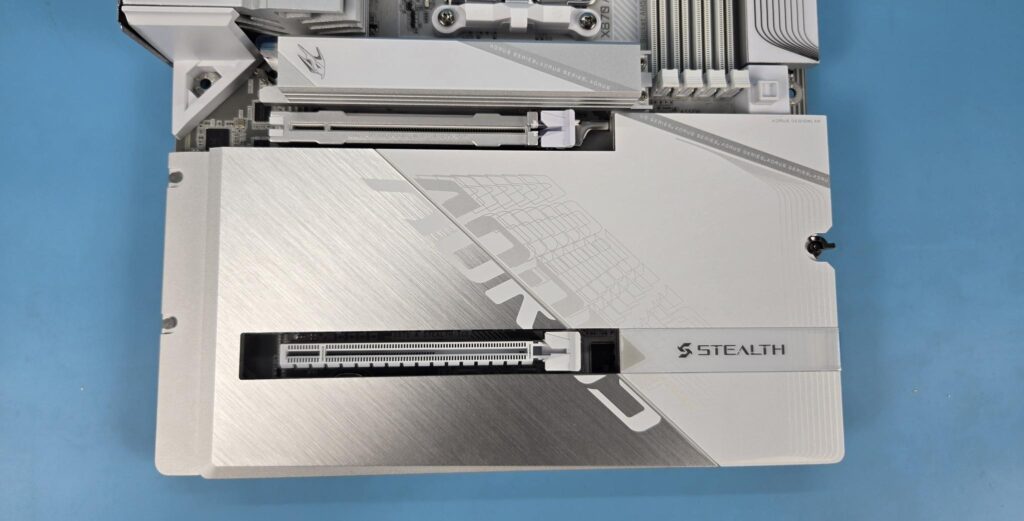
This motherboard has a single large-sized aluminium heatsink cover on the lower side covering the M.2 ports. It has a stylish design with stencilling. The gray and white color combination bodes well. This cover is completely tool-less, which isa really smart move.
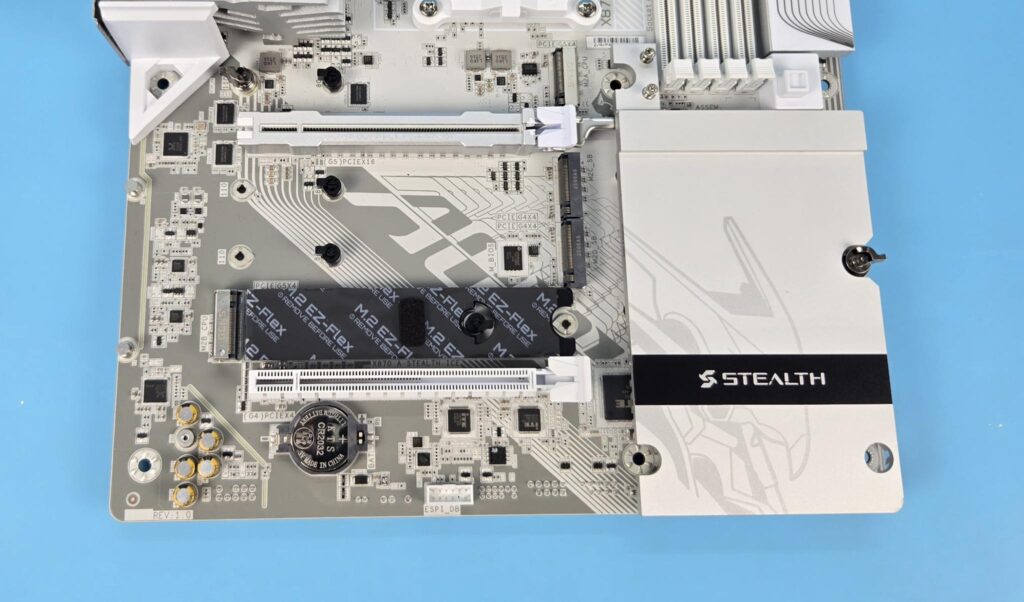
Removing the M.2 large heatsink shows the three M.2 ports.
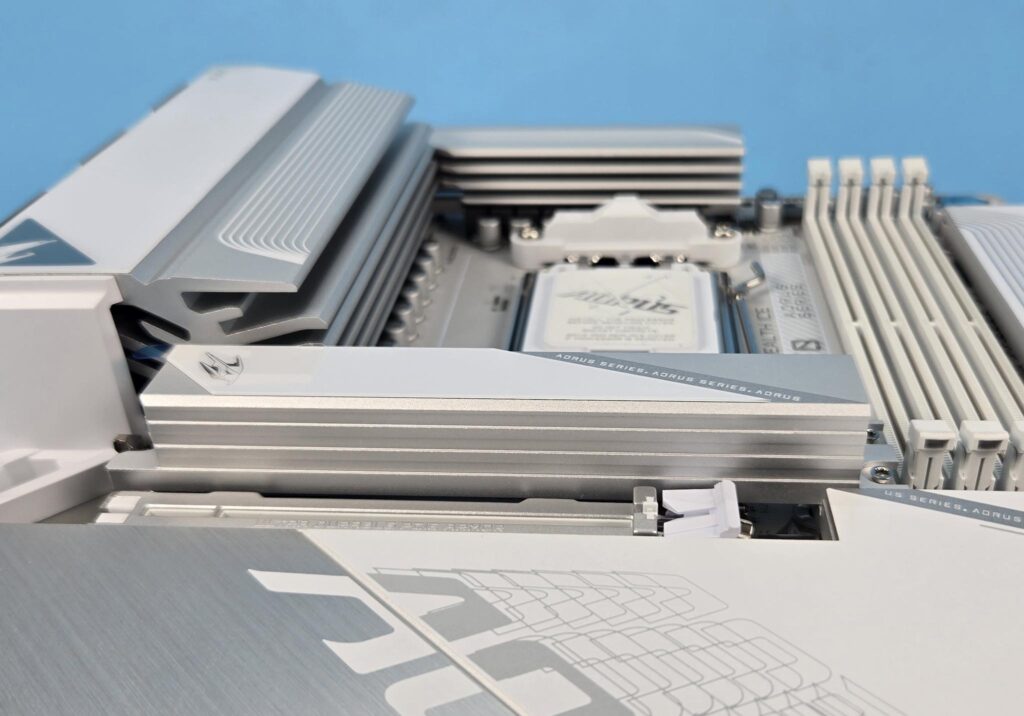
The first M.2 port has a bulky yet stylish and completely tool-less aluminum heatsink cover.
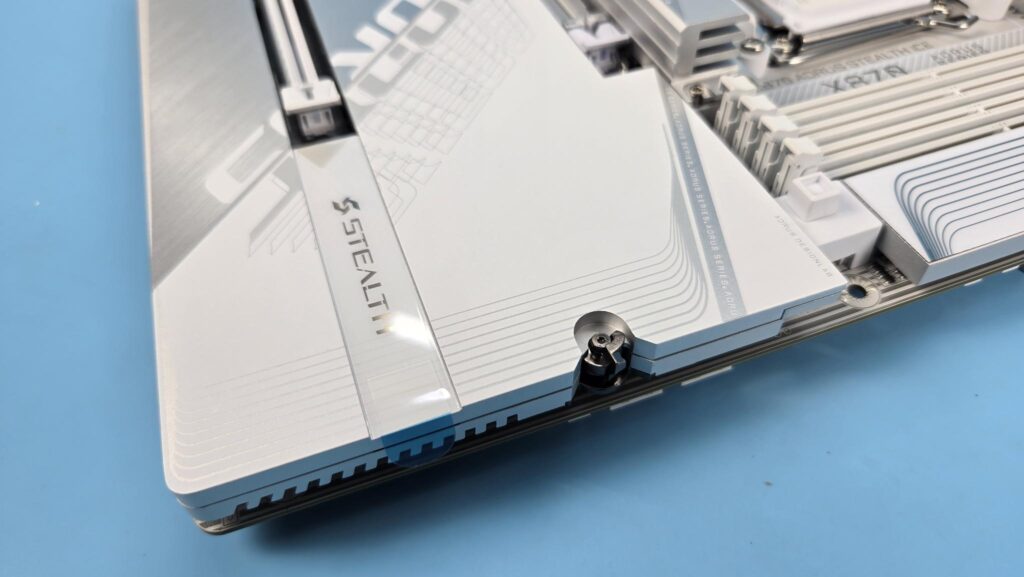
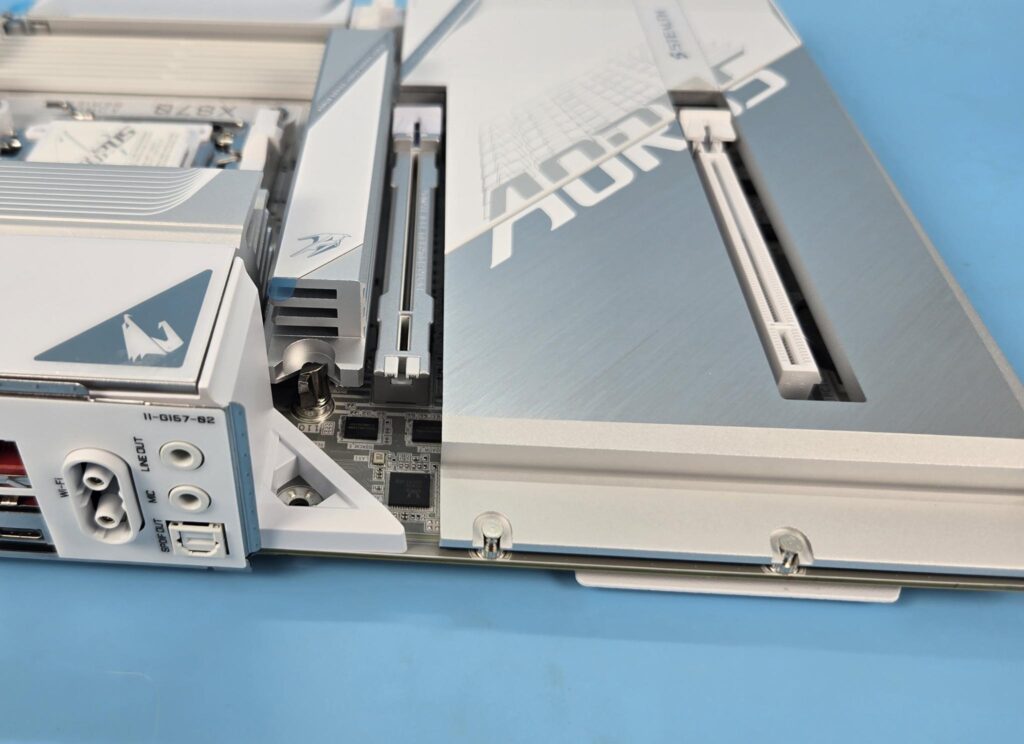
You just need to slide the latch to release the lock and simply lift the cover, which is slotted on the opposite side. To put it back, place the cover so that the grooves or cutouts on the opposite end slide on the screws and gently push it down.
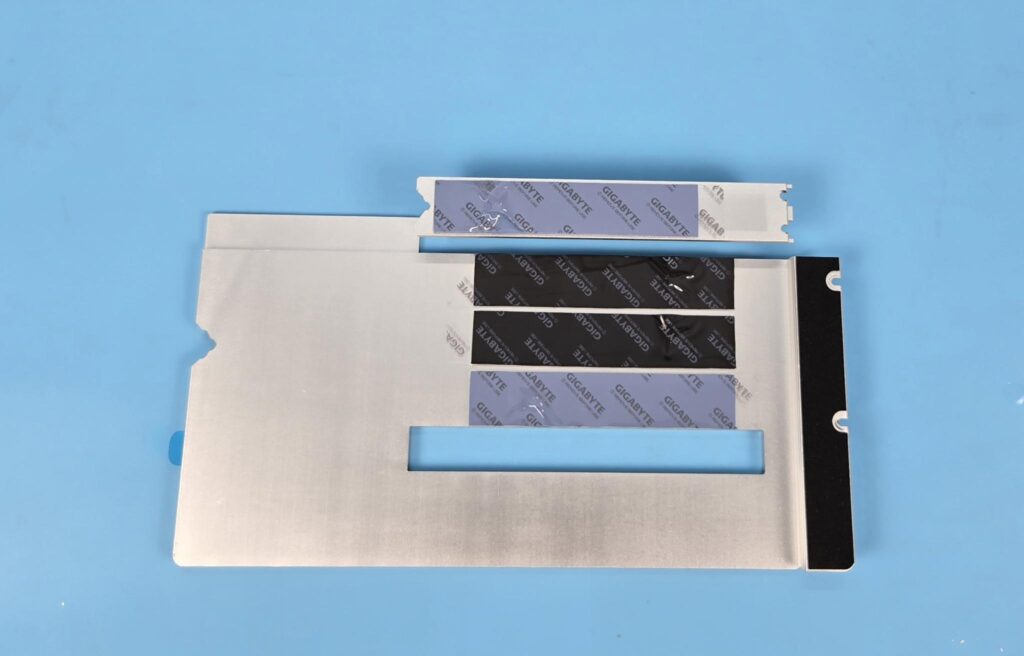
The purple thermal pads are on the PCI Gen5 M.2 slots, whereas the black ones are on the PCI Gen4 slots.
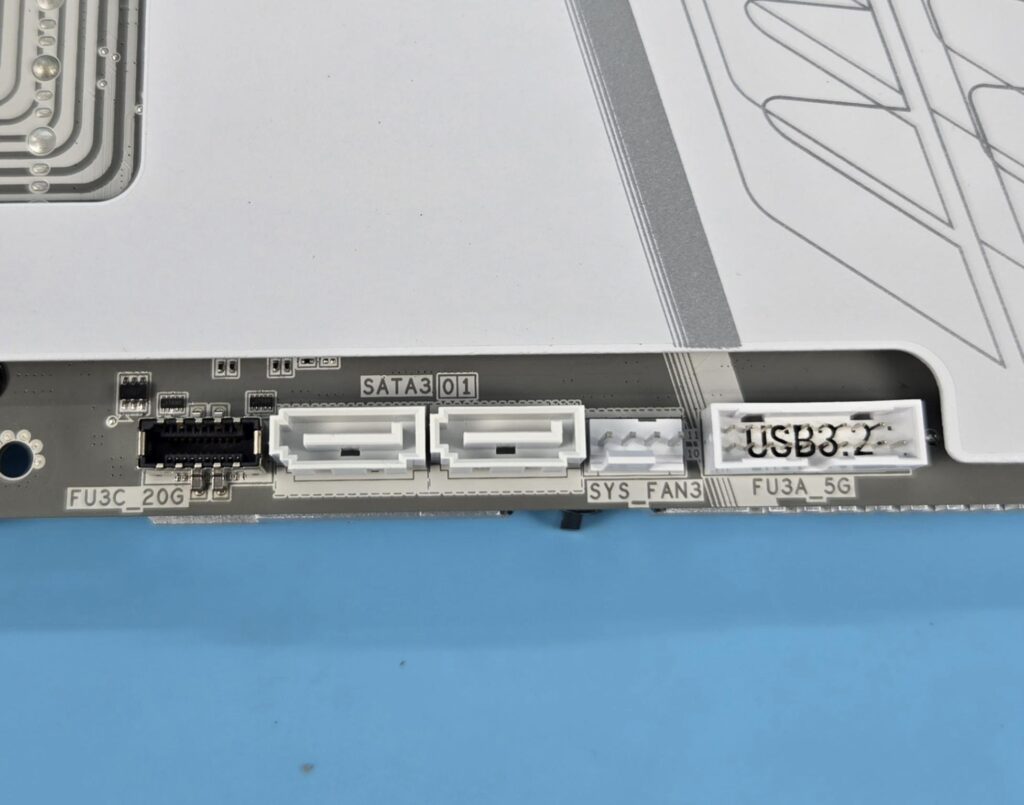
Speaking of SATA ports, this motherboard has a total of 2x ports wired to the chipset.
PCIe Connectivity
This motherboard has a total of 2x PCIe slots. The top slot is Gen5 x16, and the second isa Gen4 x16 slot operating at x4. The top slot will operate in Gen5x4 mode for Ryzen 9000/7000 series CPUs, but it will operate at Gen4/x8 for Ryzen 8000 series Phoenix I SKUs and Gen4x4 for Ryzen 8000 series Phoenix II SKUs.
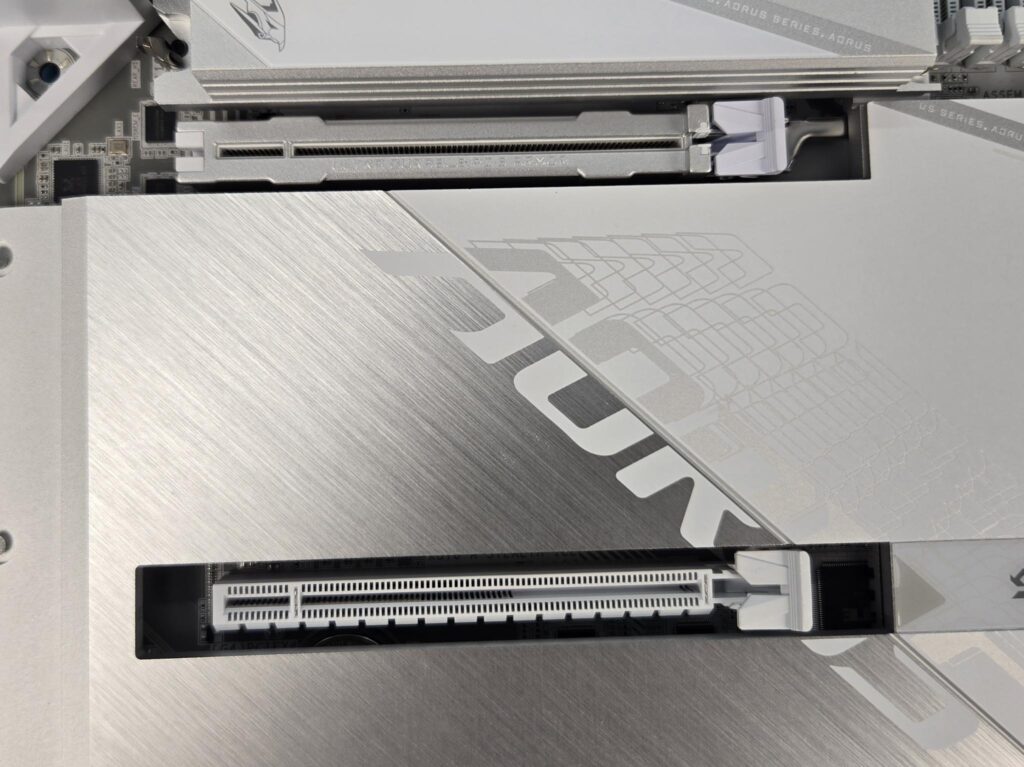
The PCIEX4 slot shares bandwidth with the M2D_SB M.2 port. Populating either will disable the other port.
GIGABYTE has used PCIe UD design on these slots, making them 7x stronger in shearing tests and 2x stronger in retention force tests. Both slots are steel-reinforced.
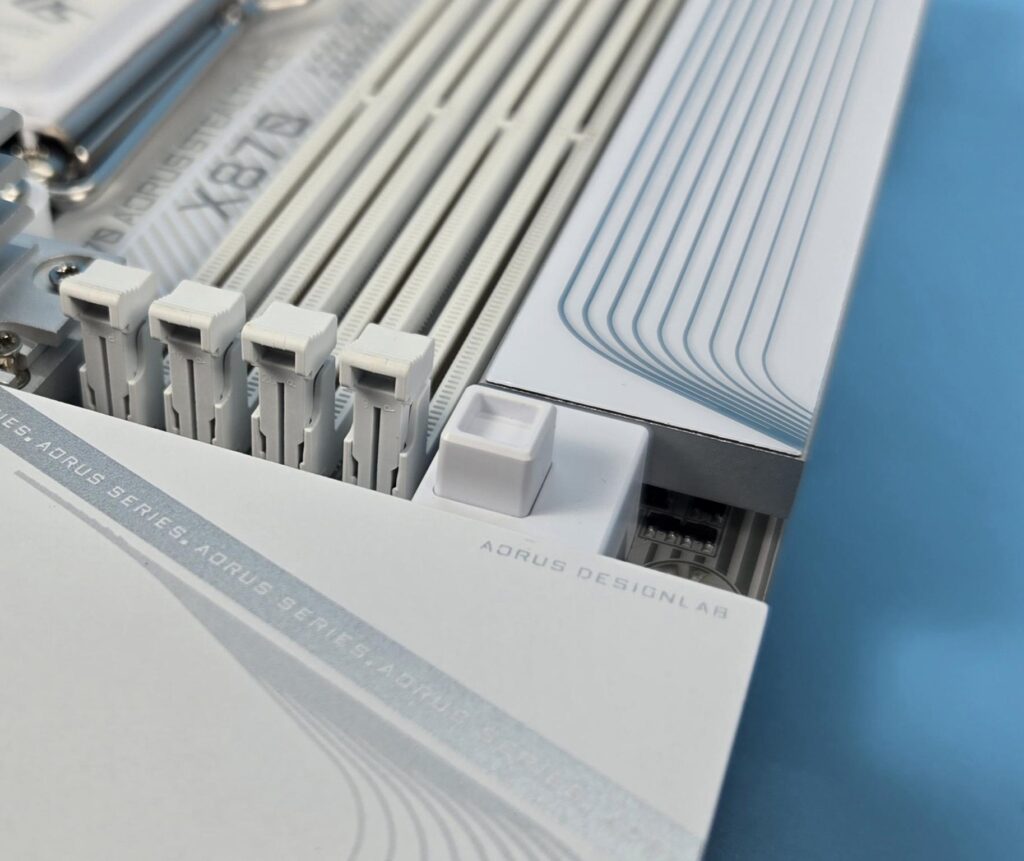
PCIe EZ Latch Plus is a name given to the button mechanism that will lock and unlock the latch on the top PCIe slot.
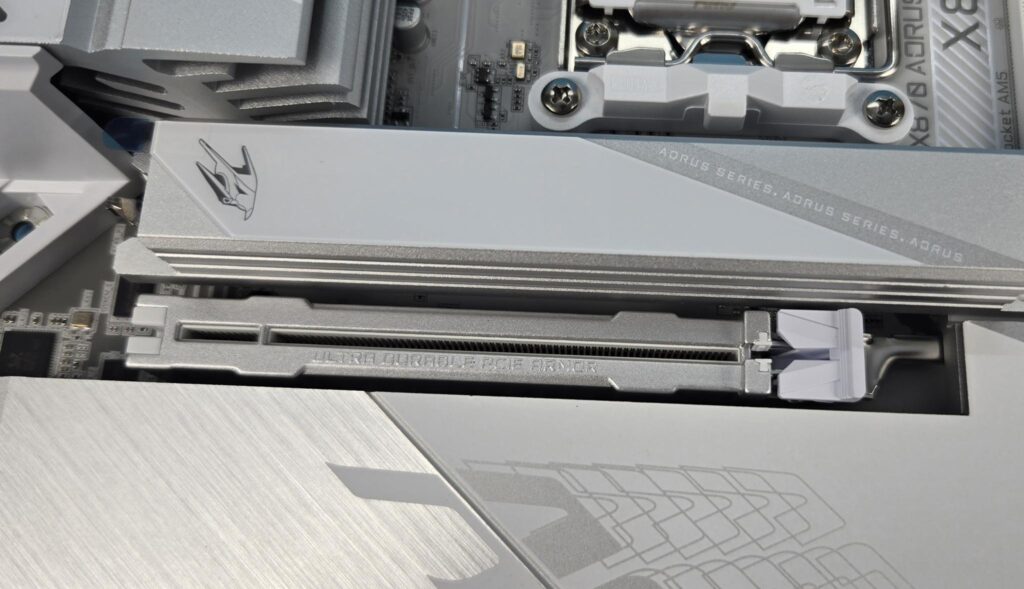
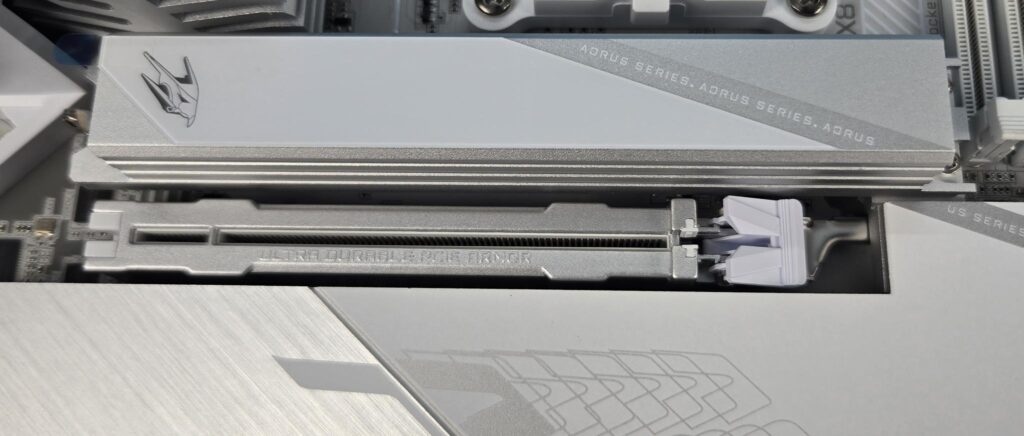
The E Latch Plus acts as a toggle and locks or unlocks the latch.
USB Connectivity
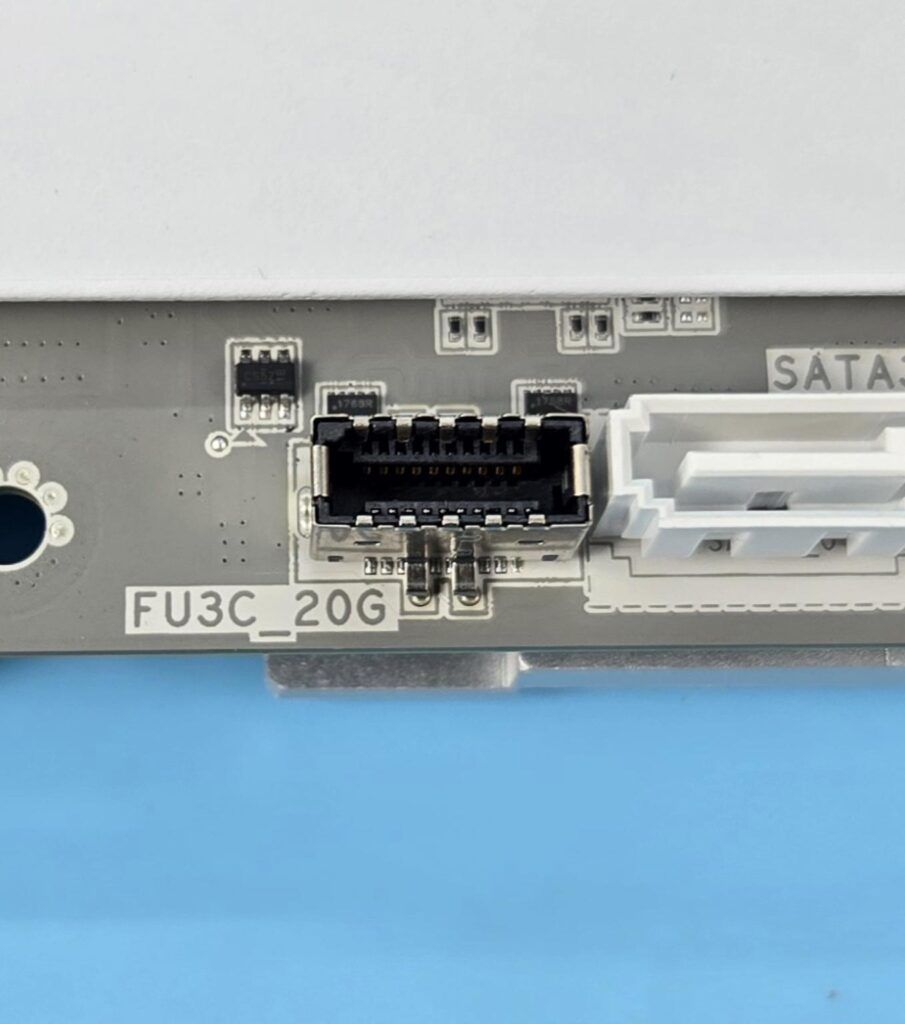
This motherboard is packed with USB ports on the front, rear and mid-board. It has:
- 2 x USB4® USB Type-C® ports on the back panel
- 1 x USB Type-C® port on the back panel, with USB 3.2 Gen 2 support
- 4 x USB 3.2 Gen 1 ports on the back panel
- 4 x USB 2.0/1.1 ports on the back panel
- 1 x USB Type-C® port with USB 3.2 Gen 2×2 support, available through the internal USB header
- 2 x USB 3.2 Gen 2 Type-A ports (red) on the back panel
- 2 x USB 3.2 Gen 1 ports available through the internal USB header
- 4 x USB 2.0/1.1 ports available through the internal USB headers
The AMD platform is known for its generous support for USB connections, and this motherboard is no exception to that. The USB 4.0 ports come from the ASMedia Controller. The 1x USB 3.2 Gen1 port comes from the USB 3.2 Gen1 hub, whereas the 4x USB 2.0 ports are from the USB 2.0 Hub.
Chips
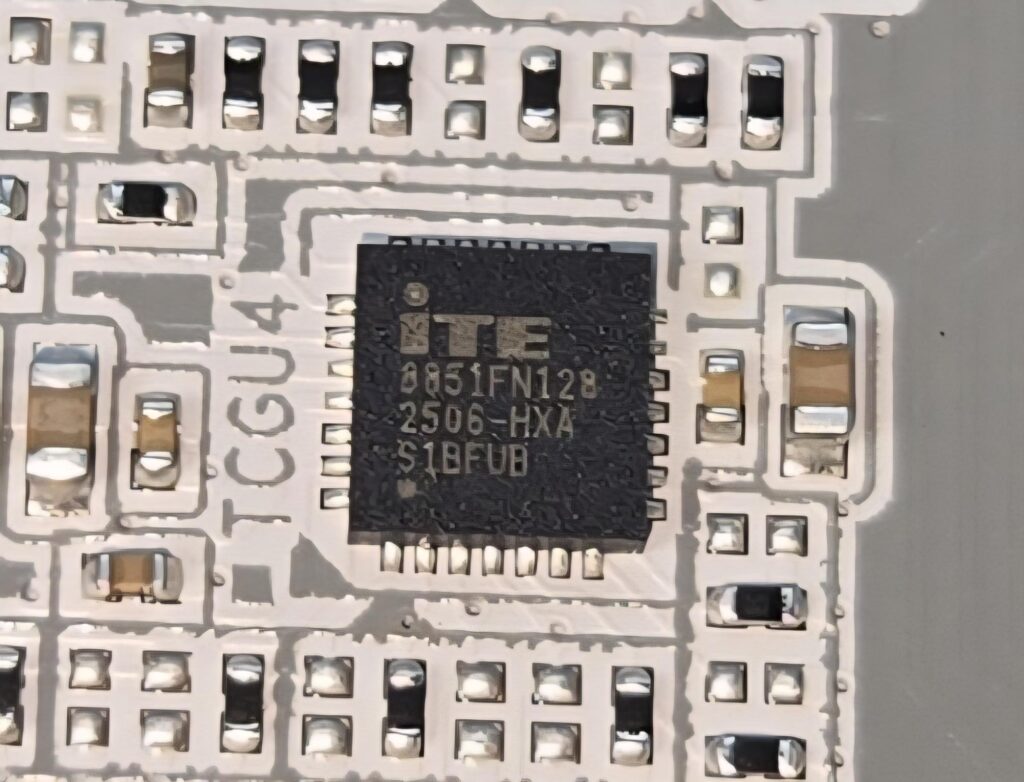
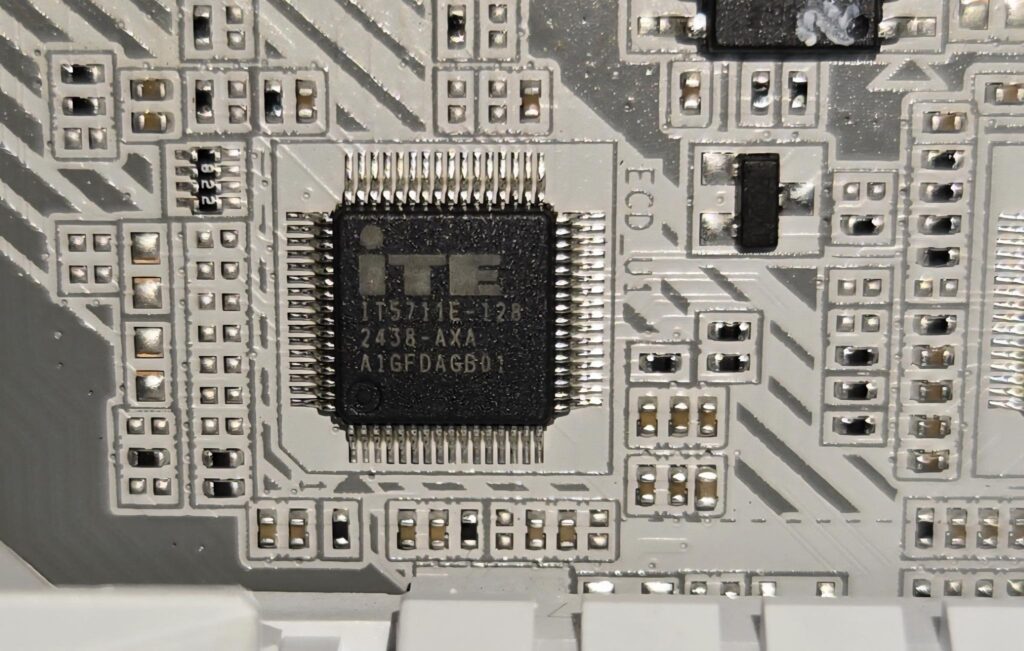
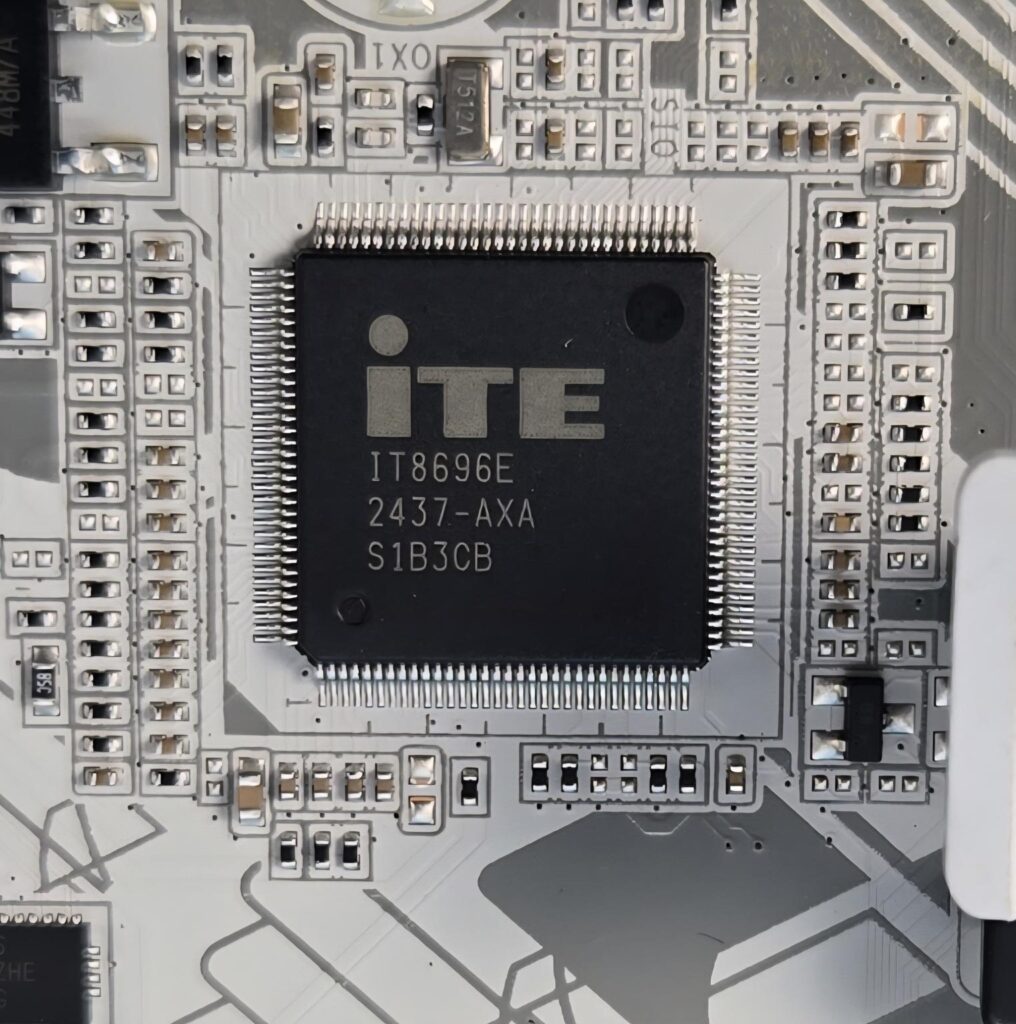
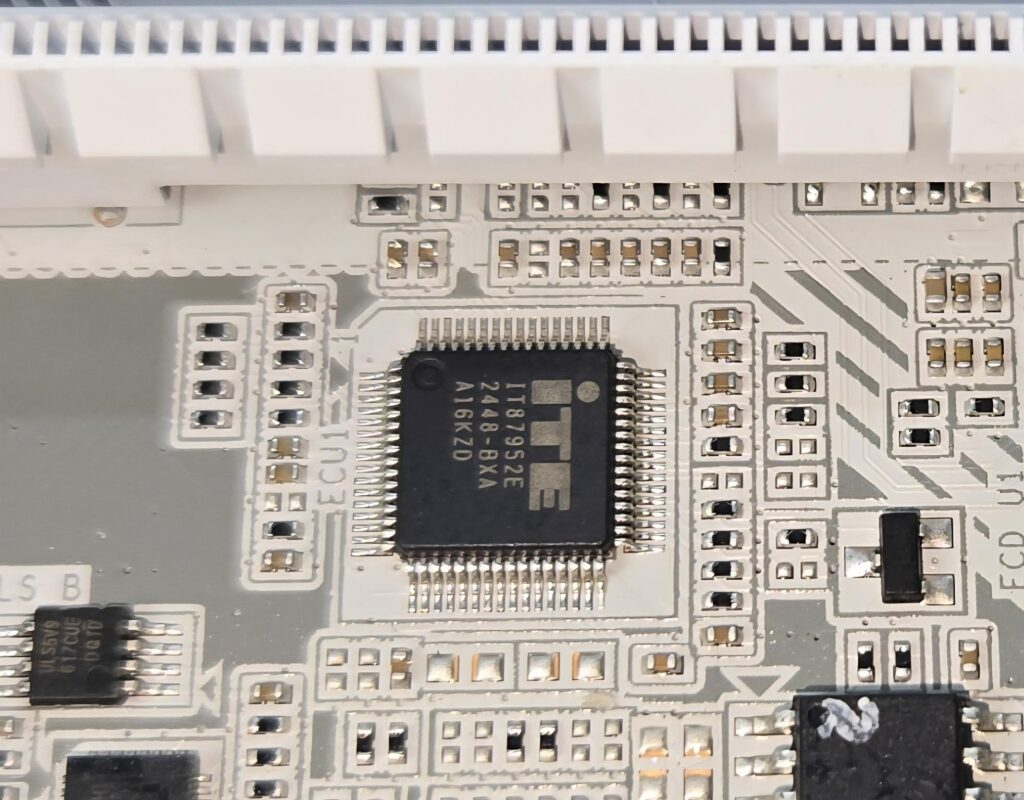
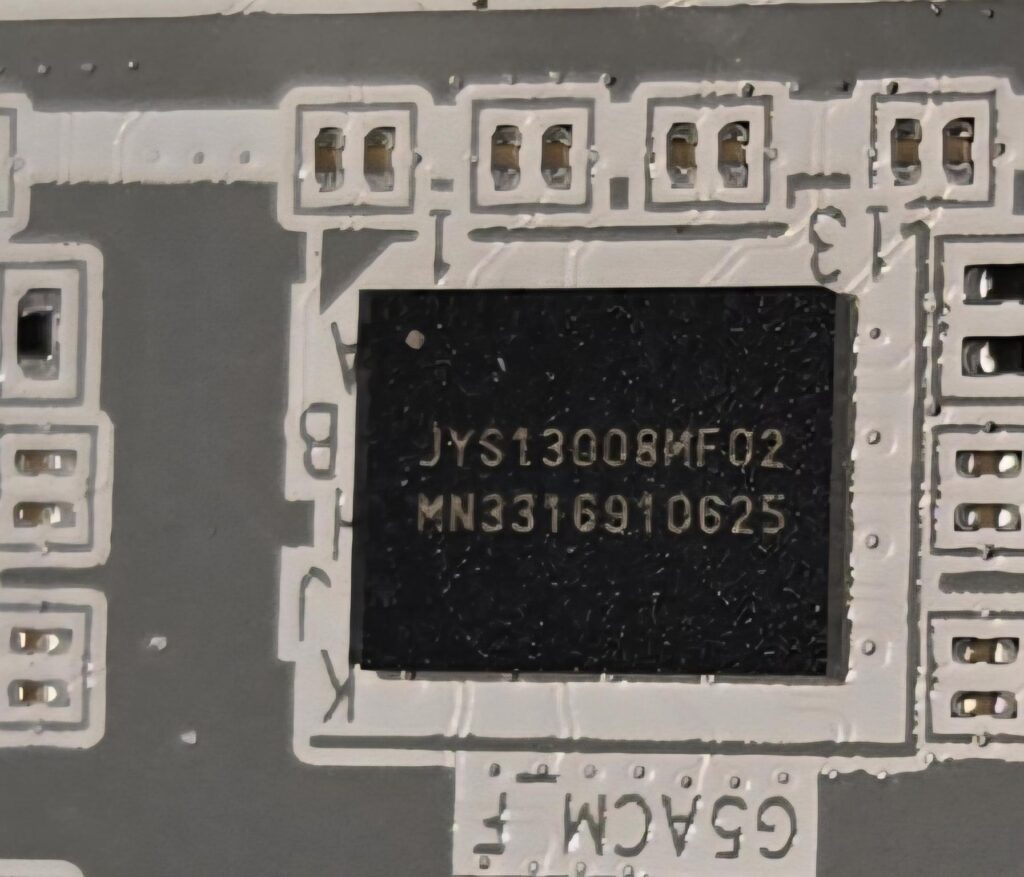
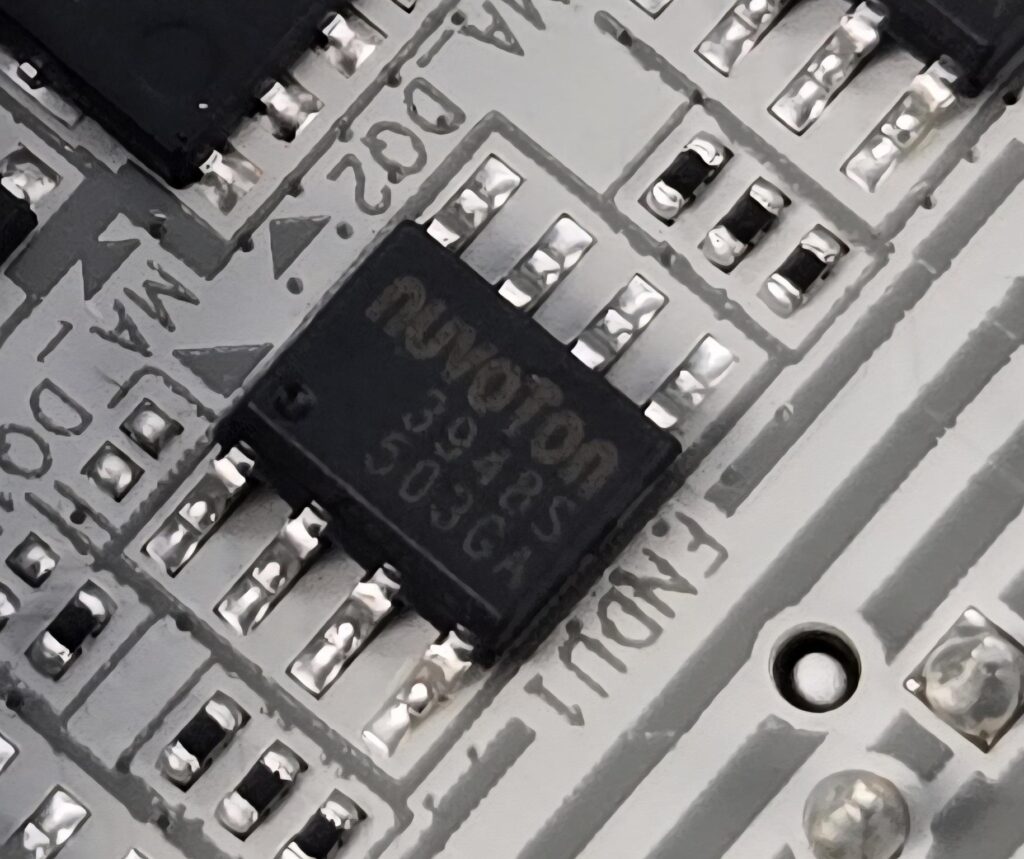
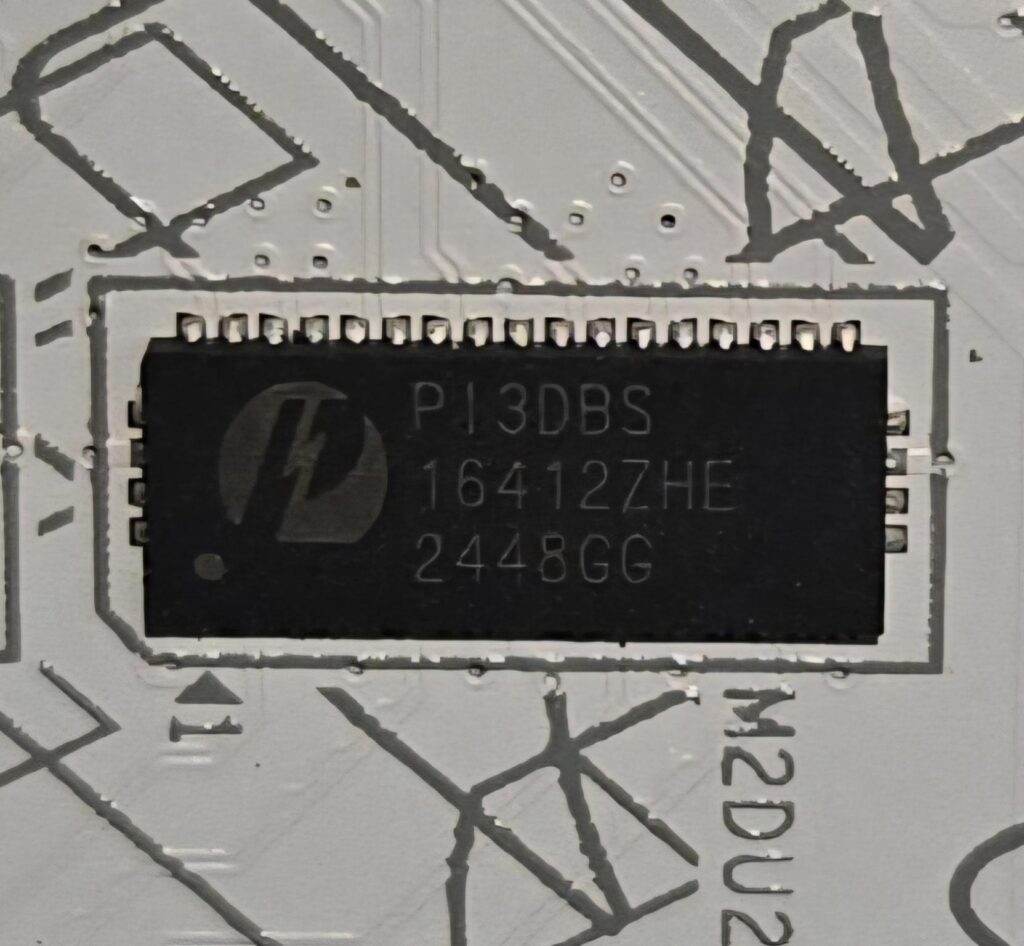
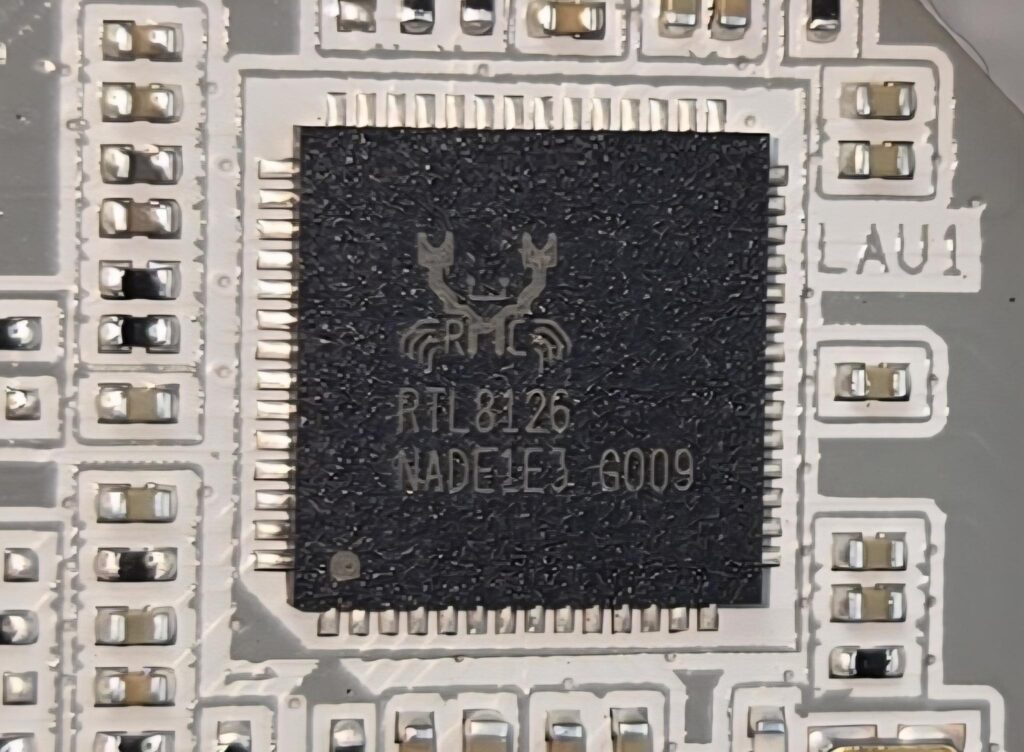
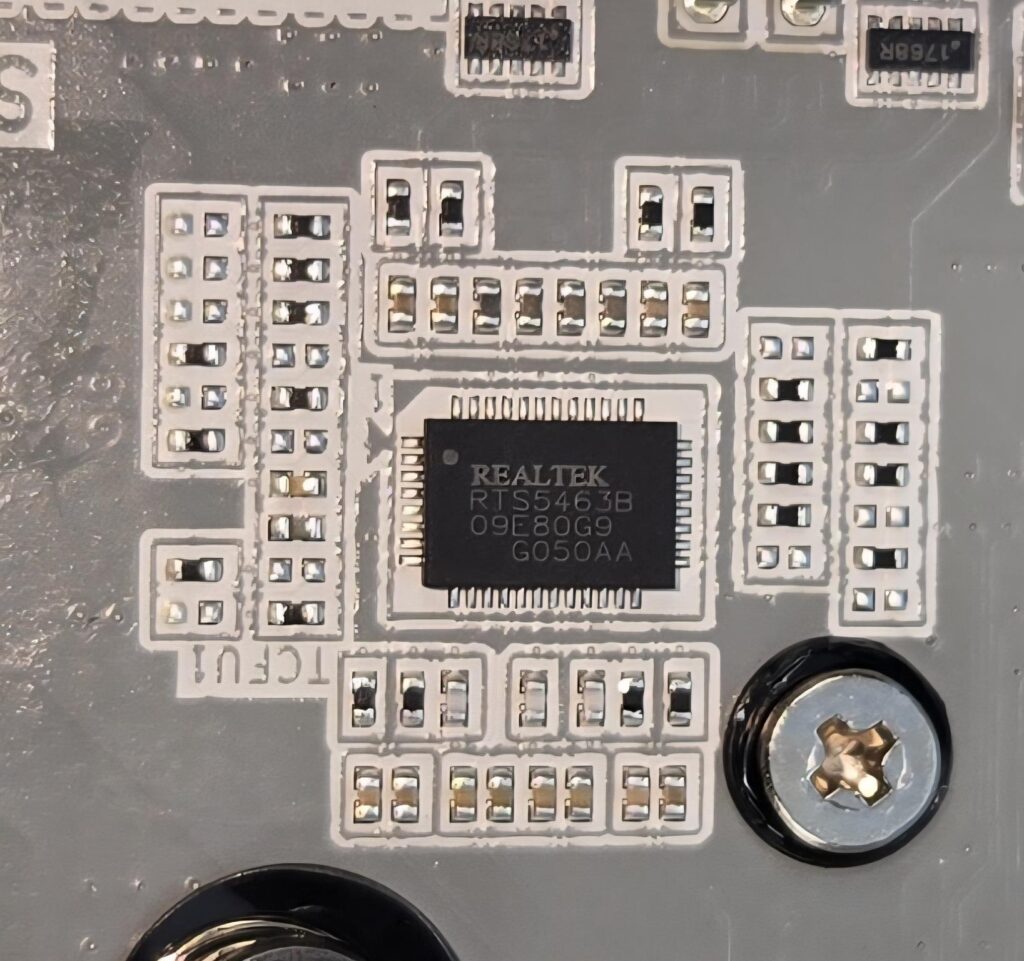
GIGABYTE has used multiple controllers and hubs across the PCB on this motherboard. IT8851FN is a USB Type-C PD 3.0 controller. You can see various USB controllers from Realtek, including RTS5436I, 5441S, RTS5411S, and RTS5463 (USB 3.2 Gen2 x2 Type-C).
The JYS1300BMF01 is a PCIe 5.0 Mux chip. The ITE IT87952E is an embedded controller that seems to be handling stuff like RGB and sensor monitoring. ITE IT5711E seems to be for QFLASH PLUS. ITE IT8696E is a Super IO chip wired to the CPU socket. Pericom PI3DBS16412ZHE is a PCIe 4.0 Mux chip. Last but not least, Nuvoton 3948S is a fan controller.
Networking Solution
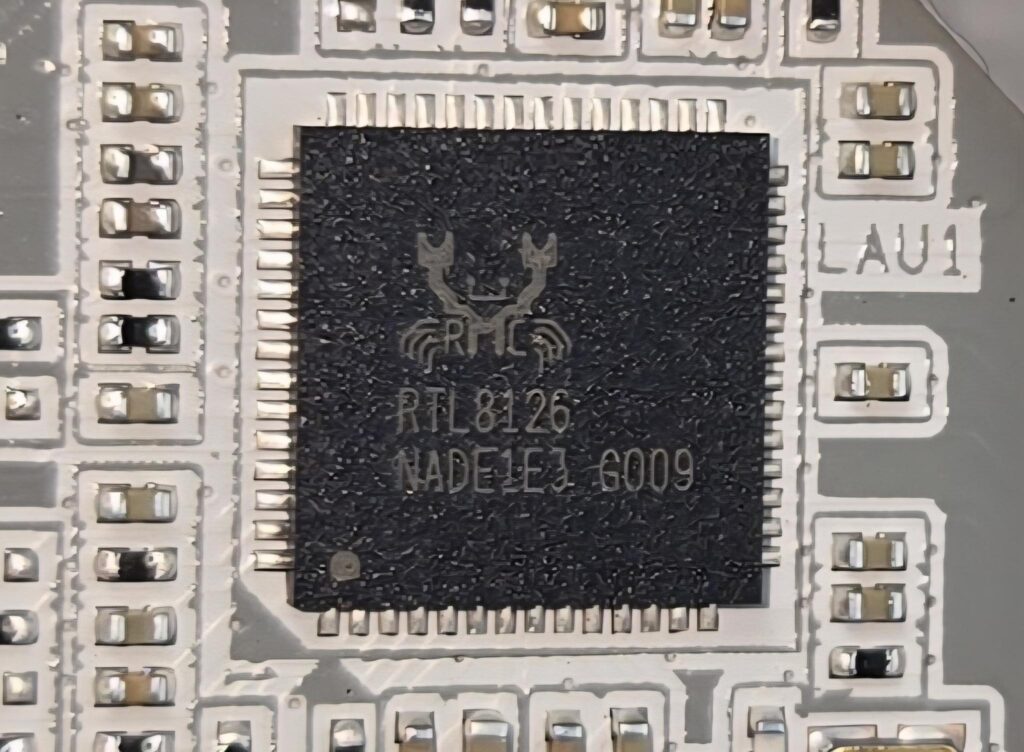
This motherboard has a 5GbE LAN port on the rear panel driven by the RealTek RTL8126 controller. The wireless connectivity comprises WiFi 7 and Bluetooth 5.4. The Wireless module Qualcomm QCNCM865 is pre-installed in the M.2 (Key-E) slot and supports MU-MIMO TX/RX, 2.4GHz/ 5GHz/ 6GHz (320MHz) up to 5.8Gbps.
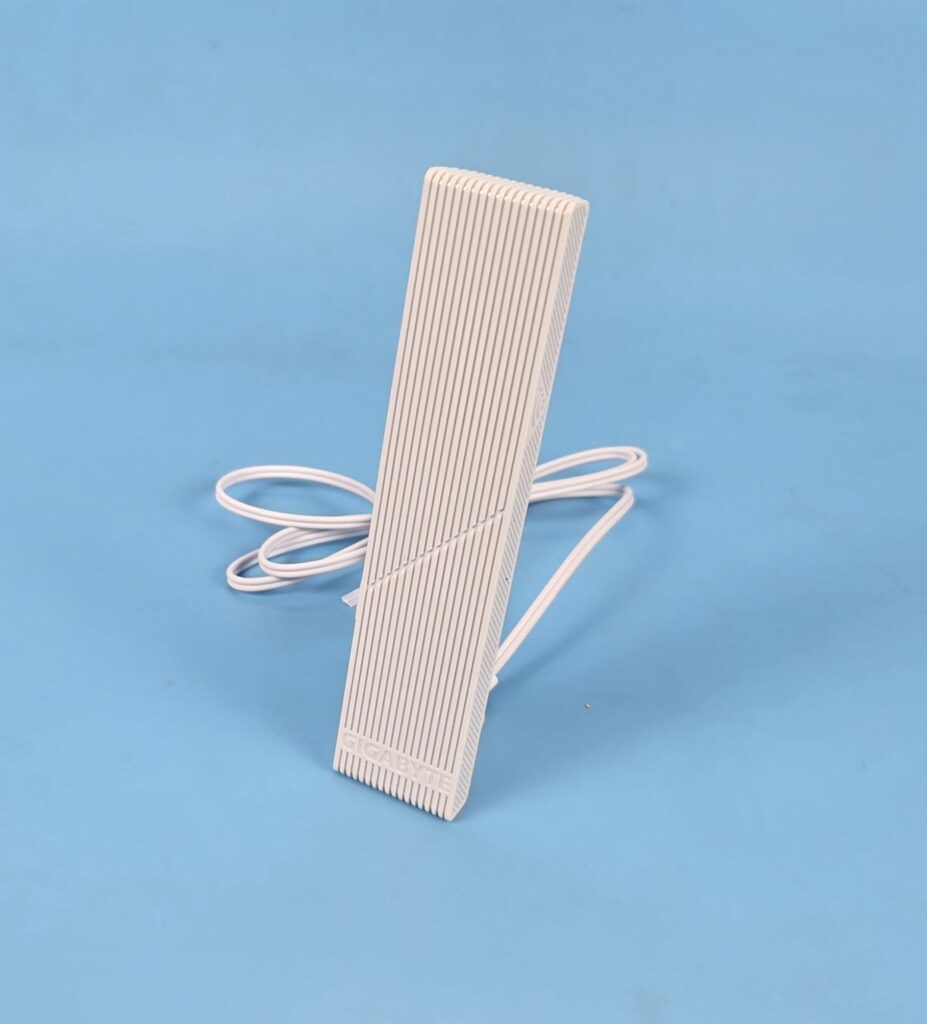
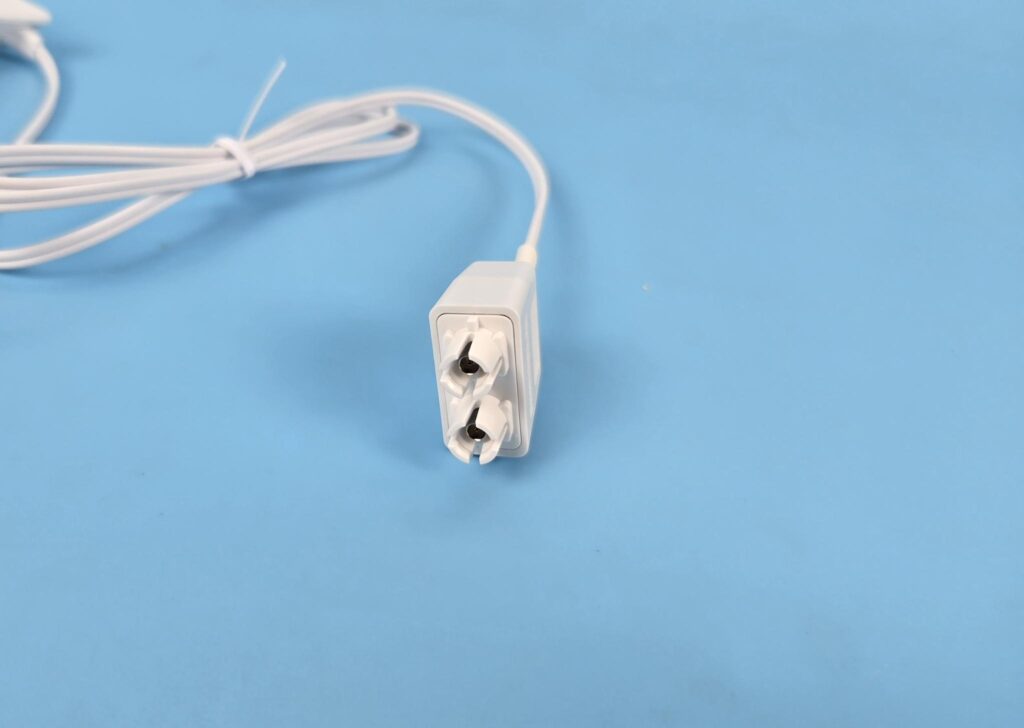
The antenna is magnetic, making its placement convenient. The Antenna uses a snap-on design, making plug connections convenient.
Audio Solution
GIGABYTE has provided the ALC1220 Codec from Realtek in combination with high-performance Chemi-Con capacitors as the primary audio solution on this motherboard.
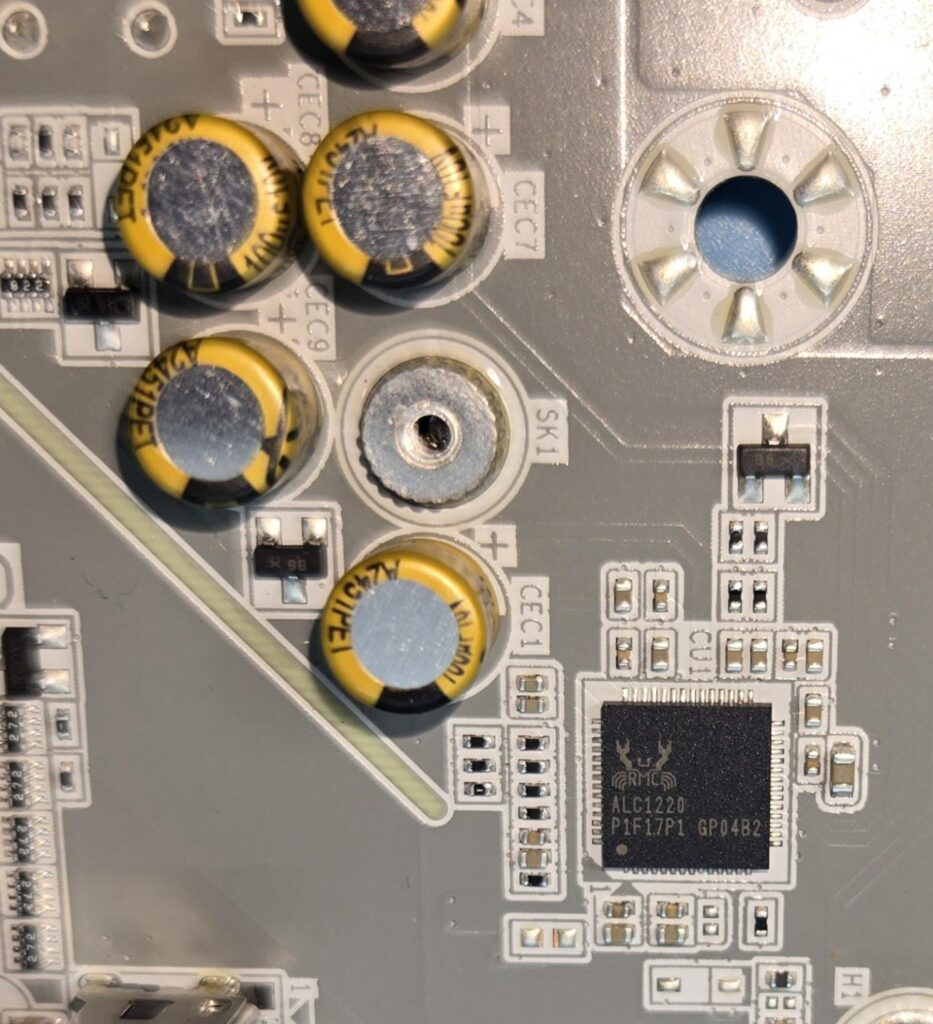
This is a 7.1 Channel audio solution that has S/PDIF output as well. It supports up to 32-bit/384 kHz playback on the front panel.
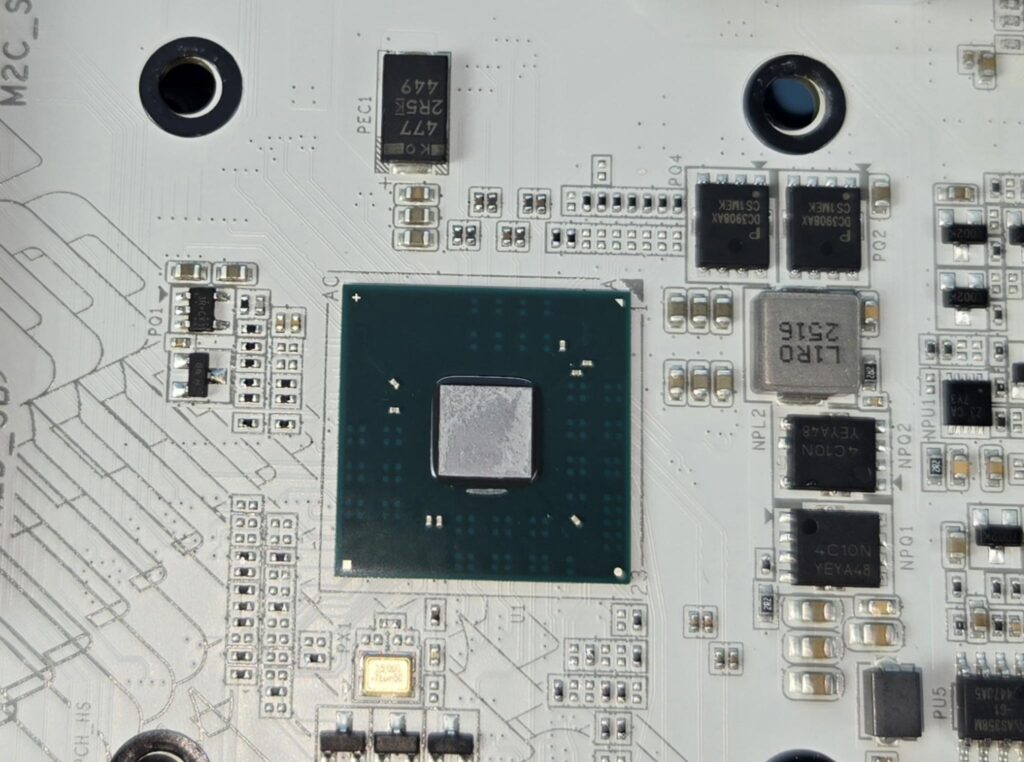
I am showing the X870 chipset after removing its heatsink cover.
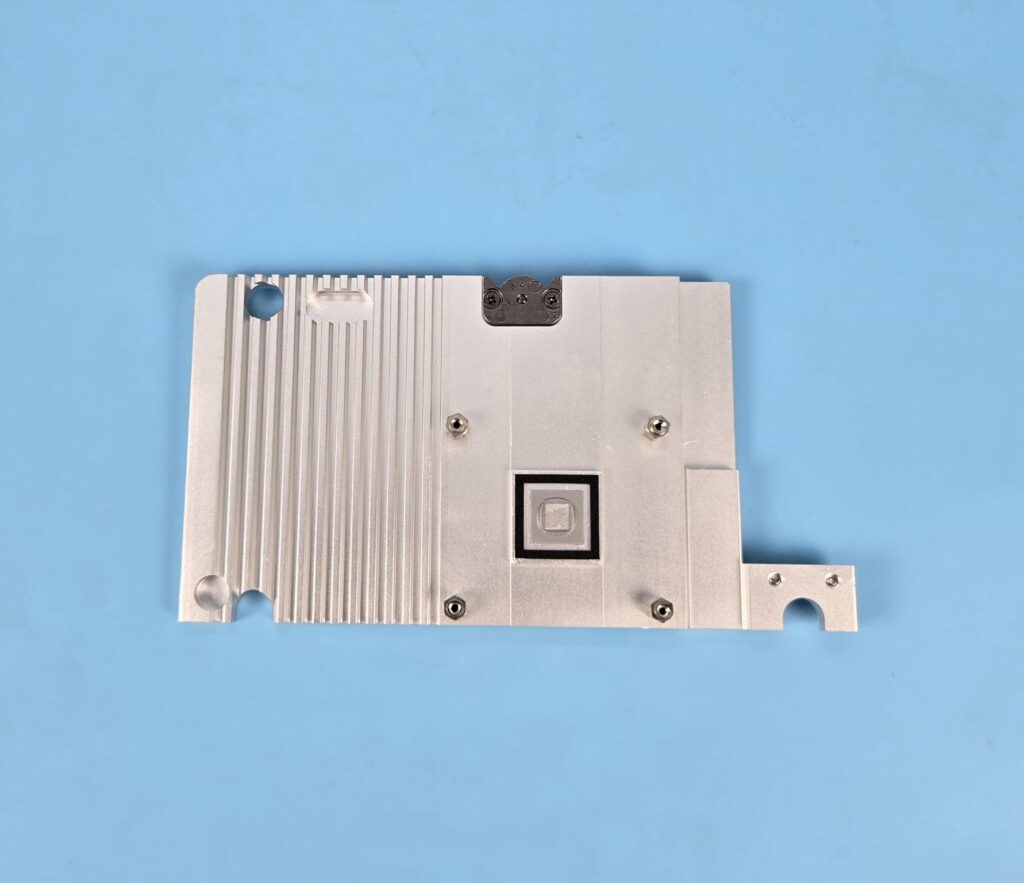
The above picture shows the chipset heatsink cover.
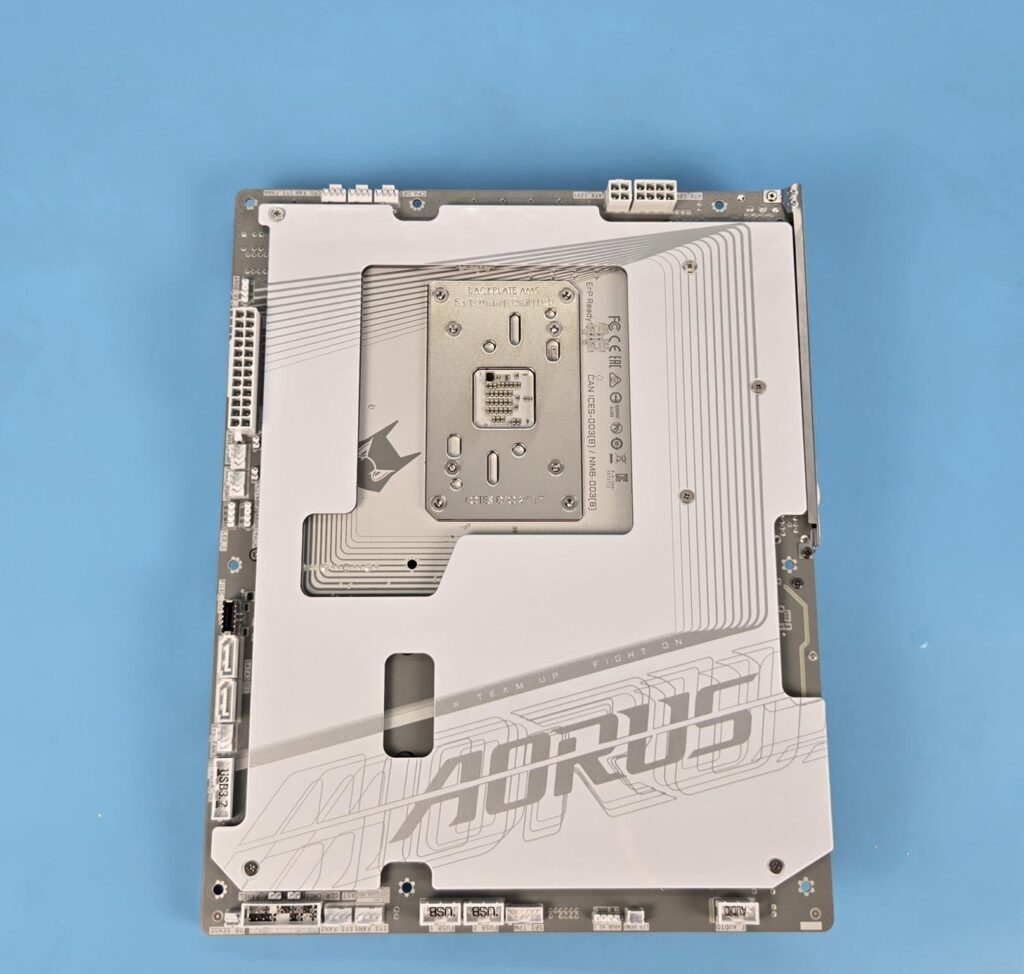
The above picture shows the backside of the motherboard. You can see a white colour backplate, but more importantly, you can see all connectors located on the backside. This motherboard uses 8+4, not 8+8 EPS connectors.
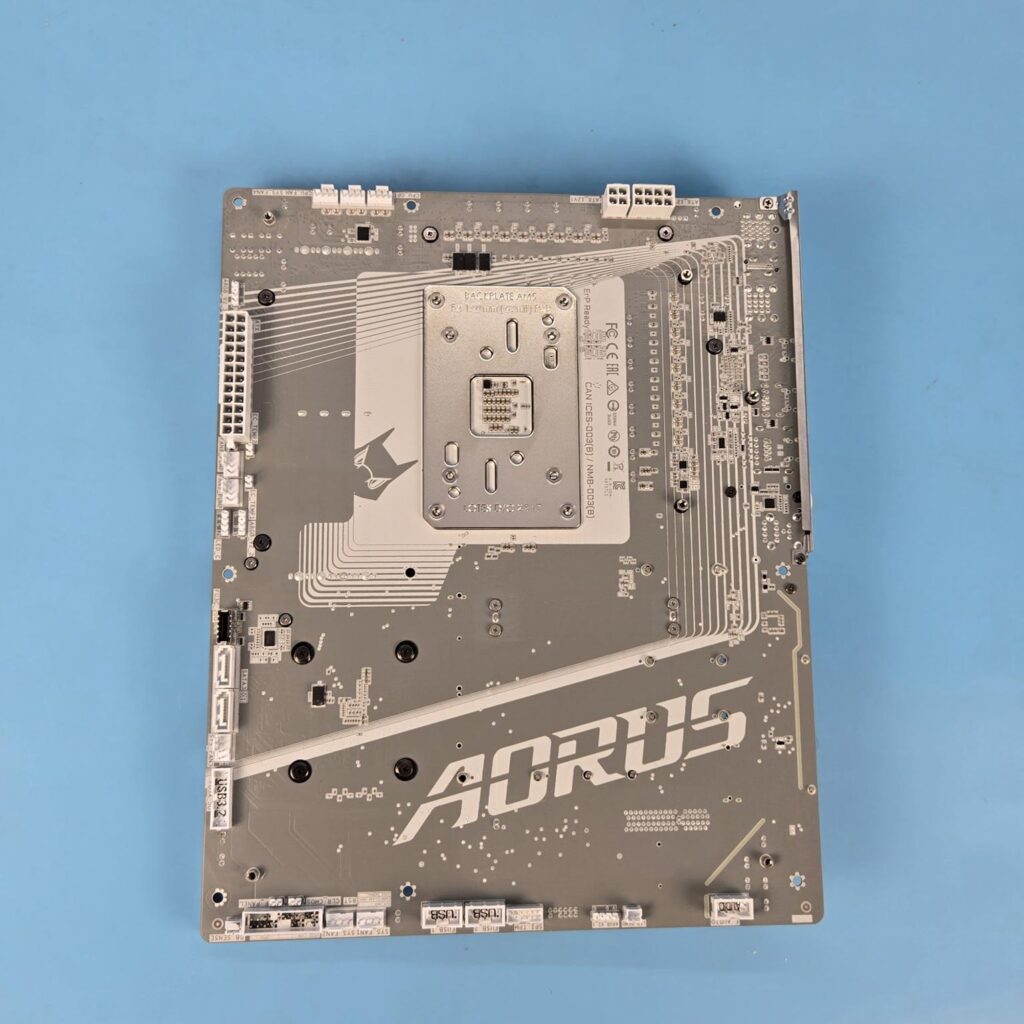
The PCB has gray colour stencilling on the backside. GIGABYTE has listed that AI-Driven PCB Technology is utilised which employs AI algorithms to optimize vias, routing and stackups, ensuring peak performance and signal integrity across single and cross-layer throughout the design process. They have named it AI-ViaFusion Technology, which reduces signal reflection up to 28%. Next is AI-Trace Technology for smart routing, followed by AI-Layer Technology for stackups.
Let’s take a look at the connectors.
Internal Connectors
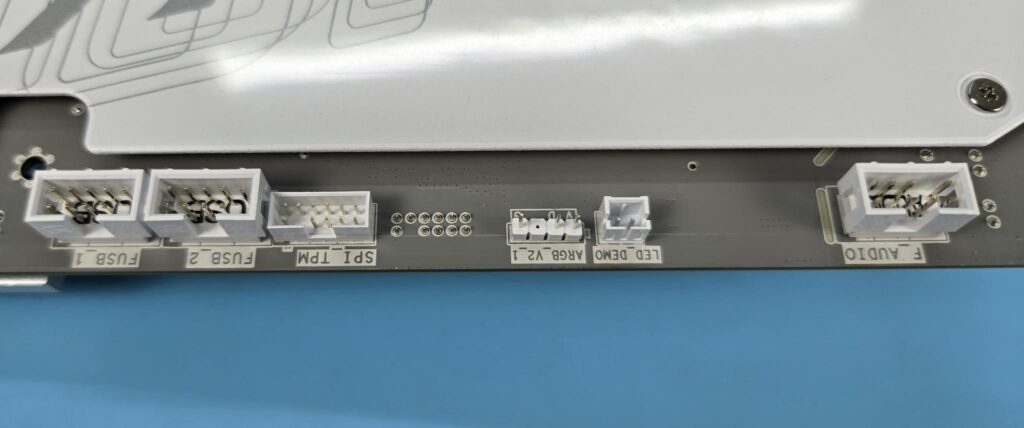
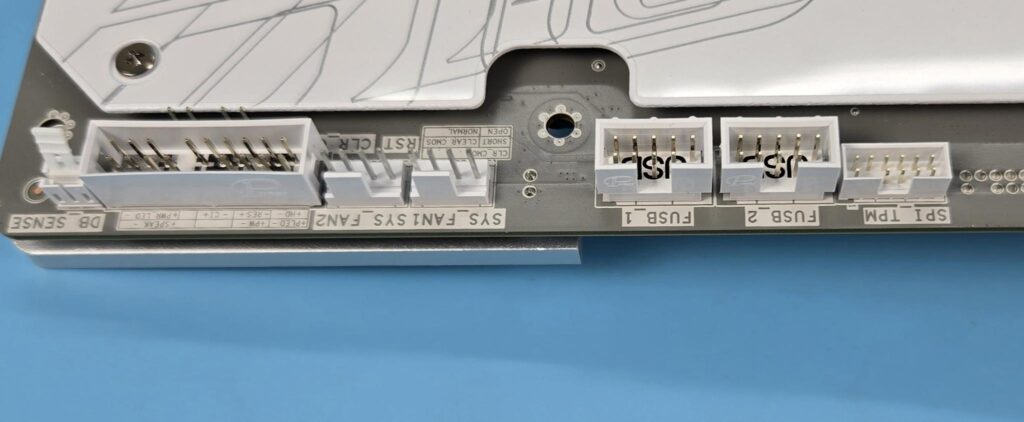
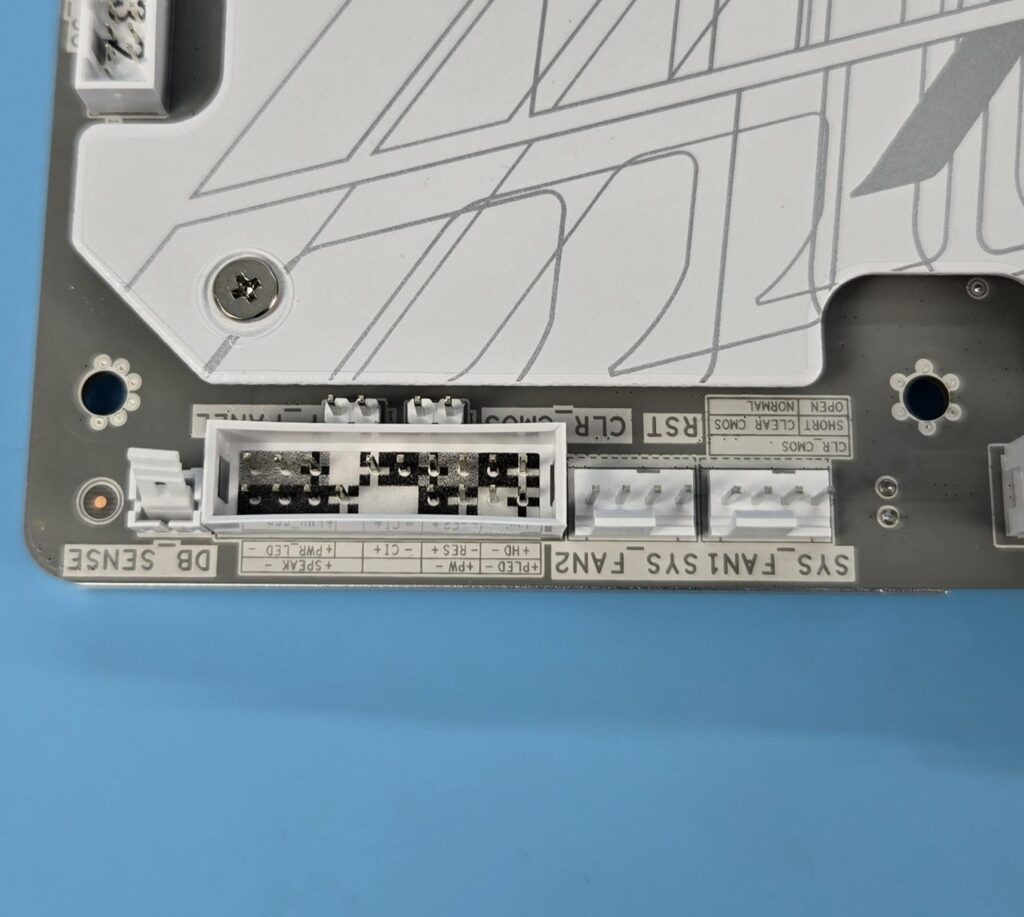
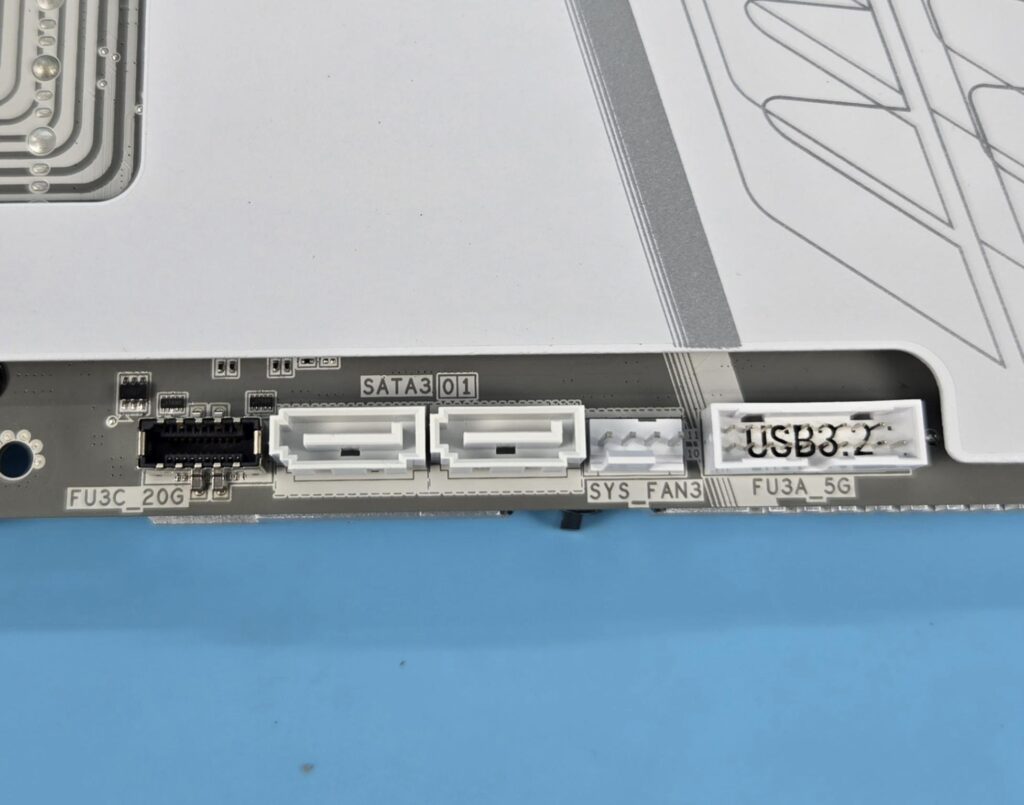
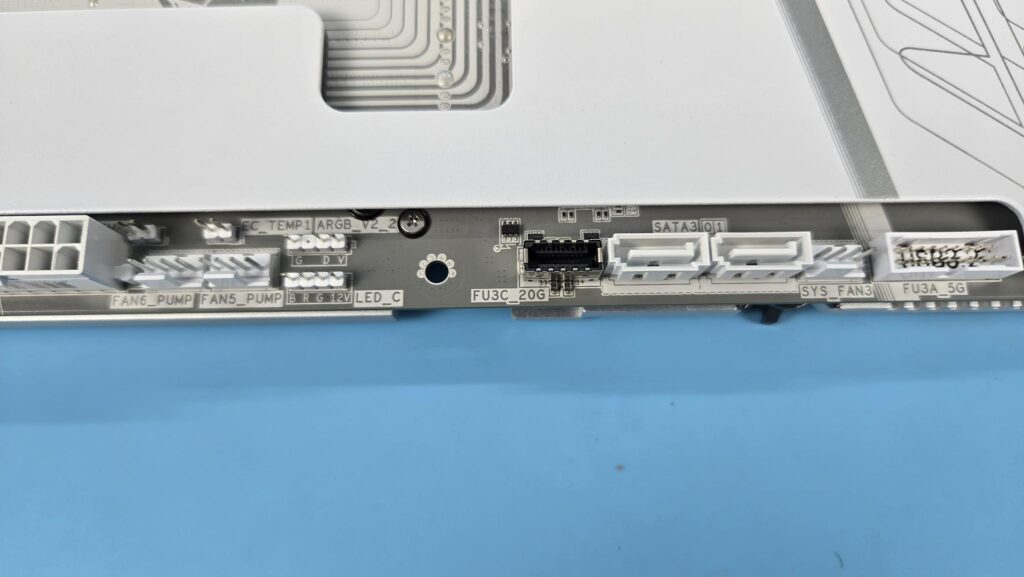
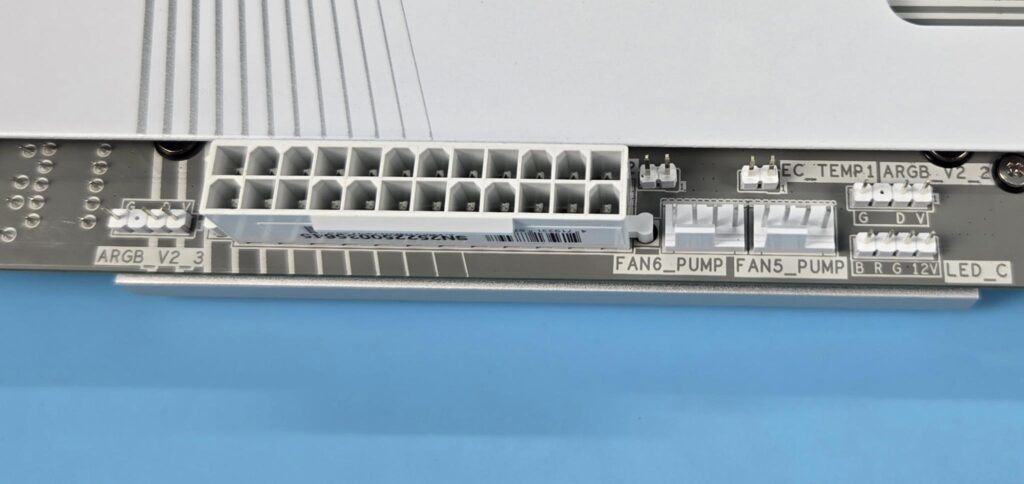
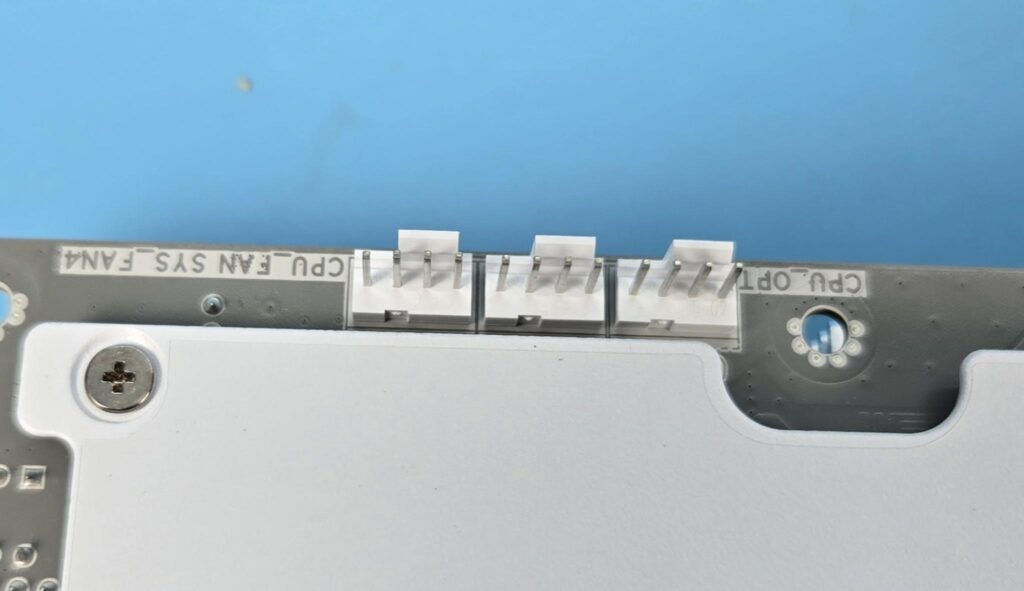
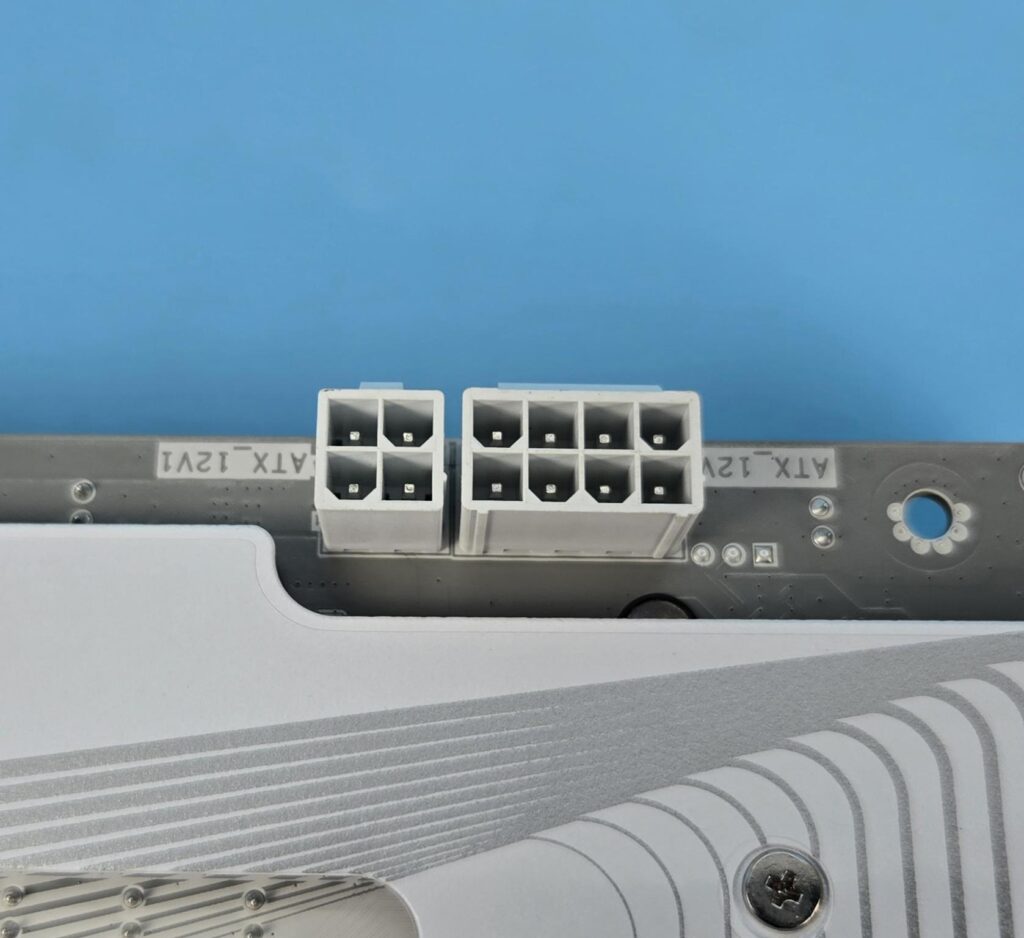
The internal connectors are:
- 1 x 24-pin ATX main power connector
- 1 x 8-pin ATX 12V power connector
- 1 x 4-pin ATX 12V power connector
- 1 x CPU fan header
- 1 x CPU fan/water cooling pump header
- 4 x system fan headers
- 2 x system fan/water cooling pump headers
- 3 x addressable RGB Gen2 LED strip headers
- 1 x RGB LED strip header
- 4 x M.2 Socket 3 connectors
- 2 x SATA 6Gb/s connectors
- 1 x front panel header
- 1 x front panel audio header
- 1 x USB Type-C® header, with USB 3.2 Gen 2×2 support
- 1 x USB 3.2 Gen 1 header
- 2 x USB 2.0/1.1 headers
- 1 x noise detection header
- 1 x Trusted Platform Module header (For the GC-TPM2.0 SPI/GC-TPM2.0 SPI 2.0/GC-TPM2.0 SPI V2 module only)
- 1 x Q-Flash Plus button
- 1 x power button
- 1 x reset button
- 1 x reset jumper
- 2 x temperature sensor headers
- 1 x Clear CMOS jumper
GIGABYTE has used UD design with solid pins on 8+4 EPS and 24-pin ATX connectors. All fan headers are rated at 2A for 24W. This board does not have a 3A-rated fan header. All three A-RGB headers are Gen-2 with a power rating of 3A at 5VDC. The maximum number of supported ARGB LEDs is 256.
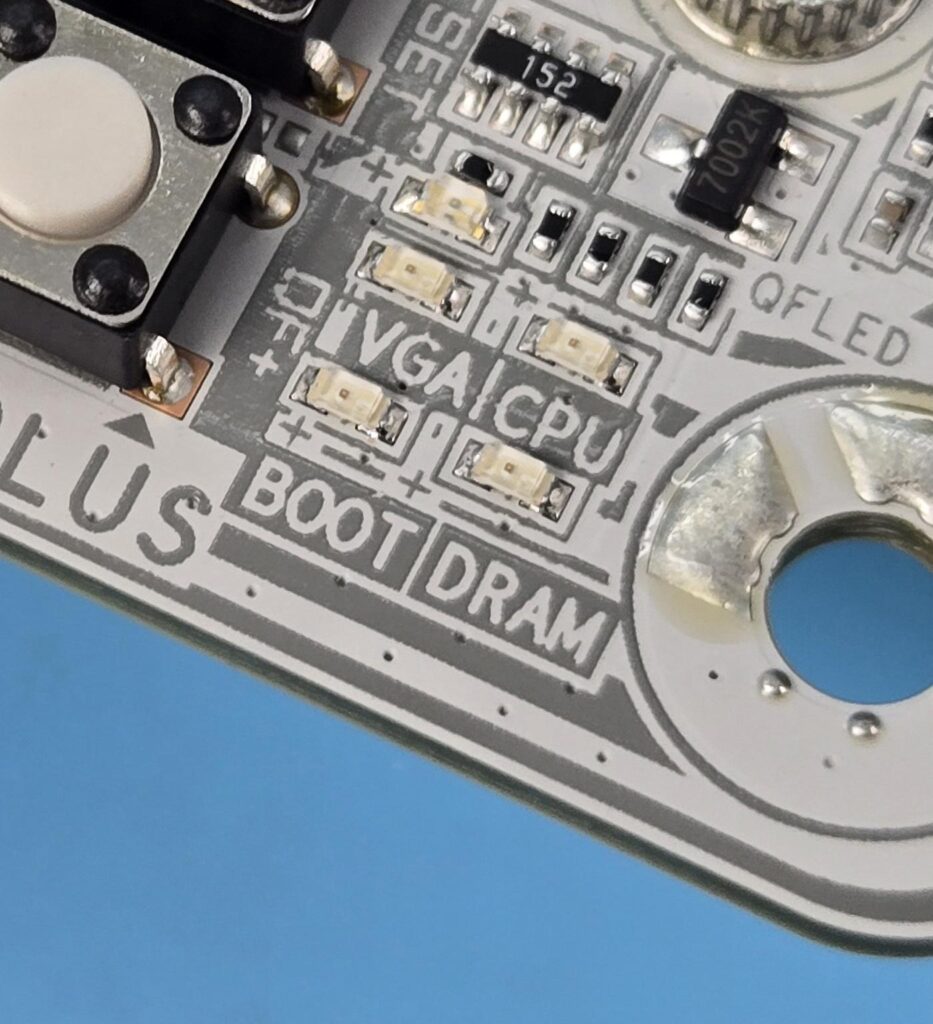
The motherboard has 4x troubleshooting LEDs. In case of an issue, the corresponding LED will remain lit until the issue is resolved.
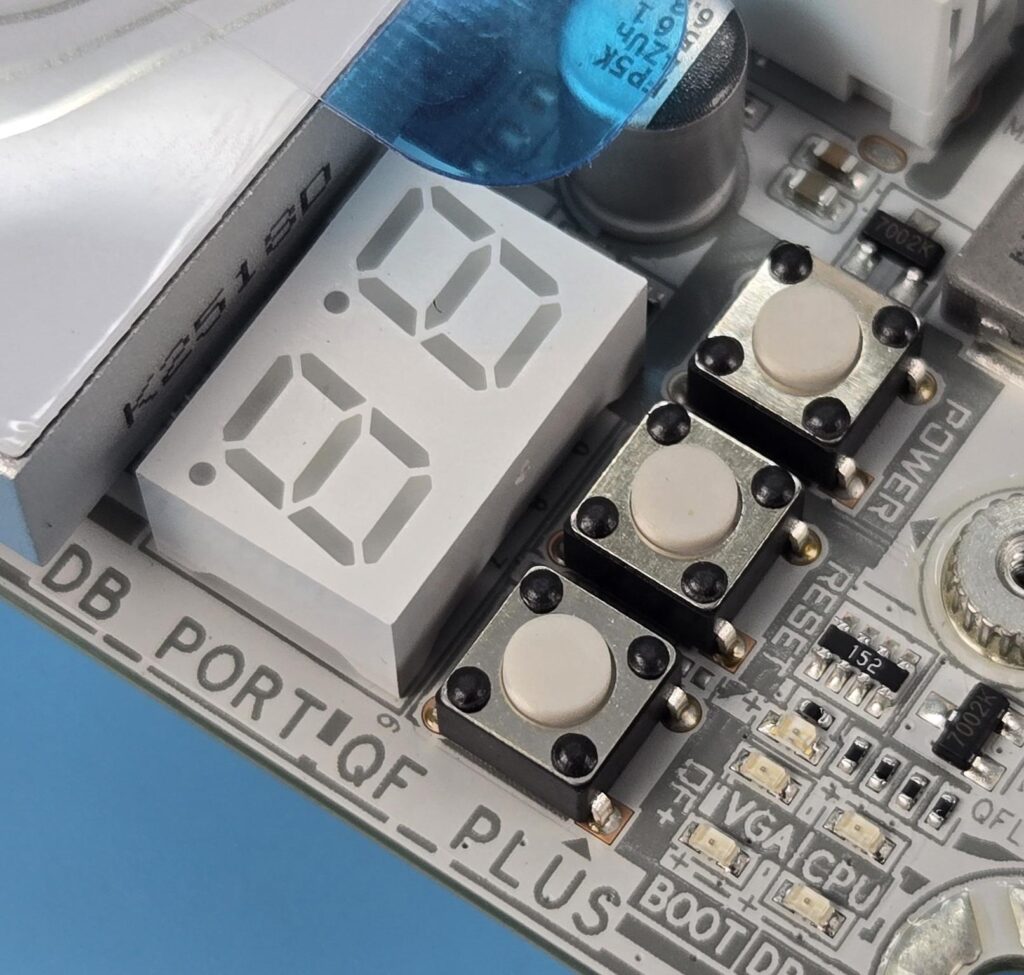
This motherboard also has an 80-port Debug LED that displays the code. In addition, three white buttons are also provided:
- Power Button
- Reset Button
- QF+ Button
The QF+ button is to flash back the BIOS.
Rear IO Panel
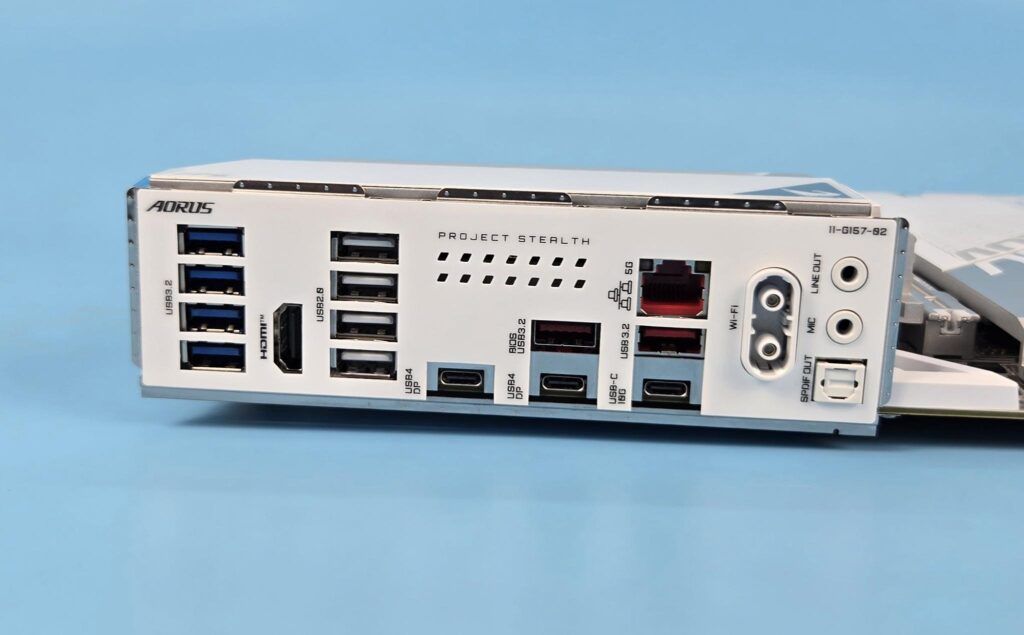
The ports include:
- 1 x HDMI port
- 2 x antenna connectors (2T2R)
- 2 x USB4® USB Type-C® ports (DisplayPort (Note))
- 1 x USB Type-C® header, with USB 3.2 Gen 2 support
- 2 x USB 3.2 Gen 2 Type-A ports (red)
- 4 x USB 3.2 Gen 1 ports
- 4 x USB 2.0/1.1 ports
- 1 x RJ-45 port
- 1 x optical S/PDIF Out connector
- 2 x audio jacks
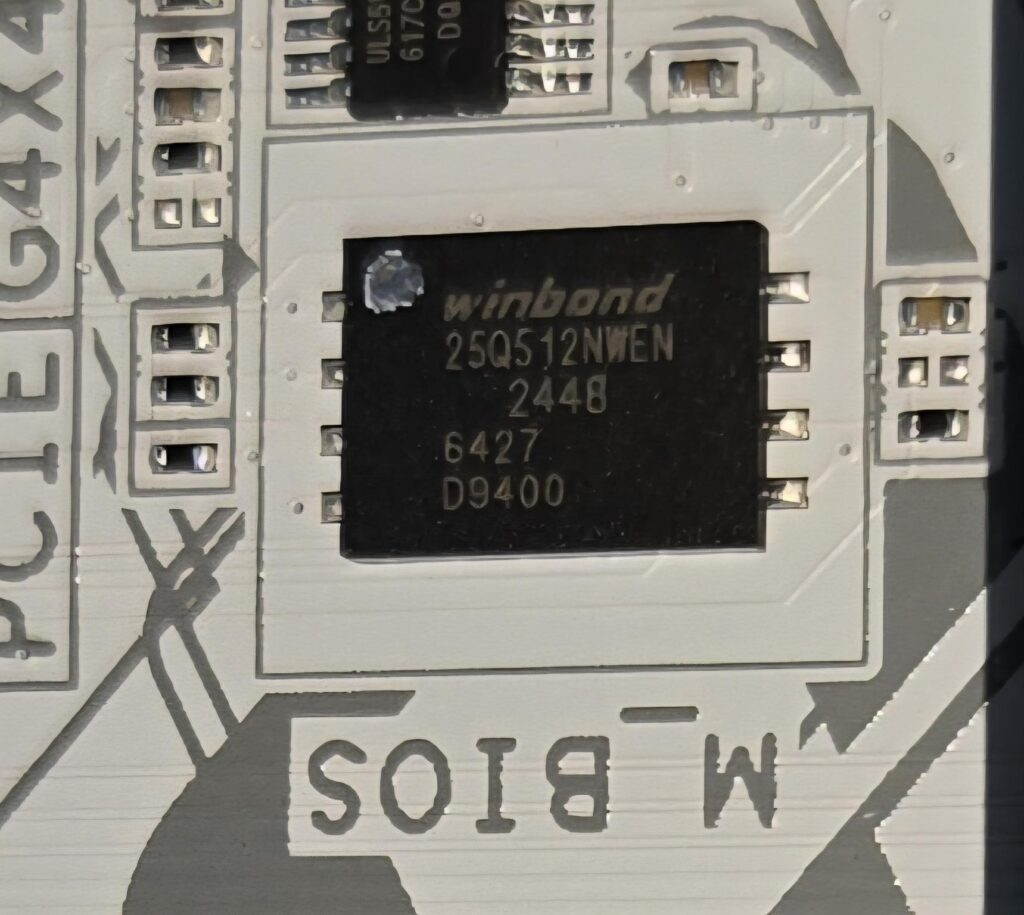
GIGABYTE has used a Winbond 25Q512NWEN Serial Flash Memory (BIOS Chip), which is a driver-enabled 64MB BIOS. There is no need to download or install additional drivers to enable wireless networking after Windows installation is complete. Moreover, the capacity is 2 times larger than 32MB BIOS.
BIOS
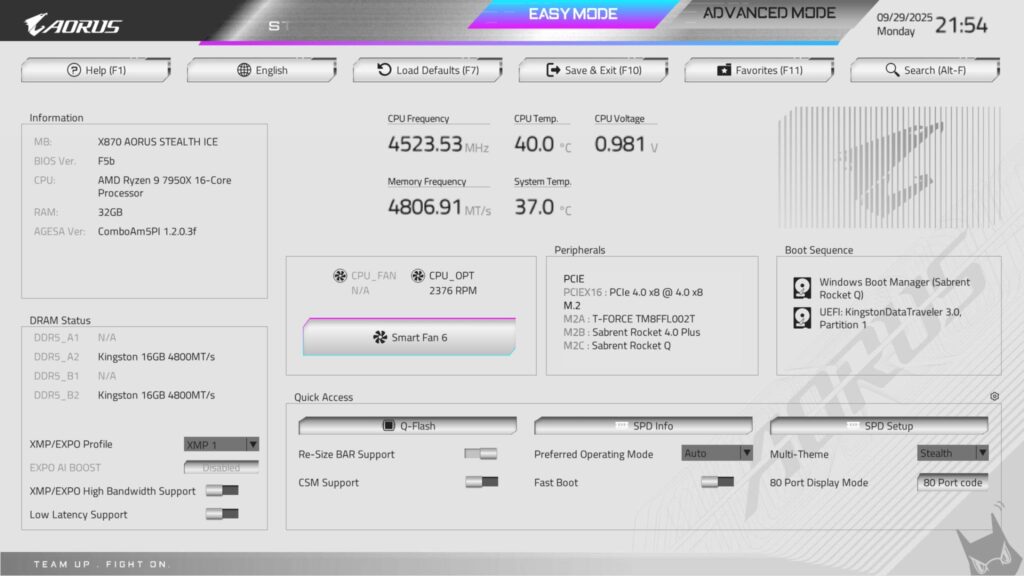
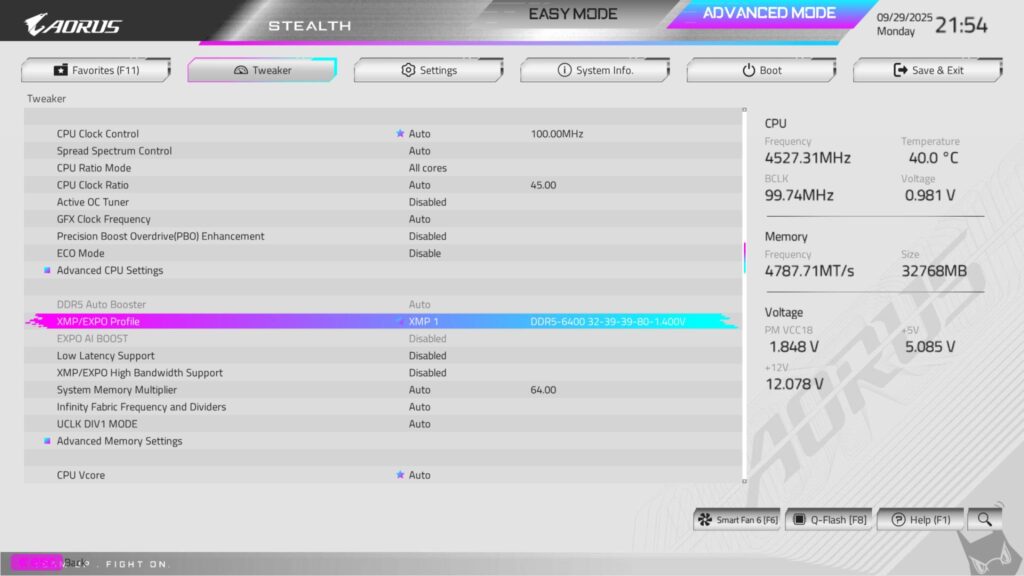
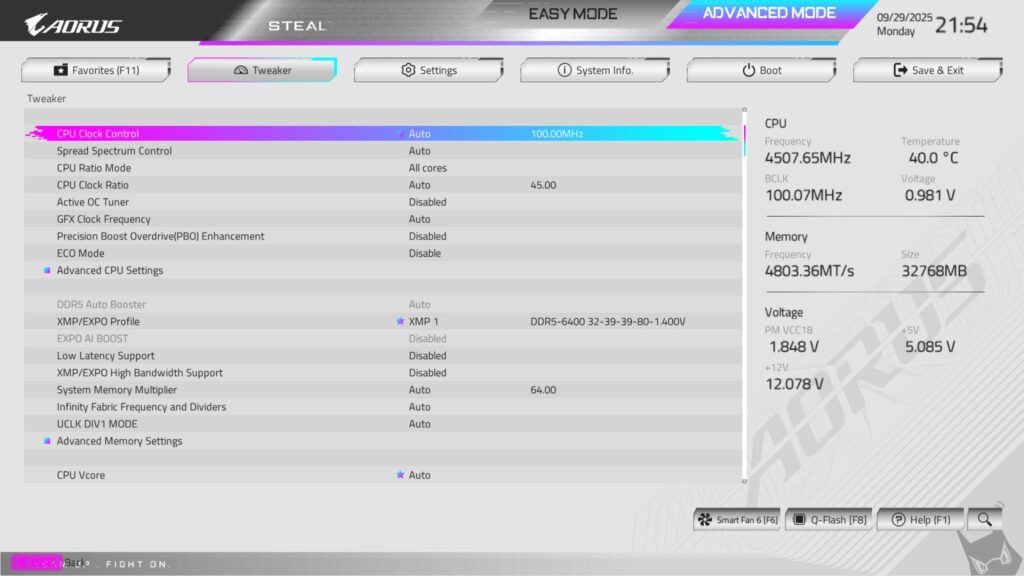
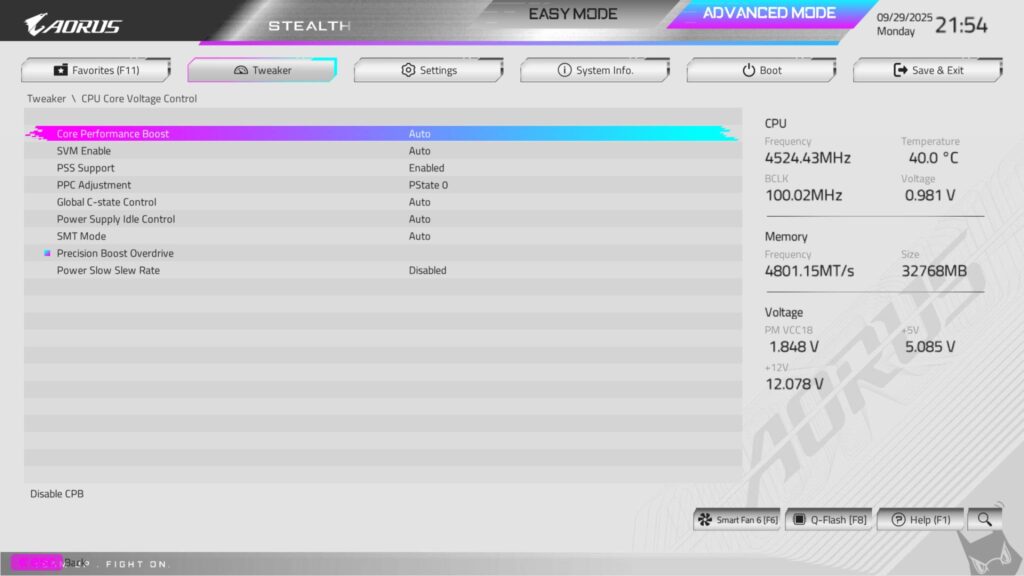
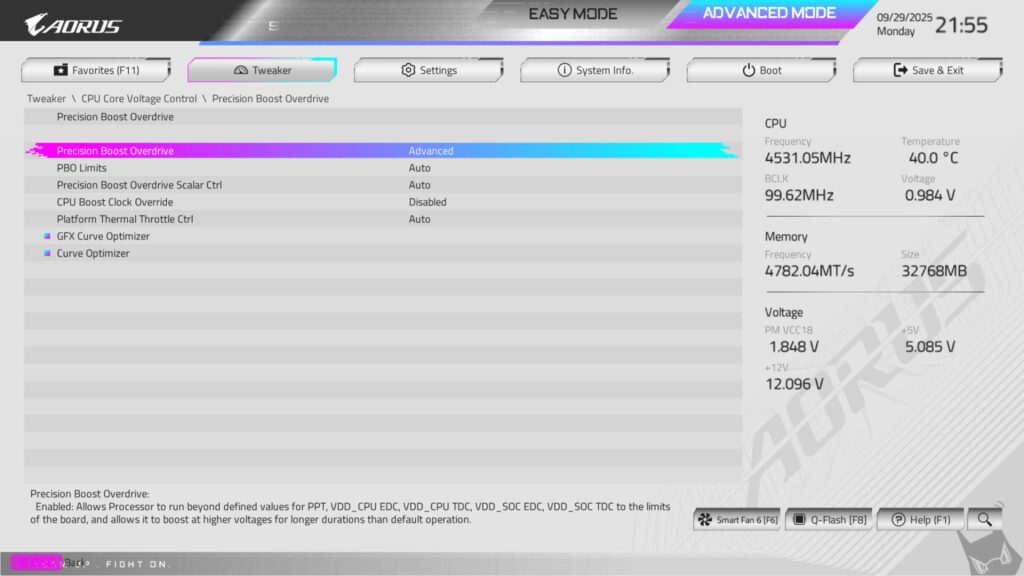
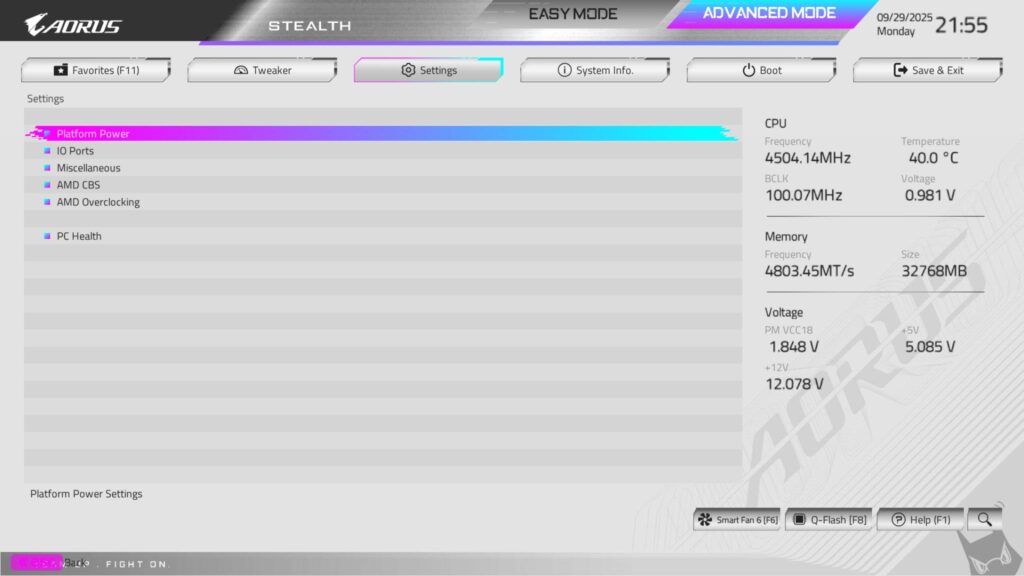
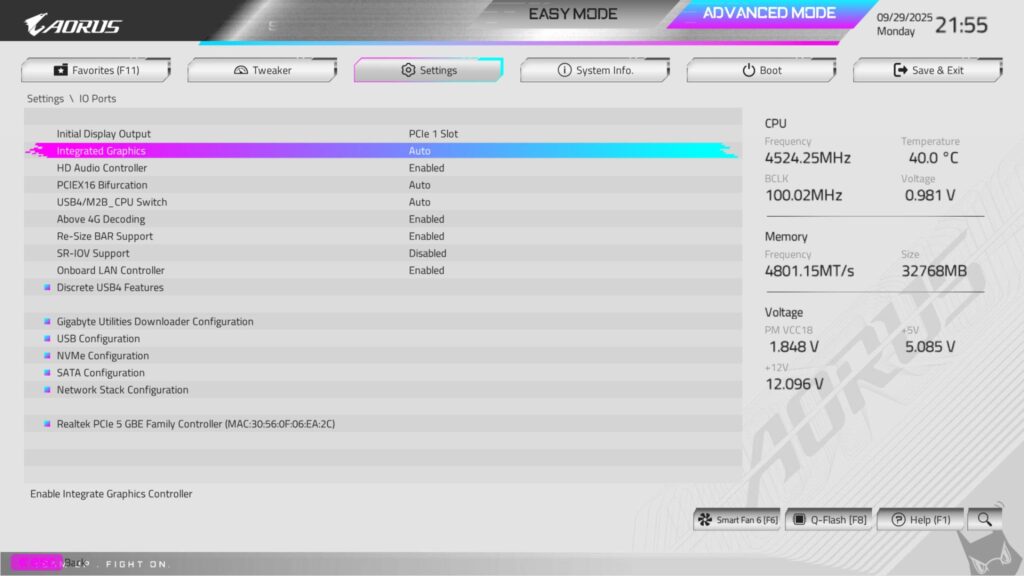
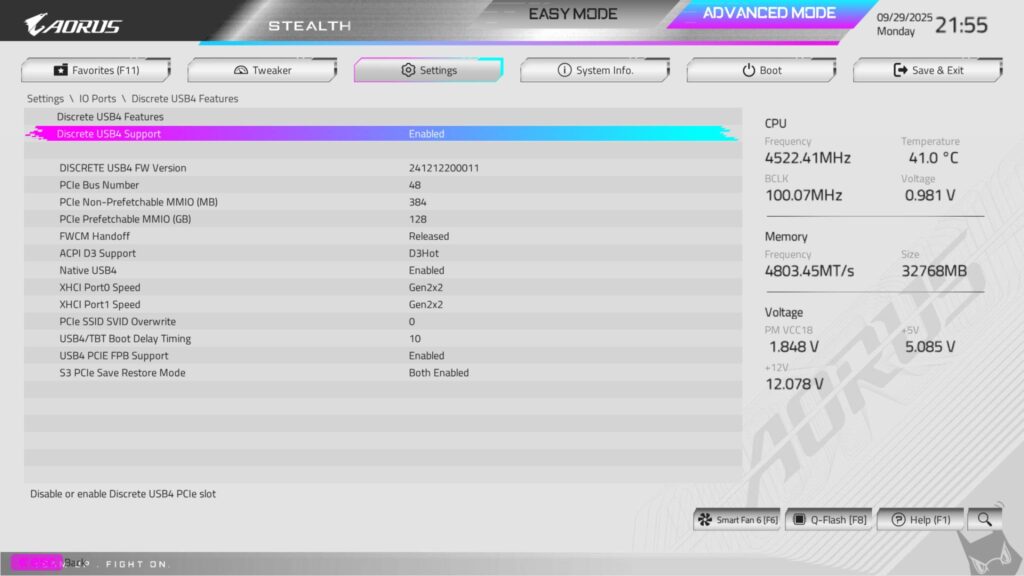
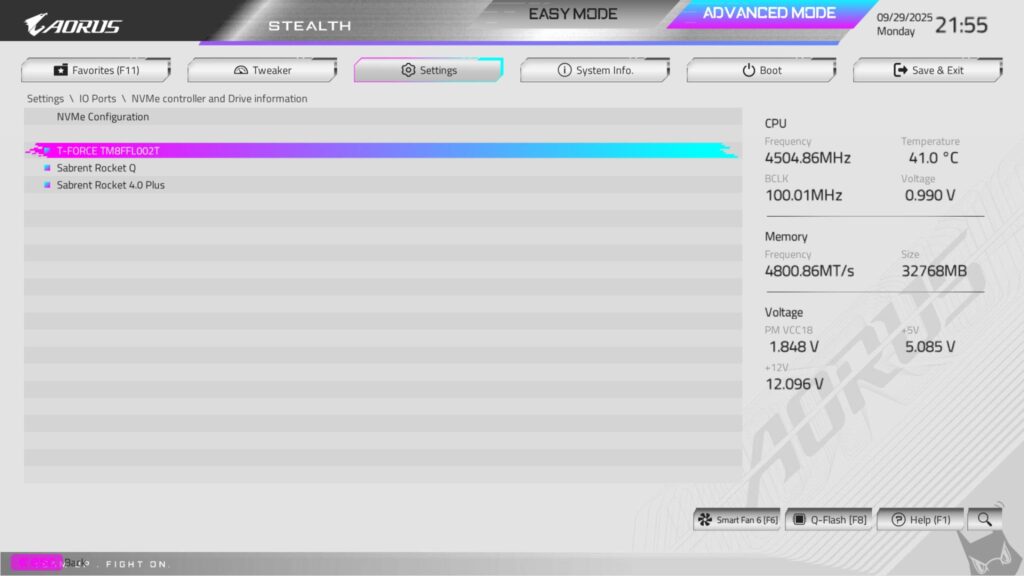
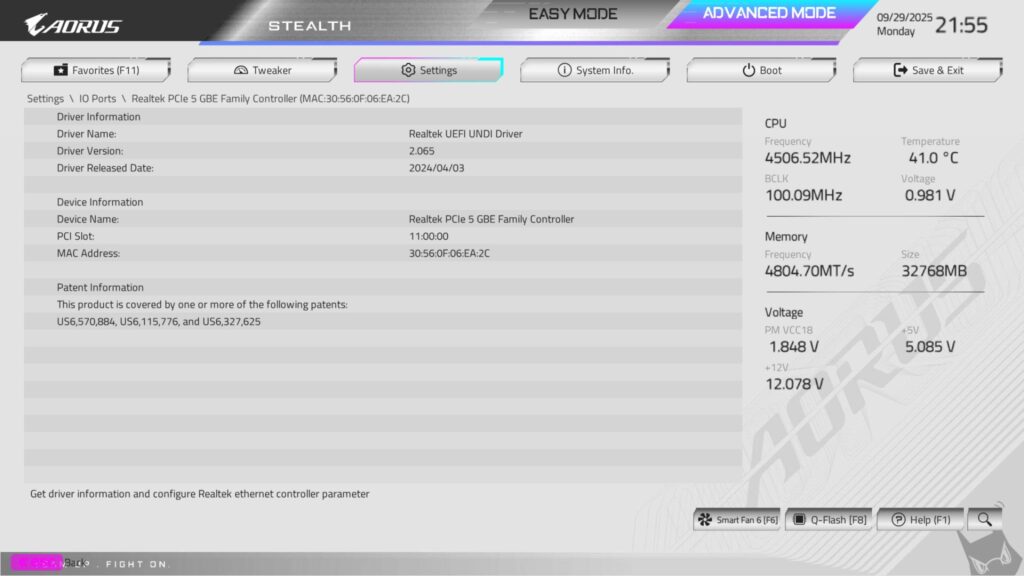
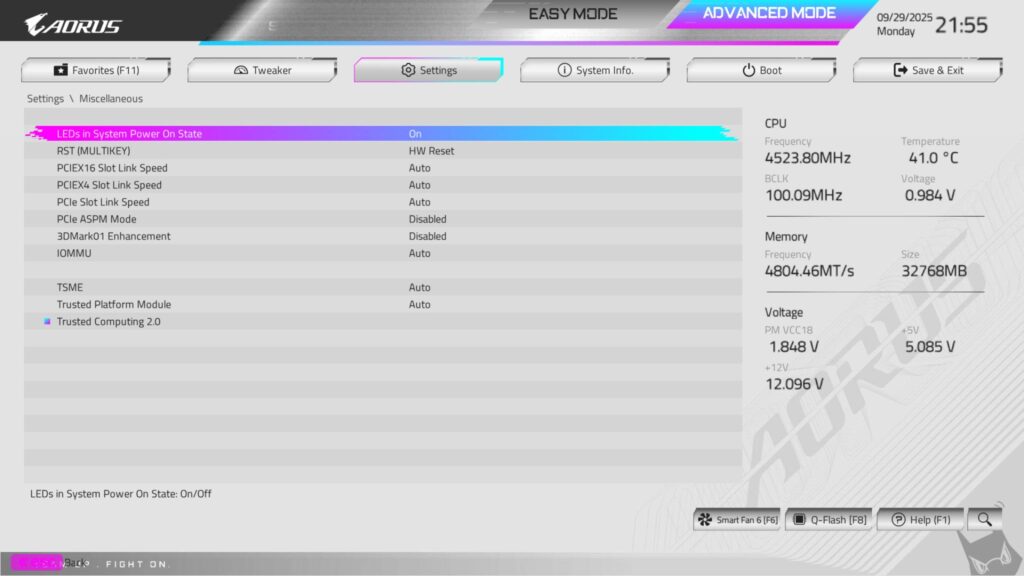
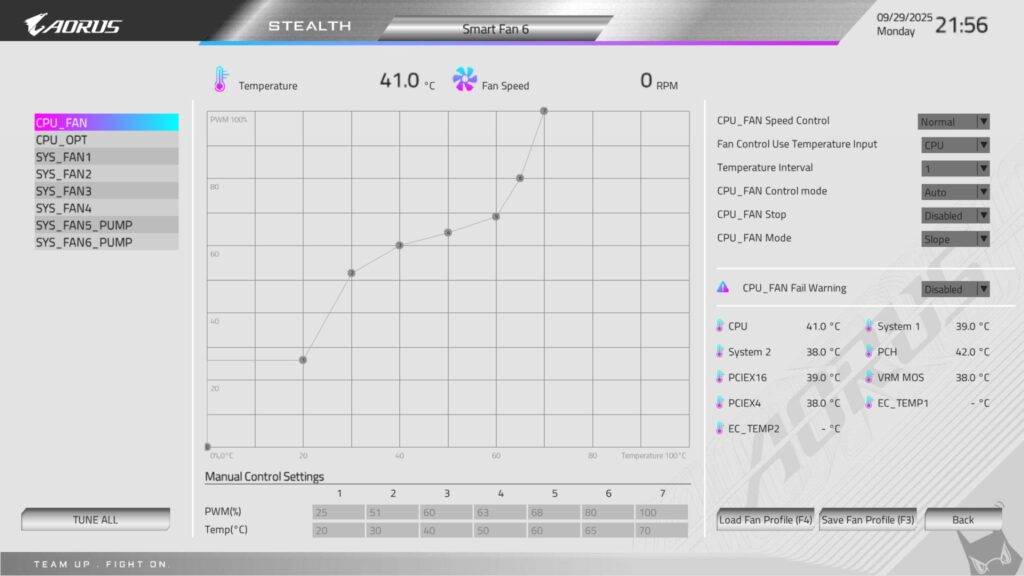
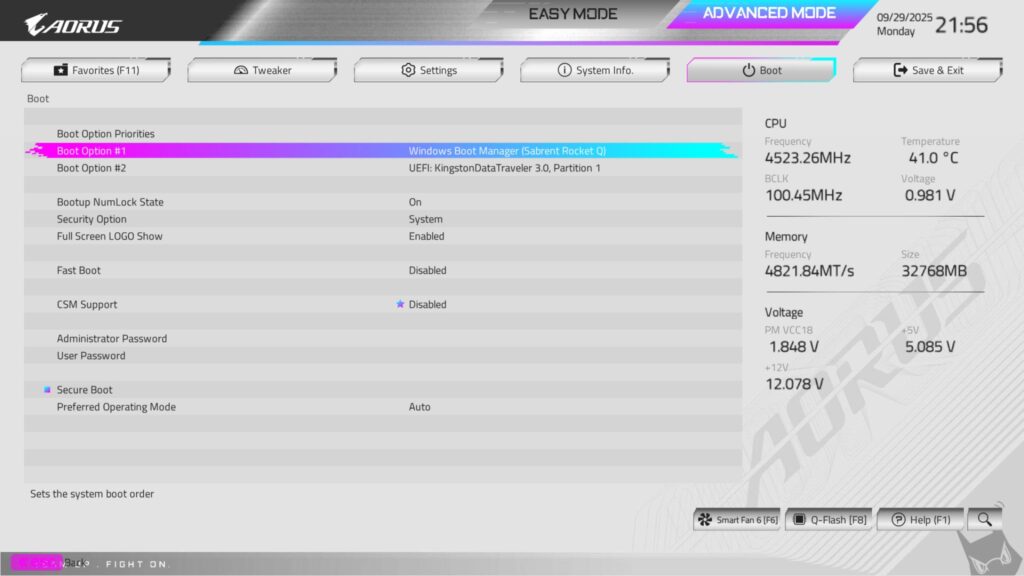
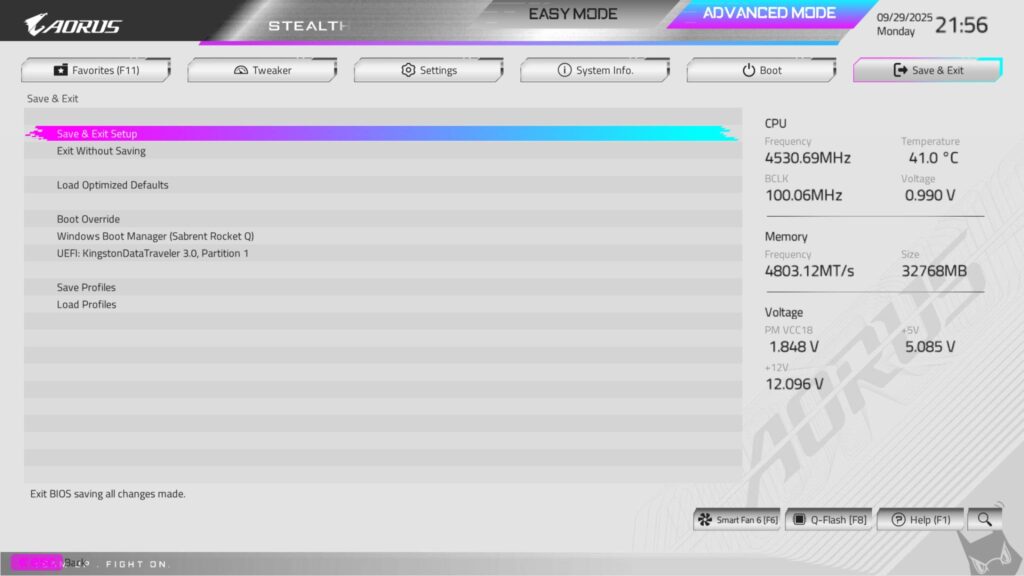
GIGABYTE has used HyperTune BIOS, which is an AI-Driven Advanced BIOS Optimization Technology resulting in a BIOS efficiency boost of up to 95%+ by optimizing signals for peak efficiency, enabling significant memory clock speed boosts and enhanced overall performance.
The white color interface looks good in person, and BIOS has the same layout as I have seen on X670E series motherboards. EXPO/XMP is just one click away. CPU, RAM, and Voltage settings are grouped under the Tweaker menu. System-related configuration options are grouped in the Settings menu. Boot and Exit options have dedicated pages, unlike MSI BIOS.
You can use PBO settings under Advanced CPU settings in Tweaker. You will find predefined profiles as well, related to the thermal limit, socket power limit, etc. Clicking on Advanced will give you total control to define your own PBO profile. Eco Mode is provided as a dedicated control option.
Test Build
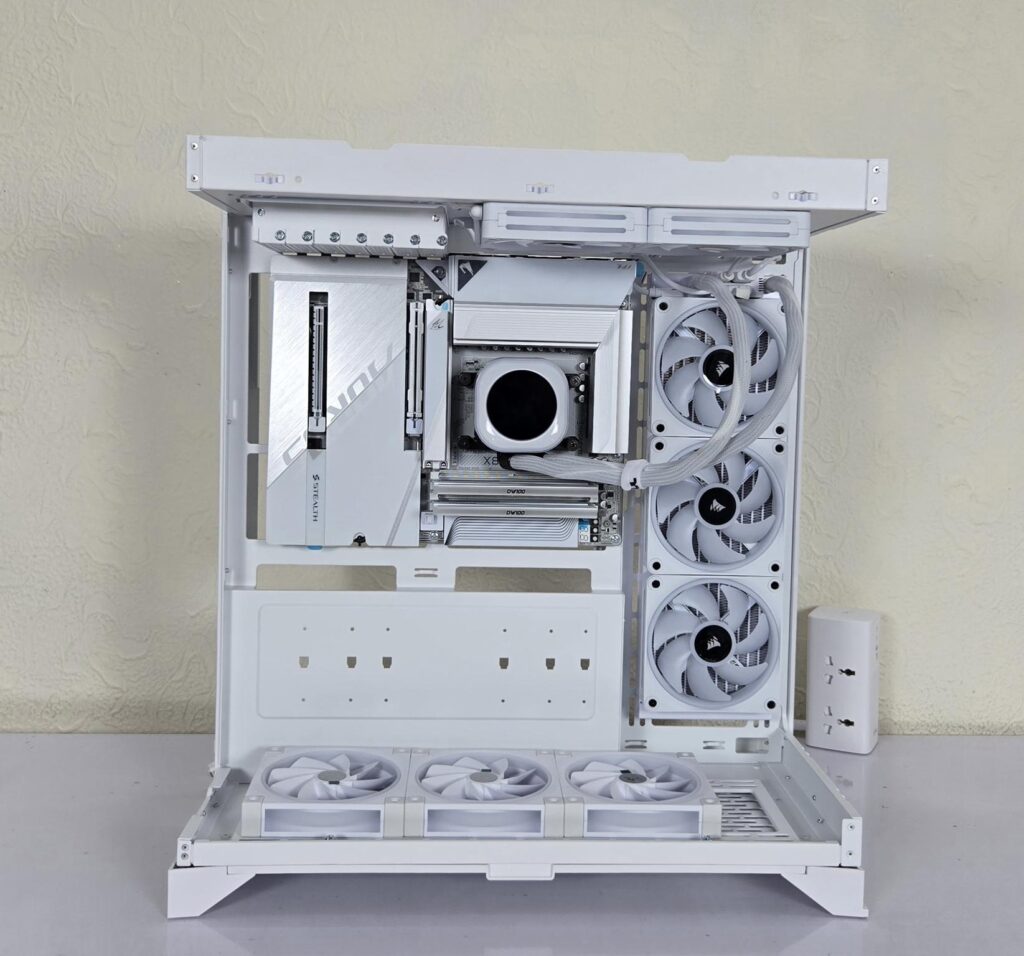
I have used the following configuration to test the motherboard:
- GIGABYTE X870 AORUS STEALTH ICE
- AMD Ryzen 9 7950X [Stock, Auto]
- Maxsun iGame Arc B580 OC
- CORSAIR iCue Link H150i LCD
- G.Skill Ripjaw Z RGB 32GB 6400MHz CL30 DDR5 kit
- Sabrent Rocket 4 Plus 1TB NVMe SSD [For OS]
- Sabrent Rocket 4 Plus 2TB NVMe SSD [For Data]
- Teamgroup GC Pro 2TB NVMe Gen5 SSD
- Sabrent Rocket NANO V2 4TB Portable SSD
- Sabrent Rocket XTRM 2TB Thunderbolt Drive
- Be quiet! Straight Power 11 1000W Platinum
- Thermaltake CTE E550 Snow Edition
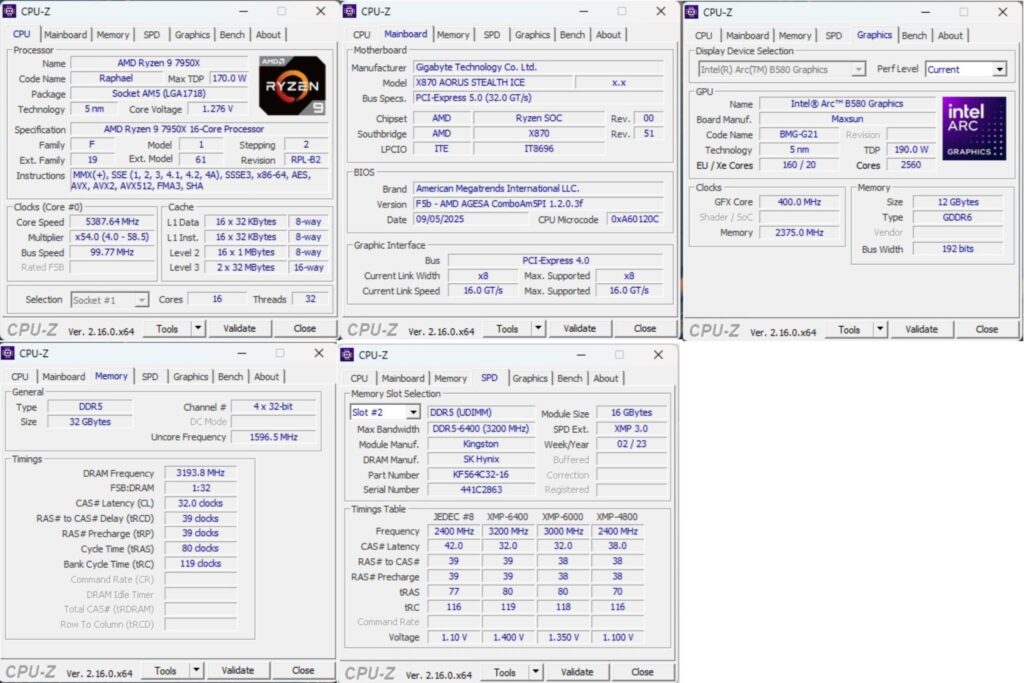
The above is a picture showing a run of CPU-Z. You can see that the graphics card is operating at x8 link. The RAM is operating at its tested speed of 6400MT/s after loading the EXPO.
We have divided the overall tests into four major categories. These are:
- CPU and Memory Tests
- AIDA64 CPU and Memory Test
- CINEBENCH R23.2
- Blender Benchmark 4.5.0
- 7-Zip Compression Benchmark
- 3DMARK CPU Profile
- Storage Tests
- CrystalDiskMark
- PCMARK10 Data Drive Benchmark
- Gaming Tests
- 3DMARK Speed Way
- 3DMARK Time Spy Extreme
- Read Dead Redemption 2
- Cyberpunk 2077
- Control
- Assassin’s Creed Valhalla
- Far Cry 6
- Forza Horizon 5
- Overall System Tests
- PCMARK10
- Performance Test
Test Result
The testing was done on stock settings with EXPO loaded. PBO was disabled. It is time to take a look at the test results, starting with CPU and memory benchmarks.
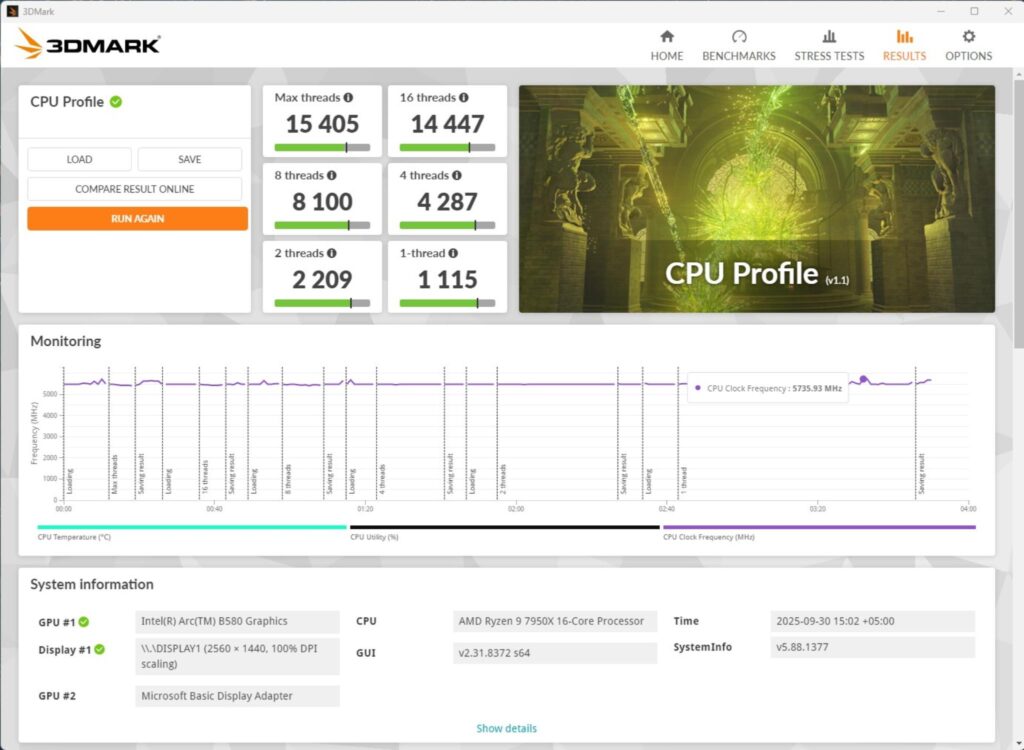
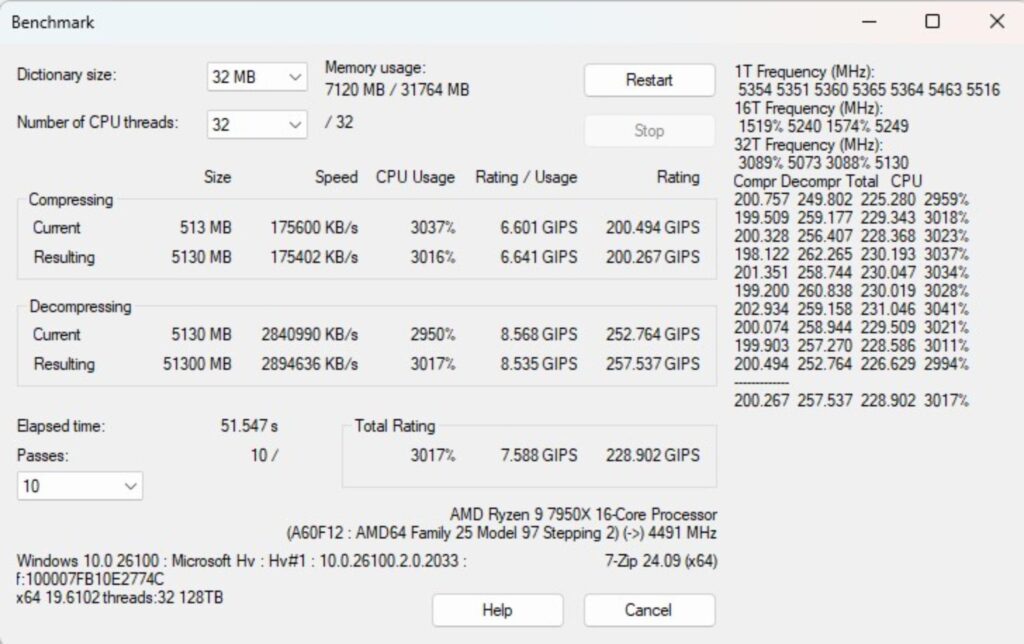
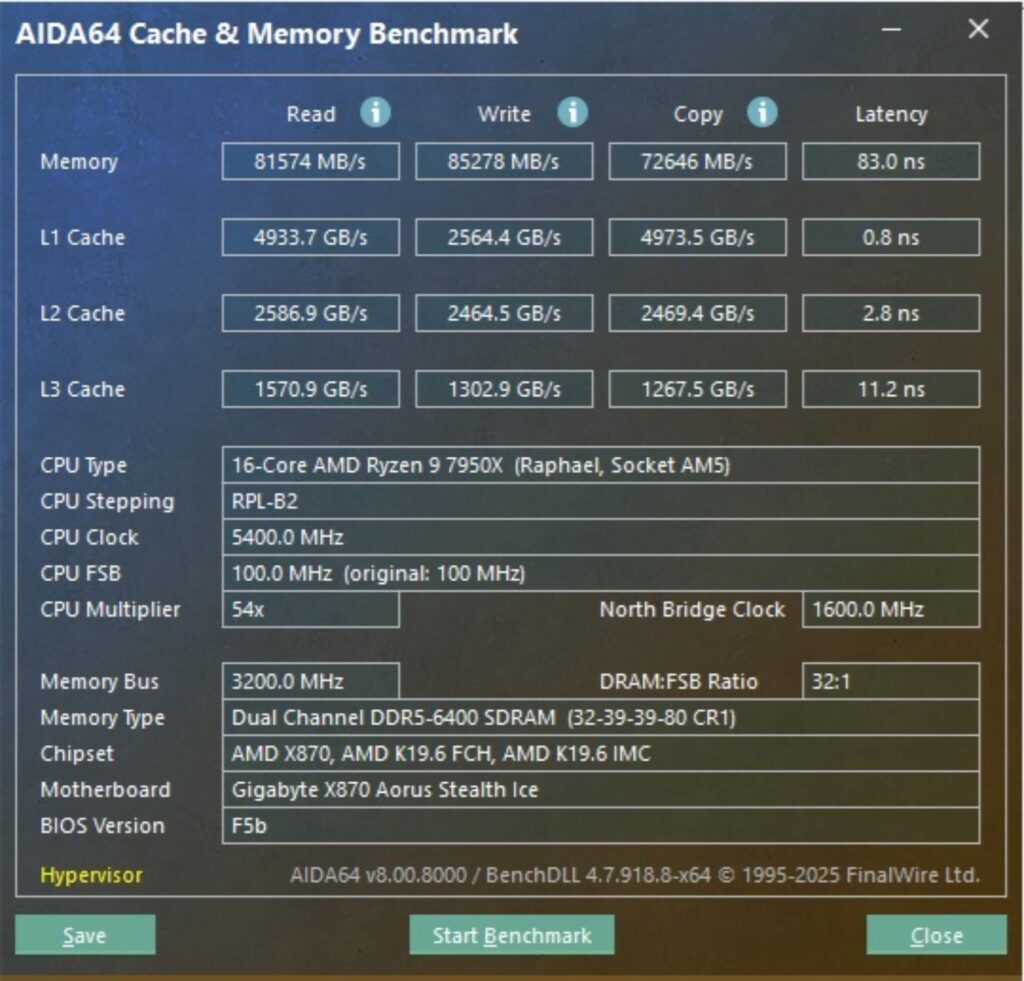
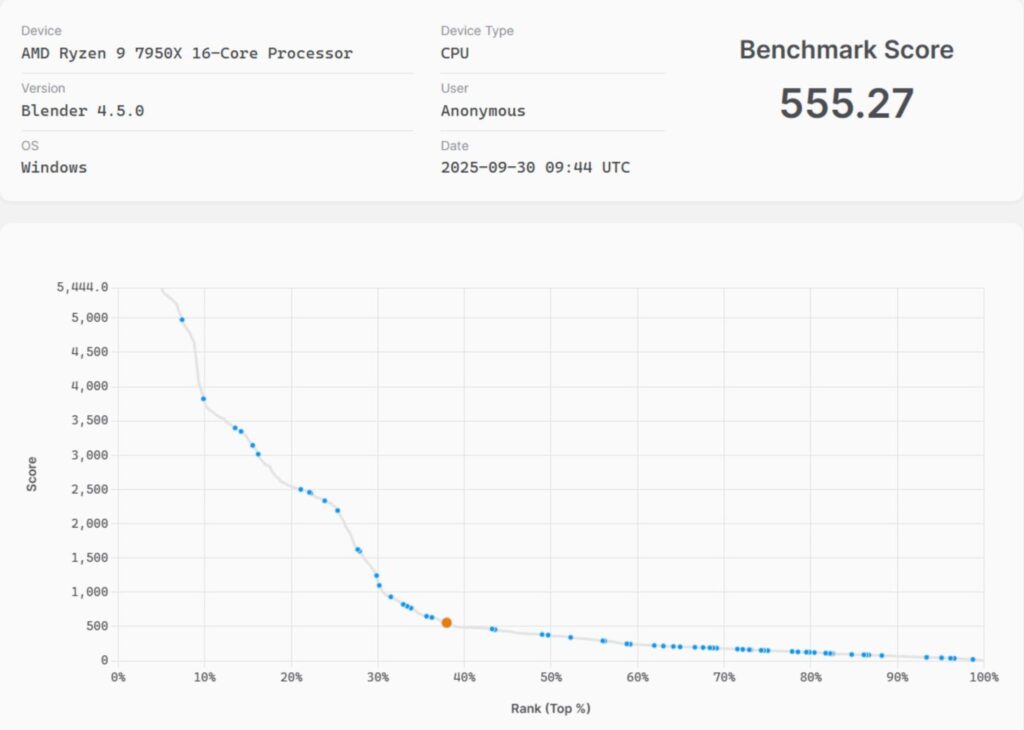
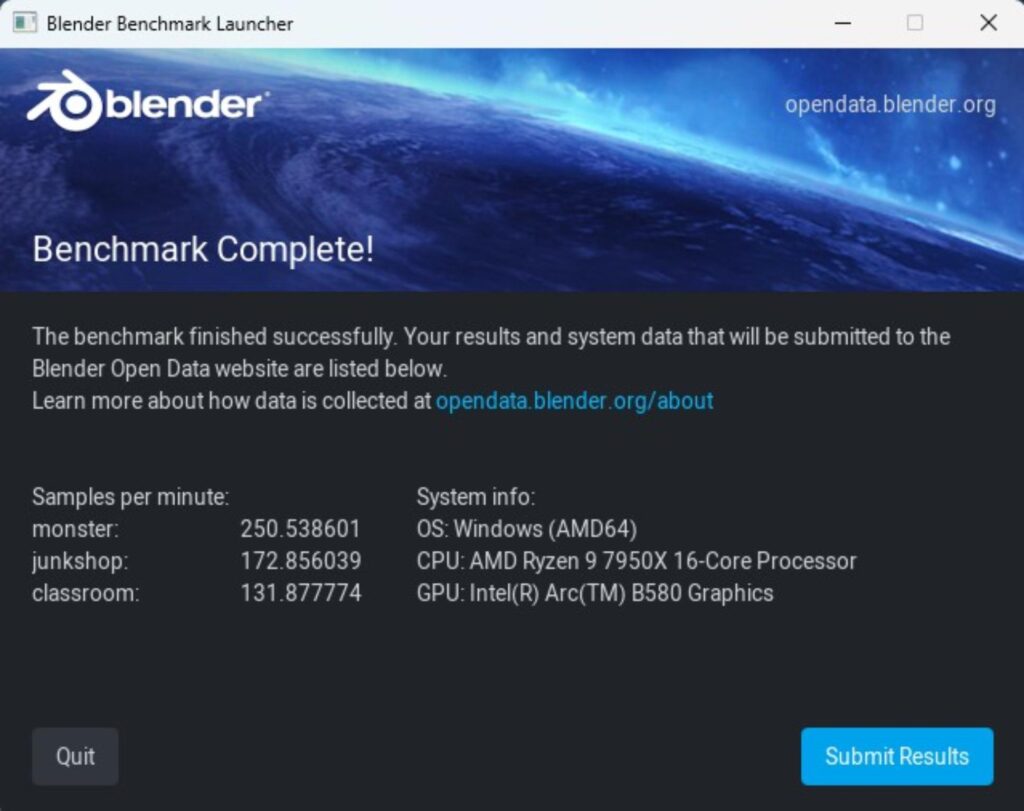
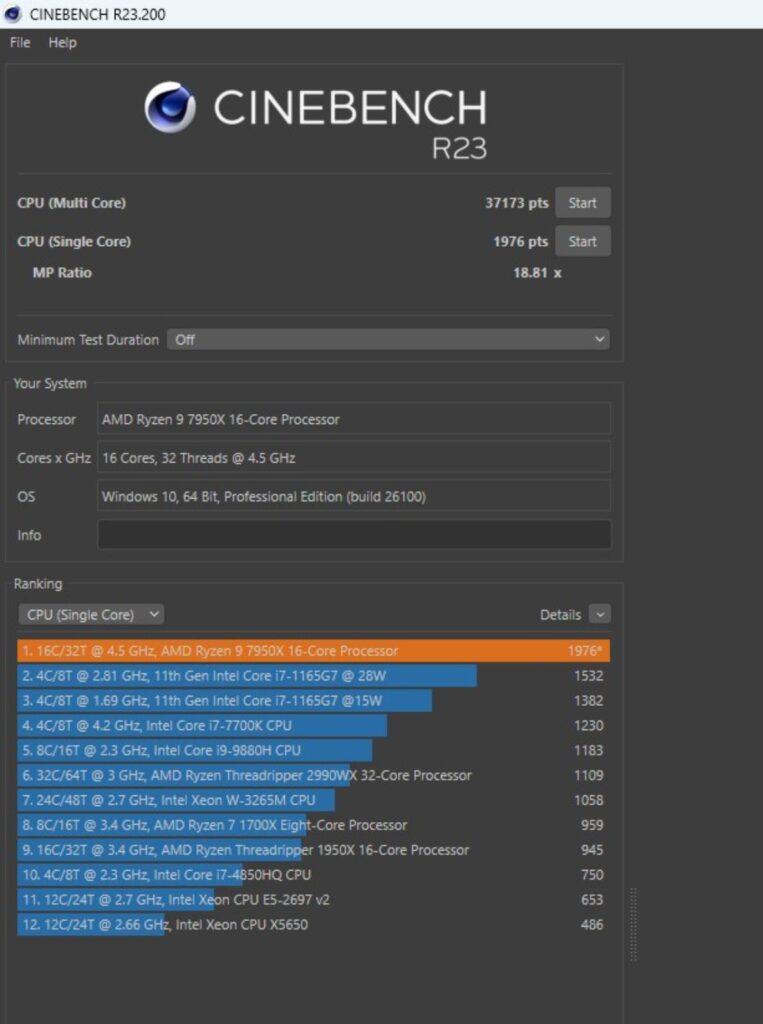
In Cinebench R23.2, the CPU scored 37173 points in CPU Multi Core load and 1976 points in a Single Core Load. The DDR5 kit has performed well at its tested speed of 6400MHz. The performance in 7-Zip benchmark is satisfactory as well, with a compression result of 200.267GIPS and 257.537GIPS score in Decompression. The blender benchmark overall score was 555.27.
Storage Test
I have used:
- Gen5x4 NVMe Drive
- Gen4x4 NVMe Drive
- USB 3.2 Gen2x2 Type-C Drive [Rated for 1600MB/s]
- Thunderbolt Drive for USB 4.0 Ports Testing
Let’s start with CrystalDiskMark:
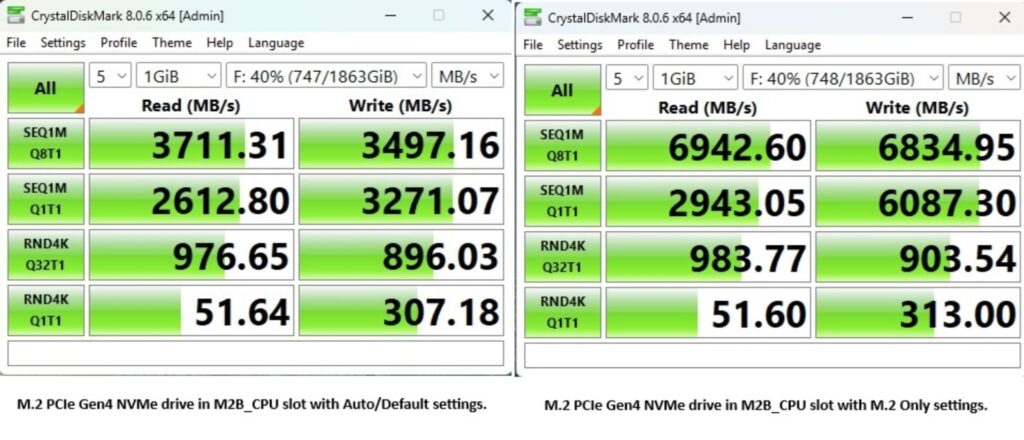
As you can see, the M2B_CPU M.2 port operates at x2 speed, which is evident from the test result. I then make settings in the BIOS to set this port to x4, and it gives full speed to the drive.
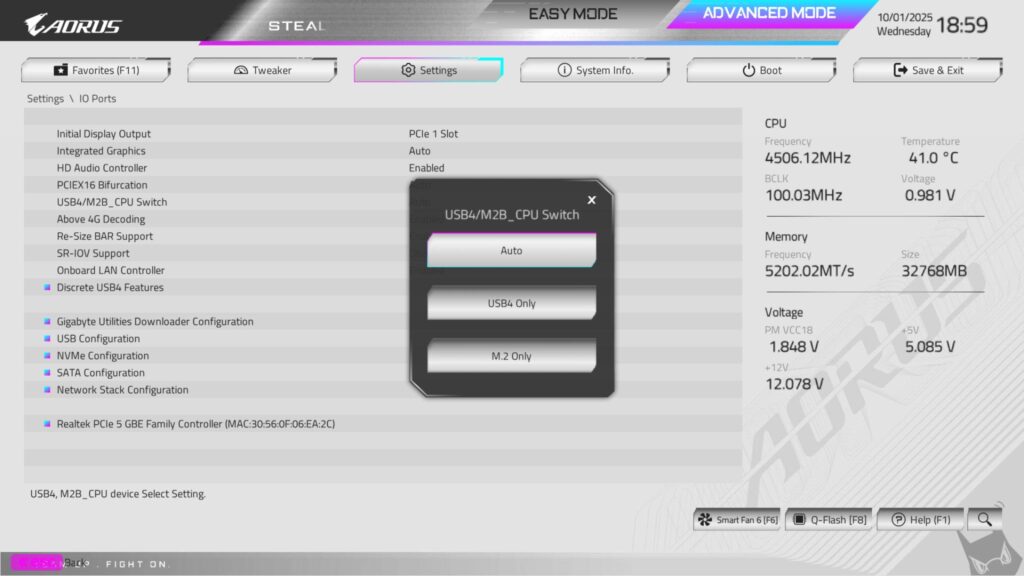
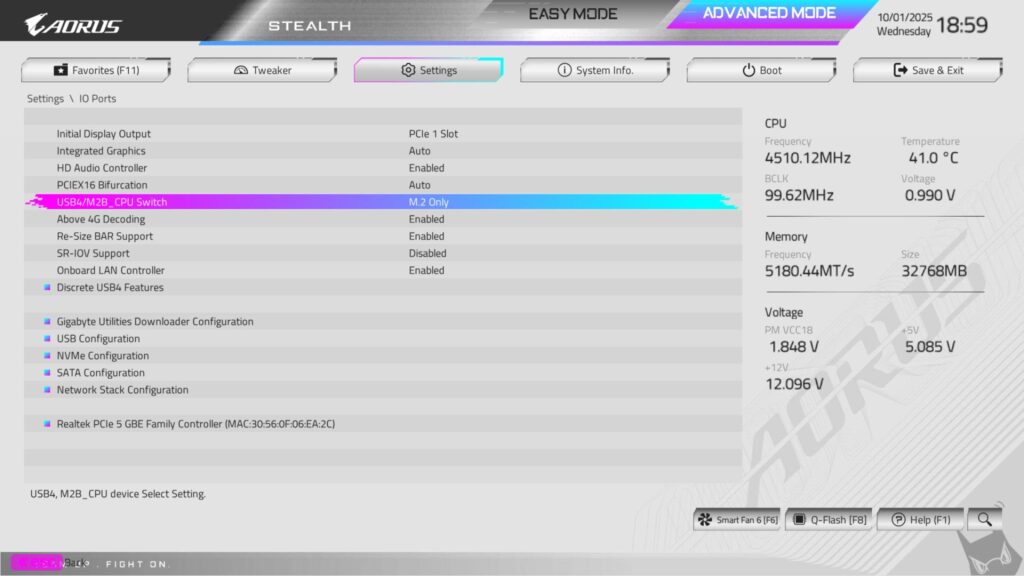
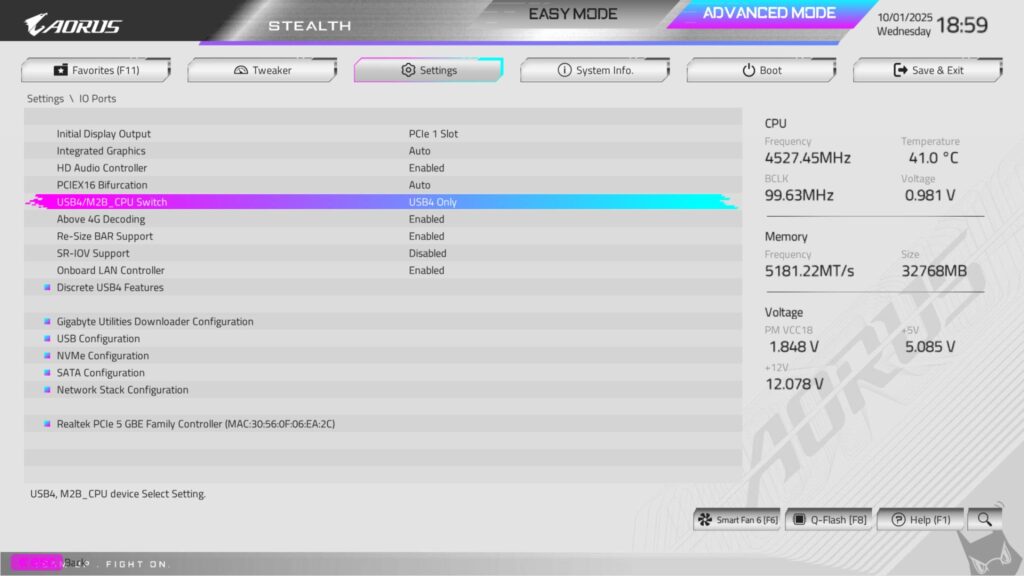
You can change the behaviour of M2B_CPU from the BIOS.
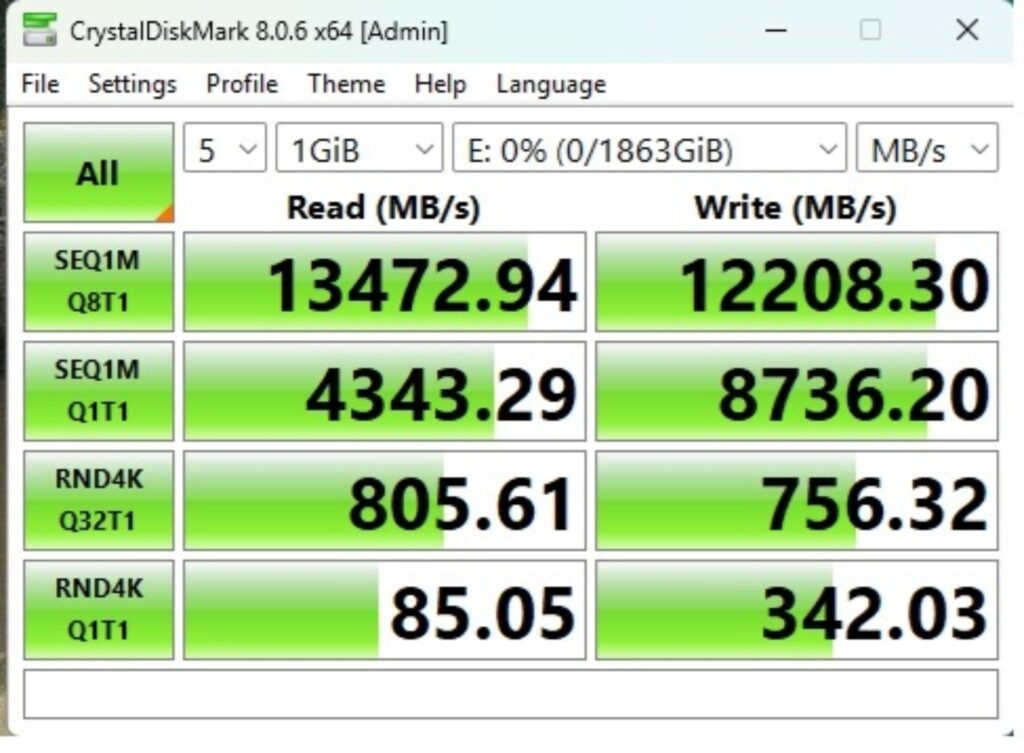
The PCIe Gen5 GC Pro 2TB passes its ratings on the fly.
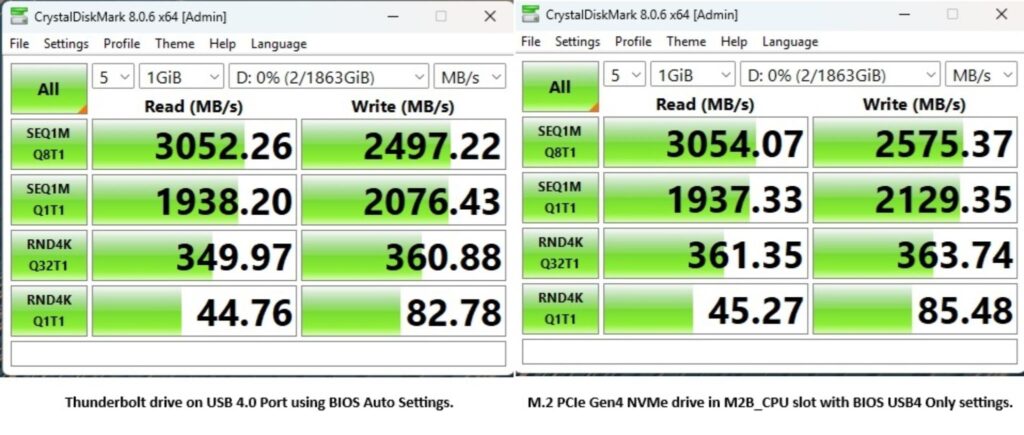
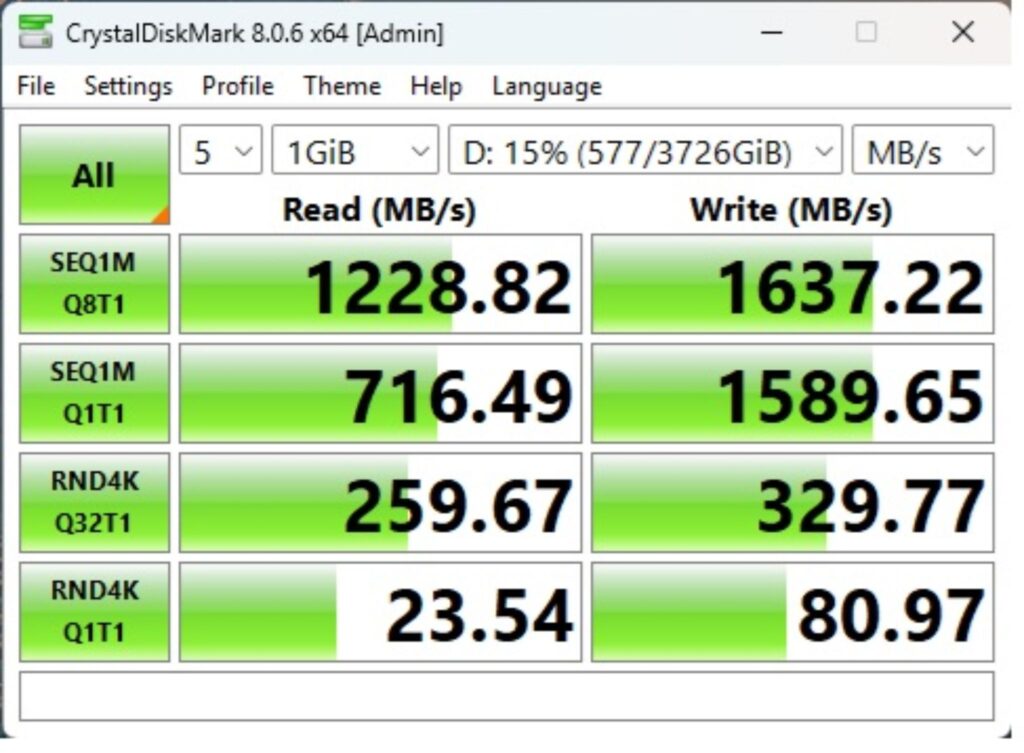
The USB drives were operating at full potential as well.
PCMARK10 Data Drive Benchmark
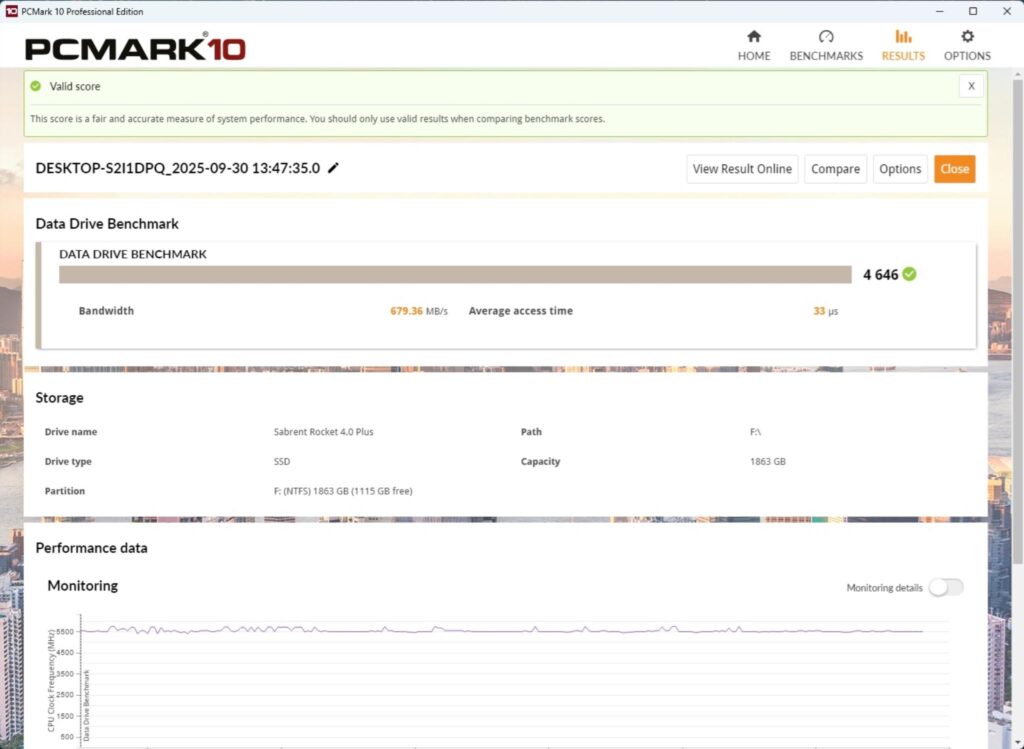
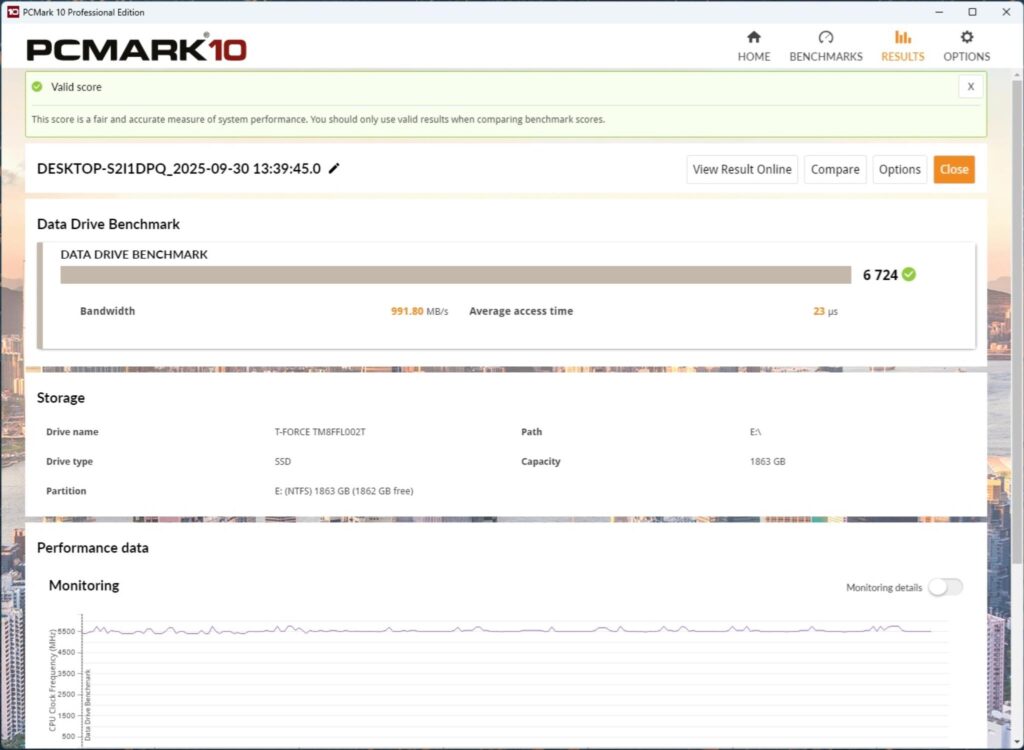
The performance in PCMARK10 Data Drive Benchmark is quite well. I have tested PCIe Gen5 and Gen4 drives only.
Gaming Test
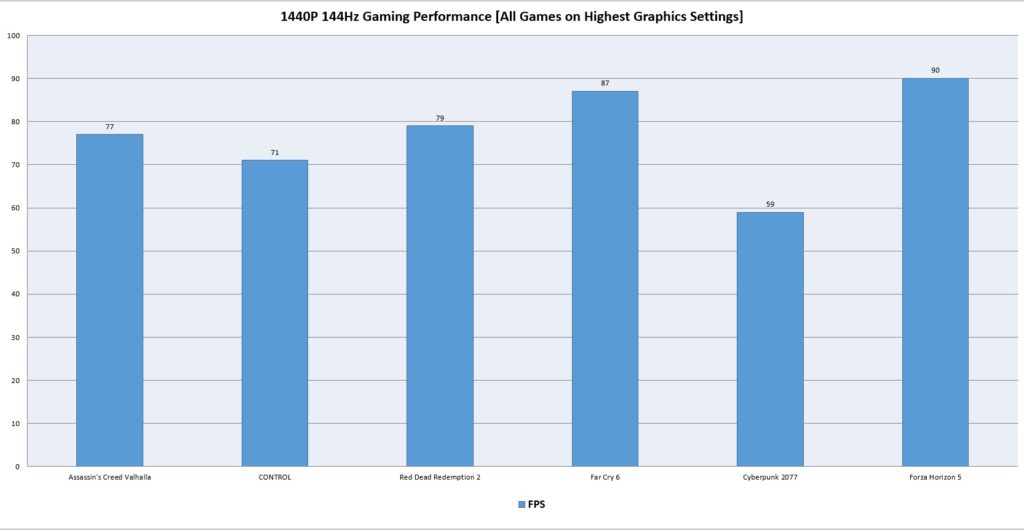
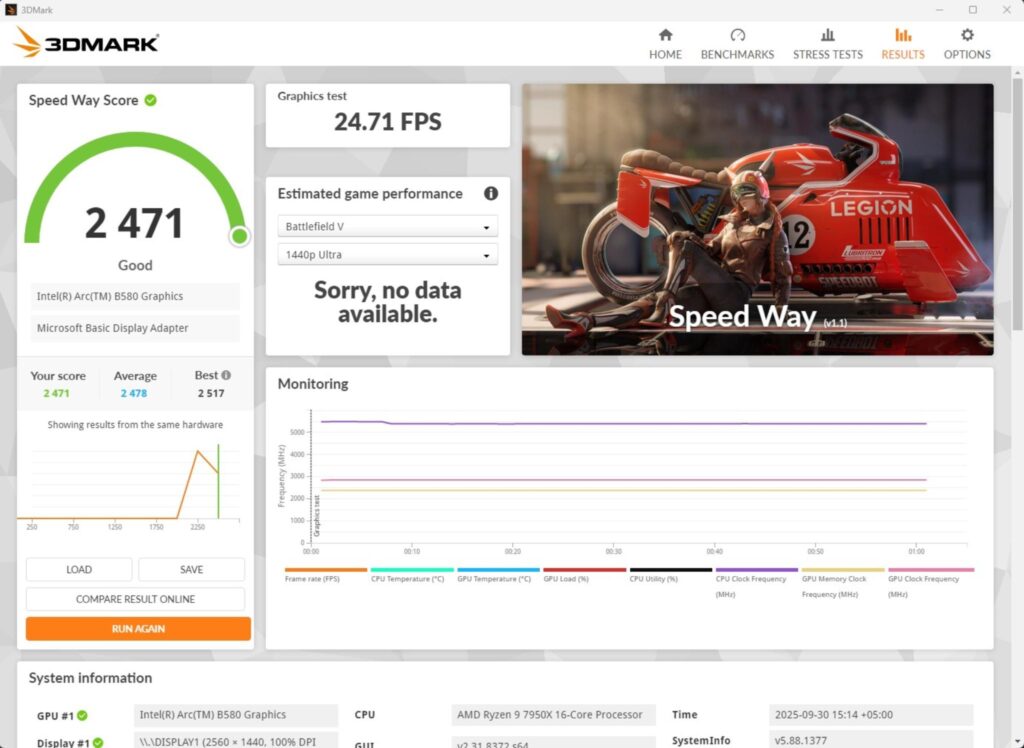
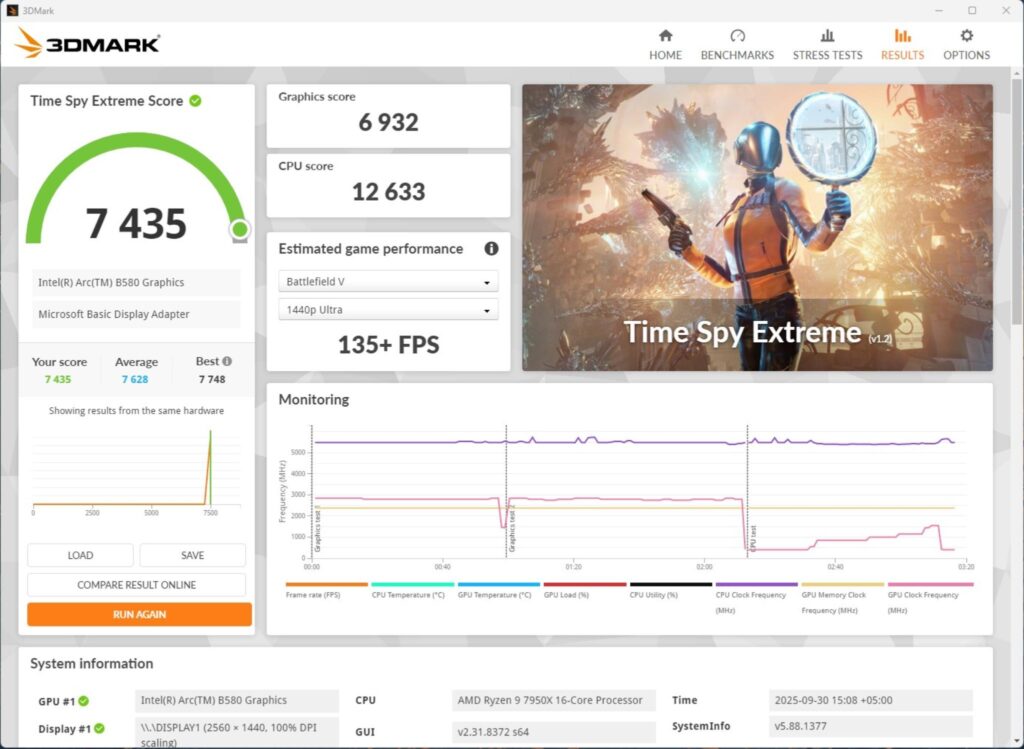
We have a good all-around performance in the gaming benchmarks. This shows that this motherboard can handle the gaming load easily.
System Performance Test
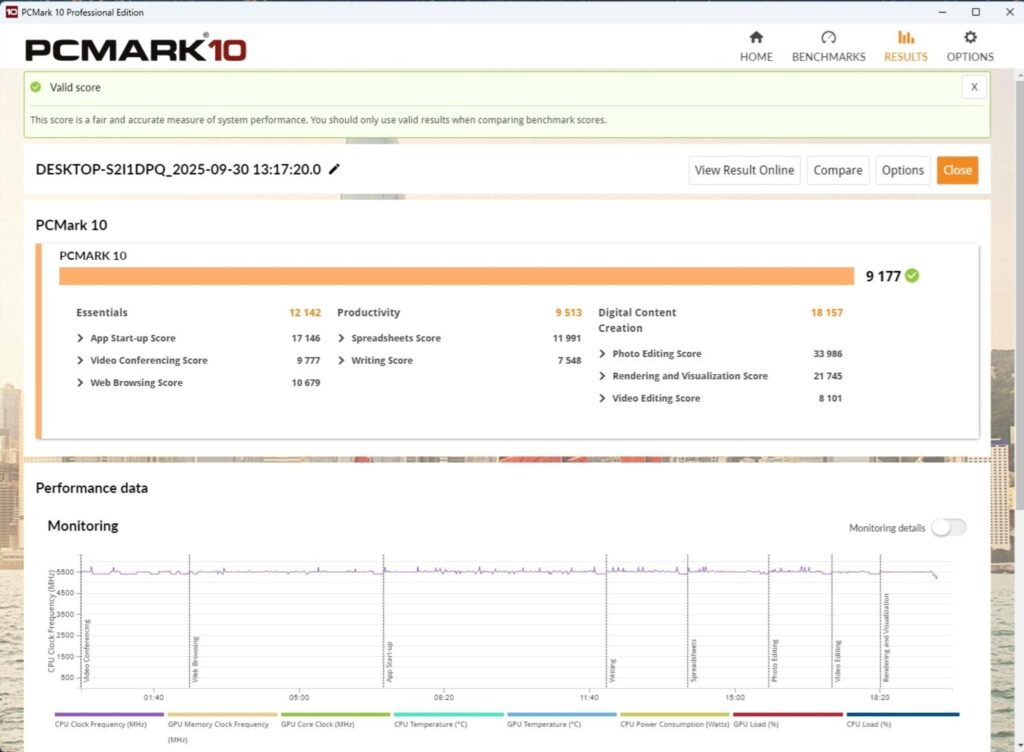
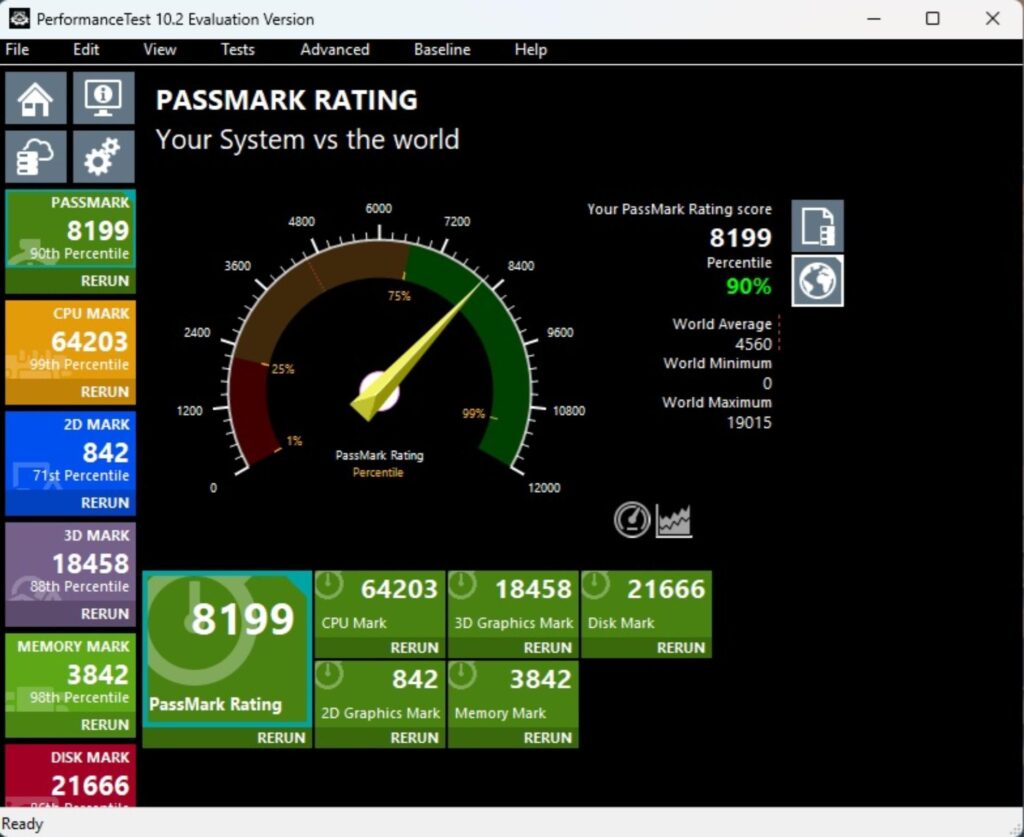
The PCMARK10 score came to 9177, which is an excellent score, and the Performance Test overall score was 819,9 which is kind a low.
Core Clock Behavior
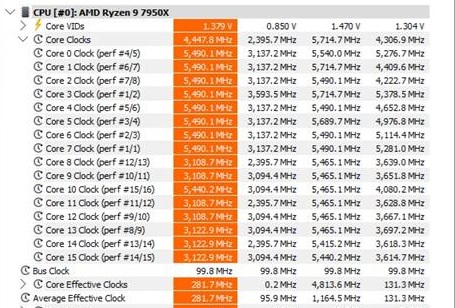
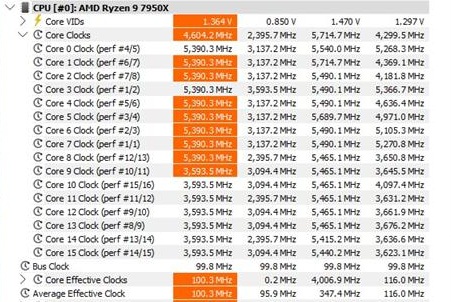
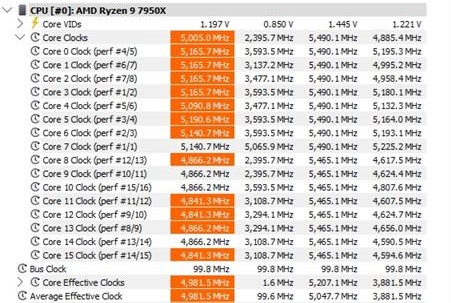
I have a Balanced Power profile in the Windows Environment. To record the idle temperatures, the system was put in idle for 15 minutes. The idle clocks were around 2395MHz. The cores boosted to 5.7GHz under 1T load using R23.2, whereas these cores boosted to 5.5GHz under all core loads.
Thermals and Power
I have used a Watt Meter to monitor the system-wide power draw, excluding the display LED monitor.
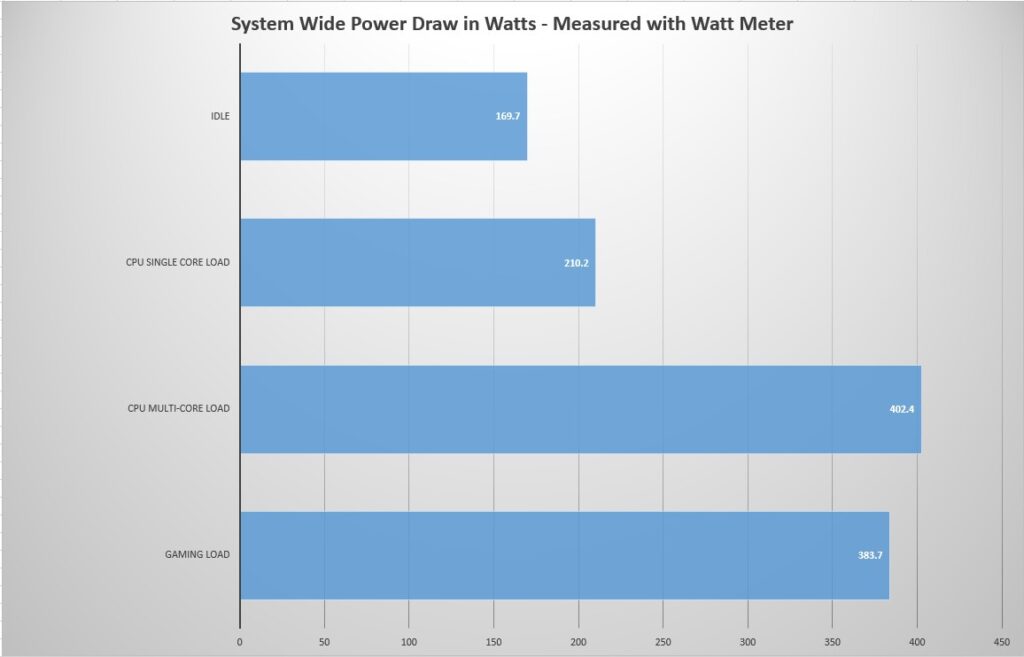
The gaming load power draw is 383.7W using a budget graphics card. This power draw would be high when a high-end graphics card is deployed. The power draw behavior of the motherboard is satisfactory.
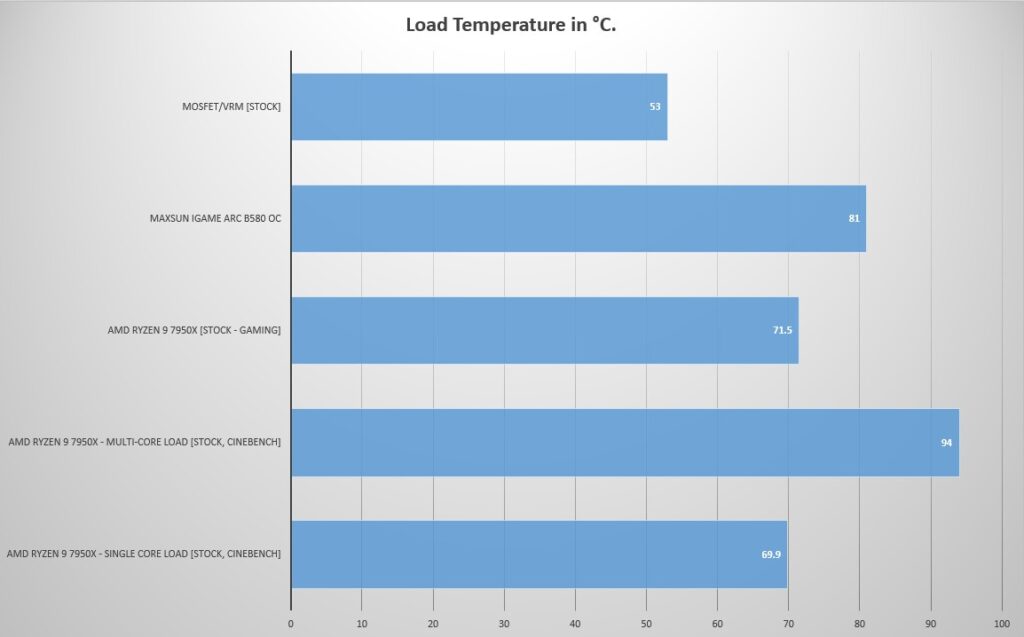
Testing was done at an ambient temperature of 26ᵒC. I have reported thermals on CPU, graphics card and VRM/MOSFET.
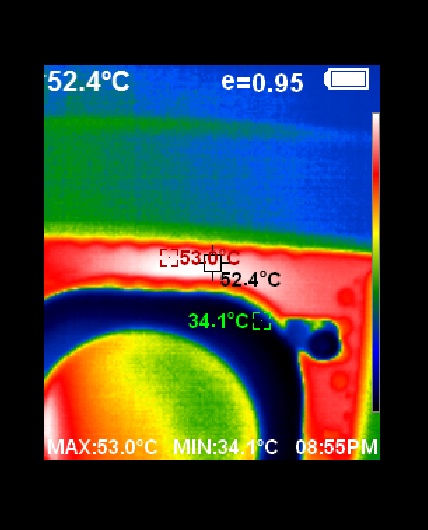
The VRM/MOSFET was doing 53ᵒC at an ambient of 26ᵒC on stock CPU settings. This is a good performance from the VRM cooling solution.
Conclusion
Backplug motherboards are gaining popularity for their cable-free design – we have yet to see the cable-free graphics cards and CPU coolers becoming mainstream, providing more airflow towards the key or core components and a neat & clean look. GIGABYTE introduced the Stealth concept back in 2022 or so. The idea is to put all the headers on the backside of the motherboard, hence the name backplug. MSI carries this program under Project Zero (PZ), whereas ASUS has the BTF program (Back to Future).
GIGABYTE introduced the X870 AORUS STEALTH ICE a couple of months ago. This is a white edition motherboard from the ICE series with backplug connectors. It has a stylish layout in white and gray. This motherboard packs 16+2+2 power parallel phases (SPS 80A each) with enlarged heat sinks using a heat pipe and 7W/mK thermal pads. The motherboard packs good safety features, including over-current and over-voltage protection.
The PCIe Gen5 connectivity is good, but with caveats. We have a PCIe Gen5 x16 slot wired to the CPU socket. Two M.2 ports (M2A and M2B) are wired to the CPU socket as well. However, the top slot (M2A) does not have the EZ Flex feature, which is only provided on the M2B, but this M2B shares bandwidth with 2x USB 4.0 ports, allowing them to operate at x2 speed by default. You can change the behavior from BIOS, but keep in mind that running M2B on x4 will disable the USB 4.0 ports, which is a pretty bizarre design.
The second PCIe slot is a full x16 slot rated for x4 (Gen 4) and wired to the chipset. The other two M.2 ports are wired to the chipset. This motherboard, being X87,0 comes with a single chiplet, hence we have 8x fewer PCIe lanes. The second PCIe slot shares bandwidth with the PCIe Gen4 M.2 M2D port. Populating either will disable the other. In addition of 4x M.2 ports, 2x SATA ports are also provided.
The M.2 aluminum heatsink covers use EZ-Latch Click which makes life easier. It is a complete tool-less design. The PCIe Gen5 slot uses EZ-Latch Plus. The latch is locked/unlocked on a button press. The motherboard has 4x DDR5 DIMM slots supporting up to 256GB total capacity and supporting speed of up to 8200 MHz (OC). XMP and EXPO are both supported.
Speaking of USB connectivity, this board has a strong game with a total of 20 USB ports, including 2x USB 4.0 ports capable of DisplayPort via Alt Mode, providing 4k@240Hz display. On-board 3.2 Gen2x2 20Gbps port is also provided on the front.
This motherboard has a 5GbE LAN port, Bluetooth 5.4, and WiFi 7 connectivity, and it comes with a handy WiFi Antenna. The on-board audio solution isan ALC1220 codec. GIGABYTE has provided 4x troubleshooting LEDs as well as an 80-port Debug LED. Dedicated power, reset and QF+ buttons are also provided. QF+ is to flash bios of the motherboard.
This motherboard supports X2D Turbo mode with one-click acceleration. In addition, the motherboard is designed with the help of AI, providing AI-generated design, AI-driven simulation, AI-powered signal verification and single/cross-layer signal optimization. HyperTune BIOS uses AI-based BIOS optimization. The motherboard comes with 64 MB driver BIOS.
The overall performance of this motherboard is good, and the visually appealing design speaks for itself. The VRM cooling department is quite strong. This motherboard retails at USD 309.99 and comes with a 3-year warranty.
Pros:
- Backplug Design
- White Color Scheme
- 16+2+2 Power Phases
- Excellent VRM Cooling
- Zenith Memory Support (8200 MHz)
- 2x Gen5 M.2 slots
- 2x Gen4 M.2 slots
- 1x PCIe Gen5 x 16 slot
- 1x PCIe Gen4 x16 slot (x4)
- 2x SATA Ports
- 2x USB 4.0 Type-C Ports with DisplayPort Alt Mode
- 1x USB 3.2 Gen2x2 20Gbps Type-C Front Port
- 5GbE LAN Port
- WiFi 7E Module and Antennae
- Audio ALC1220 Codec
- M.2 EZ-Latch Click
- M.2 EZ-Flex
- M.2 EZ-Latch Plus
- M.2 Thermal Guard L
- PCIe EZ-Latch Plus
- BIOS Flash Button
- Integrated IO Shield
- Small Vents on IO Shield for ventilation
- 8x 2A Fan Headers
- 3x A-RGB Headers
Cons:
- No Clear CMOS Button
- M2B shares bandwidth with USB 4.0 Ports
- Running M2B at X4 will disable USB 4.0 Ports
- No M.2 Flex on M2A Port
- PCIEX4 shares bandwidth with M2D port