











CPS DC360 Pro ARGB Display Cooler Review: A Feature Rich, Powerful Cooling Experience

I remember testing the PCCOOLER DE360 White AIO back in time, and it is a performance-rich cooling solution from the manufacturer. I still have that cooler with me as it can handle high-end CPU SKUs. This time around, I am taking a look at the new flagship cooler from the PCCOOLER, which not only packsa solid performance punch but comes with a display screen and ARGB lighting.
The DC360 Pro ARGB Display is a 360mm size AIO cooler which is available in white and black colors. This was not available in white when the sample allocation was made. PCCOOLER in fact, carries three display coolers with subtle differences. The salient features are:
- 2.4″ IPS Screen
- 240×320 resolution
- 60Hz Refresh Rate
- Customizable Themes
- Video Playback
- Tri-Force VI Elements Design theme
- OC Plus V1.0 Pump design
- F5 R120 OC ARGB Fan
This cooler is compatible with Intel LGA115x/1200/1700/1851 and AMD AM4/AM5 sockets. It comes with a 5-year warranty.
Purchase on Newegg for $103.99 at the time of review.
Specifications
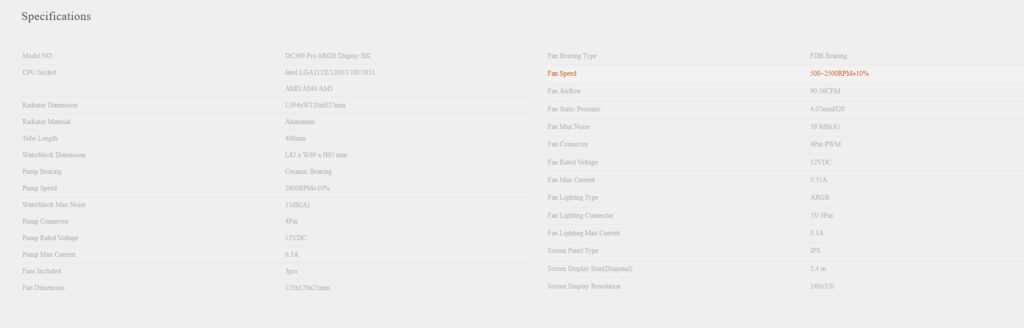
*CPS needs to correct the pump power connector from 4-pin PWM to 3-pin DC.
Packaging and Unboxing

The cooler is shipped inside a cardboard box. The box is finished in CPS standard silver color theme.
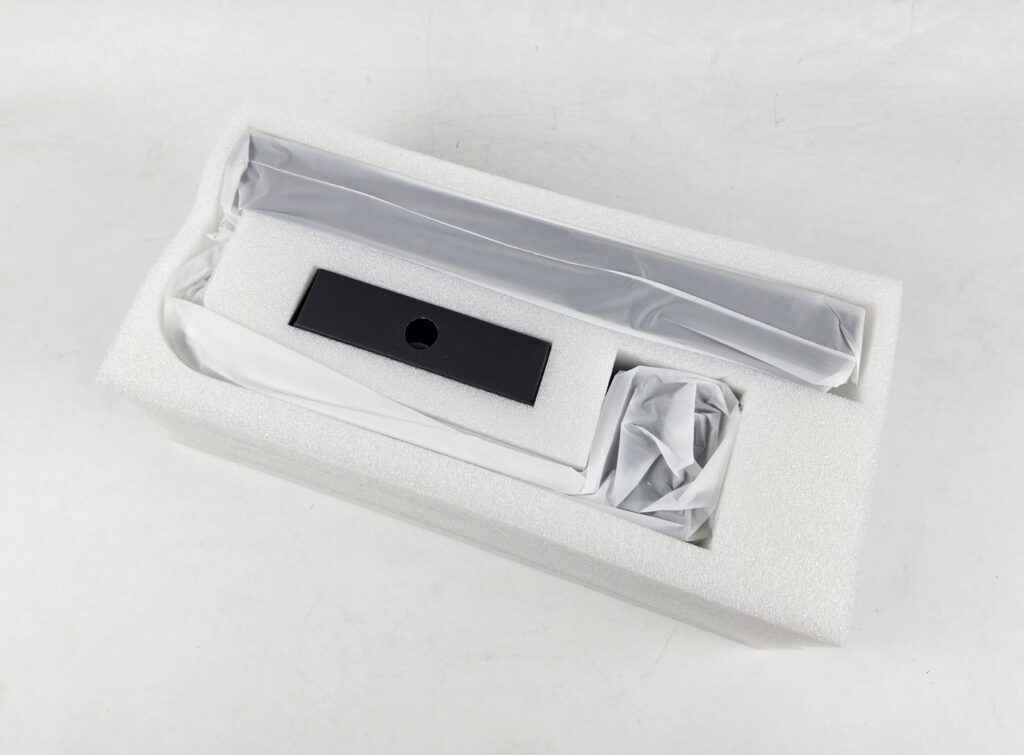
The contents are nicely tucked inside a thick white Styrofoam pad for safe shipping. The fans are pre-installed over the radiator.
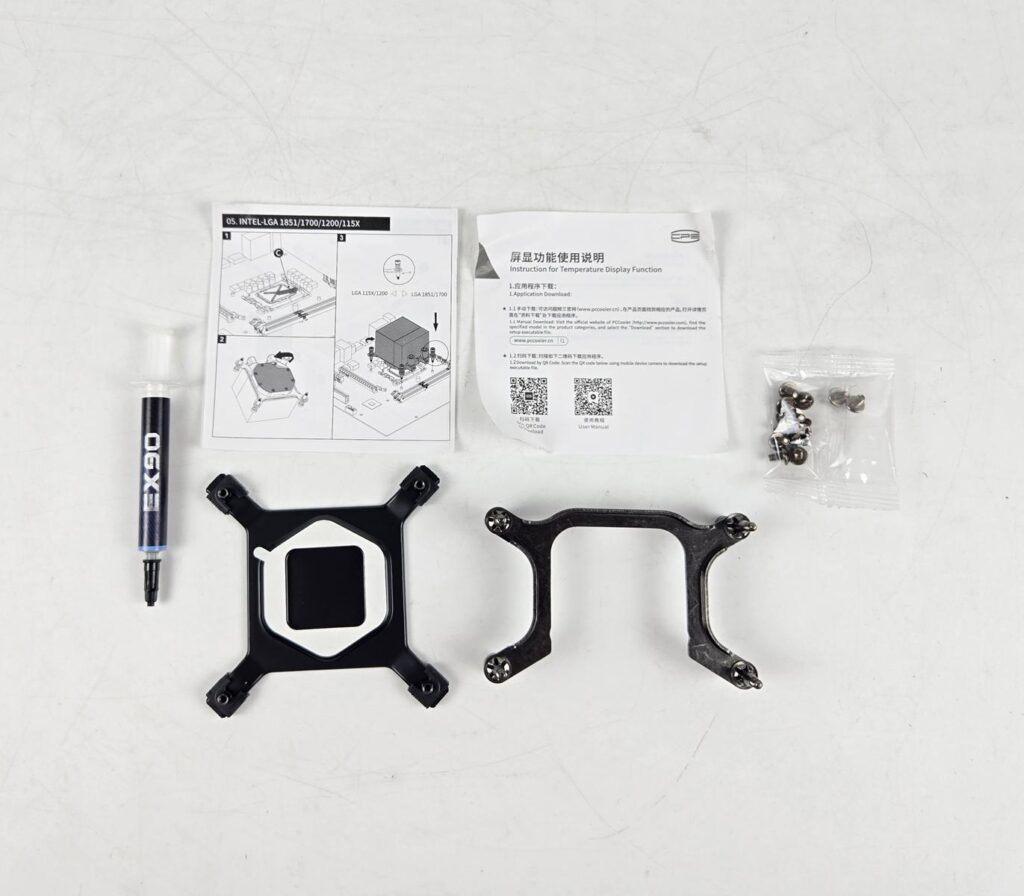
The following are provided:
- 1x Cooler
- 1x Intel Backplate
- 1x AMD Mounting Bracket
- 1x Intel Mounting Bracket [Pre-installed]
- 1x User Guide
- 12x Radiator Screws
- 1x Thermal Paste
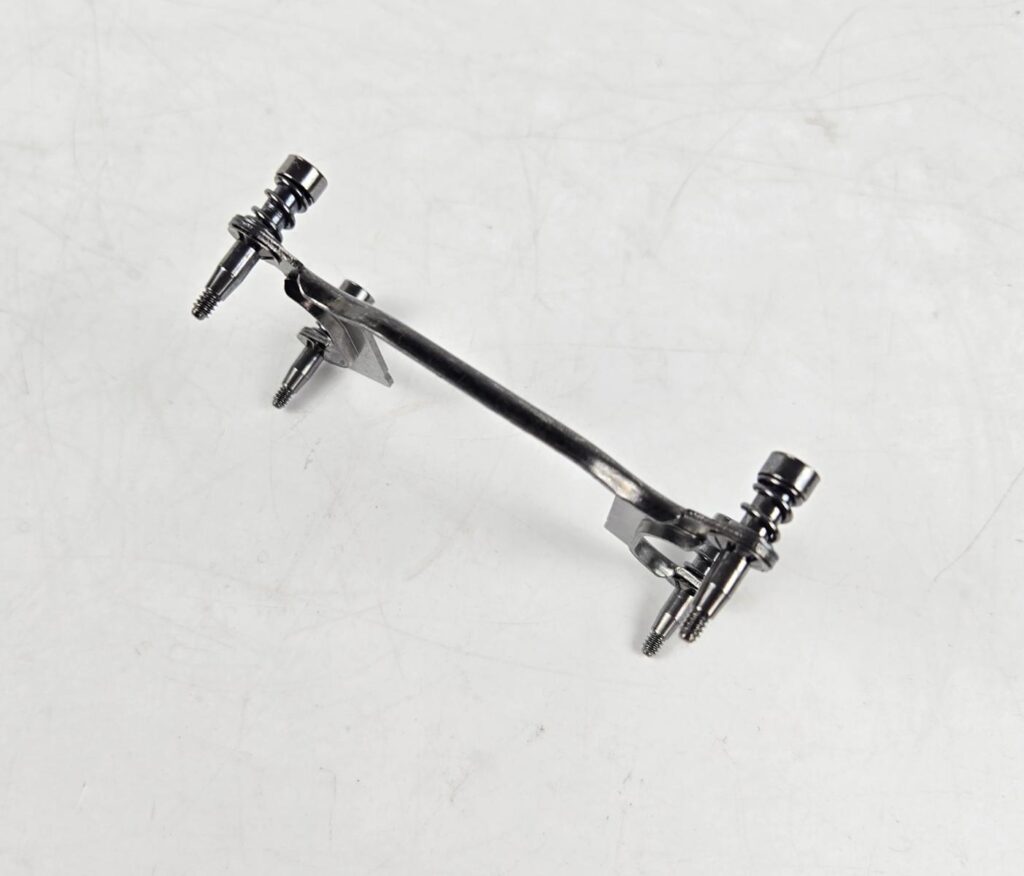
I have removed the Intel mounting bracket. The spring-loaded screws are pre-installed. This makes the installation a convenient and straightforward task.
Closer Look
It is time to take a closer look at each component of the main unit, starting with the radiator.
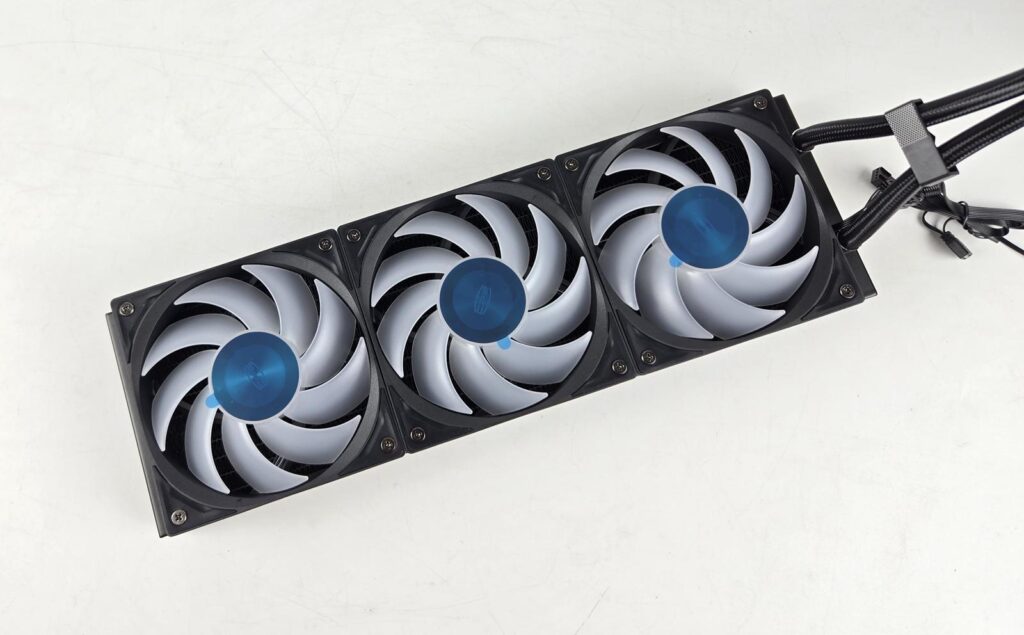
Three F5 R120 OC ARGB fans come pre-installed over the radiator. The majority of the brands have followed this trend now. However, there is a catch. You don’t see any cables from these fans. It is because they are interconnected via a very short cable. Some may call this a true daisy-chain solution, but it provides a challenge of replacing the fan in case it malfunctions. It seems like all three fans would need to be replaced in that case. This is not a wise design.
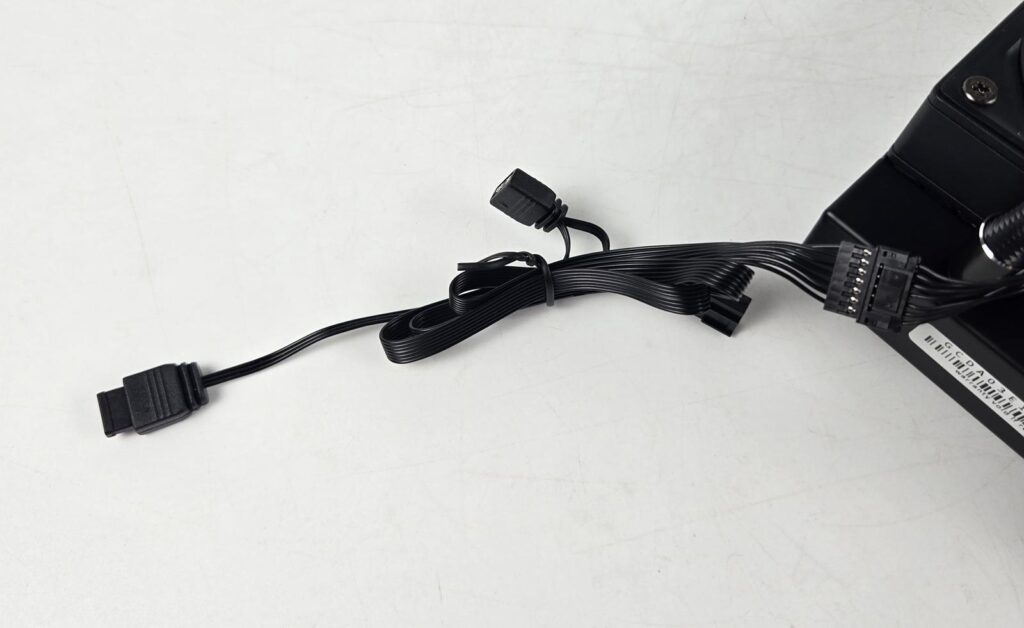
The fans are to be connected to the motherboard using an extension cable that has standard connectors at one end and a 7-pin proprietary connector at the other end.
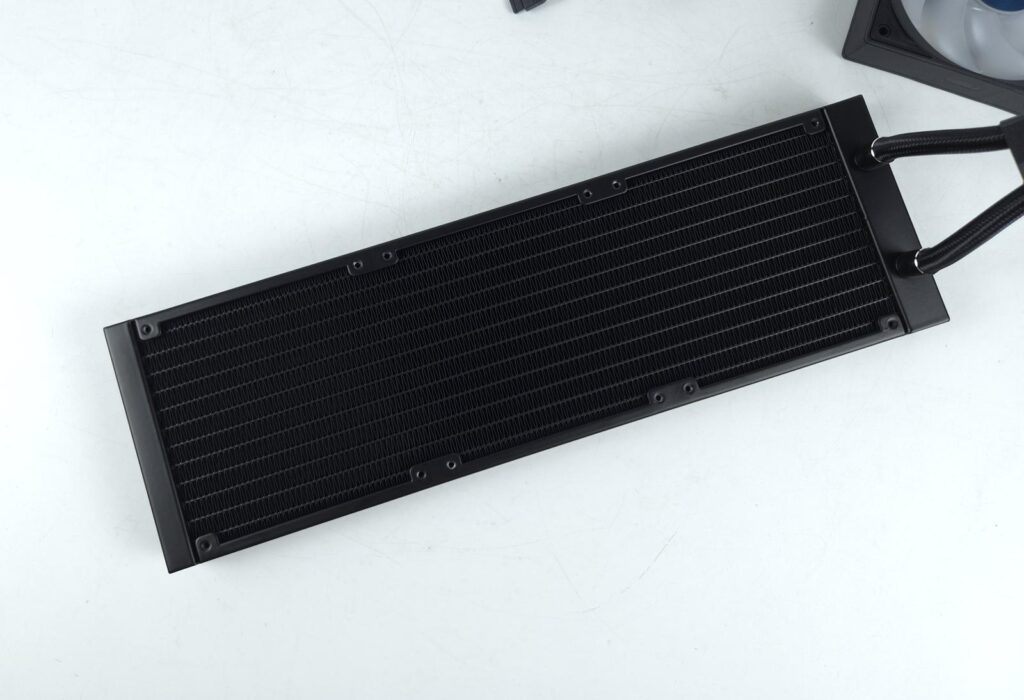
This unit has a 360mm size radiator having a dimensions of 394x120x27mm. Here, 27mm refers to the thickness of this unit. The overall thickness is 52mm with 120x25mm fans. The aluminum radiator has a 20 FPI count with satisfactory fin stacking.
There is a standard 105mm gap between two opposite fan mounting holes and a 15mm spacing between any two adjacent fan mounting holes. We count 12 channels through which the coolant flows.
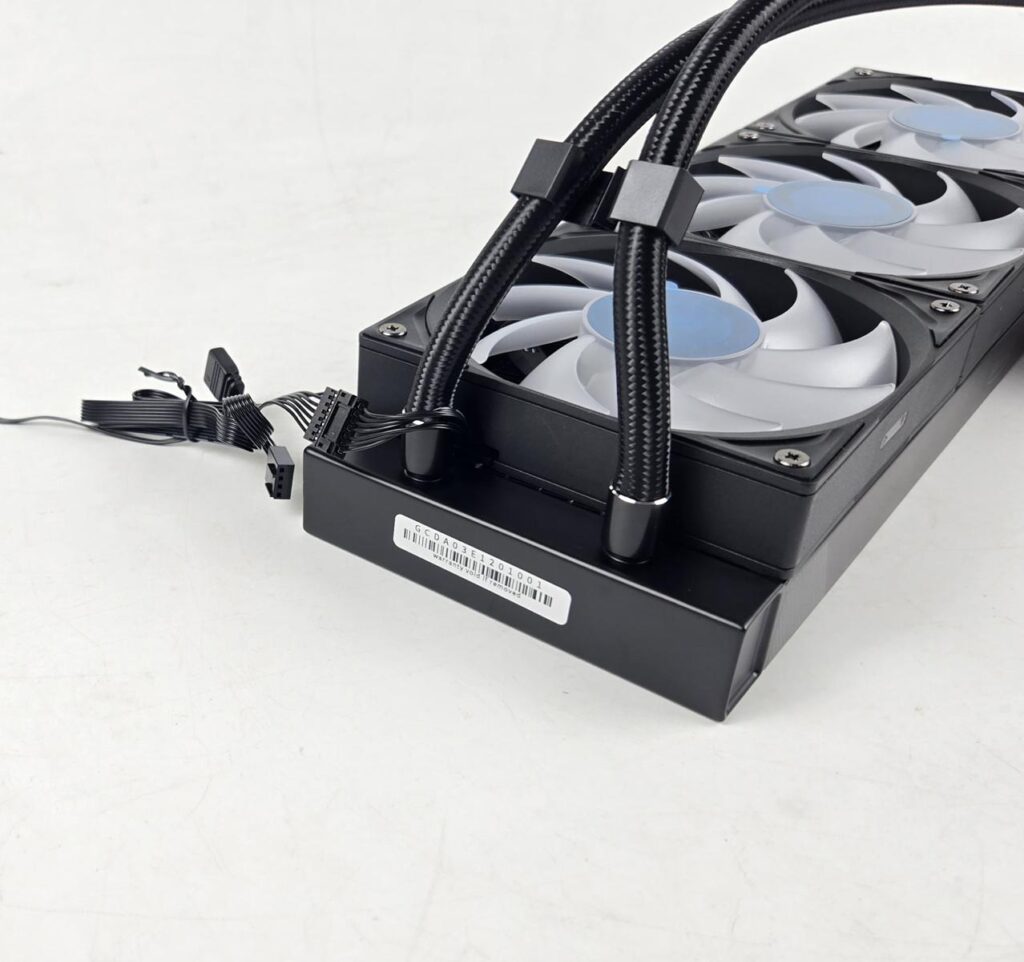
The barb fittings and connections are covered using clamps.
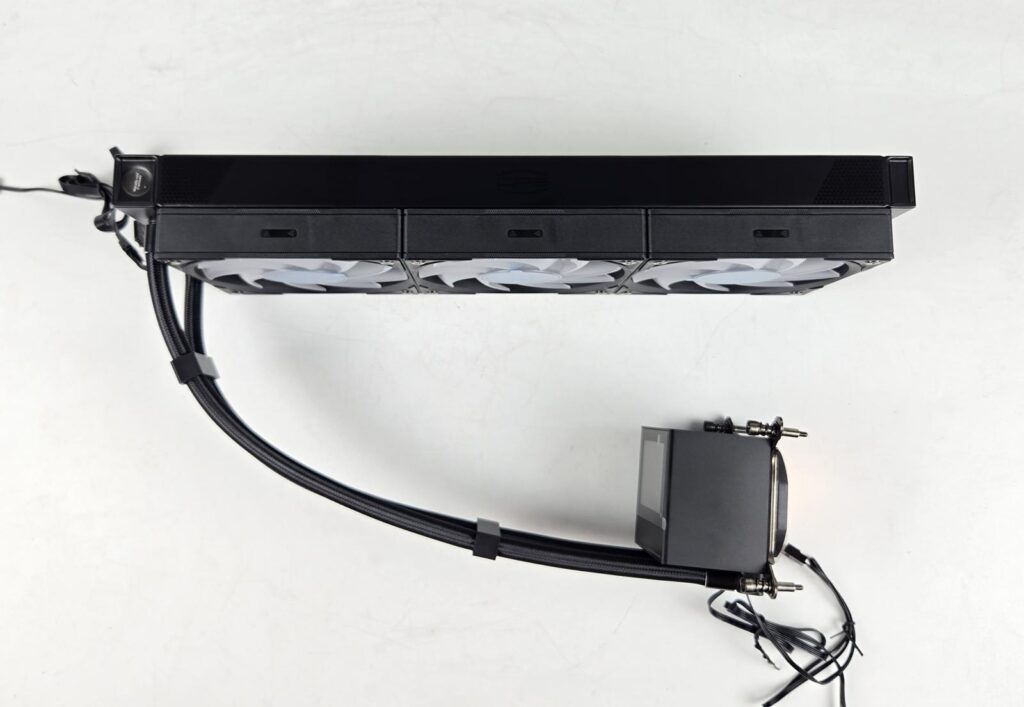
Looking at the side of the radiator, you can see that there is no CPS branding or text on the side frame of the radiator. You can, however, spot a warranty void sticker on the side of the near head. Seems like a refill port is there, which is for factory use only. The rubber tubes are covered under the nylon braided black sleeves. Fiber fiber-reinforced layer in the tube provides pressure resistance and better temperature resistance. These tubes run to approximately 400mm in length.
Block/Pump Head
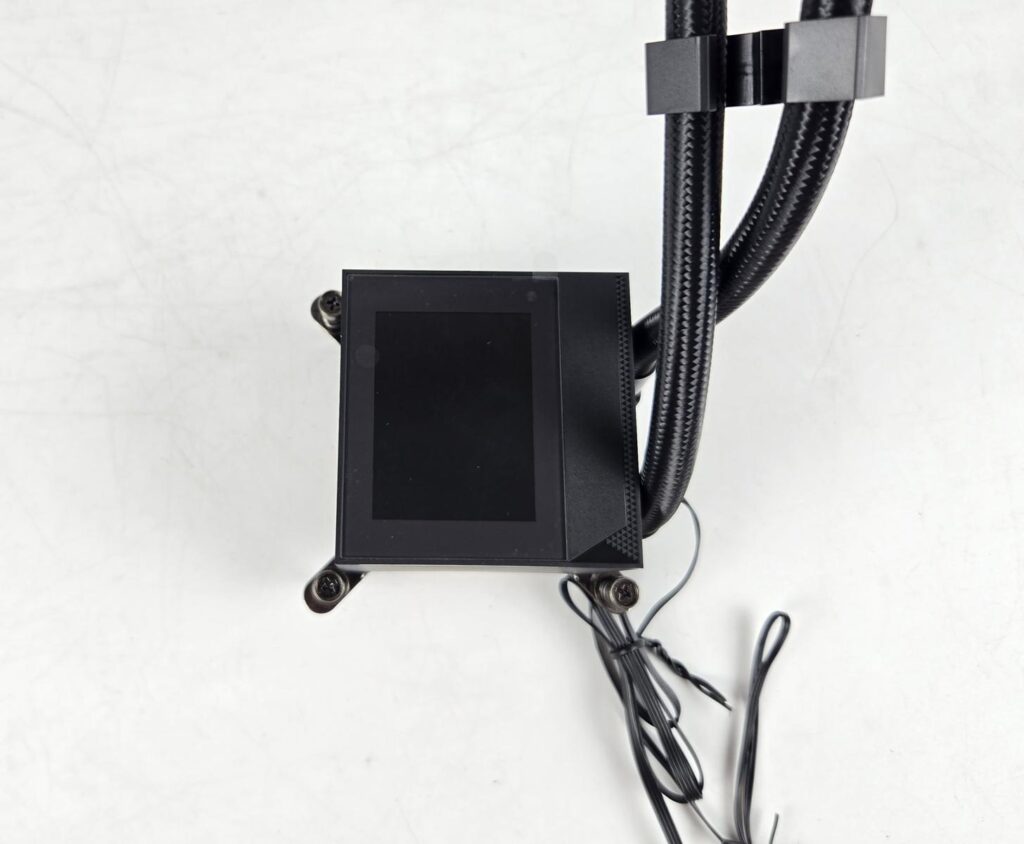
The main salient feature is the pump head/block design. The main housing has a dimension of 82x69x65mm (LxWxH). This is still not a large size block compared to other regular liquid coolers. The main reason for this size of housing is the integrated display screen.
The screen size is 2.4” and it is IPS IPS-type panel with a refresh rate of 60Hz. It has a resolution of 240×320. Obviously, you need a USB 2.0 port on the motherboard to enable this feature and software that can be downloaded from the CPS website. The screen supports video display.
The Tri-Force VI design element is visible on the border of the main housing.
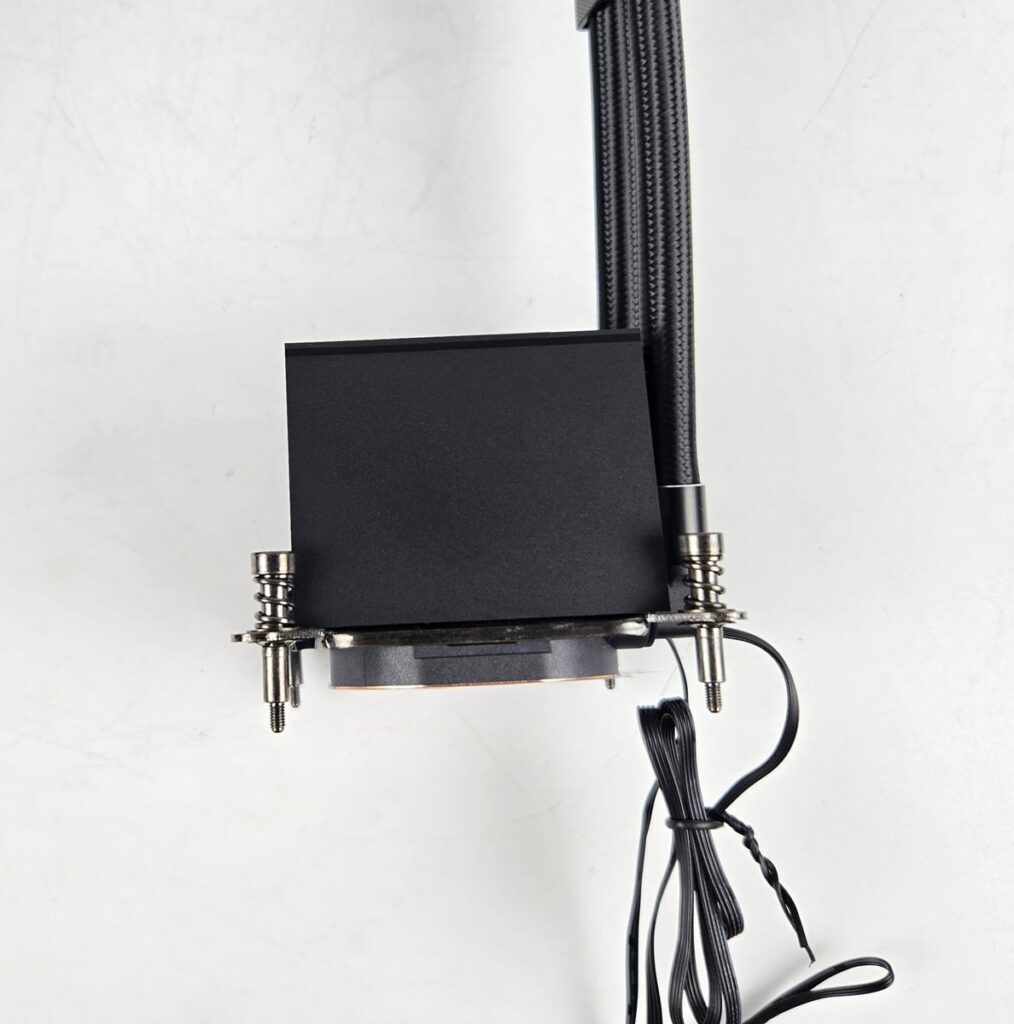
The sides of the main housing are without any branding or design. They are a matte black design.
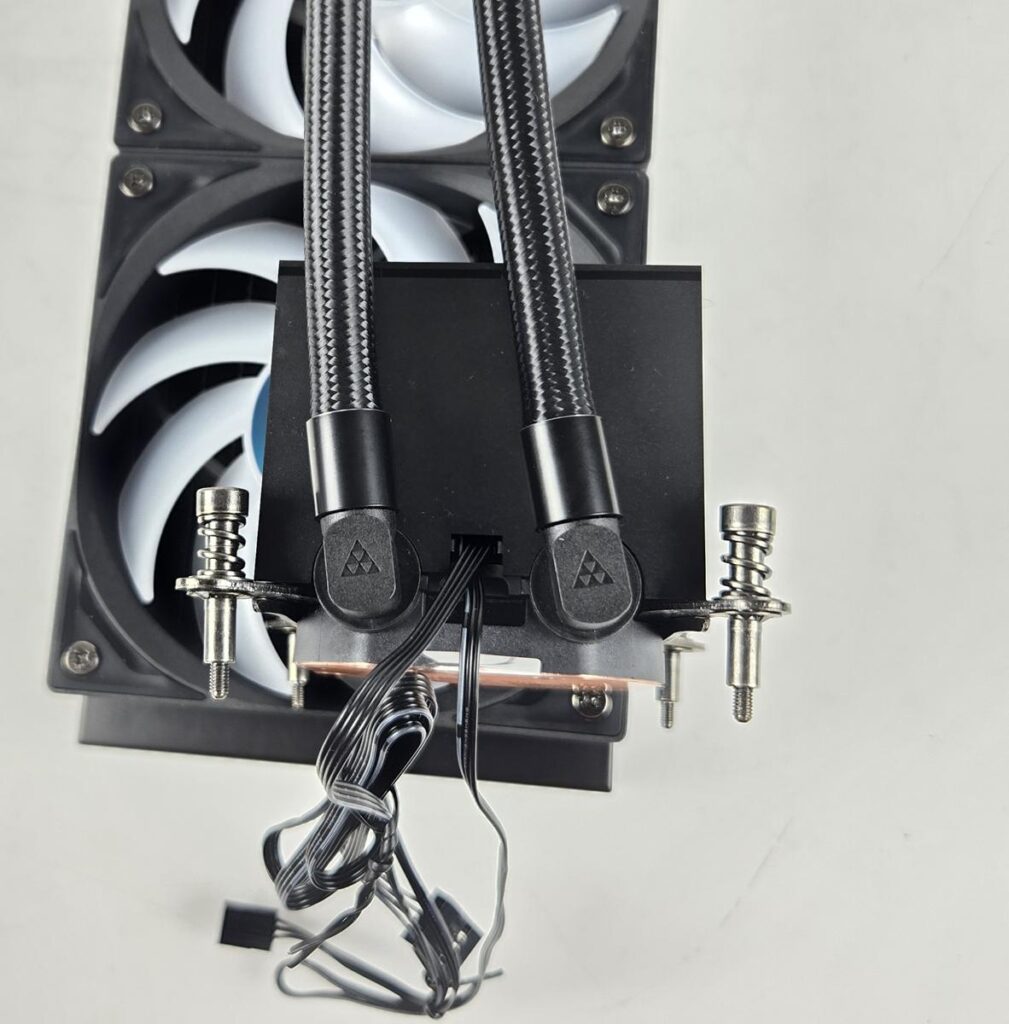
Looking at the rear of the unit, you can see 90° adapters on which the tubes are installed. They can be rotated for necessary adjustments during installation. We can see flat cables coming out from the upper section of the base. The Tri-Force Design element is visible here as well. It is a signature design from CPS.
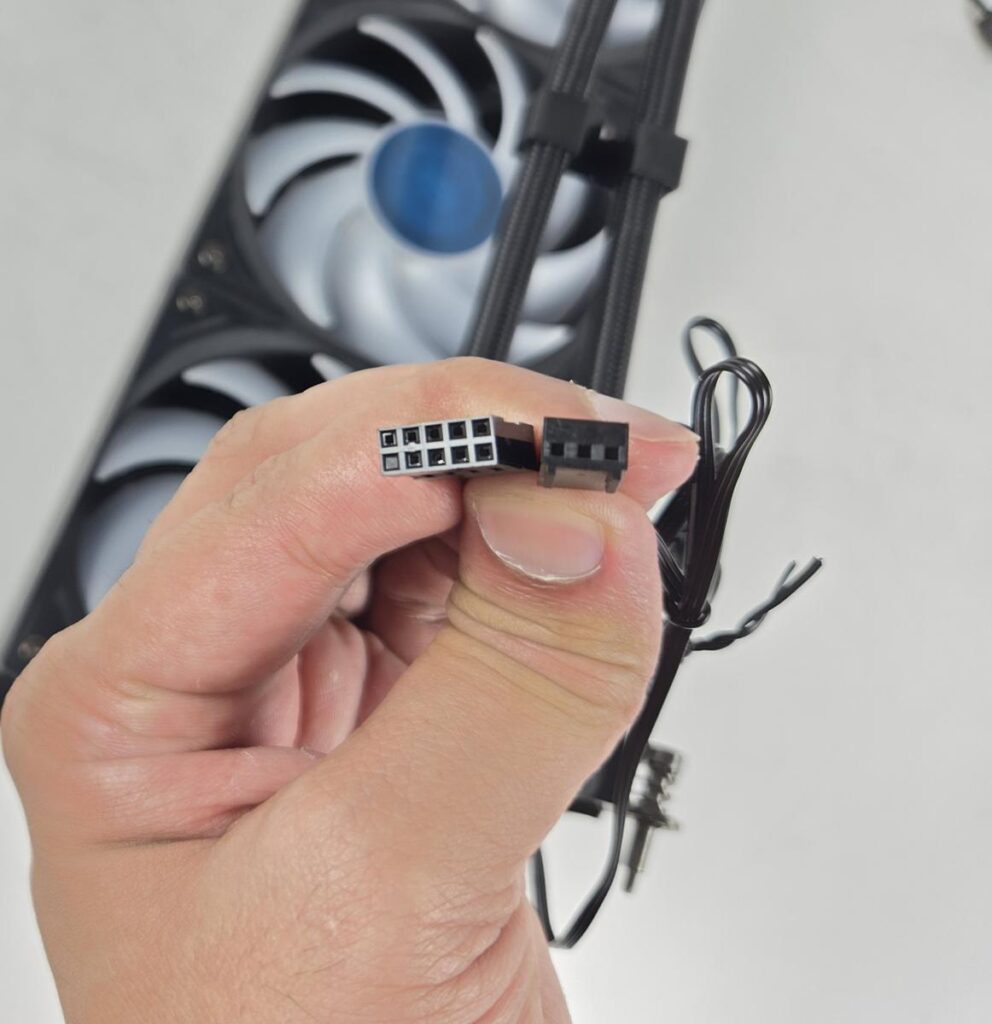
One of the two cables has a 9-pin USB 2.0 connector, and the other is a 3-pin DC connector to power the pump. The pump uses ceramic bearings and is rated for 2600 RPM ±10% speed with a noise rating of 15 dB(A). The unit has a copper base that has a protective cover.
FANS
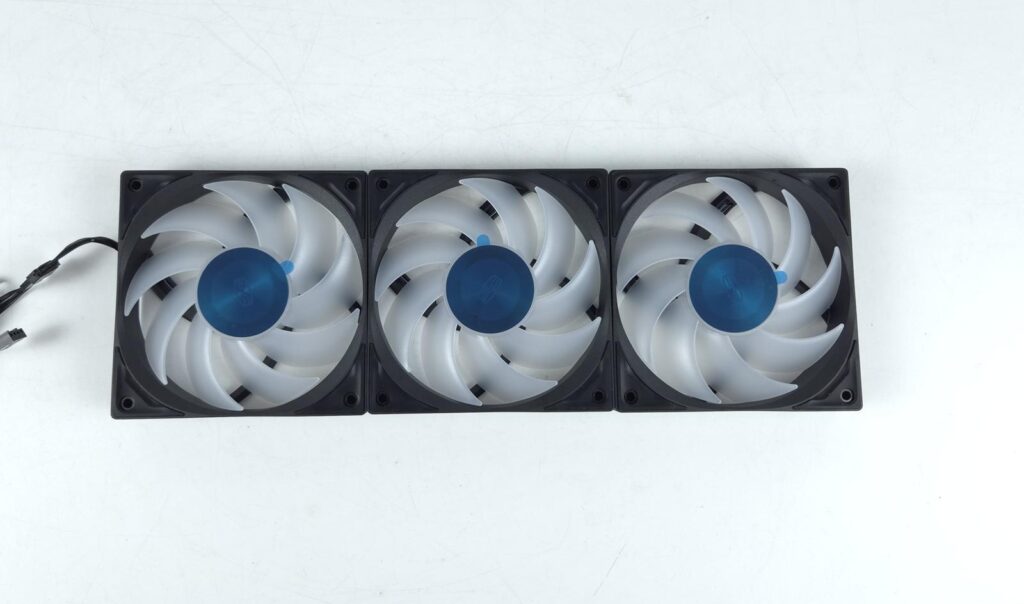
F4 R120 OC ARGB Fans is the name of the fans employed on this cooler. I am wondering what CO means here? Anyhow, each fan has 9x translucent blades. The center has metal CD CPS branding. The mounting corners have anti-vibration pads. These fans use FDB bearings and use m/g-level Dynamic Balance Calibration.
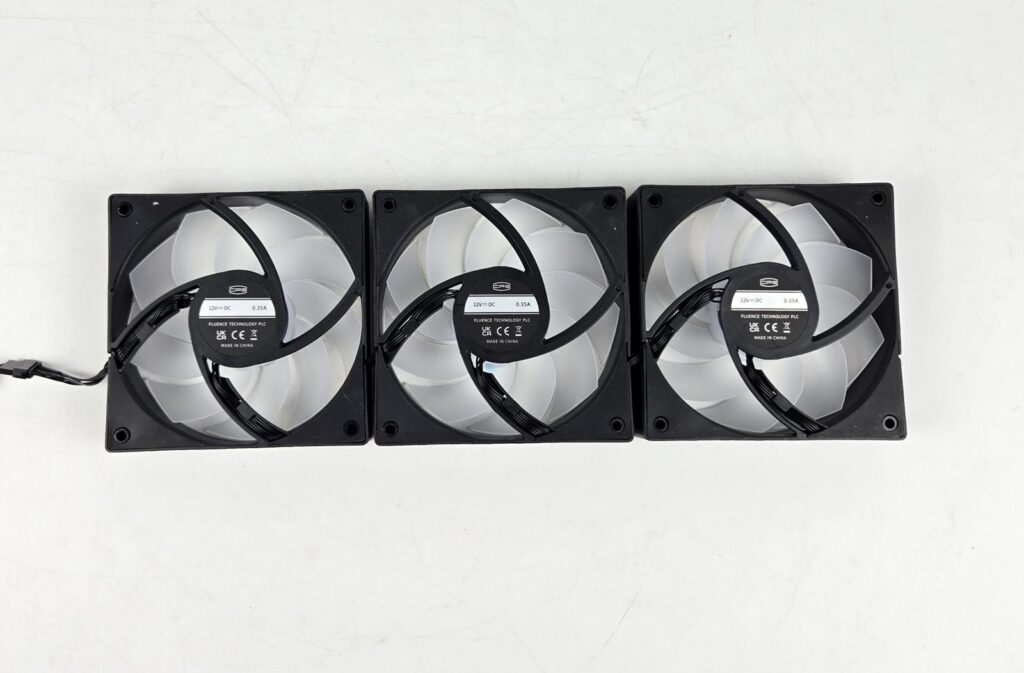
You can see 4-arms assembly on the backside with two arms catching the wires coming out from the center. You can also see a glimpse of how these fans are interconnected. They are rated for 0.35A. They are made in China.
Display Screen and Software
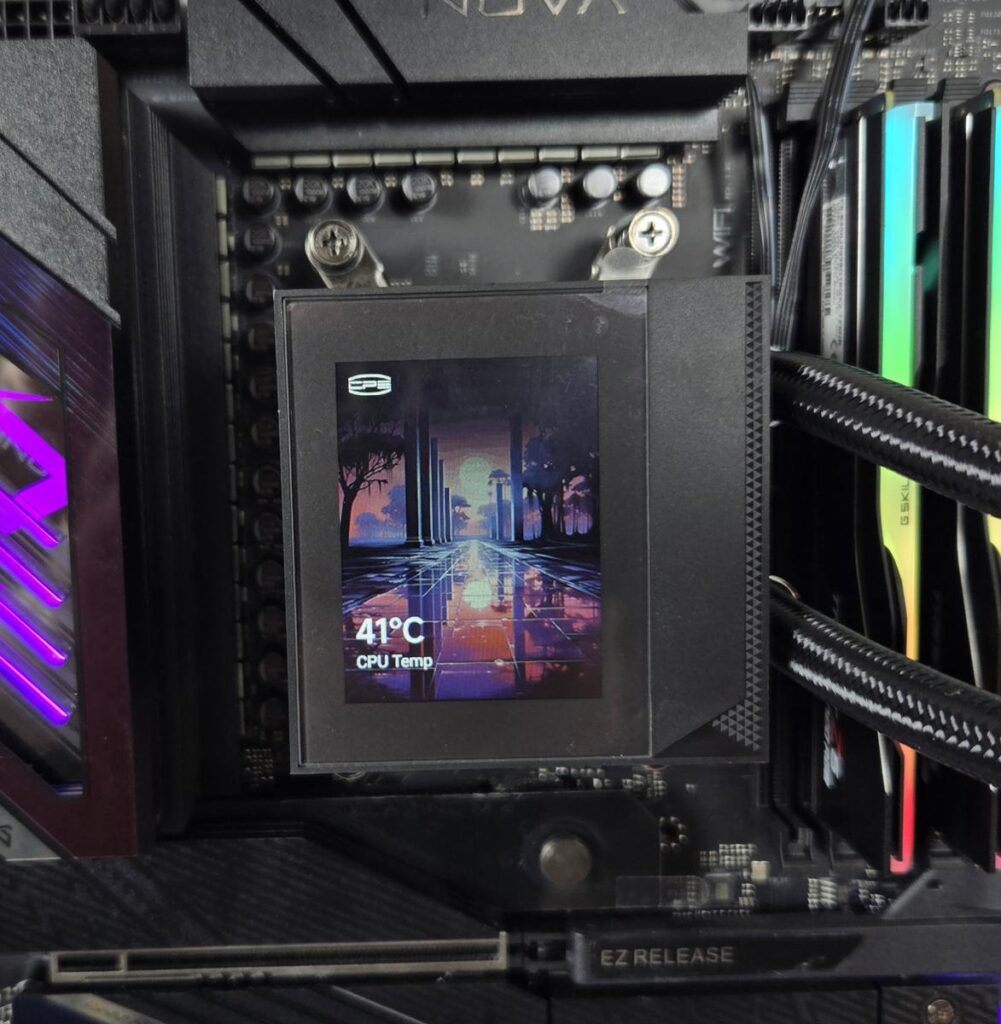
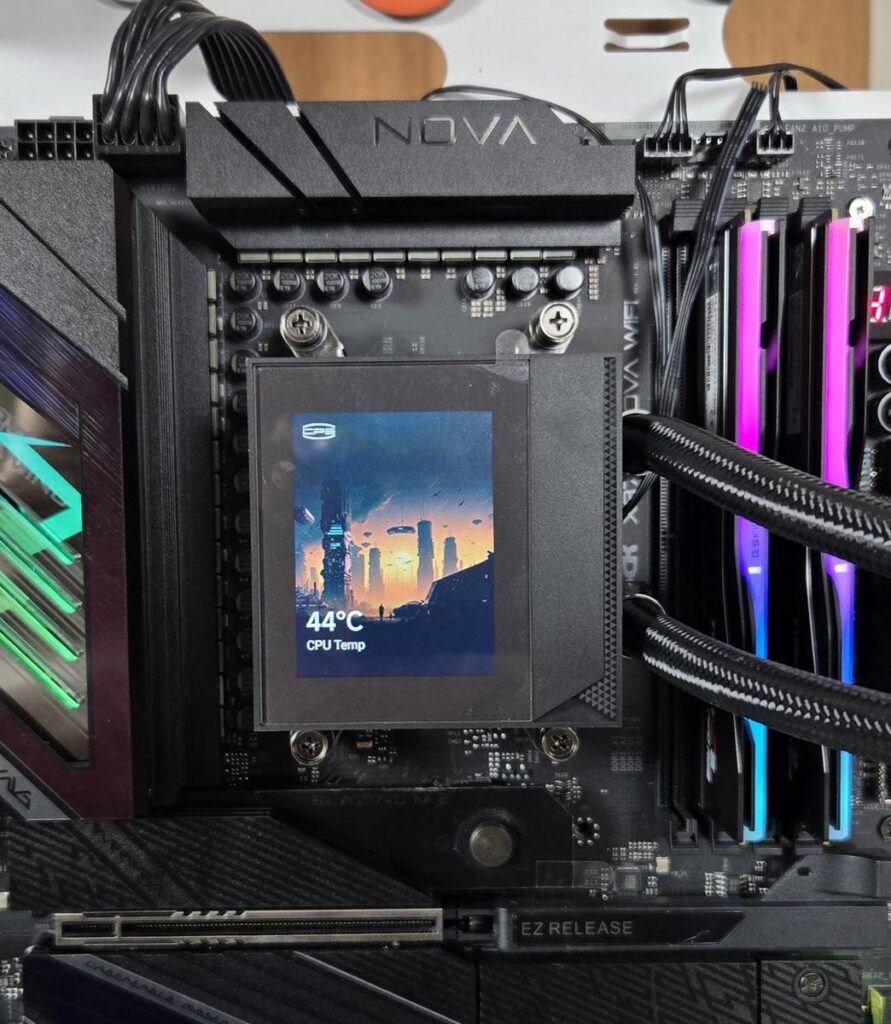
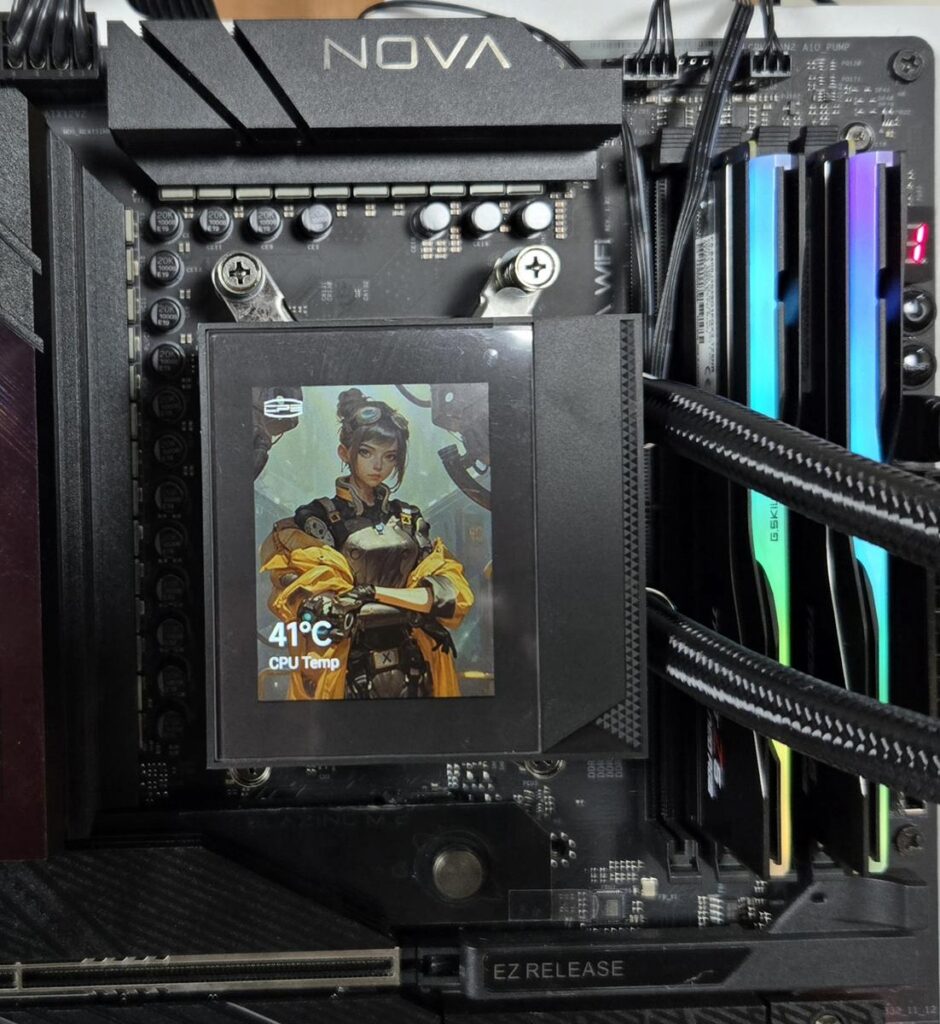
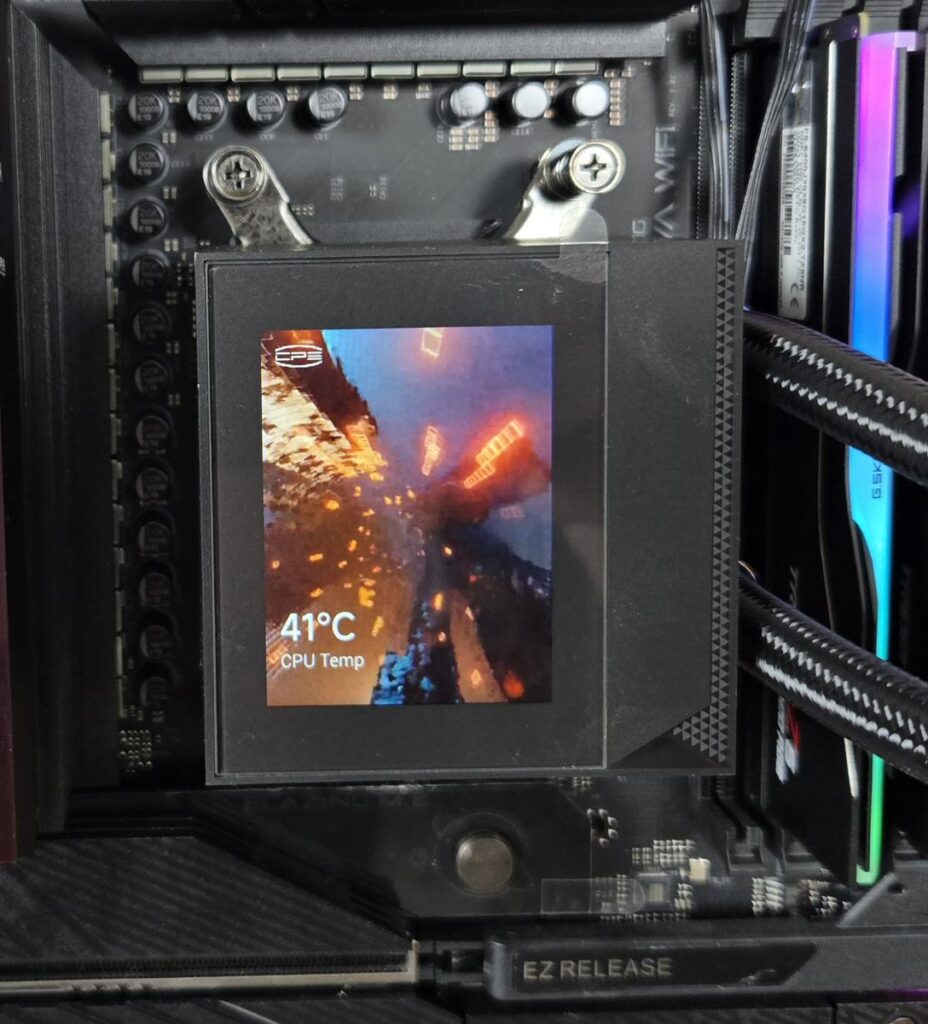

The display screen can show pictures supporting various formats like MP4, GIF, JPEG, and PNG. You can play a video on the screen as well. You can also display sensor data on the screen, reporting live monitoring of key components like CPU and GPU.
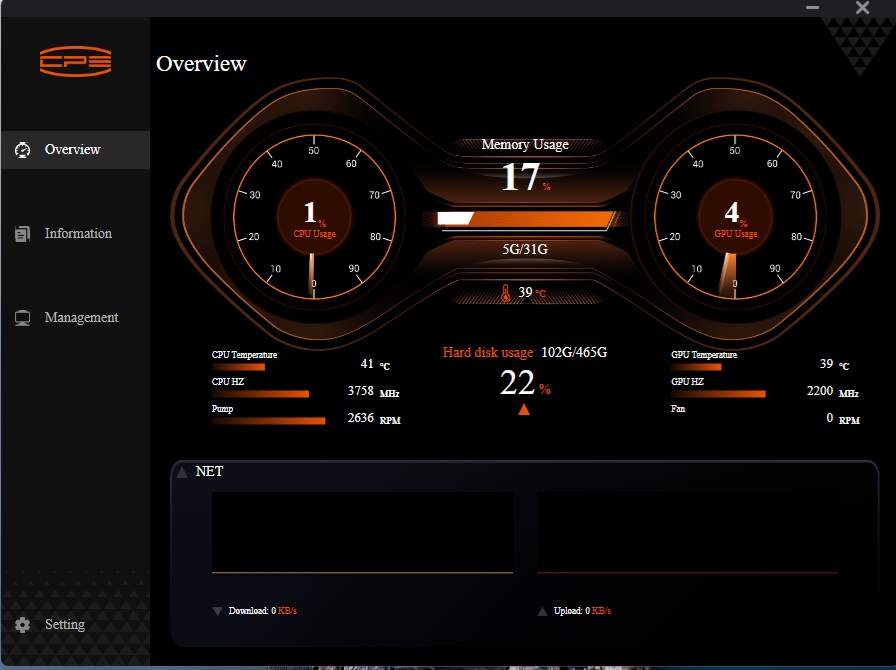
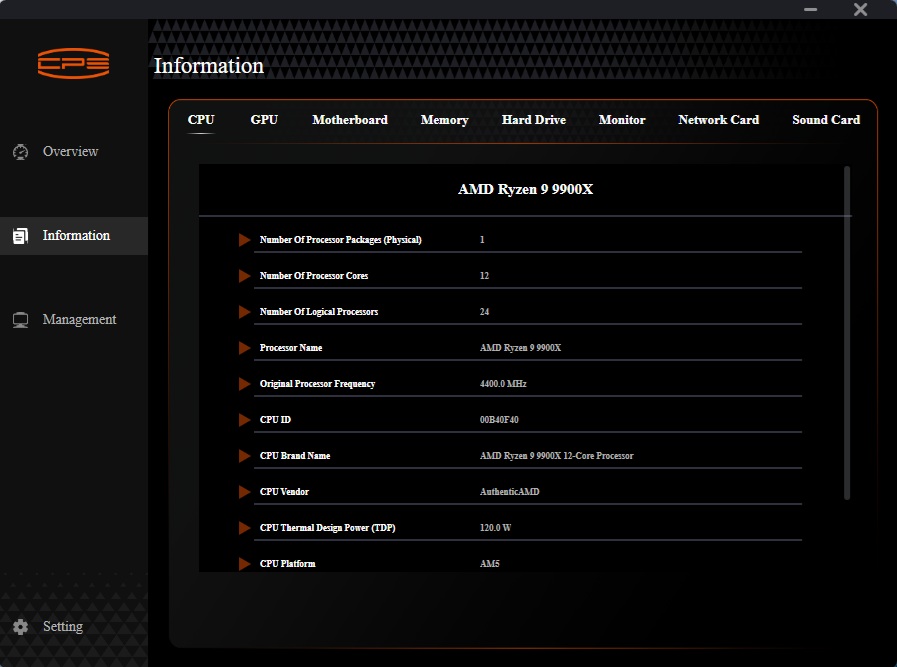
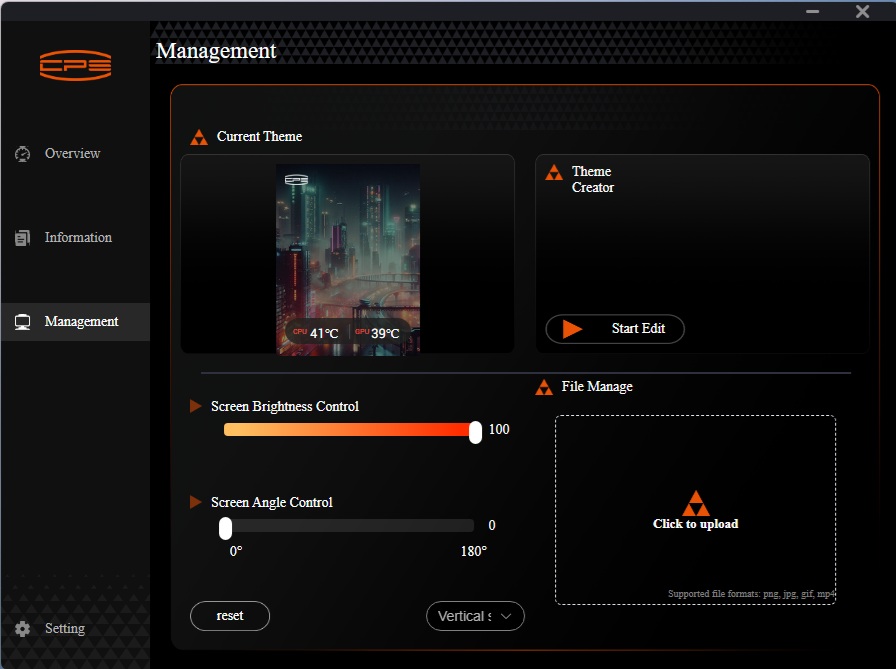
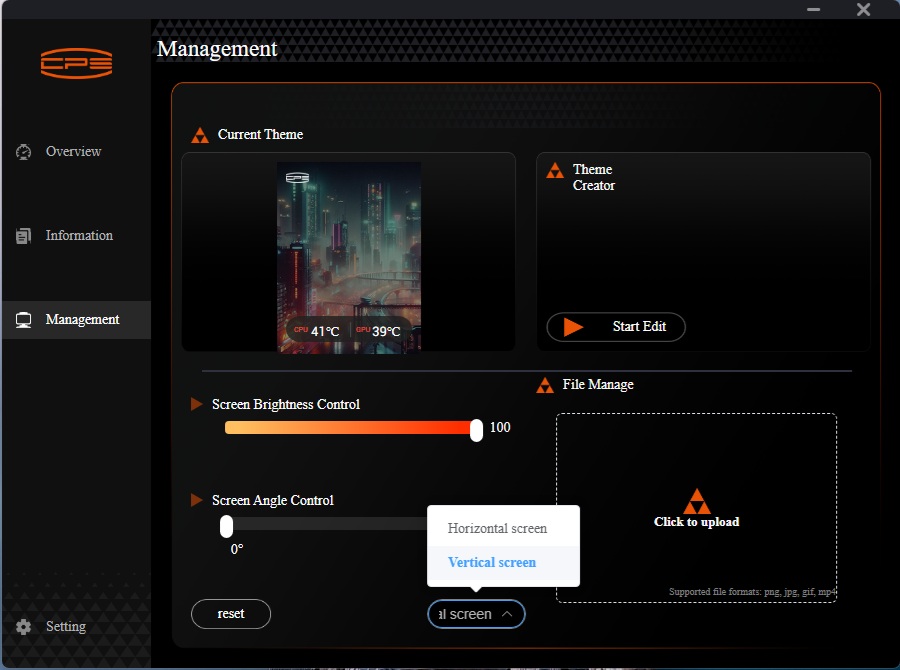
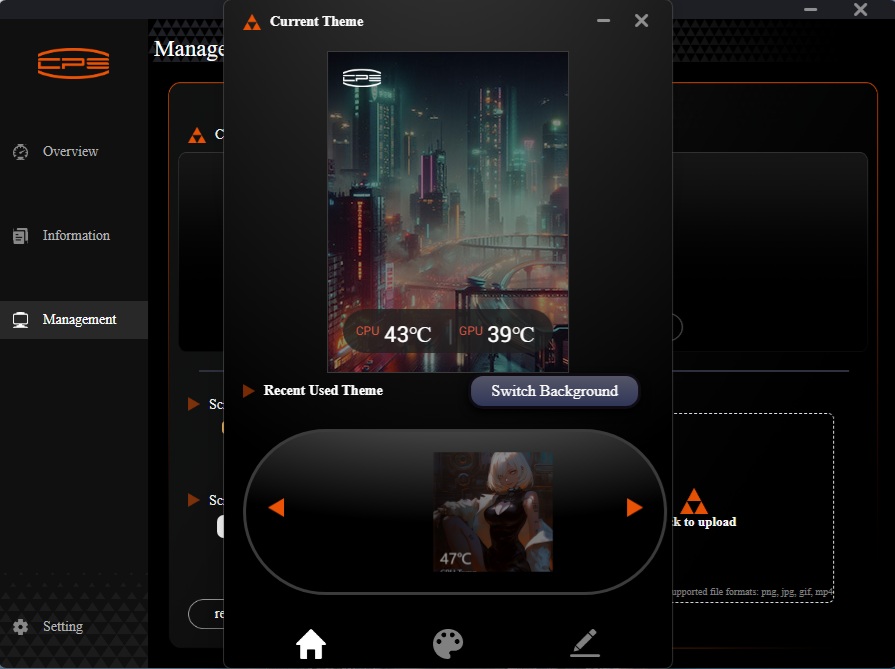
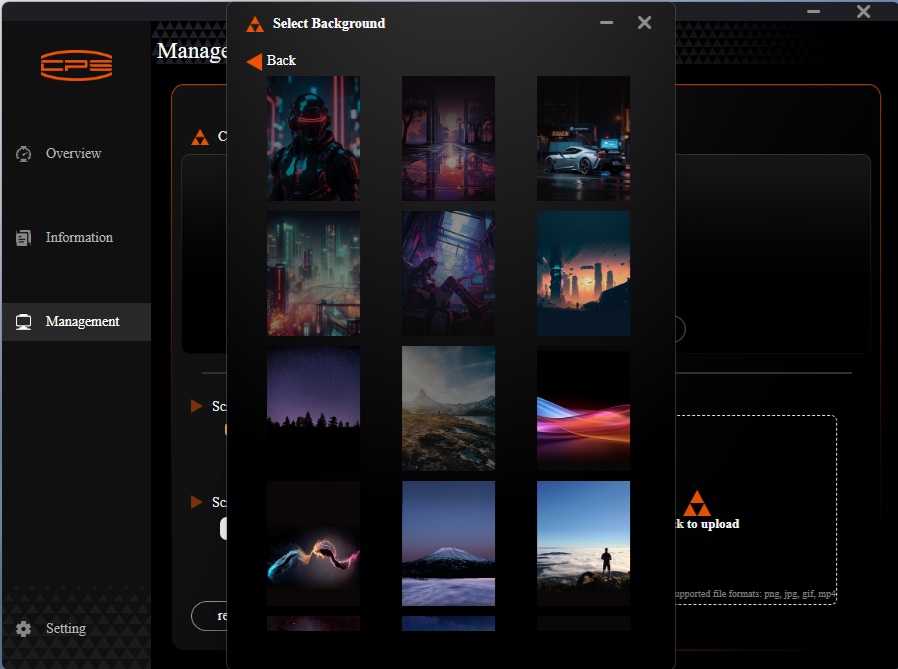
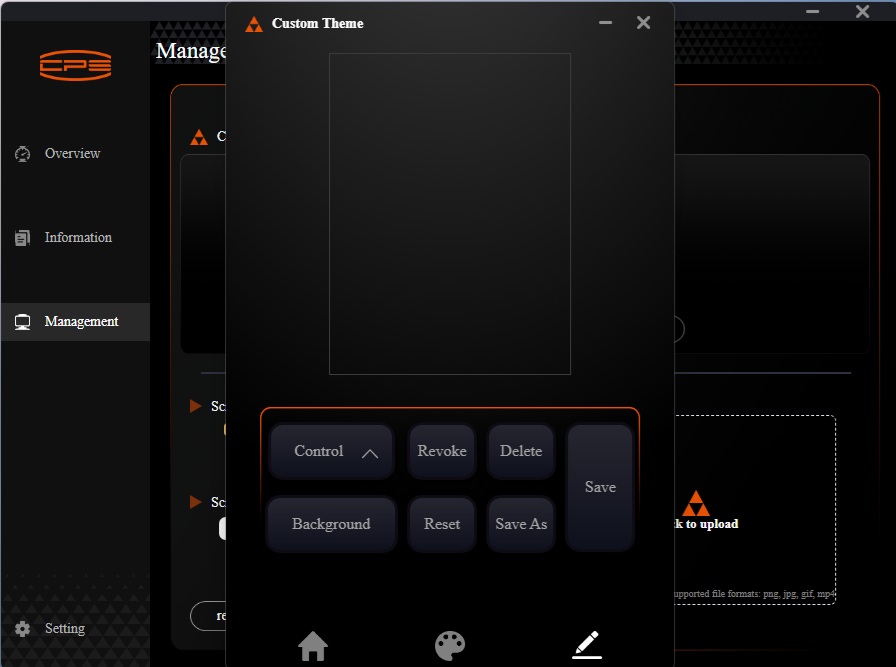
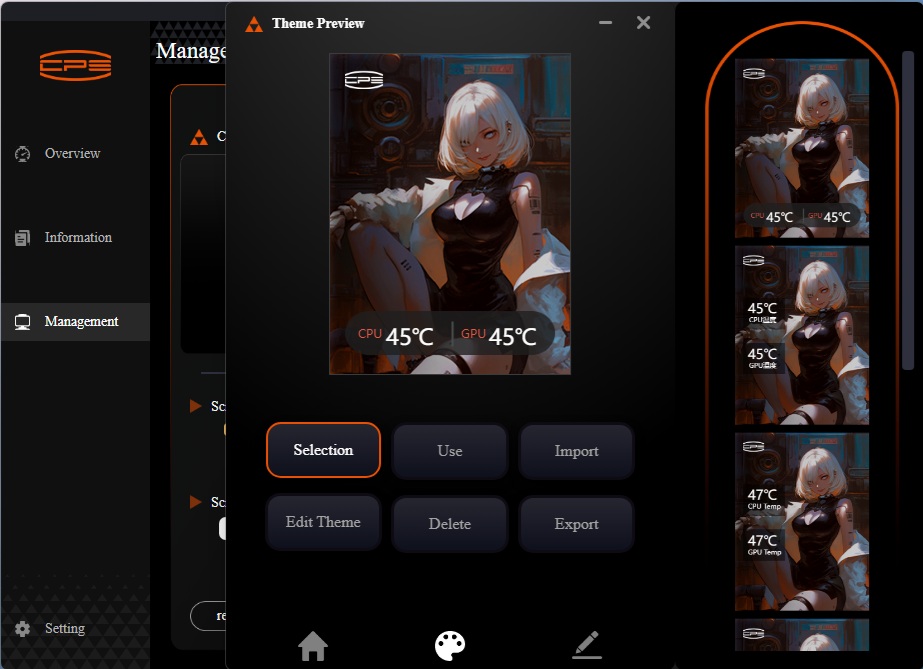
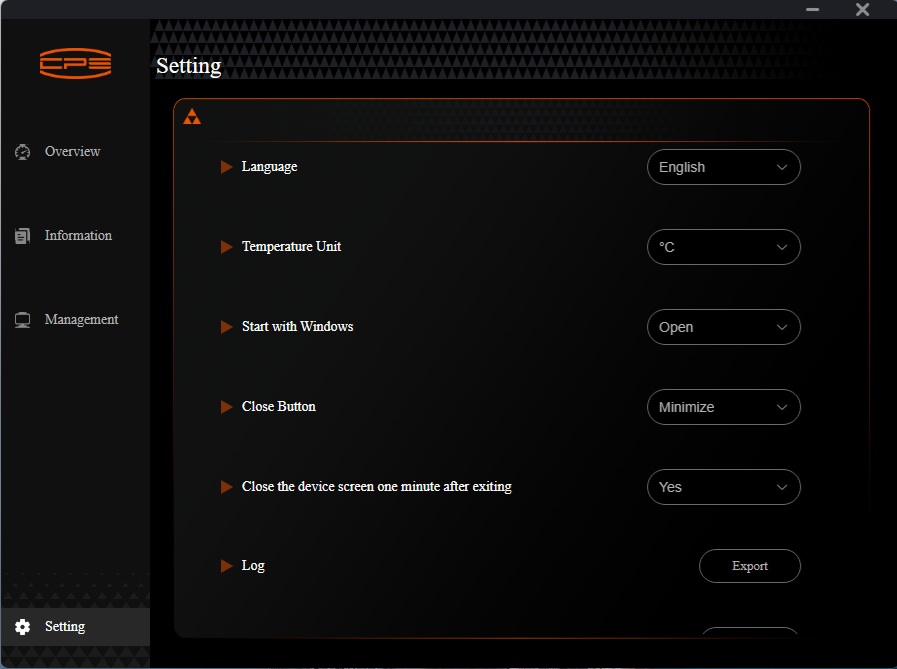
The software is divided into three main categories:
- Overview
- Information
- Management
The Overview window shows the sensors’ data in a summarized format like CPU utilization, CPU temperature, GPU temperature, Memory usage, network speeds, etc. Similarly, the Information window shows the details of each hardware component installed and detected on your PC. This is skippable, and CPS could have just focused on the management only.
The management console is where you can customize the display screen. You can change the display orientation, although it is trivial. The brightness control is dedicated, which is nice. You can upload your picture to be displayed. Another key feature is editing and customizing the themes.
You can customize the theme by changing its backdrop, color palette, and placement of sensor data. You can also import/export the themes.
Below is a video of the display screen in action.
Installation
We don’t cover the installation steps. Please use the installation guide for that. We only mention observations recorded during installation. I did not observe any issues in the installation of this cooler.
Clearance
Make sure your PC Case has clearance for a 360mm AIO measuring 394x120x52mm.
RGB Lighting

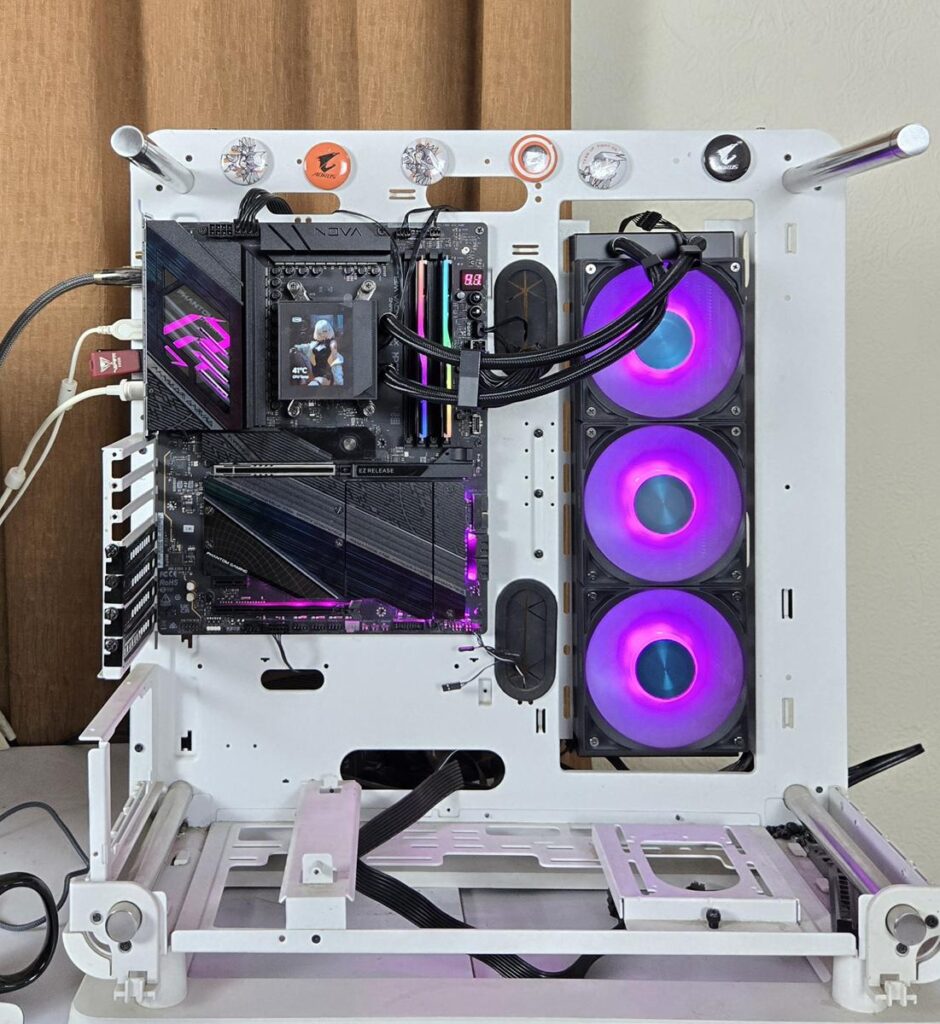

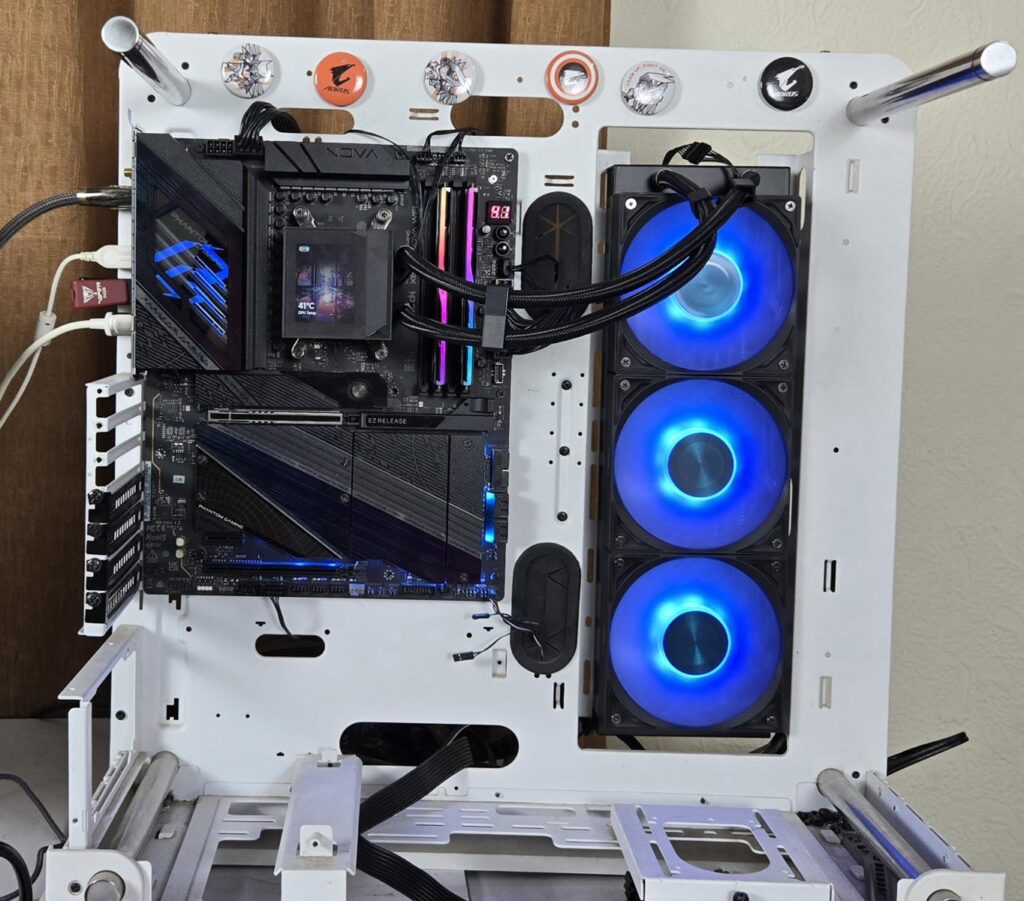
CPS is using standard connectors that would work with the RGB sync technology of motherboard manufacturers. Pictures are from the ASRock X870E NOVA WIFI setup using the PolyChrome Sync app.
Testing
The following configuration is used for thermal testing:
- AMD Ryzen 9 9900X
- ASRock X870E NOVA WiFi
- GSkill TridentZ NEO RGB 32GB 6400MHz CL30 DDR5 kit
- ASRock Phantom Gaming RX 7600 Graphics Card for Display
- WD SN850 500GB NVME SSD
- Be quiet! Straight Power 11 850W Platinum PSU
- Praxis Wetbench
Here is the settings table for testing:
| Settings | PBO Enabled [243W] |
| Clock (MHz) | Auto |
| Voltage (V) | Auto |
| Thermal Paste | Noctua NT-H2 |
| Thermal Paste Application | Dots Method |
| Test Run Time | 30 minutes |
| Idling Time | 10 minutes |
| All Fans Speed | 100% PWM Duty Cycle |
| Pump Speed | |
| Stress Software | CINEBENCH R23.2 |
| Monitoring Software | HWINFO64 |
I am reporting absolute temperature in the graph because the room temperature was at 22°C throughout the day. The testing is done on an open-air bench system. Once inside the chassis, the temperatures are expected to rise and would largely depend on the optimal airflow inside the chassis.
Result
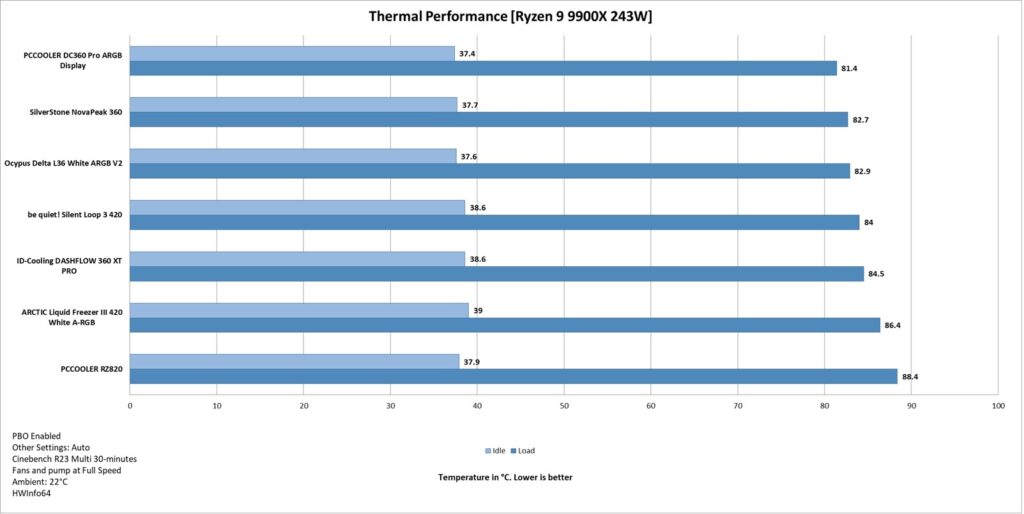
The PCCOOLER DC360 Pro ARGB Display cooler has managed to sit on top of our graphs. It even managed to beat the 420mm AIOs in the graph. This is a good performance from this feature-rich liquid cooler. However, its fans are loud at full speed.
Conclusion
The DC360 Pro ARGB Display is among the three listed display-enabled coolers from CPS, aka PCCOOLER. The salient highlight of this cooler is its 2.4” IPS screen with a 240×320 resolution at a 60Hz refresh rate. This cooler is compatible with Intel LGA1851/1700/1200/115x and AMD AM4/AM5 sockets.
The aluminum radiator has an overall dimension of 394x120x52mm with three pre-installed 120x25mm fans. It has 12 channels for coolant flow and has a fin density of 20 FPI. The manufacturer uses rubber-tubing, which runs to 400mm in length and has a black nylon braided sleeve mesh with fiber layers. Tube clamps come pre-installed as well.
The pump head features an integrated display screen as mentioned above. The pump is mentioned to be OC Plus V1.0 design. I am not sure about the OEM. The pump is rated for 2600 RPM ±10% at 12VDC with 0.3A rating. It uses ceramic bearings.
CPS has provided three F5 R120 OC ARGB fans with this cooler. These fans use FDB Bearings. Each fan has 11 blades. Anti-vibration pads are installed over the mounting corners. These fans are rated for a maximum of 2500 RPM±10% speed. The static pressure rating is 4.07 mmH₂O, and the airflow rating is 90.56 CFM at 12VDC. They use 0.3A. CPS has provided an extension cable that uses a 7-pin proprietary connector on one end and standard 4-pin PWM and ARGB connectors on the other end.
The software for the display screen can be more user-friendly in terms of layout. However, it provides all the functions to customize the theme and display. You can also show the sensors’ data on the screen with real-life monitoring.
The installation of this cooler on the AMD AM5 socket is a straightforward task and requires only 1 item. The pre-installed spring-loaded screws on the mounting brackets has simplified this segment and provided a clear advantage to the CPS. The same is the case for the Intel platform.
This cooler has an MSRP of USD 229 with a launch price discounted price of USD 199. It comes with a 5-year warranty. Speaking of the thermal performance, this cooler is a beast as it has managed to outclass other coolers in the graph with a good margin, although the overall noise level is high. The cooler is recommended by us.
Pros:
- Excellent Thermal Performance
- 2.4” IPS Display Screen
- Vivid A-RGB lighting
- Powerful Pump
- Powerful Fans
- Compatible with Intel LGA1700/1851 sockets
- Compatible with AMD AM4/AM5 sockets
- Easy Cable Management
- 5-Year Warranty
Cons:
- Noise
- No direct access to the fan’s power cables.