











Sudokoo SK620V White Cooler Review: A Masterpiece
Introduction
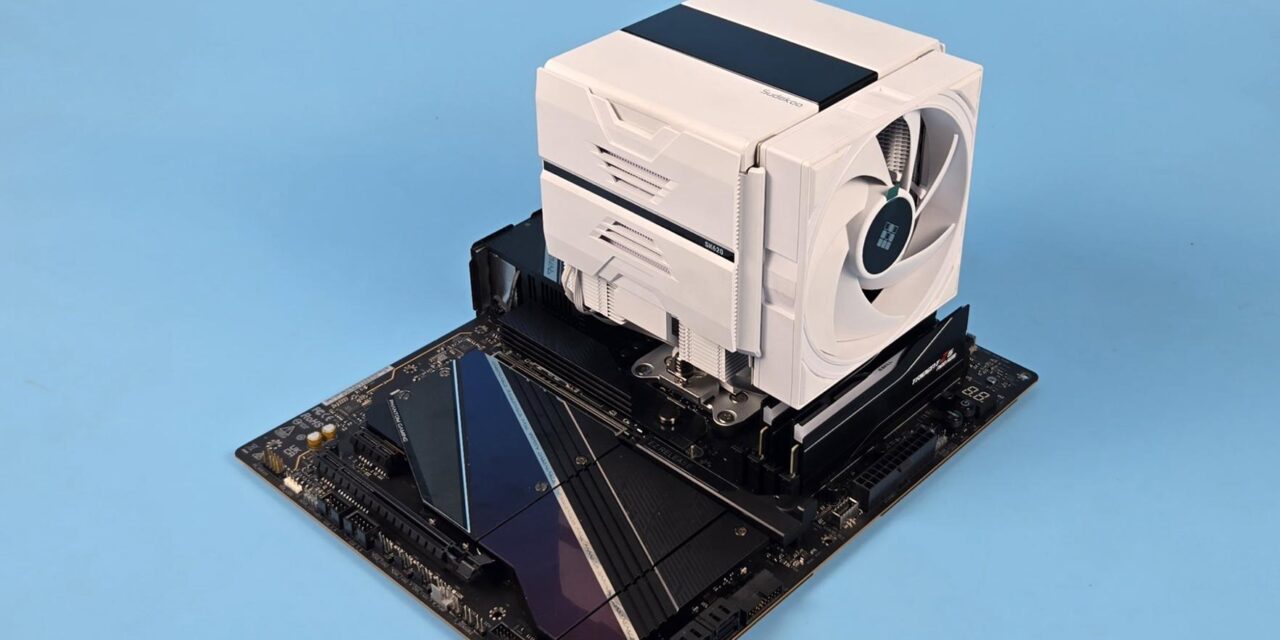
If you have not heard of Sudokoo, it is a new name in the industry of cooling products. They have recently appeared on the horizon and showcased their product range during CES 2026. Their unique designs are quite stylish and bold at the same time. We have an opportunity to test this brand’s CPU air cooler named SK620V. The SK series is a flagship air cooling line from the brand, and they are offering SK620 and SK700 coolers, while their focus is on the SK620 lineup for now.
The SK620 is available in white and black colors. It comes either without a screen or with a screen. The variants with screen use the letter V in the naming, like our sample SK620V. This cooler is primarily focused on the AMD AM5 platform, as it comes with a full-length AM5 bracket, which is made from a single piece of aluminum. However, the brand offers a mounting kit as well that enables this cooler to be used on AMD AM4 and Intel-supported sockets.
This is a dual-tower, dual-fan design in a closed design. The closed design is not new, as I have seen brands like ARCTIC, DeepCool, and CPS doing that in the past with their coolers. But Sudokoo has bettered the design, particularly for the middle fan.
Sudokoo has used a fan glide guide or sliding system, which I usually refer to as a fan rail mount design. It makes our lives easy. No more handling the traditional fan clips, which become tedious, particularly when removing the cooler. This glide/slide design provides a channel on which the fan clips or bars slide upward or downward.
Another key note is the pogo pin contact method that eliminates the cable from the middle fan, making the handling convenient. The V edition SK620 packs a large-sized display screen with a quad-segment display. This reminds me of DeepCool AK620 and AK700 Digital NYX coolers that also feature the quad-segment display, but SK620 differs by providing a large screen size, making it easier to read the displayed values.
The fans of this cooler pack FDB bearings offering durability, and Sudokoo has implemented an efficient motor in these fans, which reduces power usage. This cooler has an MSRP of US $119.99 and comes with a 5-year warranty from the manufacturer.
Specifications

Packaging
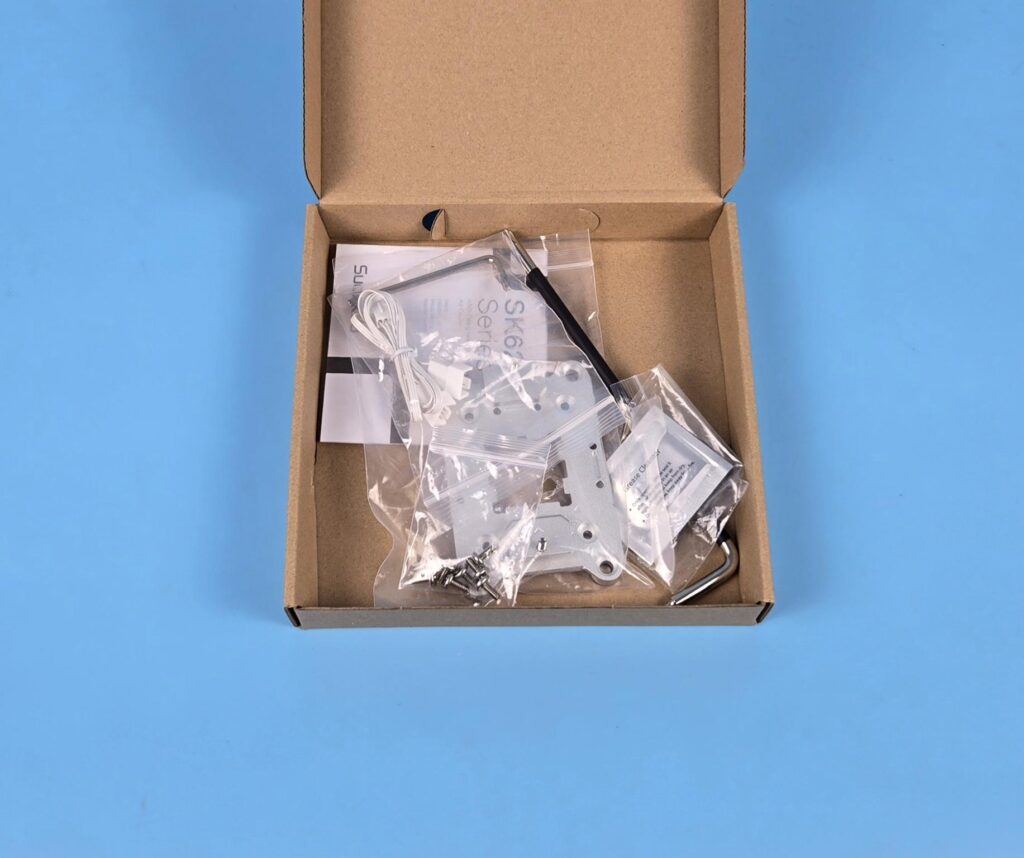
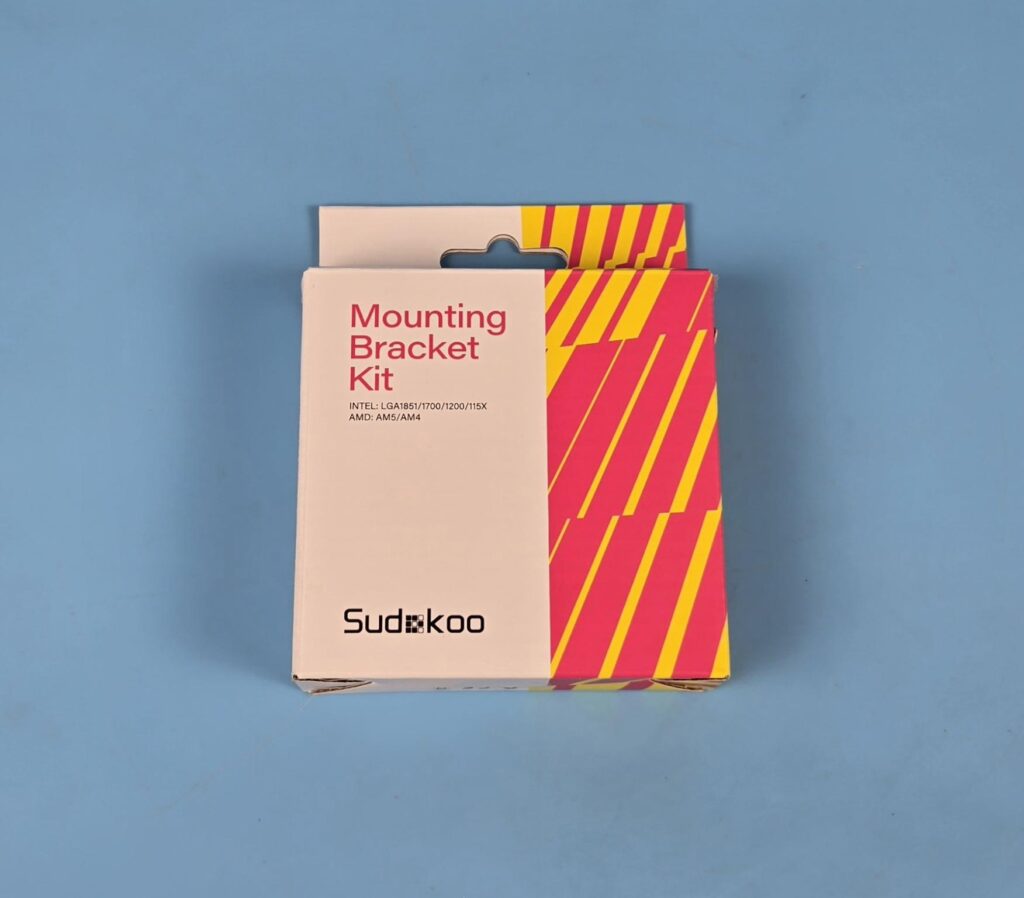
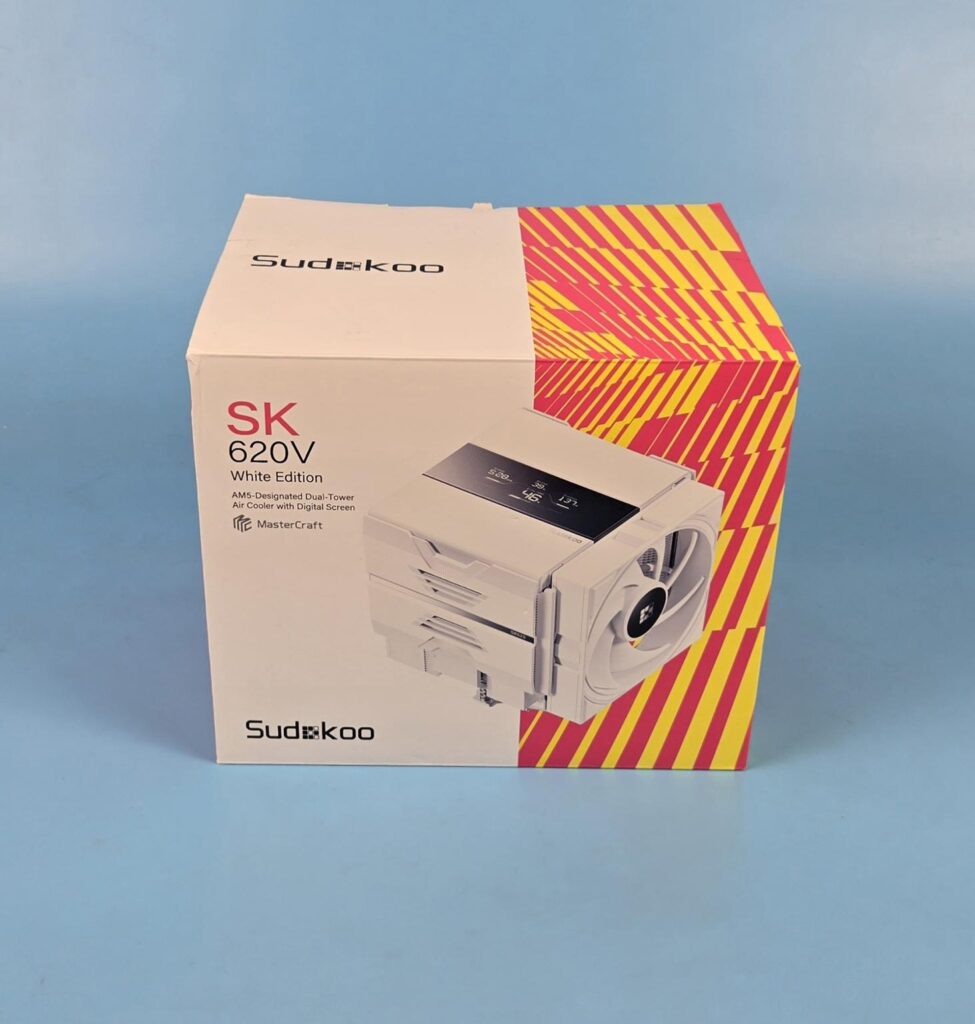
The main packing box has a multi-color theme, giving a good impression. You can see a picture of the cooler on the front. The brand has mentioned salient features on the box as well. The accessories come inside a dedicated cardboard box. Sudokoo has also provided a box with a standard mounting kit for multiple sockets.
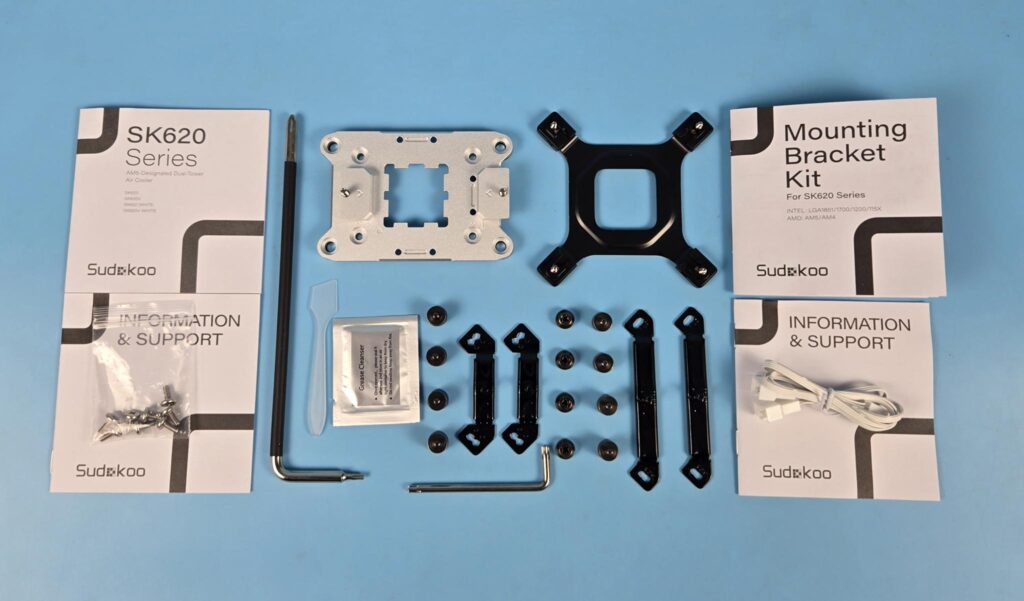
The AM5-specific version comes with:
- AM5 Bracket
- 1x Screw Driver
- 1x Allen Key
- 8x Screws for the Bracket
- 1x 2-Way PWM Splitter Cable
- 1x Thermal Paste
- 1x Applicator/Spatula
- 1x User Guide
- 1x Support Document
The mounting bracket kit has:
- 1x Intel Backplate
- 2x Intel Mounting Brackets
- 2x AMD Mounting Brackets
- 4x Intel screws
- 4x AMD Screws
- 4x Nuts
- 1x User Guide
- 1x Support Document
Also Read: MSI MEG X870E ACE MAX – A Power Horse Unleashed – EnosTech.com
Design
Let’s take a look at the cooler.
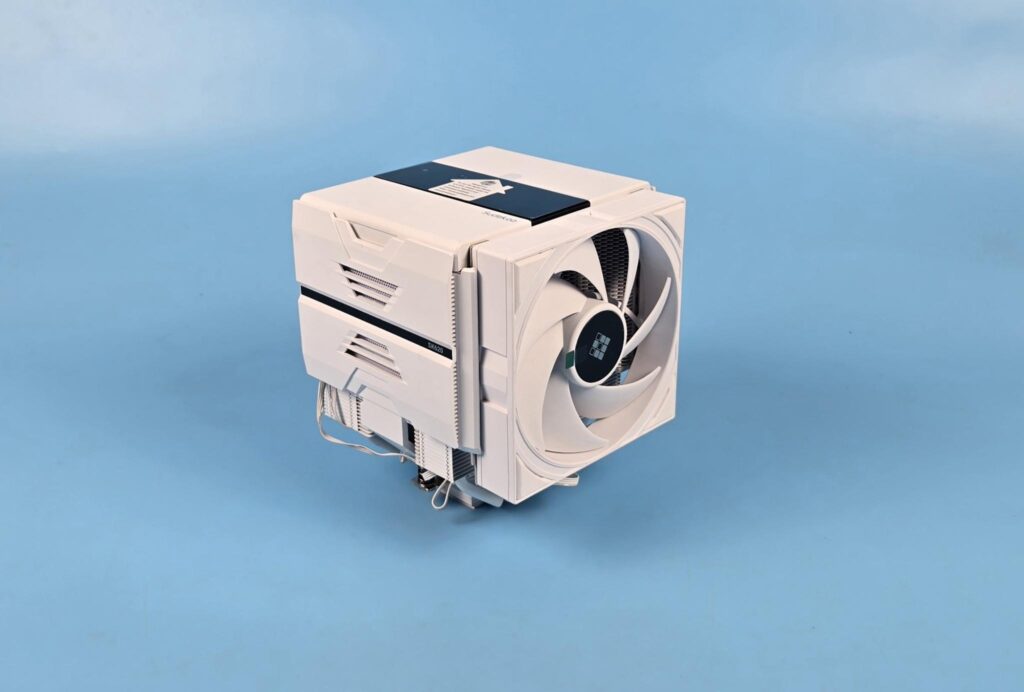
The overall dimension of the cooler is 145x144x164mm (LxWxH). Since this is a white edition, the fans and heatsink are in white color. The only thing black is a digital screen. The net weight of the cooler is 1645 gm. The overall look and feel of this cooler is premium, and it has a good build quality as well. Sudokoo has been paying attention to the details.
Top View
Let’s take a look at the top of this cooler.
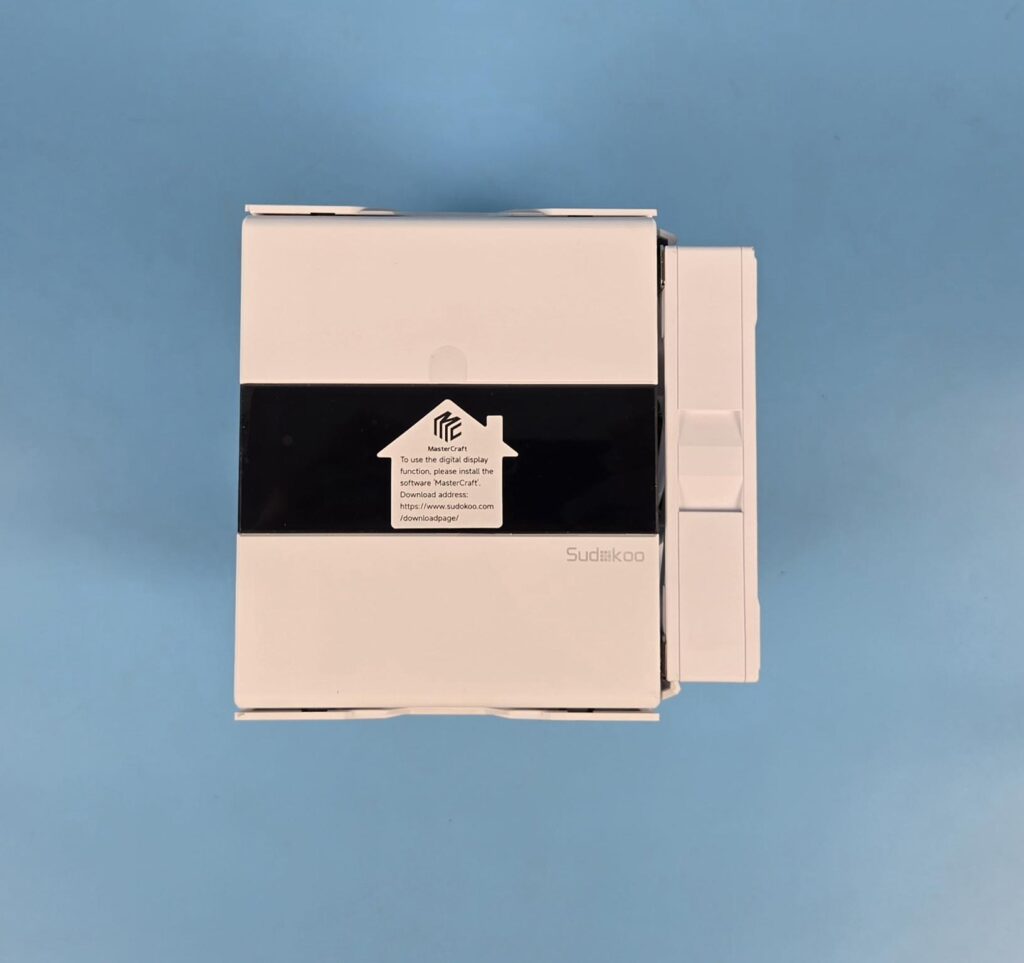
The top side of this cooler has a full-length cover hiding the heatsinks. The center portion has a large screen with a dimension of 70.7×27.8mm. This is a quad-segmented display, meaning it shows 4x key parameters of your CPU. The good part of the design is that this screen and the middle fan utilize the pogo-contact pin format, hence the cables are tucked to one side of the main frame, making the handling of the center portion quite convenient. This is something that I have not yet seen in any other offering on the market.
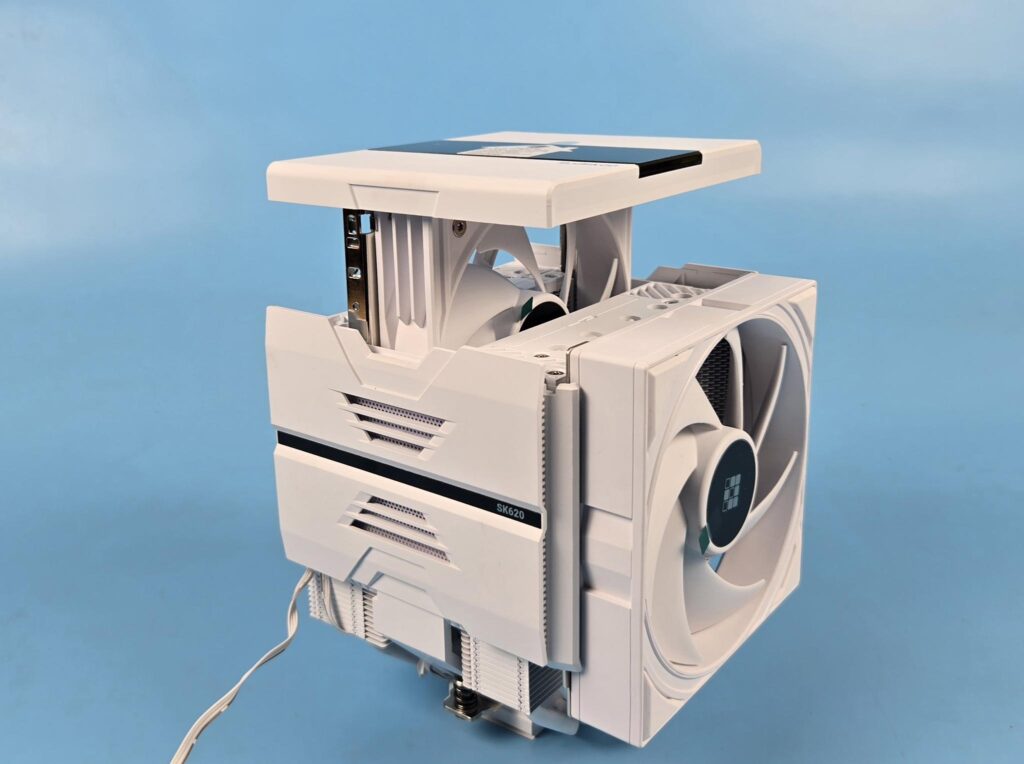
You can use the insets on both ends of the top cover and simply pull it to remove the middle fan and top cover since the top cover and middle fan are integrated. What makes this even better is a channel on which the fan clip/bars slide. This is a superb convenience that a user can have.
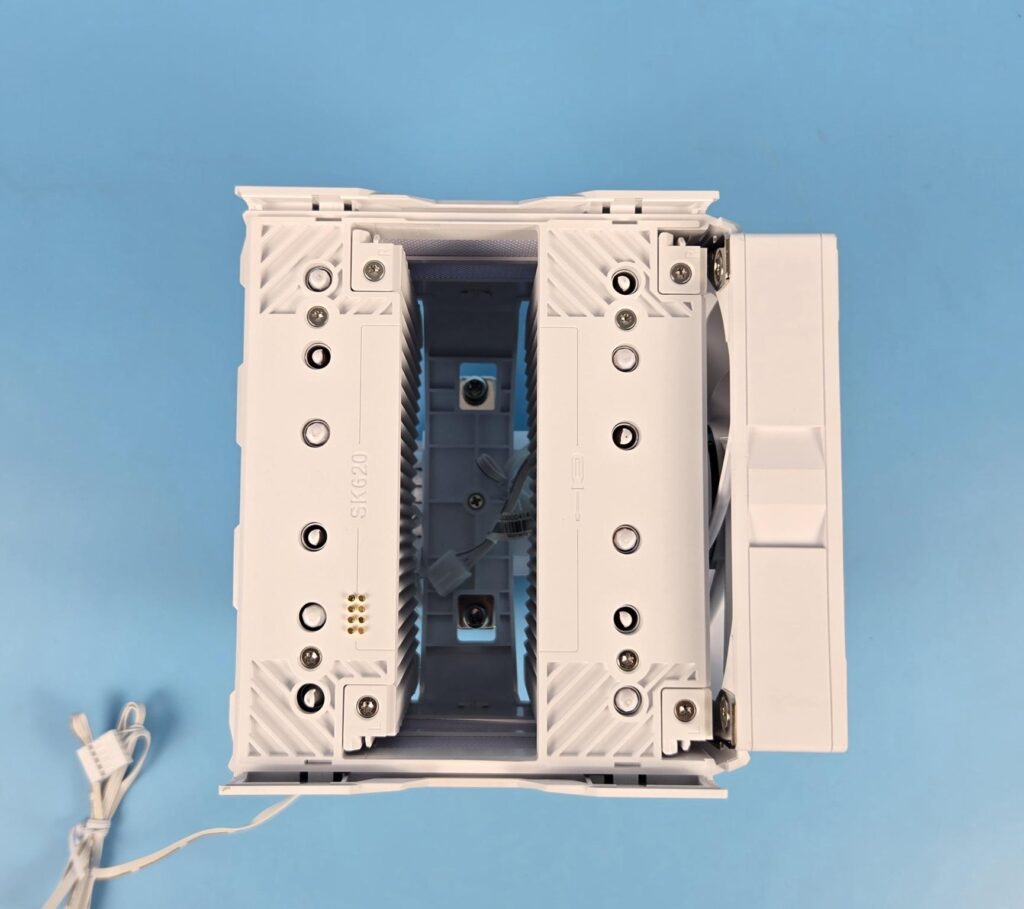
Now that the top cover is removed, you can see the tops of the actual heatsinks. It is admirable that Sudokoo has even installed stylish covers on top of both towers, hiding the aluminum fin and heat pipes underneath.
The terminating tips of the heatpipes indicate thatthe pipes are aligned in a line. One really good aspect of this cooler is its easier removal of inner parts/structures. The front fan also uses the slide/glide method.
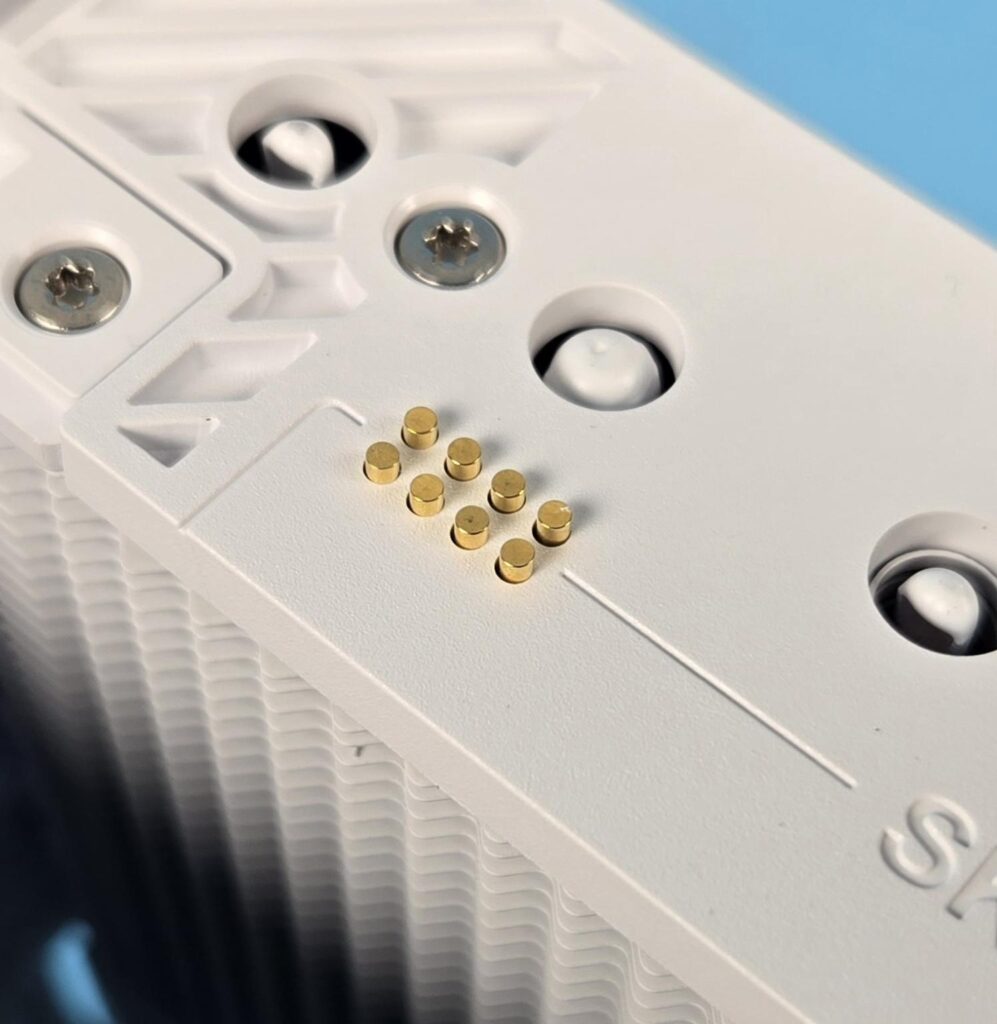
As I mentioned above, the pogo contact pad and pins are used to deliver power and control signals to the screen and the middle fan. The other end of this contact is hidden from the naked eye. The cables are routed under the heatsink’s cover towards the side frame.
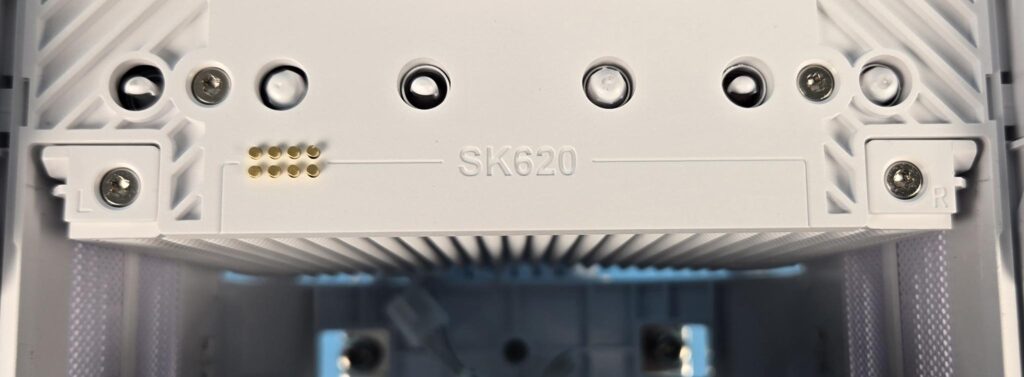
Sudokoo has clearly marked the left and right sides on the covers for the user’s convenience.
Front View
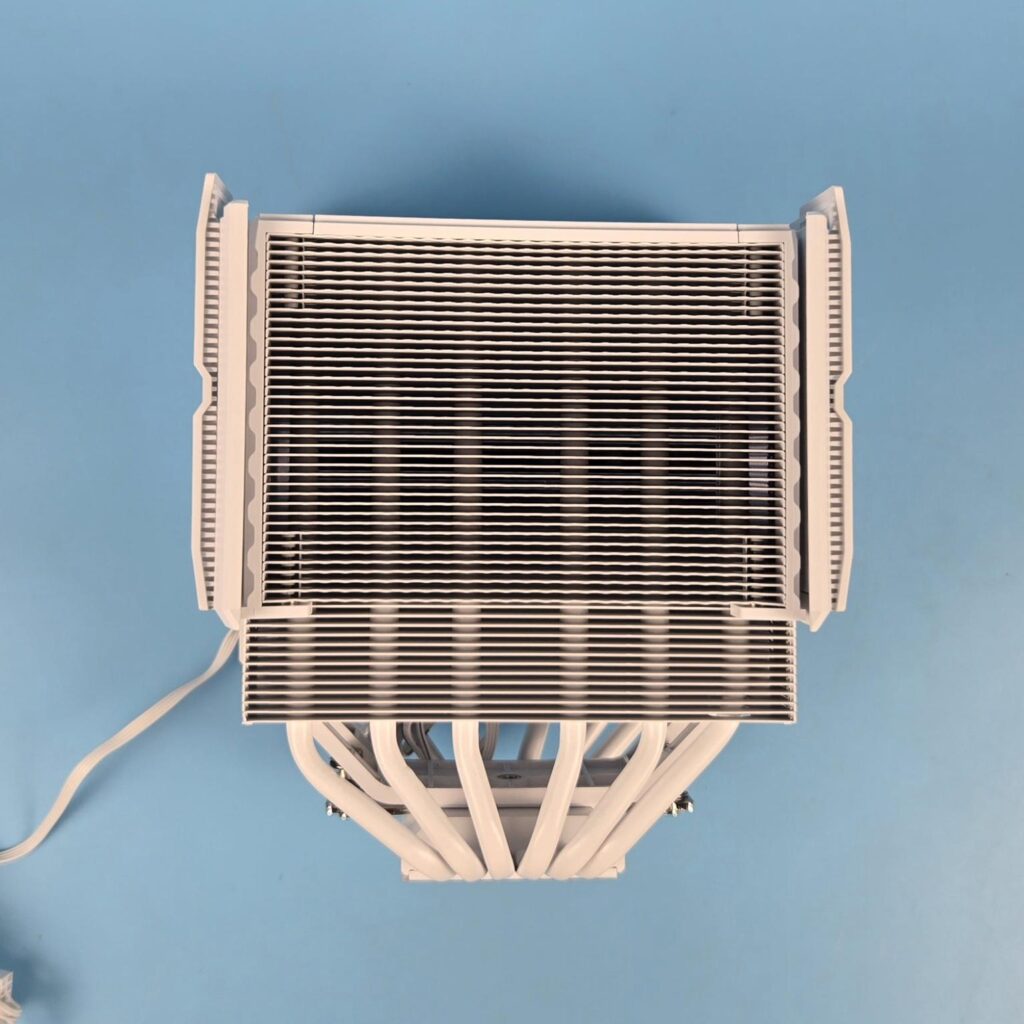
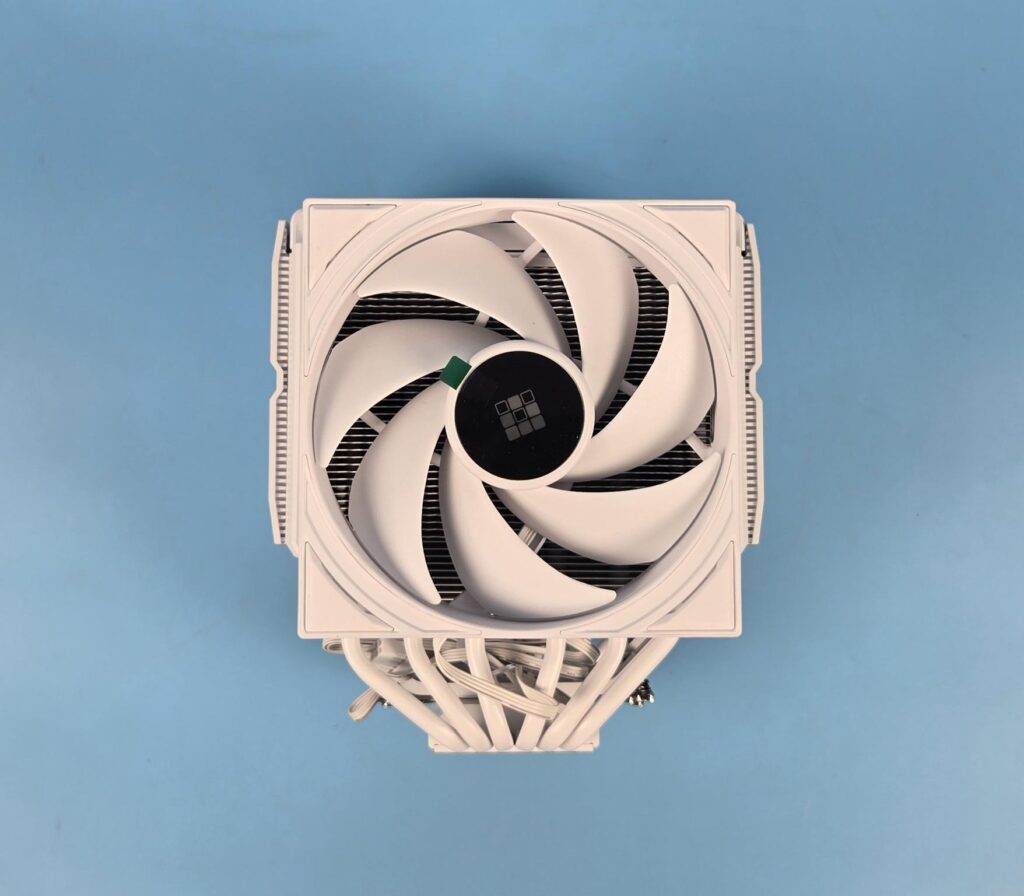
Sudokoo has installed a 120mm non-RGB fan on the front. You can slide this fan upward from its stock position. According to Sudokoo, this fan can be adjusted in three heights; however, I have observed that the complete fan can be taken out of the assembly.
The front tower has cones or a hive structure on the fins (39x). The aluminum fins are white, spray-coated. The 13 fins are offset and have a straight pattern. This offset provides a universal clearance for the DIMM slot.
Mid-View and Backside View
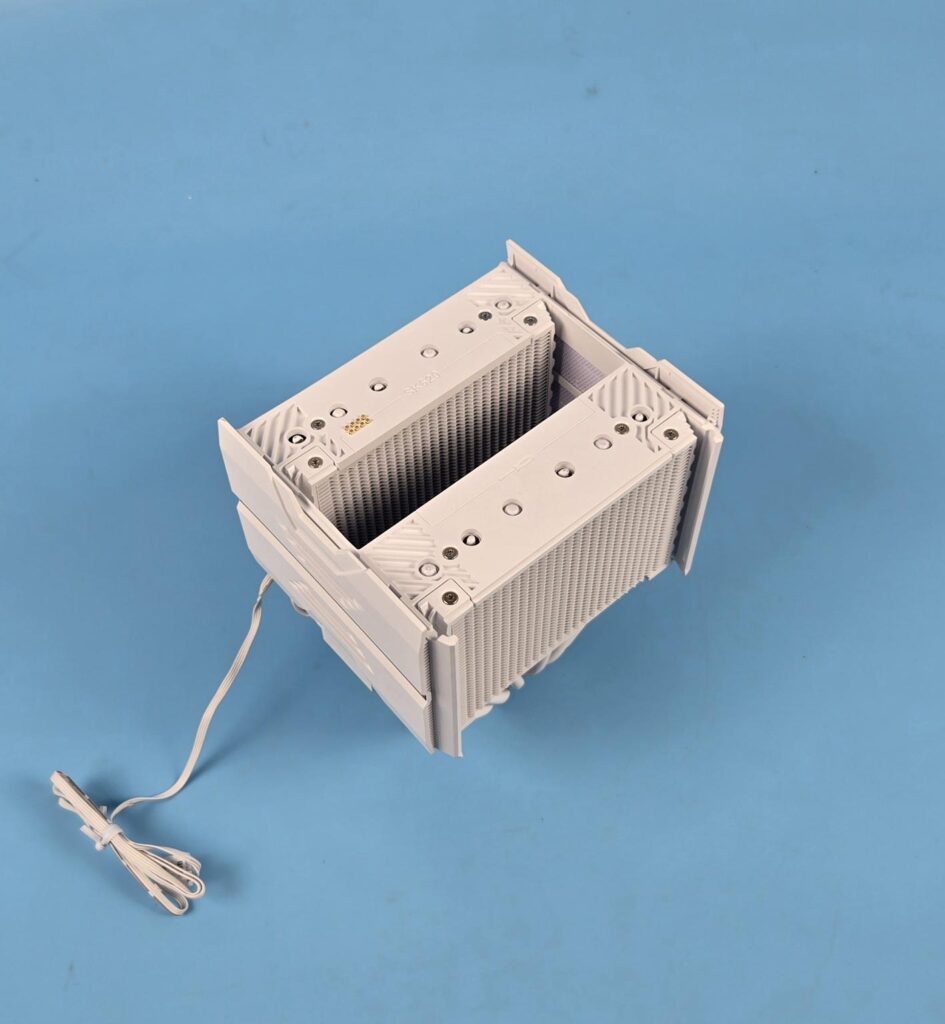
I have removed the fans and am showing the heatsink-only view of the cooler. I did not open the side covers and other structures since I wanted to test the cooler on factory settings.
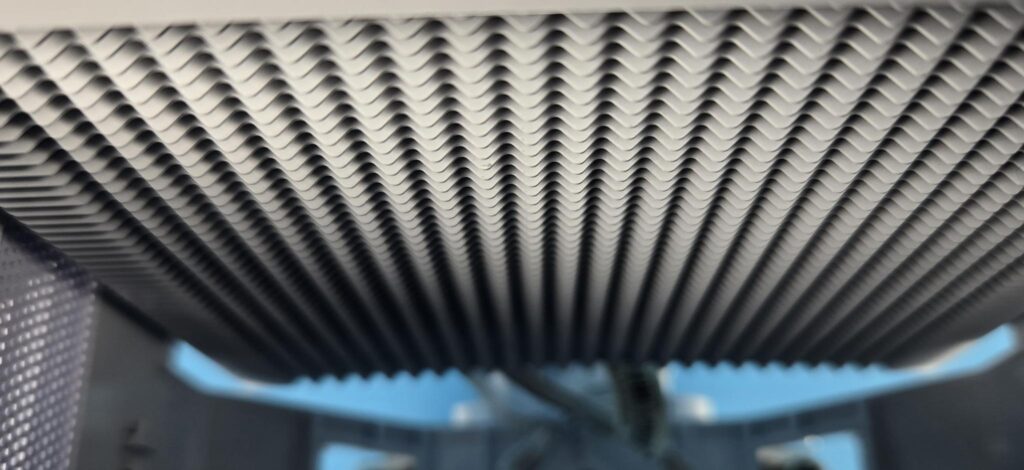
The inner sides of both towers use the same layout as on the front, except that these sides have no offset and no straight line pattern. These use the cones or triangular shape fins that would help reduce the air drag and improve the airflow.
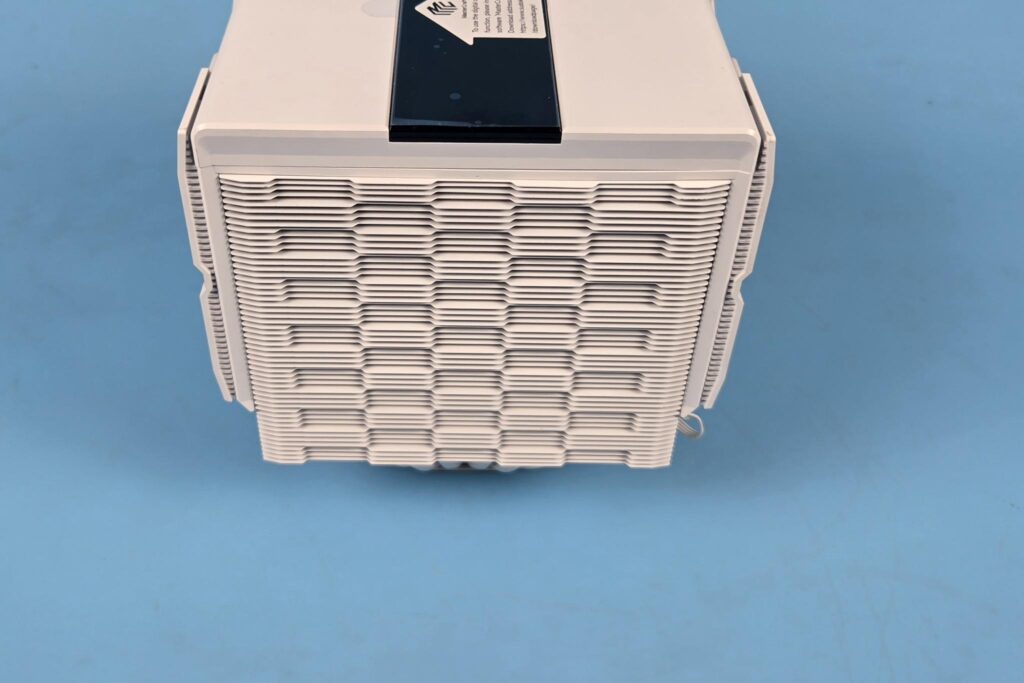
The backside of the second tower, which is actually the rear of the cooler, features a fin array design. This complements the overall mechanical design of this cooler from aerodynamics perspective.
Side View
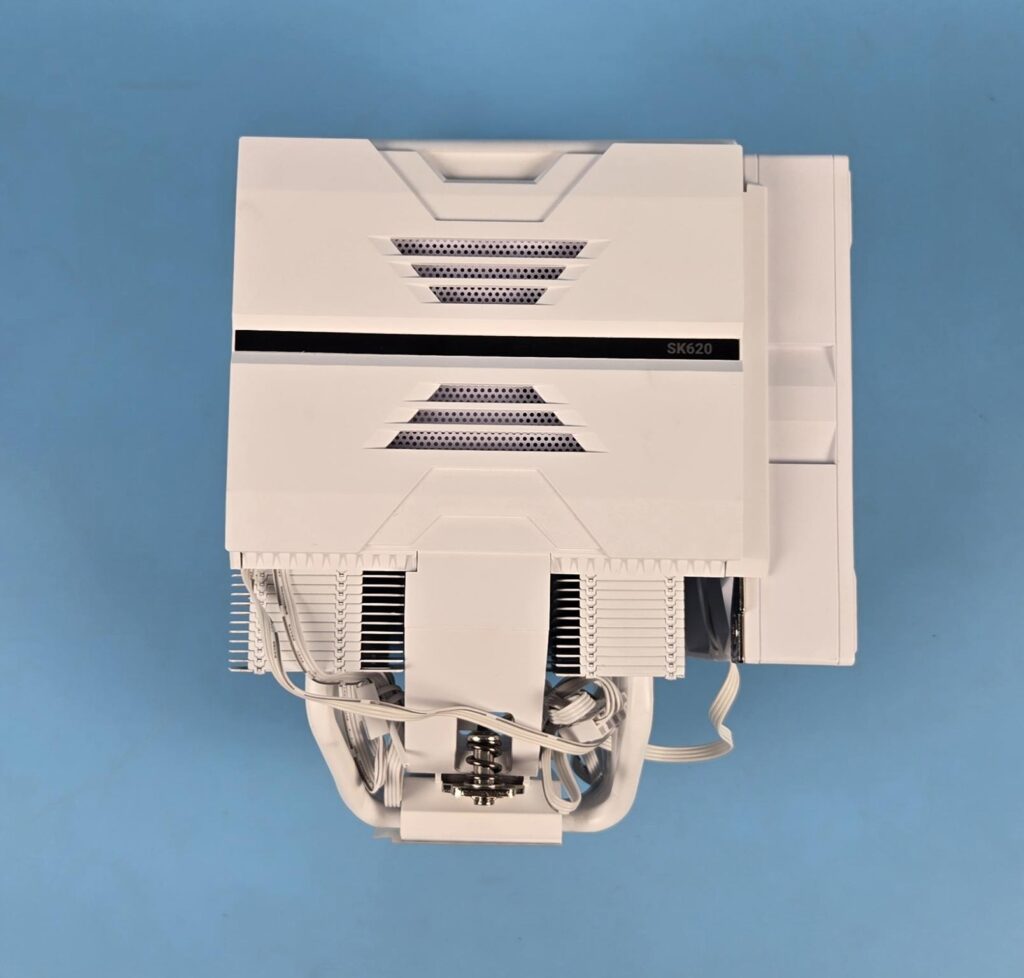
The left and right sides of the cooler are identical. They almost have a full-size cover on both ends, providing a conceal and uniform outlook on this cooler. Note the vents above and below the black center line. These are for ventilation and probably would aid in providing fresh air towards the middle fan.
Other Elements
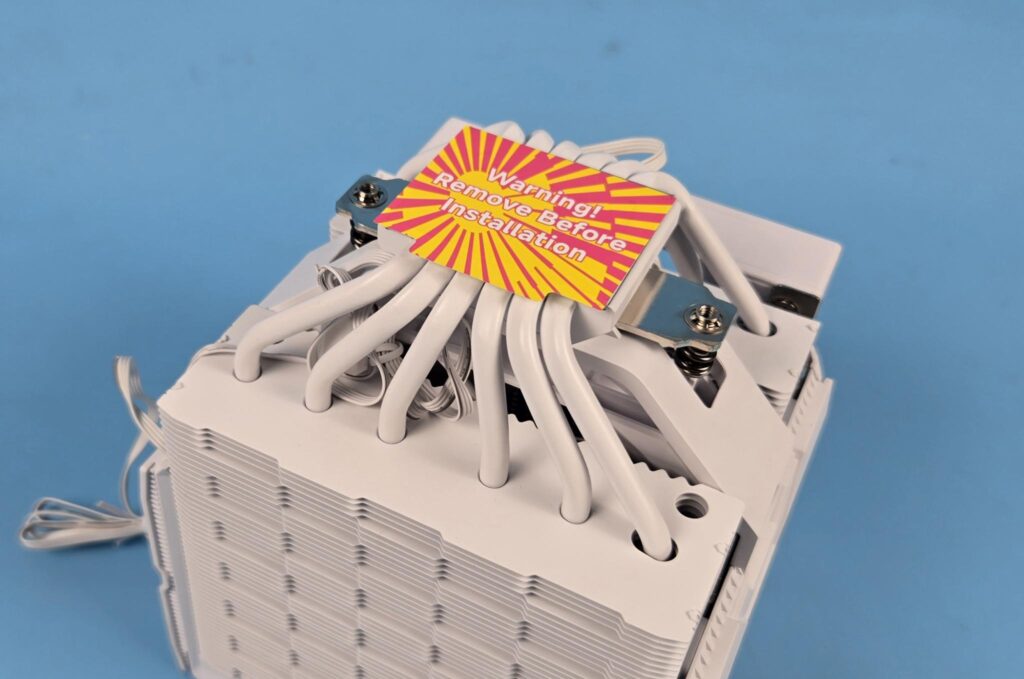
The cooler comes equipped with 6x copper heat pipes, each having a 6mm thickness, and all are white spray coated.
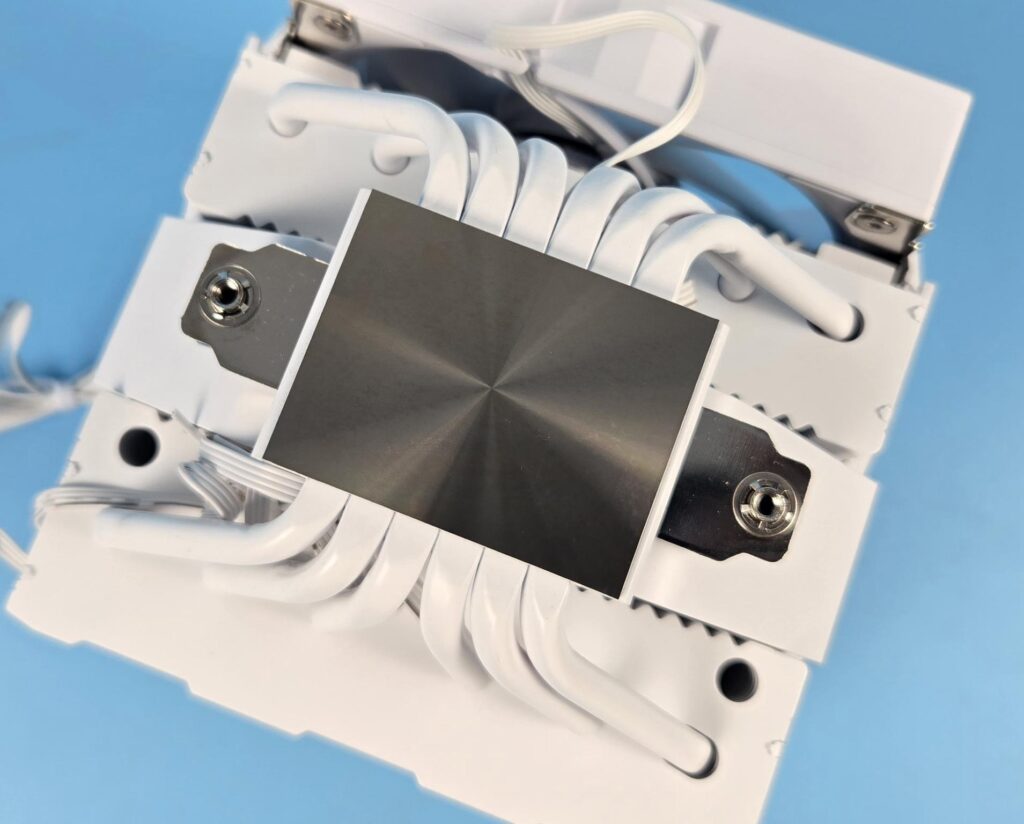
The cooler features a nickel-plated copper base with a semi-mirror finish.
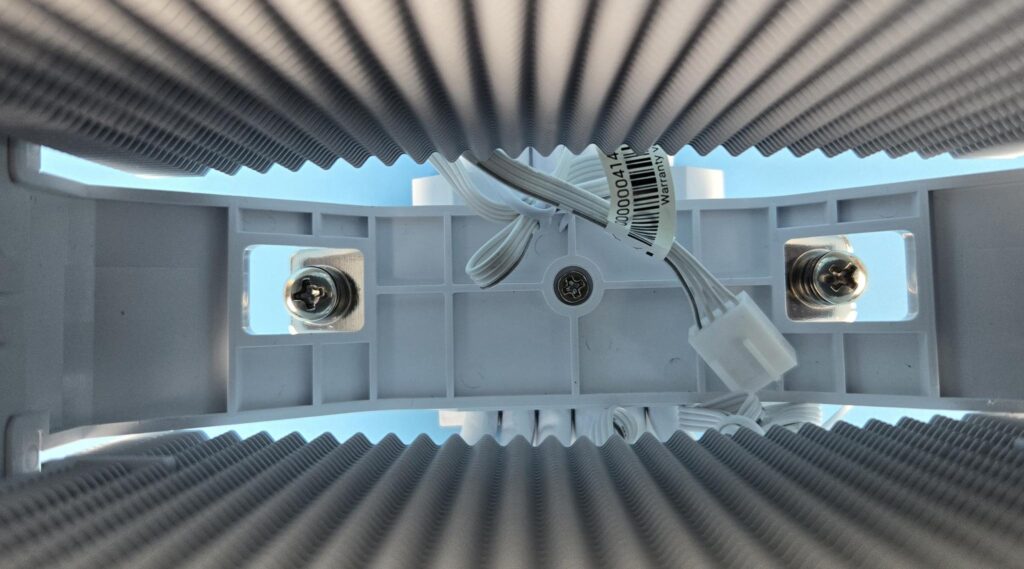
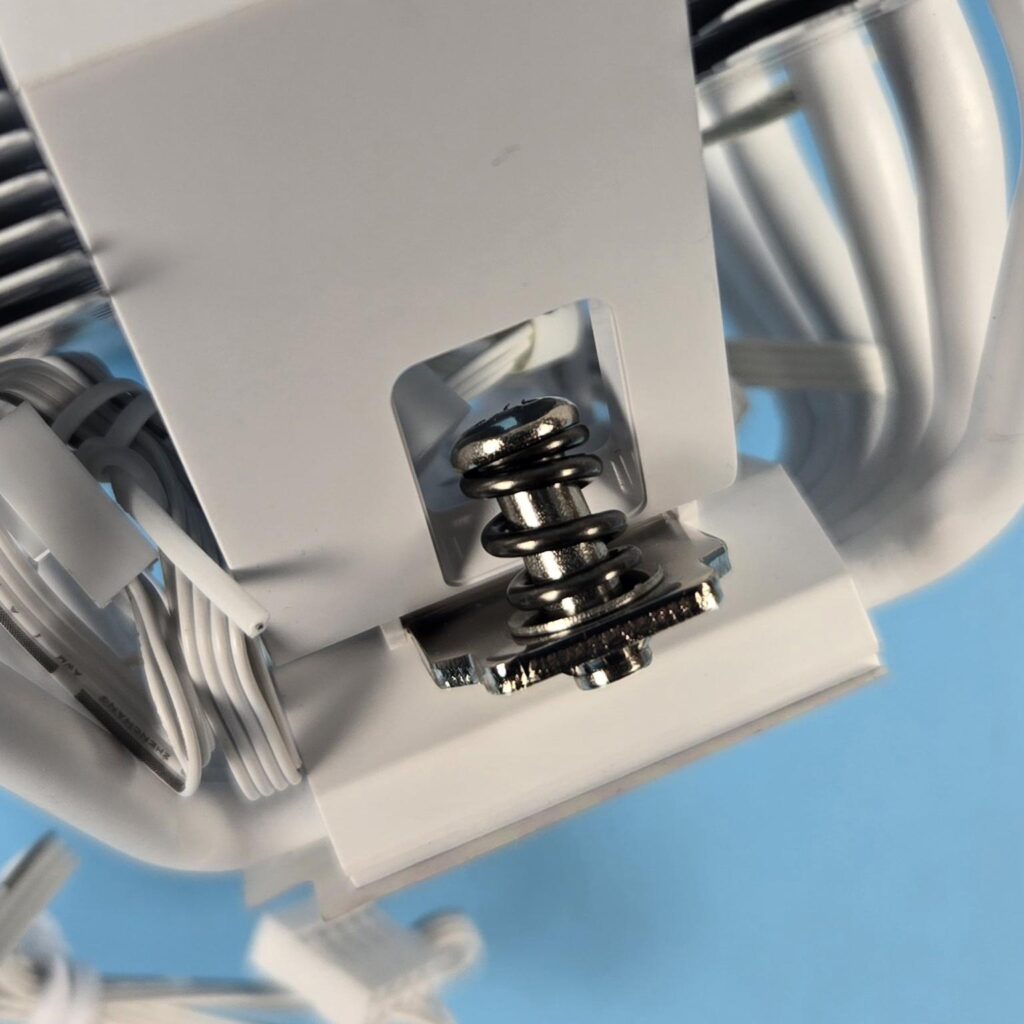
The cross-bar or mounting plate is screwed to the plastic housing. It has two spring-loaded screws.
FANs
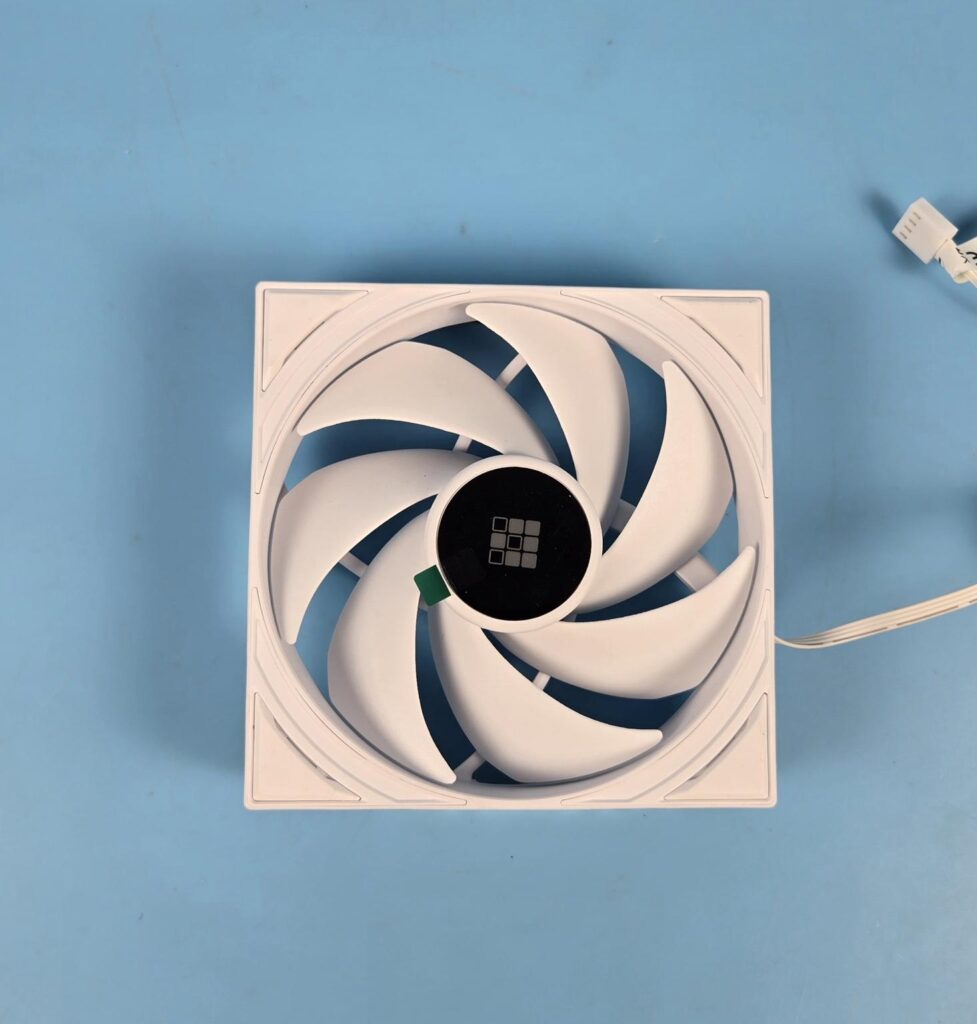
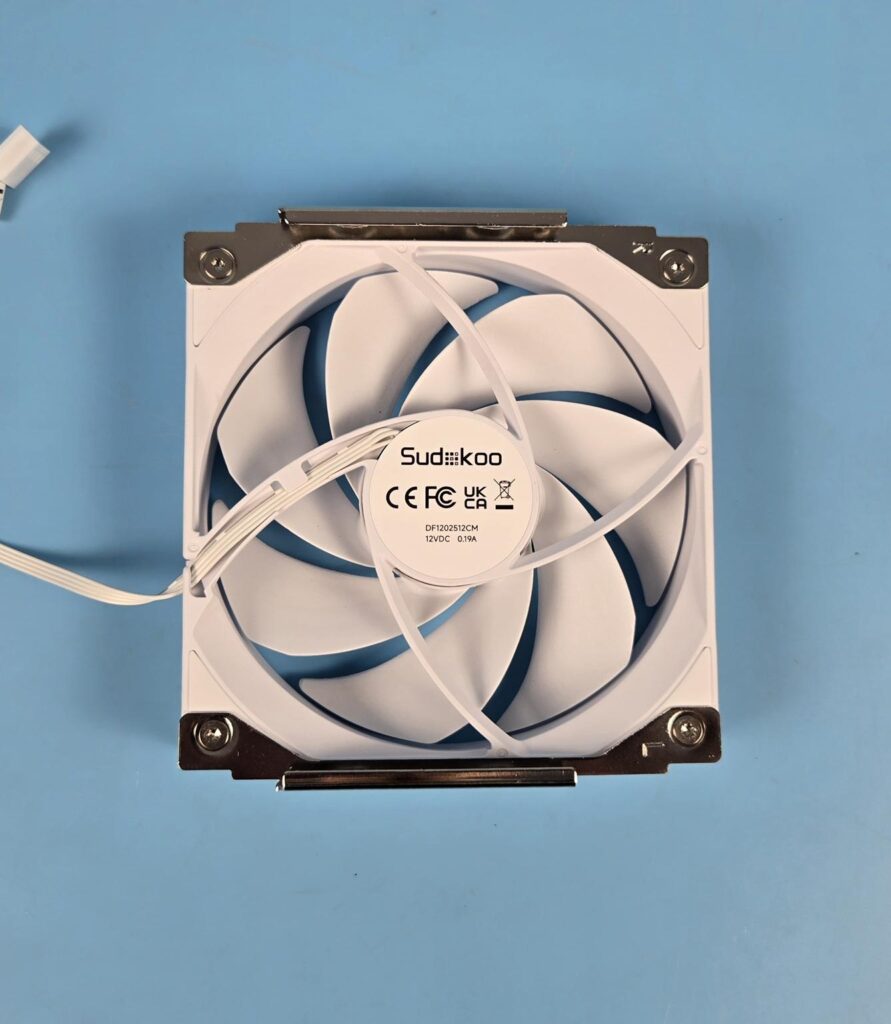
This cooler comes with two 120mm non-RGB fans. The white edition has white-colored fans. You can see two brackets on the backside of the fan. These are placed over the channel provided in the main housing with a slide design, making the handling of this fan convenient.
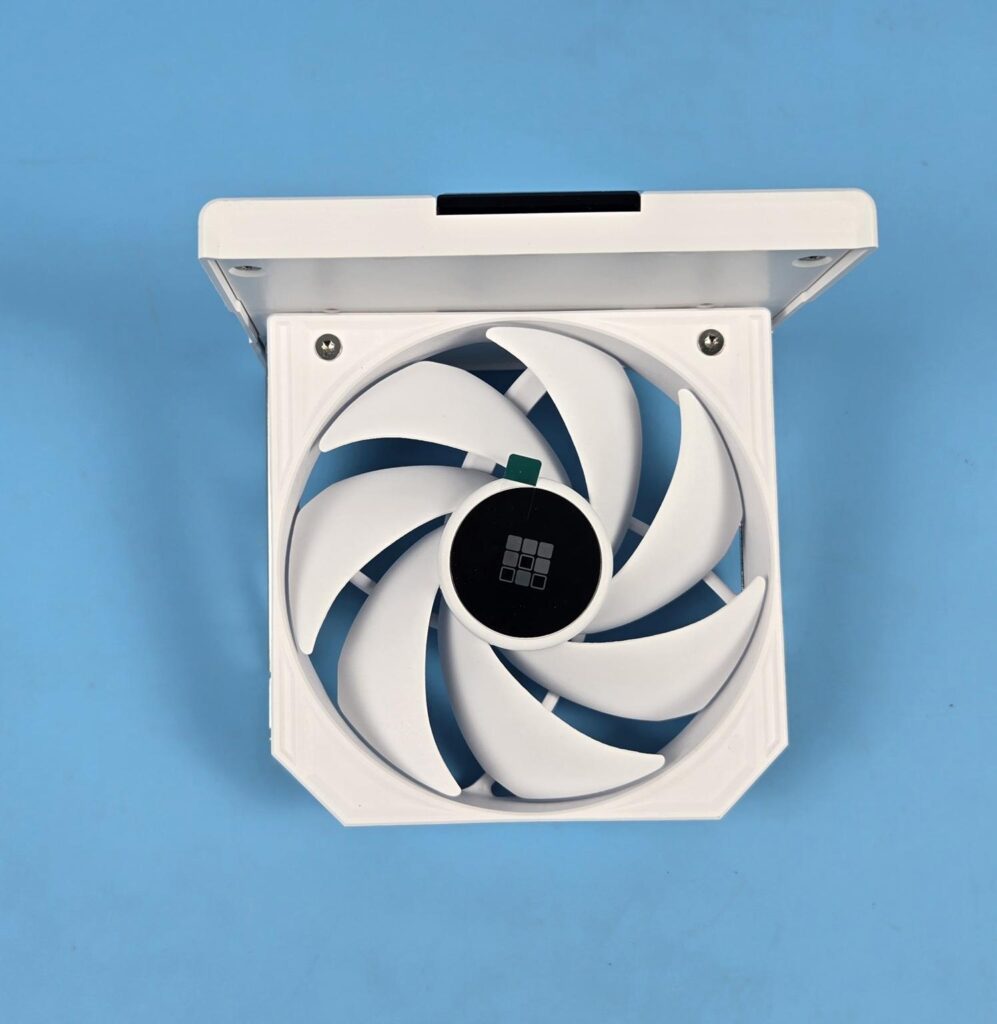
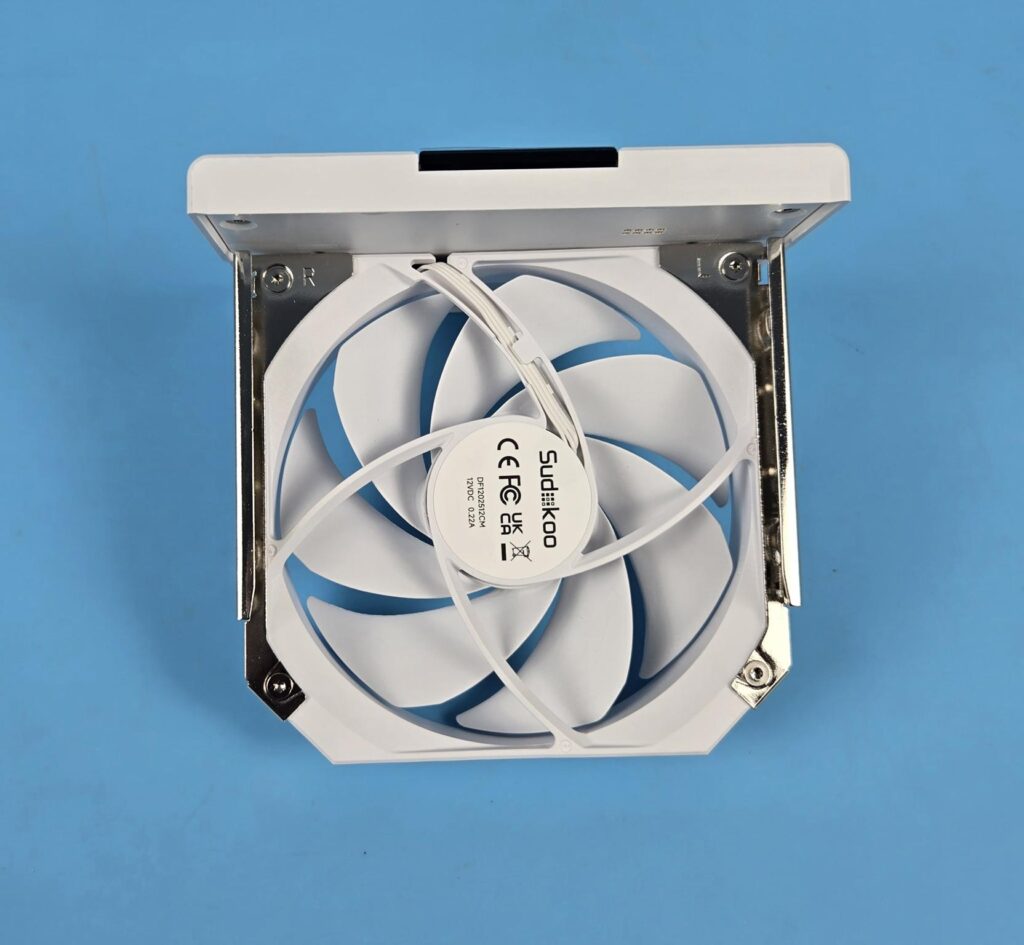
You can see that the top cover of the cooler is integrated with the middle fan housing, and that the fan and cover don’t have any cable to them. The pogo contact pin and pad system hides the complexity of cable connection and provides streamline, cable-free connection.
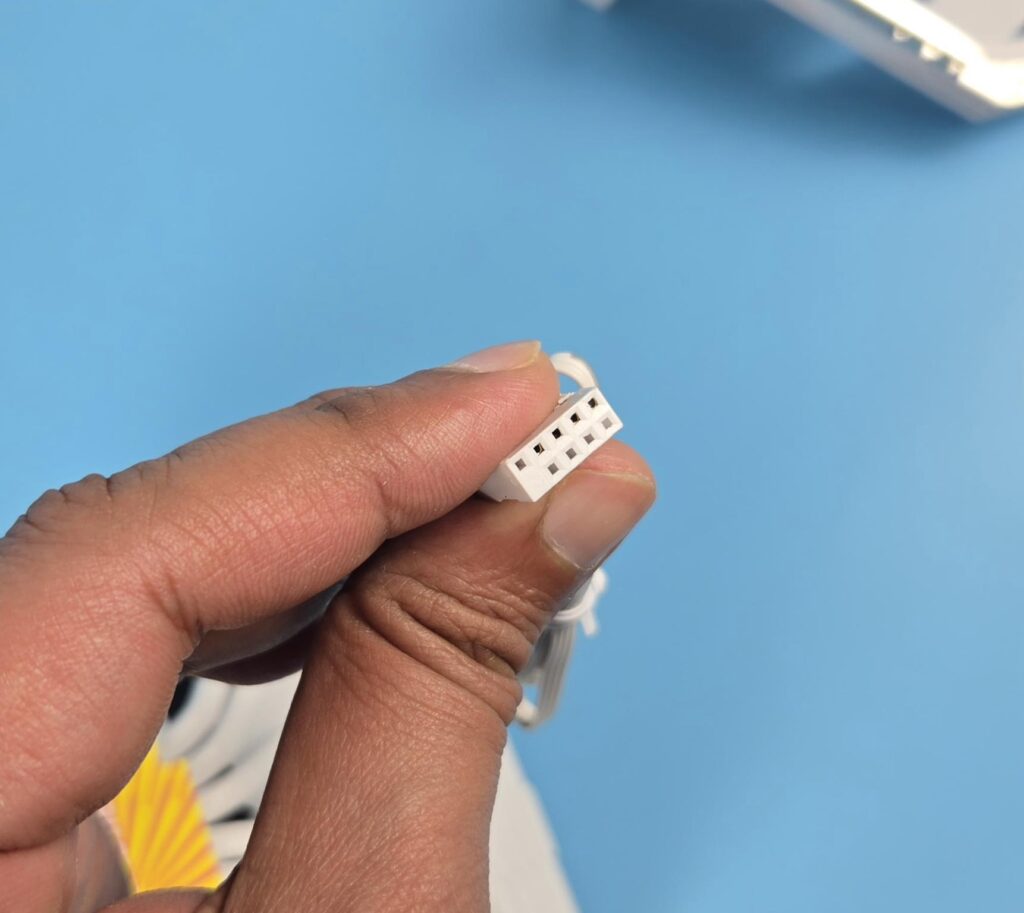
The display is provided via a USB cable having a 9-pin connector, for which you would need a spare USB 2.0 header on the motherboard.

Both fans have PWM connectors for speed regulation.
Installation
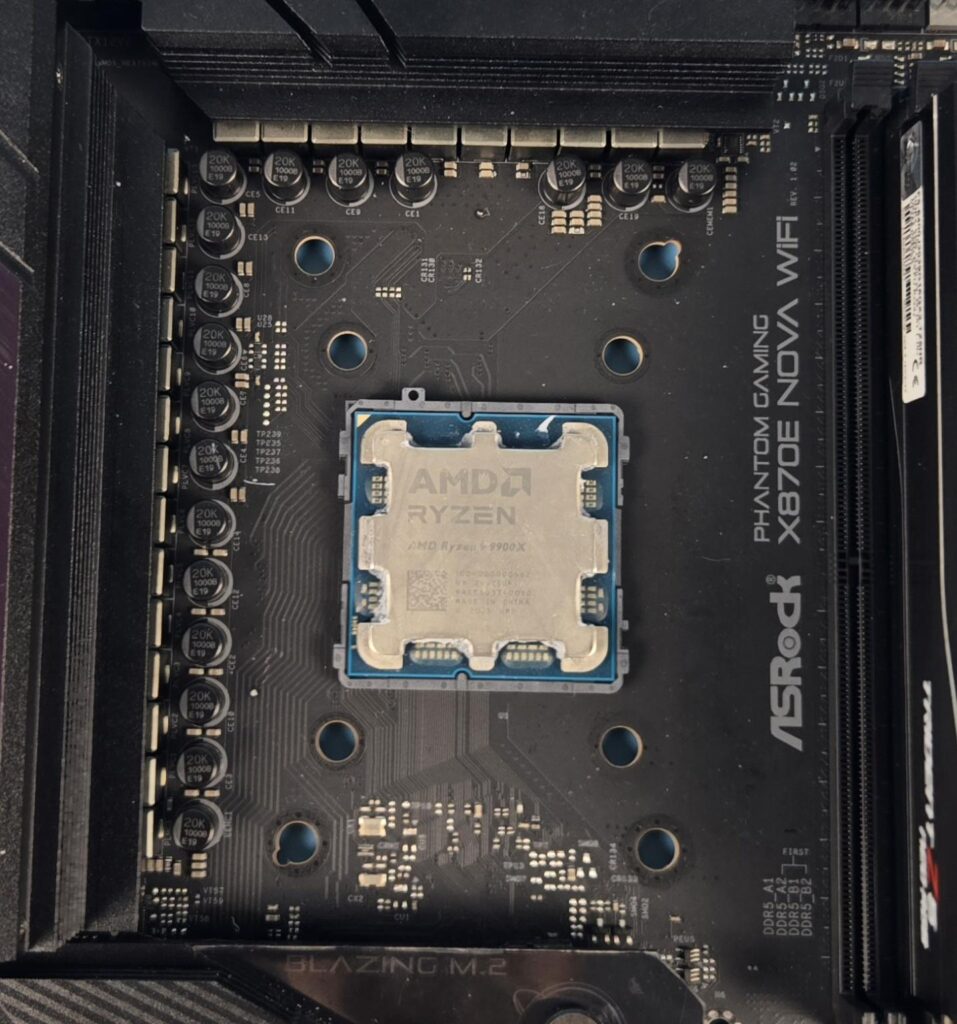
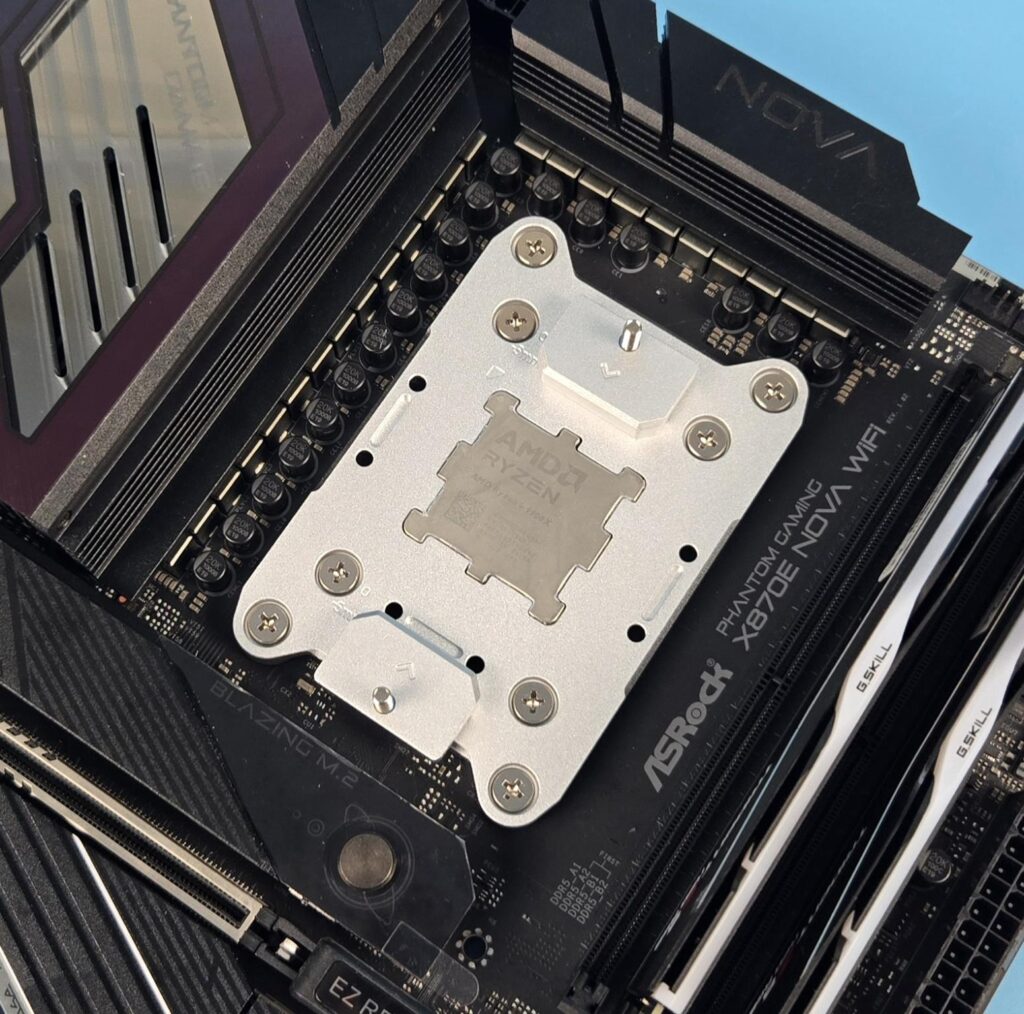
We do not cover the installation steps. You may refer to the user guide for that purpose. I only report my observations during the installation and removal of the cooler. You are required to remove the AMD stock brackets and stock ILM cover of the socket so that the AM5 bracket of this cooler can be installed.
I would suggest doing this out of the PC Case with the motherboard placed over a solid surface. In case your motherboard has a backplate, you have to used box or something on which the stock AMD backplate rests. This is needed so that the backplate does not move from its stock position since removing the brackets and socket ILM would release the backplate.
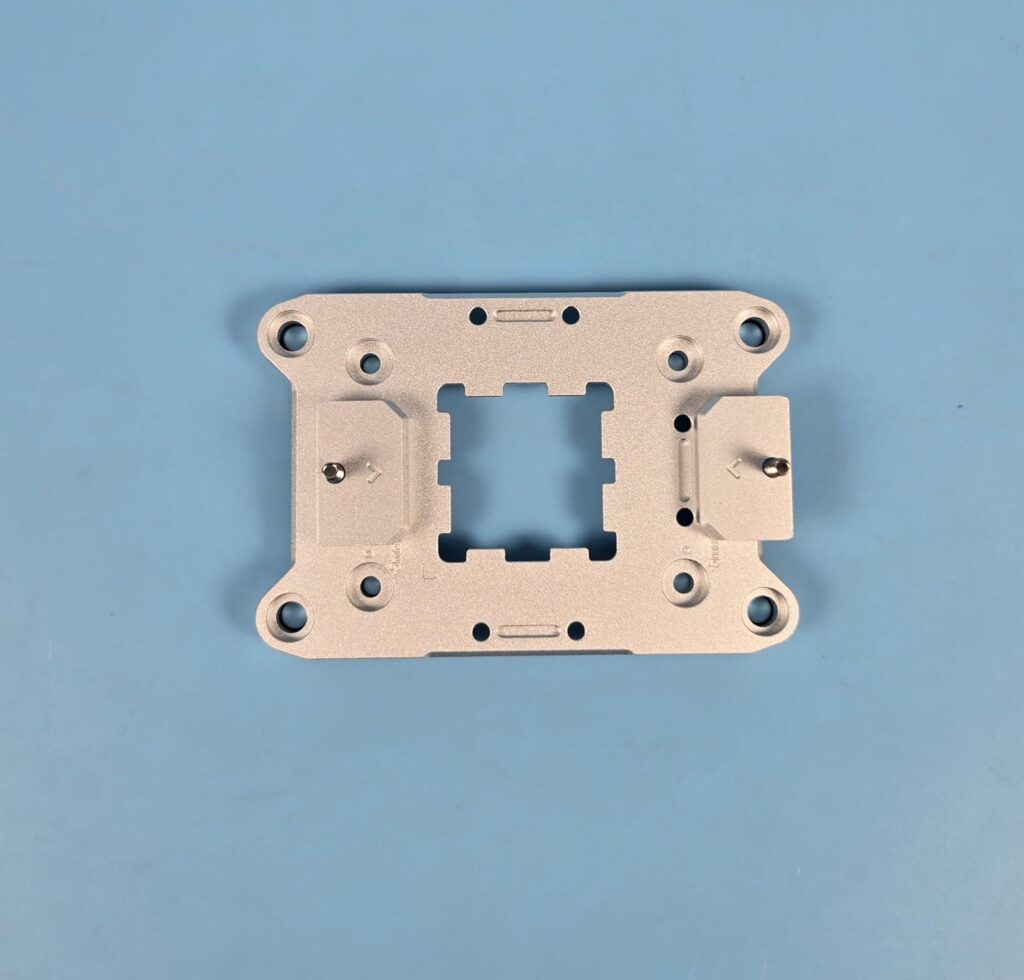
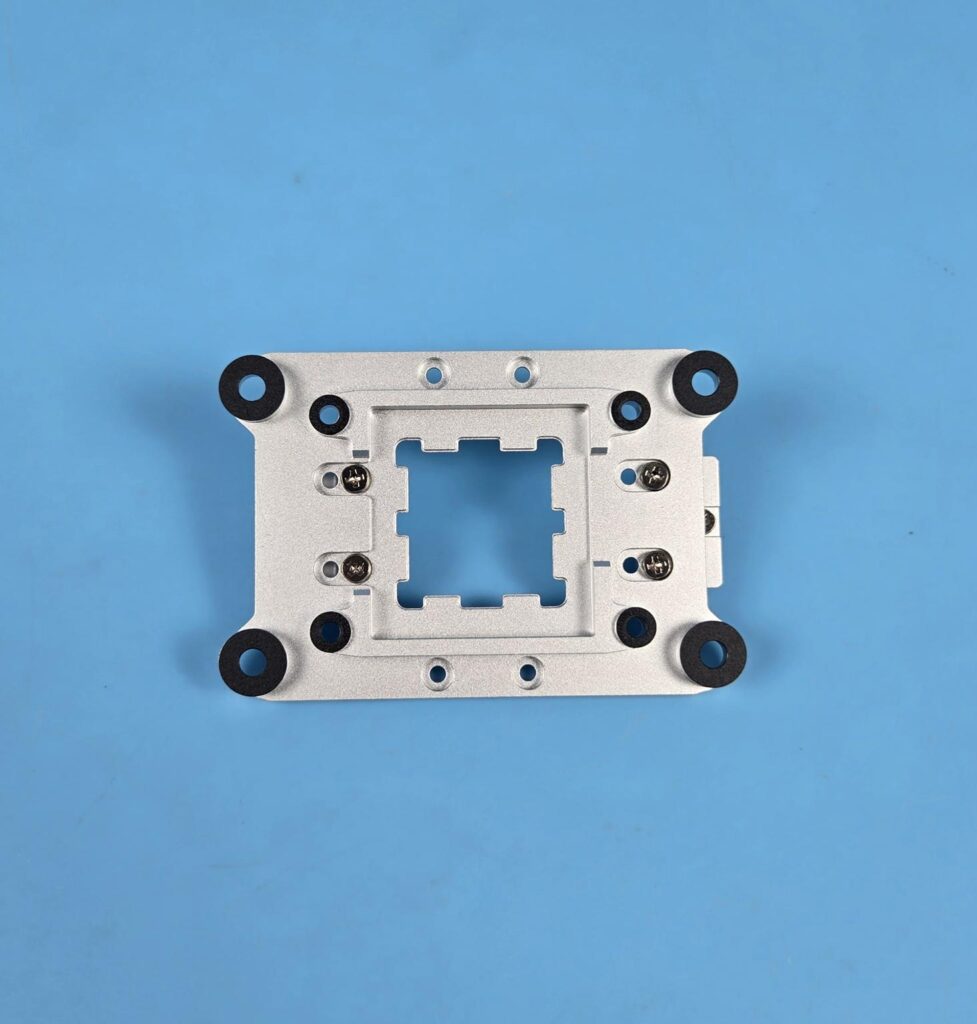
Place the AM5 bracket over the socket area, aligning the 8x holes of the bracket with the holes on the motherboard. You may not be able to make it fully pressed, but don’t worry, the screws will do this job. Start screwing the backplate using the inner 4x holes and then come towards the outer holes.
While the overall installation of this cooler is simple and convenient; same can’t be said for the removal. The AM5 bracket does not come off easily. You have to use a space under one of the tabs with arrow markers and carefully exert minimal pressure so that the bracket starts budging, and then remove it by lifting from one side.
Clearance
We need to look at the clearance from multiple angles. Let’s start with the RAM.
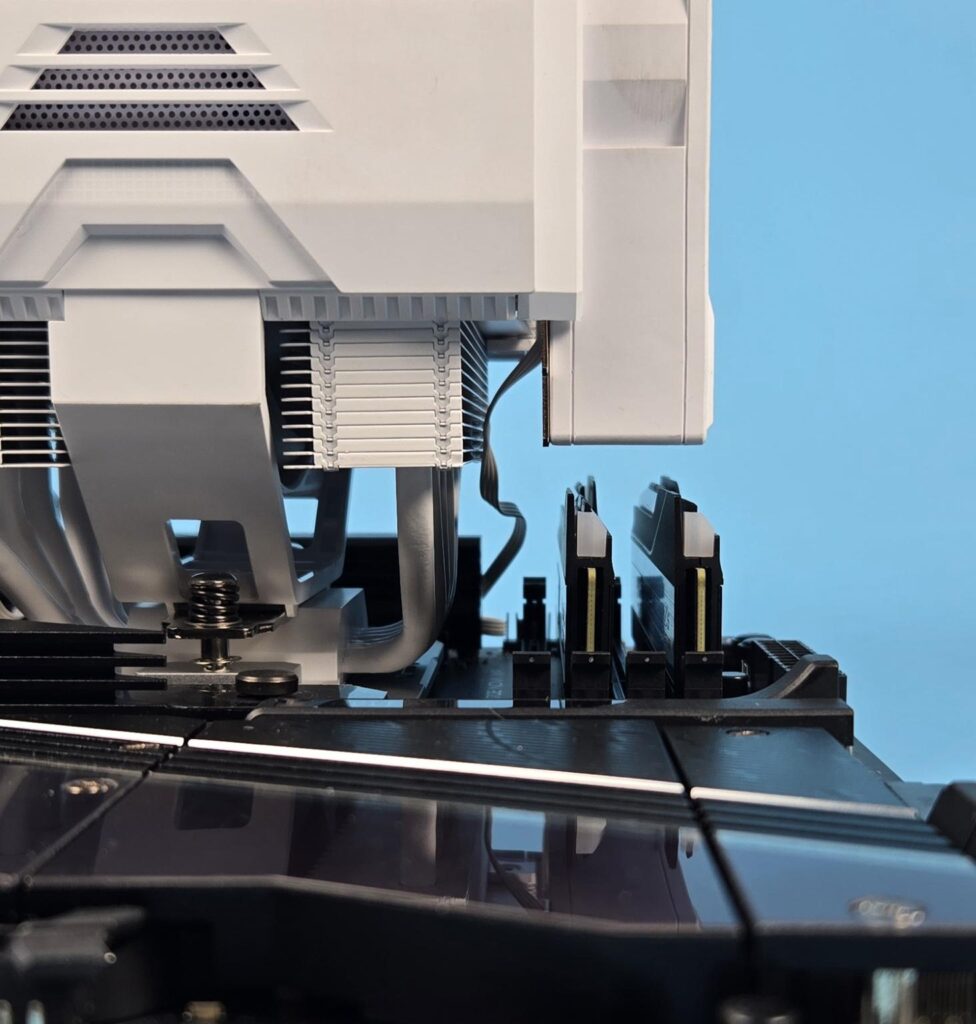
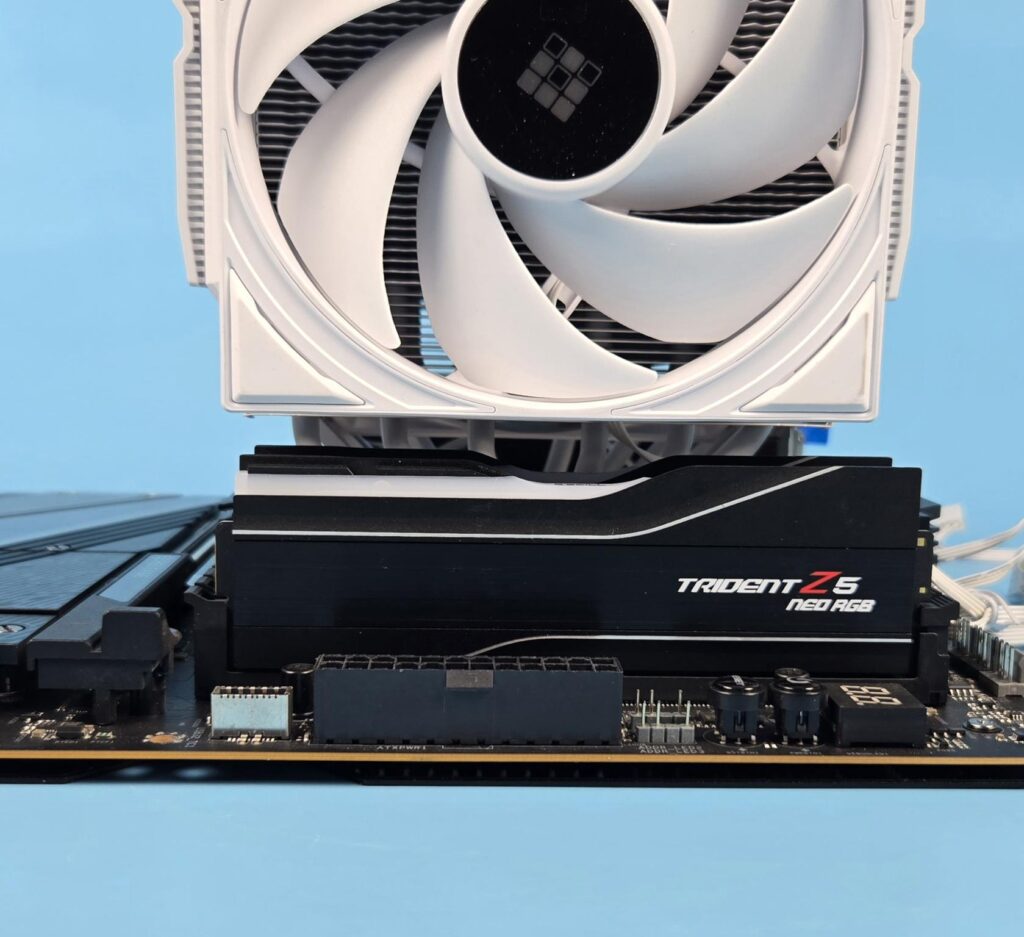
The heatsink provides a universal clearance for the RAM. The front fan can easily accommodate RAM of height up to 46mm or so easily. Anything above this mark, you may have to adjust the height of the fan accordingly, but that would also increase the overall height of the cooler.
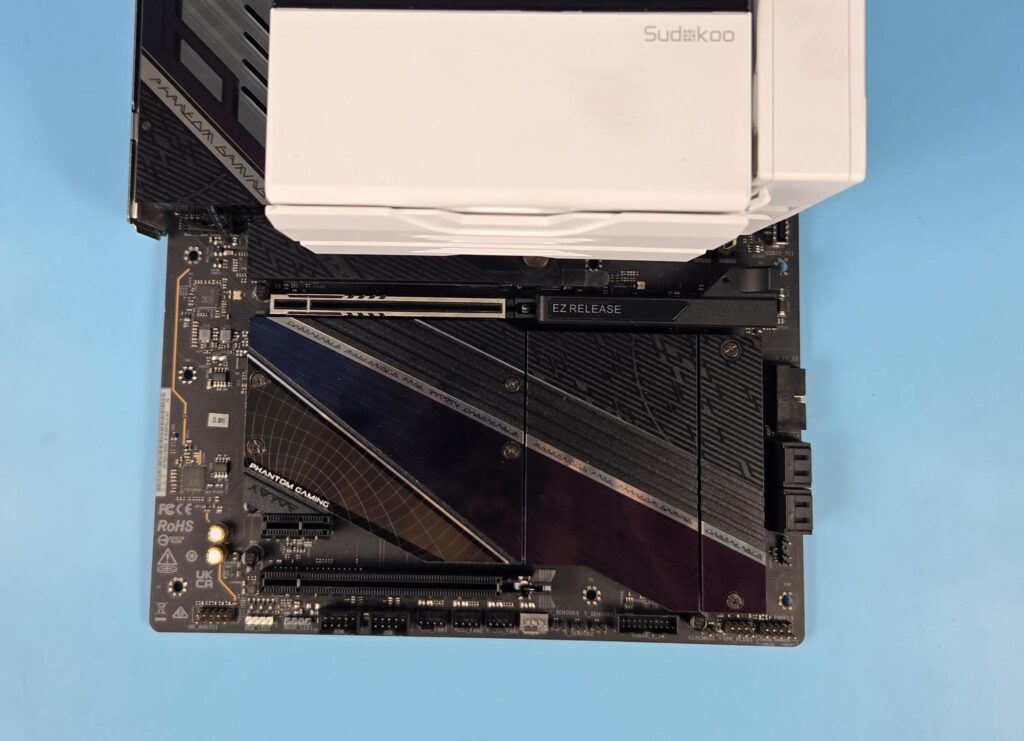
There is no issue with respect to the first PCIe x16 slot on the ASRock X870E NOVA WiFi motherboard.
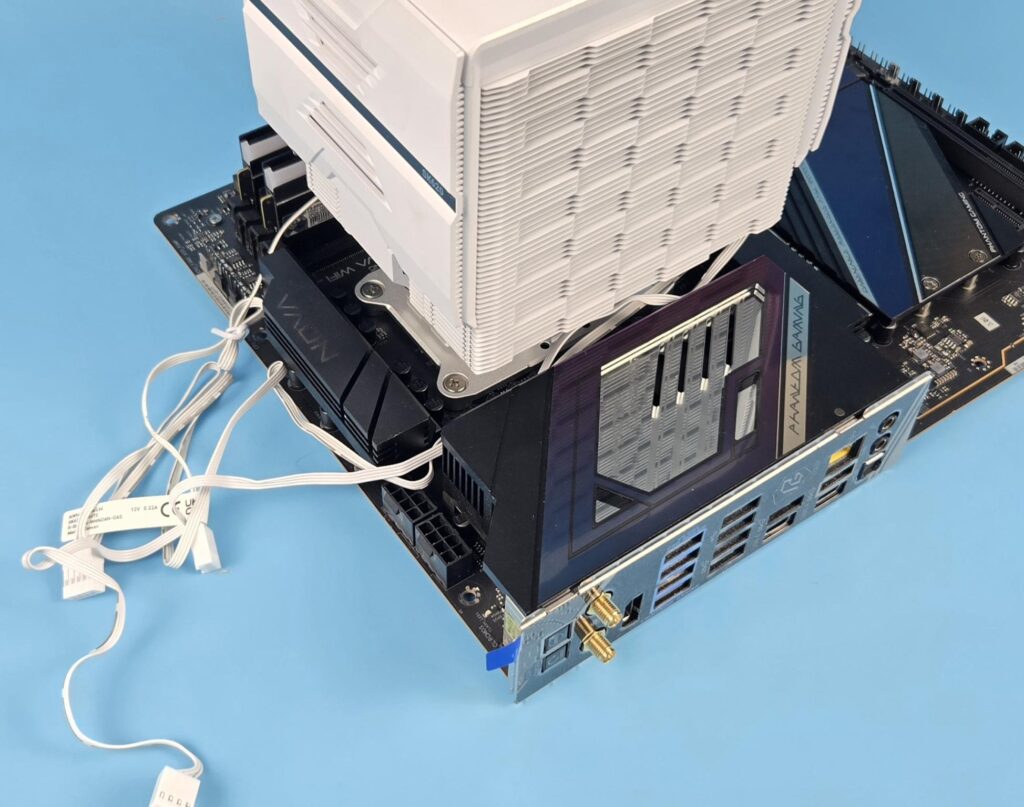
The cooler has no clearance issue with respect to the rear and top of the motherboard.
The height of the cooler is 164mm. Keep this in mind while planning your build with respect to the PC Chassis.
MasterCraft Software
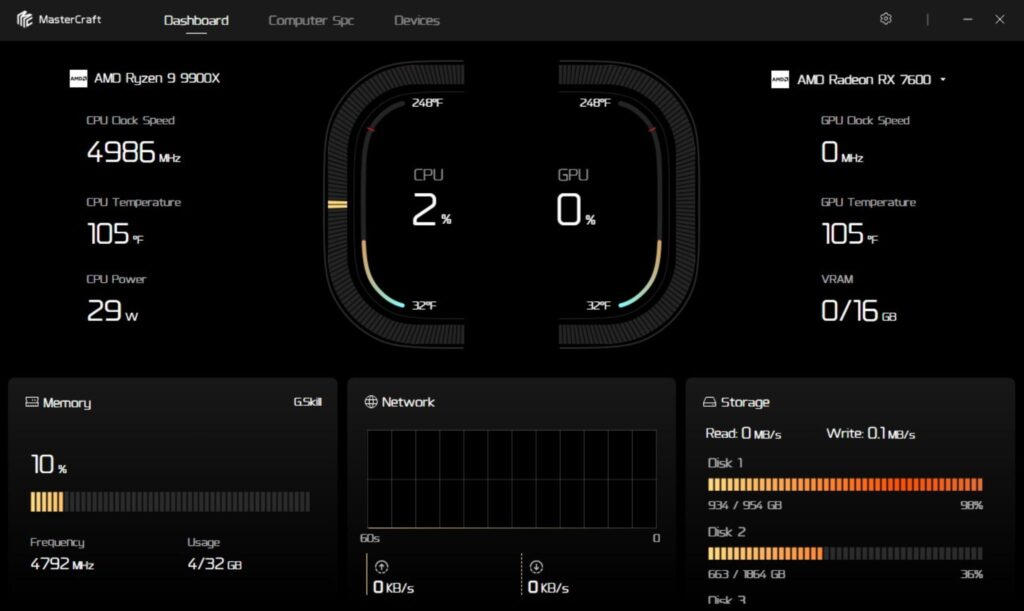
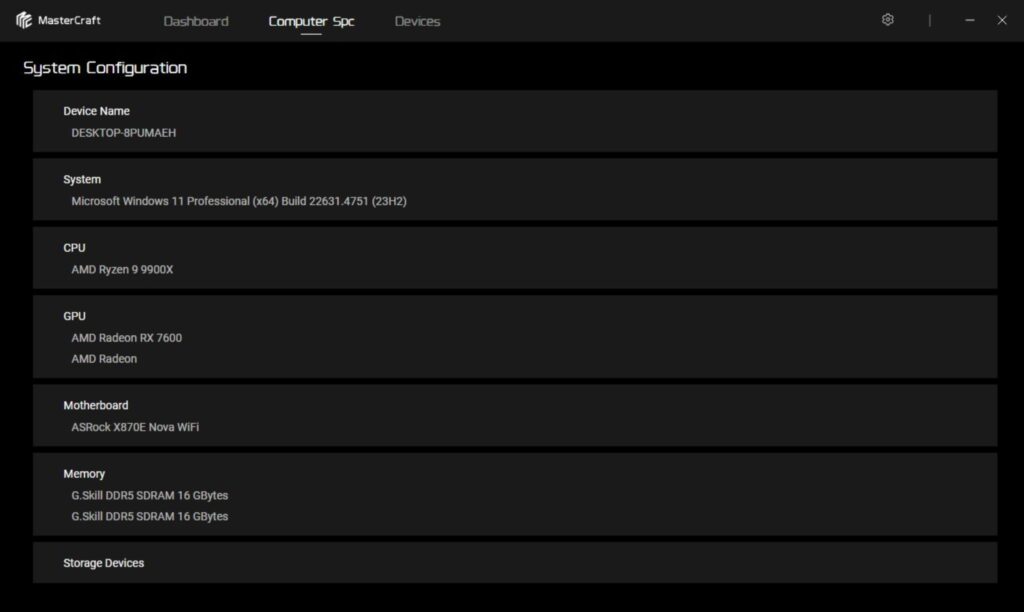
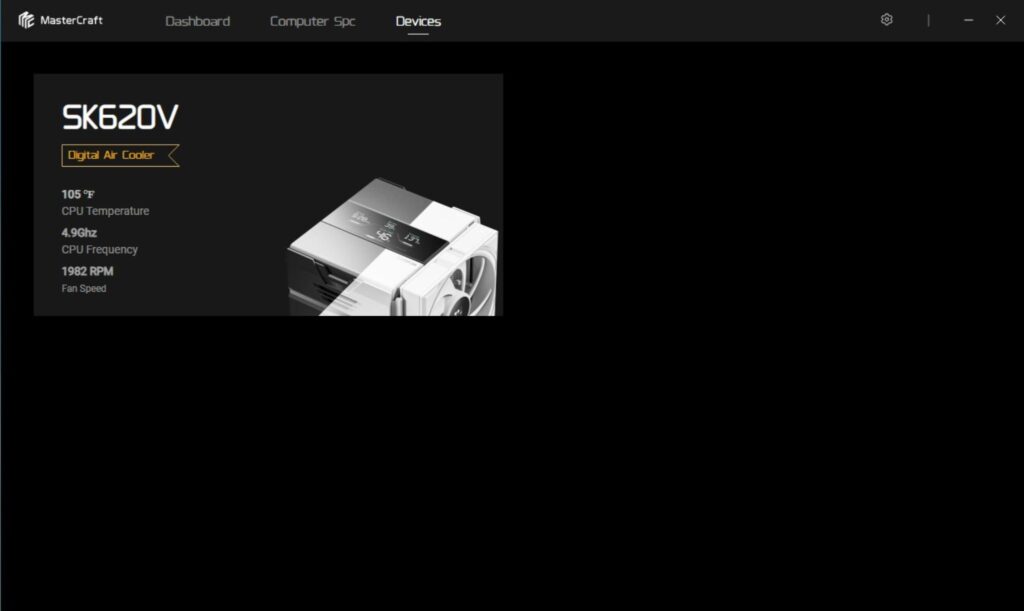
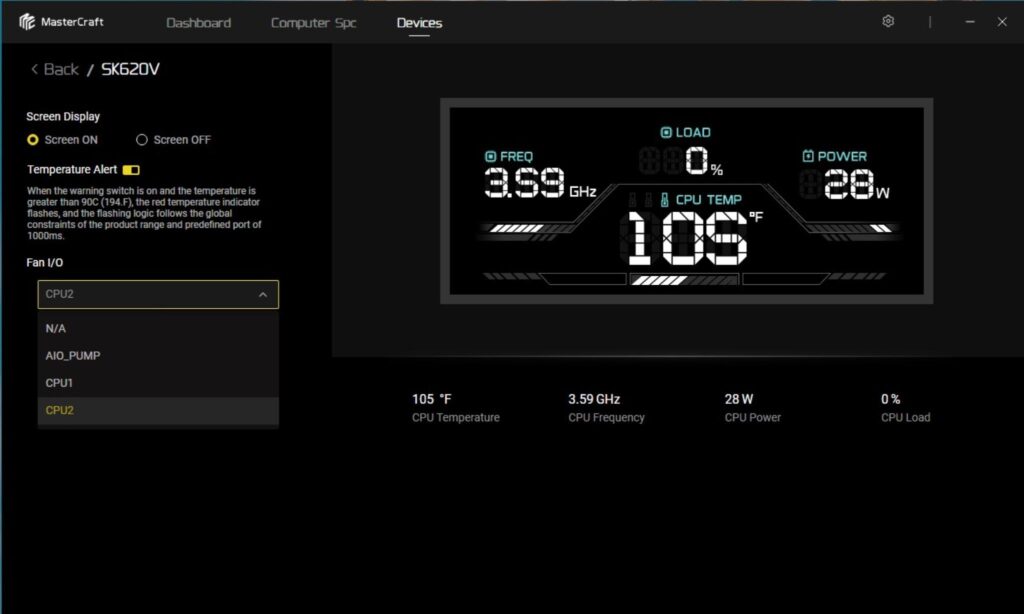
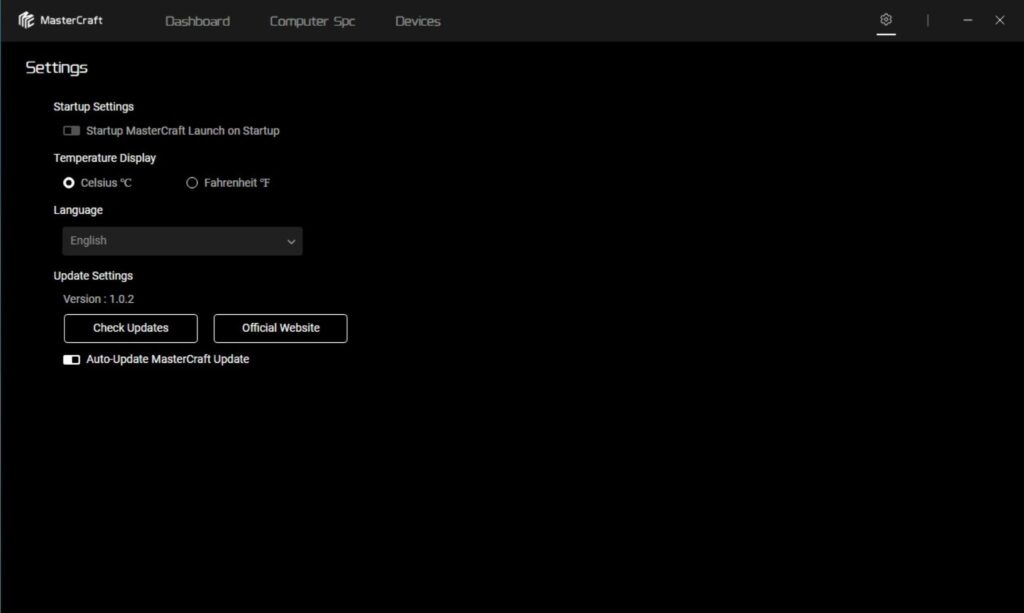
Sudokoo has provided MasterCraft software to control the display aspect. It has a simple interface. It shows the hardware summary and sensors of the major components. Unlike the Intel platform, on which the software could not read the Fan I/O, it was able to read this sensory data onthe AMD platform. Software is simple and easy to use.
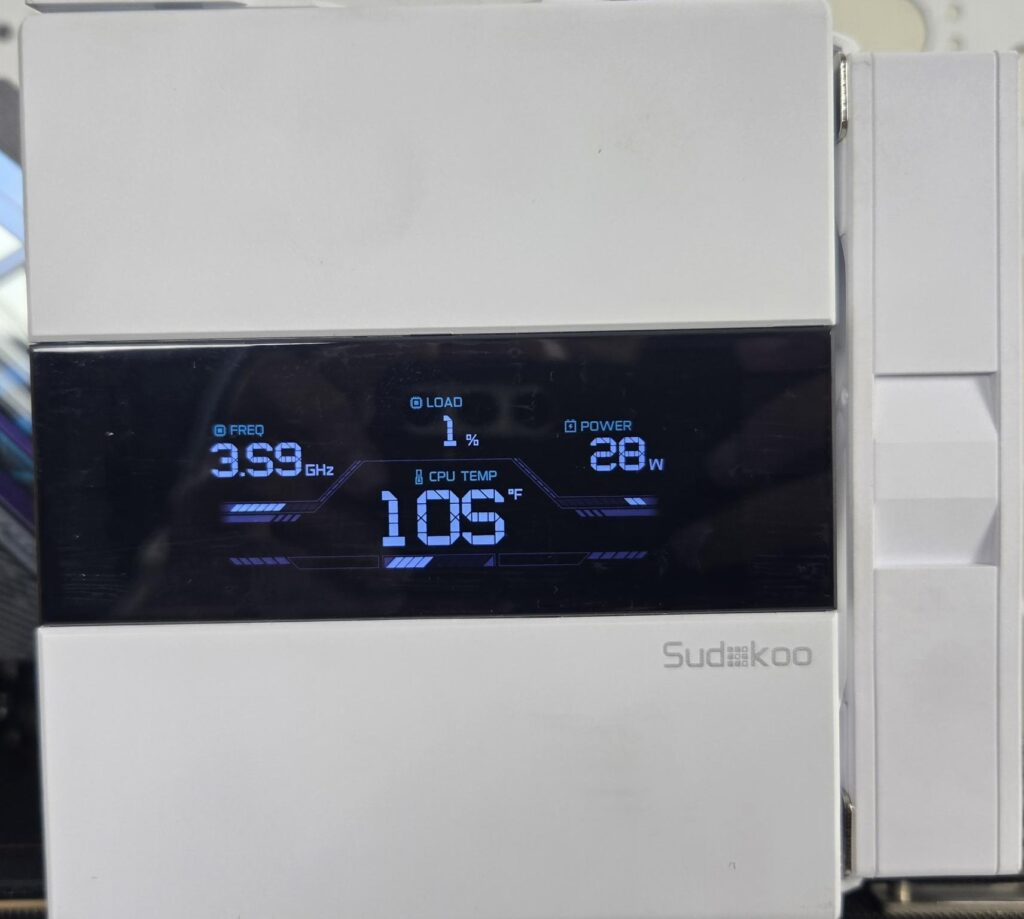
The above picture shows the CPU frequency, power, temperature, and load on the screen. The temperature value will convert into red color and start flashing if it exceeds 90°C.
Testing
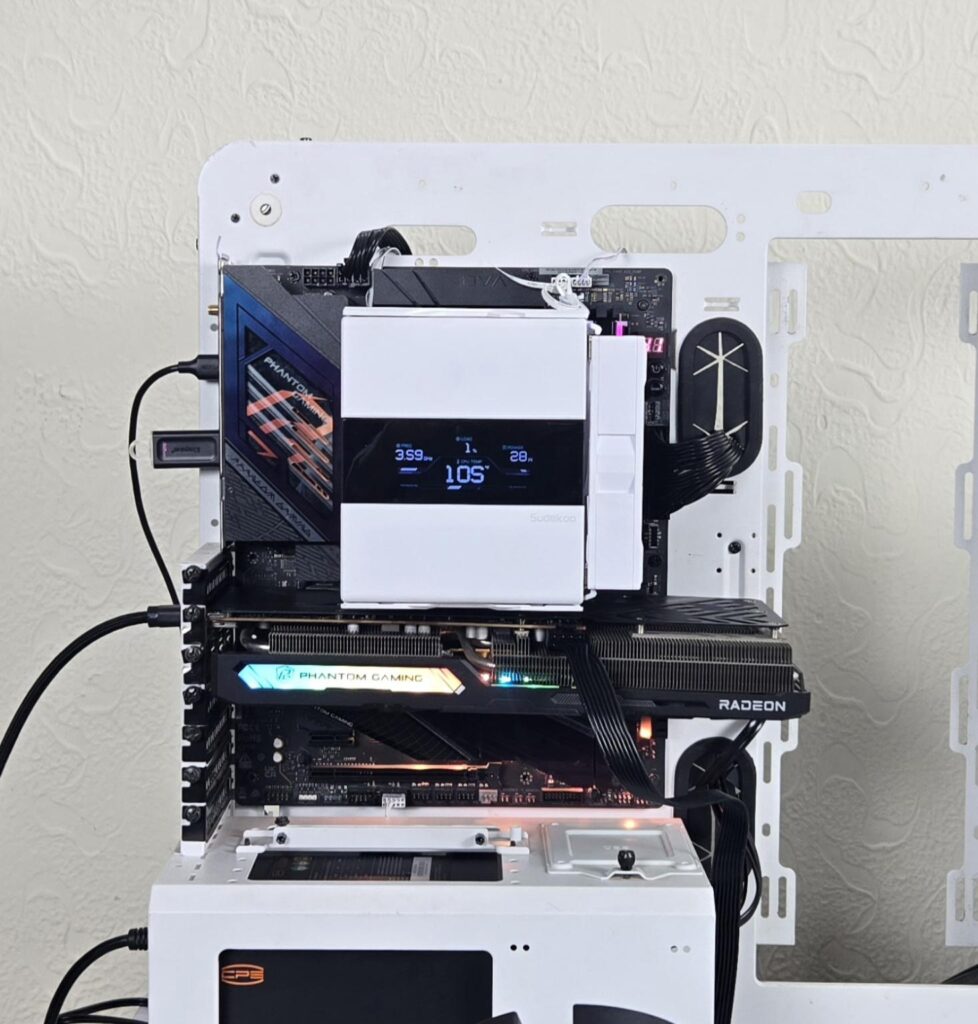
The following configuration is used for thermal testing:
- AMD Ryzen 9 9900X [243W, 200W]
- ASRock X870E NOVA WiFi
- GSkill TridentZ NEO RGB 32GB 6400MHz CL30 DDR5 kit
- ASRock Phantom Gaming RX 7600 Graphics Card for Display
- Biwin X570 Pro 4TB PCIe Gen5 NVMe SSD
- CPS YN1000 PSU
- Thermaltake Core P6 TG Snow Edition in an open frame layout
Here is the settings table for testing:
| Settings | PBO Enabled [243W and 200W for this cooler] |
| Clock (MHz) | Auto |
| Voltage (V) | Auto |
| Thermal Paste | Noctua NT-H2 |
| Thermal Paste Application | Dots Method |
| Test Run Time | 30 minutes |
| Idling Time | 10 minutes |
| All Fans Speed | 100% PWM Duty Cycle |
| Pump Speed where applicable | |
| Stress Software | CINEBENCH R23.2 |
| Monitoring Software | HWINFO64 |
I am reporting absolute temperature in the graph becausethe room temperature was at 22°C throughout the day. The testing is done on an open-air bench system. Once inside the chassis, the temperatures are expected to rise and would largely depend upon the optimal airflow inside the chassis.
Also Read: ARCTIC P12/P14 Pro Reverse ARGB White Fans: Power Horse – EnosTech.com
Result
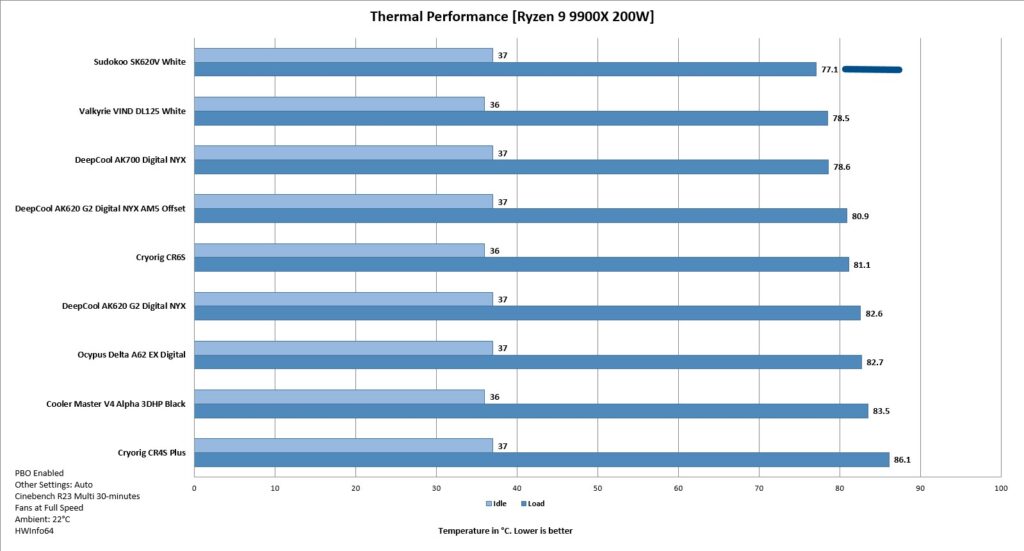
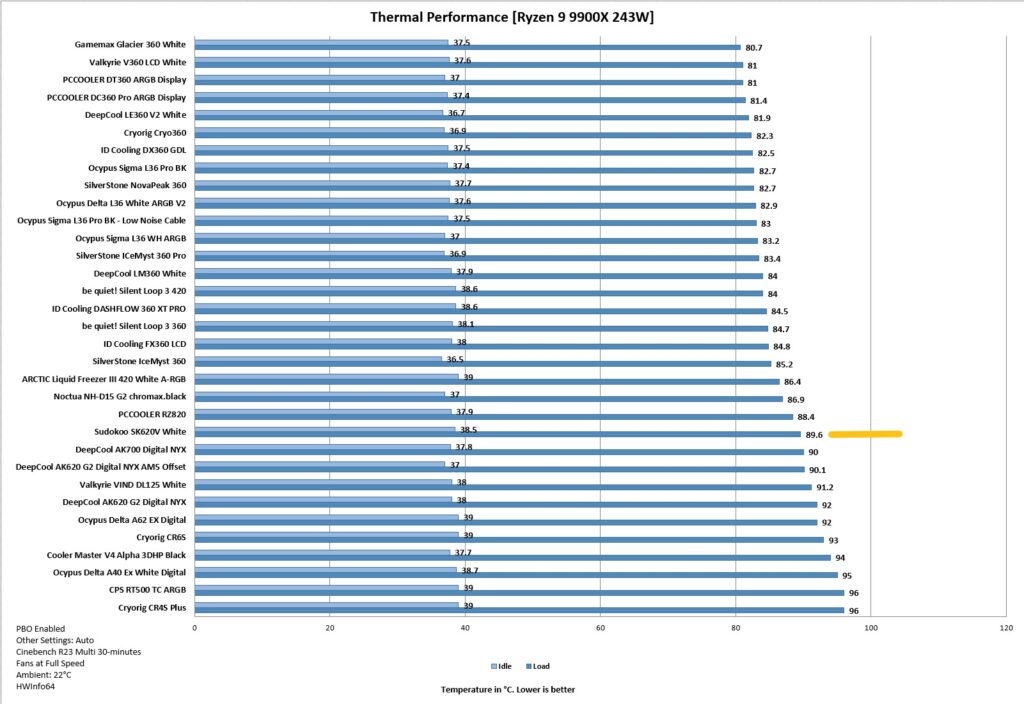
Handling a 243W all-cores load on AMD Ryzen 9900X is no joke. The Sudokoo SK620V did a marvelous job in this load testing. It even did better when tested on a 200W load. This cooler packs a solid performance, and the best part is its acoustic performance. I recorded a near 40 dB(A) sound level with both fans spinning at full speed. This even beats Noctua in terms of sound.
Editor’s Note: In my opinion, Sudokoo can compromise a bit on the fans’ noise and tweak these fans to deliver some more thermal performance headroom, which would further enhance the value of this cooler, since for 120 bucks, we can buy some decent liquid coolers in 360mm size.
Conclusion
Sudokoo SK620V is a dual-tower, dual-fan designed CPU air cooler. It has a distinctive design with an outstanding outlook. While it has the looks that would perfect your build, it also packs a solid performance punch to deliver superb cooling while being silent. This cooler is available in black and white. It has a non-V edition as well that does not feature a display screen.
The cooler has dimensions of 145x144x164mm. The heatsink has a dimension of 125x115x153mm (LxWxH). This cooler is AM5-focused but it is compatible with AM4 and other Intel sockets using a standard mounting kit. That kit is identical to what I have seen on DeepCool coolers. It could be that the OEM is the same, but I am not sure.
Each tower packs 52 aluminum fins that are soldered to 6x heat pipes. The complete assembly seems soldered, and it is white spray-coated. The salient feature is a closed design using a housing which is not new for me, as I have seen this design from other brands, but Sudokoo has nearly perfected it. The housing of the middle 120mm fan is connected to the top cover, and this section is made wire-free using a pogo contact pin design. Brilliant idea put into perfect execution.
The top features a large quad-segment display screen with a size of over 70.7×27.8mm. It displays CPU frequency, load, power, and temperature, and even has over heat alert using a visual flash in which temperature values start flashing in red color. This screen uses a USB 2.0 connector so that MasterCraft software can be used for display control.
The fans use glide fan mounting, making it super easy to handle these fans and to adjust the height of the front fan. Although Sudokoo has mentioned that the front fan can be adjusted in three positions, it is actually completely removable. These fans feature an efficient 3-phase, 4-pole, 6-slot FOC closed-loop control fan motor that minimizes both voltage and power consumption. They use FDB bearings and are rated for 2000 RPM ±10%. They are PWM-regulated and they are non-RGB.
Sudokoo has provided a full-length AM5 bracket made of a single aluminum piece. You need to remove the mounting brackets and stock ILM of the socket to install this bracket. While its installation is easy, the same can’t be said for its removal. Refer to my observation recorded in the Installation section above. You need a bracket and 8x screws to install this contact frame design bracket.
Speaking of clearances, this cooler has a fantastic RAM clearance. The front fan in its stock position provides good enough clearance for tall RAM, and you can adjust its height as well.
This cooler has an MSRP of US $119.99, which is a steep price. Sudokoo offers 5 year warranty on this cooler. The build quality is top-notch, and performance on AMD is equally superb. What makes this performance even better is its acoustic performance, which even manages to beat Noctua (sound-wise). On the same note, I am of the view that Sudokoo could compromise a bit on sound to provide even better thermal headroom for this cooler. But, still, I have no complaint given its overall performance.
Speaking of SK620V, this cooler is a perfect example of when we say “form meets function”. The looks on this cooler are outstanding, and at the same time, the acoustic performance and thermal performance (on AMD) are equally impressive.
Pros
- Excellent Thermal Performance
- AM5 Focused Cooling Solution
- Closed Design
- Fan Guide/Rail Mount System
- Stylish Top Cover
- Build Quality
- MasterCraft Software
- Quad-Segmented Display Screen
- Good all-round Clearance
- Wire-Free Middle Fan
- AMD AM5 Support
- Other Sockets Support via Mounting Kit
- Installation
- Warranty
- Noise
Cons:
- Price
- The AM5 Bracket is difficult to remove