











PCCOOLER DT360 ARGB Display – A Real Deal

I tested DC360 Pro ARGB Display in my last take on a cooler from PCCOOLER. This time the brand has sent us their flagship offering DT360 ARGB Display quoting that this cooler has a better pump and display compared to the DC360. DT and DC both are different lines of liquid cooler from PCCOOLER under CPS branding.
This is a 360mm size AIO cooler which is available in white and black colors. PCCOOLER carries three display coolers with subtle differences. The salient features and key differences are:
- 3.5” IPS Detachable Screen compared to 2.4″ IPS Screen on DC360
- 480×480 resolution compared to 240×320 resolution on DC360
- 60Hz Refresh Rate
- Customizable Themes
- Video Playback
- Tri-Force VI Elements Design theme
- Second Generation Pump compared to OC Plus V1.0 Pump on DC360
- F7 X120 Fans compared to F5 R120 OC ARGB Fans on DC360
This cooler is compatible with Intel LGA115x/1200/1700/1851 and AMD AM4/AM5 sockets. It has an MSRP of USD 219. It comes with a 5-year warranty.
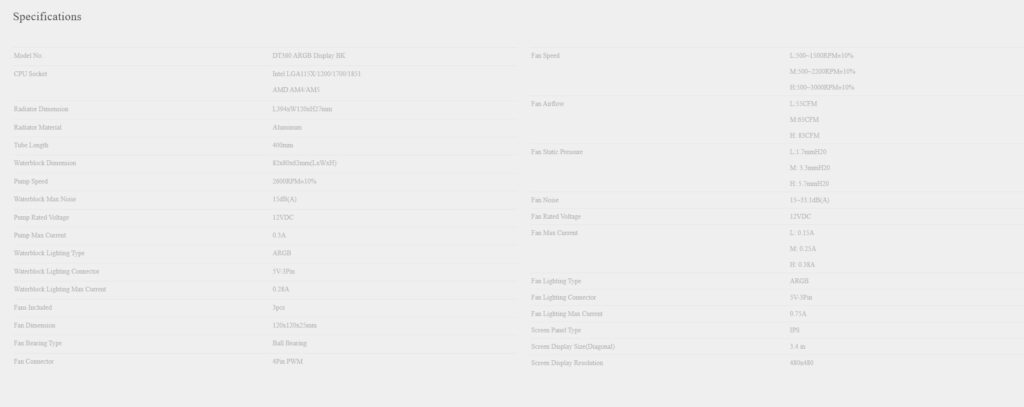
Specifications\
Packaging and Unboxing
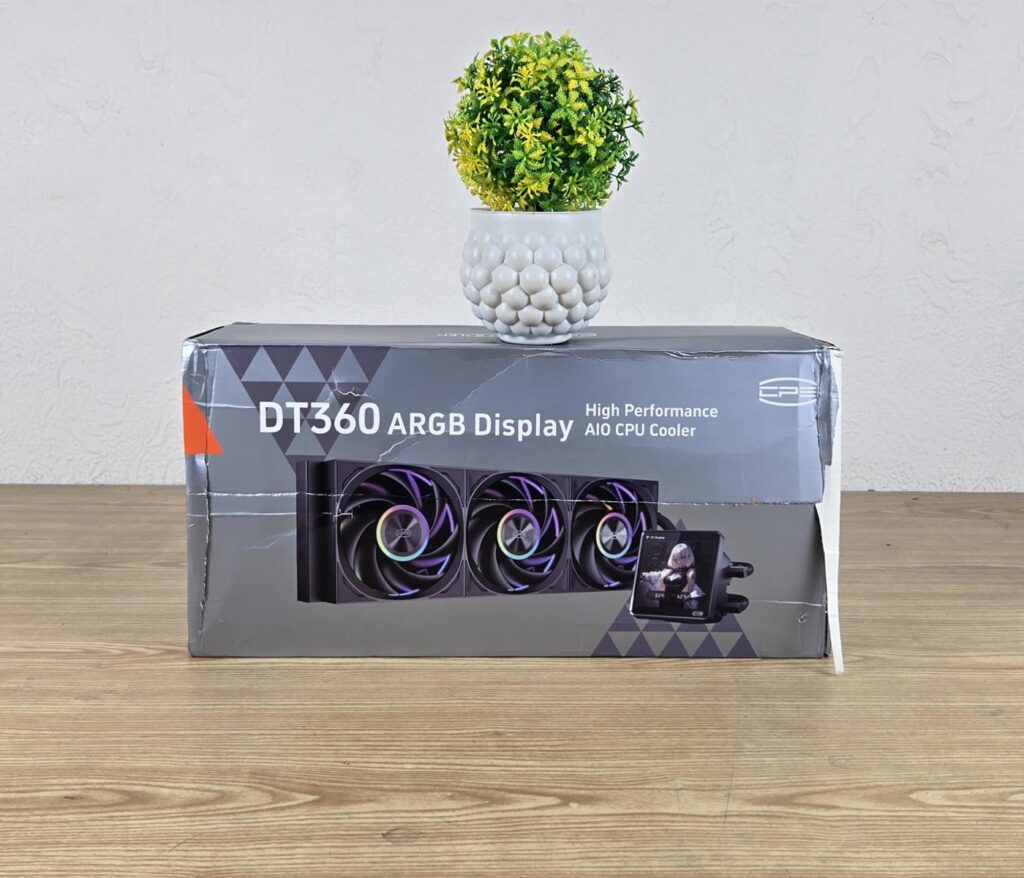
The cooler is shipped inside a cardboard box. The box is finished in the CPS standard silver color theme.
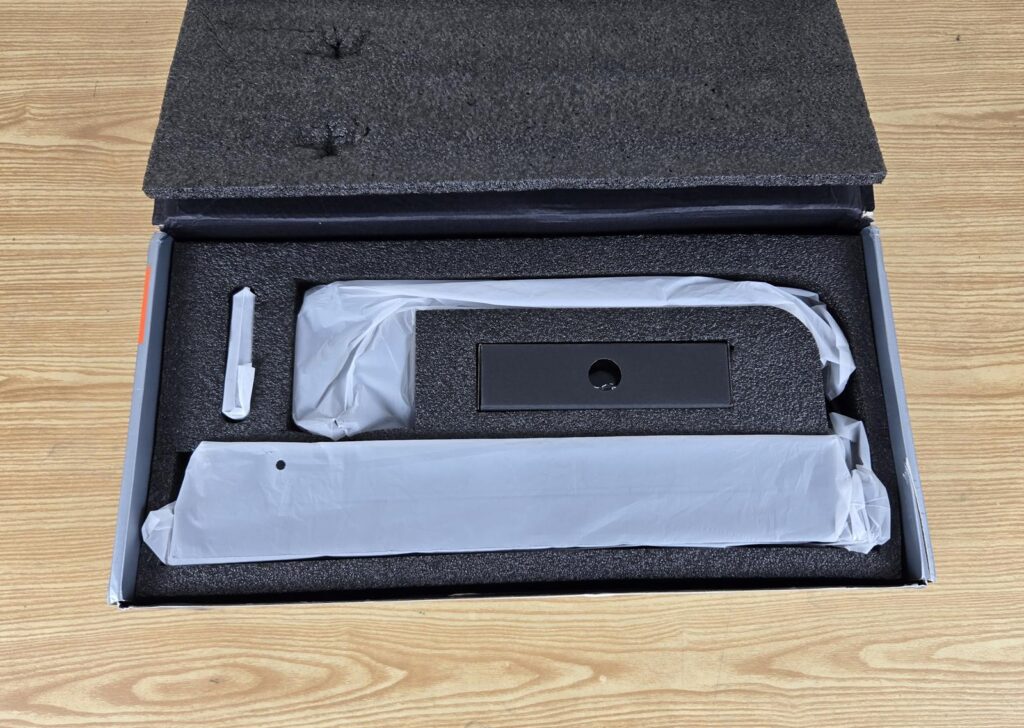
The contents are nicely tucked inside a thick white Styrofoam pad for safe shipping. The fans are pre-installed over the radiator. The thickened White color Styrofoam gives a premium feel to the overall packaging.
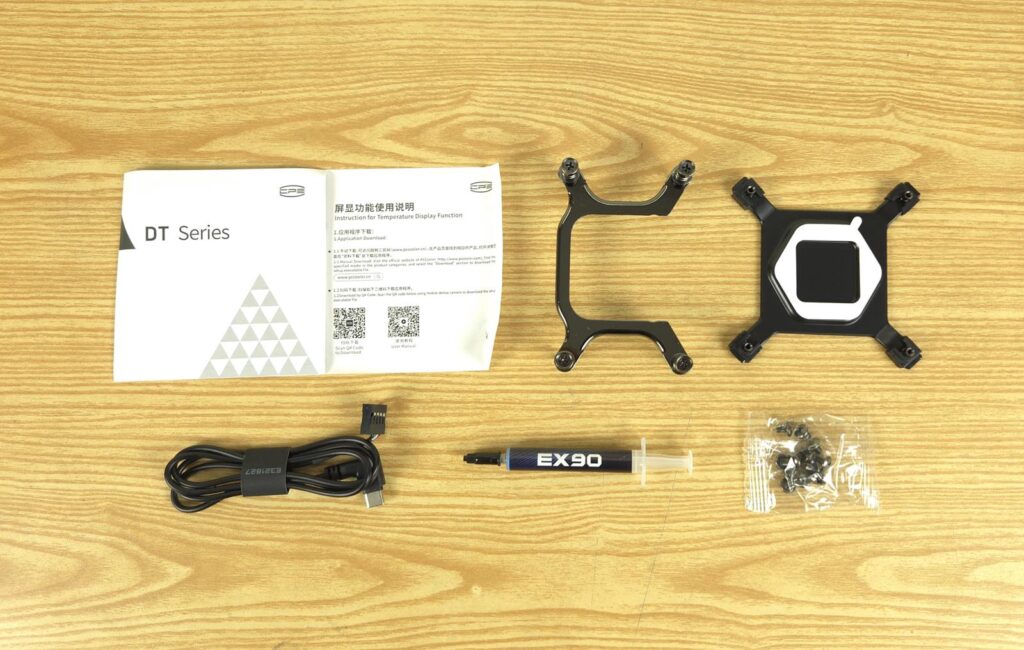
The following are provided:
- 1x Cooler
- 1x Intel Backplate
- 1x AMD Mounting Bracket
- 1x Intel Mounting Bracket [Pre-installed]
- 1x User Guide
- 12x Radiator Screws
- 1x Thermal Paste
- 1x Detachable Display Screen
- 1x USB Type-C Cable
- 1x Hub
- 1x Cable for the Hub
Closer Look
It is time to take a closer look at each component of the main unit, starting with the radiator.
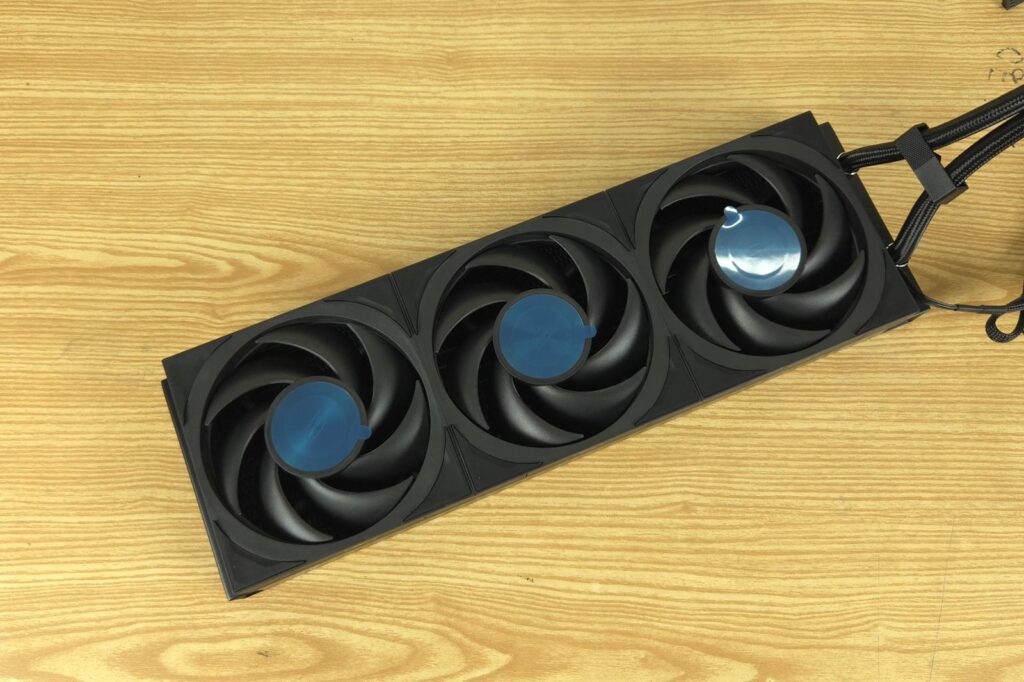
Like the DC360, three fans come pre-installed over the radiator of the DT360. However, fan assembly on DT differs from the DC360. You can see that there is no visible cable from any fan except for the last one. These fans are interconnected. I will come to this soon.
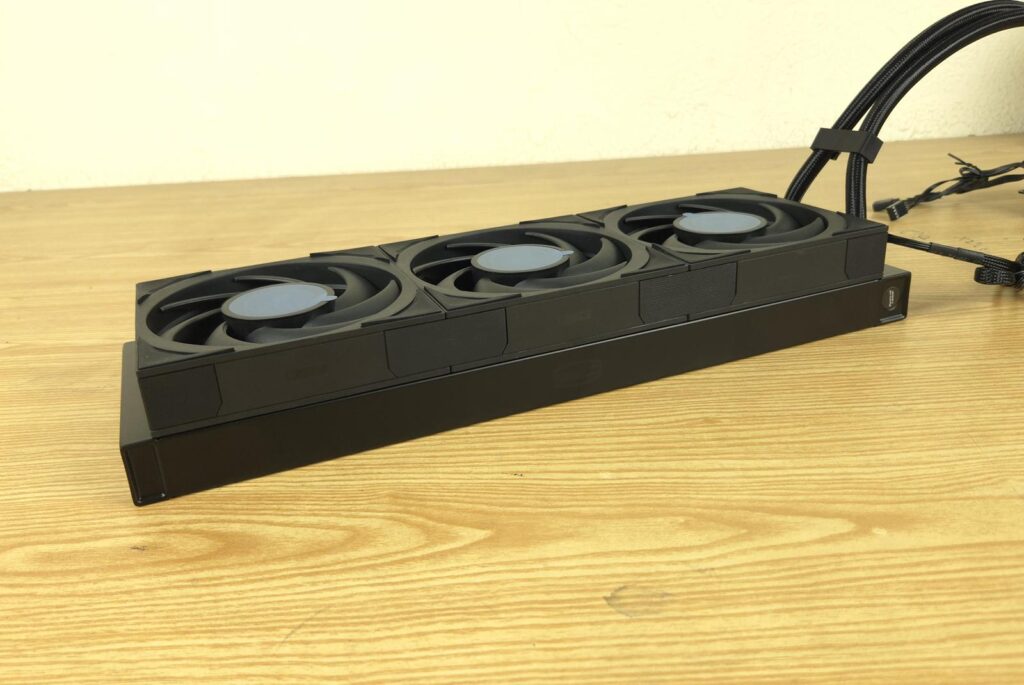
PCCOOLER has provided a neat and clean look on the fan assembly using pads and interconnects. According to PCCOOLER, this fan assembly is wireless. This is in the context of fans’ inter-connectivity. Otherwise, there is no wireless design.
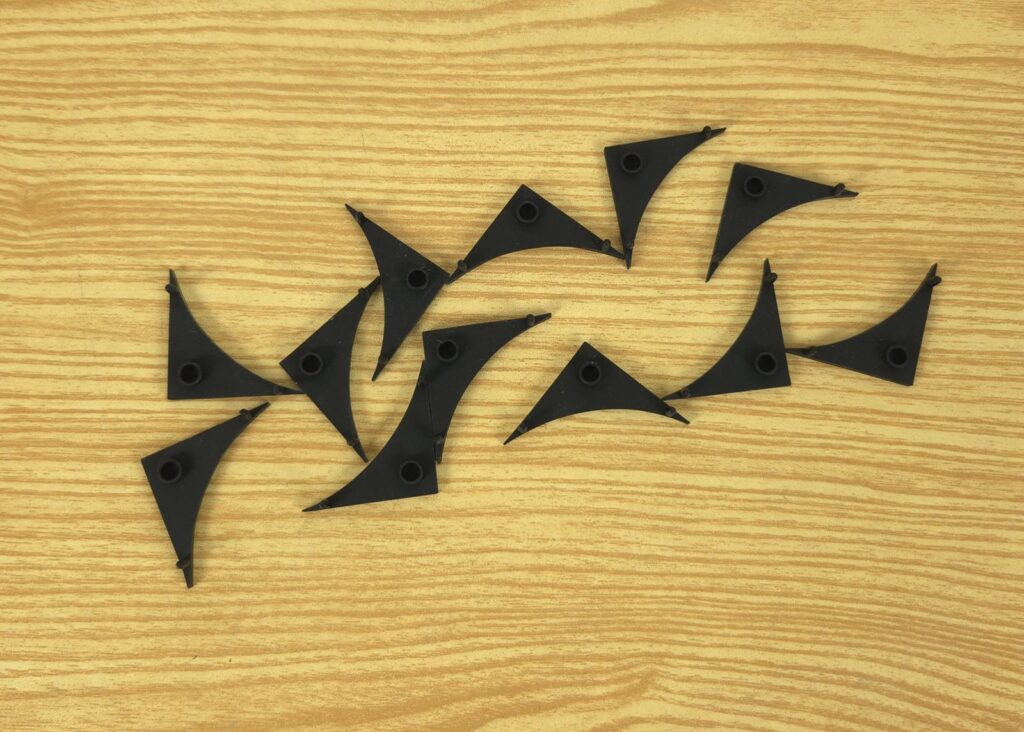
PCCOOLER has used anti-vibration pads over the mounting corners of the fans. These not only damp the vibrational acoustic but also cover the screws, hence providingan aesthetically clean outlook.
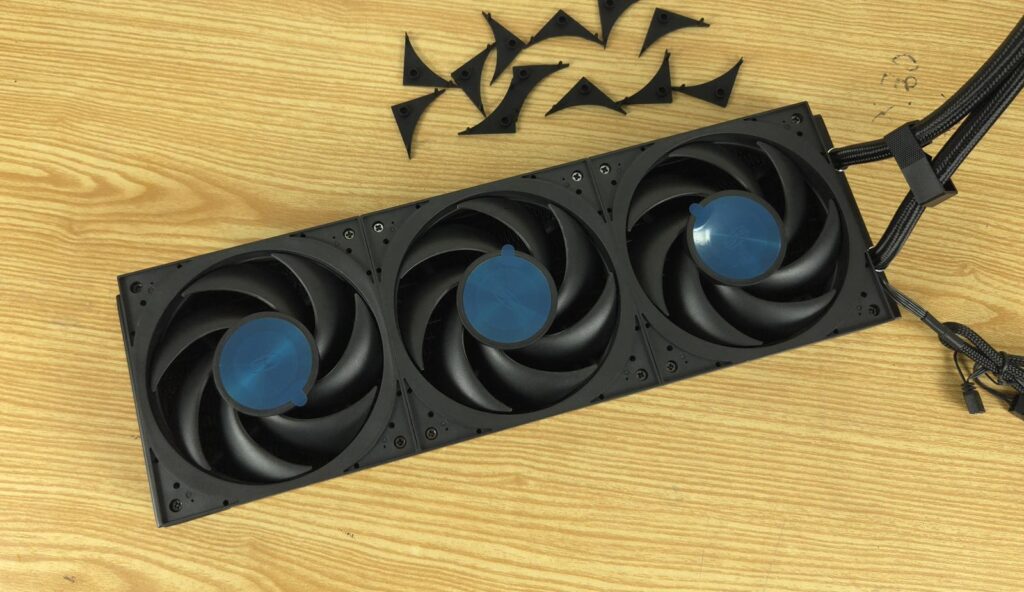
I have removed the anti-vibration pads. Now, you can see the screws on the mounting corners of the fans.
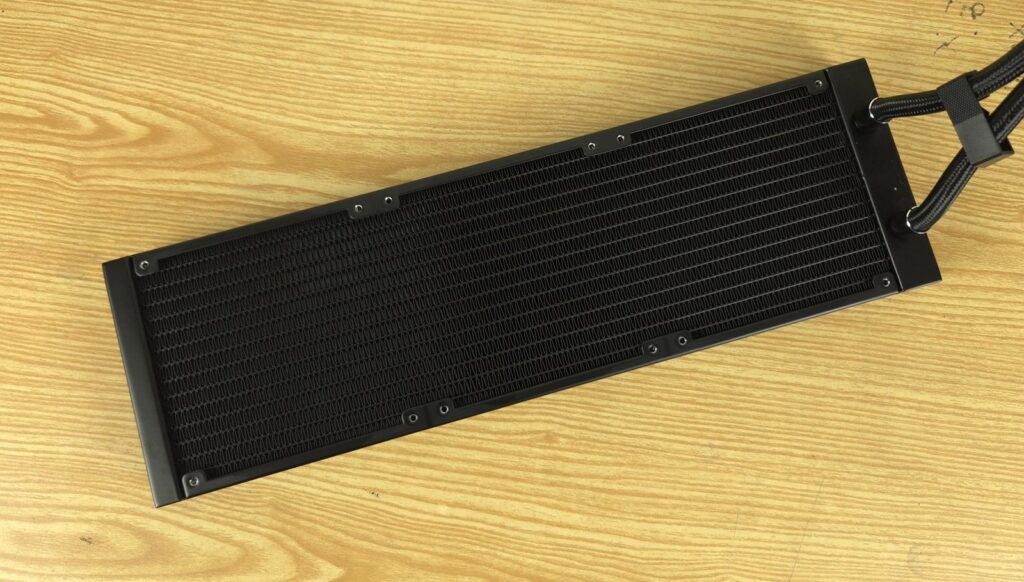
This unit has a 360mm size radiator having dimensions of 394x120x27mm. Here, 27mm refers to the thickness of this unit. The overall thickness is 55mm with a 120x28mm fan assembly. The aluminum radiator has a 20 FPI count with satisfactory fin stacking.
There is a standard 105mm gap between two opposite fan mounting holes and 15mm spacing between any two adjacent fan mounting holes. We count 14 channels through which the coolant flows. This is unlike the majority of the radiators on the market which have 12 channels. This reminds me of Alphacool’s latest generation of radiators, featuring more channels and more fins between any two rows of the channels. This provides more surface area yet in the same overall size.
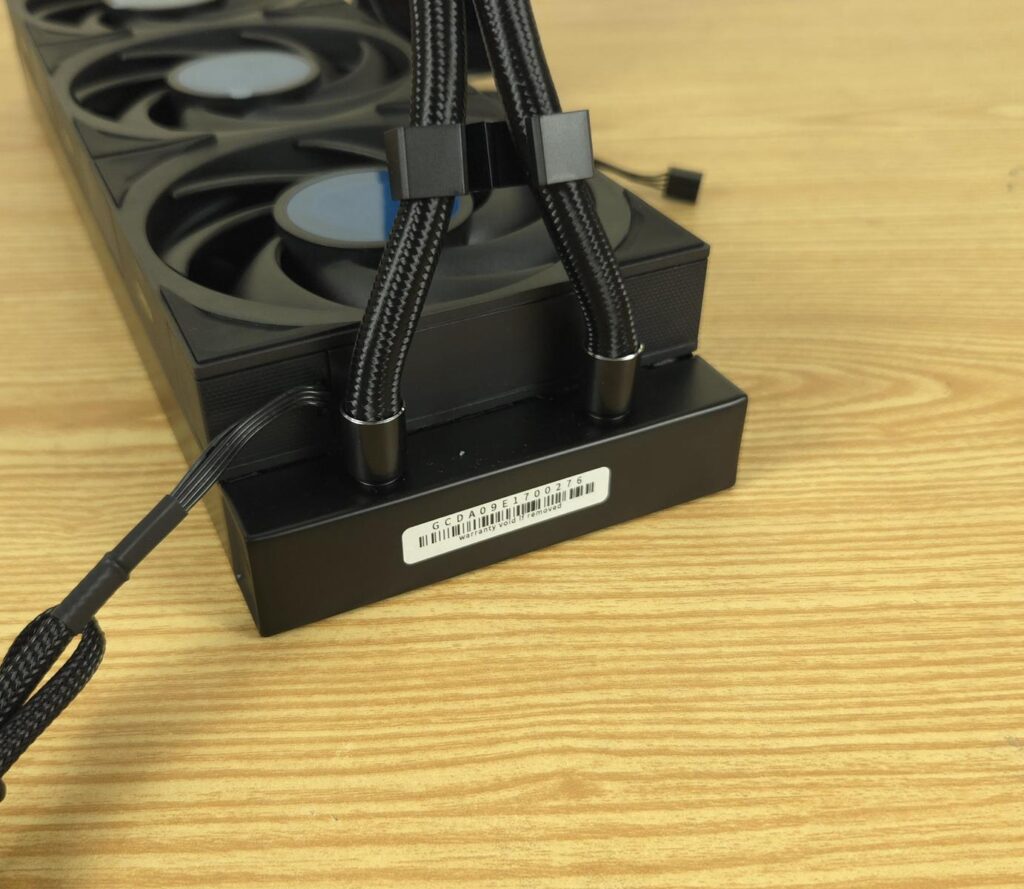
The barb fittings and connections are covered using clamps. A serial number sticker is pasted, removing this voids the warranty.
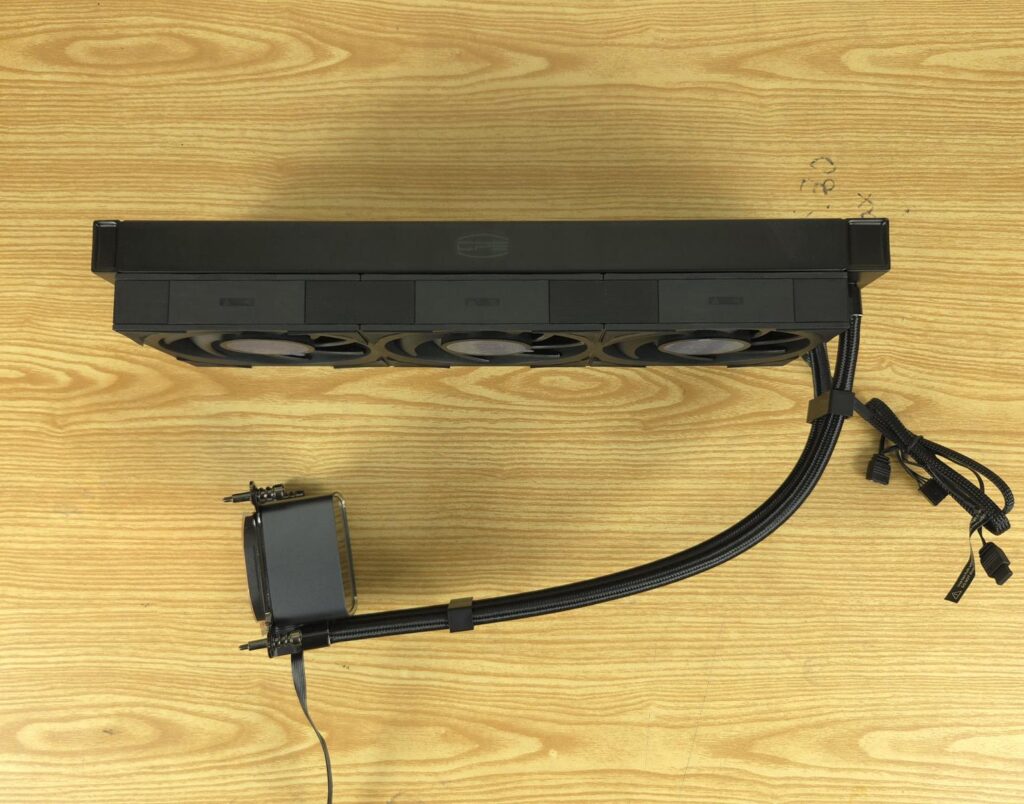
Looking at the side of the radiator, you can see CPS branding or text on the side frame of the radiator. This is absent on the DC360. The rubber tubes are covered under the nylon braided black sleeves. Fiber fiber-reinforced layer in the tube provides pressure resistance and better temperature. These tubes run to approximately to 400mm in length. The tubes come equipped with clamps.
Block/Pump Head
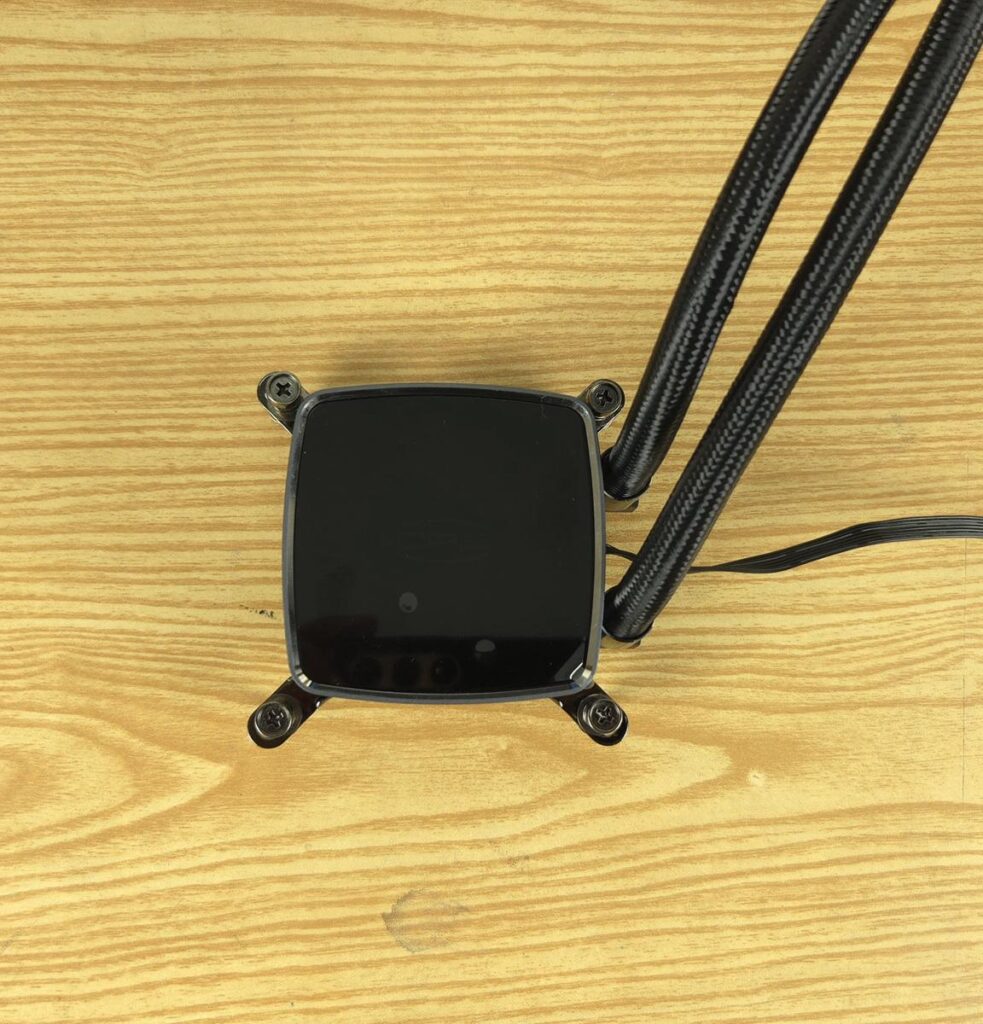
The main salient feature is the pump head/block design. The main housing has a dimension of 82x80x62mm (LxWxH). The pump head without the detachable display screen has only CPS branding text in the center, which is ARGB backlit. The housing is made of aerospace-grade aluminum alloy, which is CNC machined and finished in anodized sandblasting.
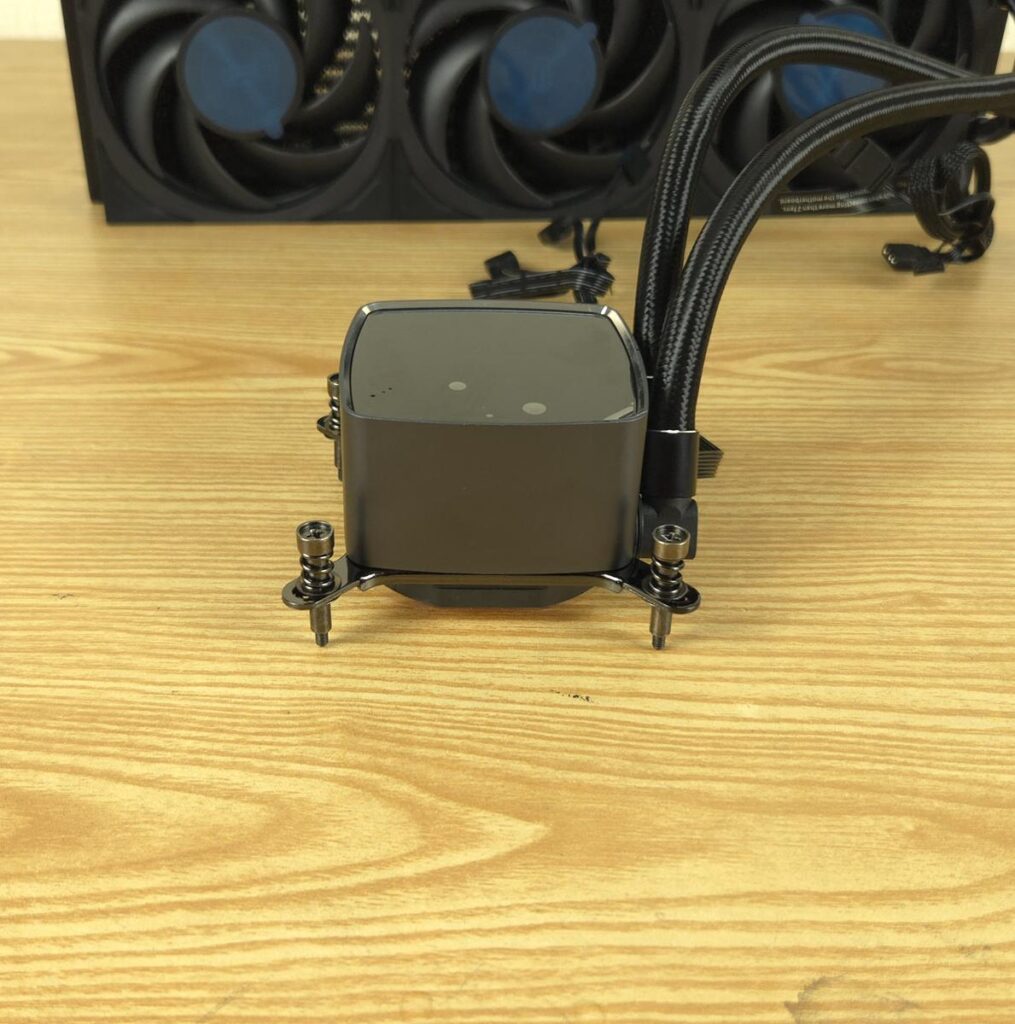
The Intel mounting bracket comes pre-installed over the base. It has pre-installed spring-loaded screws making the installation easier.
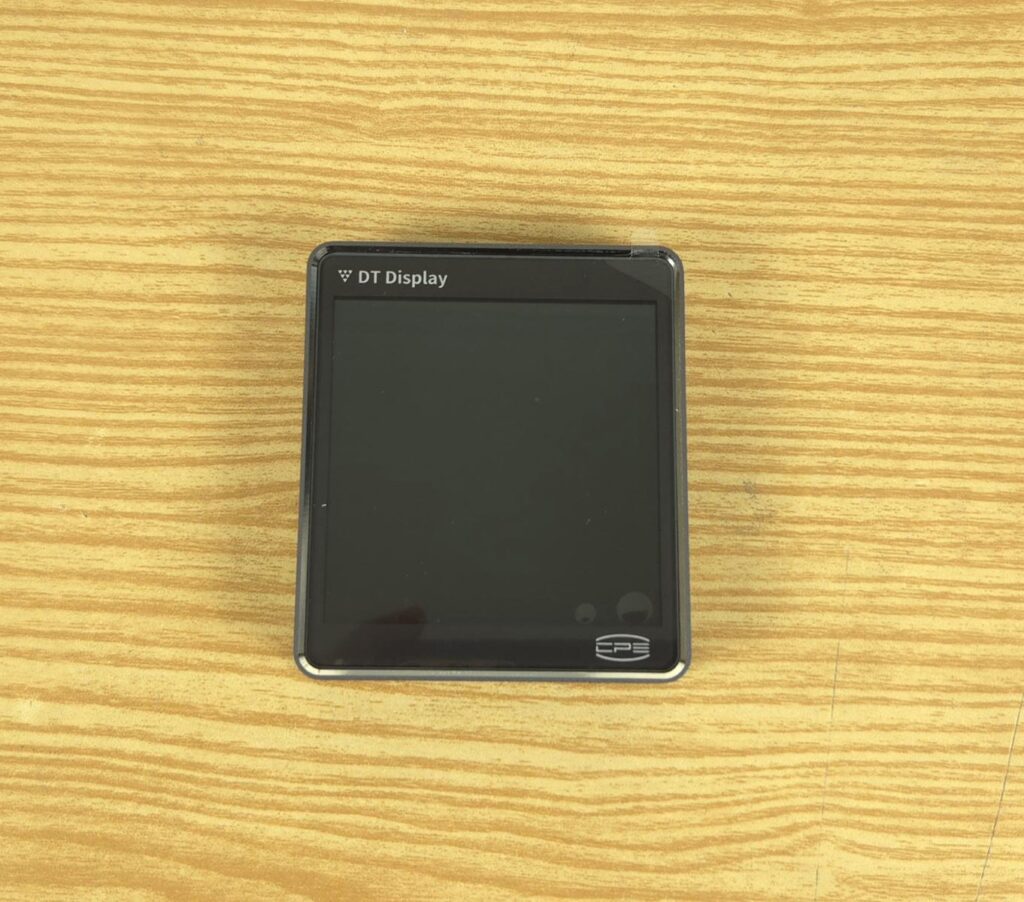
PCCOOLER has provided a display screen separately. It has a magnetic attachment. The screen size is 3.4” with a resolution of 480×480 at a 60Hz refresh rate. The display screen can show the pictures supporting various formats like MP4, GIF, JPEG, and PNG. You can play a video on the screen as well. You can also display sensor data on the screen, reporting live monitoring of key components like CPU and GPU.
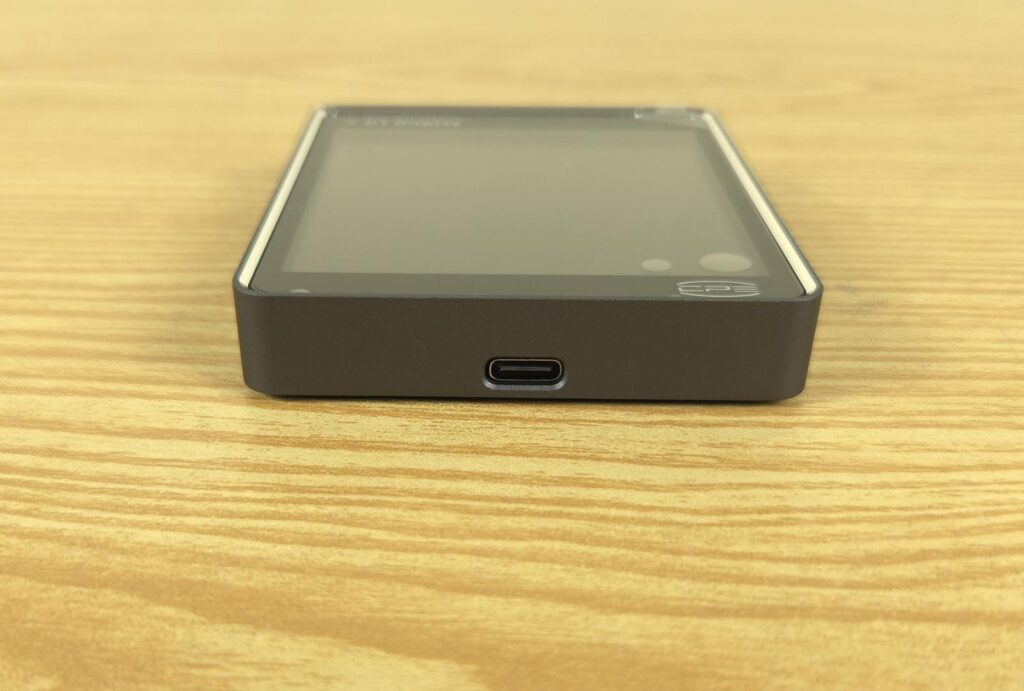
The display screen has a USB Type-C port on the base.
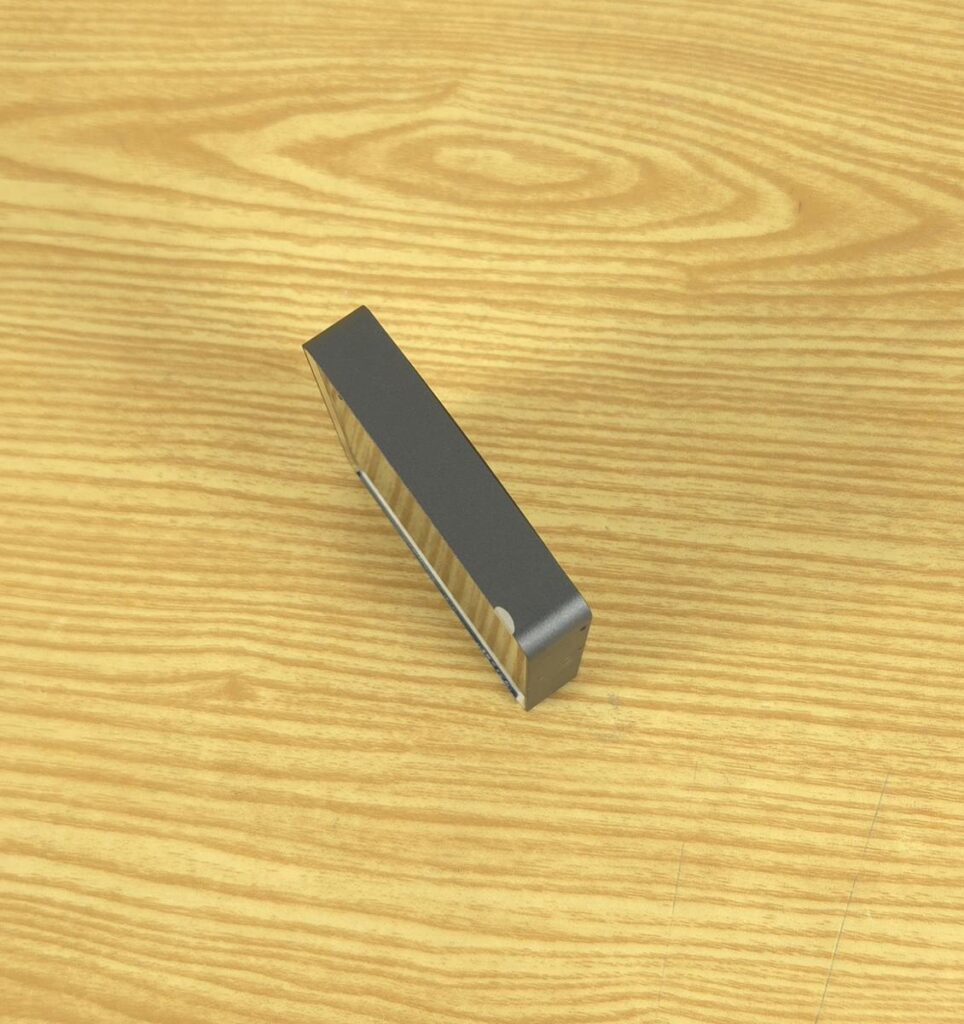
The anodized sandblasted finish speaks for itself.
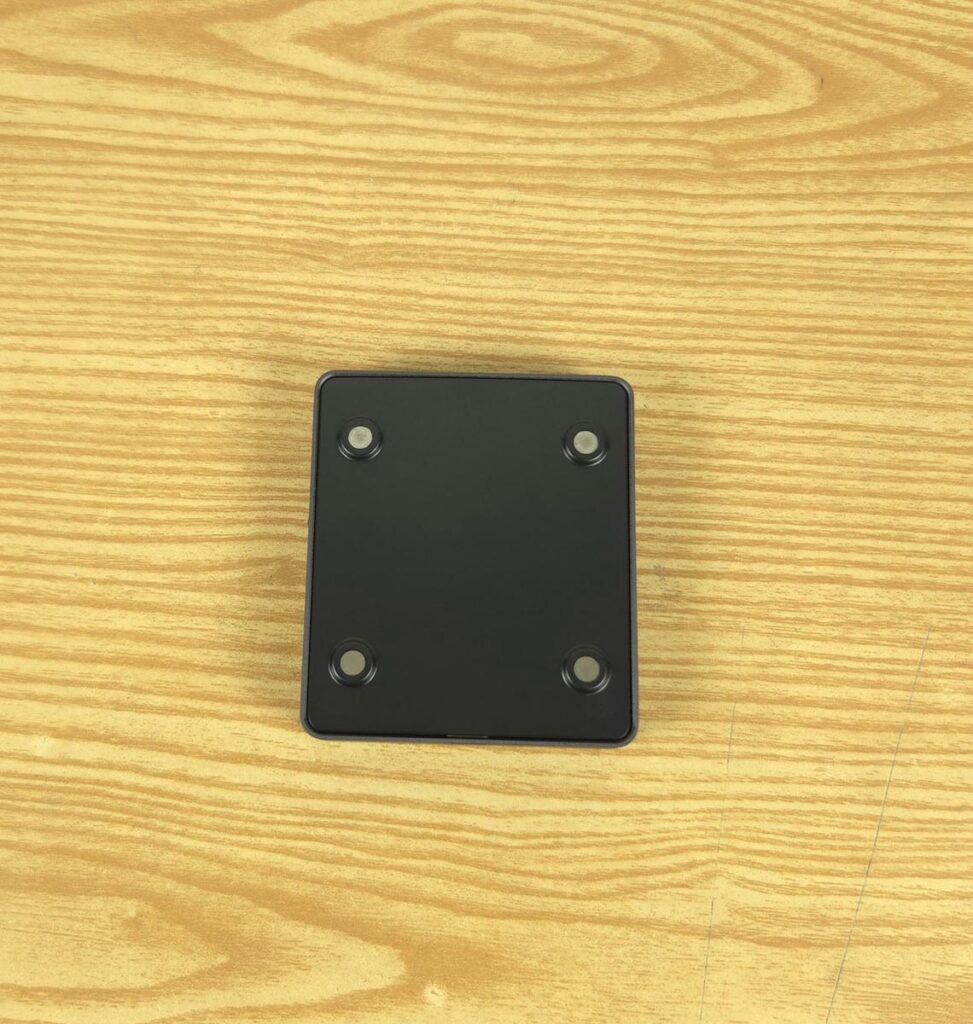
The screen has 4x powerful magnets on the backside for easy attachment/detachment.
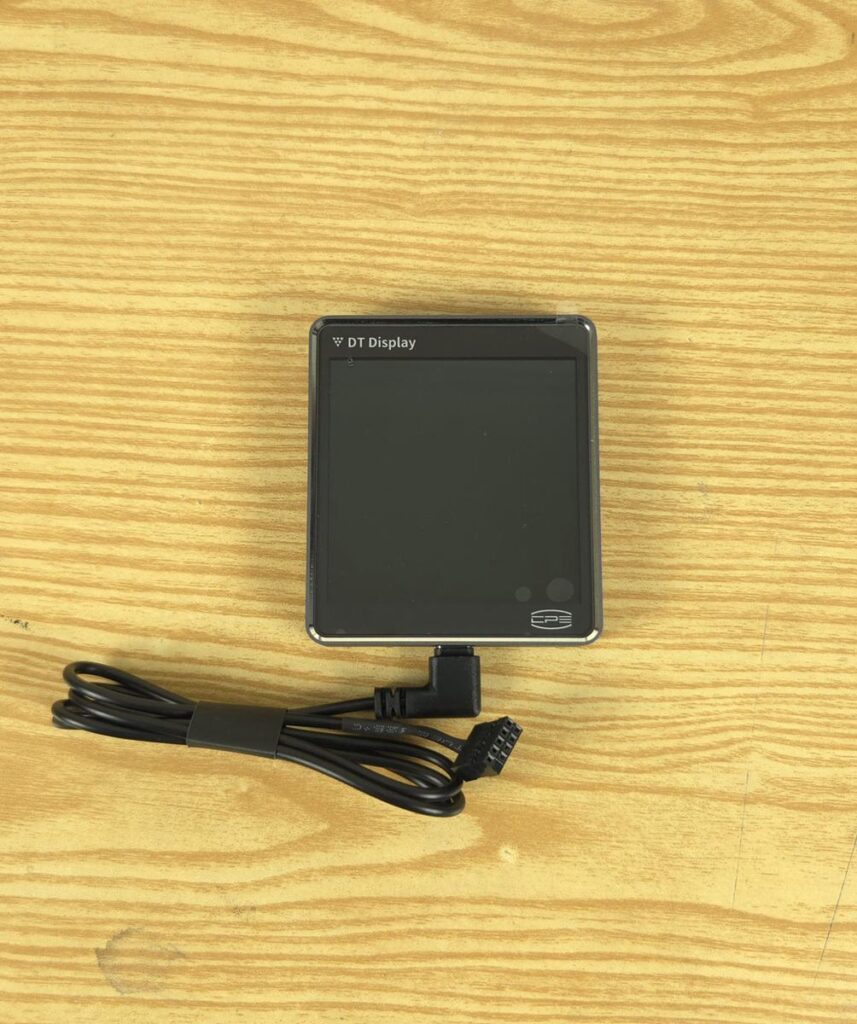
PCCOOLER has provided a USB Type-C to microUSB 9-pin connector cable for the connection. You would need a spare 9-pin USB port on the motherboard.
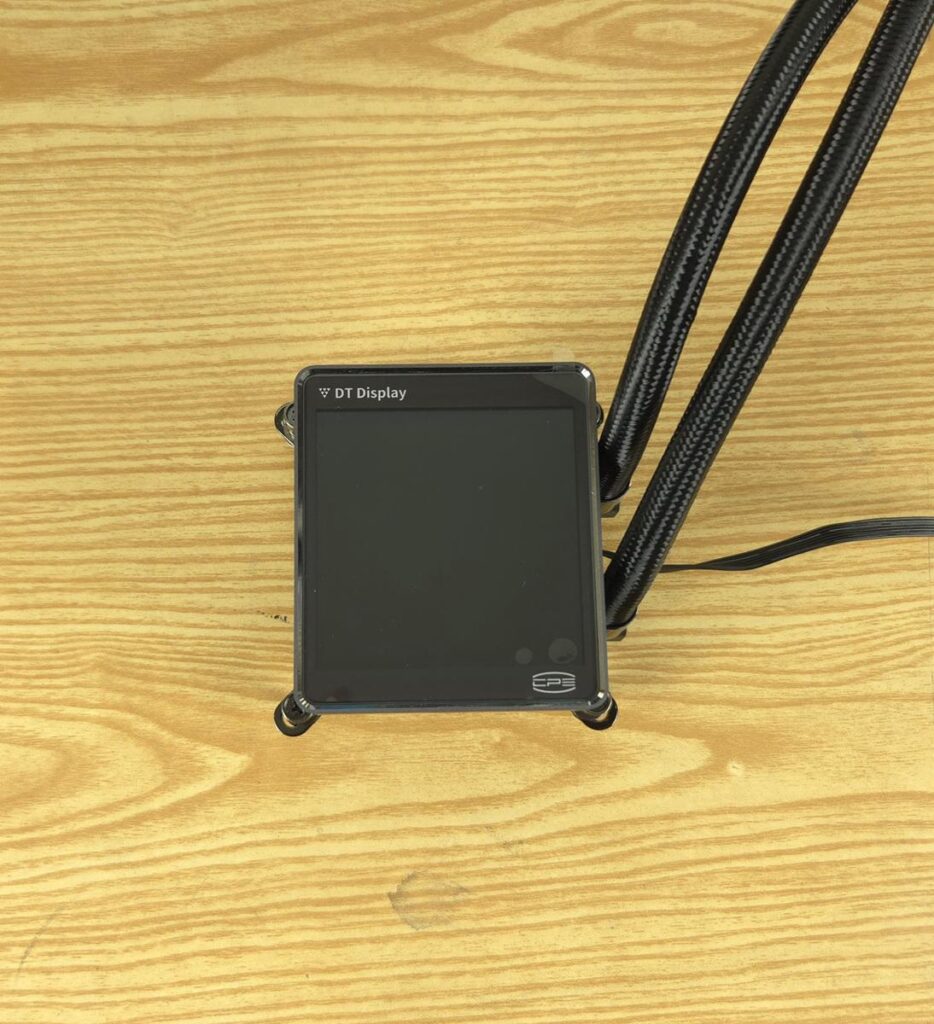
I have placed the display screen over the block.
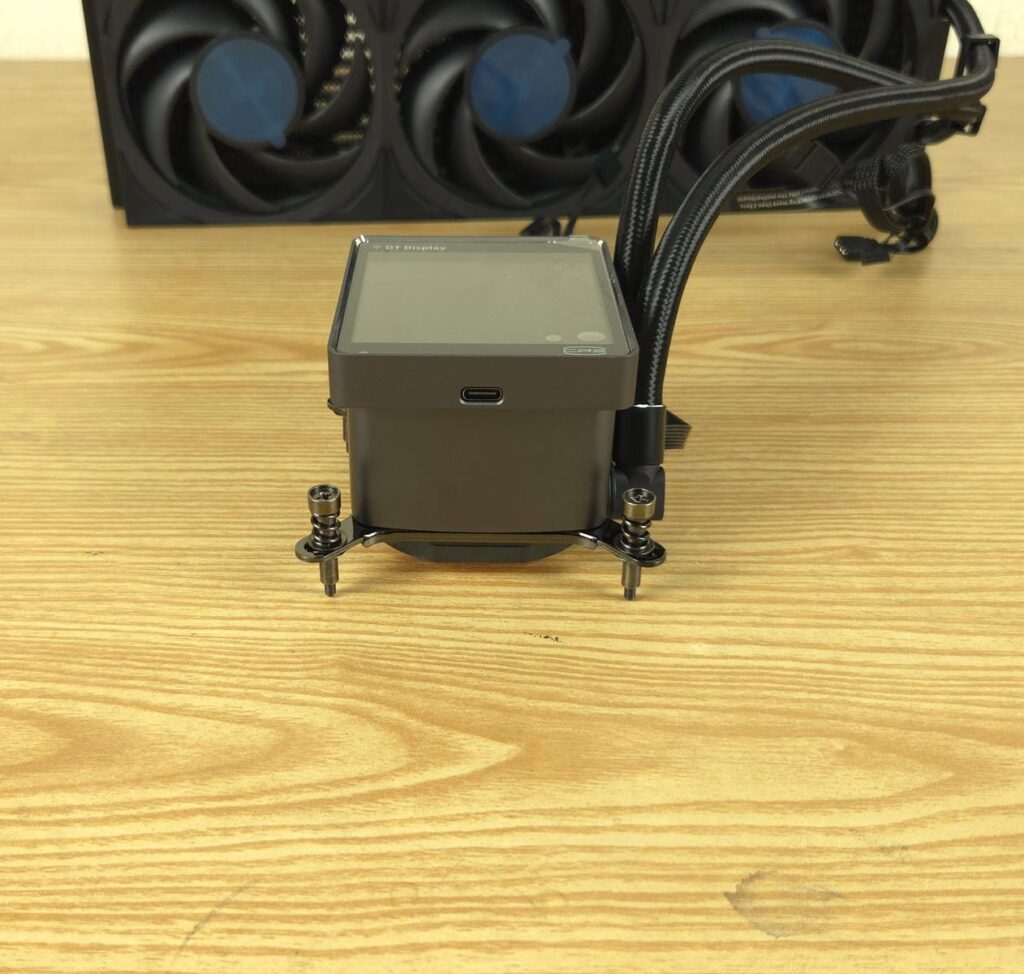
The block with a display screen provides a unibody outlook.
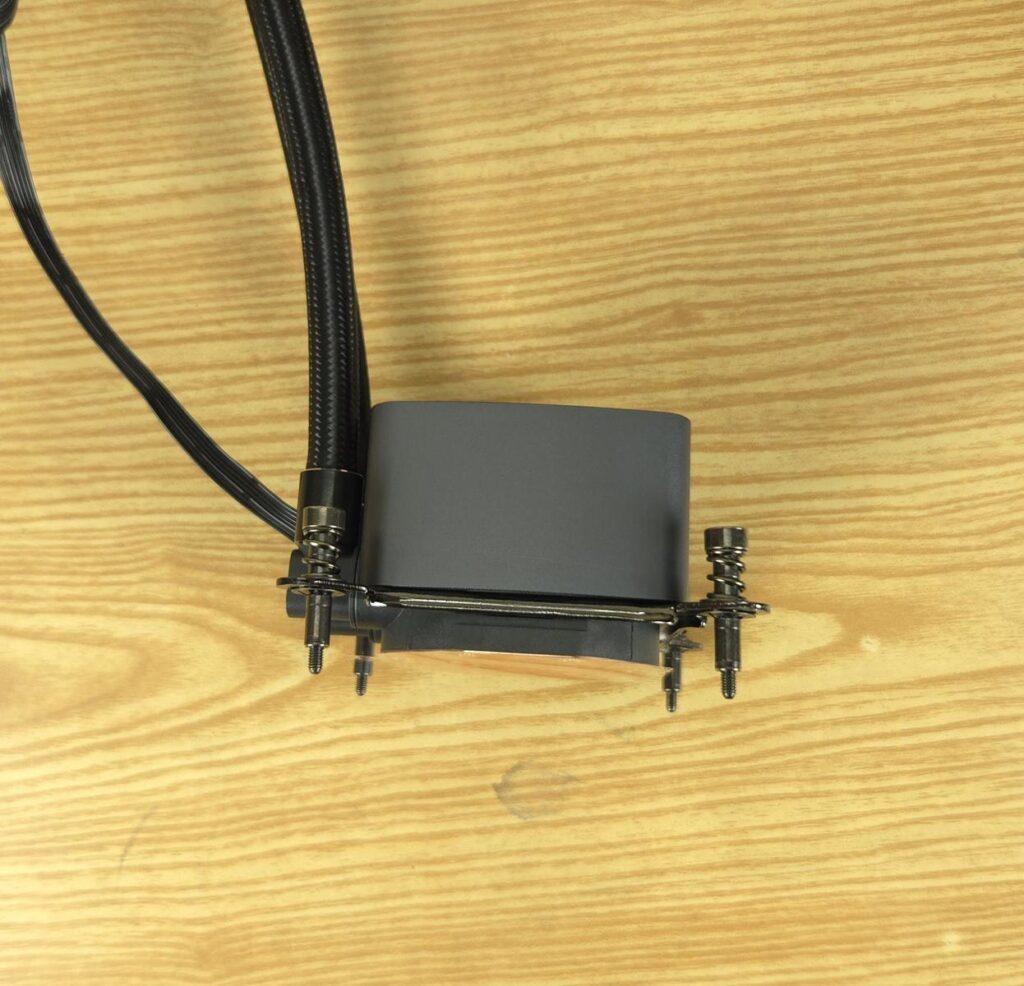
The sides of the main housing are without any branding or design.
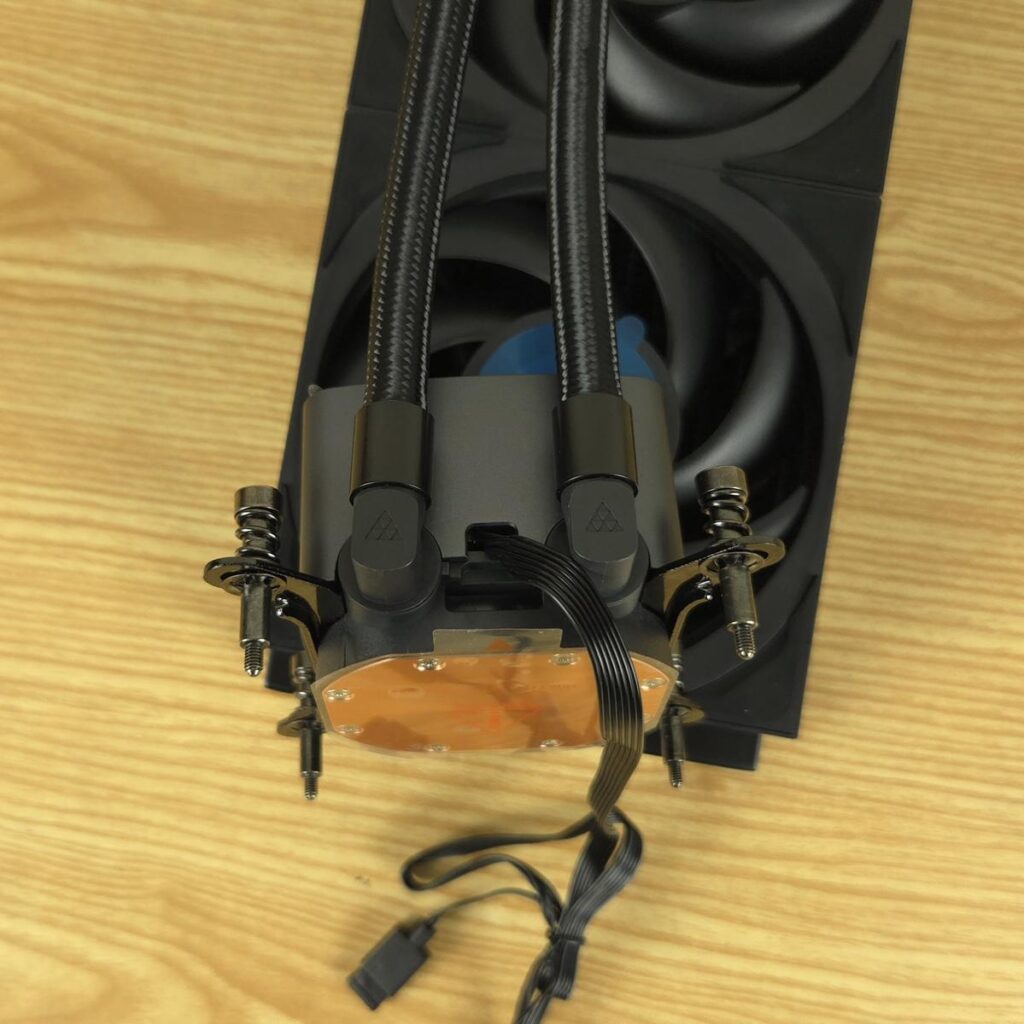
Looking at the rear of the unit, you can see 90° adapters on which the tubes are installed. They can be rotated for necessary adjustment during installation. We can see flat cables coming out from the upper section of the base. The Tri-Force Design element is visible here as well. It is a signature design from CPS.
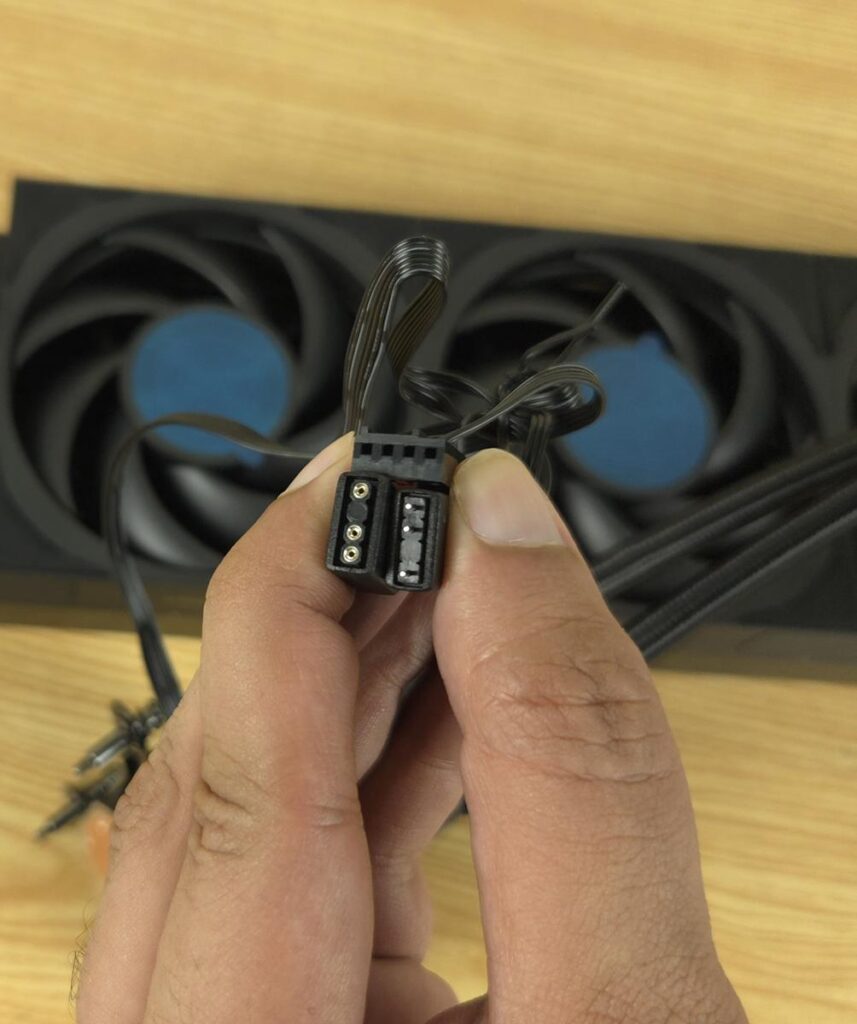
The pump is powered by a 4-pin PWM connector. You can see two standard 5V, ARGB connectors as well. The pump uses ceramic bearings and is rated for 2600 RPM ±10% speed with a noise rating of 15 dB(A). The power rating is 12VDC with 0.3A (3.6W). The ARGB backlighting takes 0.28A on 5V.
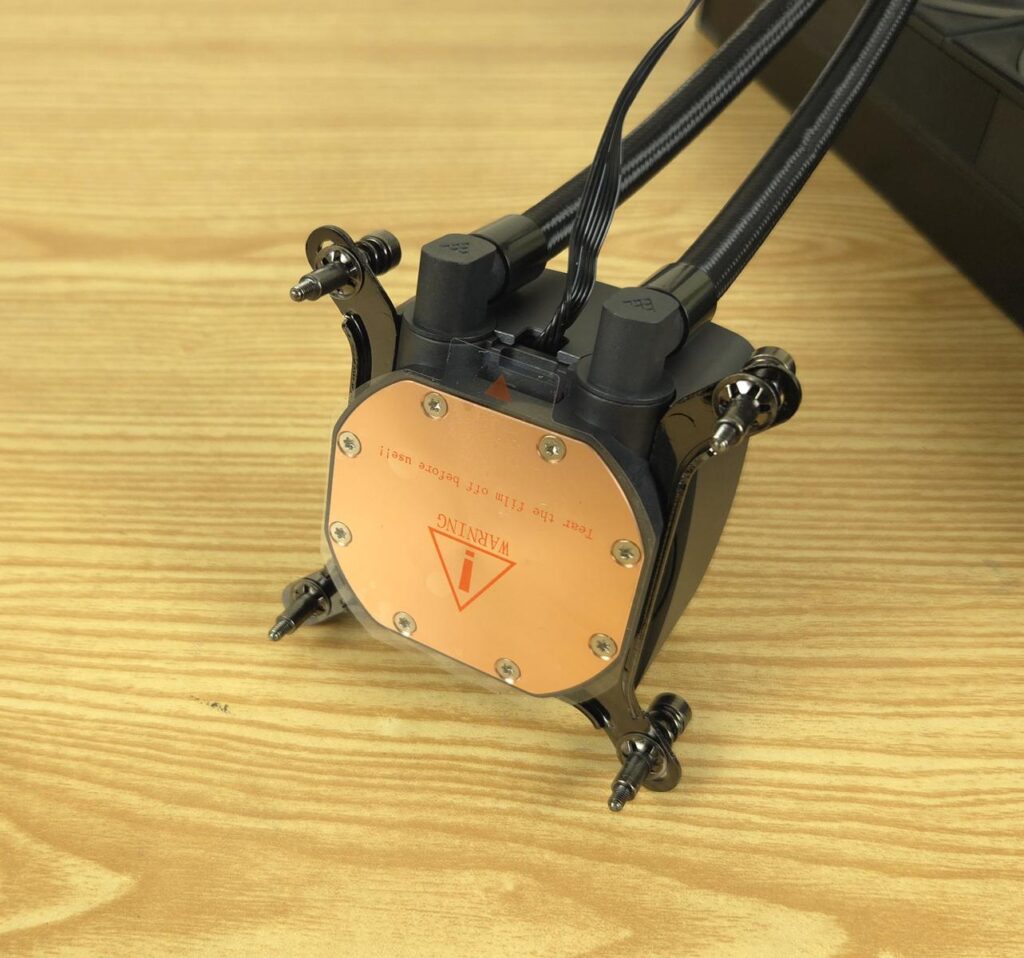
The unit has a copper base that has a protective cover.
FANS
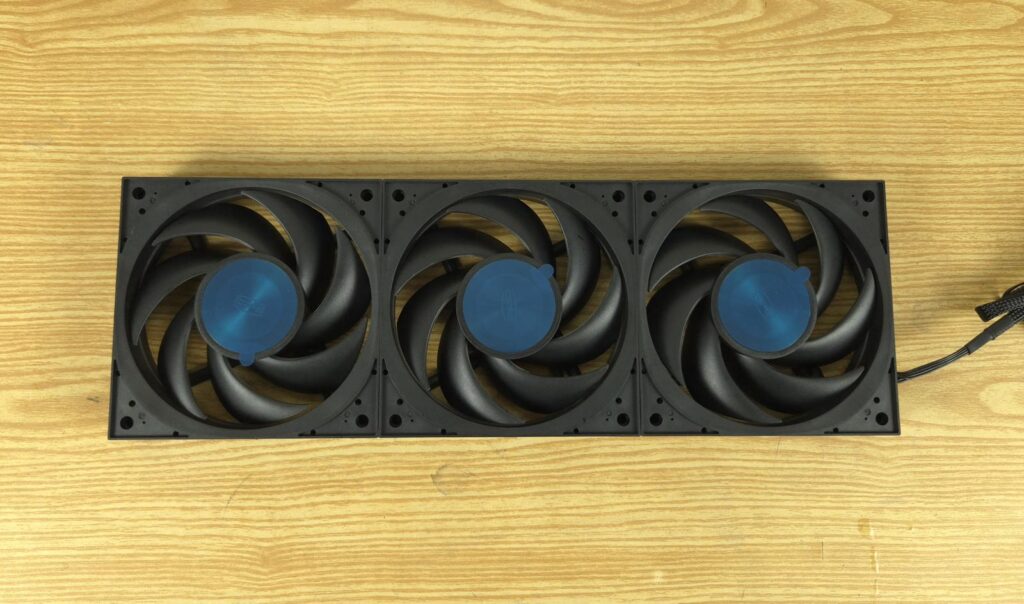
PCCOOLER has taken a different approach with the fan. There is a unified fan assembly on this cooler which reminds me of XPG Levante II cooler. The F7 X120 High-Performance fans come integrated with each other using interconnects (which the brand refers to asa wireless solution). PCCOOLER has used pads to provide a unified and simplified outlook. Even the screws are hidden under the large pads on top.
The assembly is a 28mm thick design with a variable section blade for concentrated airflow and high static pressure. Each fan has 7x blades. There is a ring on the inner frame that has ARGB LEDs. The center has CPS branding. The blades themselves are solid black.
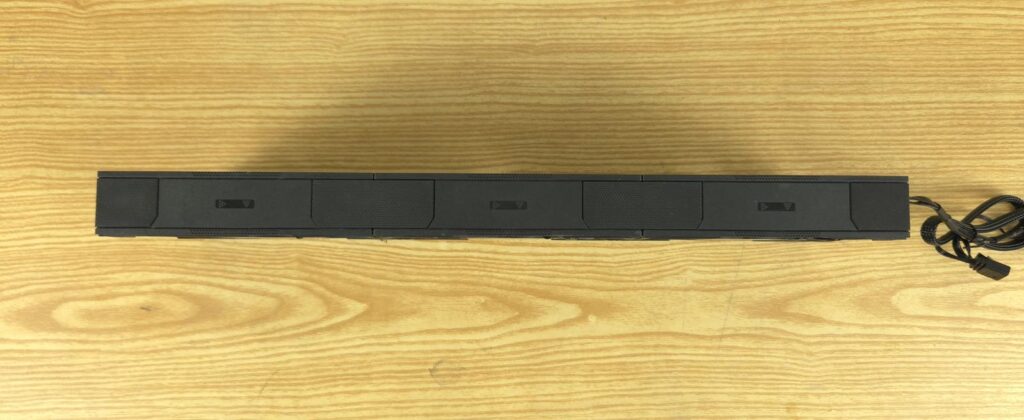
The side view of the fans shows the arrow markers that indicate the direction of airflow through the fan assembly and the direction in which the blades spin. The large-sized pads/covers conceal the interconnection between the fans.
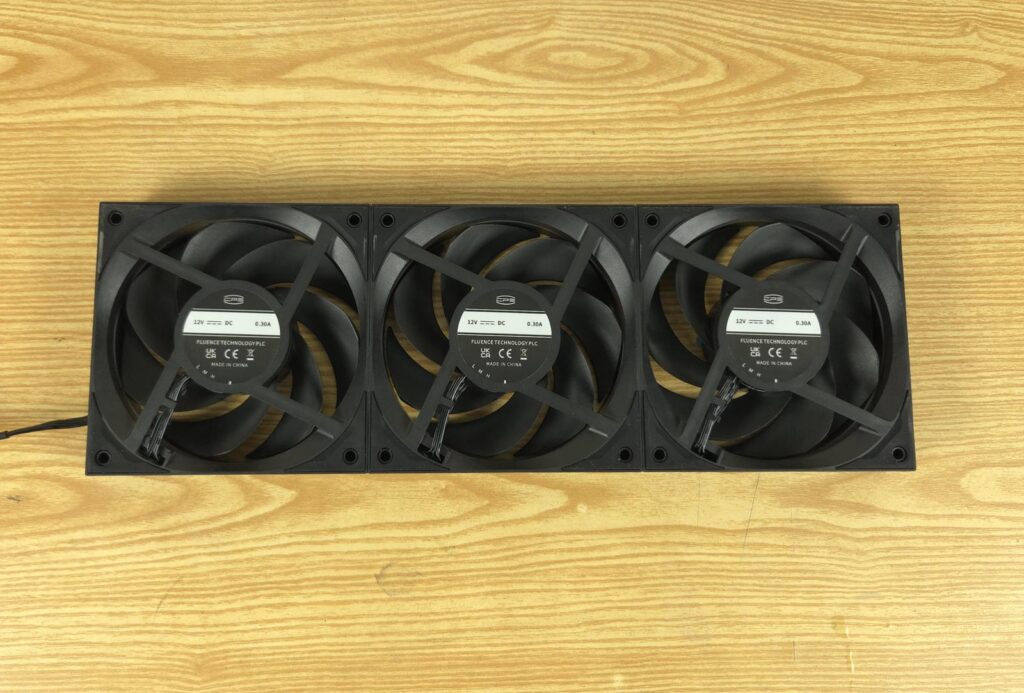
Looking at the backside, you can see that these fans come with three three-speed configuration:
- Low: 500 to 1500 RPM ±10%, 55CFM, 1.7mmH₂O
- Medium: 500 to 2200 RPM ±10%, 65CFM, 3.3mmH₂O
- High: 500 to 3000 RPM ±10%, 83CFM, 5.7mmH₂O
The backside has a slope design on the border. The 0.30A label seems to be misleading as it is 0.38A. These fans use dual ball bearings which is good.
A word on the Fans’ power rating
At full speed of 3000 RPM, each fan draws up to 0.38A at 12VDC, which results in 4.56W. This means that three fans will take 13.68W. If your fan header is rated for 12W (12VDC @ 1A) then you should not connect these fans to that header. If your fan header is rated for 24W or above (12VDC @ 2A) then you can use these fans on that header. This is why PCCOOLER has included a SATA-powered fan hub.
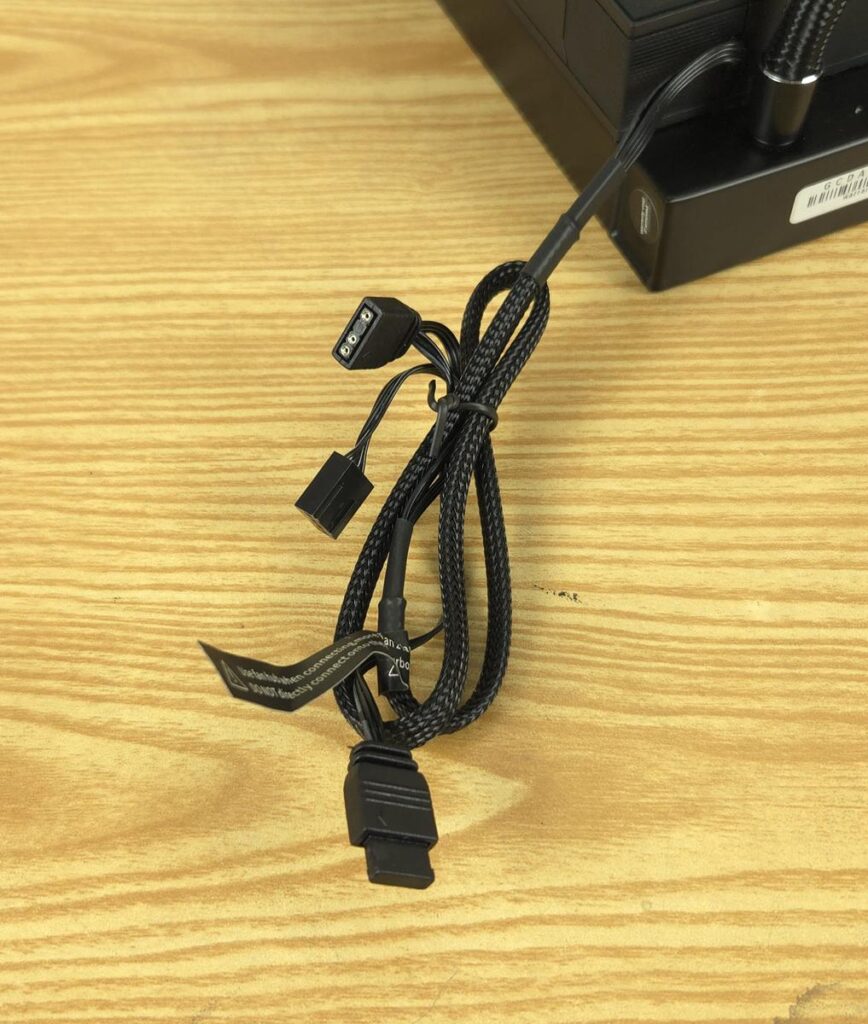
A single cable comes out from the third fan. It is braided sleeved and has a 4-pin PWM and two 5V, ARGB connectors.
Fan Hub
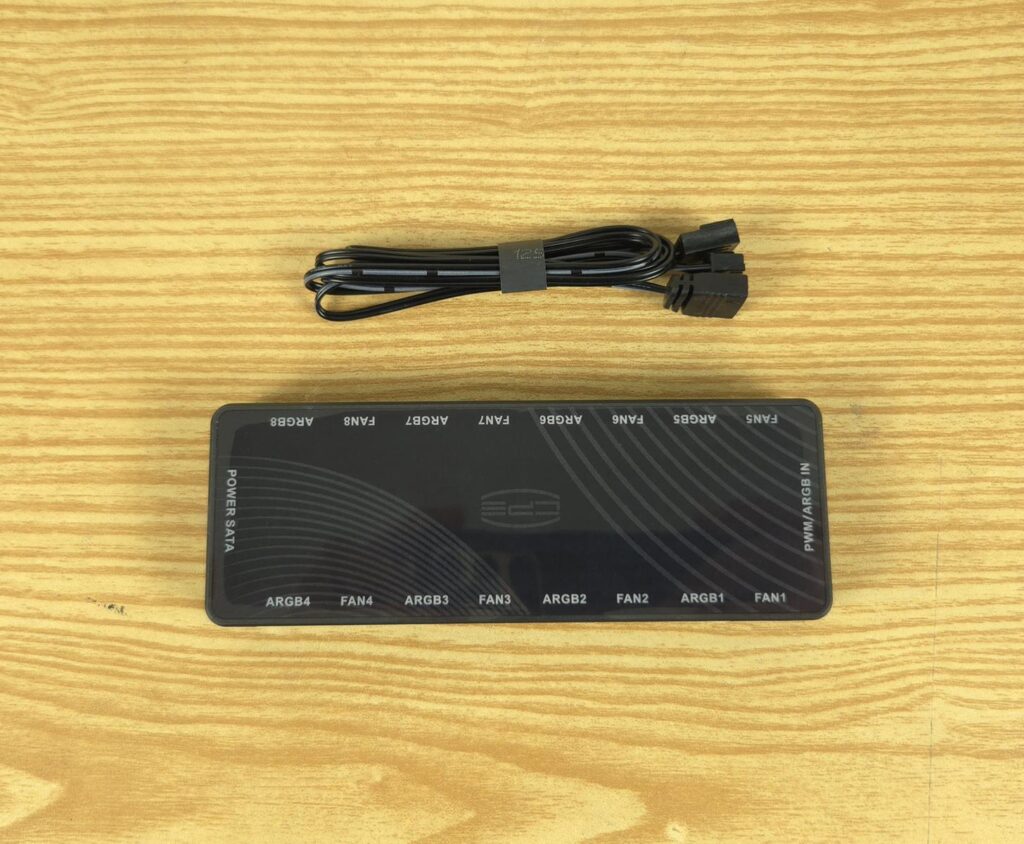
PCCOOLER has provided an 8-port (total of 16) fan hub that allows you to connect up to 8x ARGB fans with the hub (two ports per fan).
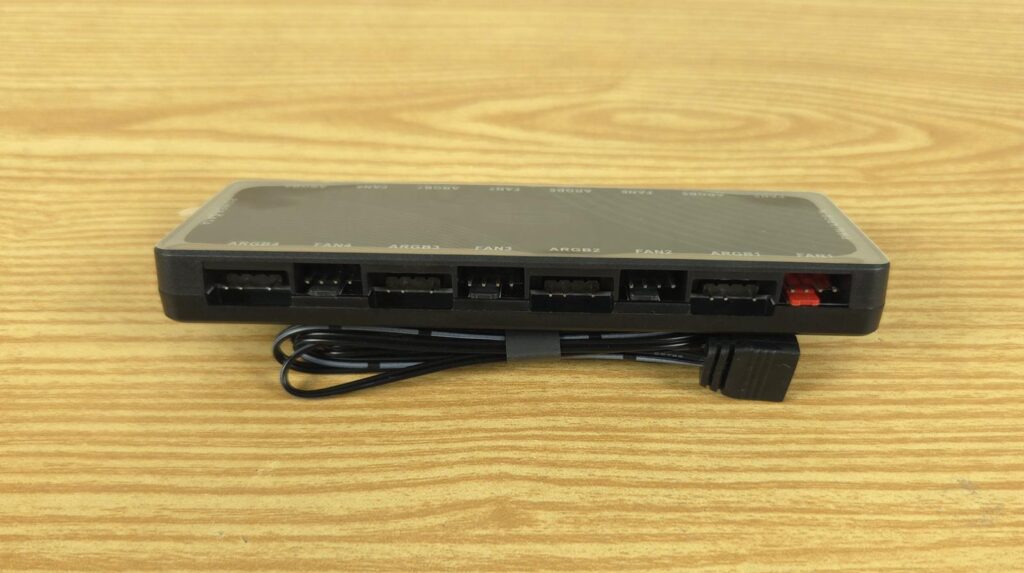
Fan1 is marked red, indicating that this port will be used for PWM signal control. Each fan port has a standard 4-pin design, and each ARGB port has a standard 3-pin, 5V design.
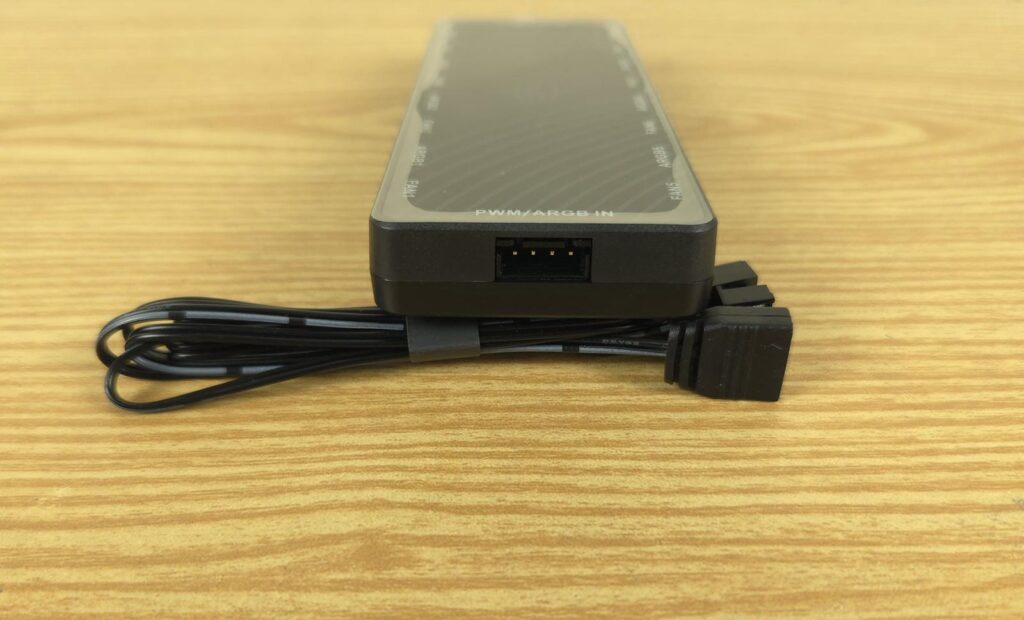
The hub has a proprietary 4-pin connector labeled as PWM/ARGB-In. The bundled cable is to be connected to this port.
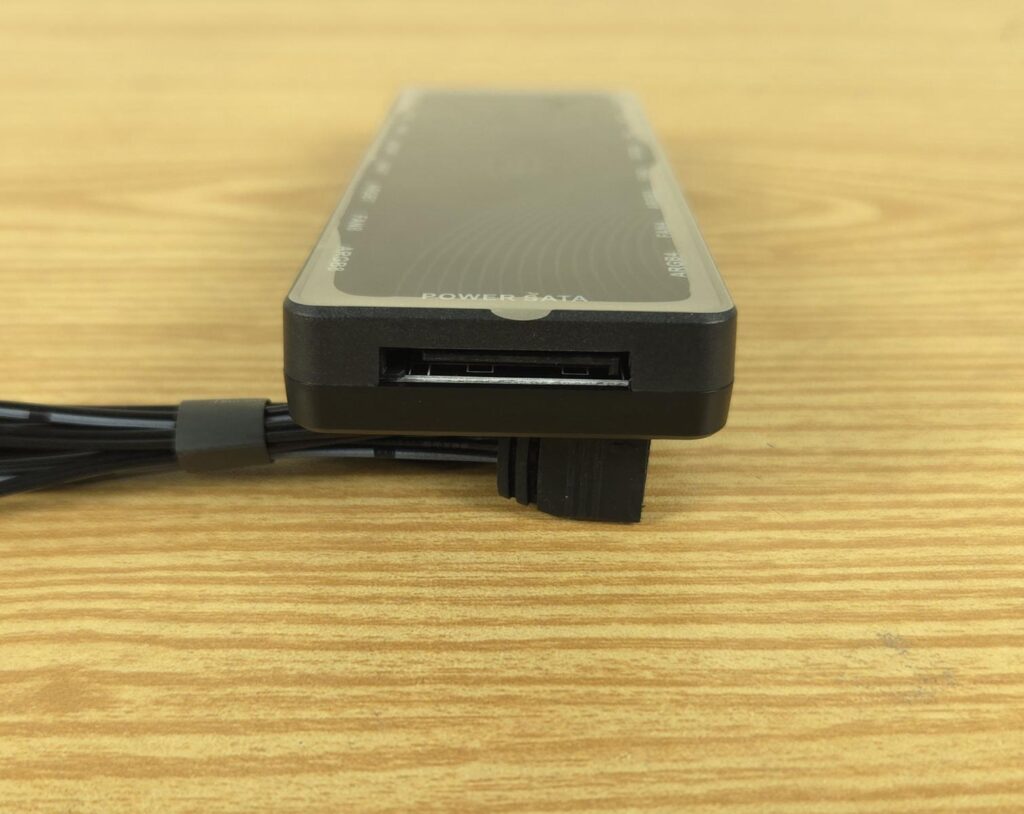
The hub is SATA powered and this is where the PCCOOLER takes the fans ‘ related worries off the user’s shoulders.
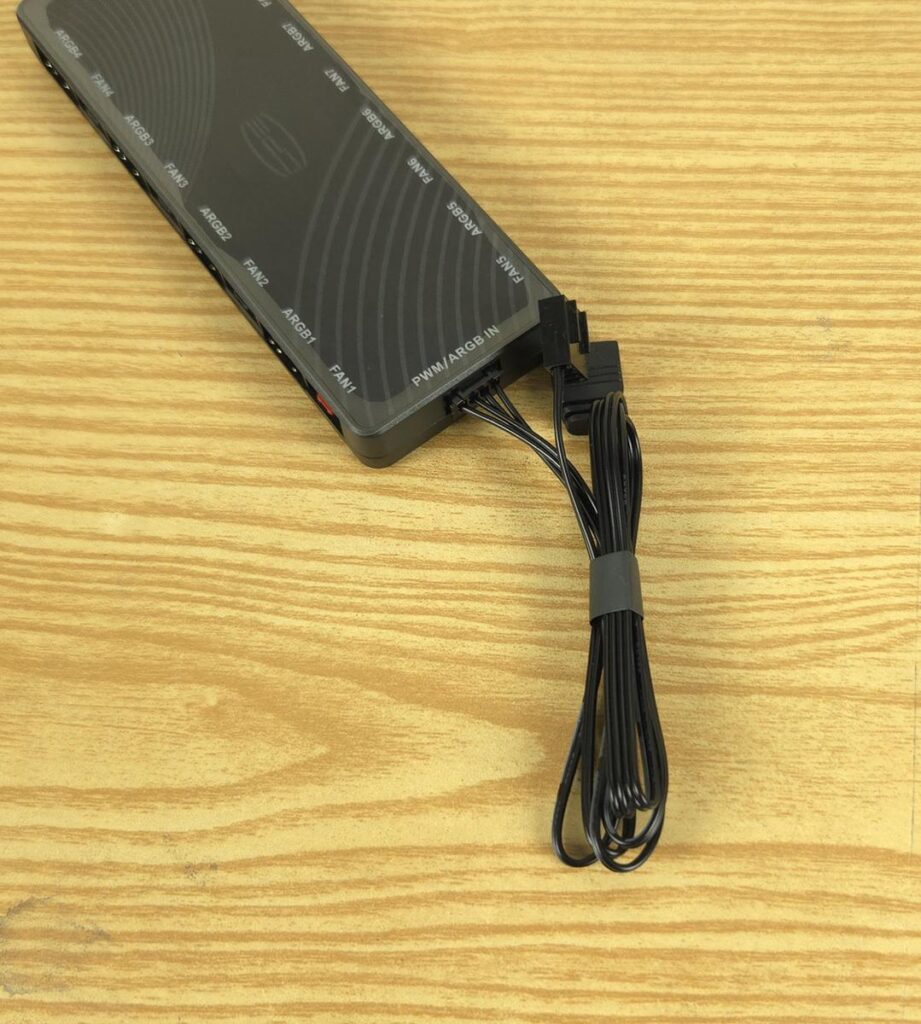
I have attached the cable provided in the accessories to the hub. This cable has a standard 4-pin PWM connector and 3-pin, 5V ARGB connectors for the motherboard connection.
Software
The software is divided into three main categories:
- Overview
- Information
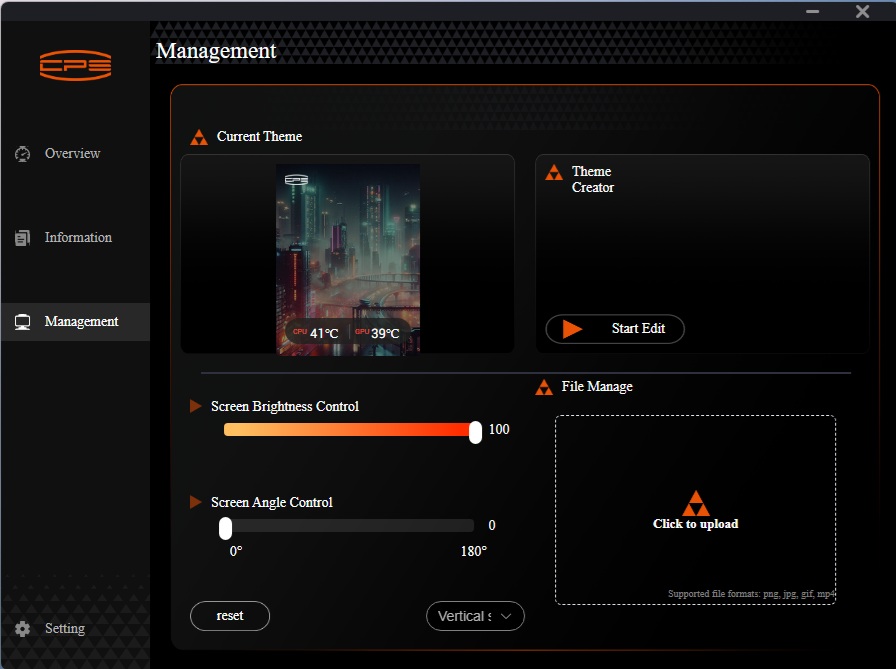
- Management
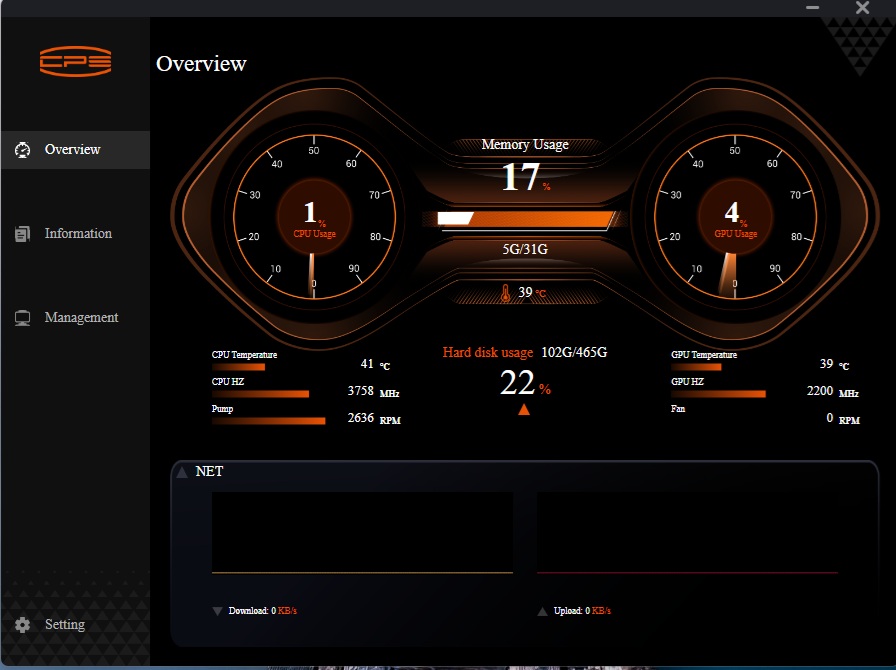
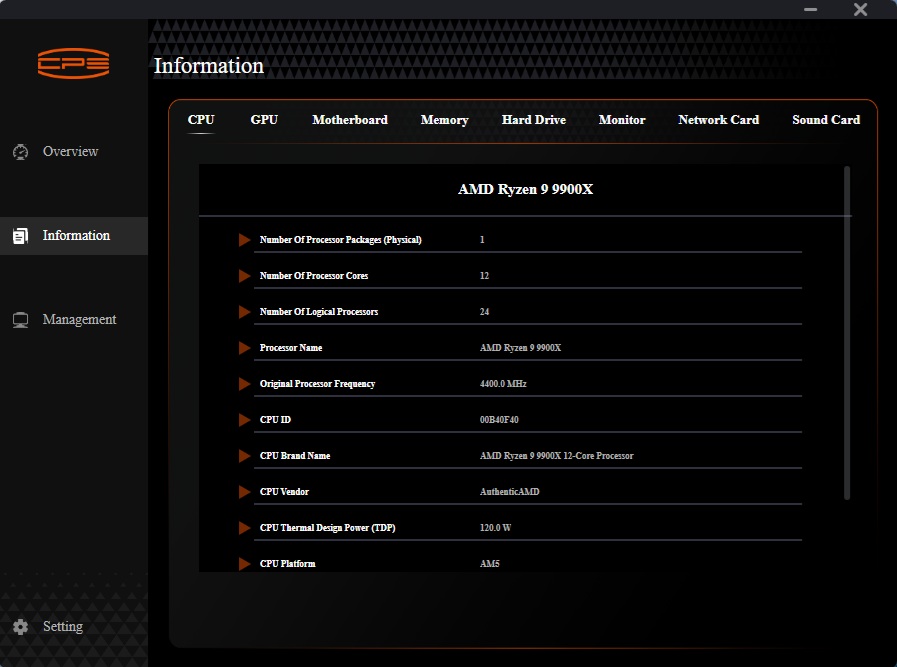
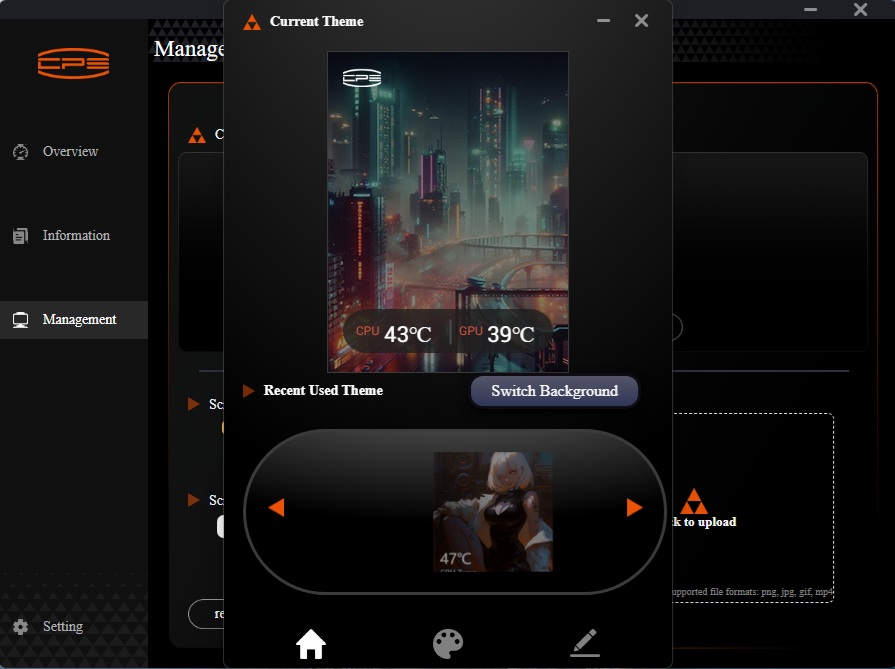
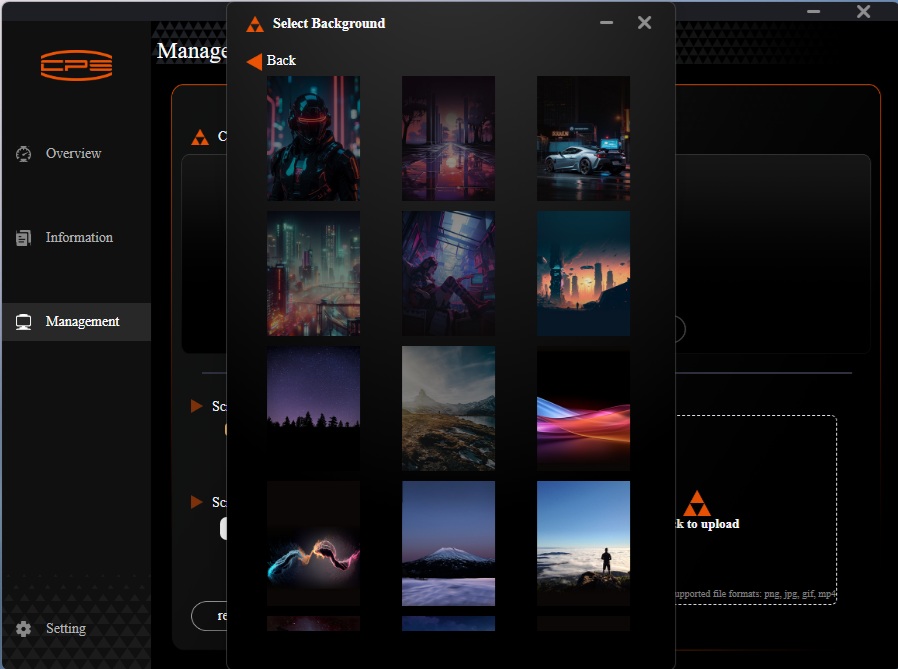
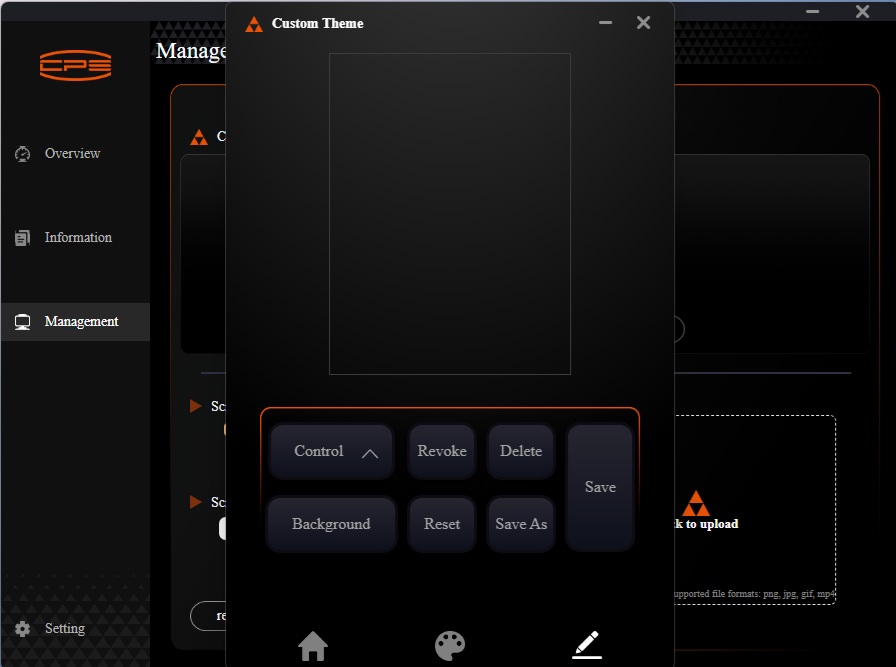
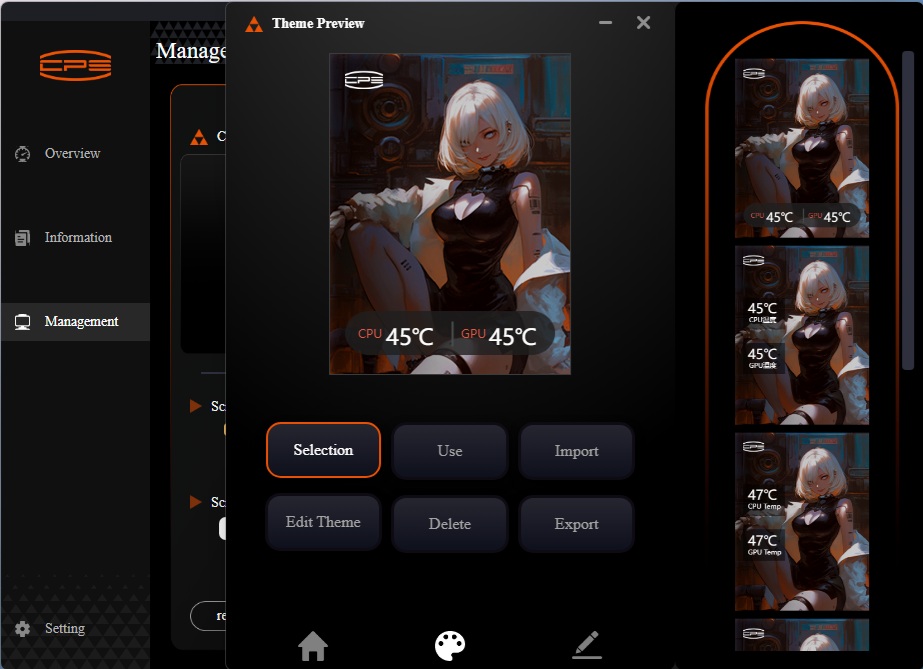
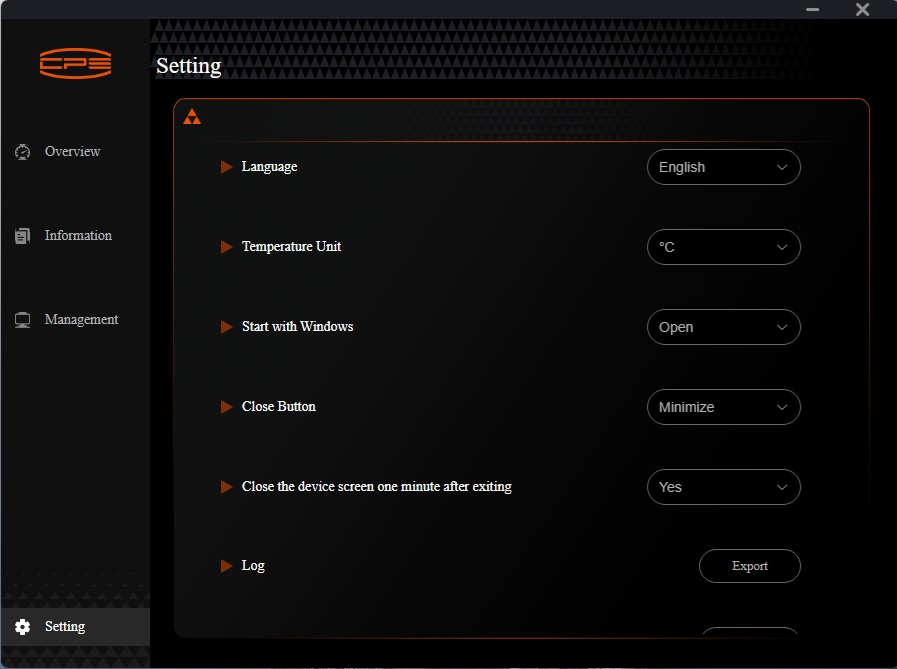
The Overview window shows the sensors’ data in a summarized format,t like CPU utilization, CPU temperature, GPU temperature, Memory usage, network speeds, etc. Similarly,the Information window shows the details of each hardware component installed and detected on your PC. This is skippable, and CPS could have just focused on the management only.
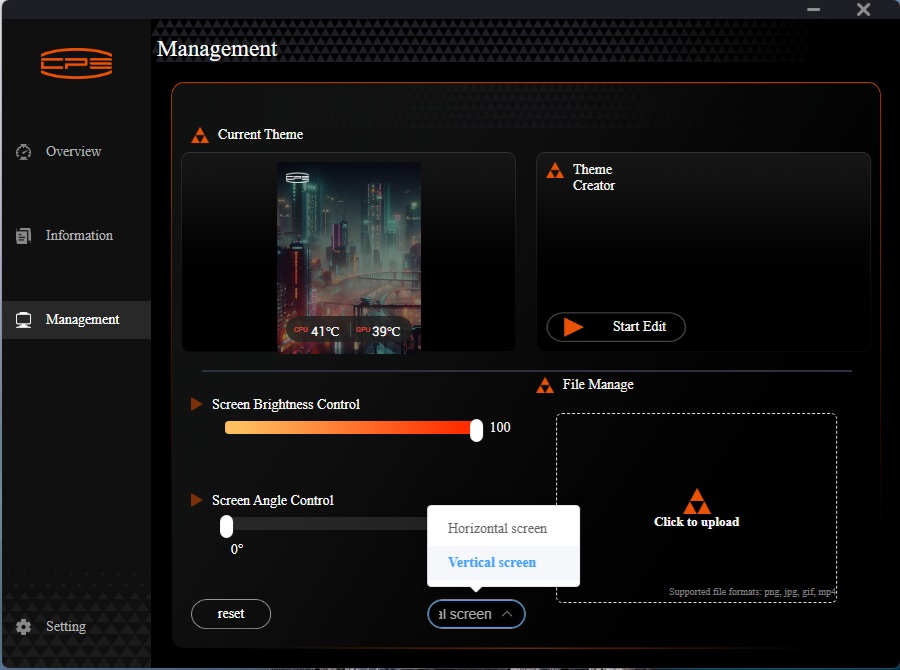
The management console is where you can customize the display screen. You can change the display orientation, although it is trivial. The brightness control is dedicated, which is nice. You can upload your picture to be displayed. Another key feature is editing and customizing the themes.
You can customize the theme by changing its backdrop, color palette, and placement of sensor data. You can also import/export the themes.

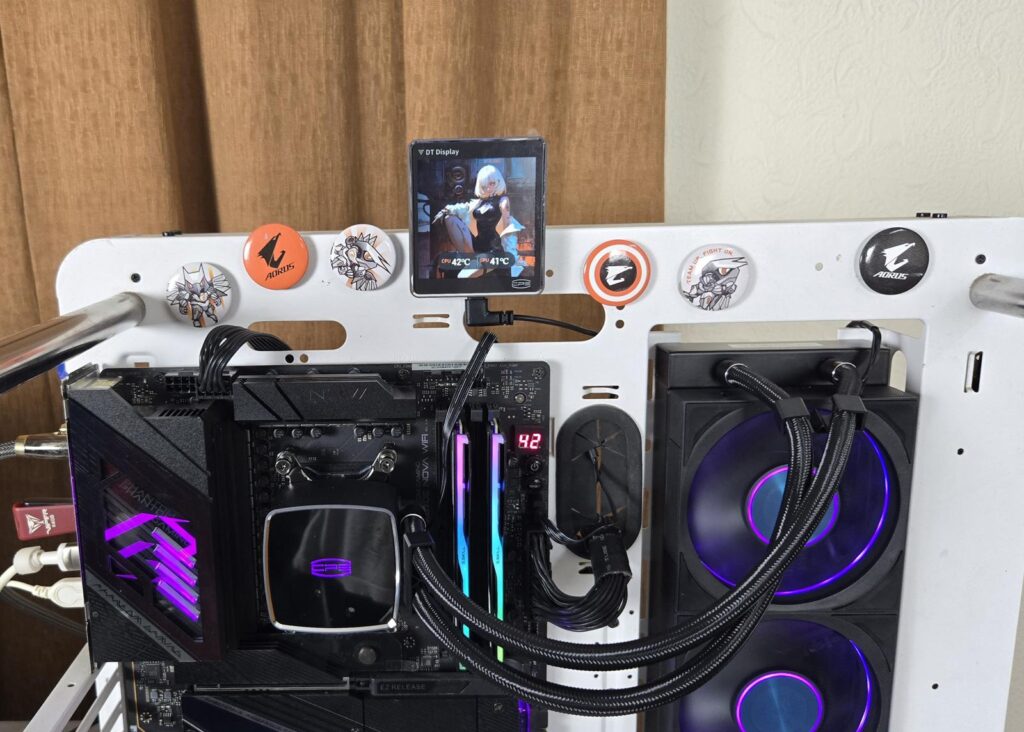

You can install the detachable display screen anywhere on the PC Case or even on the stand that is available separately. However, my recommendation to PCCOOLER is to shift the USB connection to the block of the cooler and make a wireless connection between the base and display screen if possible. A cable-free, detachable screen would be a killer addition.
Installation
We don’t cover the installation steps. Please use the installation guide for that. We only mention observations recorded during installation. I did not observe any issue in the installation of this cooler on the AM5 platform, except that you need to align the standoff screws with the sockets, which may sound easy, but it is somewhat challenging.
Clearance
Make sure your PC Case has clearance for a 360mm AIO measuring 394x120x55mm.
RGB Lighting
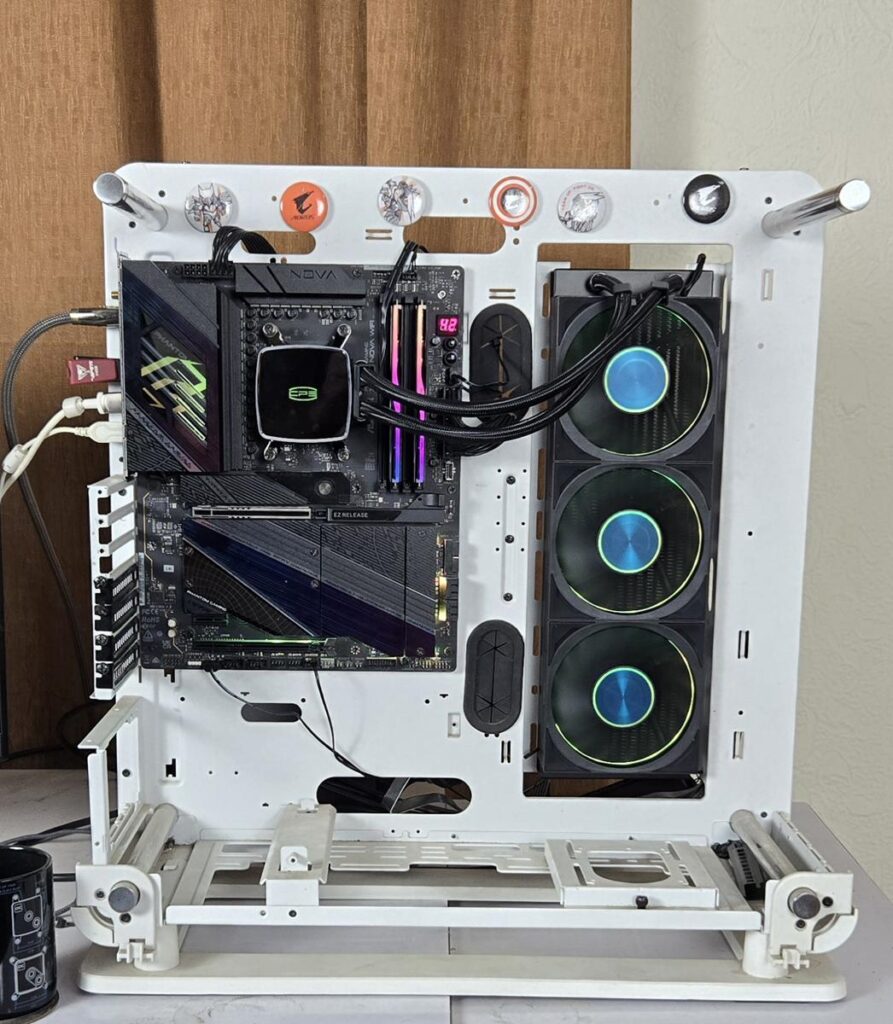
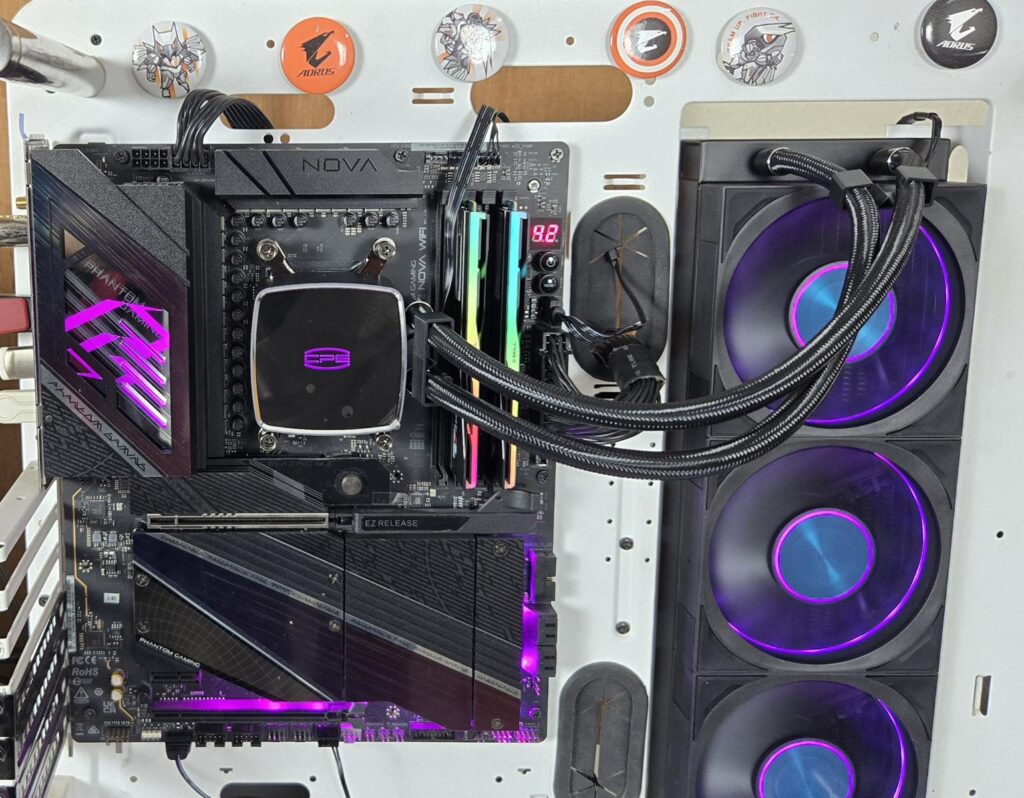
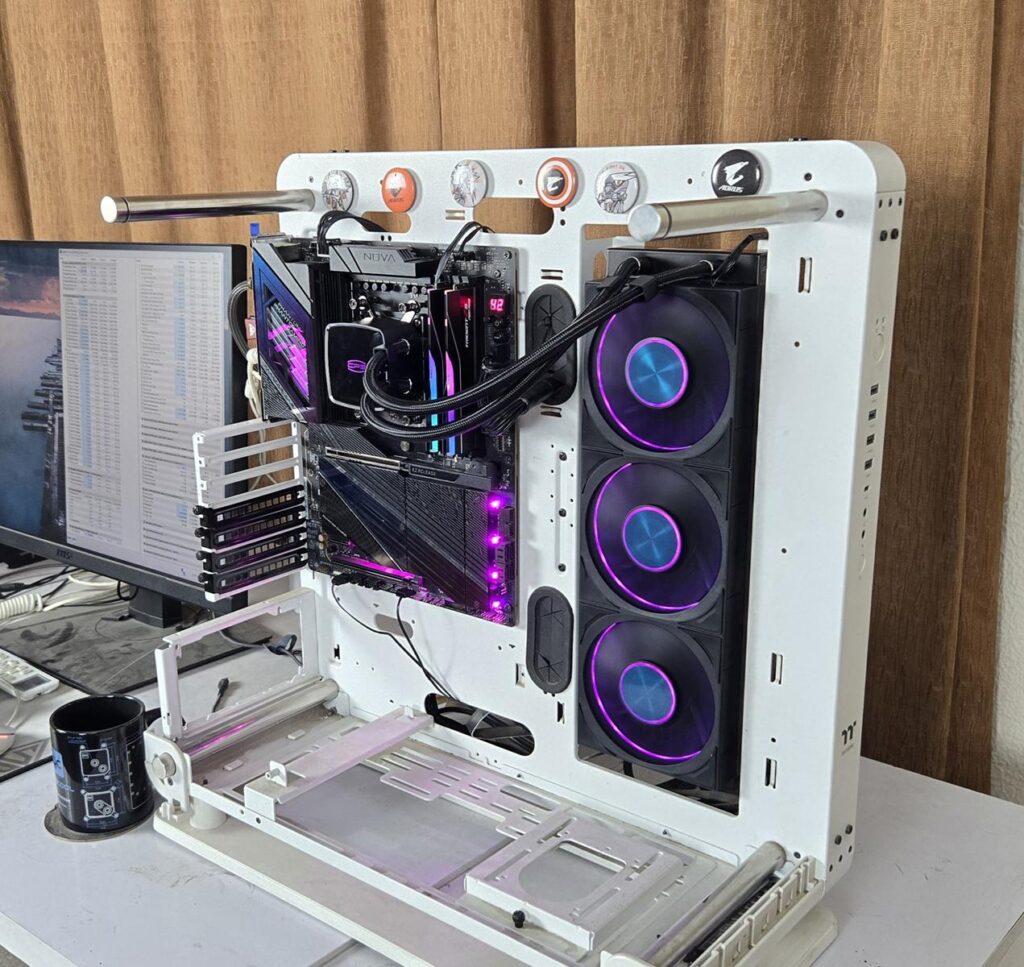
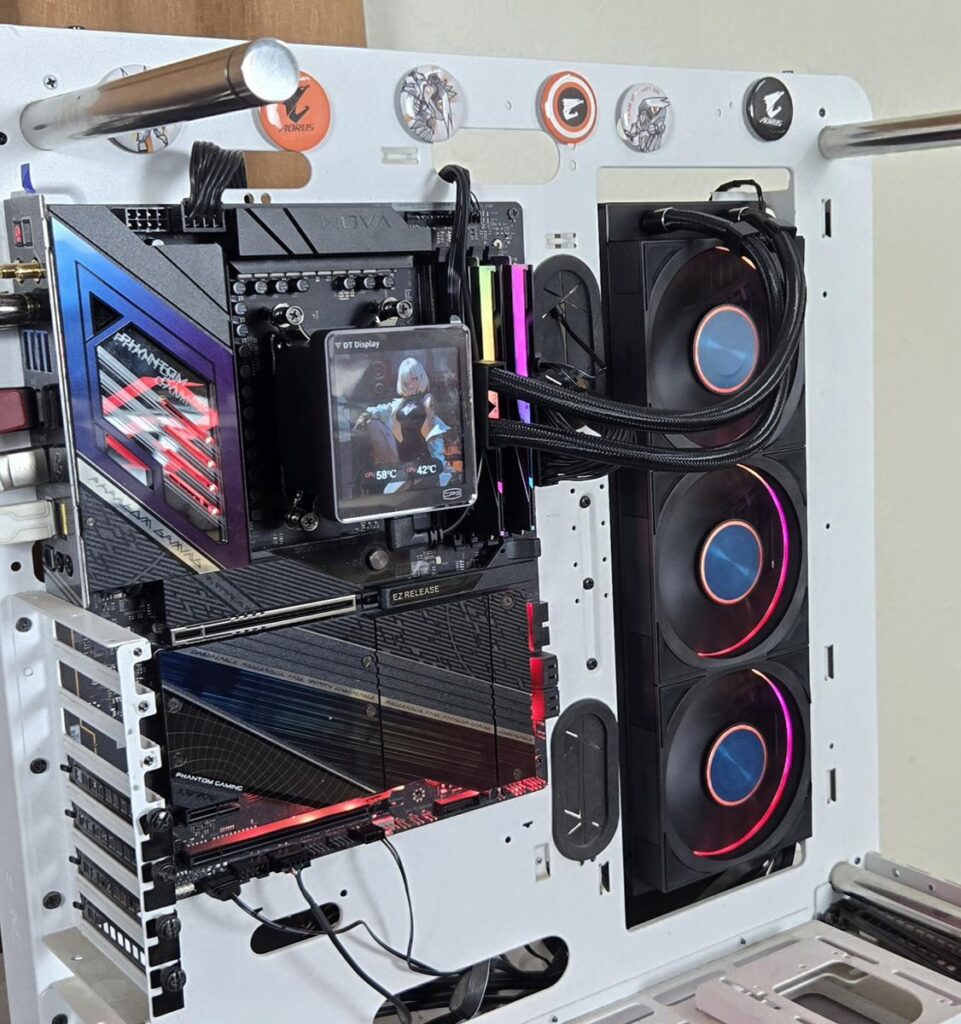

CPS is using standard connectors that would work with the RGB sync technology of motherboard manufacturers. Pictures are from the ASRock X870E NOVA WIFI setup using the PolyChrome Sync app.
Testing
The following configuration is used for thermal testing:
- AMD Ryzen 9 9900X
- ASRock X870E NOVA WiFi
- GSkill TridentZ NEO RGB 32GB 6400MHz CL30 DDR5 kit
- ASRock Phantom Gaming RX 7600 Graphics Card for Display
- Biwin Black Opal X570 Pro 4TB NVMe SSD
- Be quiet! Straight Power 11 850W Platinum PSU
- Praxis Wetbench

Here is the settings table for testing:
| Settings | PBO Enabled [243W] |
| Clock (MHz) | Auto |
| Voltage (V) | Auto |
| Thermal Paste | Noctua NT-H2 |
| Thermal Paste Application | Dots Method |
| Test Run Time | 30 minutes |
| Idling Time | 10 minutes |
| All Fans Speed | 100% PWM Duty Cycle |
| Pump Speed | |
| Stress Software | CINEBENCH R23.2 |
| Monitoring Software | HWINFO64 |
I am reporting absolute temperature in the graph because the room temperature was at 22°C throughout the day. The testing is done on an open-air bench system. Once inside the chassis, the temperatures are expected to rise and would largely depend upon the optimal airflow inside the chassis.
Result
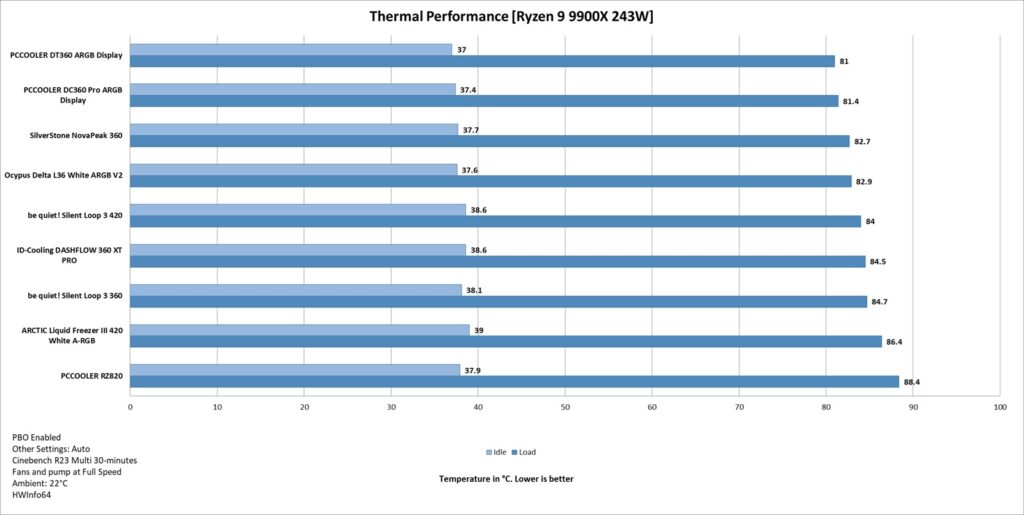
Both PCCOOLERs offer top-notch performance in almost the same price range. This makes the DT360 ARGB Display an even better proposition out of two. However, at full speed, the fans are loud. I would suggest using a custom fan curve or the Auto PWM function.
Conclusion
The PCCOOLER DT360 ARGB Display liquid cooler is available in a 360mm size in white and black colors. The salient highlight of this cooler is its 3.4” IPS screen with a 480×480 resolution at a 60Hz refresh rate. This cooler is compatible with Intel LGA1851/1700/1200/115x and AMD AM4/AM5 sockets.
The aluminum radiator has an overall dimension of 394x120x55mm with a fan assembly. It has 14 channels for coolant flow, giving it a distinct advantage in terms of surface area, and has a fin density of 20 FPI. The manufacturer uses rubber tubing which runs to 400mm in length and has a black nylon braided sleeve mesh with fiber layers. Tube clamps come pre-installed as well.
The pump head features a black top with CPS branding, which is backlit. The display screen is detachable as it uses a magnetic connection. The pump is mentioned to be a second-generation design compared to the OC Plus V1.0 design on DC360. The pump is rated for 2600 RPM ±10% at 12VDC with a 0.3A rating. It uses ceramic bearings.
PCCOOLER has used an integrated fan assembly, which is well concealed from all sides for a unified and clean look. The screws are hidden under the rubber pads on the mounting corners. The interconnects between fans are hidden using covers on the side, which the brand refers to as a wireless design. A single cable comes out from the third fan, and it has standard connectors. These fans come with three speed configurations (Low, Medium, and High). The important aspect is the power rating of the combined fans at full speed, which is 13.68W. Do check your motherboard’s fan headers for power rating. Otherwise safe solution is to use the bundled SATA-powered 16-port (for 8 fans) hub.
These fans use dual-ball bearings and have a speed range of 500 to 3000 RPM ±10% under high-speed configuration. The maximum airflow rating is 83 CFM, and the maximum air pressure rating is 5.7mmH₂O. The maximum noise level is 33 dB(A).
The software for the display screen can be more user-friendly in terms of layout. However, it provides all the functions to customize the theme and display. You can also show the sensors’ data on the screen with real-life monitoring.
The display screen uses 4 magnets for attachment, and it can also be mounted anywhere in the PC Case as long as the surface is metallic. You can optionally buy a stand for a desktop mount for this screen, but keep in mind that it is not a wireless connection. You still need a USB-C to microUSB connector cable.
The installation of this cooler on the AMD AM5 socket is a straightforward task and requires only 1 item. The pre-installed spring-loaded screws on the mounting brackets have simplified this segment. However, aligning and then pressing the standoff screws is a bit challenging. The same is the case for the Intel platform.
This cooler has an MSRP of USD 219, and it comes with a 5-year warranty. It can currently be purchased on Amazon for $249.99 but does have a 15% discount that can be applied, reducing the price. Speaking of the thermal performance, this cooler is as good as the DC36,0 and this is where it becomes a better option out of the two coolers from the same brand. The overall noise level is high. The cooler is recommended by us.
Pros:
- Excellent Thermal Performance
- 3.4” IPS Display Screen
- Magnetic Detachable Screen
- 480×480 resolution
- Vivid A-RGB lighting
- Powerful Pump
- Powerful Fans
- Integrated Fan Assembly
- Fan Hub
- Compatible with Intel LGA1700/1851 sockets
- Compatible with AMD AM4/AM5 sockets
- Easy Cable Management
- 5-Year Warranty
Cons:
- Noise
- A fault in any fan would mean a total replacement of the fan assembly
- Fans’ combined high power rating